



So you’ve finished keyword research, and now you’ve got a list of 150+ keywords that could drive traffic to your site.
What’s next?
That’s exactly what this guide covers. Follow these five steps to turn your keyword list into content that actually ranks and converts.
Step 1: Organize Your Keywords into 3 Strategic Buckets
Before touching content creation, sort your keywords into three logical buckets. This keeps your SEO strategy aligned with both business goals and search intent.
Bucket 1: Main Keywords (for the Homepage)
Your homepage is the digital front door of your business. Unlike blog posts or product pages, which chase specific long-tail terms, your homepage should target broader keywords that convey the essence of your brand, a central hub that tells visitors and search engines who you are and what you offer.
To optimize your homepage with your researched keywords:
a. Identify 1 to 3 primary keywords
↳ Think of the terms that describe your core business and match how your target customers actually search. A SaaS tool might target “project management software.” An eCommerce store might aim for “affordable smart home devices.”
Avoid hyper-specific keywords unless your business is genuinely niche. Your homepage needs to capture a wide audience.
↳ Search your primary keyword and study the SERP. Look at competitor homepages ranking for that term, note what they’re using in title tags, meta descriptions, and headings.
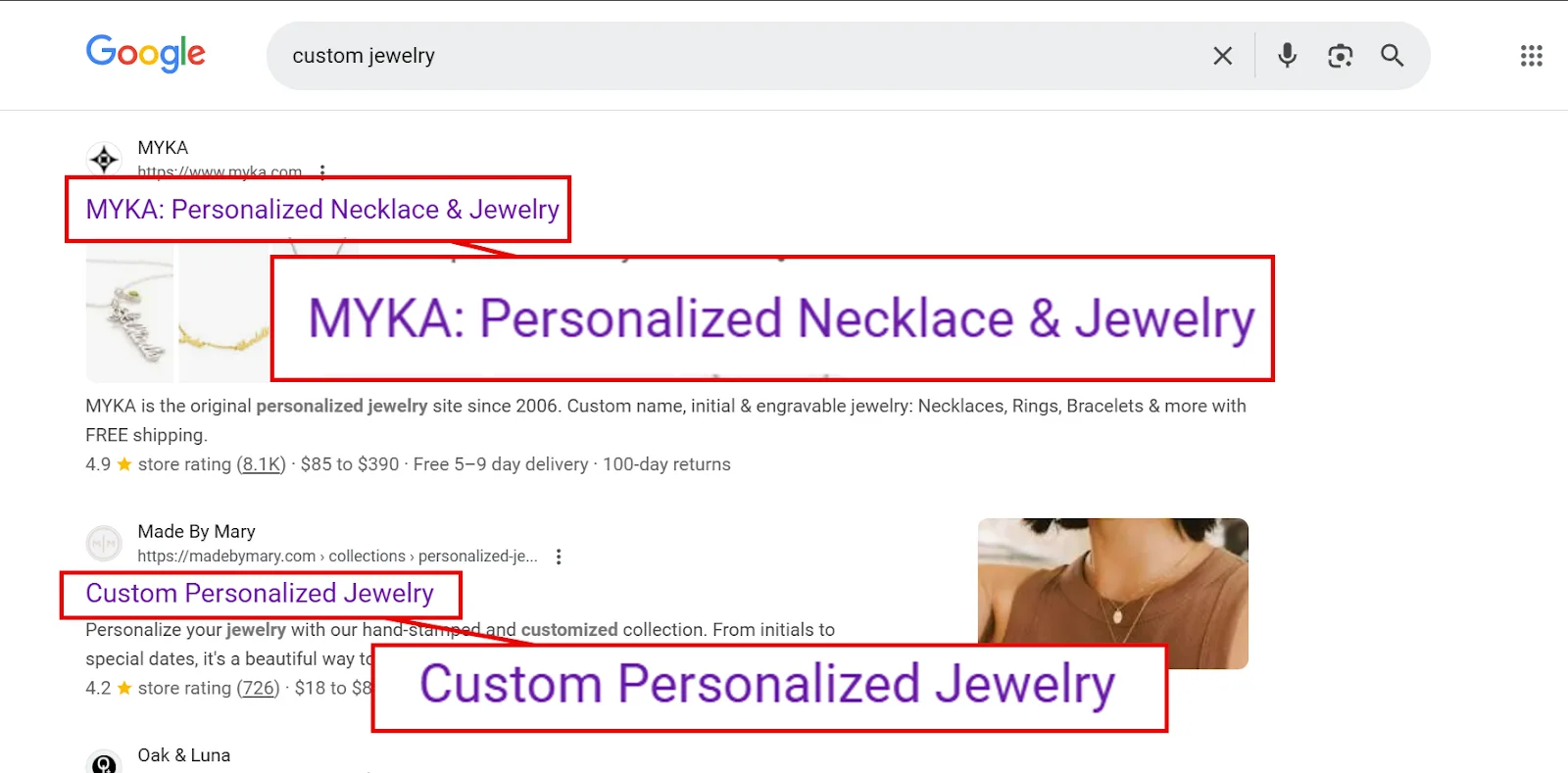
Say you’re doing SEO for a custom jewelry business. Google something that represents the core of what they do, like “custom jewelry,” and open the top few results.
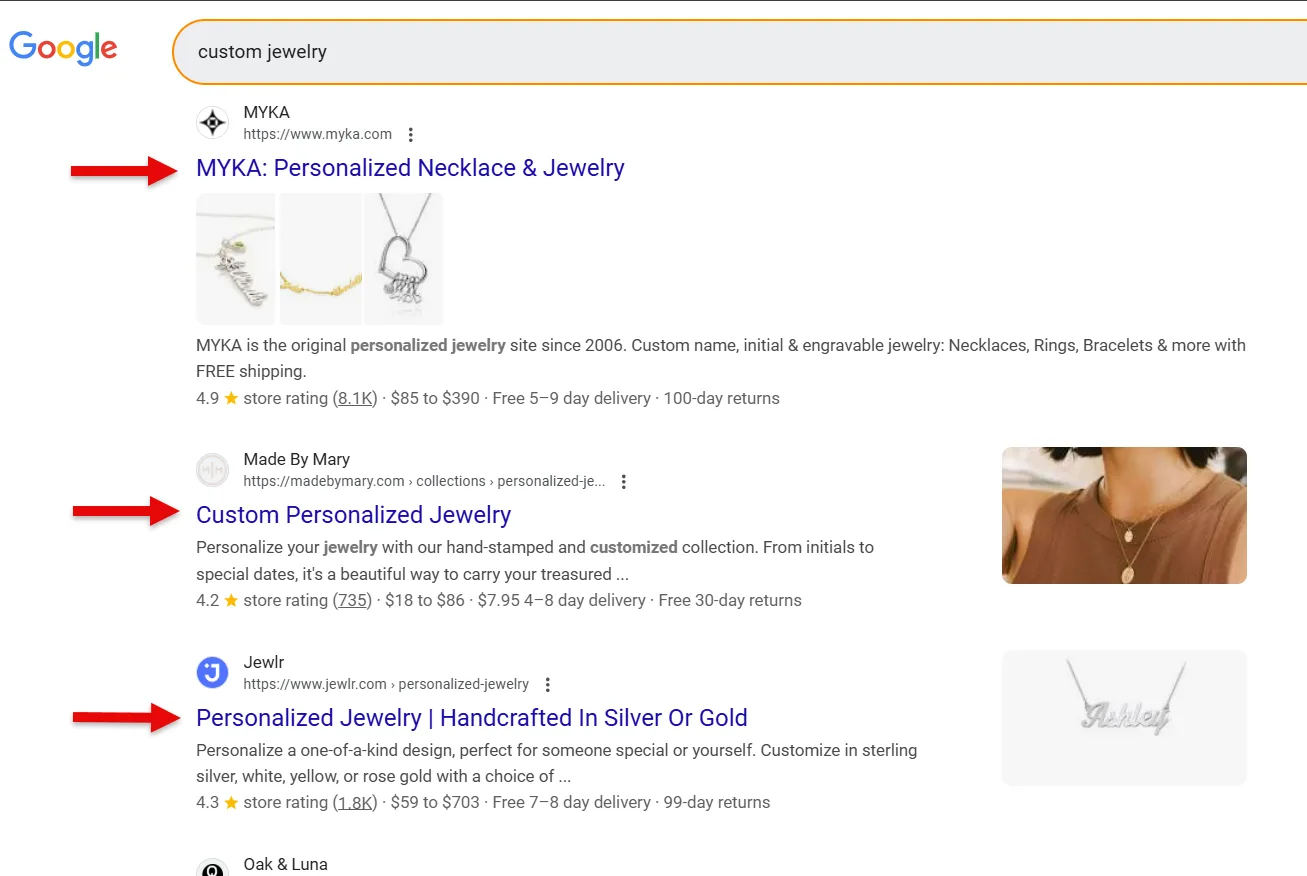
You’ll likely notice a pattern, in this case, most of them are targeting “personalized jewelry” on their homepages.

That’s a strong signal the keyword aligns with user intent in this space, and probably worth targeting yourself, assuming it has decent volume and manageable competition.
↳ Once you’ve settled on a primary keyword, pick 1 to 2 secondary keywords to round it out. These should be related terms or variations that widen your homepage’s visibility.
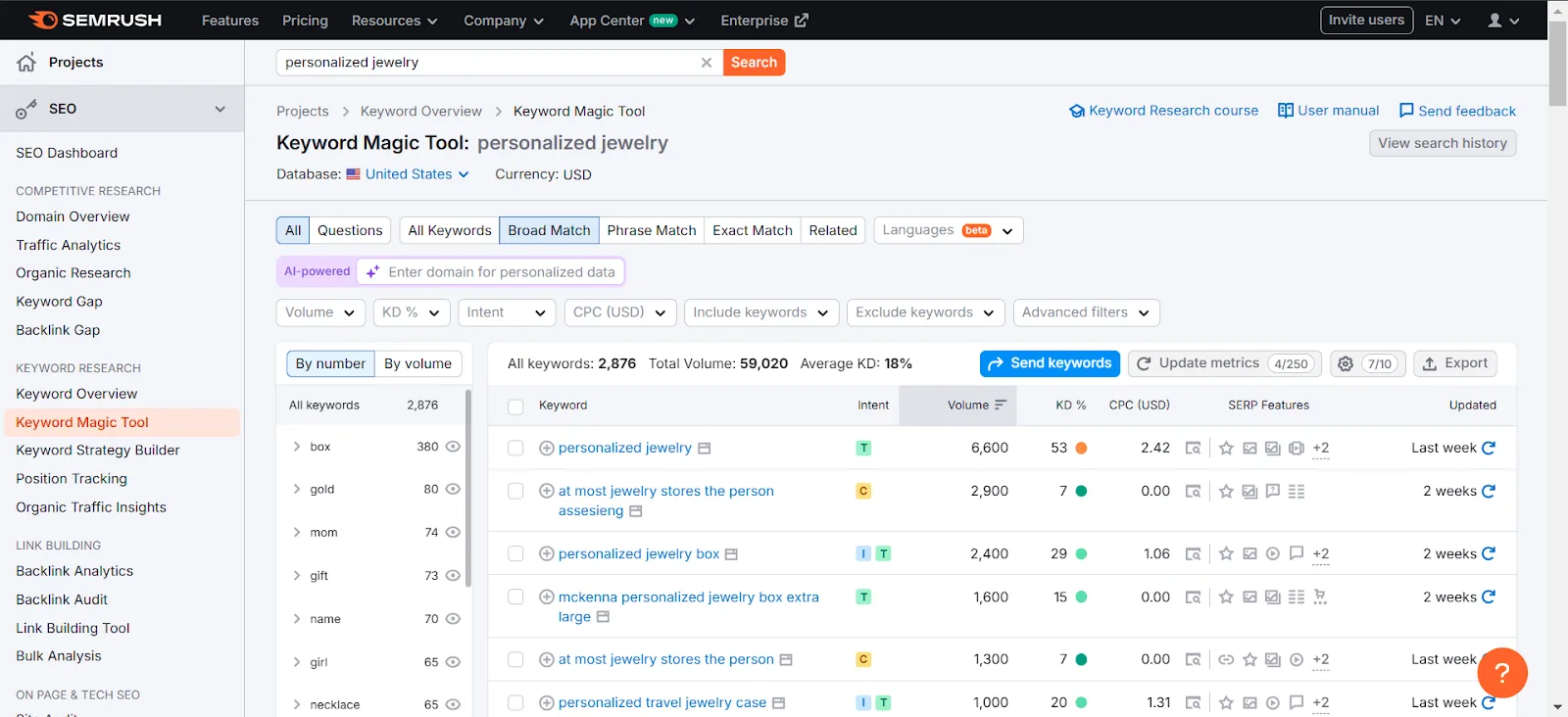
If that jewelry business specializes in gold and silver pieces, secondary keywords like “personalized gold jewelry” and “personalized silver jewelry” would fit. Or open Semrush’s Keyword Magic Tool and search your primary keyword directly.
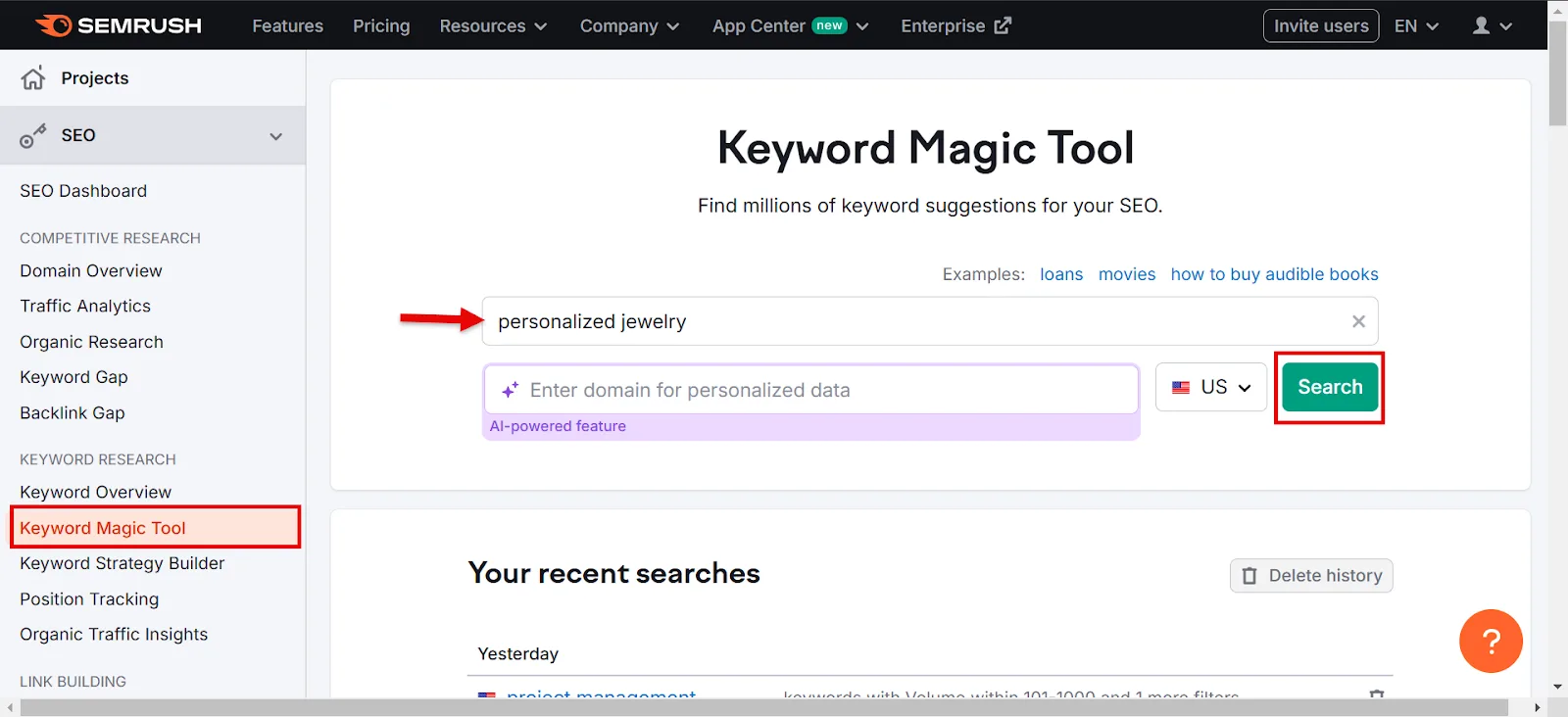
Look for related terms with decent volume and relevance to both the main keyword and the core business.
Bucket 2: Landing/Static Page Keywords
This bucket gets more specific. Landing and static page keywords target service pages, category pages, or use-case pages, places where visitors show transactional or commercial intent.
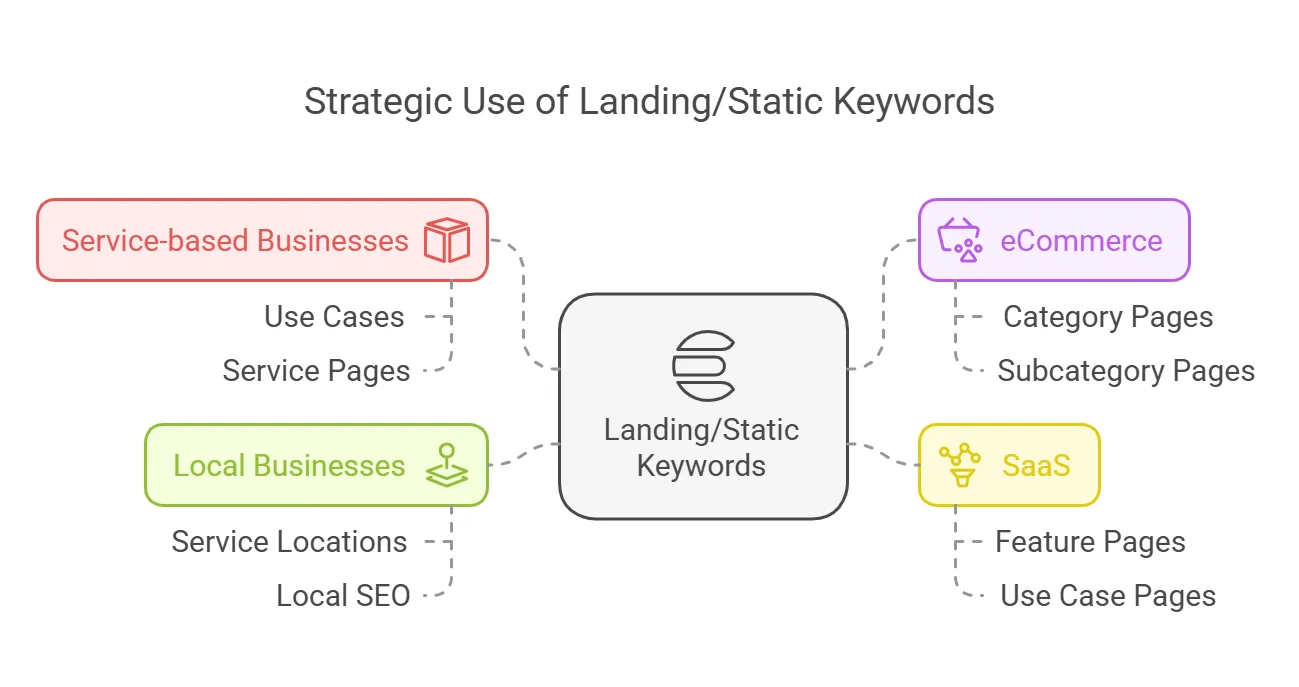
↳ Service businesses: use specific services and use cases, like “smart thermostat installation.”
↳ eCommerce: use category and subcategory terms, like “smart security cameras” or “smart lights.”
↳ SaaS: highlight features or use cases, like “collaboration tools for remote teams.”
↳ Local businesses: combine services with locations, like “smart home installation in Dallas.”
Pro tip: build a small keyword cluster for each service or category, the main term plus its variations, so you’ve got material ready when you write the page.
Bucket 3: Blog Keywords (Informational Content)
Blog keywords are usually easy to spot, they’re informational and tend to trigger long-form articles in the SERP. Terms like “how to install a smart thermostat” or “best smart home devices for renters” are people simply looking for information.
If you run a blog, these are the keywords you write around. They build topical authority and pull in readers at the awareness stage.
How do you confirm a keyword actually has informational intent? Two ways.
a. Check what dominates the SERP. Google the keyword and see if blog posts fill the results. I searched “best vacuum cleaners” and got a page full of blog posts.
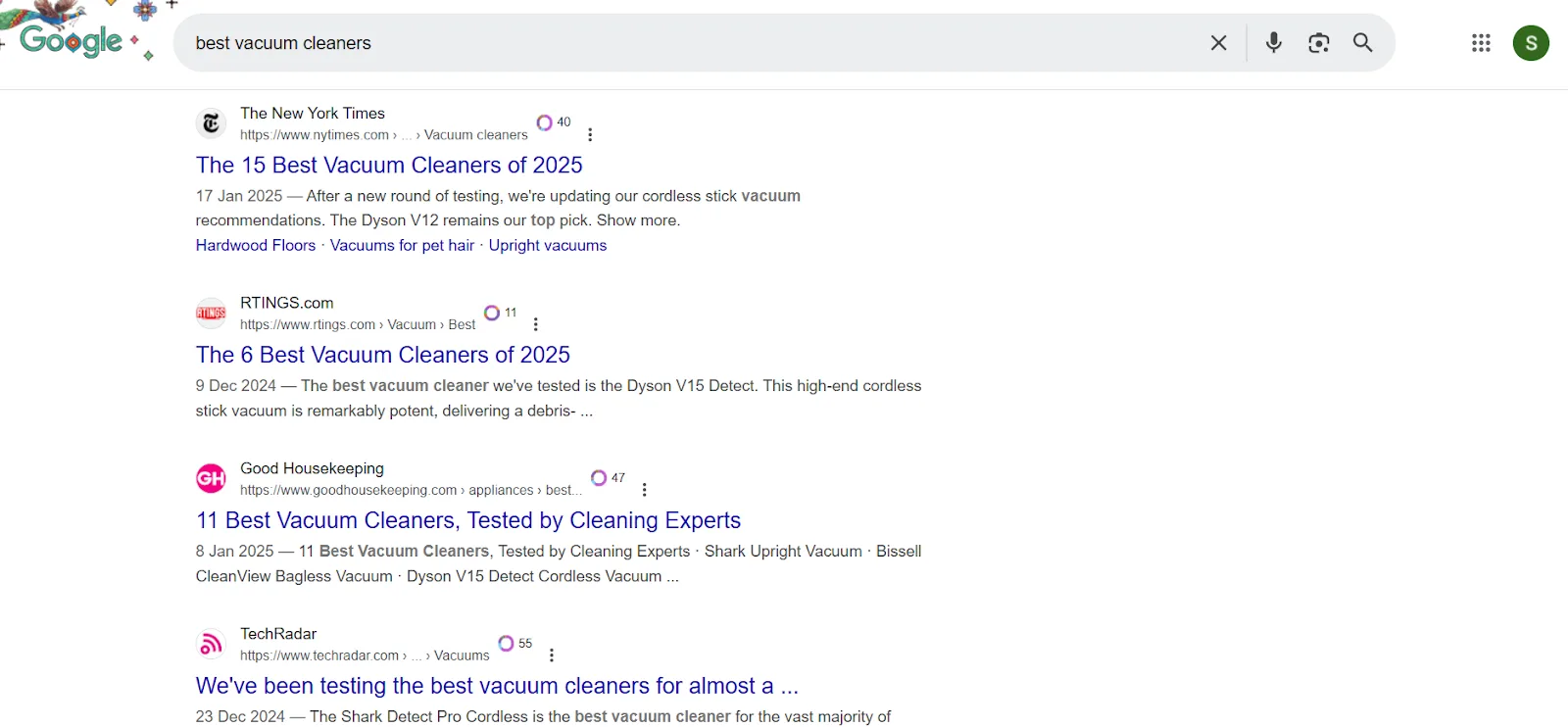
That tells me people searching this term want comparison content, so it’s a blog keyword.
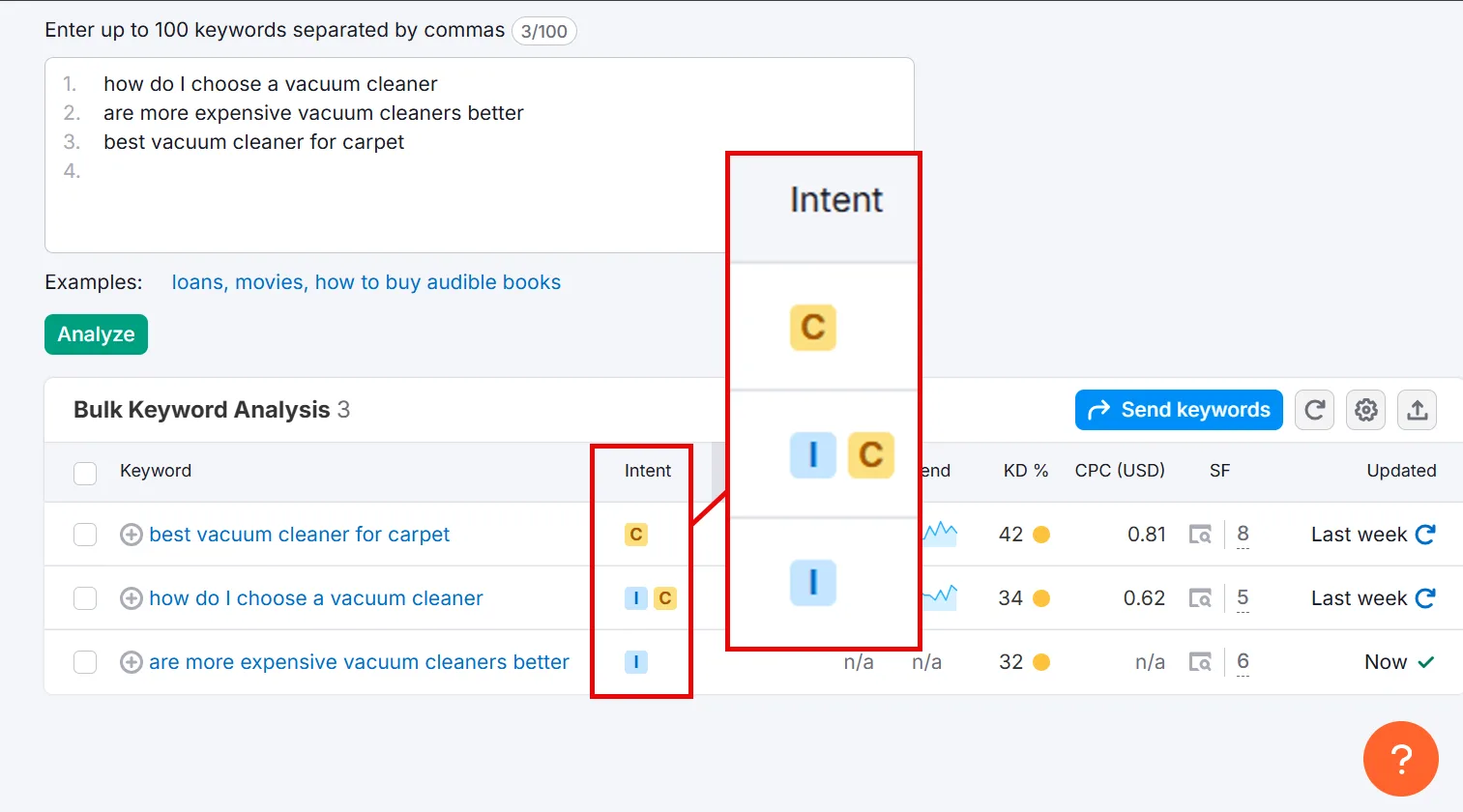
b. Use Semrush’s Keyword Overview tool. Enter your target keywords (up to 100 at once) and hit Search.
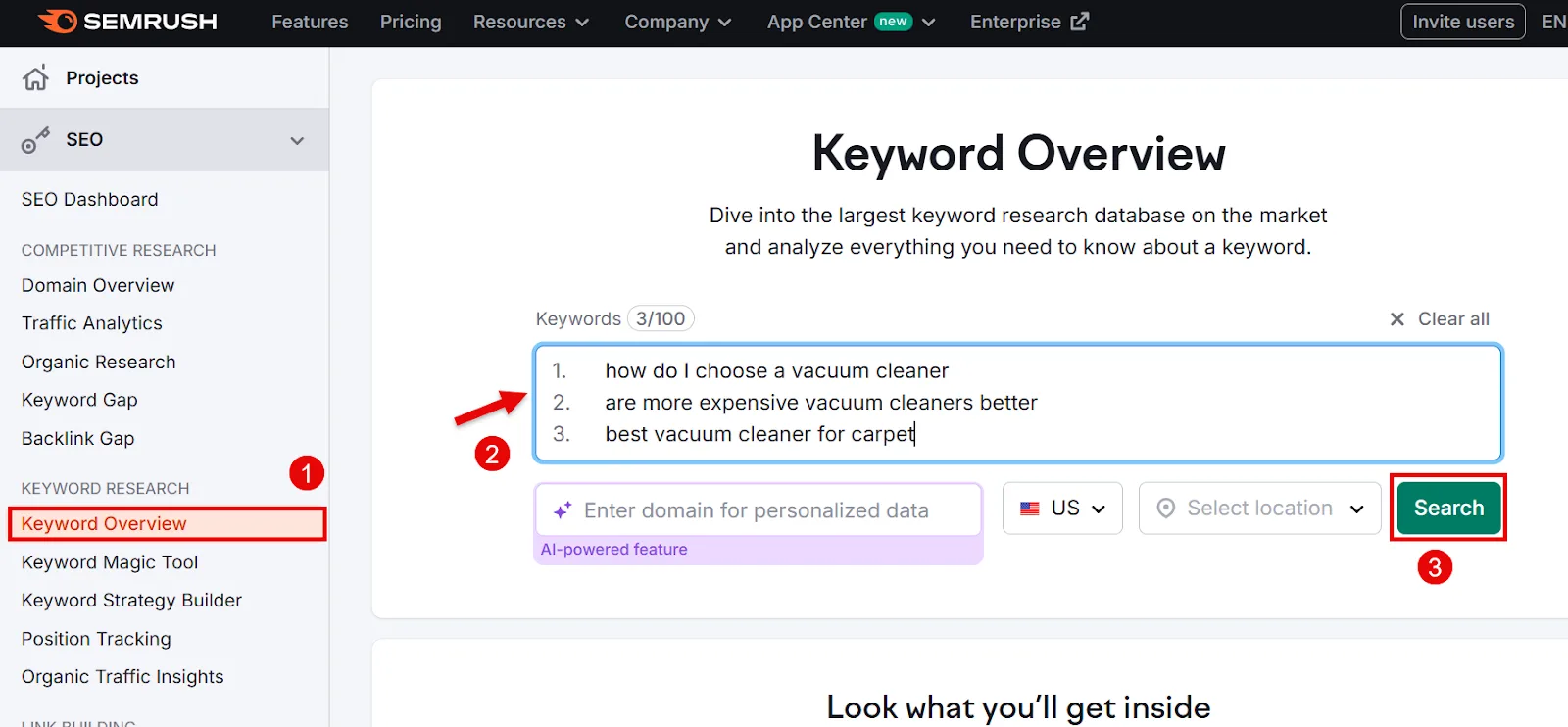
Anything flagged with informational intent is fair game for a blog post.
c. Create keyword clusters, if you haven’t already during research. Group semantically similar terms, “best vacuum cleaners,” “best vacuum cleaner for home,” “best vacuum cleaner brands”, into one cluster, with the strongest keyword (highest volume, lowest KD) as the primary.
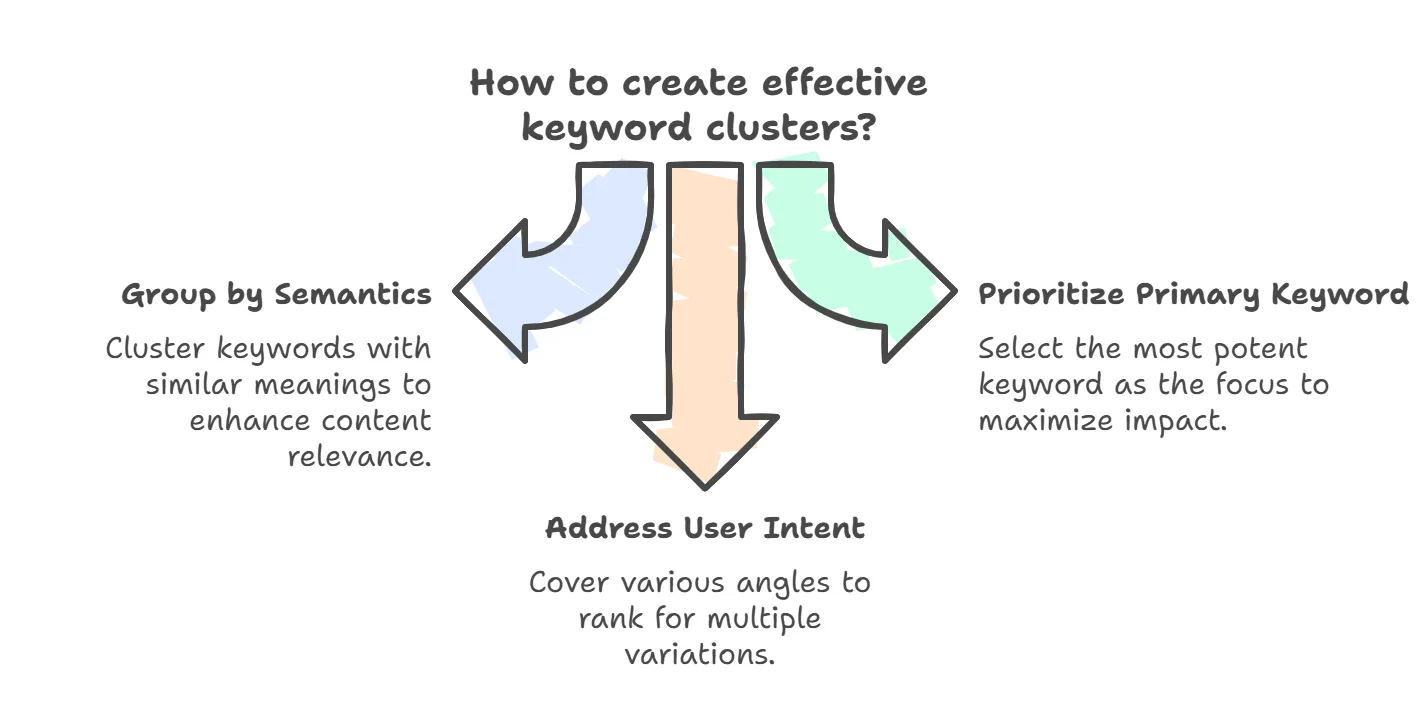
Covering multiple angles this way lets you rank for more variations of the same topic.
Once your keywords are bucketed, prioritize by impact. Get your homepage and landing pages, the pages that actually drive conversions, live and optimized first. Blog content is where you scale once those are handled.
Step 2: Optimize Your Homepage with Keywords
Here’s how to work keywords into each element of your homepage.
a. Title tag and meta description
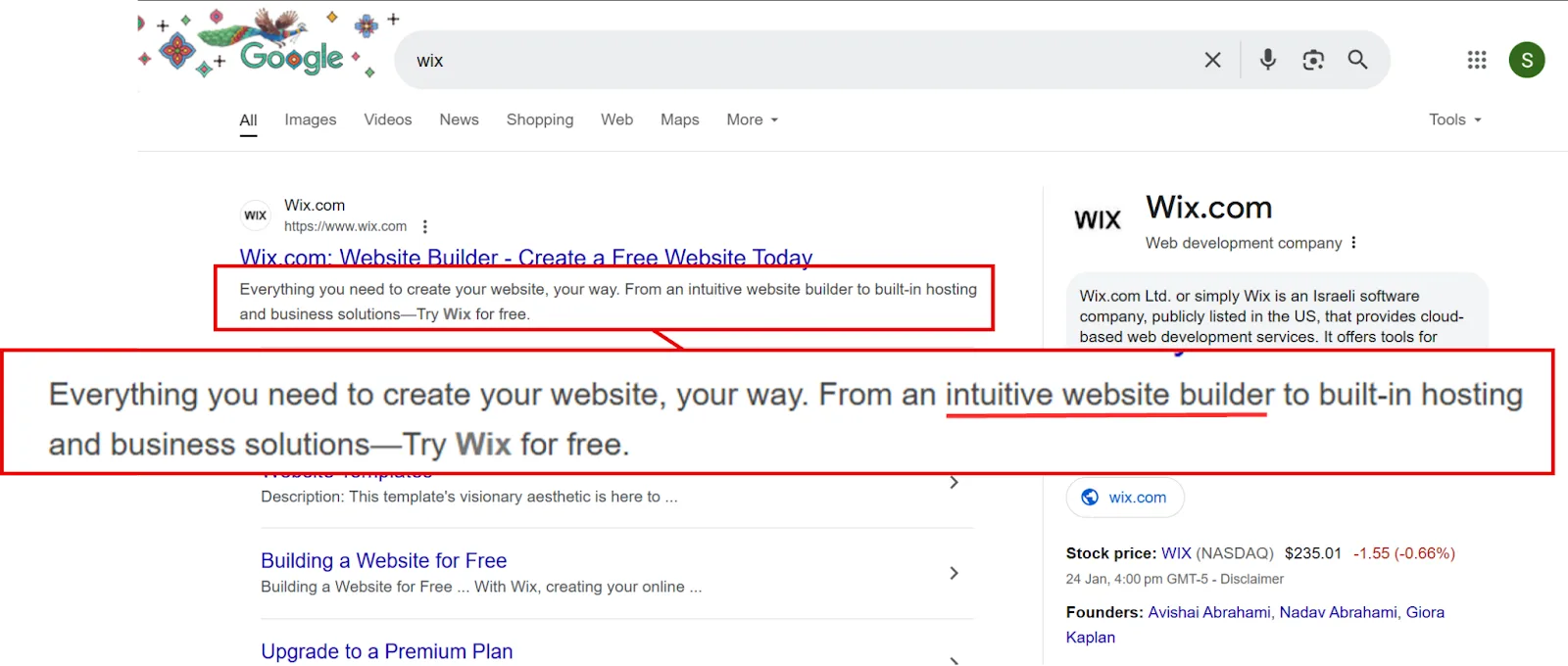
Your title tag is the clickable headline in search results. Include your primary keyword plus your brand name. A website builder’s title tag, for instance, might read: “Website Builder | Create a Free Website with [Brand Name].”
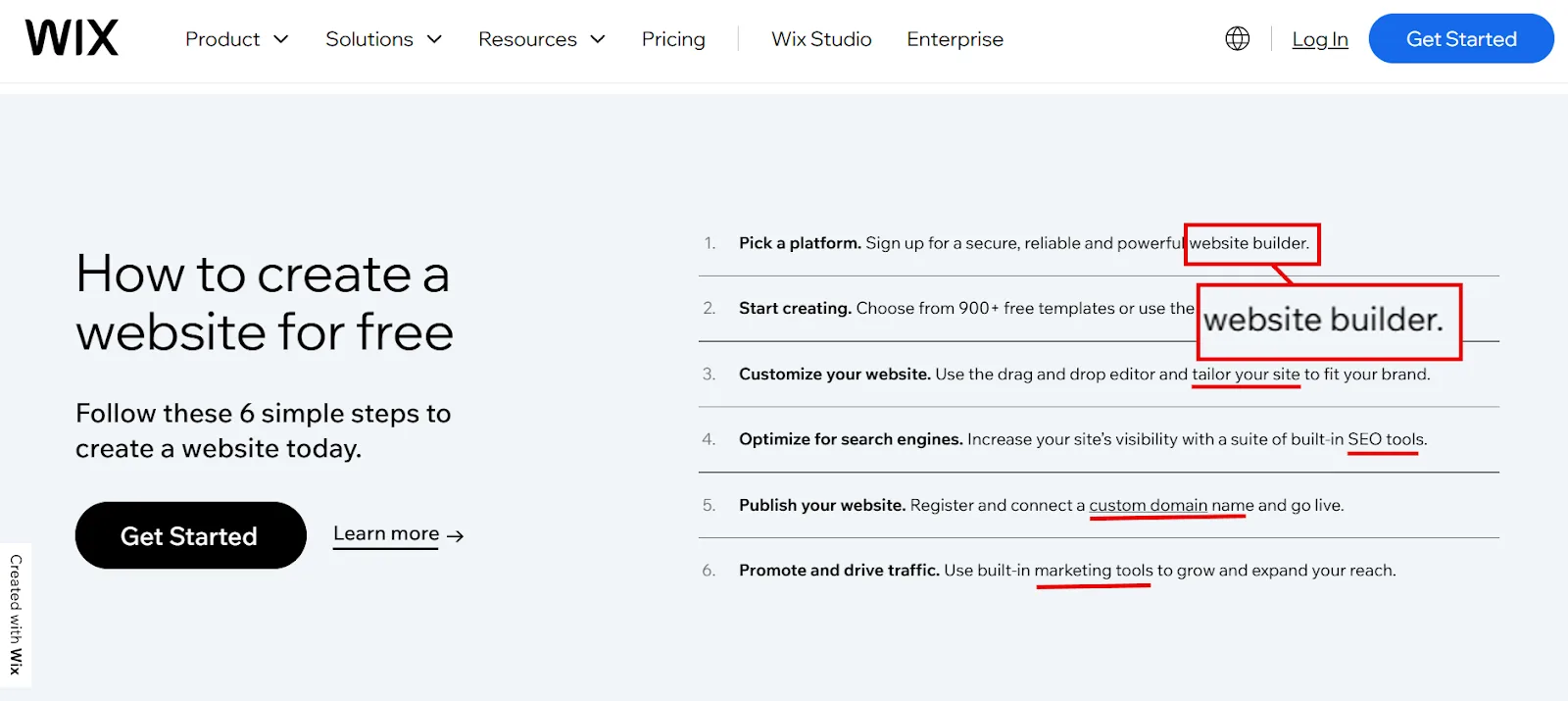
Your meta description should naturally work in the 1 to 2 secondary keywords from Step 1, while summarizing your business’s unique value. Wix does this well:
b. Headings and body content
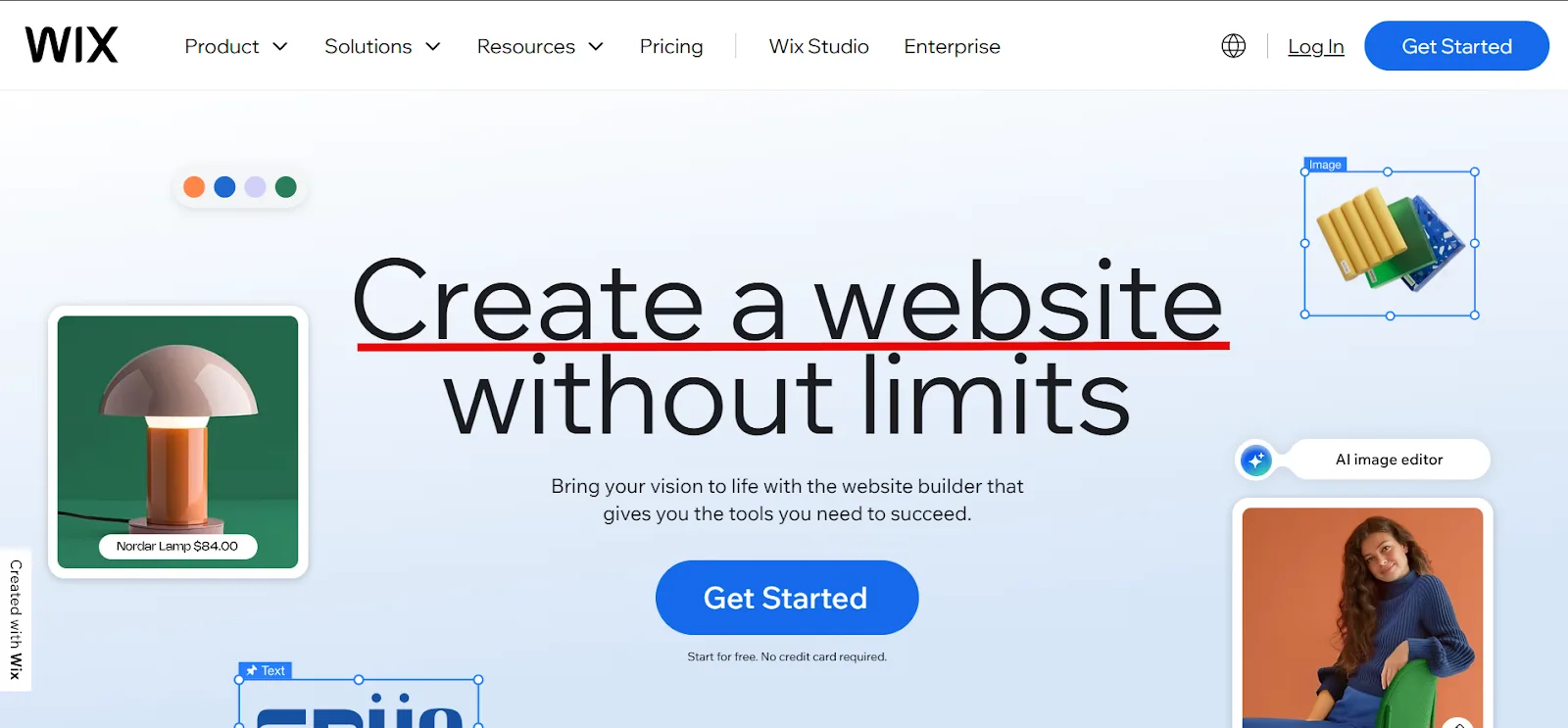
Your H1 should clearly state your core offering, using your primary keyword. Wix’s homepage leads with a simple, direct heading built around exactly that.
H2s and subheadings break your content into digestible sections and are where secondary keywords fit naturally. They also help visitors navigate to whichever part of the homepage interests them.
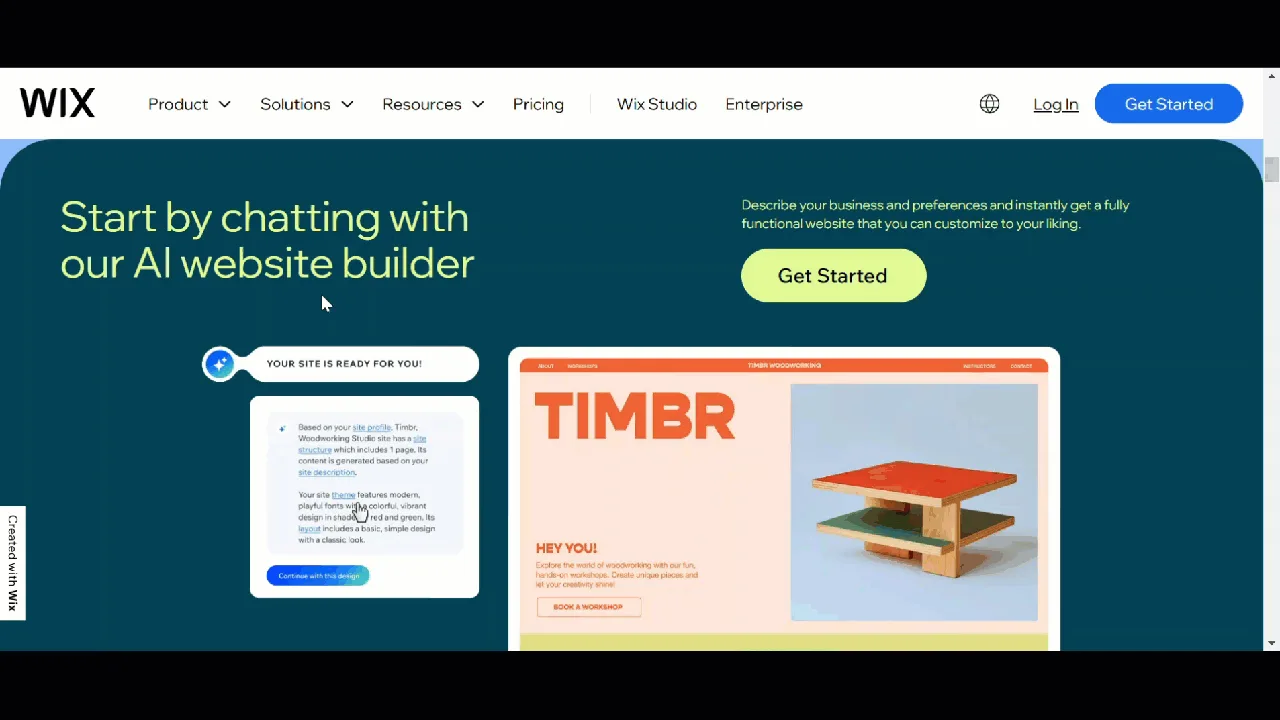
For body text, mention your primary keyword within the first 100 words, and weave secondary keywords in naturally as you explain your product or service.
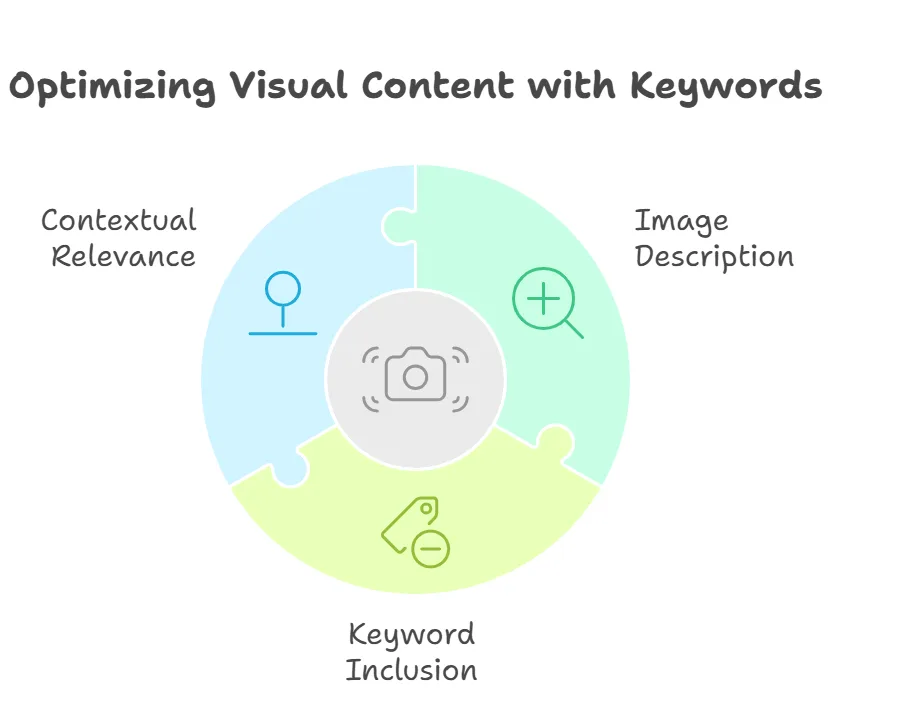
Don’t skip visual content either, images, gifs, video, all of it. Add relevant, contextual keywords in alt text. If a site sells apples and has a photo of green apples, with “fresh green apples” as a secondary keyword, that’s exactly the alt text to use: it describes the image accurately and reflects real search data.
Last, internal links. On a homepage, these guide visitors to whatever section they care about most. Use primary and secondary keywords in the anchor text pointing to high-priority pages like “Services,” “Products,” or “About Us.” A phrase like “Build your website” could link straight to your website builder tool page.
A few expert tips:
➔ Think long-term. Skip overly narrow keywords like “Plumber in Seattle” unless you’re certain they match your long-term plans. If you expect to expand geographically or diversify services, go broader.
➔ Balance branded and non-branded keywords. Your homepage will rank for your brand name on its own. You still need to optimize for non-branded terms, “best smart home systems,” “time tracking software”, to pull in organic traffic beyond people who already know you.
Step 3: Optimize Landing/Static Pages with Keywords
Landing and static pages are where conversions happen, so optimize them with transactional and commercial intent keywords that move buyers toward action.
a. Title tag and meta description
Use your primary transactional keyword in the title tag. Wix’s “Website Design” page keeps it simple:
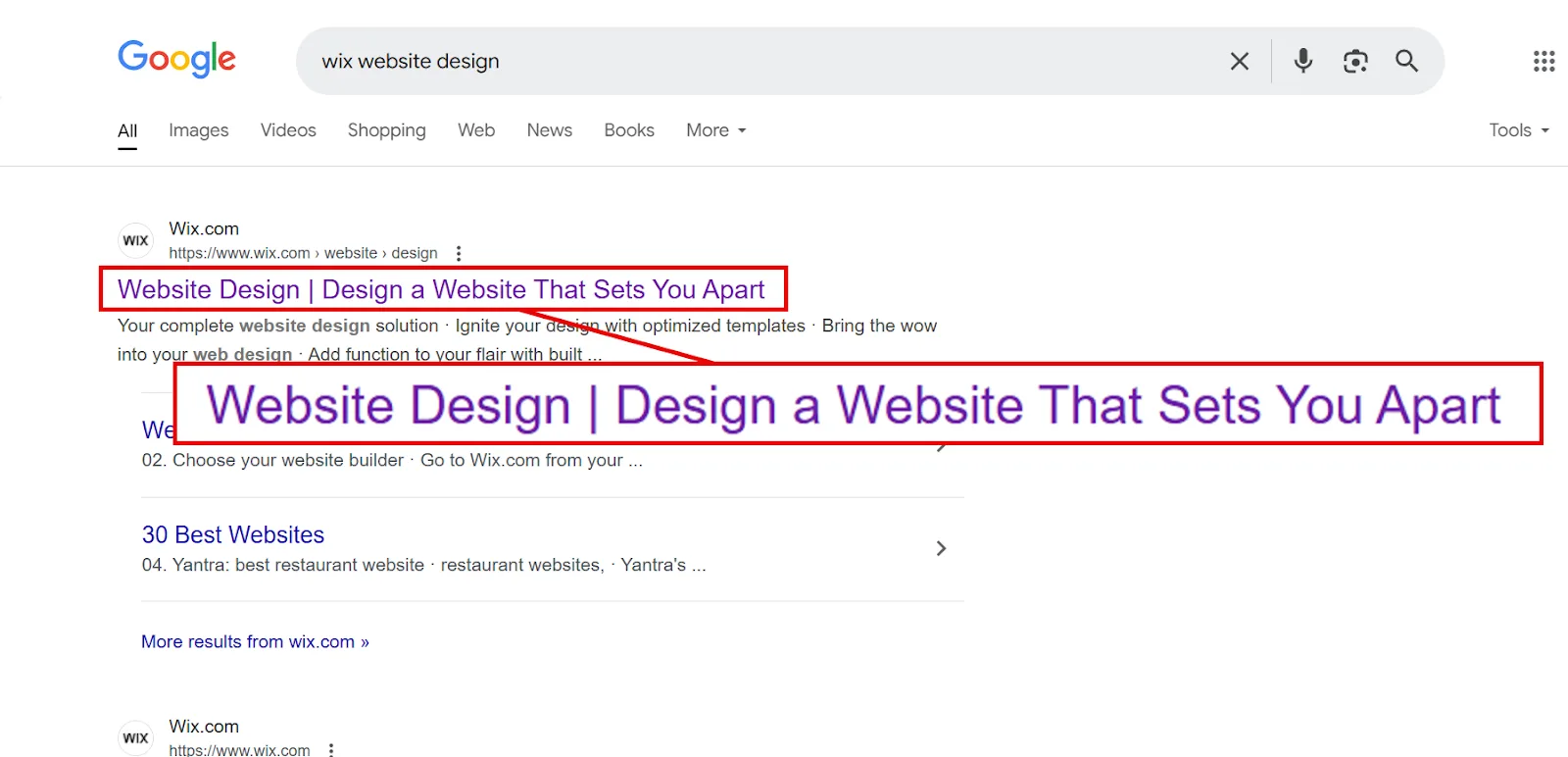
It naturally works in “Design a Website” while telling you exactly what the page is about. For the meta description, work in 1 to 2 secondary keywords with transactional or commercial intent, and summarize what the page delivers.
b. Headings and content
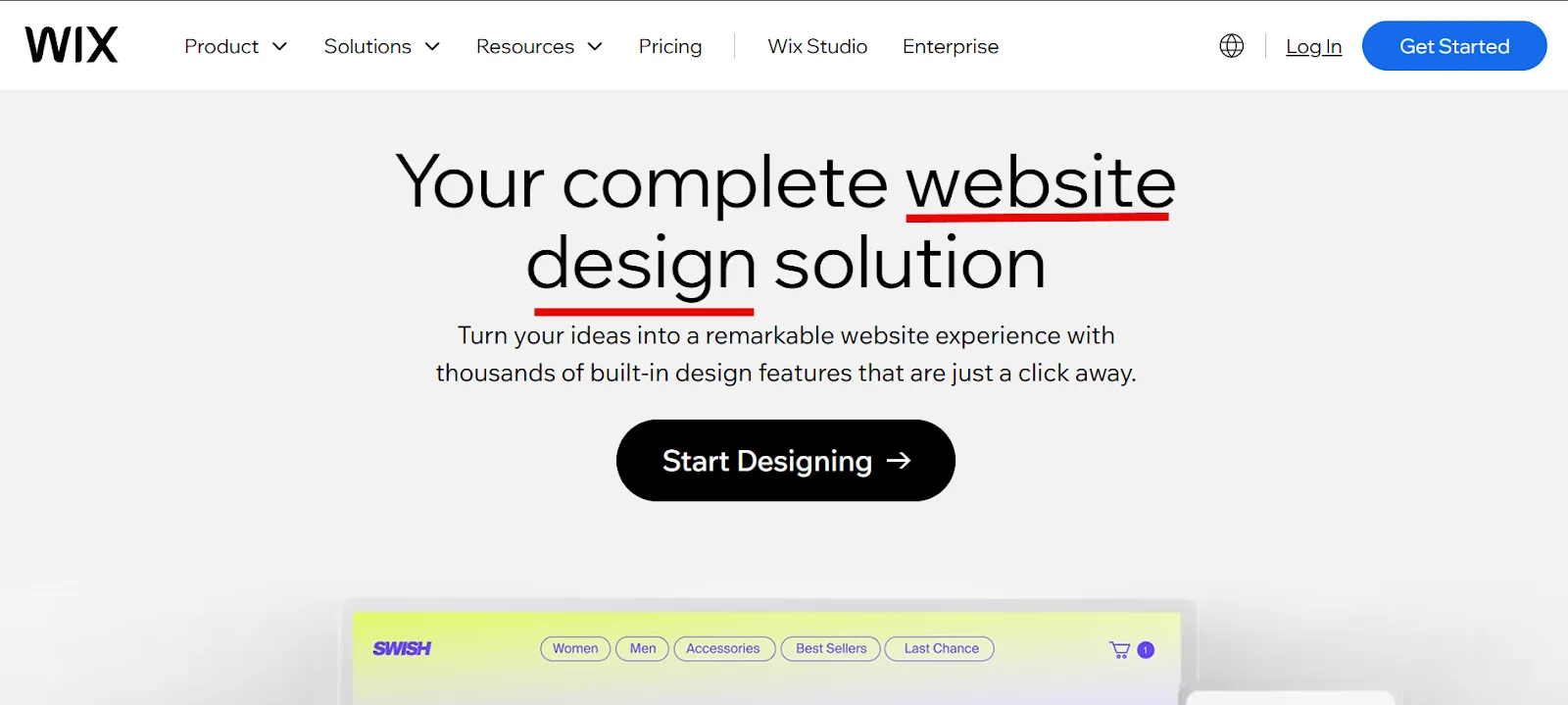
Your H1 should focus on the main keyword tied to the page’s purpose. Scroll Wix’s “Website Design” page and you’ll see headings that convey their USPs while naturally including the main keyword.

For subheadings and content, use variations of the main keyword to target different segments of your audience, this is also the right spot for long-tail keywords.

Wix blends short and long-tail secondary keywords into subheadings while still clearly explaining what each feature does. Aim for the same balance in your own subheadings and product or service descriptions.
Internal link anchors matter here too. Use them to guide visitors toward related category pages, product recommendations, or blog posts they might want next.
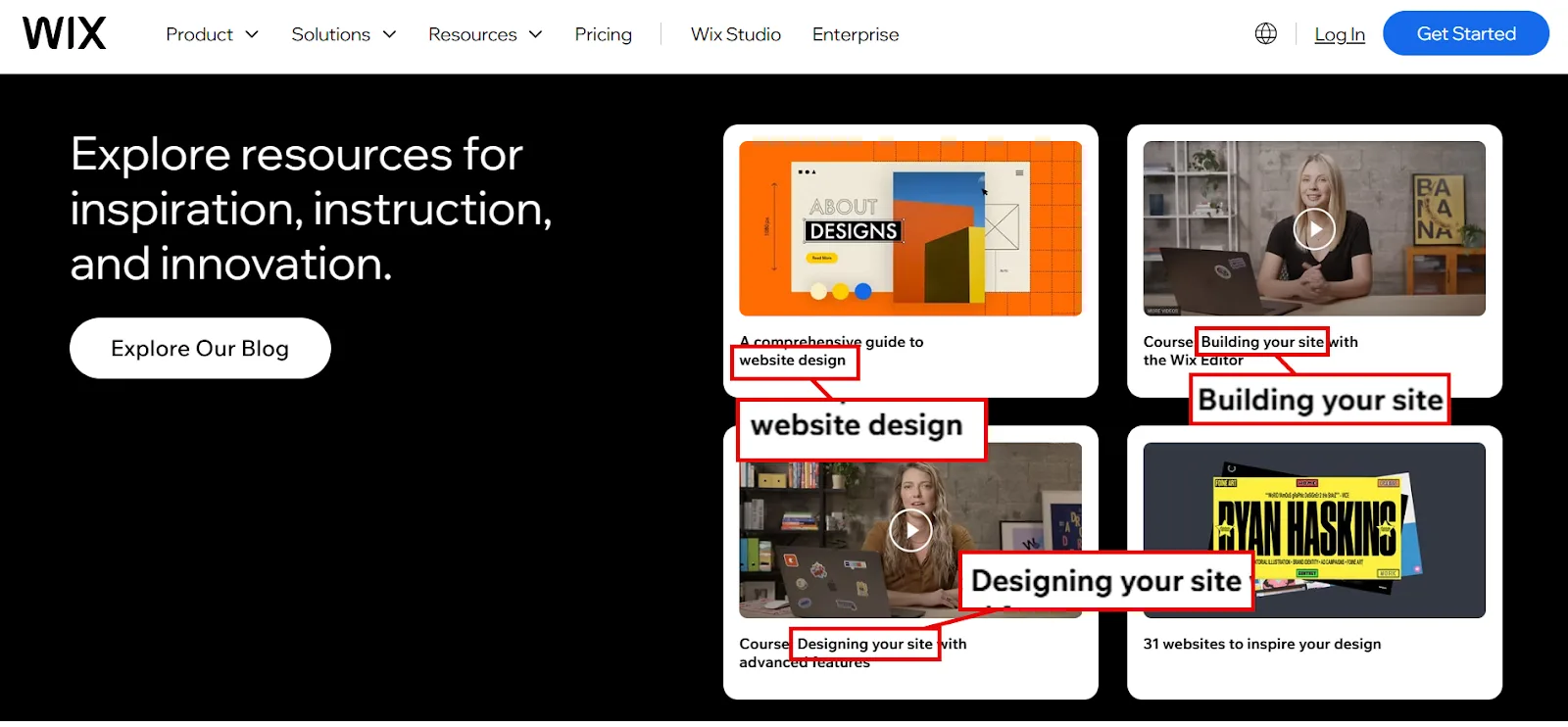
Step 4: Optimize Blog Pages with Keywords
This is where all that long-tail, informational keyword research finally pays off.
a. Prioritize keywords people are actually searching for
Once you’ve got blog keywords with informational intent and a solid volume-to-difficulty ratio, start writing. The keyword clusters you built earlier make this easy, you already have grouped terms ready to become individual posts.
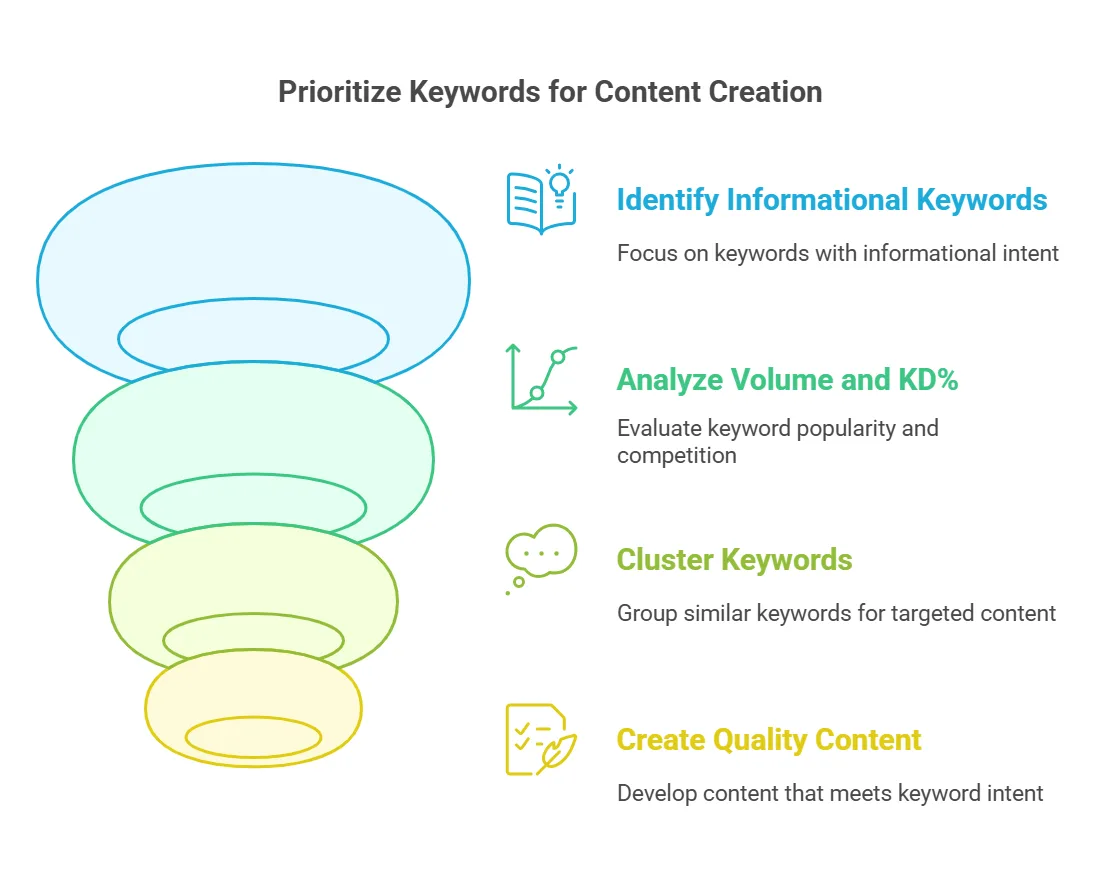
Prioritize keywords that answer common questions, speak to your audience’s real challenges, or offer something genuinely useful. Use them naturally, don’t force it, and match the content format that’s already dominating the SERP for that term (how-to guide, listicle, whatever fits).
b. Use keywords where they matter most
For the title tag, work your primary keyword in naturally and keep it tight. Writing a guide on smart thermostat installation with “how to install a smart thermostat” as your primary keyword? A title like “How to Install a Smart Thermostat | Complete Guide” covers both the keyword and the intent.
For headings, put your primary keyword in the H1 and variations in H2s and H3s to build clear structure. The H1 might read “7 Simple Steps to Install a Smart Thermostat,” a slight variation that signals this is the main guide. H2s could break down into “1. Turn Off Your HVAC System” and “2. Pop Off the Faceplate,” with any sub-steps nested in H3s.
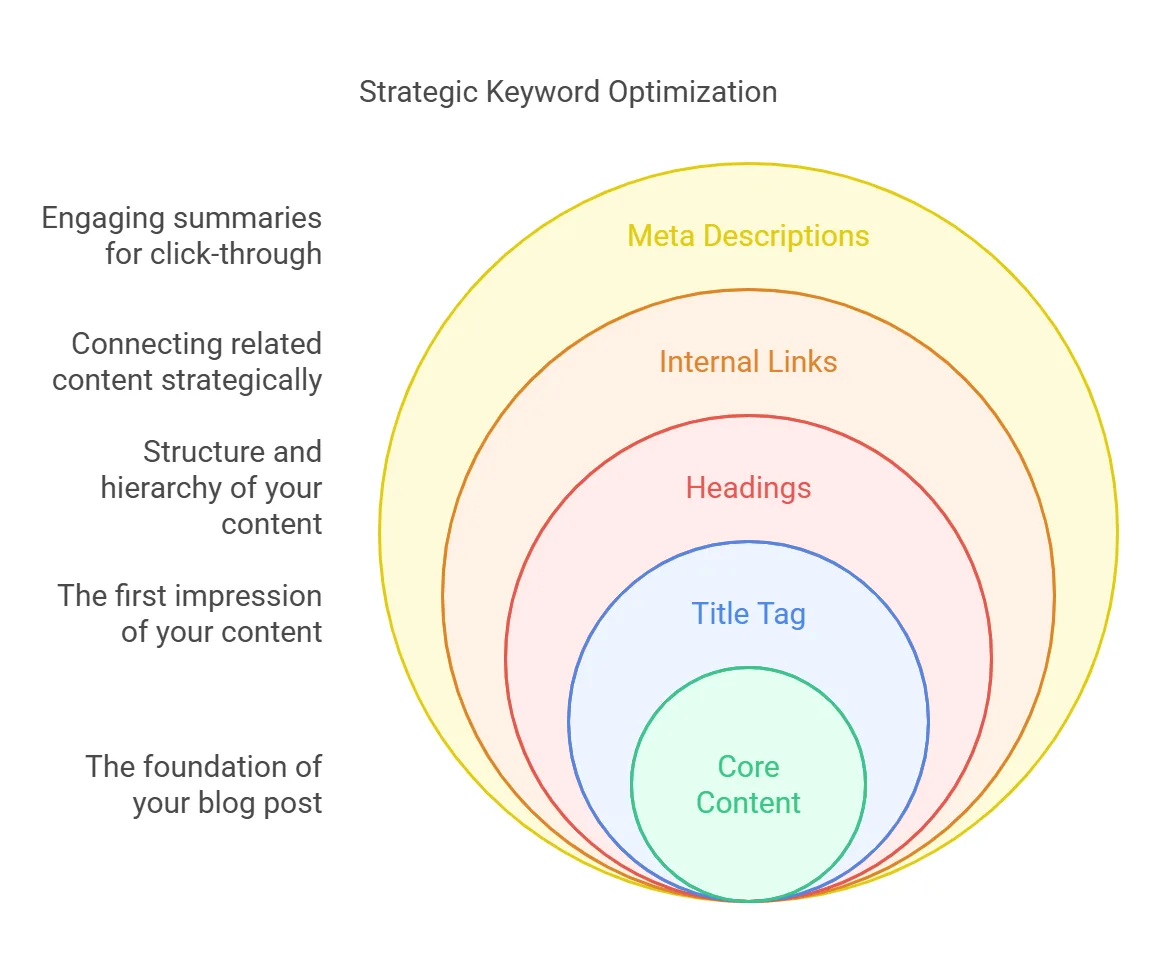
For body content, the detailed answer to the query:
→ Place the primary keyword within the first 100 words.
→ Sprinkle secondary keywords naturally throughout.
→ Work in long-tail and related keywords to build topical relevance.
→ Skip keyword stuffing. It’s still a fast way to wreck the reading experience.
Internal links deserve the same intent. When linking to related posts, use anchor text that includes relevant terms naturally. Linking to “Best Smart Thermostats for Home”? Anchor text like “check out my top picks for smart thermostats” reads naturally and blends right into the sentence. Obvious spots, like a “related articles” section, are fine to keep simple.
And don’t skip the meta description. Use the primary keyword naturally and write something that actually makes someone want to click.
Step 5: Refresh and Repurpose Existing Content
Keyword research isn’t only for new content, it’s also a tool for reviving what you already have.
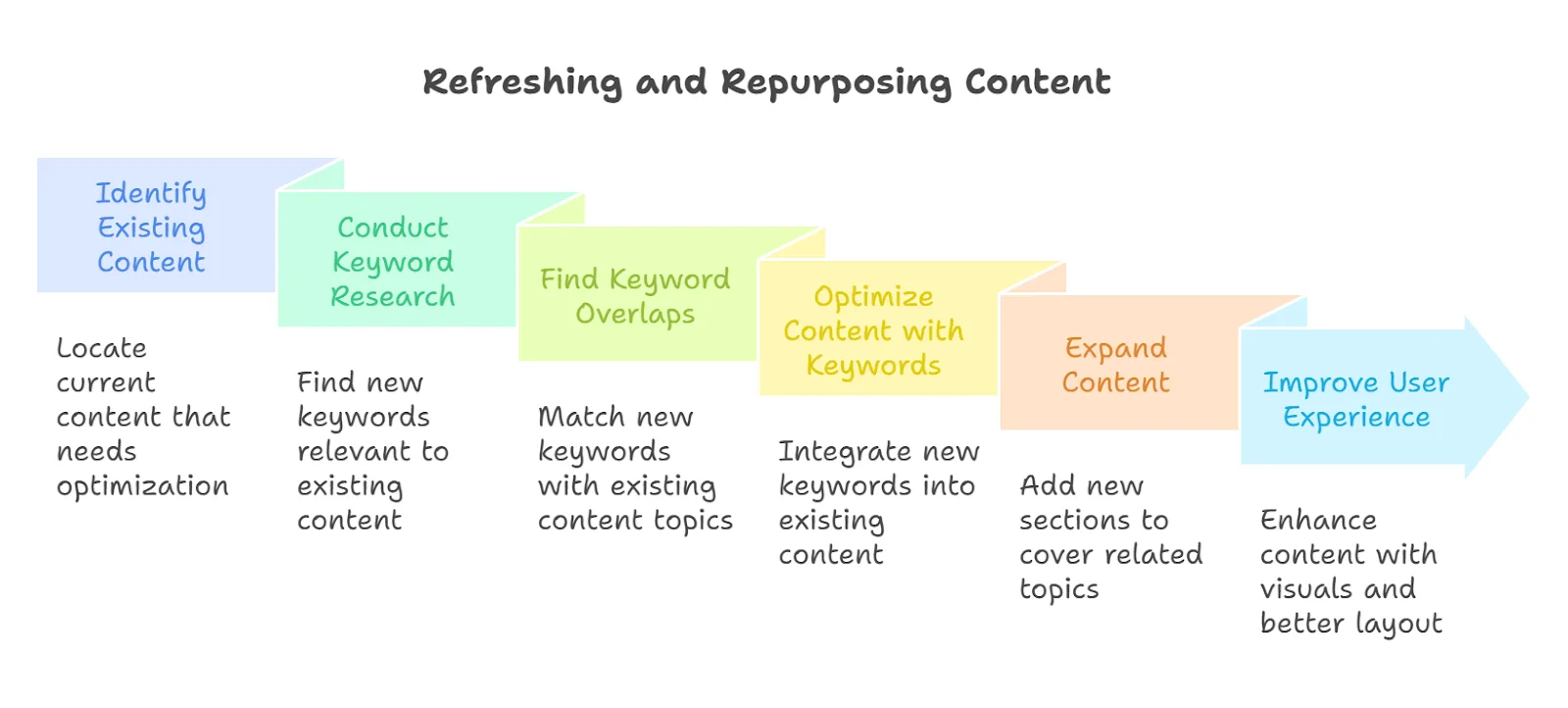
Look for overlap between your newly researched keywords and topics you already cover. If an existing page isn’t using a relevant keyword yet, that’s your opportunity, both to add it and to give the page a broader refresh so it holds up better against competitors.
To refresh content with researched keywords:
→ Add new keywords: work them naturally into titles, headings, and body content.
→ Expand content: add sections that cover related questions or subtopics.
→ Improve the experience: bring in tables, videos, or infographics where they help.
Make the Most of Your Keyword Research
Following this process is how you get real ROI out of your keyword list, but only if the keywords themselves were worth finding in the first place. If you need to go back and sharpen your research, here are a few guides that can help:
↳ How to Do Keyword Research for B2B
↳ How to Do Keyword Research for SaaS
↳ How to Do Keyword Research for eCommerce
Frequently Asked Questions
What is the next step after keyword research?
Organize your keywords into buckets based on intent, homepage, static pages, and blog keywords. Prioritize by importance and search intent, then start creating or optimizing content around the high-impact, relevant terms aligned with your goals.
What are the 5 steps to be followed during keyword research?
Brainstorm relevant topics, use a tool like Semrush to find keywords, analyze search volume and competition, study SERPs to understand intent, and refine your list down to terms that fit both your audience’s needs and your business goals.
What to do with keyword research?
Build a content strategy around search intent. Use it to optimize your homepage, create landing pages for transactional keywords, and write blog posts for informational ones. Work the keywords strategically into titles, meta descriptions, and headings.
Is keyword research still relevant?
Yes. It shows you what your audience is actually searching for and makes sure your content matches that intent. It also surfaces high-traffic opportunities and ways to outrank competitors. Skip it and your SEO strategy loses focus fast.
Is keyword research done after creating content?
No, it happens before. It’s what tells you which keywords and topics are worth creating content about in the first place, so the content aligns with search intent and ranks for the right terms.
How long does it take to rank for a keyword?
Anywhere from weeks to months, depending on competition, search volume, and your site’s authority. Low-competition keywords tend to rank faster, while competitive terms need consistent optimization, backlinks, and patience.
What is the difference between SEO and keyword research?
Keyword research is one part of SEO. SEO is the full strategy for improving a site’s visibility in search engines, while keyword research is the specific process of identifying the terms your audience uses so your content can align with their queries.
How many times should a keyword appear in an article for SEO?
Roughly 2 to 3 times per 1,000 words, focused on key spots like the title, headings, and introduction. Avoid stuffing, keep the content readable and natural first.
What’s the best way to organize keywords?
Group them into buckets, homepage, static pages, and blog keywords, so you can prioritize and map each one to the right page. Aligning by intent keeps your content focused and improves both user experience and rankings.
How do I decide which keywords deserve a page?
Check whether the keyword represents a genuinely unique search intent. If several keywords produce overlapping SERP results, combine them into one page. Keywords with distinct intent or high competition usually warrant their own dedicated page.
What tools should I use for tracking?
Google Analytics for engagement metrics like bounce rate and session duration, plus Semrush for monitoring rankings, analyzing competitors, and spotting gaps in your strategy. Together they give a fuller picture of how your content is actually performing.