


![How to Do Keyword Research for Ecommerce [Guide, Checklist, and Template]](https://cdn.questiondb.io/articles/how-to-do-keyword-research-for-ecommerce/hero.webp)
Most beginners chase high-traffic keywords. But traffic doesn’t pay the bills, sales do.
For eCommerce specifically, the goal is targeting keywords that bring in customers who are ready to buy. Here’s how to actually find those keywords and put them to work.
Checklist for eCommerce Keyword Research
Defining goals
- Identify your target audience and objectives (organic traffic, PPC, or both).
- Set clear goals based on search intent and customer needs.
Building keywords
- Brainstorm seed keywords relevant to your products.
- Expand the list with Google Autocomplete, Semrush, and similar tools.
- Analyze competitor keywords for opportunities.
Refining and prioritizing
- Evaluate keywords for search volume, difficulty, and relevance.
- Group keywords by theme or intent.
- Assign priority scores based on potential impact.
Optimization
- Map keywords to specific pages on your site.
- Optimize product titles, descriptions, meta tags, and URLs.
Follow along with a spreadsheet open, you’ll be filling it in as you go through each step below.
Step 1: Build a Seed Keyword List
Every keyword research project starts with a list of seed keywords: broad terms tied to what you actually sell. Open a doc to collect them in; you’ll move them into a spreadsheet later.
a. Brainstorm Initial Keywords
Say you run a gym equipment store. Your seed keywords might look like:
➜ Cardio machines
➜ Power towers
➜ Dumbbells
➜ Sand bags
➜ Treadmills
➜ Barbells
ChatGPT can help here too. Try a prompt like: “Create a list of seed keywords for my [business type] + [any other relevant details].”
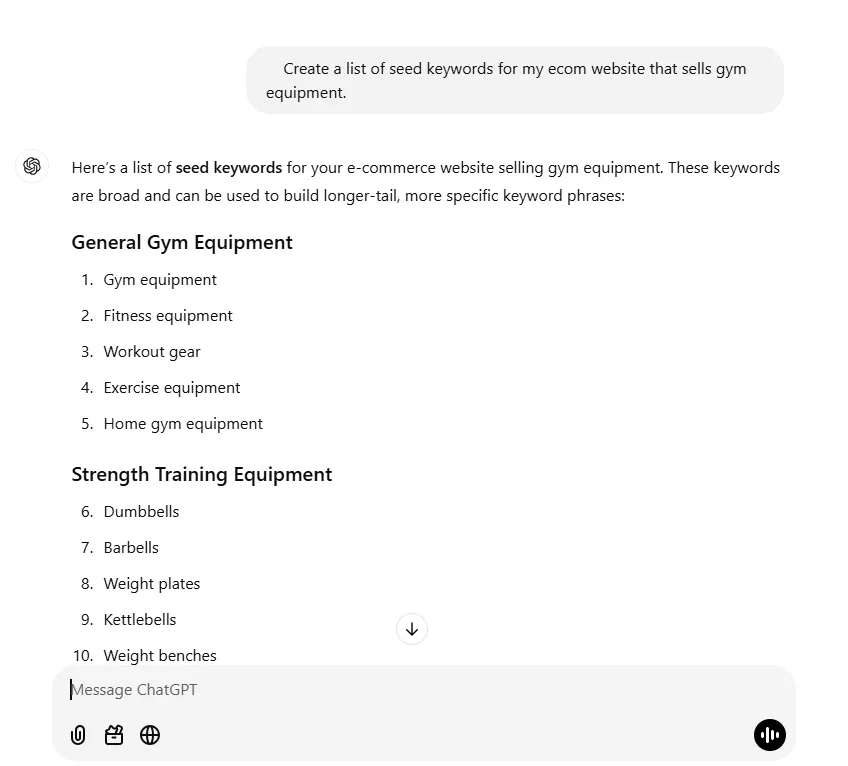
It’ll often group the results into categories for you, a solid starting point.
b. Expand the List with Google Search
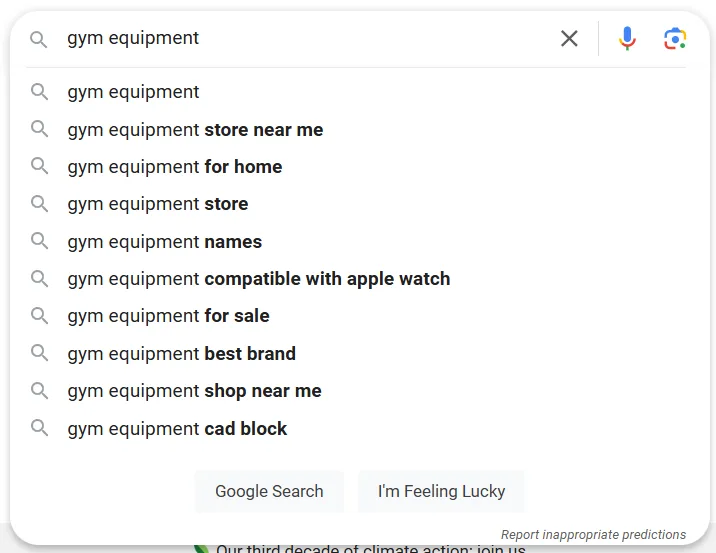
A plain Google search surfaces a surprising number of keyword ideas.
Google Autocomplete. Type your keyword into the search bar and watch what Google suggests to complete it. These suggestions come straight from what real people are typing.
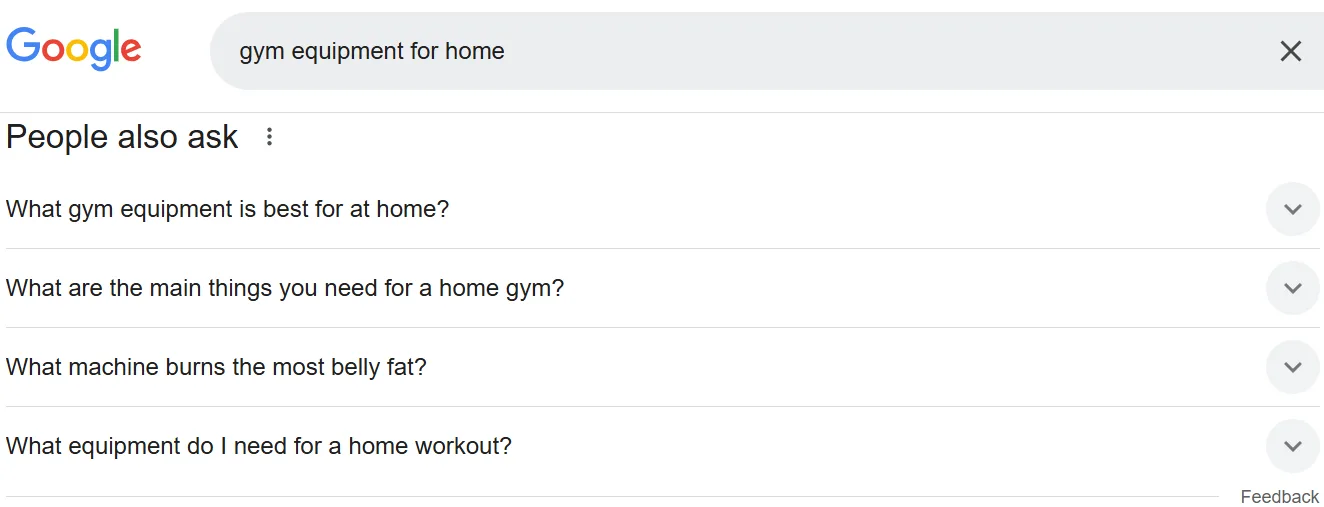
People Also Ask. This SERP section holds questions related to your search, and it’s a great source of long-tail, question-shaped keywords. Click into a relevant one and more related questions appear.
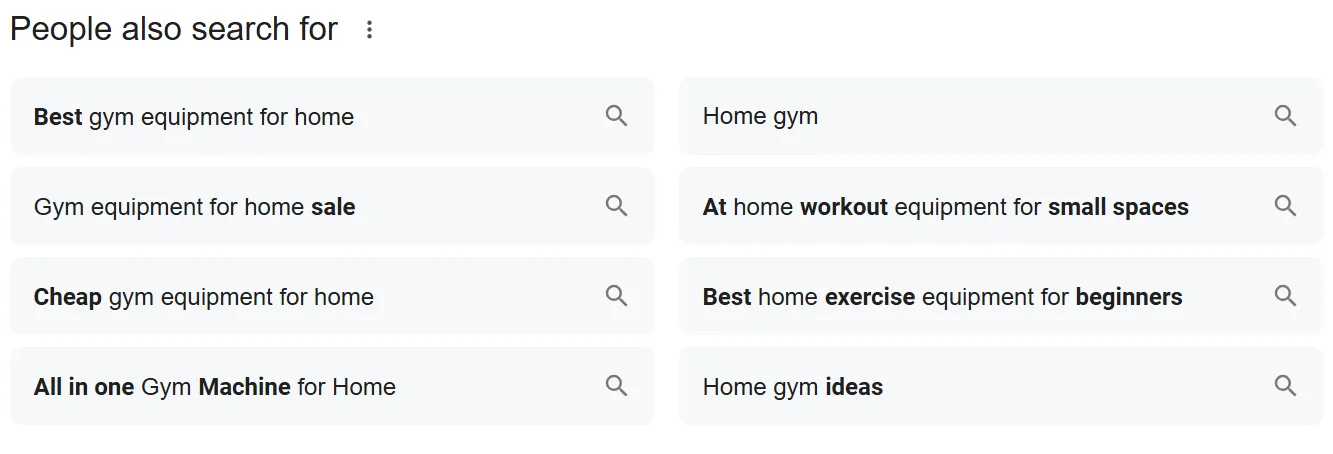
People Also Search For. Near the bottom of the SERP, this section lists related terms other people searched after a similar query.
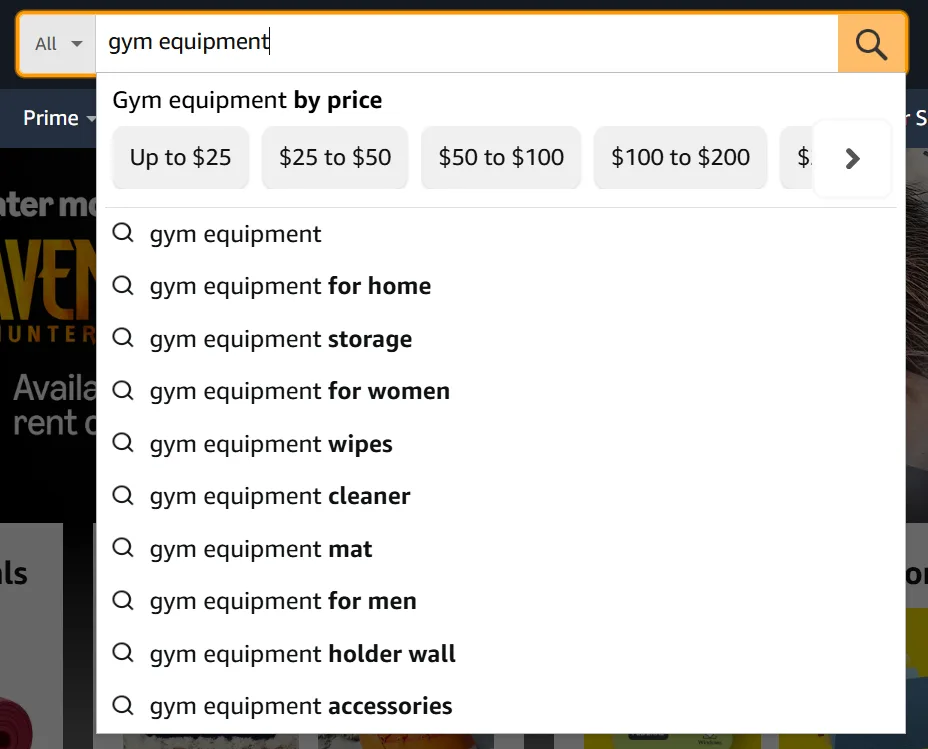
c. Try Amazon’s Search Autocomplete
Shoppers on Amazon already have buying intent, and Amazon’s own autocomplete reflects that. Head to amazon.com, type your broad keyword, and note what comes up.
d. Check Competitors’ Product Pages
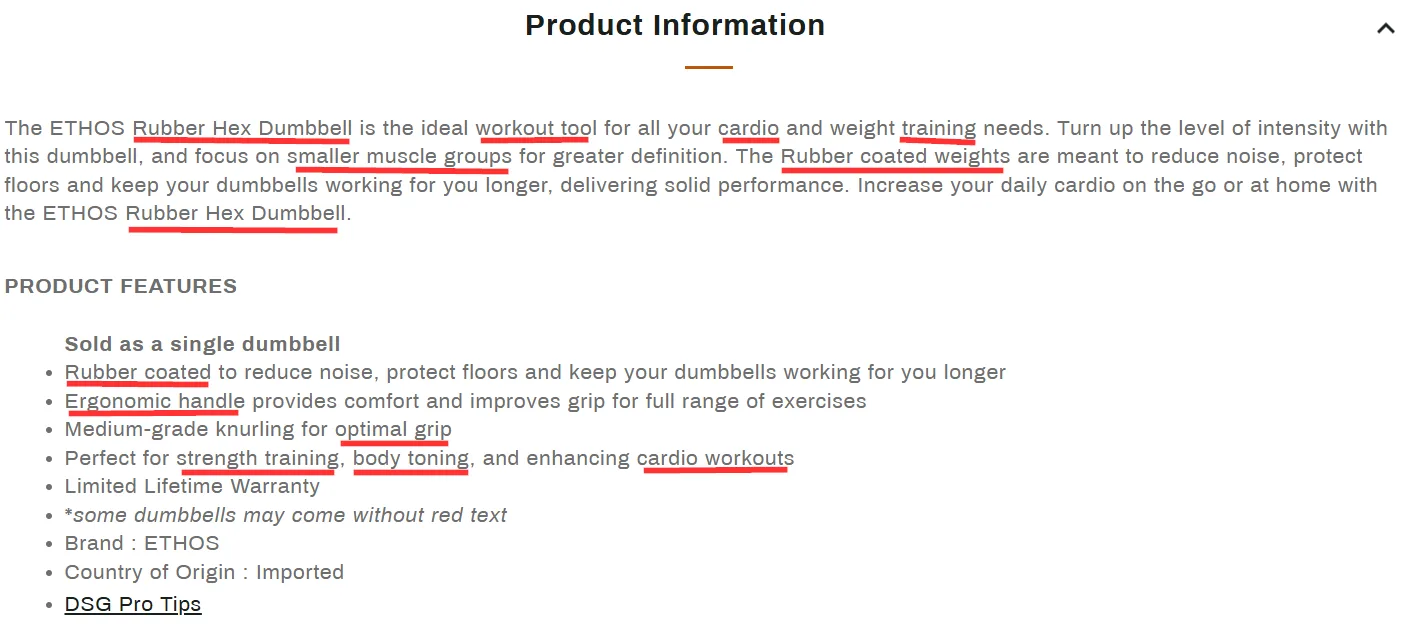
Find similar products on Google or Amazon and look at how top-ranking competitors describe them.
➜ Note the keywords in their titles and descriptions.
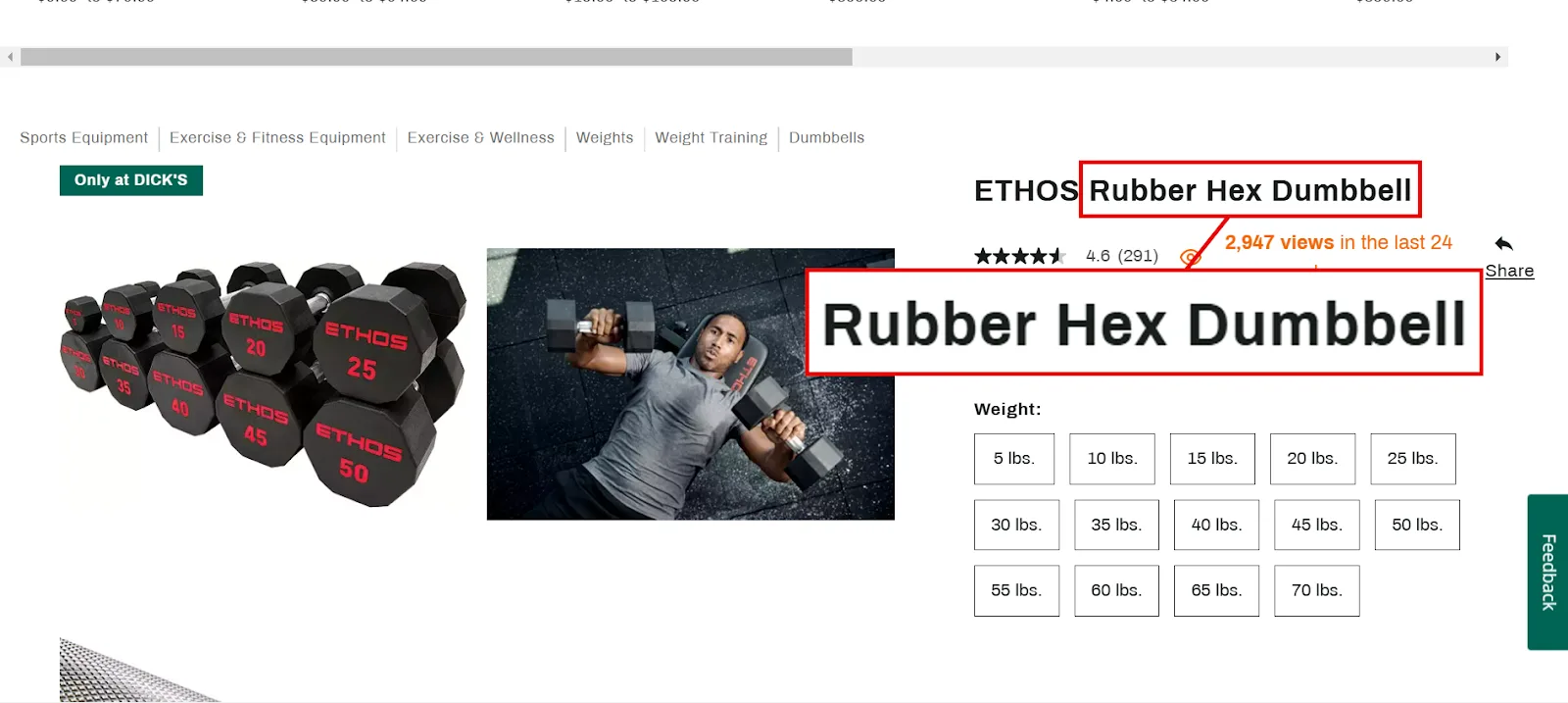
➜ Look for patterns across bullet points and feature highlights.
➜ Pay attention to terms that keep repeating, they’re usually the actual target keywords.
Step 2: Expand and Refine Into Long-Tail Keywords
Long-tail keywords matter a lot for eCommerce: they’re more specific, less competitive, and tend to attract people who are close to buying. Set up a spreadsheet now to organize everything from here on.
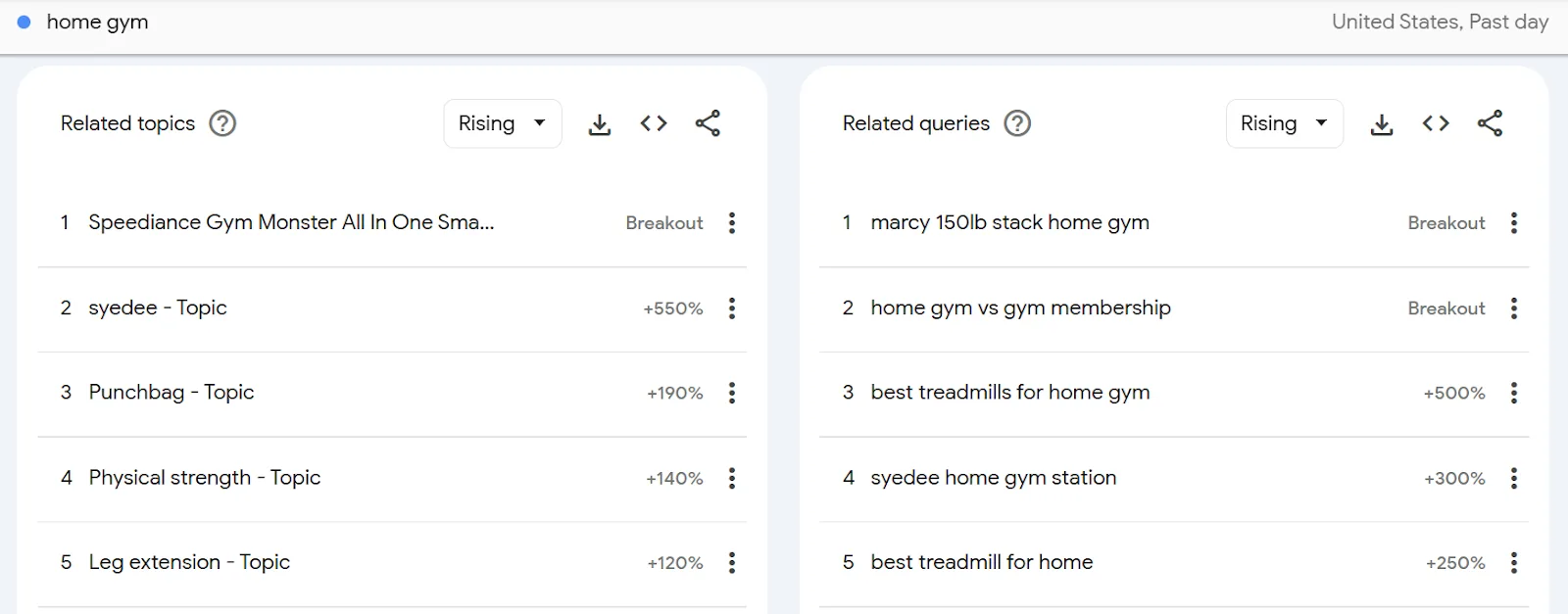
a. Google Trends
Enter a seed keyword and hit Explore.
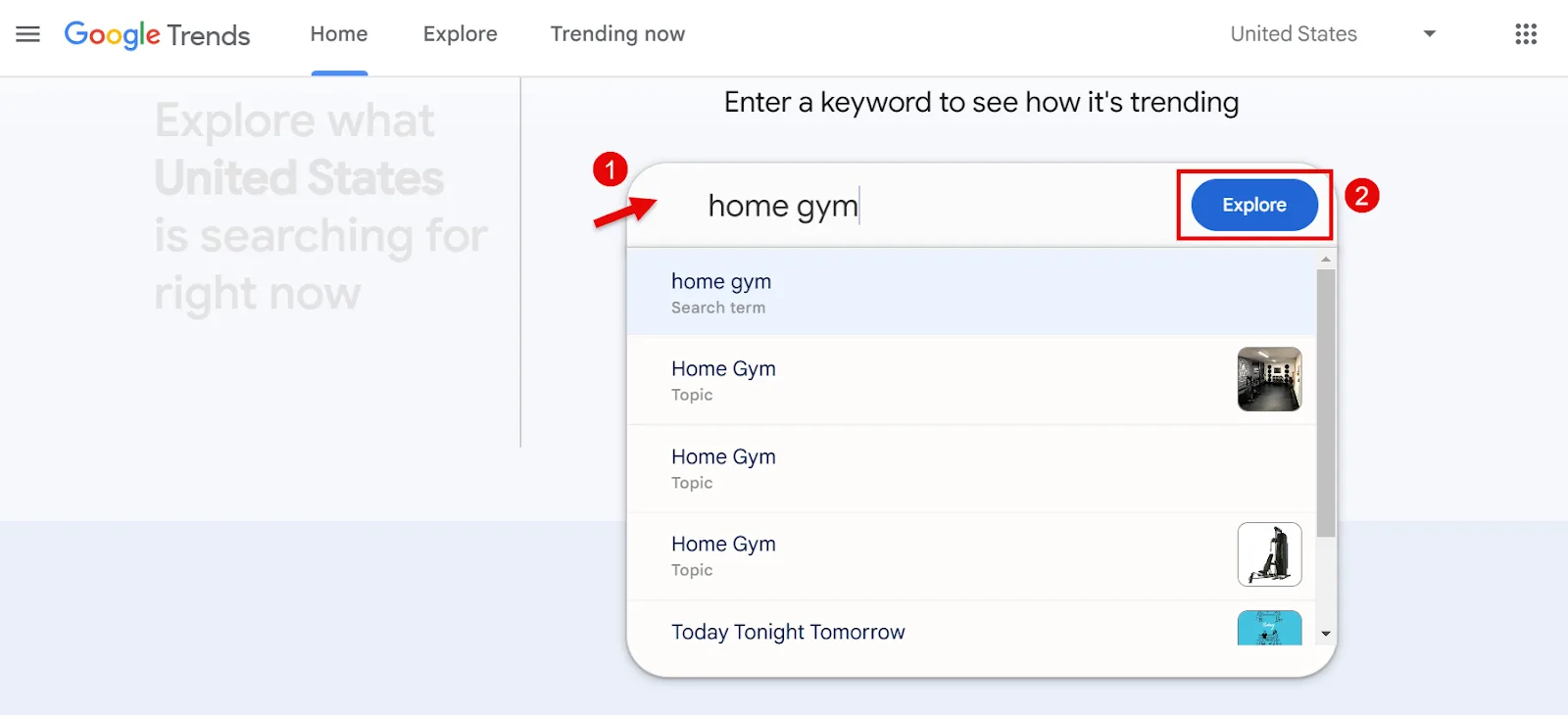
Scroll down for related long-tail terms, ones people are genuinely searching in your niche right now.
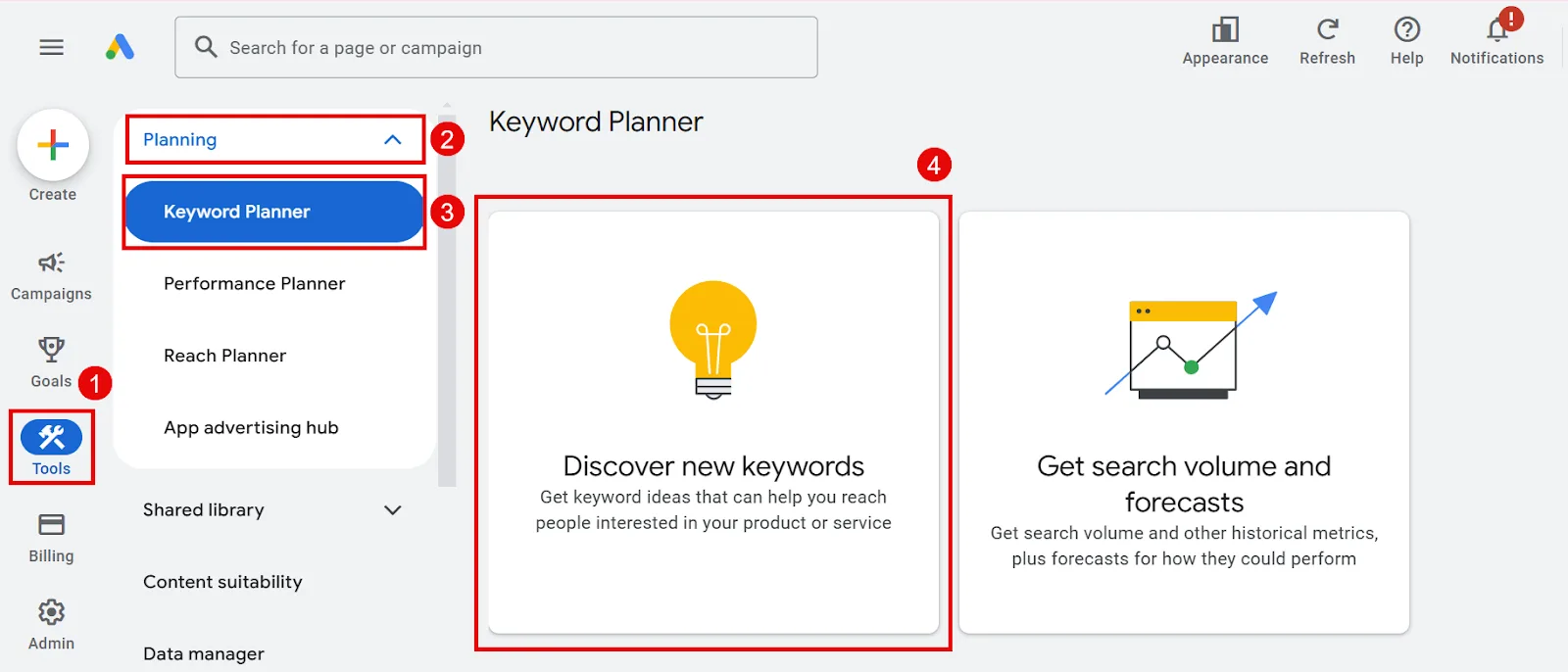
b. Google Keyword Planner
Click “Discover new keywords.”
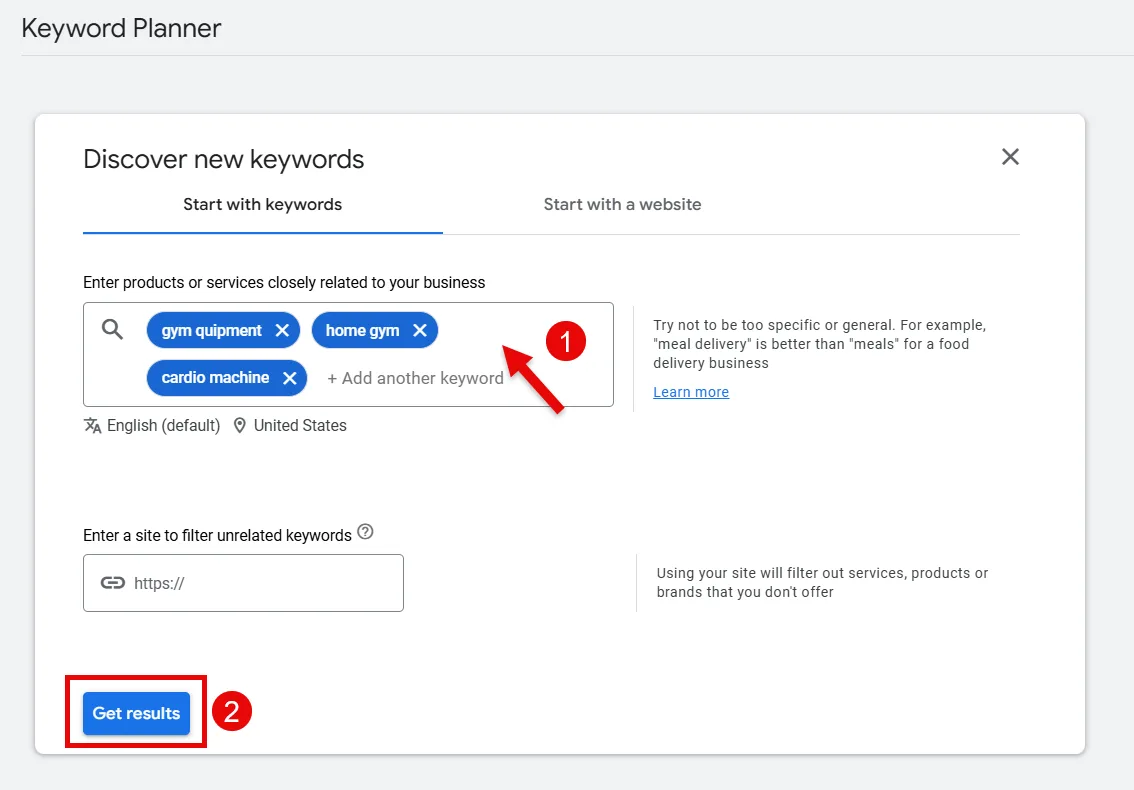
Enter your seed keywords and hit Get Started.
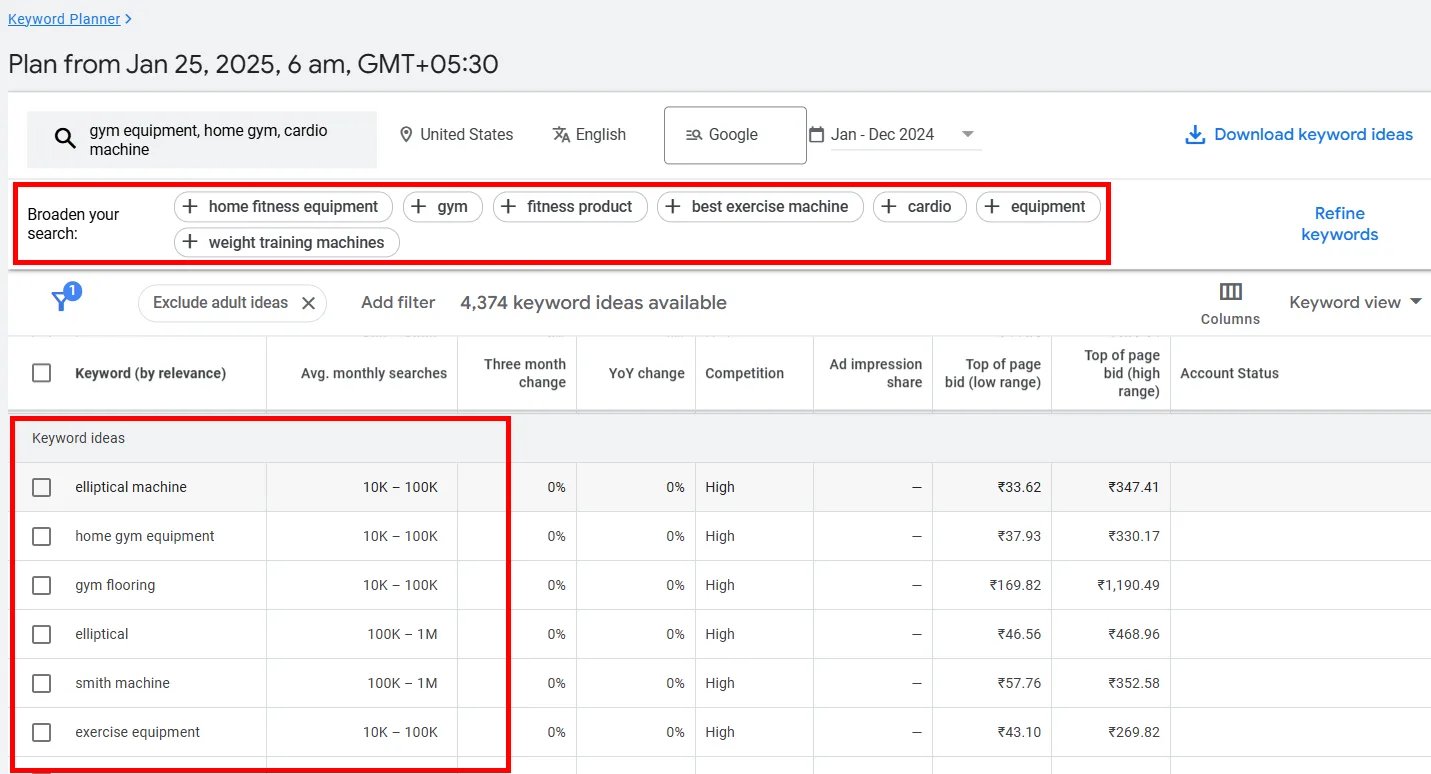
Scroll to Keyword Ideas for long-tail options, or pull more from the Broaden Your Search suggestions up top. Download whatever’s relevant into your doc.
c. Semrush’s Keyword Magic Tool
Open it, enter a seed keyword, hit Search.
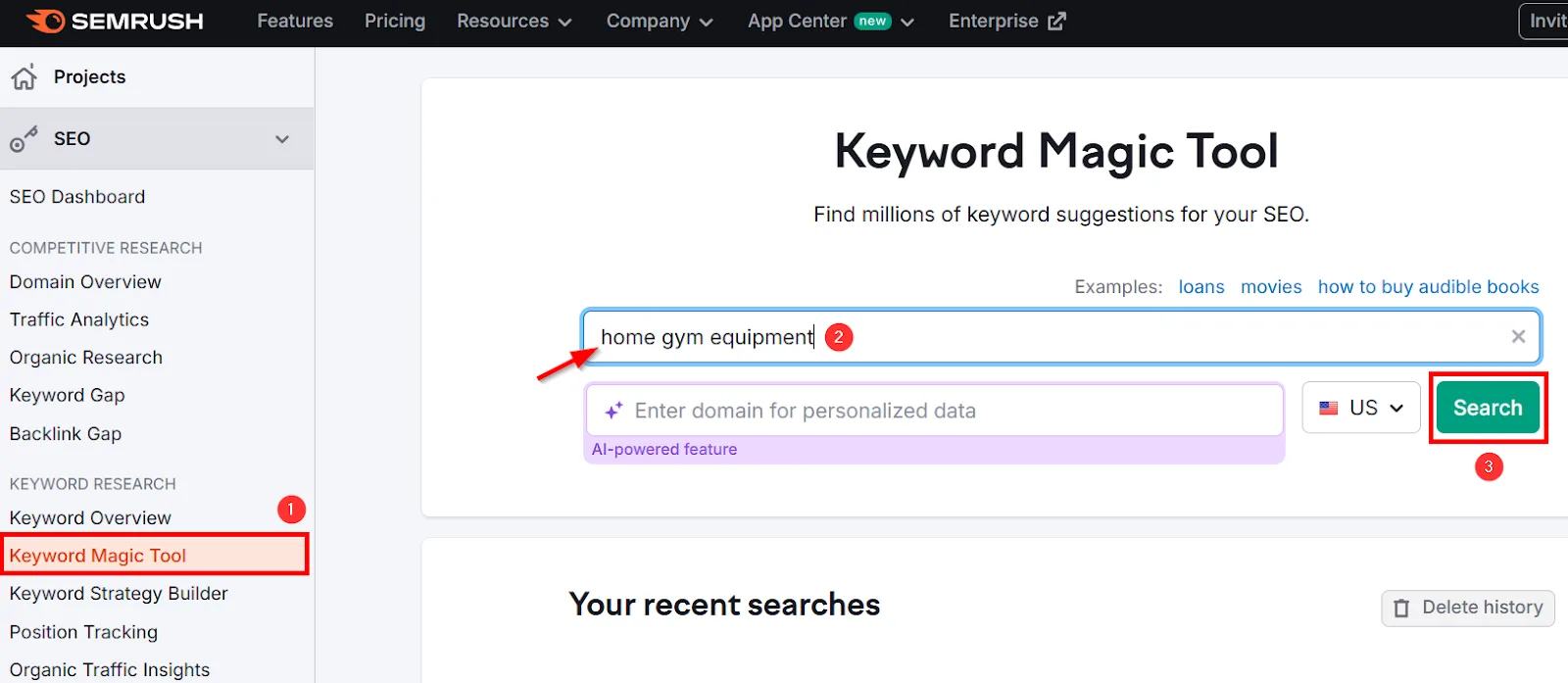
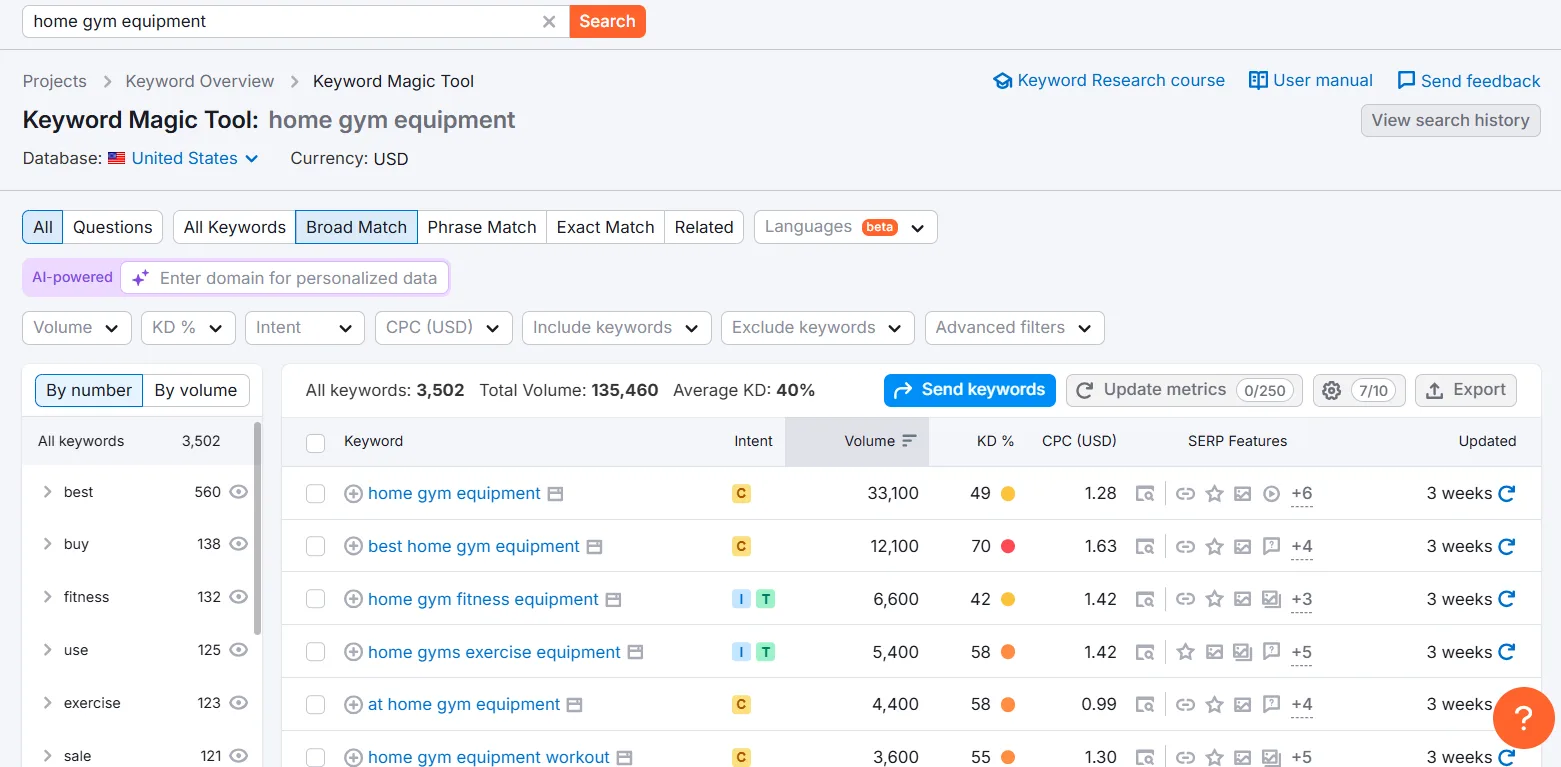
You’ll get a full list of long-tail variations.
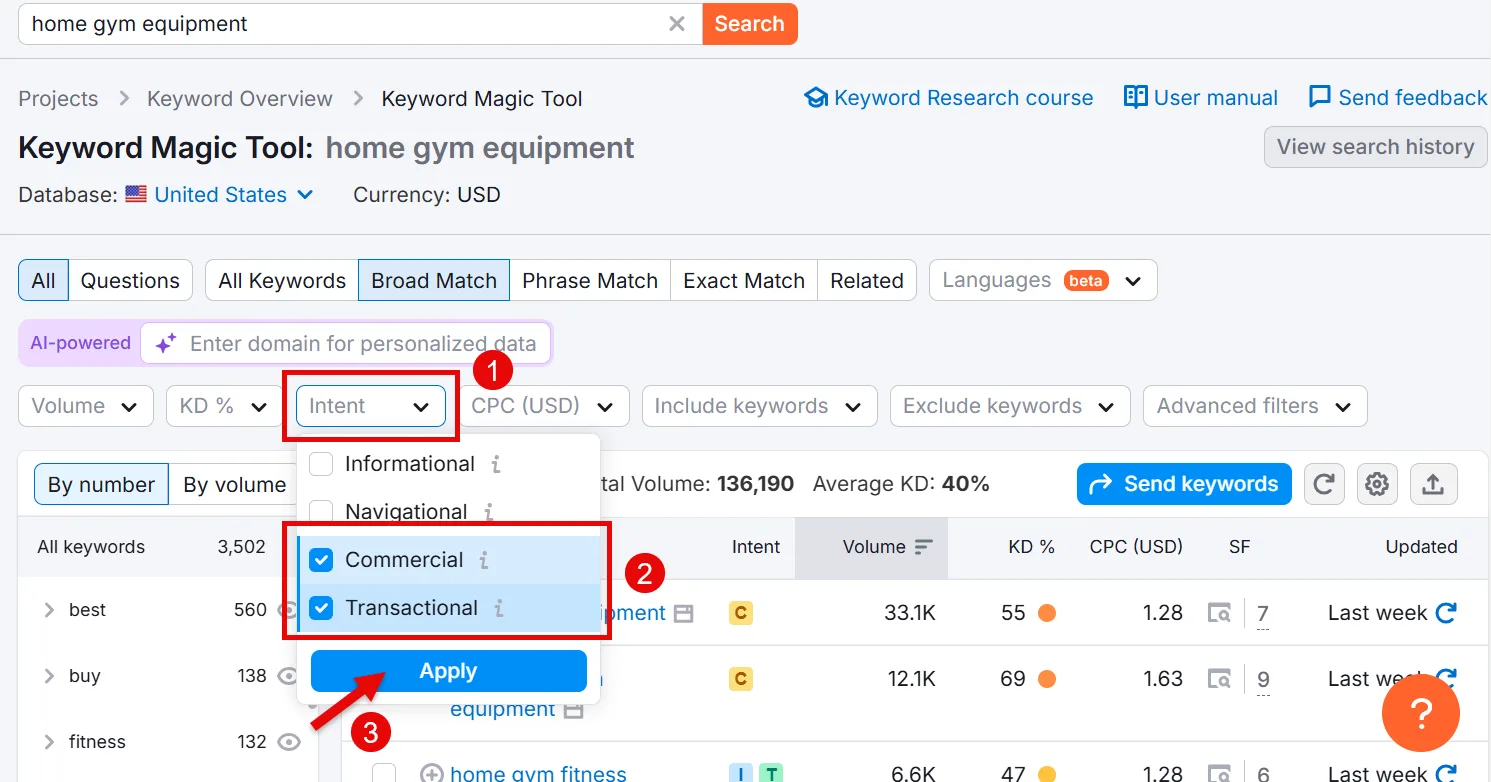
Intent matters a lot for eCommerce, so click the Intent filter, select Commercial and Transactional, and apply. That narrows things down to keywords that actually drive buyer traffic.
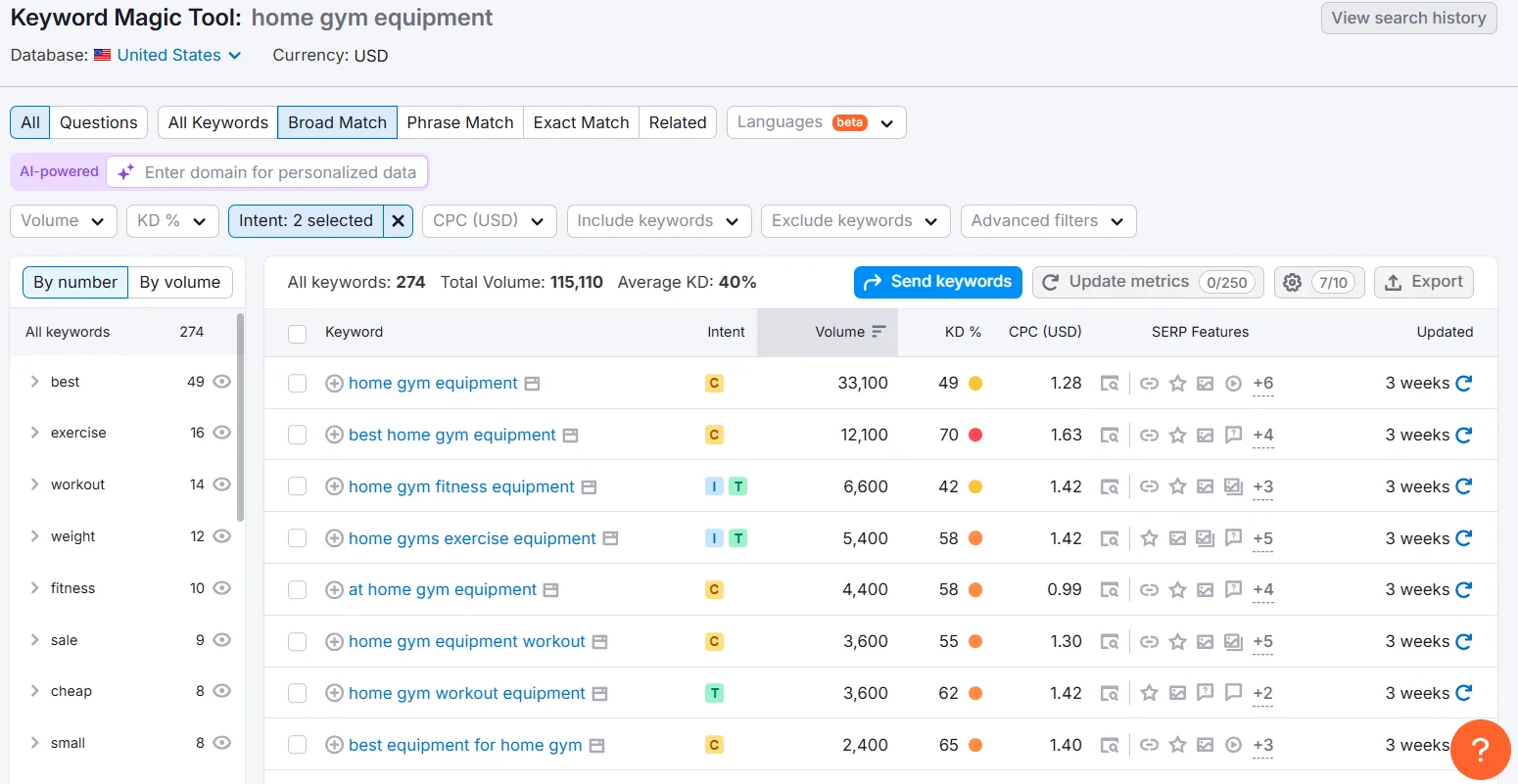
Aim for higher Volume, lower KD%. Use the KD filter to set your difficulty range,
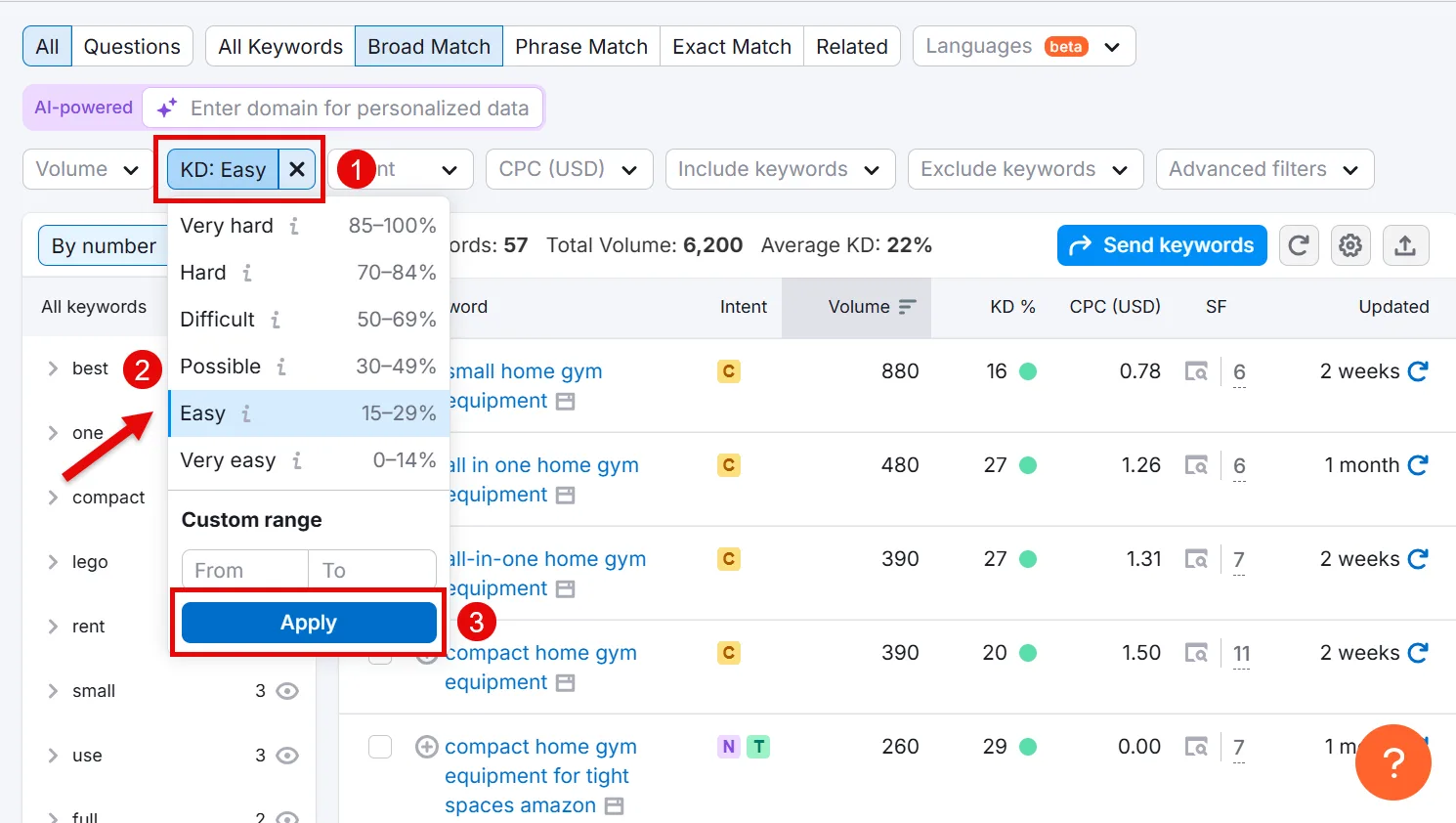
then the Vol filter for your desired search volume range.
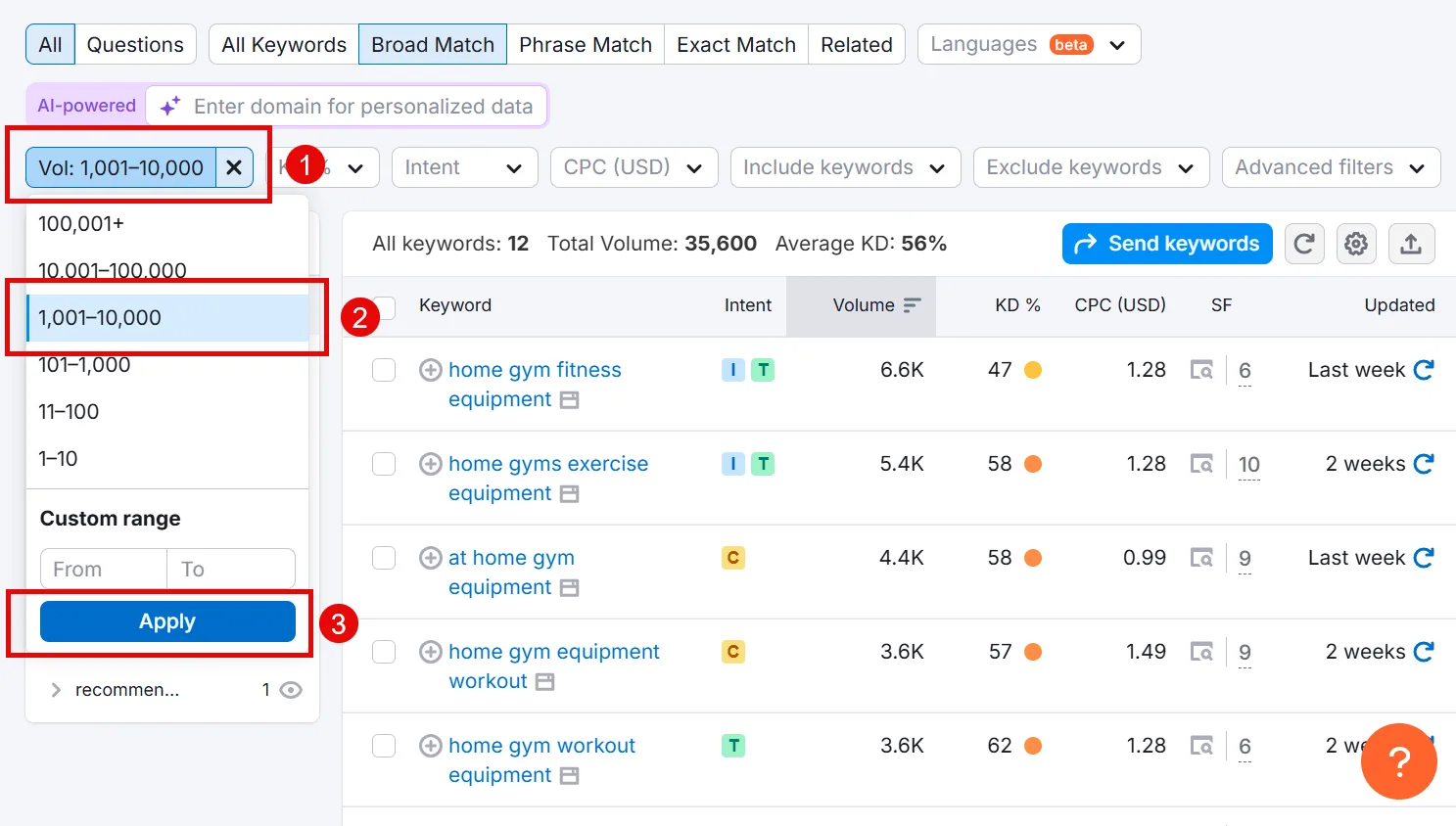
Select what’s relevant, export to XLSX, and add it to your spreadsheet.
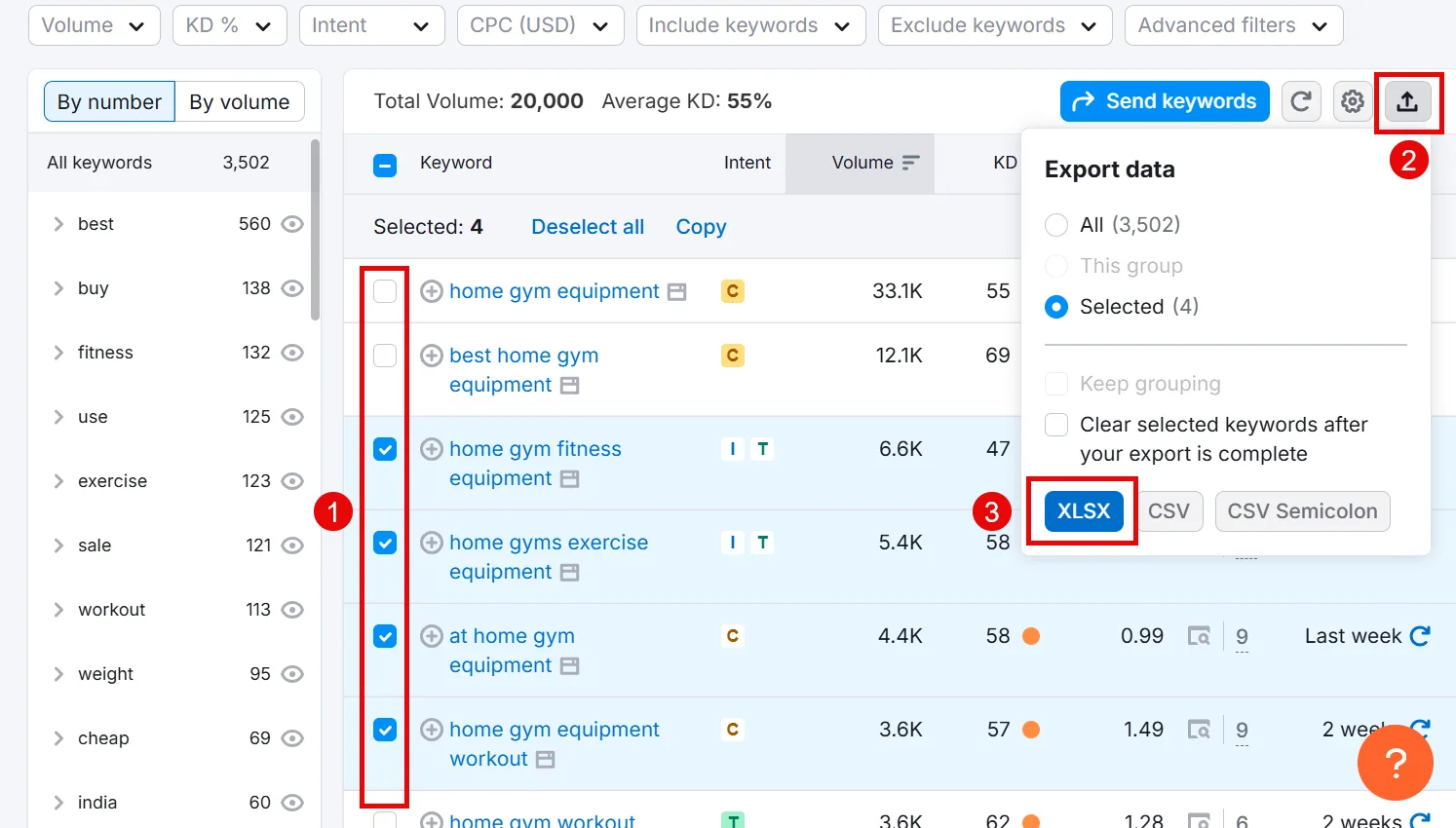
Step 3: Analyze Competitors
Now find out which keywords top-ranking competitors are targeting, so you can go after them more effectively. First step: know who your organic competitors actually are.
a. Spot Competitors on the SERP
Whichever eCommerce sites keep showing up for your seed keywords are your real competitors. By this point you probably already recognize a few, just note their domains.
b. Find Organic Competitors with Semrush
Semrush’s Organic Research tool is what I use for this. Enter your site, pick your target country, hit Search.
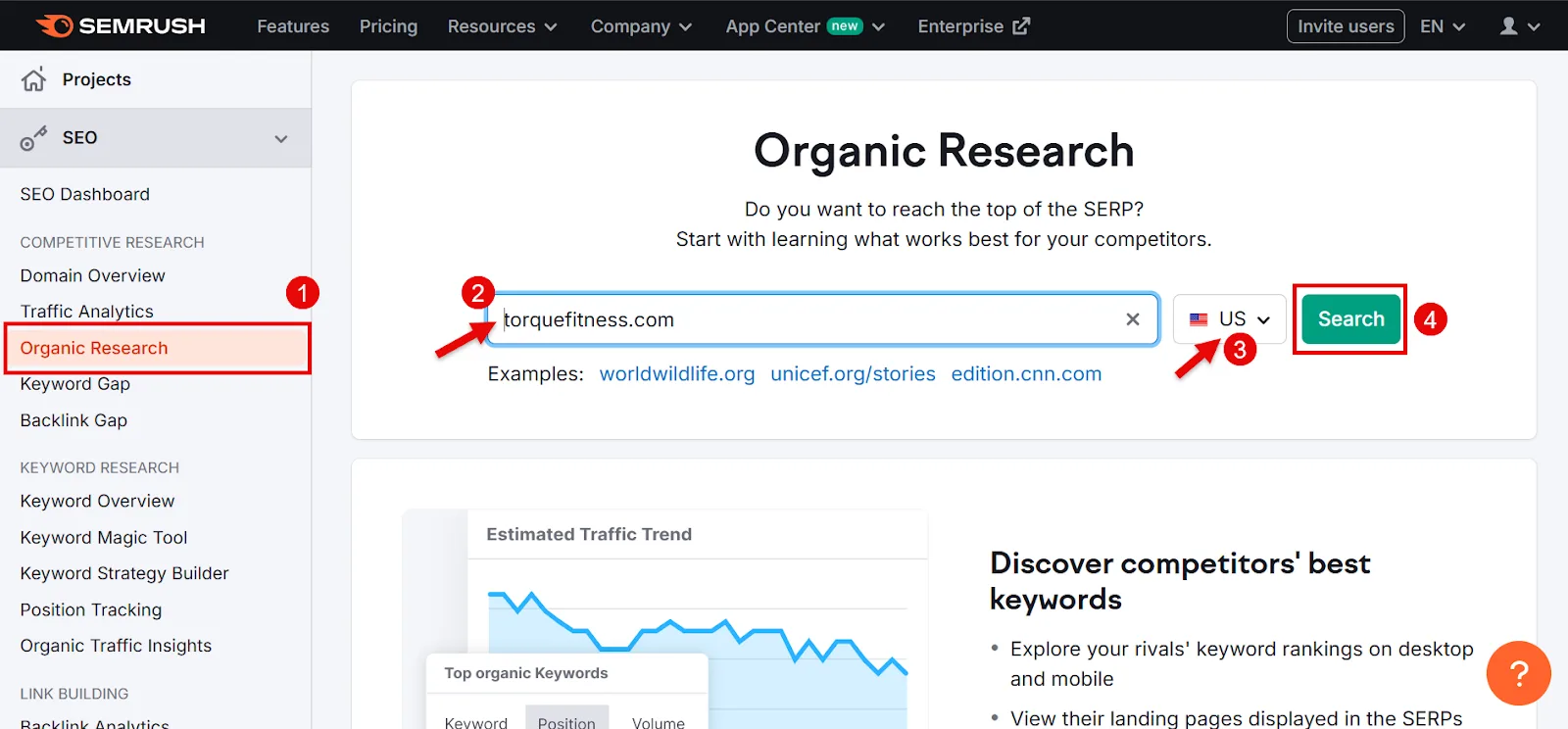
Click Competitors.
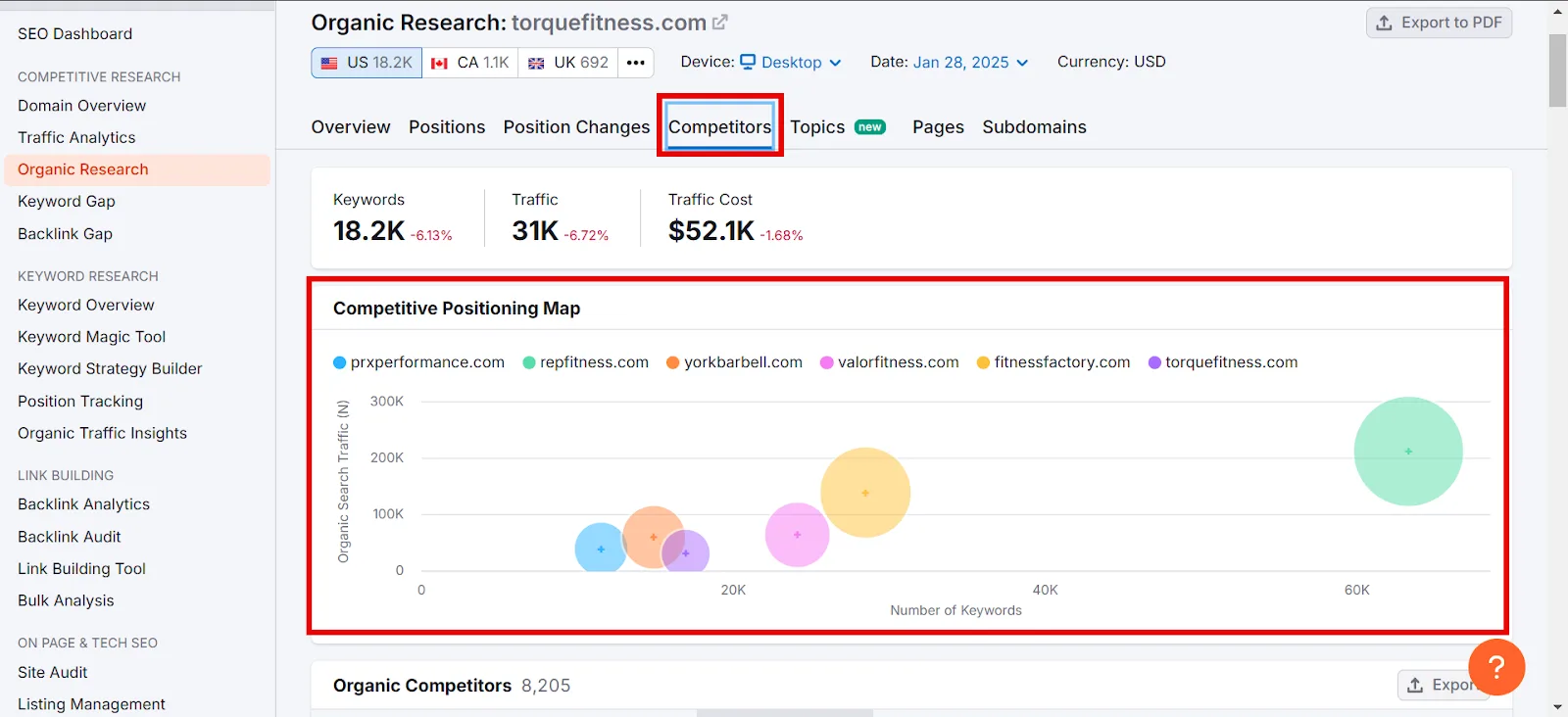
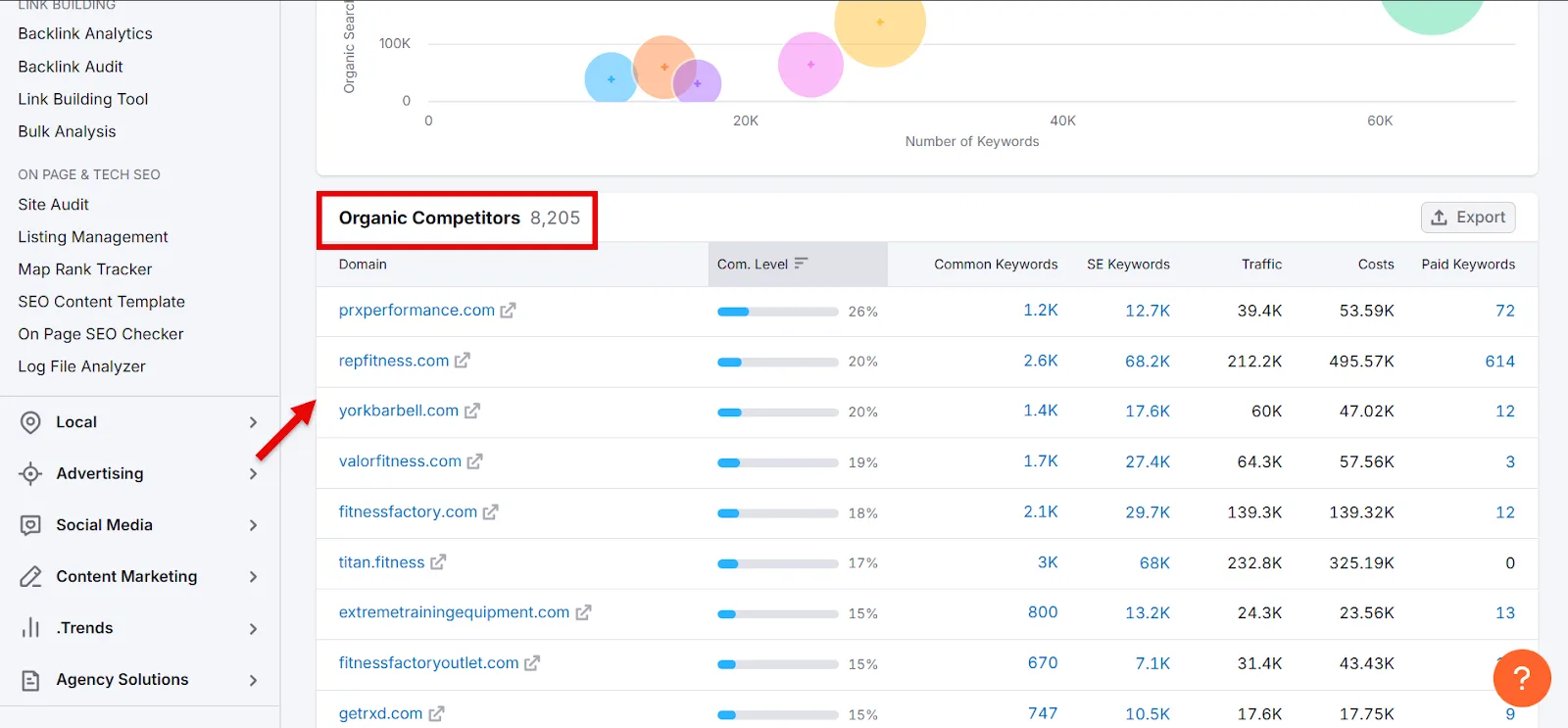
Scroll to Organic Competitors and note your top competing eCommerce sites.
c. Run a Keyword Gap Analysis
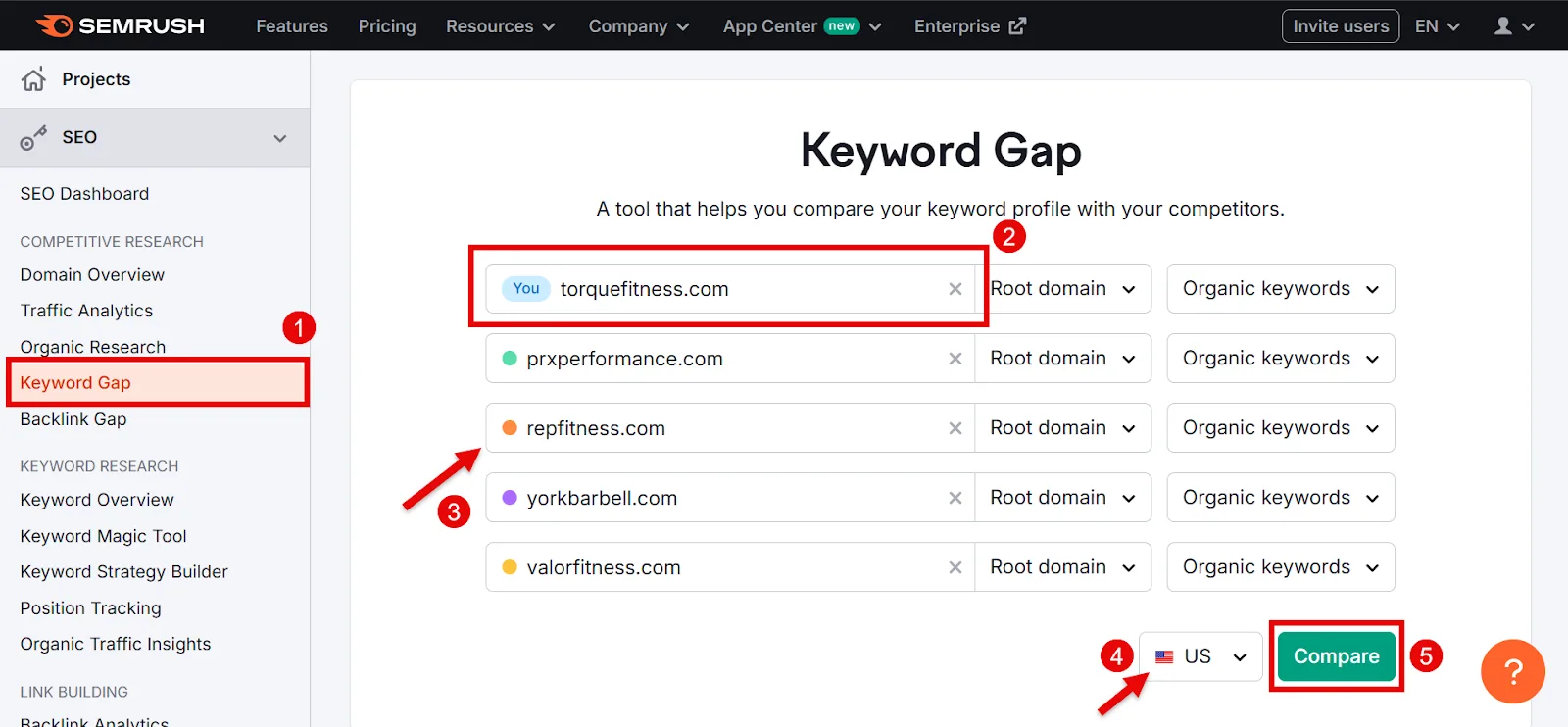
This surfaces keywords your competitors rank for that you don’t. Open Semrush’s Keyword Gap tool, enter your own site first, then up to 5 competitor sites, pick your country, click Compare.
You’ll get top keyword opportunities right away.
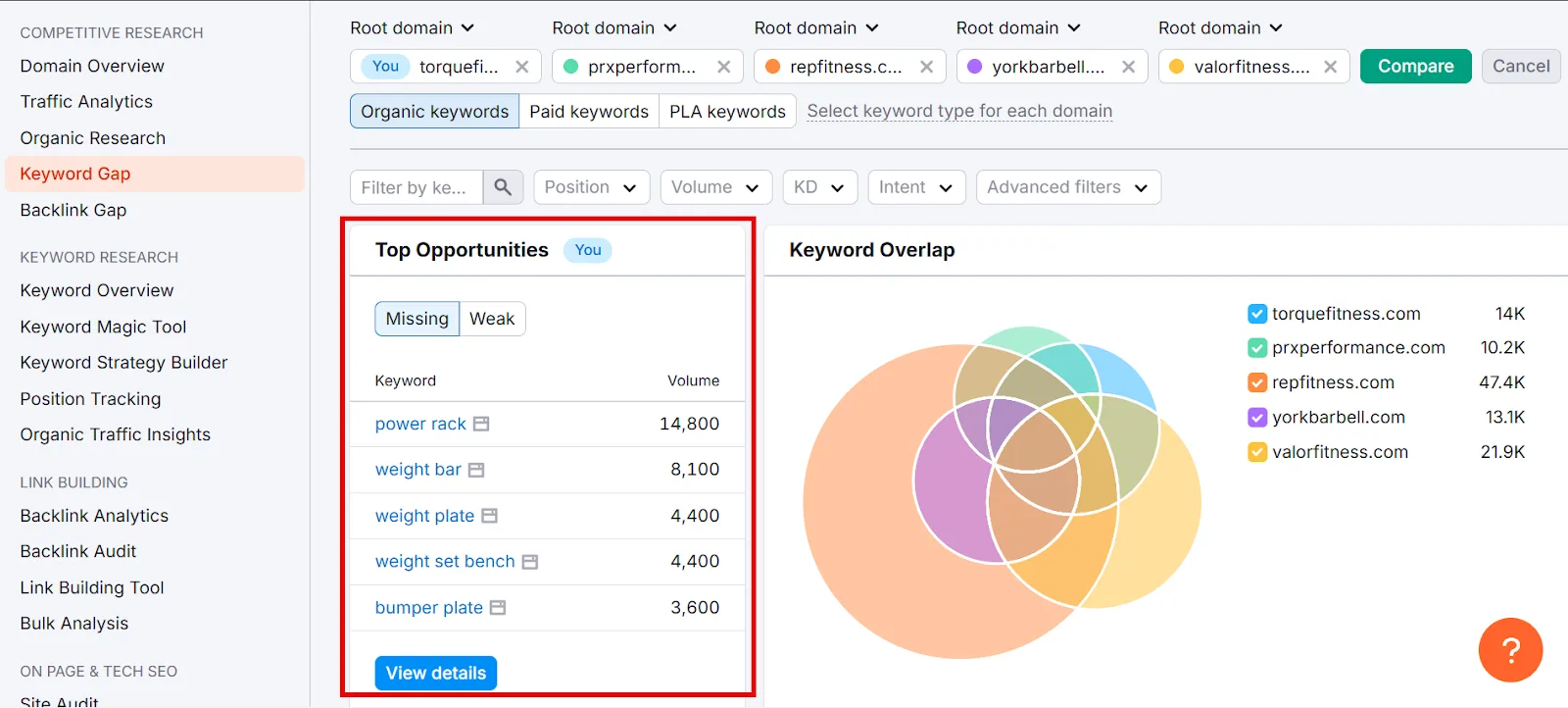
Scroll to the keyword list and select Missing to see terms every one of your selected competitors ranks for, that you don’t.
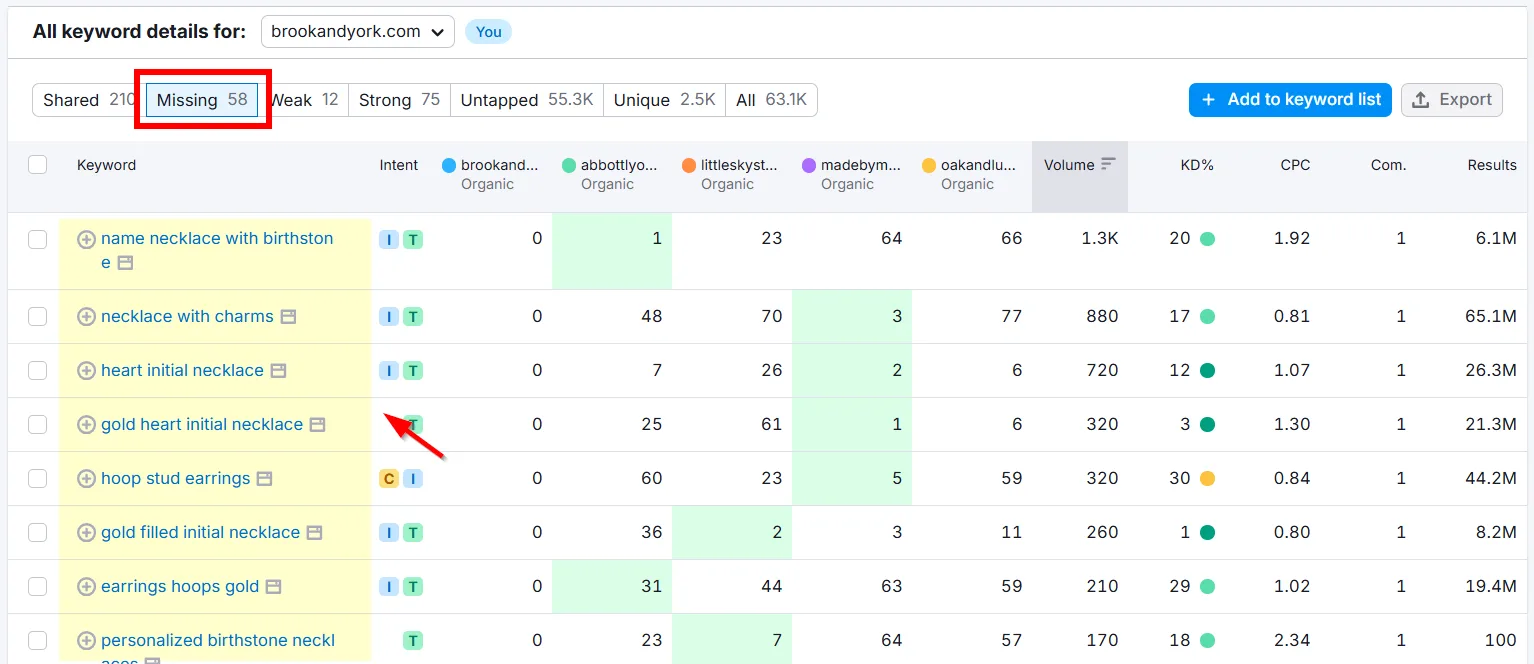
Filter Intent to Transactional and Commercial, select what’s relevant, and export as Excel.
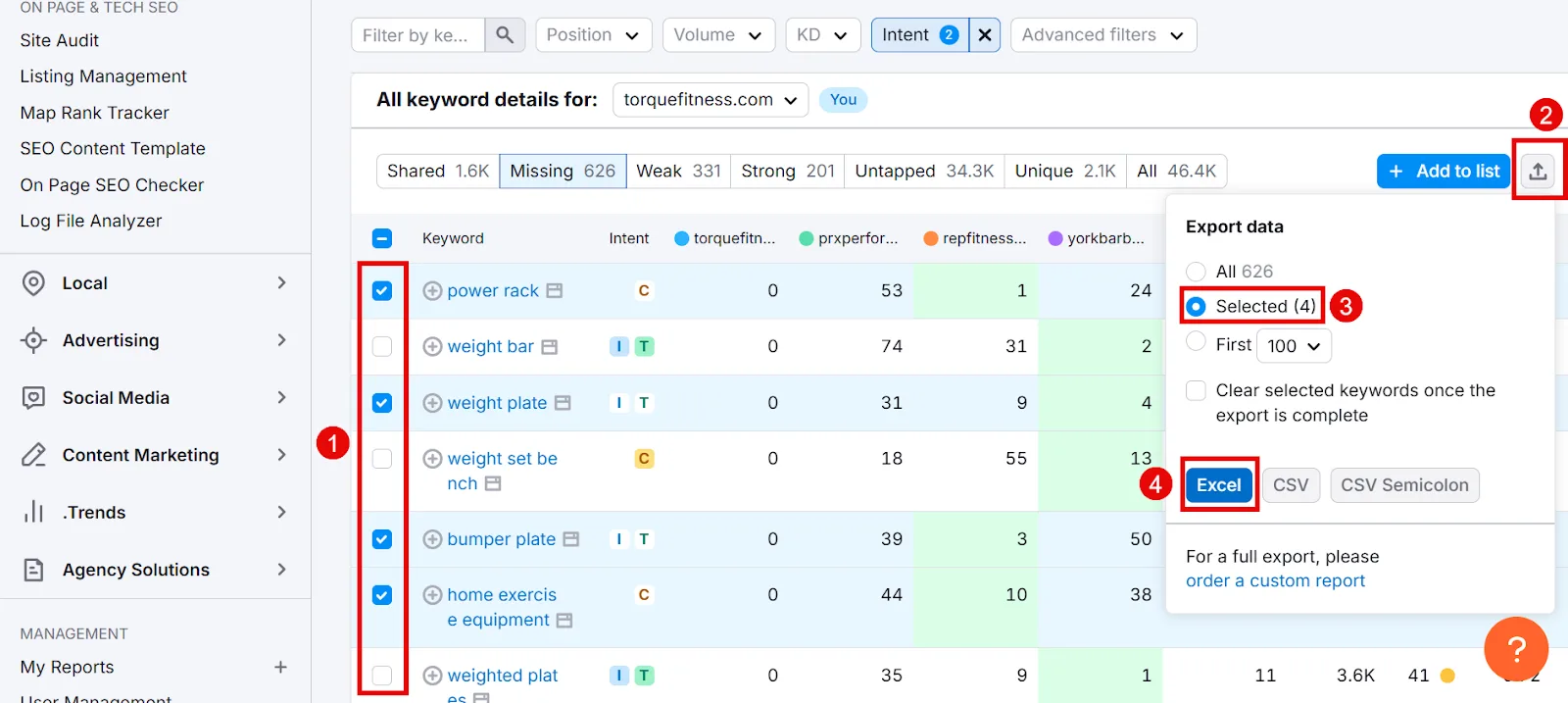
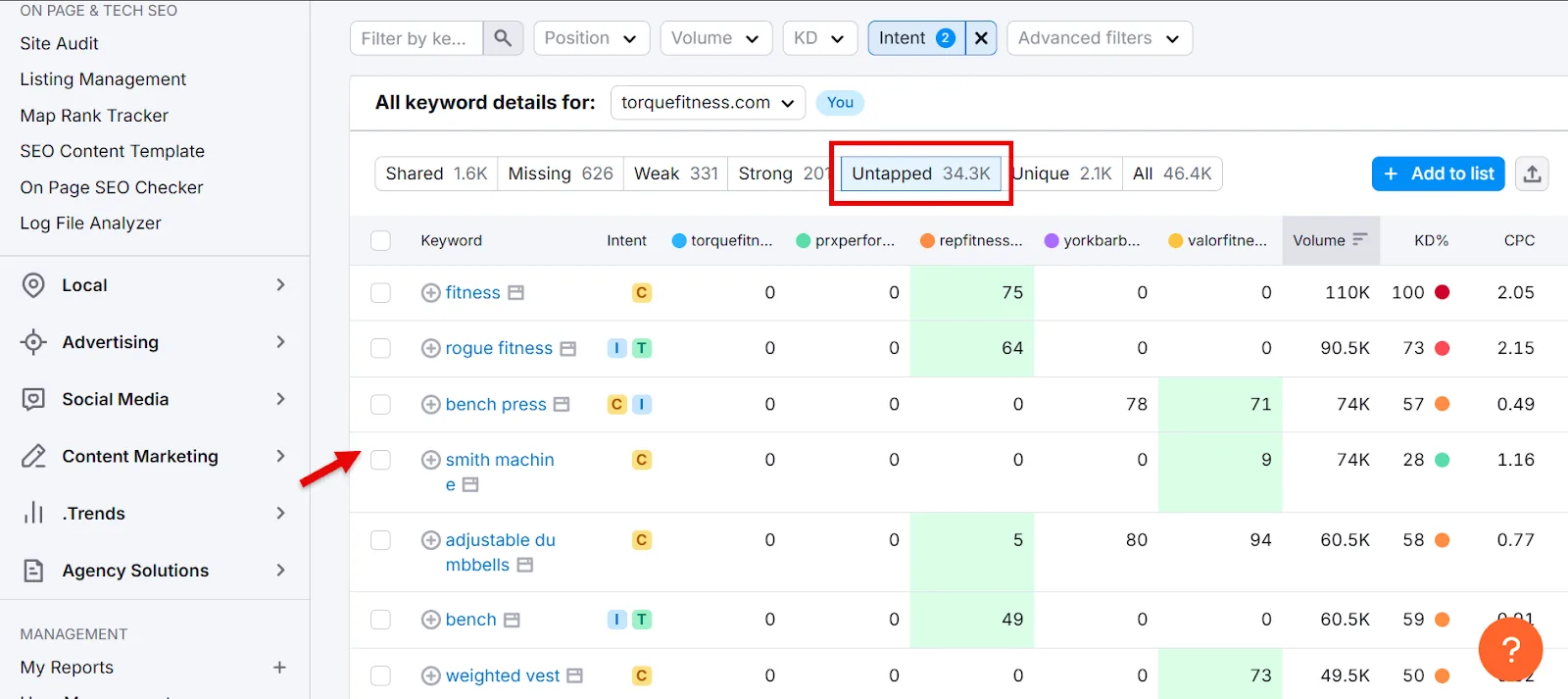
Copy those into your main spreadsheet. Switching to Untapped instead shows keywords at least one competitor ranks for that you don’t, same export process applies.
Step 4: Group and Prioritize Keywords
With a full list in hand, it’s time to organize it around what’s actually worth pursuing.
a. Fill In Volume and Difficulty
Keywords sourced from Semrush already have Volume and KD% attached. For anything found manually (SERPs, competitor pages, etc.), run it through Semrush’s Keyword Overview instead, up to 100 at a time.
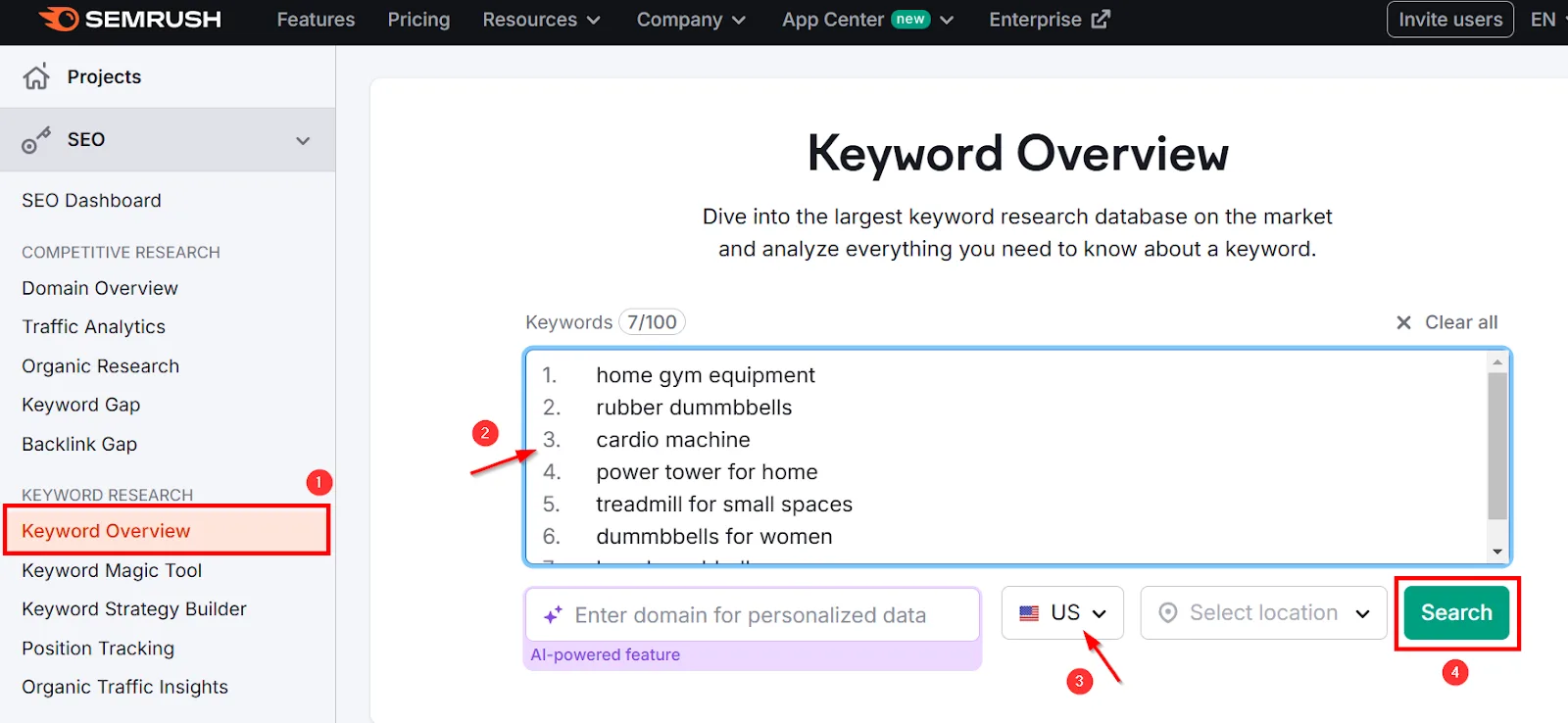
You’ll get Volume and KD% for each.
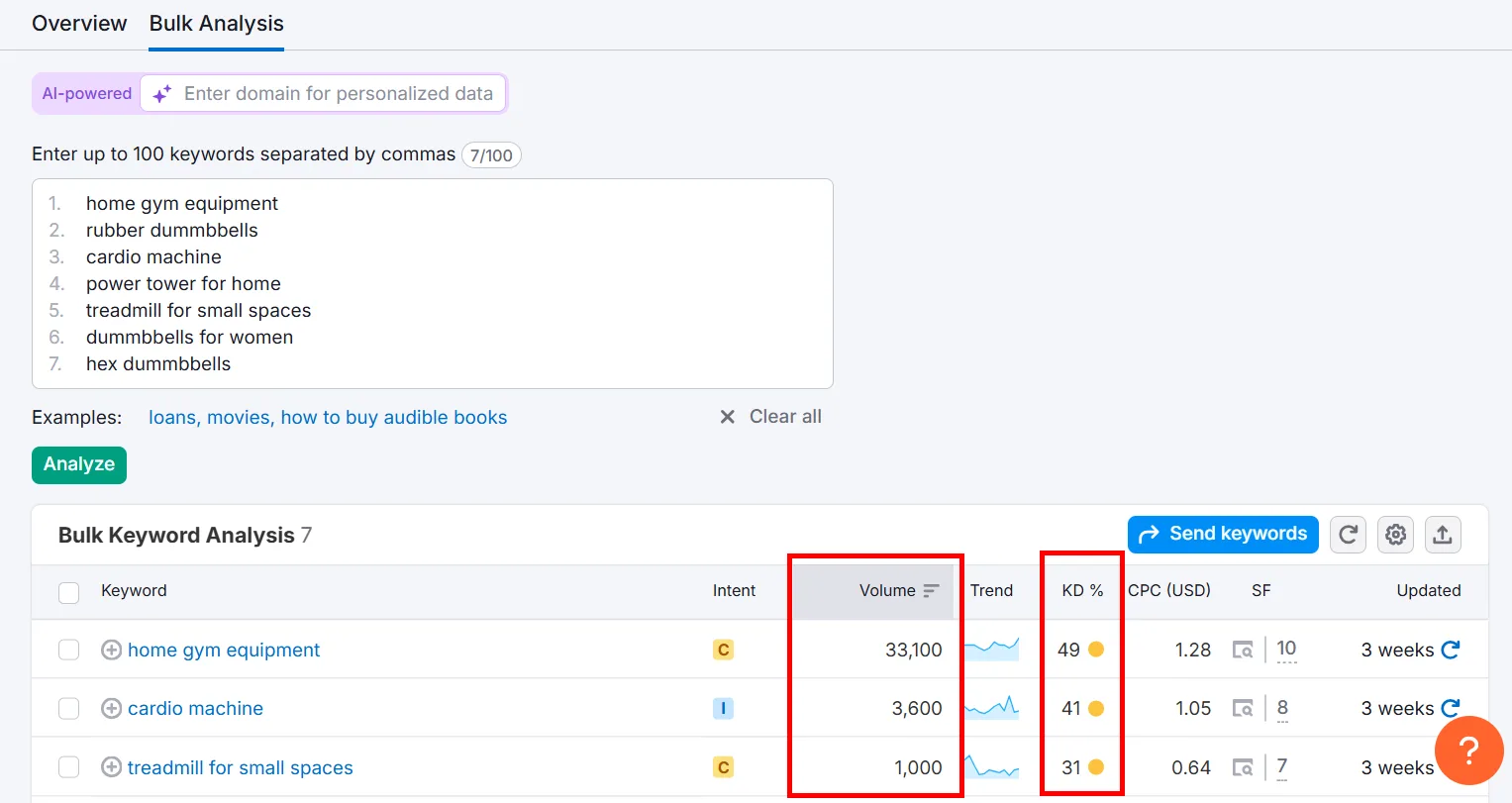
Keep the ones with a good volume-to-difficulty ratio, export the selection, and merge it into your spreadsheet.
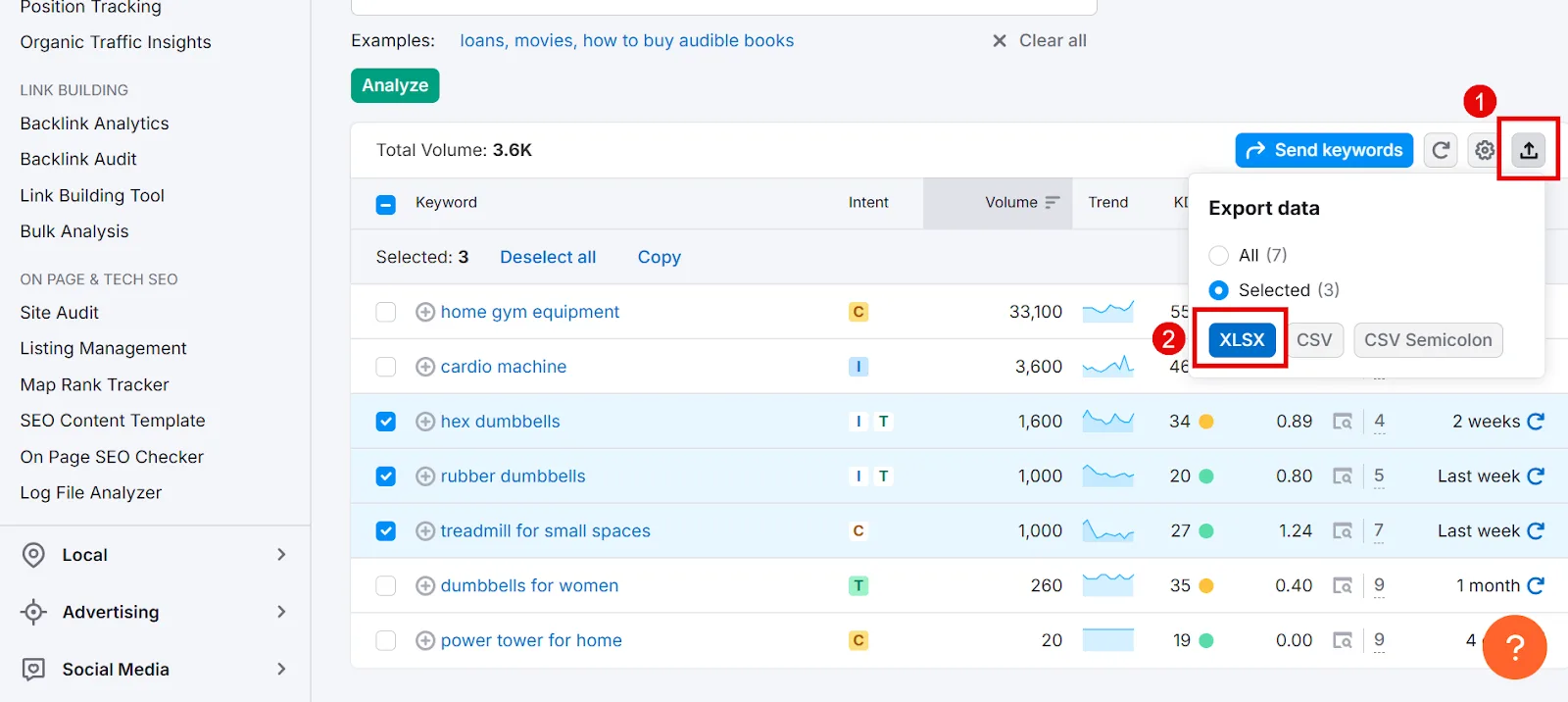
b. Create Keyword Clusters
Group keywords by product category. For a gym equipment store, “adjustable dumbbells” and “hex dumbbells” would both fall under a “Dumbbells” cluster.
c. Organize the Data
| Keyword | Product Category | Search Volume | Keyword Difficulty % |
|---|---|---|---|
| Adjustable dumbbells | Dumbbells | 10,000 | 24 |
| Hex dumbbells | Dumbbells | 8,000 | 33 |
| Treadmill for small spaces | Cardio Machines | 3,500 | 37 |
| Buy affordable treadmills online | Cardio Machines | 9,000 | 42 |
| Home gym power tower | Power Tower | 7,500 | 44 |
d. Prioritize What Matters
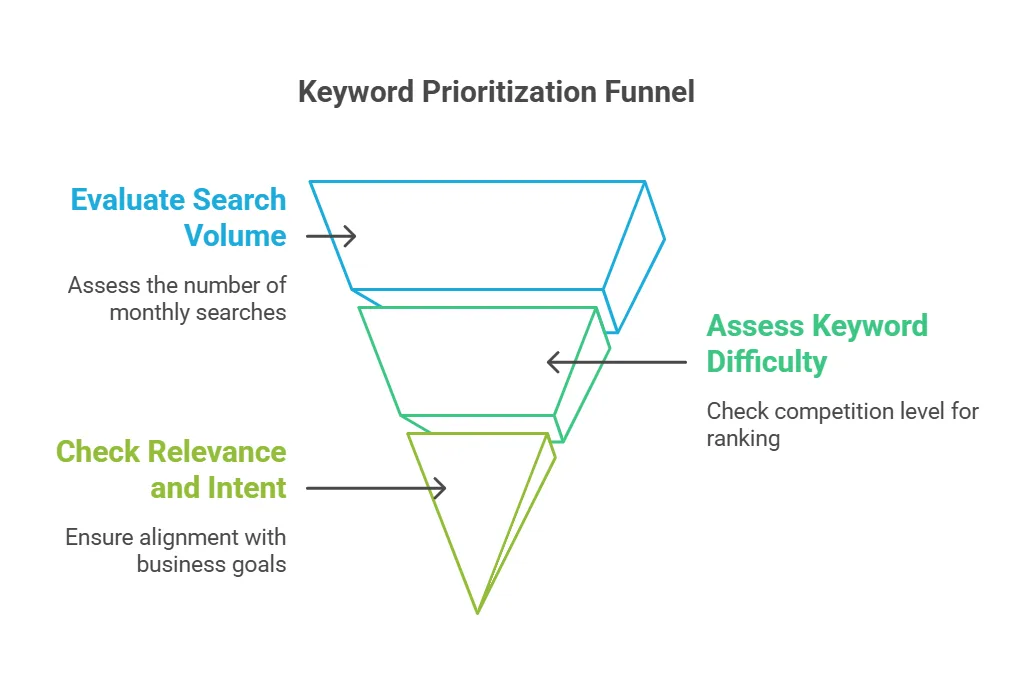
↳ Search volume: favor decent-to-high monthly volume, but skip anything with excessive competition attached.
↳ Keyword difficulty: go after low-to-moderate KD%. High-KD terms stay hard to rank for no matter how much volume they carry.
↳ Relevance and intent: only target what you actually sell. A gym equipment store chasing “rubber dumbbells” while not selling them isn’t worth it, regardless of how good the volume-to-difficulty ratio looks.
What to Do With Your eCommerce Keyword Research
1. Map Keywords to Pages
Product pages and category pages call for different kinds of keywords.
Product pages work best with transactional-intent keywords, since these shoppers are ready to buy and the terms should be specific to the exact product.
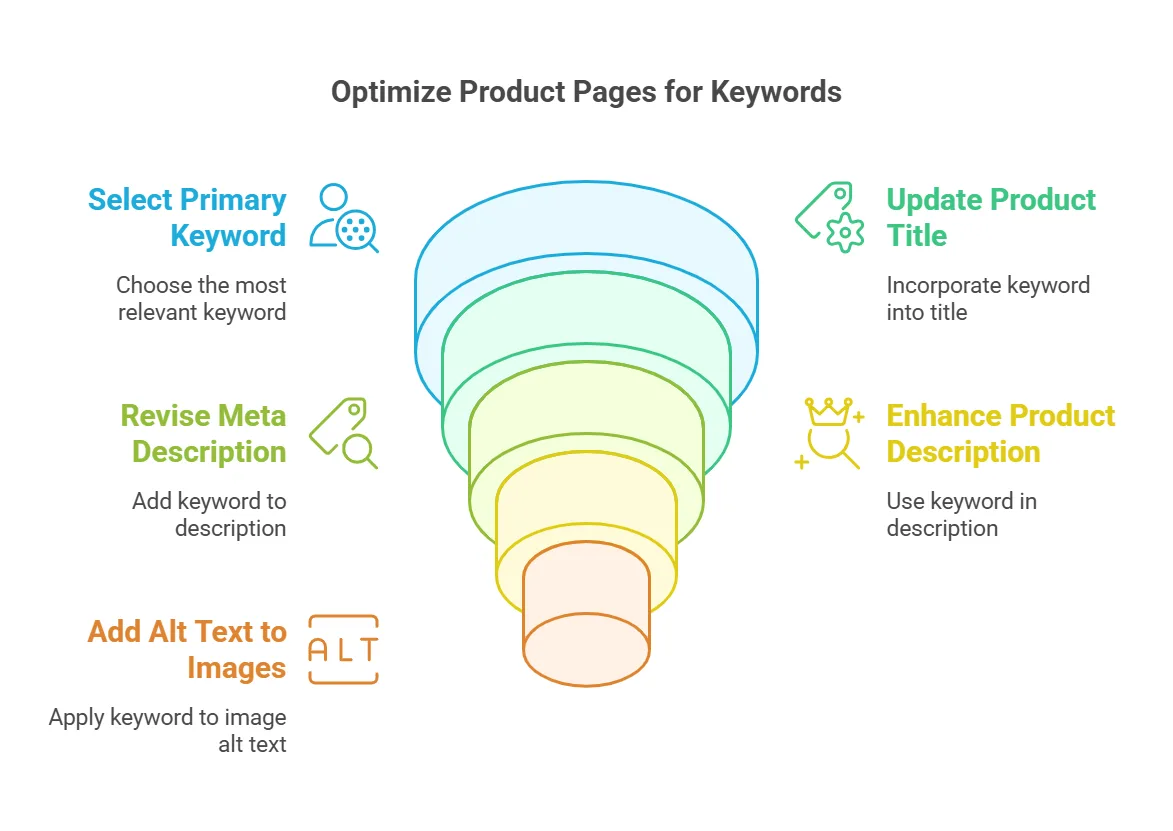
Examples: “buy adjustable dumbbells,” “treadmill for small spaces,” “affordable resistance bands.” Work the primary keyword into the product title, meta description, image alt text, and description.
Category pages suit broader commercial-intent keywords, terms for people still exploring options within a category rather than a specific item.
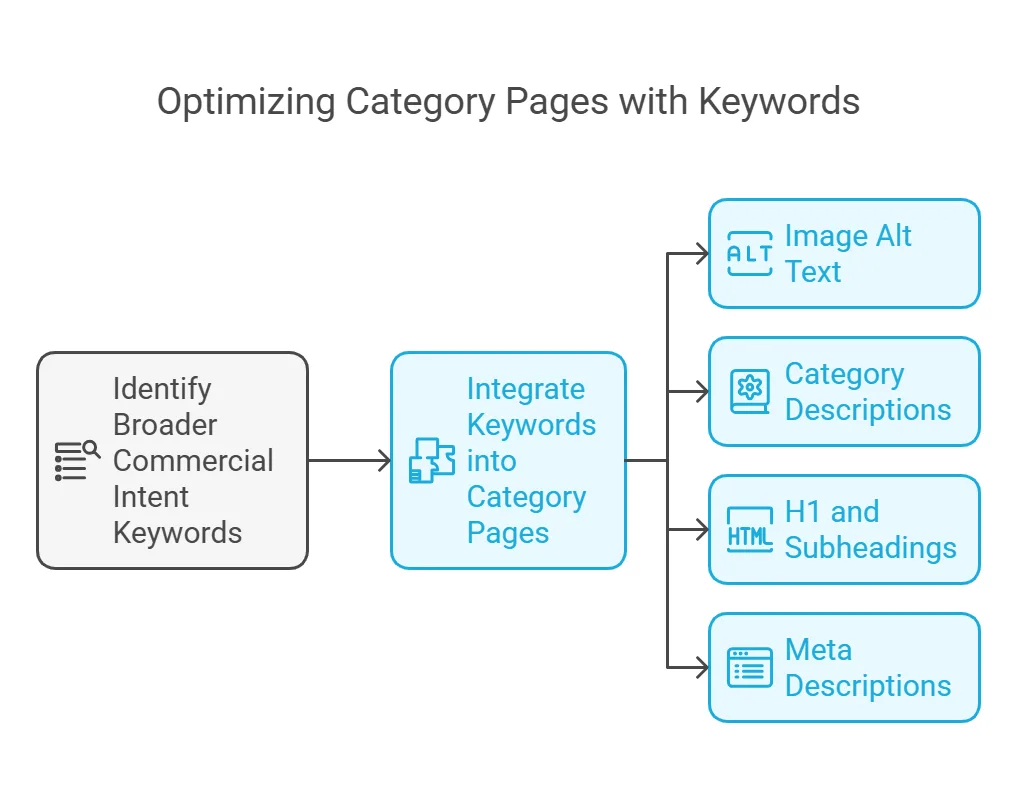
Examples: “home gym equipment,” “affordable cardio machines,” “top-rated barbells.” Include these in category banner alt text, descriptions, H1s and subheadings, and meta descriptions.
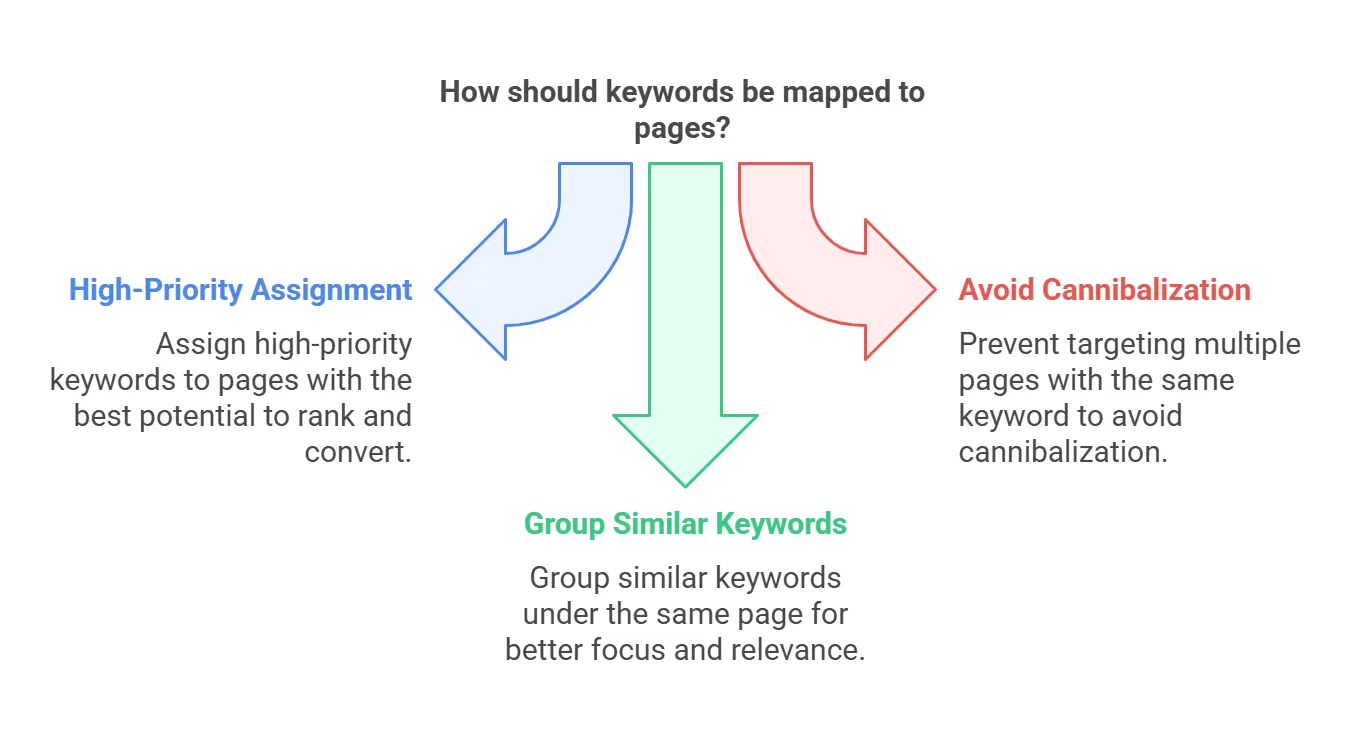
A few mapping tips: put your best keywords on the pages most likely to actually rank and convert; avoid targeting the same keyword across multiple pages (that just causes cannibalization); and keep similar keywords grouped under one page for focus.
2. Optimize for SEO and Marketplaces
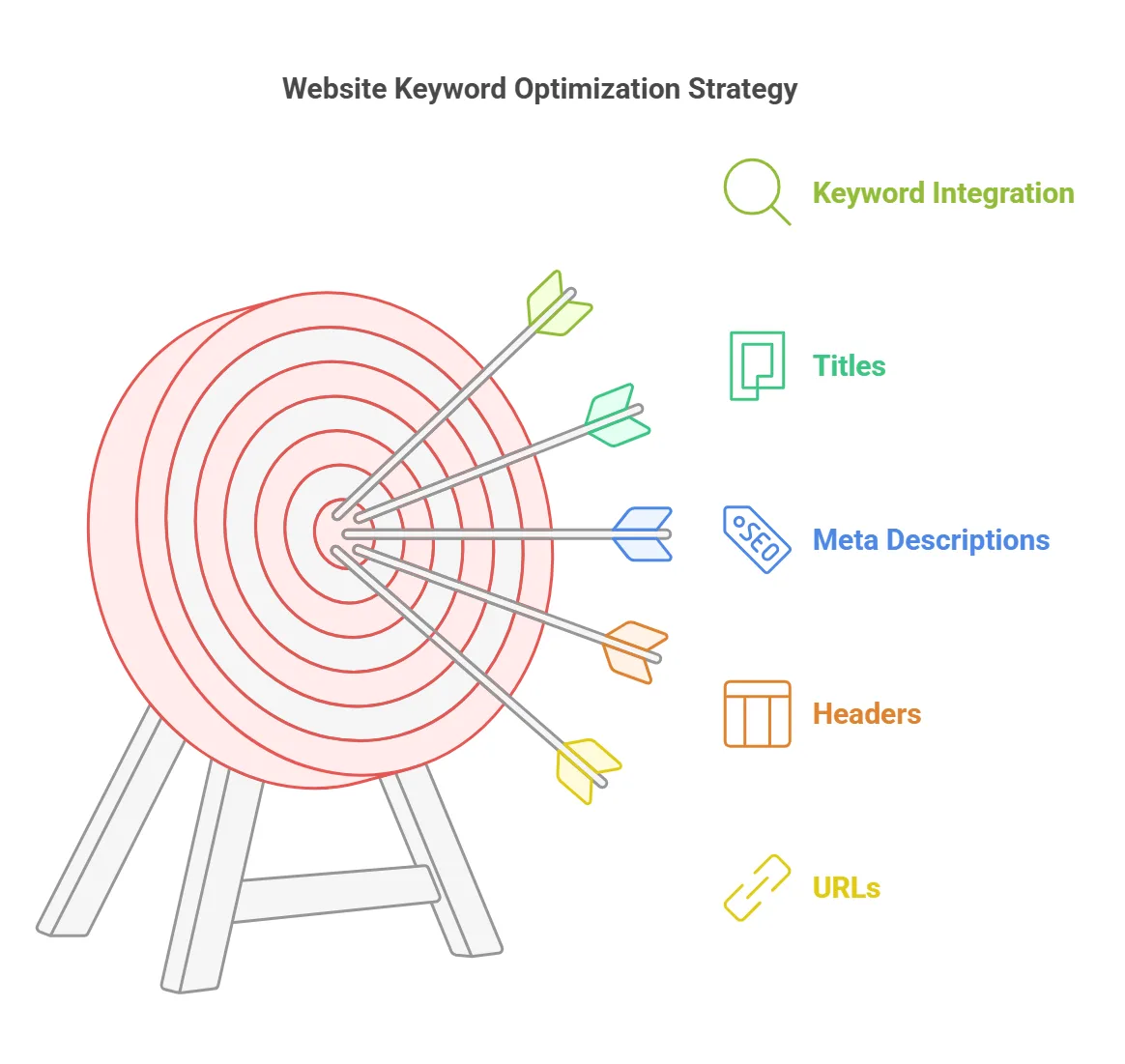
On your own site:
➜ Write compelling, keyword-rich meta descriptions to lift CTR.
➜ Include primary keywords in product and category titles.
➜ Keep URLs short, with the primary keyword where it fits naturally.
➜ Work keywords naturally into H1s and H2s.
On marketplaces (Amazon, eBay, Etsy):
➜ Use keywords in product titles to match what shoppers are actually searching, e.g. “Adjustable Dumbbells – 50lb Set – Home Gym Equipment.”
➜ Write detailed descriptions with target keywords woven in alongside real product features.
➜ Use backend search-term fields to fit in extra relevant keywords without cluttering the visible listing.
Finding Keywords That Actually Bring Sales
The whole point is targeting transactional and commercial keywords, the ones tied to people ready to buy, not just people browsing.
A few things to do next:
↳ Learn what to do after keyword research to make the most of what you’ve found.
↳ How I use Google Search Console for keyword research, if you want a free complementary source of keyword data.
Frequently Asked Questions
What is keyword research in eCommerce?
It’s the process of finding the search terms shoppers actually use to find products online, then targeting the ones that bring in traffic ready to buy, which drives real sales and conversions rather than just visits.
How do I do B2B keyword research?
Focus on industry-specific terms and the actual problems buyers are trying to solve. Tools like Semrush or Google Keyword Planner help surface relevant terms; prioritize long-tail phrases with clear intent, like “best enterprise software for small businesses,” and adjust based on what competitors are ranking for.
How do I create a B2B SEO strategy?
Start with your audience’s actual needs and pain points, then build keyword research and content around solving them, positioning you as the expert. Layer in solid site structure and backlinks, and track performance so you can keep refining the approach.
What is a niche keyword?
A keyword aimed at a specific audience or product segment rather than a broad category, like “vegan running shoes for women” instead of just “running shoes.” Niche keywords bring more qualified traffic and usually face less competition.
How do I research eCommerce trends?
Google Trends, industry reports, and social platforms are a good start. Watch what competitors are doing, check forums and reviews for emerging demand, and keep an eye on seasonal and regional shifts so you’re not caught off guard.
How do I do my own market research?
Define your target audience and study their behavior directly through surveys, feedback, or focus groups. Layer in competitor analysis, industry reports, and tools like Google Analytics to see what your audience actually values.
How do I do keyword research for a single product?
Start with seed keywords describing the product, then expand with Semrush or Google Keyword Planner for long-tail, transactional-intent variations. Google Autocomplete, Amazon search, and competitor product pages round out the list. Refine based on volume and difficulty.
How do I do Shopify keyword research?
Shopify apps like Plug in SEO or SEO Manager can surface keyword suggestions directly. Combine that with Google Autocomplete and Semrush, plus a look at competitor stores, then work the results into your product titles, descriptions, and meta tags.
What’s the difference between short-tail and long-tail keywords in eCommerce SEO?
Short-tail keywords are broad, like “dumbbells.” Long-tail keywords are specific, like “adjustable dumbbells for home gym.” Short-tail brings general traffic; long-tail targets people closer to buying, usually with less competition and better conversion odds.
How do I judge how competitive a keyword is in eCommerce?
Check search volume and keyword difficulty in a tool like Semrush, then look at who’s currently ranking, their site authority, backlink profile, and content quality. Decent volume paired with lower difficulty is the sweet spot for ranking faster.
Why does search intent matter so much in eCommerce keyword research?
Intent tells you what the searcher actually wants. For eCommerce, commercial intent (“best treadmills under $500”) and transactional intent (“buy adjustable dumbbells online”) are what attract shoppers who are ready to purchase, not just browse.
How often should I update my keyword strategy for eCommerce SEO?
Roughly every 3–6 months. Check keyword performance in Semrush or Google Analytics and adjust for new trends, shifts in search behavior, or changes to what you’re actually selling.
How can I use seasonal trends to find eCommerce keywords?
Google Trends will show you when a product’s search interest peaks, like “Black Friday treadmill deals” in November. Add those seasonal terms to your campaigns and product pages ahead of the demand spike.
Should I target branded keywords in eCommerce SEO?
Only if you actually sell those brands, and even then, weigh how competitive the term is. If you sell private-label products, non-branded keywords built around your unique selling point (“affordable running shoes”) will reach a broader audience more effectively.
What are backend keywords, and why do they matter for marketplaces?
They’re hidden search terms attached to a product listing on platforms like Amazon, not visible on the page itself but still indexed. Use them for synonyms, alternate phrasing, and common misspellings to widen your reach without cluttering the actual listing.
Can I use the same keyword strategy for SEO and PPC?
Not really. There’s overlap, but SEO leans toward broader terms that capture organic traffic across the whole funnel, while PPC targets high-conversion keywords with measurable ROI. Keep both aligned in spirit, but tune each to its own channel and goals.
How do I measure the success of my eCommerce keyword research?
Track organic traffic, conversions, and keyword rankings through Semrush or Google Analytics. Watch CTR and bounce rate to confirm the keywords actually match user intent, high-converting keywords are the real sign it worked.
How do I find keywords for a new product launch?
Start with seed keywords describing the new product, then expand using Semrush, Google Keyword Planner, and Amazon Autocomplete. Forums, social media, and competitor product pages add more ideas. Prioritize long-tail terms with commercial or transactional intent.