



When you work in SaaS, driving traffic isn’t the hard part. Getting visitors who actually convert is, people who sign up for a demo or start a free trial.
Instead of chasing every click you can get, you need to target high-intent phrases that speak to real customer pain points and line up with where someone sits in the buyer’s journey.
Here’s a step-by-step walkthrough of how to find SaaS keywords that are actually worth targeting.
Step 1: Understand Your Market
Before you touch a keyword tool, figure out how your market talks about the problems you solve. Start with data you already have.
Talk to your sales team first. They’re on the calls, they hear the questions prospects ask, the objections, the exact words people use to describe what’s frustrating them.
Pull up your CRM data and read through help desk tickets too. Look for the actual phrases customers use to describe their pain points and what they’re hoping to achieve.
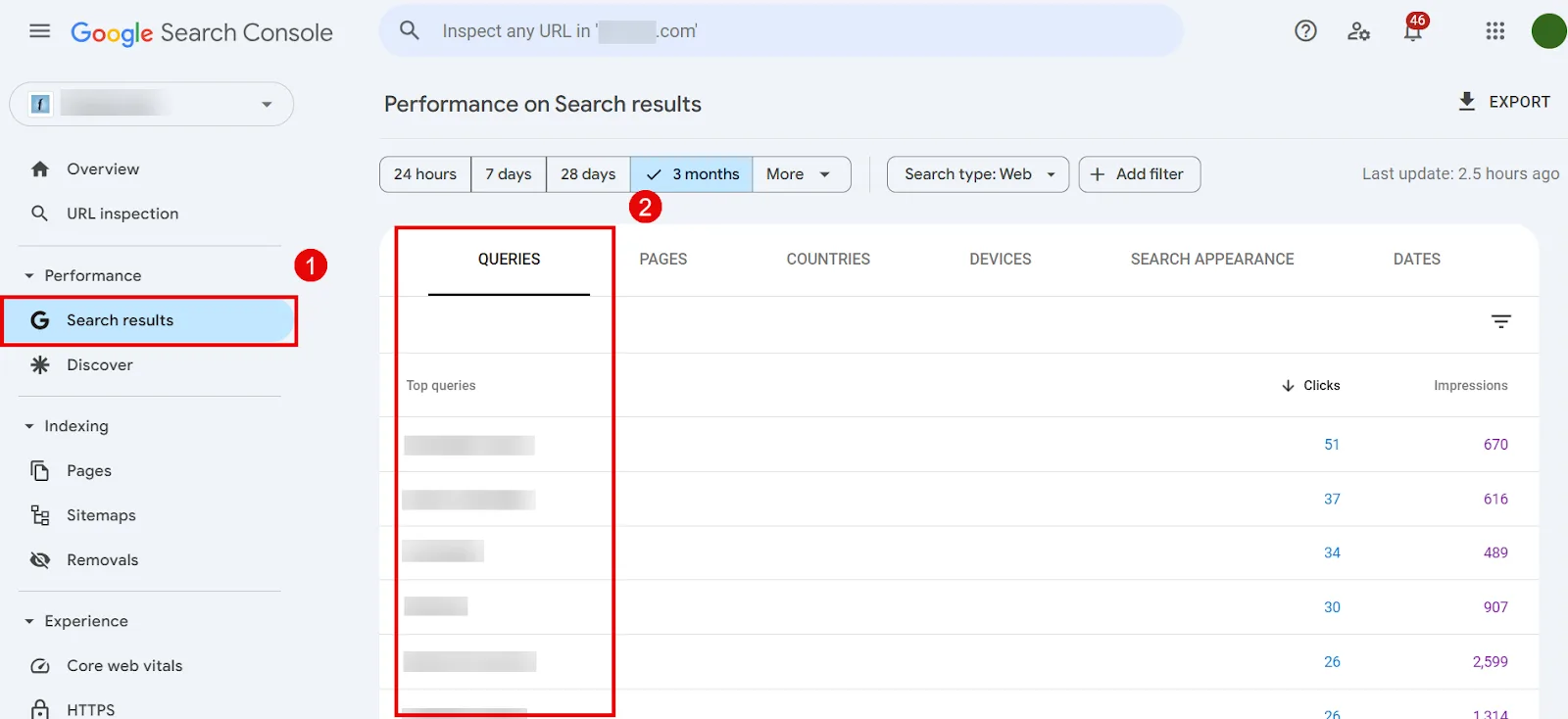
Google Search Console is another good source, since it shows you keywords that are already working for your site (or close to it). Open it, click Search Results, and review the queries you rank for along with impressions, clicks, and CTR.
Check your site’s internal search queries too. Those tell you what visitors are already looking for once they’re on your site, which is a strong signal for what’s missing from your content.
Define goals and map the buyer’s journey
Set clear conversion goals, more demo requests, more free trial sign-ups, whatever matters most, and map them to each stage of the funnel:
↳ Top-of-funnel (ToFu): informational keywords. “What is HR software?”
↳ Middle-of-funnel (MoFu): commercial keywords. “Best HR software for small businesses.”
↳ Bottom-of-funnel (BoFu): transactional keywords. “HR software free trial” or “HR software pricing.”
SaaS keyword research lives and dies on intent. Get that right and everything downstream gets easier.
Step 2: Build a Seed Keyword List
Brainstorm with the team
Get marketing, sales, and support in a room (or a call) and write down every topic and phrase that describes your product’s value and the problems it solves.
If you sell HR software, that might look like:
→ “employee retention strategies”
→ “HR software comparison”
→ “automated performance reviews”
Try to think like your customers. What would they actually type into Google when they’re stuck on a problem you solve?
Mine reviews and feedback
Head to SaaS review sites like G2 and Capterra. Copy recurring questions and phrases into a doc as you go.
Pay attention to the language customers use, often long-tail and specific, and add it to your seed list. This is some of the most authentic, high-intent language you’ll find.
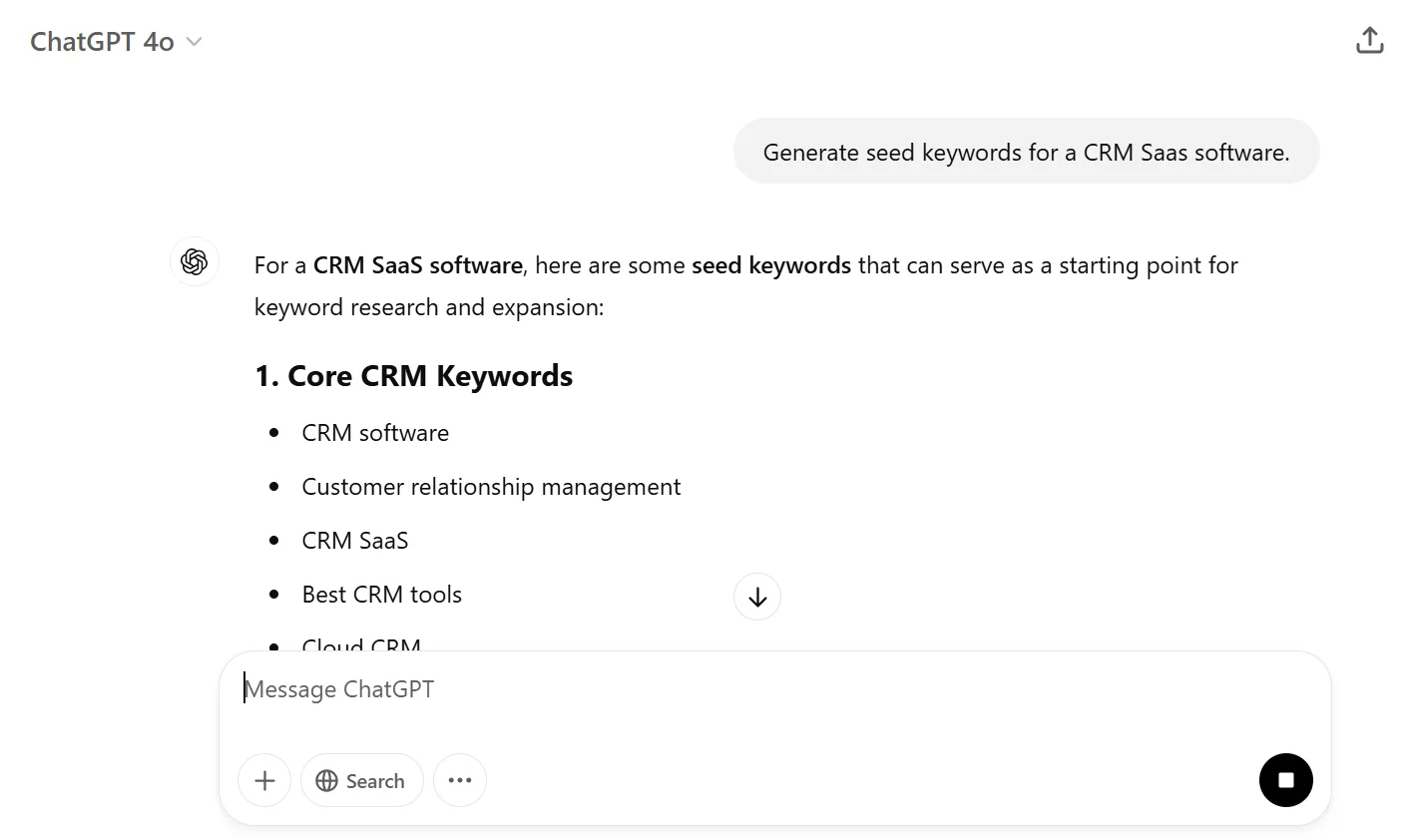
Brainstorm with ChatGPT
Ask it something like “generate seed keywords for a [type of software] SaaS product.” You’ll get a batch of semantically relevant ideas.
Just know none of this is backed by real search data yet. Drop it into your seed doc for now, you’ll validate everything in the next step.
Step 3: Expand Your Keyword List
Find ideas on Google
Type a seed keyword into the search bar and watch what Google Autocomplete suggests.
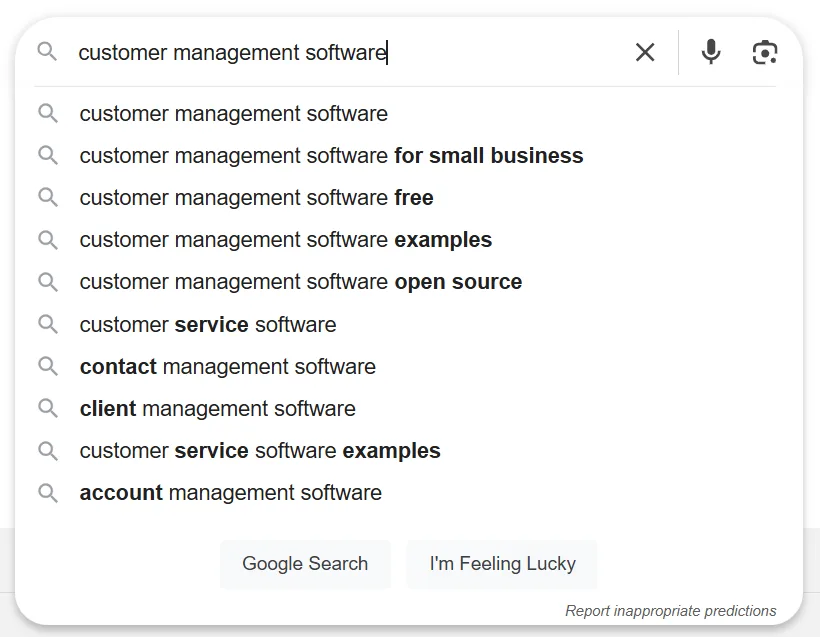
Note whatever resonates with your product, then check the People Also Ask box.
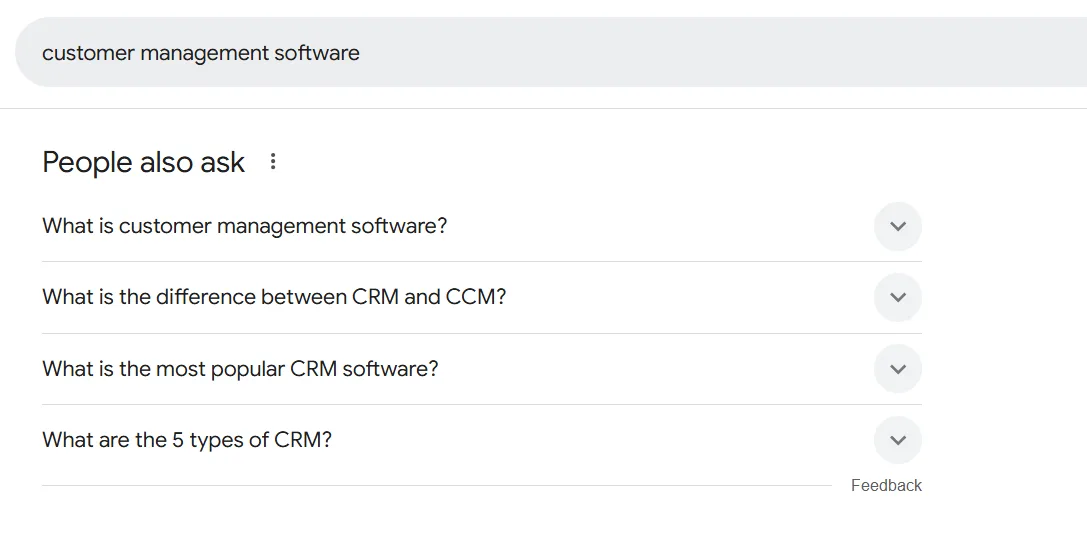
PAA is packed with question-style long-tail keywords. Click into a few and more related questions will keep surfacing.
Scroll to the bottom of the results page for “People also search for,” a separate list of related queries.
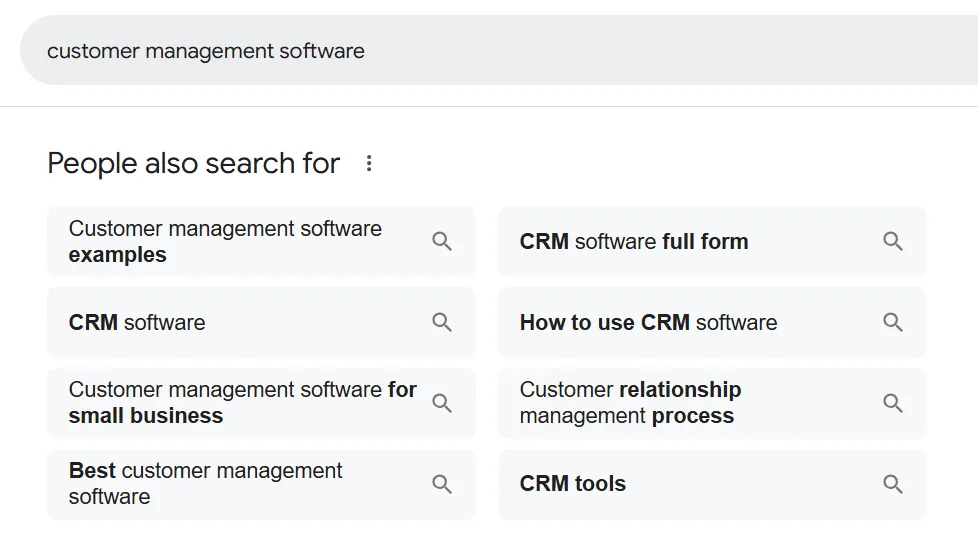
Repeat this across all your seed keywords.
Use Semrush’s Keyword Magic Tool
Drop a seed keyword in and hit Search.
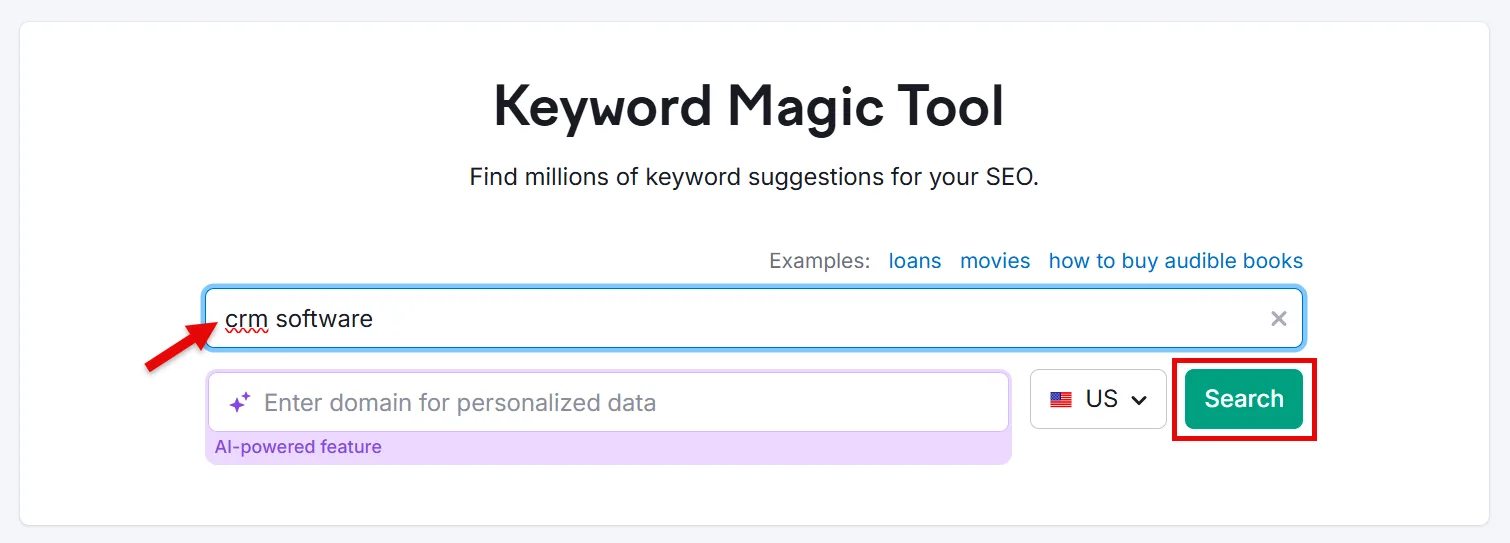
You’ll get a full list of related keywords with the metrics attached.
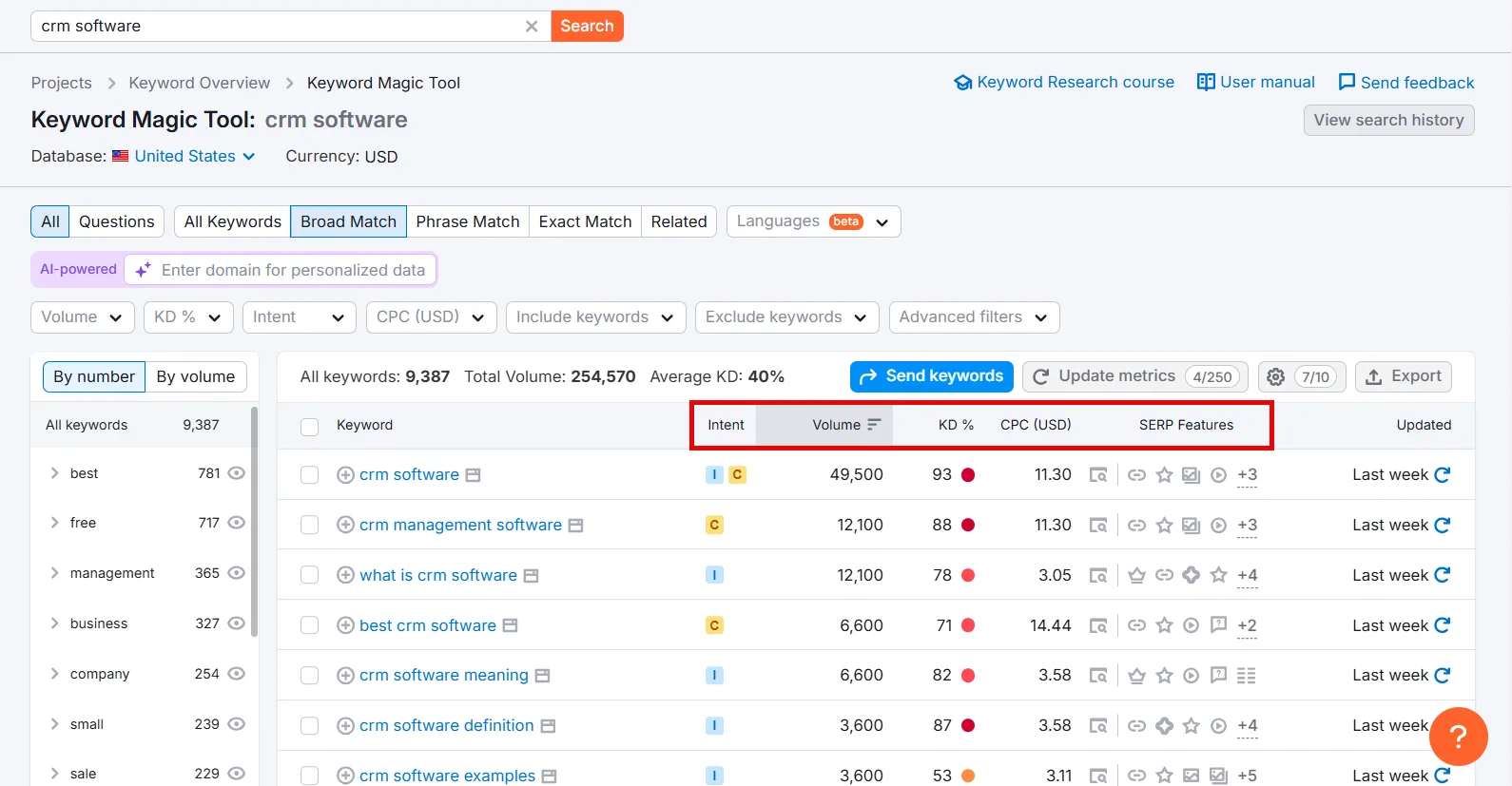
Sort by type, Questions, Broad Match, Phrase Match, Exact Match, Related, using the filter.
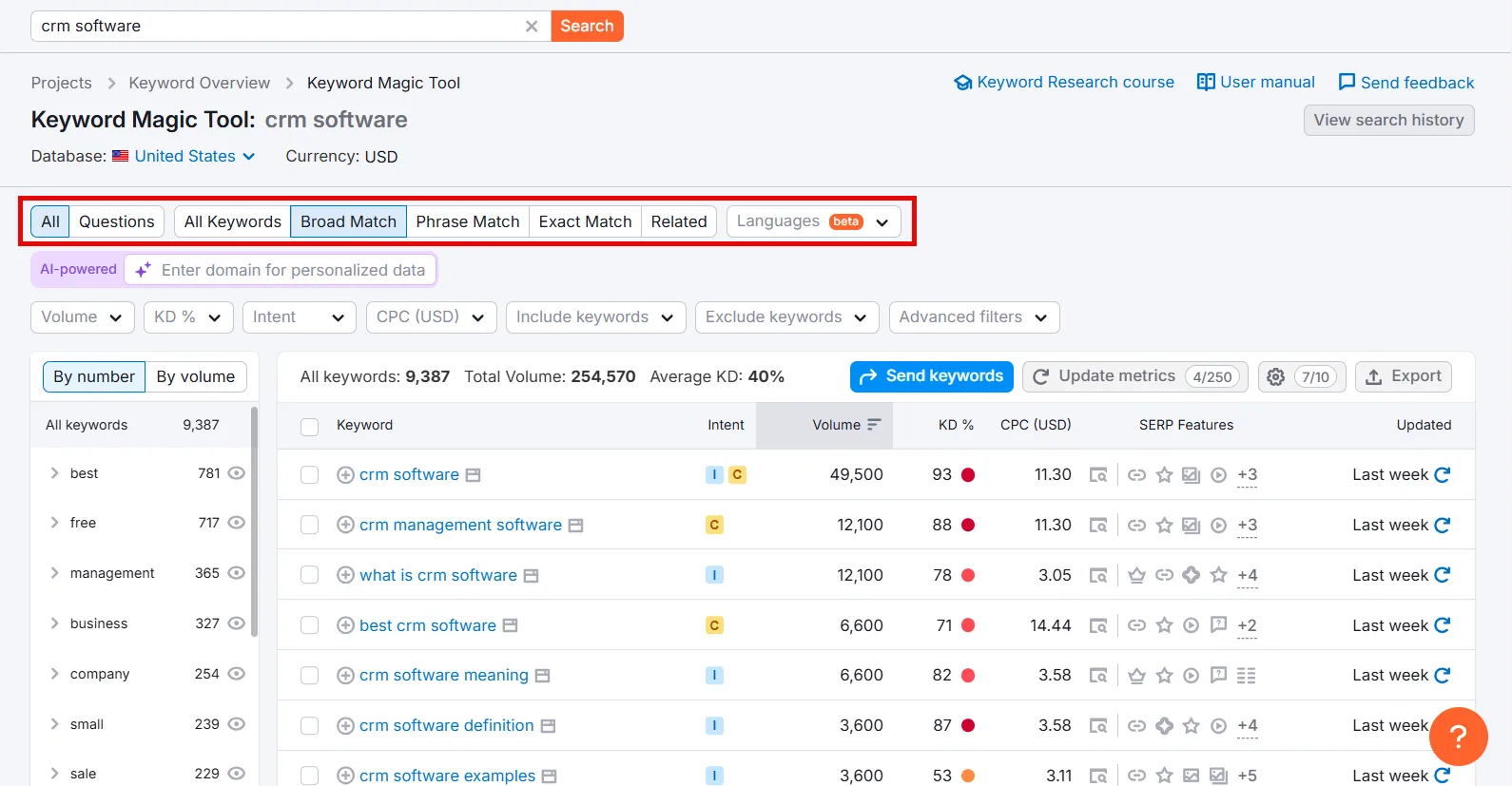
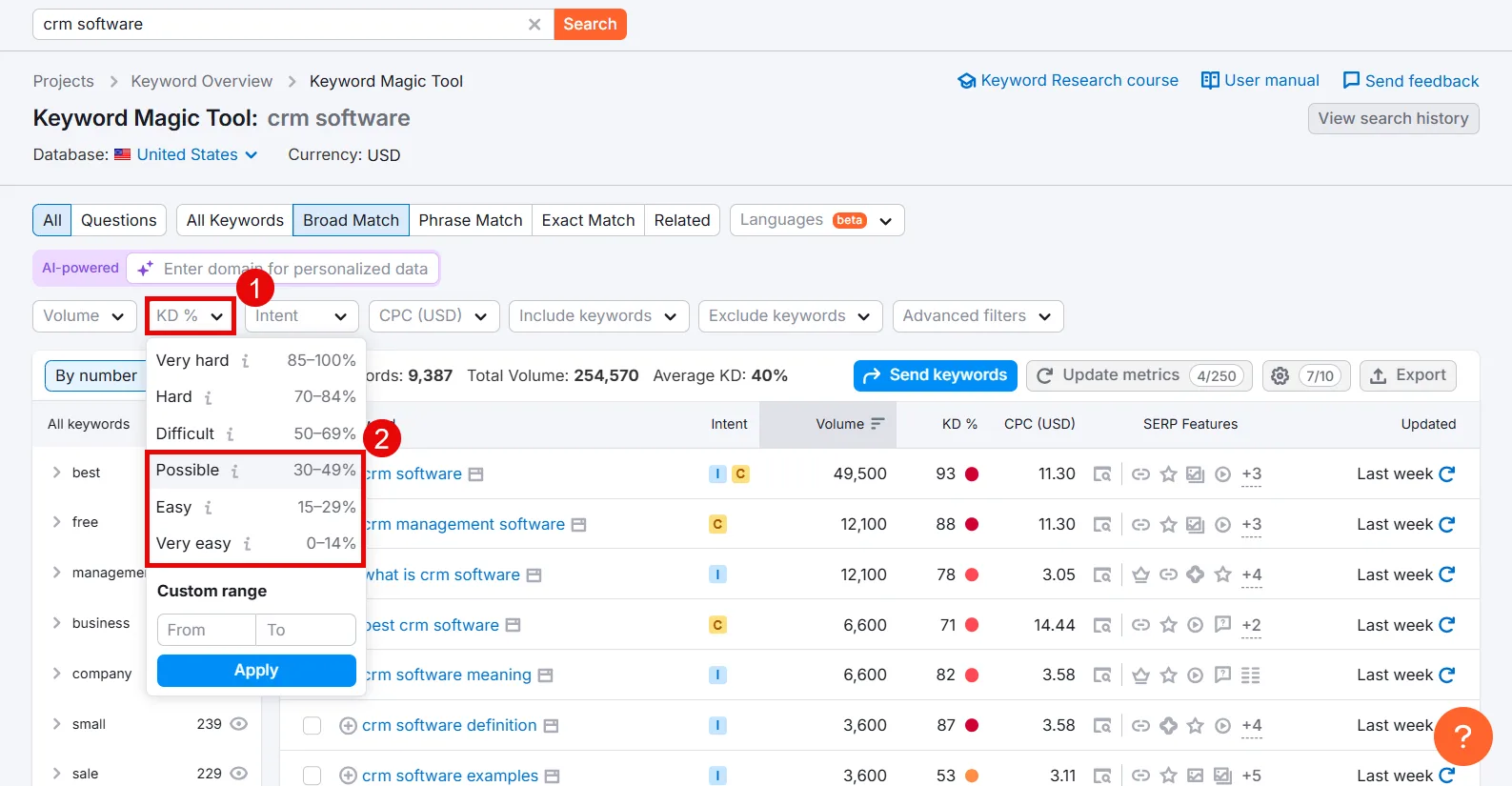
If most results come back with a high Keyword Difficulty score, click the KD% filter and dial in an easier range.
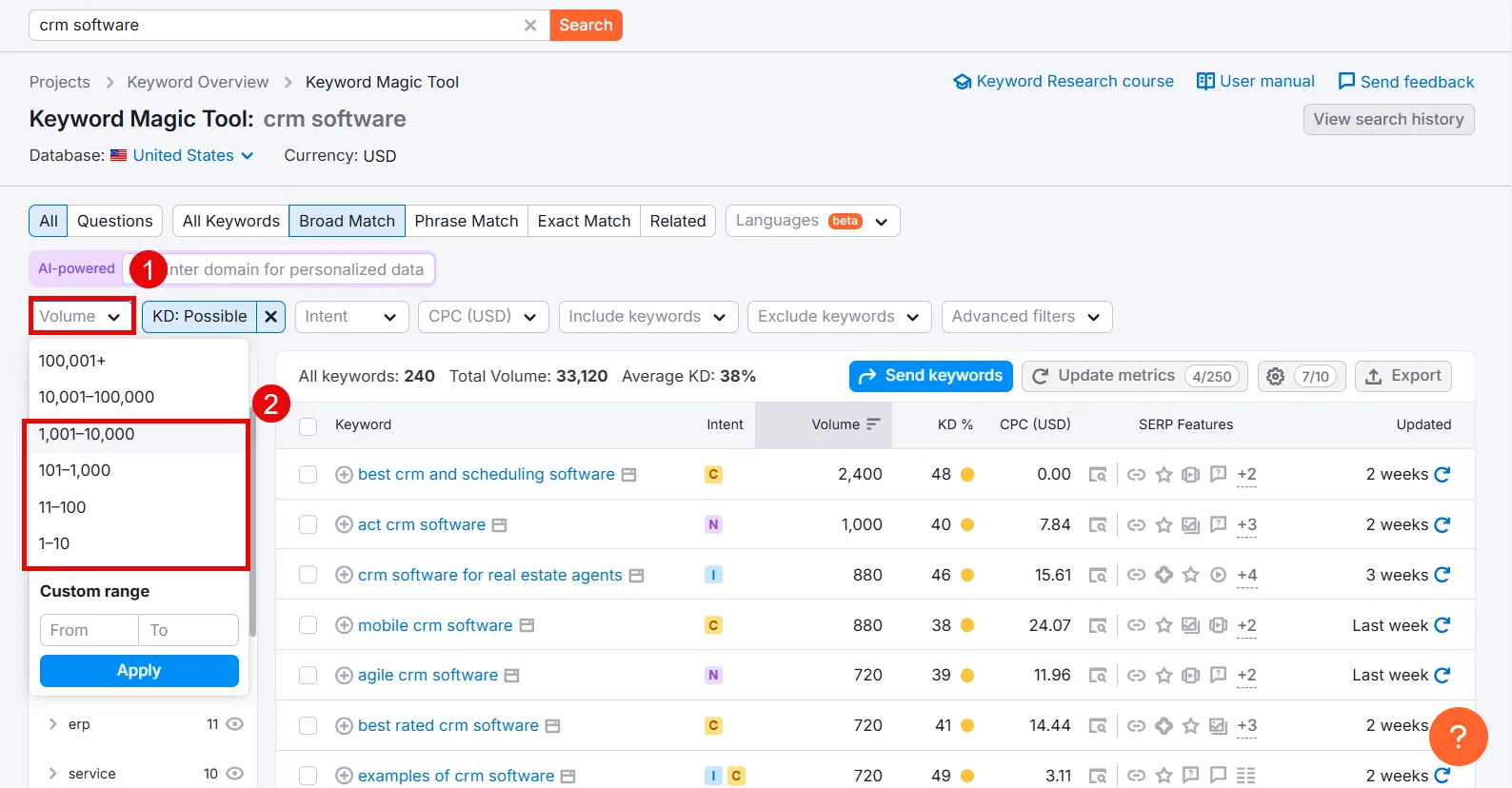
Set a Volume range the same way.
Tune KD% and Volume together until you land on keywords that are genuinely reachable but still worth going after. You can also filter by Intent, CPC, or exclude terms you don’t want.
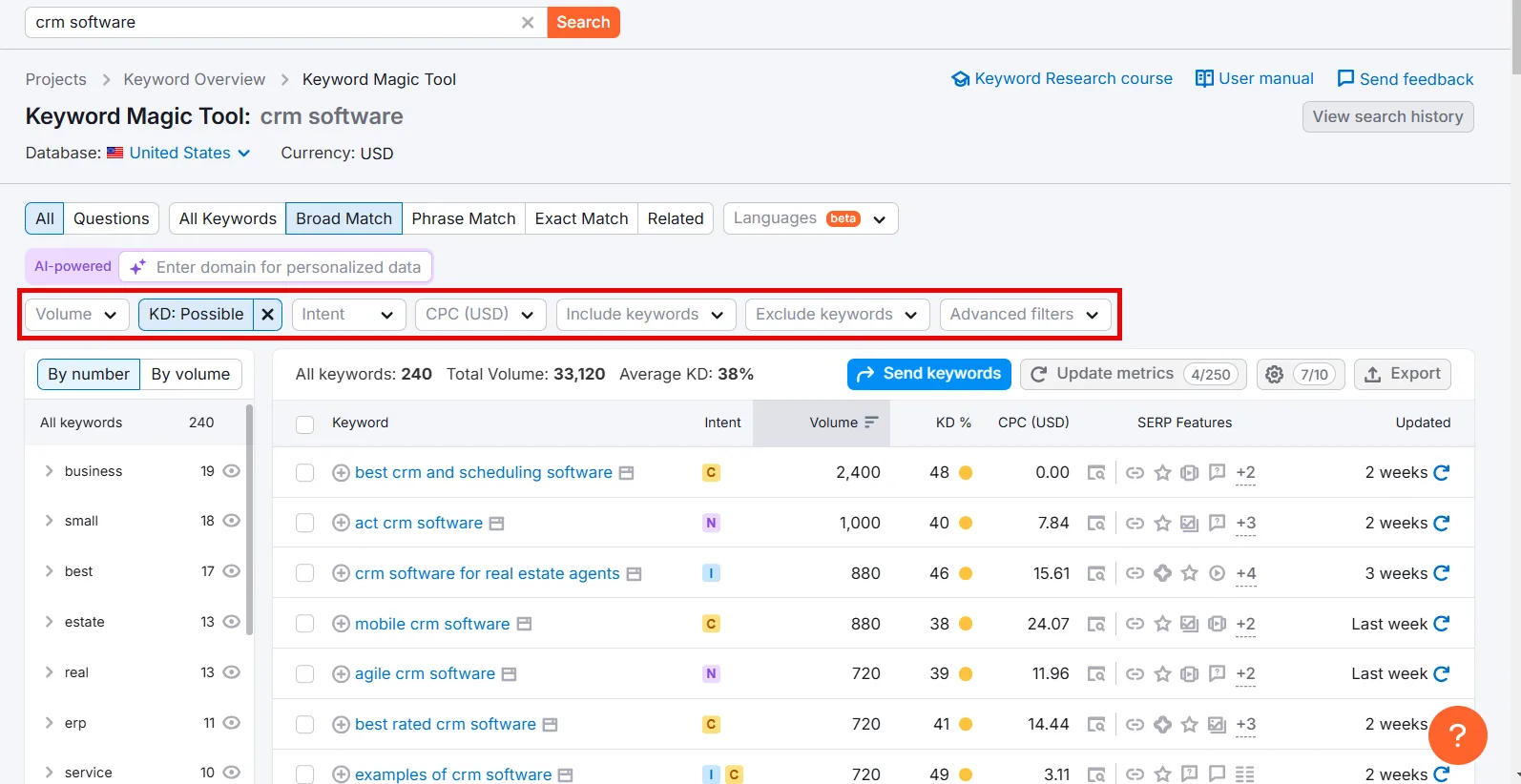
I’d target all intents here, since you want visibility at every stage of the buyer’s journey, not just one.
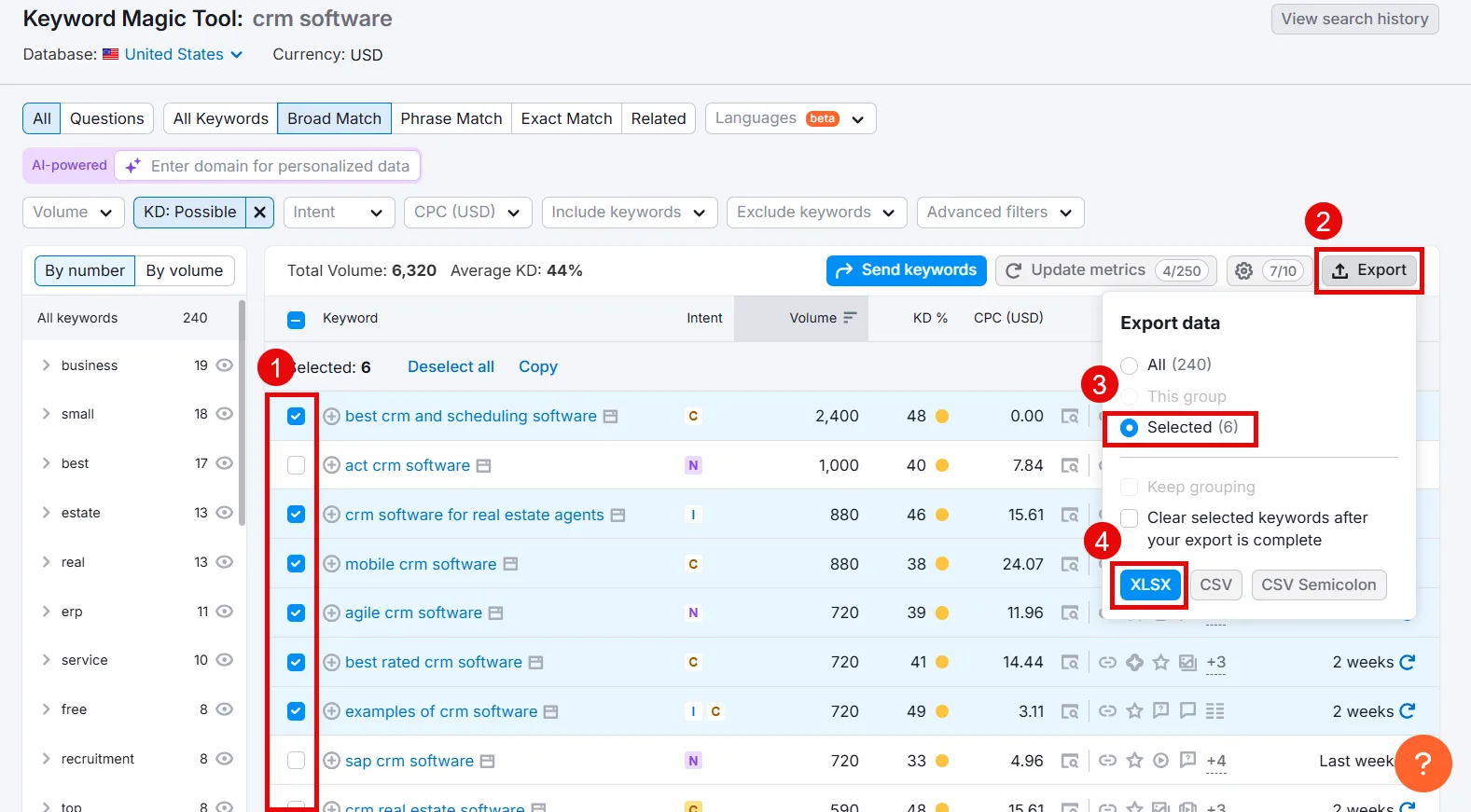
Select what’s relevant, then Export > Selected > XLSX.
Step 4: Analyze Competitors for Keyword Ideas
The goal here is simple: find who’s already ranking for the terms you want, then build something better.
Spot competitors on Google
You’ve already searched your seed keywords once. Whichever sites kept showing up are your competitors. Open one and note the keywords baked into their products, categories, headlines, and FAQs.
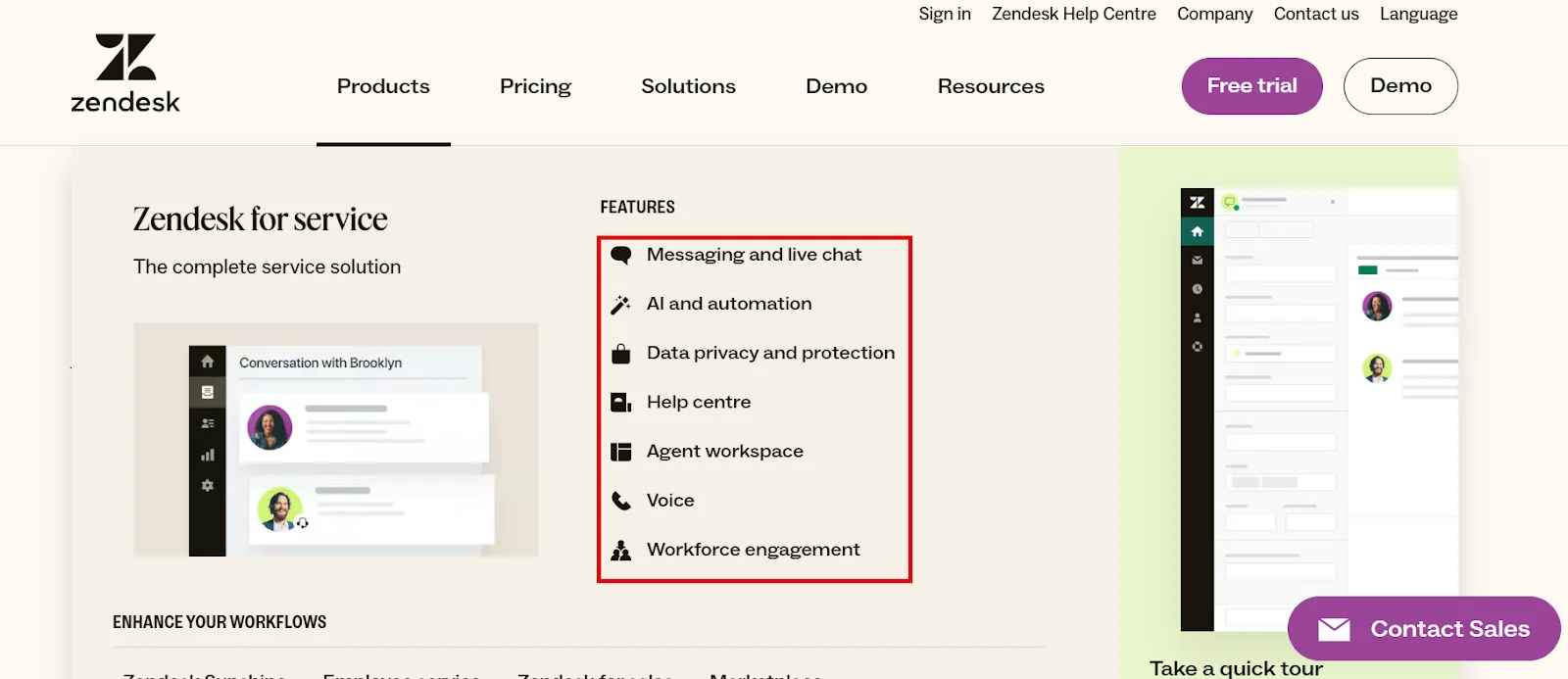
That’s useful, but it won’t tell you which of their keywords actually drive traffic or conversions. For that, use Semrush.
Run Organic Research
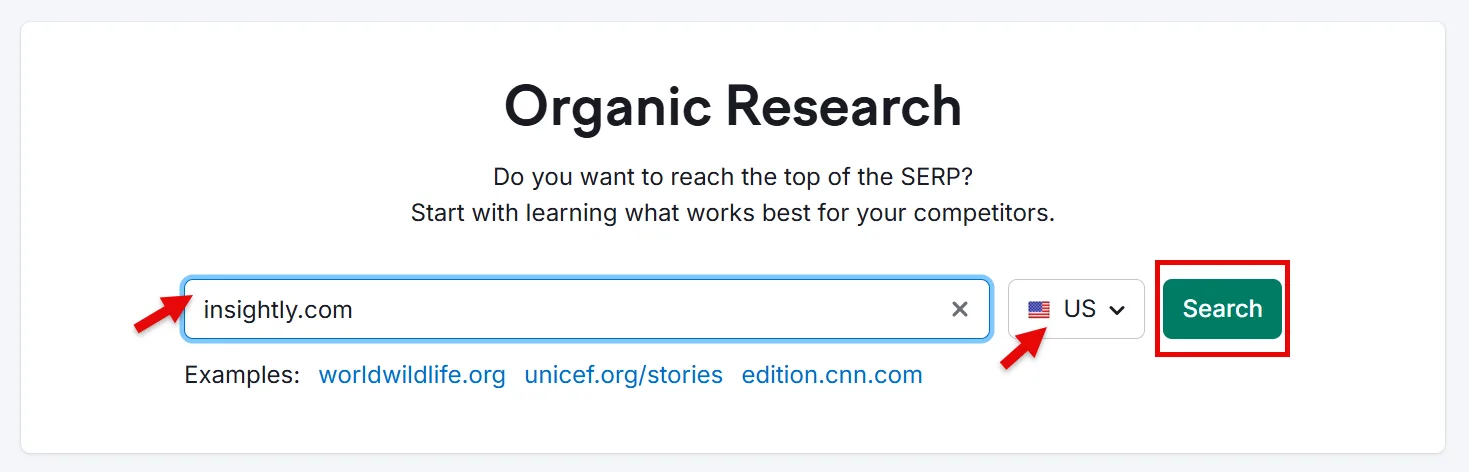
Even if you already know your competitors, start with the Organic Research tool anyway, it often surfaces ones you’d have missed. Enter your domain, pick a target country, and search.
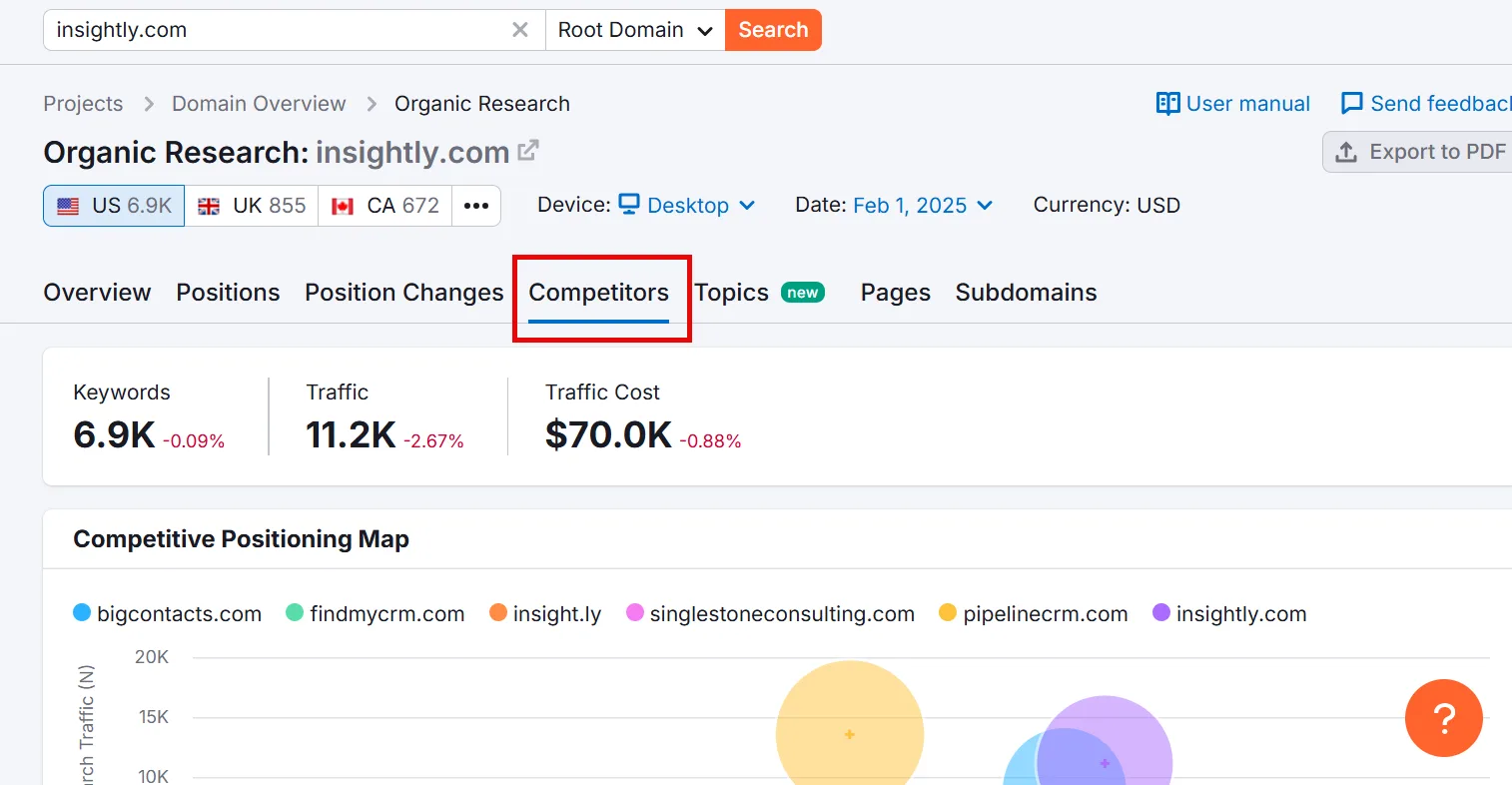
Click Competitors on the report page.
Scroll down for your Organic Competitors list, ranked by competition level along with other relevant metrics.
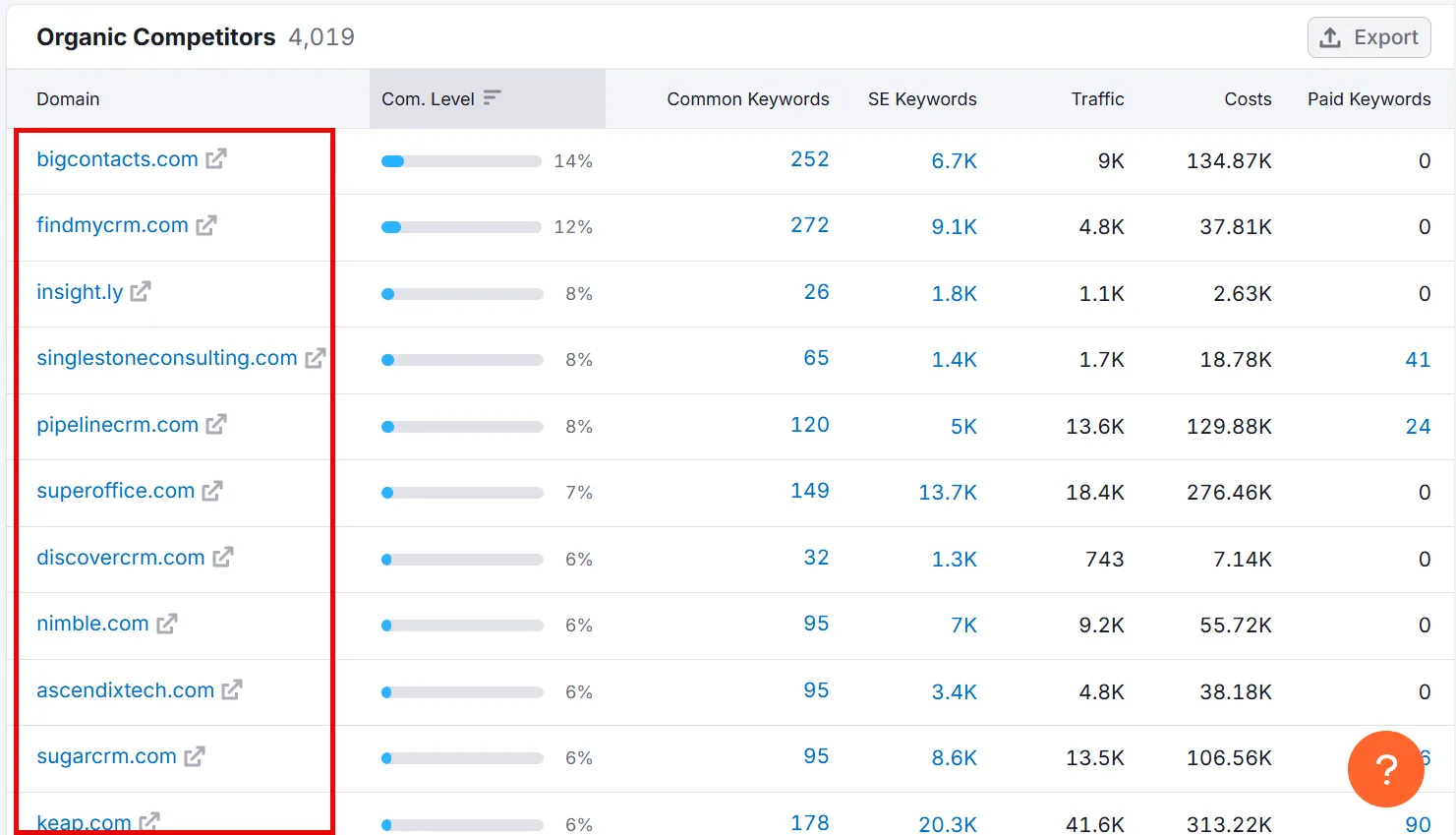
Note the ones most relevant to you.
Run a keyword gap analysis
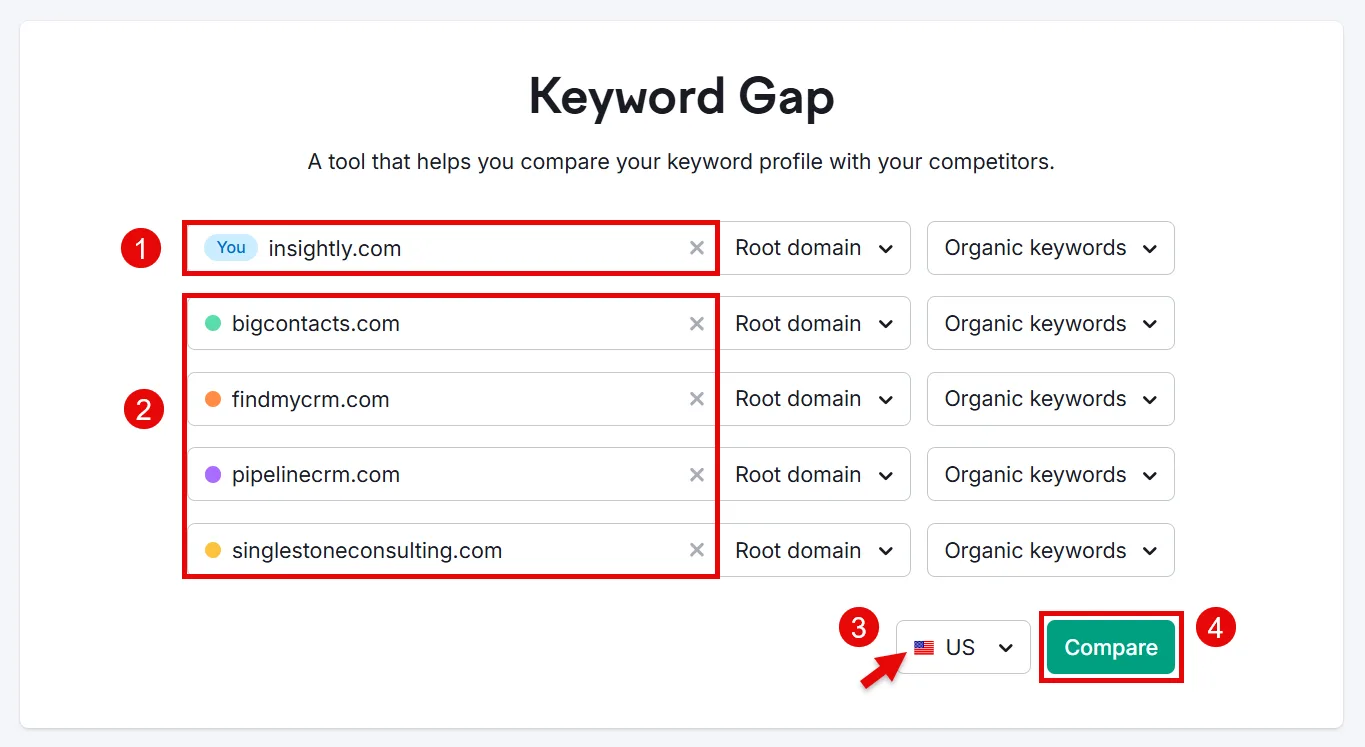
Open the Keyword Gap tool, enter your domain plus up to four competitor domains, confirm your target country, and click Compare.
Scroll to the keyword table and select Missing.
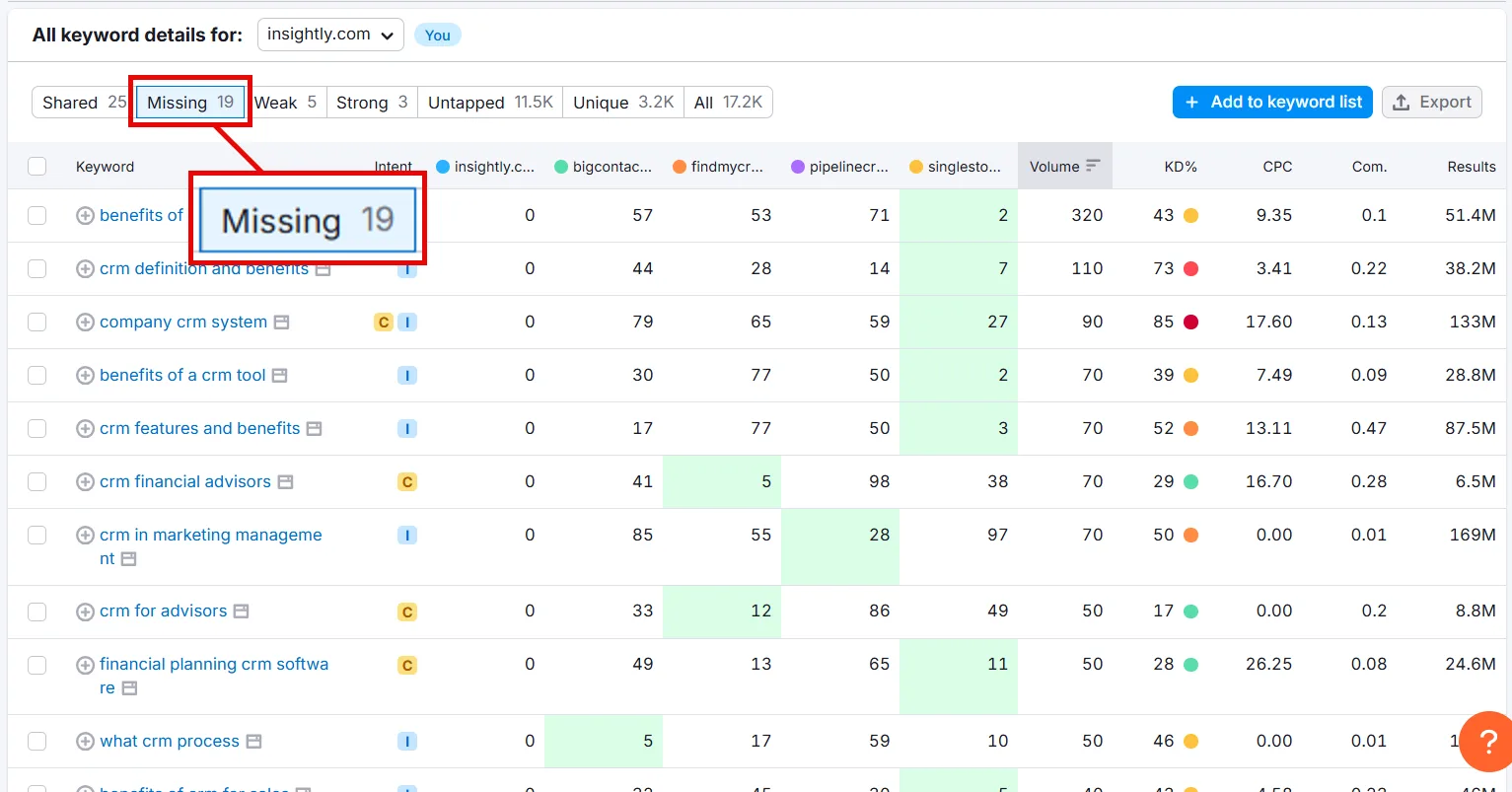
That gives you every keyword all your competitors rank for that you don’t yet. Pick the ones with a solid volume-to-difficulty ratio and save them as XLSX.
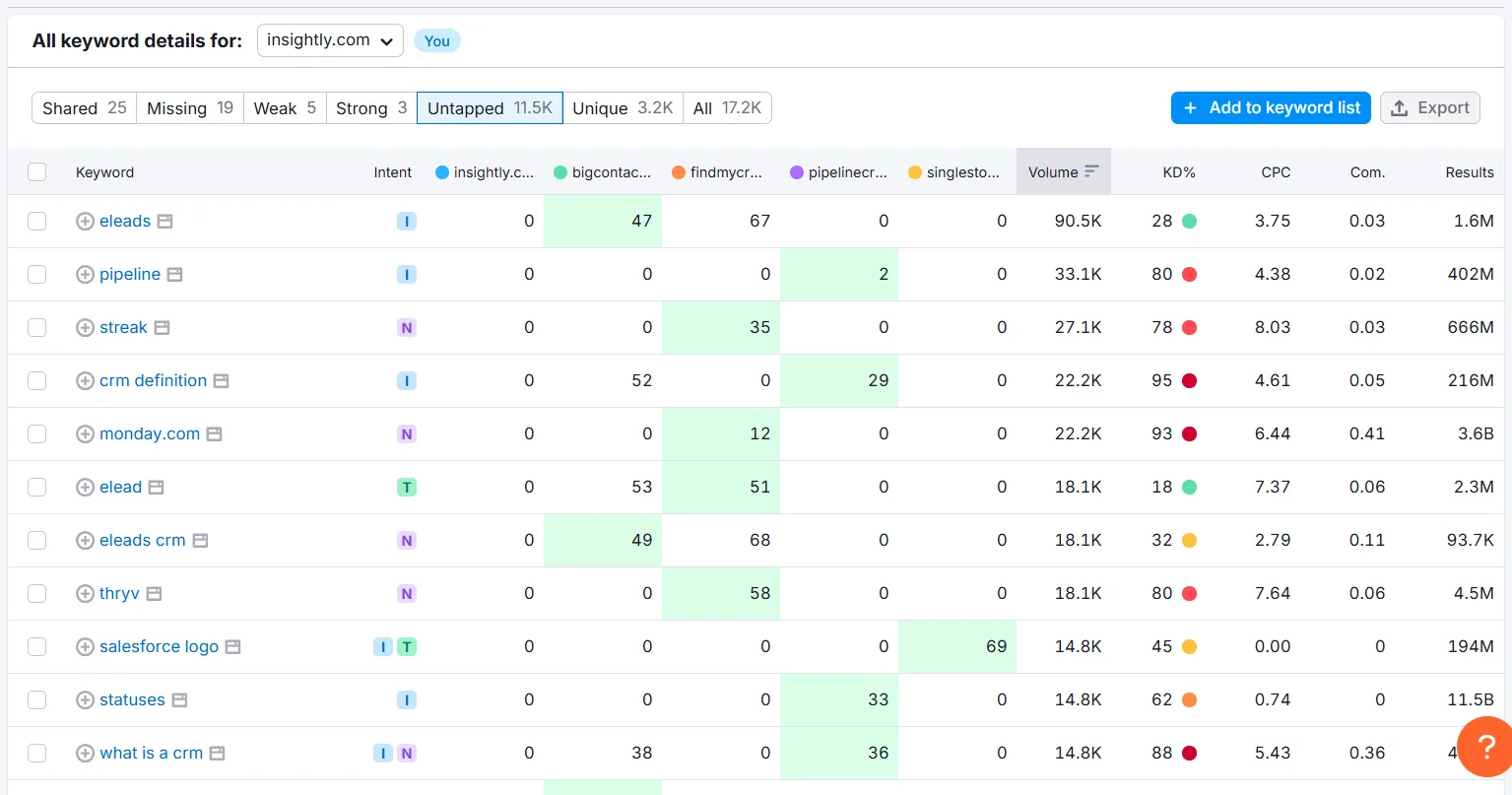
You can also try Untapped, keywords at least one competitor ranks for. It’s hit or miss, but I’ve found real gems there more than once.
Step 5: Narrow Your List to What’s Actually Valuable
By now you’re probably sitting on a few hundred keywords. Anything you pulled from Semrush already has volume, difficulty, and intent attached. For the rest, the ones found on Google or competitor sites, run them through Semrush’s Keyword Overview tool.
Enter up to 100 at once and hit Search.
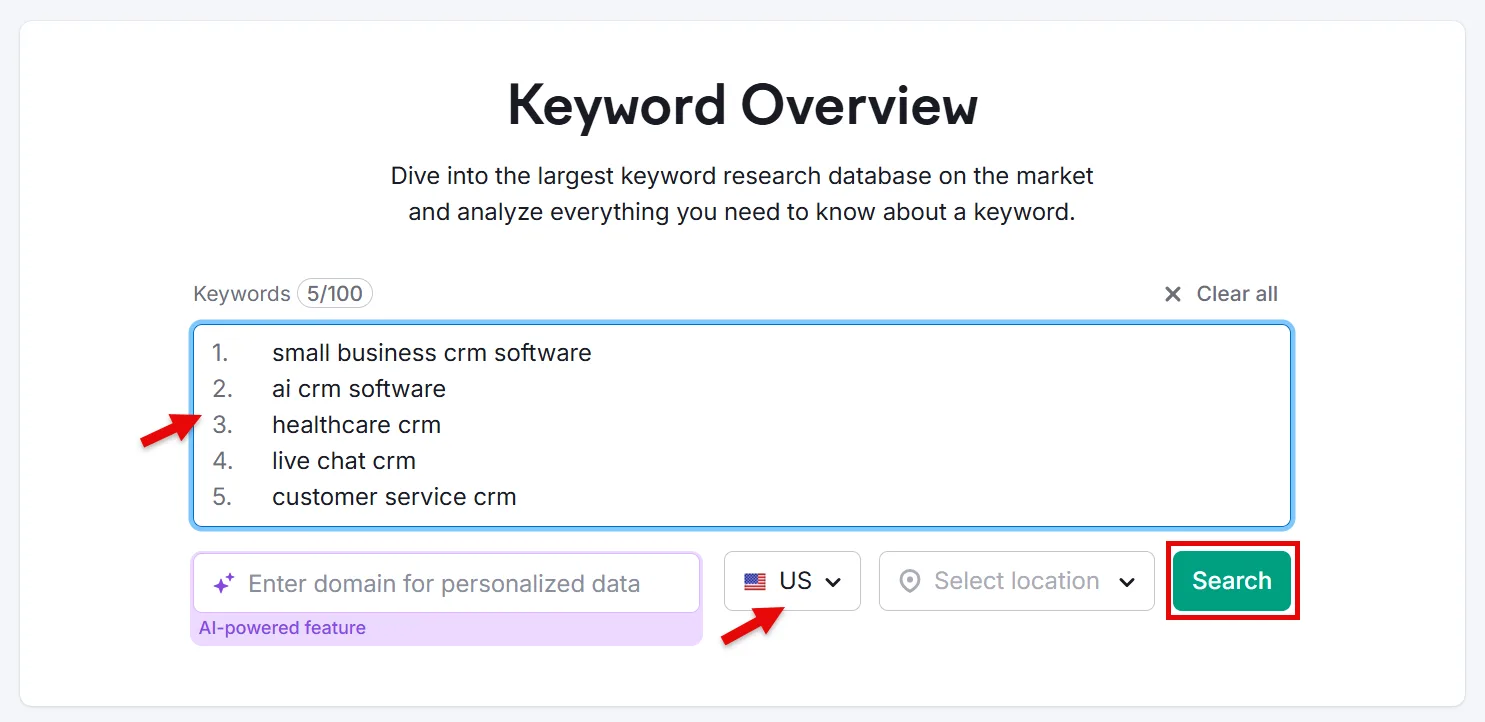
You’ll see everything you need to judge whether a keyword is worth pursuing.
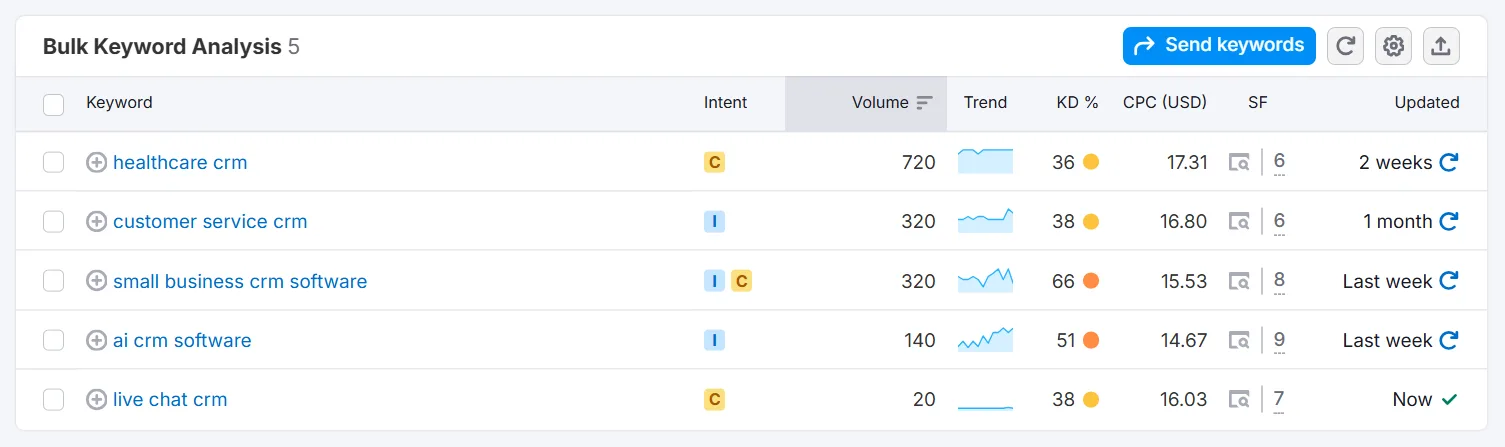
Select what fits and save the list.
Step 6: Map Keywords to Intent and the Funnel
Assign intent
(Skip this if you pulled keywords from Semrush, it’s already tagged.) Otherwise, sort each keyword into one of four buckets:
↳ Informational: “what is HR software” or “how to improve employee retention”
↳ Navigational: brand-specific, like “[Your Brand] HR software”
↳ Commercial: comparisons, like “HR software vs. [Competitor]”
↳ Transactional: buying signals, like “HR software free trial” or “HR software pricing”
Getting intent right is what lets your content actually answer what someone’s looking for at that exact moment.
Map to funnel stages
Link each keyword to the right stage of the journey.
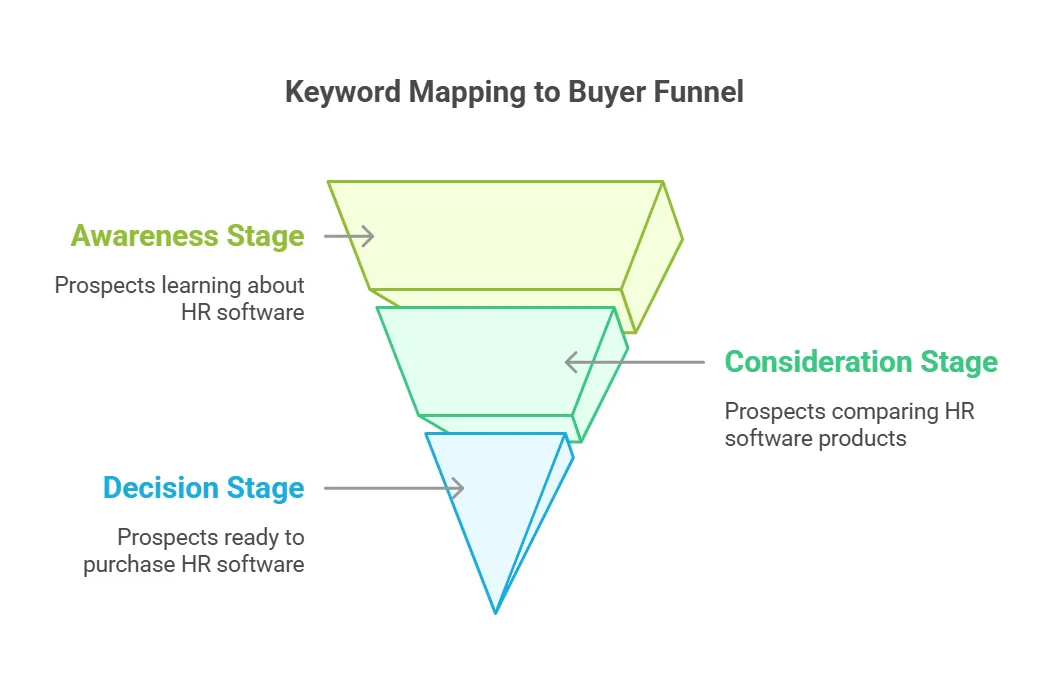
Prospects just learning about HR software need informational terms (ToFu). Once they’re comparing options, target commercial keywords (MoFu). Once they’re ready to buy, go transactional (BoFu).
That mapping is what lets you meet people at every step, from “what even is this category” to “sign me up.”
Step 7: Cluster and Organize for a Content Strategy
Group into clusters
Build clusters around topics, use cases, or funnel stage. For HR software, that might mean separate clusters for “employee retention,” “performance review automation,” and “HR software free trial.”
Clustering is what turns a keyword list into an actual content plan, and eventually, topical authority.
Map clusters to content types
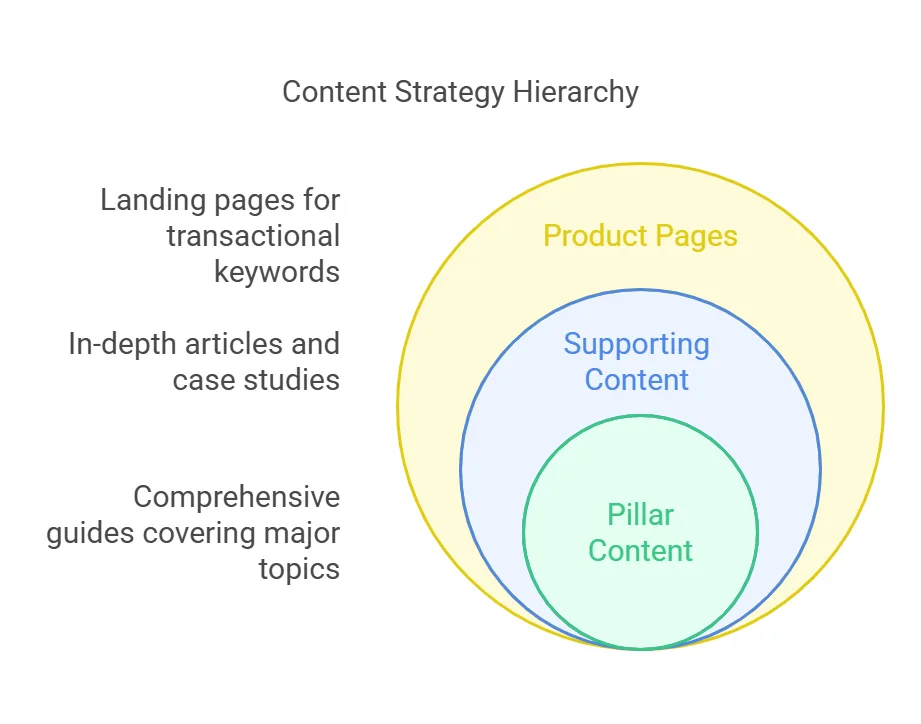
→ Pillar content: broad guides covering a major topic, like “The Ultimate Guide to HR Software.”
→ Supporting content: in-depth articles, case studies, and comparisons targeting specific long-tail terms.
→ Product pages: landing pages built for transactional keywords, like “HR software pricing” or “free HR software demo.”
Put it all in a spreadsheet
Once you’ve got your final list with metrics attached, organize it into columns you can actually work from:
| Keyword | Search volume | Keyword difficulty % | Search intent | Funnel stage | Cluster | Content asset | Notes |
|---|---|---|---|---|---|---|---|
| Keyword 1 | Informational | ToFu | Cluster A | Blog | |||
| Keyword 2 | Transactional | MoFu | Cluster A | Landing page | |||
| Keyword 3 | Commercial | BoFu | Cluster B | Product page | |||
| Keyword 4 | Navigational | MoFu | Cluster C | Homepage headings |
This is what keeps you from keyword cannibalization and makes sure every piece of content has a clear job to do.
Rules of Conversion-Centric SaaS Keyword Research
↳ Skip the generic, high-volume terms that pull in unqualified traffic. Long-tail keywords with lower volume but real conversion intent tend to win, the people searching them already know roughly what they want.
↳ Pay attention to what’s actually happening in sales calls, CRM notes, and support tickets. That’s real signal about what your customers care about and what’s already converting.
↳ Every article should sit somewhere in your reader’s buyer journey. If you sell CRM software and publish an article about “HR management tools,” is anyone landing there actually likely to buy from you? If not, that article isn’t doing anything for you. Keep content tied to your core offering, and tailor it by funnel stage, educational for ToFu, comparisons for MoFu, conversion-focused pages for BoFu.
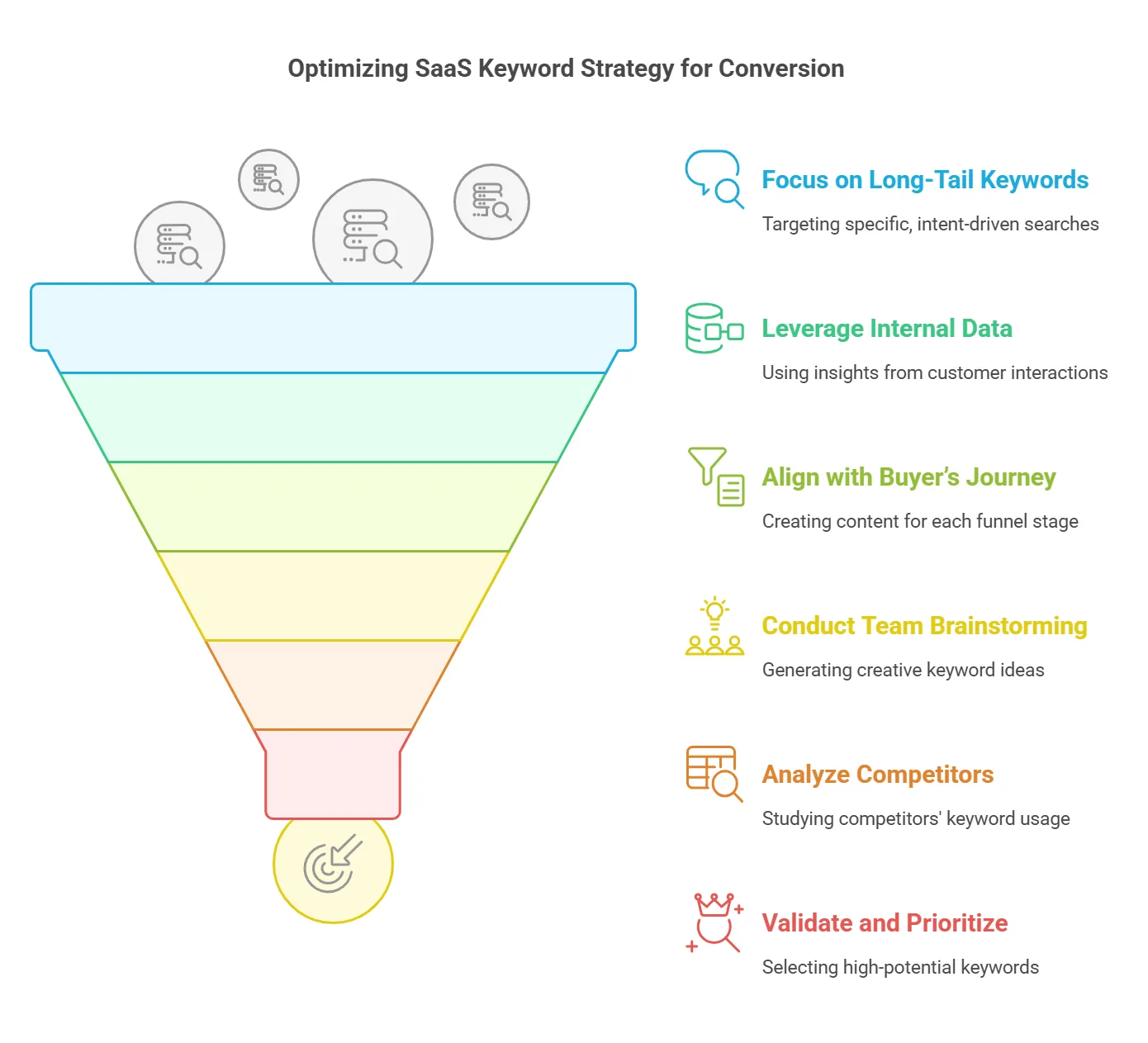
↳ Don’t lean entirely on automated tool suggestions. Get your marketing, sales, and support teams in a room, they talk to customers directly and will surface ideas a tool never will.
↳ Study competitors, but don’t copy them blindly. Use Semrush’s Organic Research and Keyword Gap tools to see what they rank for, then build something that actually outperforms it.
↳ Keep your list lean. Run everything through Semrush’s Keyword Overview (or whichever tool you use) to check volume, difficulty, and intent, and cut anything that doesn’t clear the bar.
↳ Cluster related keywords and connect them with internal links between pillar and supporting content. It strengthens topical authority and makes it easier for readers to find what’s next.
Keywords That Actually Drive Sales
SaaS keyword research is about conversions, not just traffic. Use what you’ve mapped here to build content that speaks to prospects at exactly the stage they’re in.
If you’re also running paid campaigns, pair this with a Google Ads keyword research strategy. And depending on your product, you might also want to read how to do keyword research for B2B.
Frequently Asked Questions
What makes SaaS keyword research different?
SaaS keyword research targets high-intent phrases that match the buyer’s journey and drive conversions, not just traffic. It focuses on keywords that lead to actions like demo requests and free trials, narrowing in on terms that speak to specific software pain points and customer needs.
How often should I update my keyword strategy?
Every three to six months, or whenever you notice a real shift in customer behavior or the market. Regular check-ins keep you competitive and help you catch new opportunities early.
How do I balance high-volume keywords with niche long-tail opportunities?
Prioritize long-tail keywords that show clear conversion signals, then use Semrush to weigh volume against difficulty and focus on terms tied to specific funnel stages. That way you’re capturing qualified traffic without losing sight of precise customer needs.
How to do ASO keyword research?
Focus on terms that improve your app’s visibility in app stores. Review your app’s current performance and competitor apps with Semrush, identify keywords that drive downloads and engagement, then work them into your title, description, and metadata. Keep monitoring rankings and adjust as you go.
How do I start ASO?
Start by analyzing your app’s current store performance. Research relevant keywords with Semrush, gather competitor data, and integrate the strongest terms into your title, description, and metadata. Keep refining based on ranking changes.
How to do keyword research for B2B?
Start by understanding your market and building a detailed Ideal Customer Profile. Brainstorm seed keywords that reflect your product’s value and pain points, expand the list with Semrush, analyze competitor keywords, and map everything to intent and funnel stage. Long-tail, high-intent terms tend to drive the best leads.
How do you come up with research keywords?
Combine internal data, brainstorming sessions, and customer feedback with automated tools. Validate seed keywords with Semrush, explore Google Autocomplete for long-tail variations, and study competitor data and review platforms to capture the exact language customers use.
How to find high performing keywords?
Use Semrush to review search volume, difficulty, and click potential, and study competitor data to see which keywords drive both traffic and conversions. Focus on long-tail phrases with clear buyer intent, and keep revisiting your strategy over time.
How do you research niche keywords?
Combine customer feedback, competitor insights, and internal search data. Start with a brainstorming session, validate long-tail keywords with Semrush, and explore Google Autocomplete and “People Also Ask” to find specific phrases your audience actually uses.
What is SaaS-based SEO?
SEO focused on optimizing search visibility for software-as-a-service companies. It targets keywords that drive conversions, like demo requests and free trial sign-ups, rather than just traffic, built around the SaaS buyer’s journey and software-specific pain points.