


![How I Do Keyword Research for Google Ads [Free Template + Checklist]](https://cdn.questiondb.io/articles/how-to-do-keyword-research-for-google-ads/hero.webp)
The success of a Google Ads campaign starts with picking the right keywords, terms that actually drive clicks, conversions, and a return on what you’re spending. Here’s exactly how to do that keyword research.
Template and Checklist
Template columns: Campaign, Ad Group, Keyword, Avg. Monthly Searches, Competition, Top of the Page Bid Range (High/Low), Notes. Color-coding keyword groups (yellow for “walk-in closet,” green for “small closet organizer,” say) makes the sheet much easier to scan later.
Checklist:
- Clarify your campaign goal (sales, leads, brand awareness).
- Brainstorm seed keywords (broad product/service terms).
- Use Google Keyword Planner: discover new keywords, get search volume & forecasts.
- Expand beyond GKP (competitors, autocomplete, social, forums).
- Evaluate search intent (transactional vs. informational).
- Build a negative keyword list.
- Group keywords by theme into ad groups.
- Assign match types.
- Consider brand and competitor keywords.
- Export and track everything in your final spreadsheet.
- Monitor performance after launch, adding negatives as needed.
Step 1: Clarify Your Goal, Then Brainstorm Seed Keywords
Define the Campaign Goal First
Before touching Keyword Planner, decide what you actually want:
↳ Drive eCommerce sales for an online store.
↳ Generate leads or phone calls for a local service business.
↳ Build brand awareness.
This shapes which keywords are worth targeting. Direct sales calls for high-intent “buy now” terms; awareness campaigns can afford broader terms too.
Brainstorm Seed Keywords
Seed keywords are the basic, broad terms describing your core offering. For a custom closet business:
→ closet systems
→ custom closets
→ closet organizer
→ walk-in closet designs
Expand the list by looking at how competitors describe similar products. Google your product/service and open the most relevant top results.
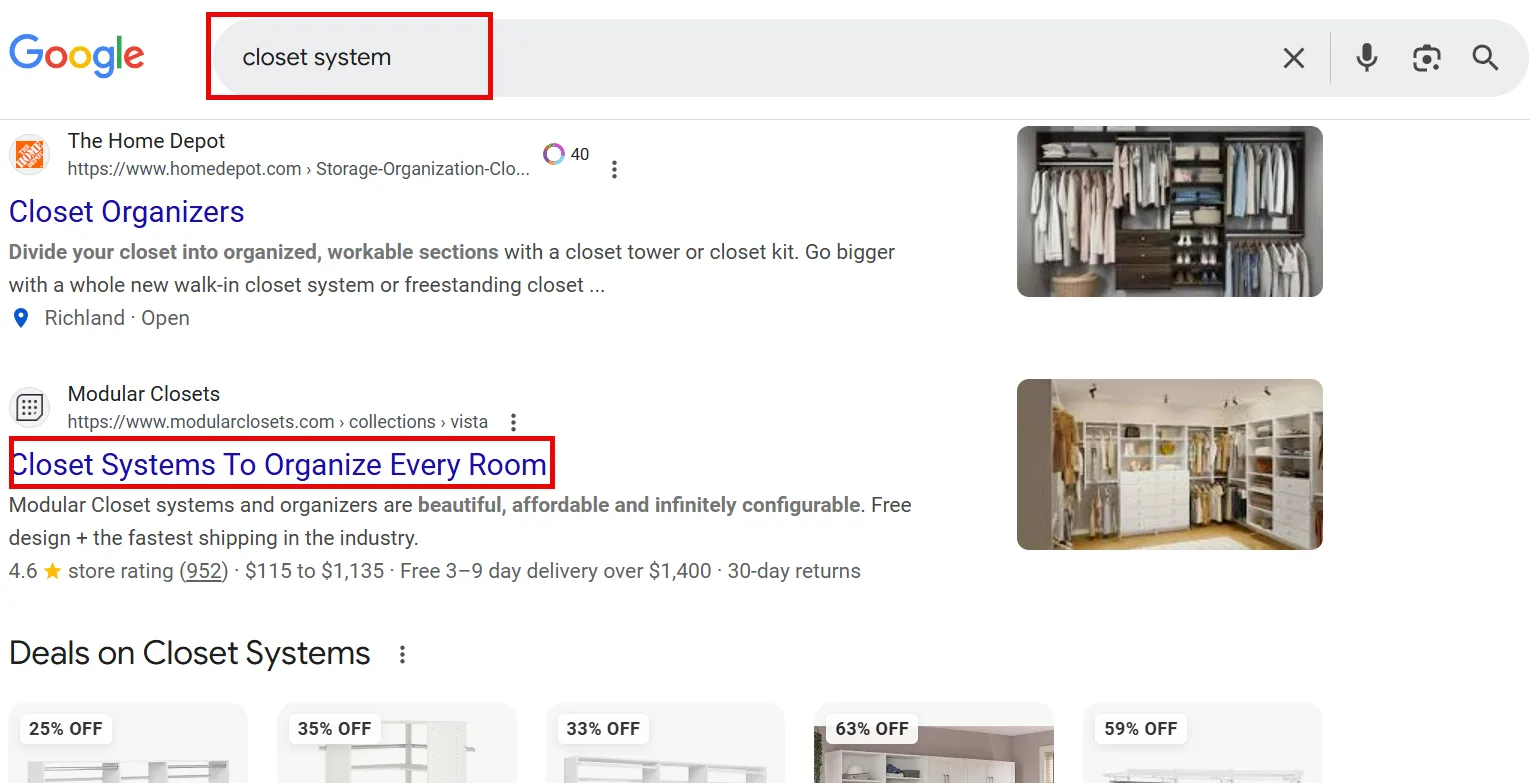
Check their product categories for relevant terms.
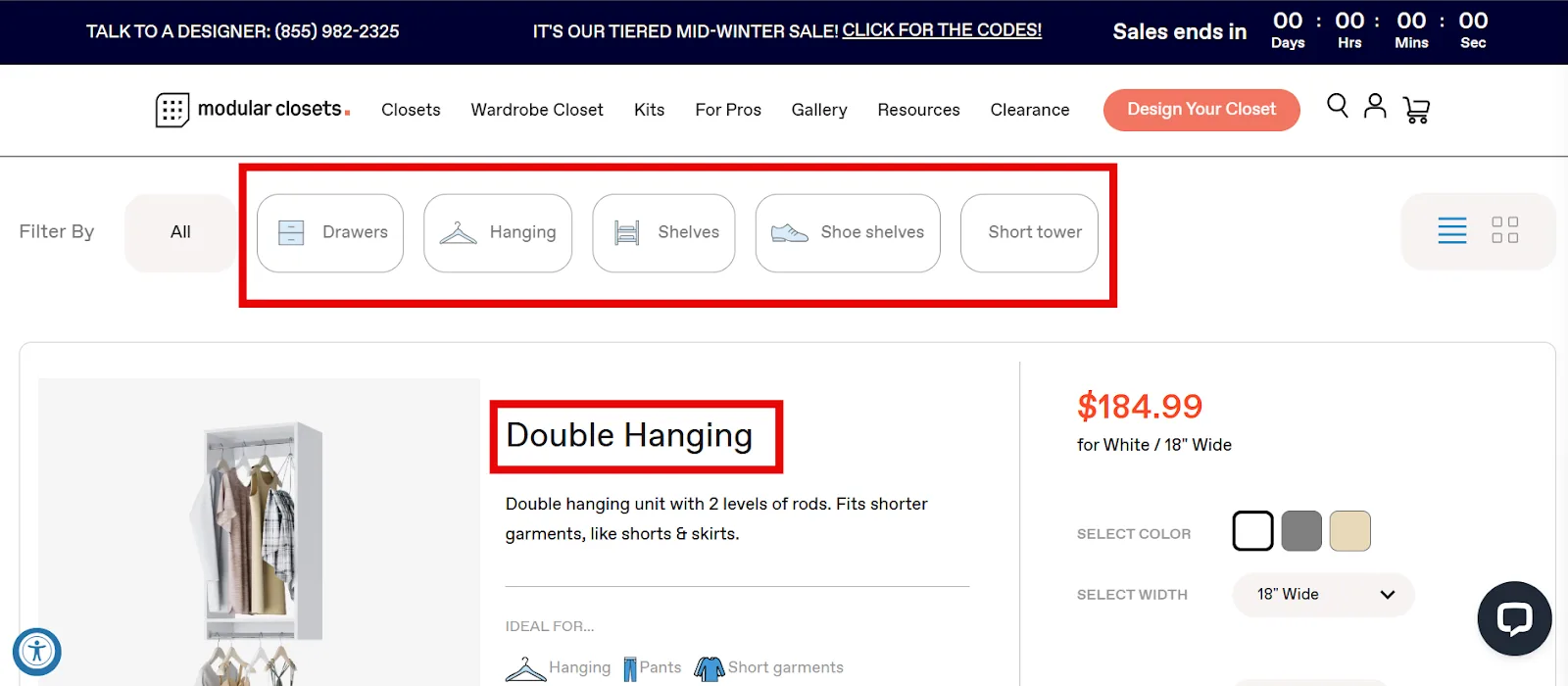
Repeat across a few broad seed terms, and note any Sponsored results you see along the way too.
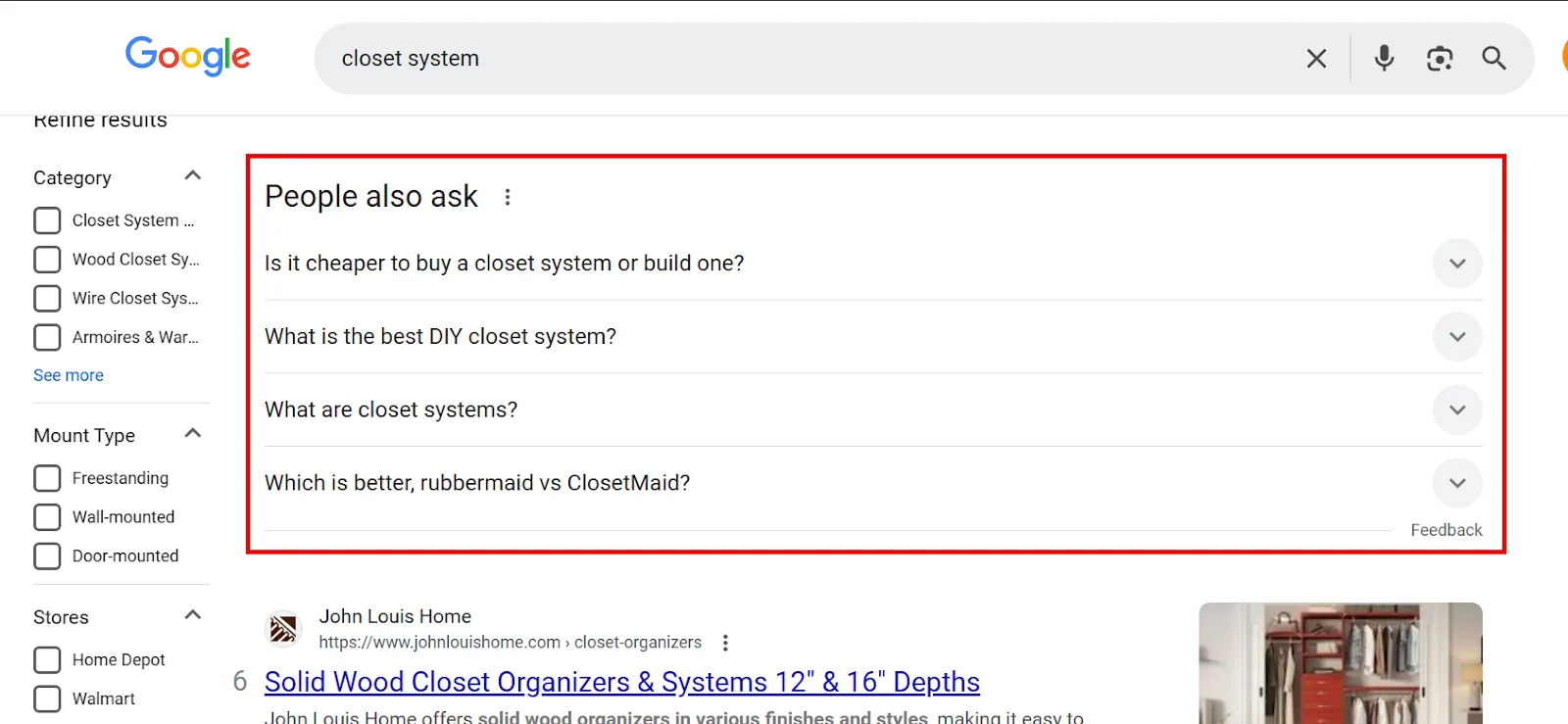
The SERP itself has two more solid sources. People Also Ask surfaces valuable question-type keywords, especially useful if brand awareness is part of the goal.
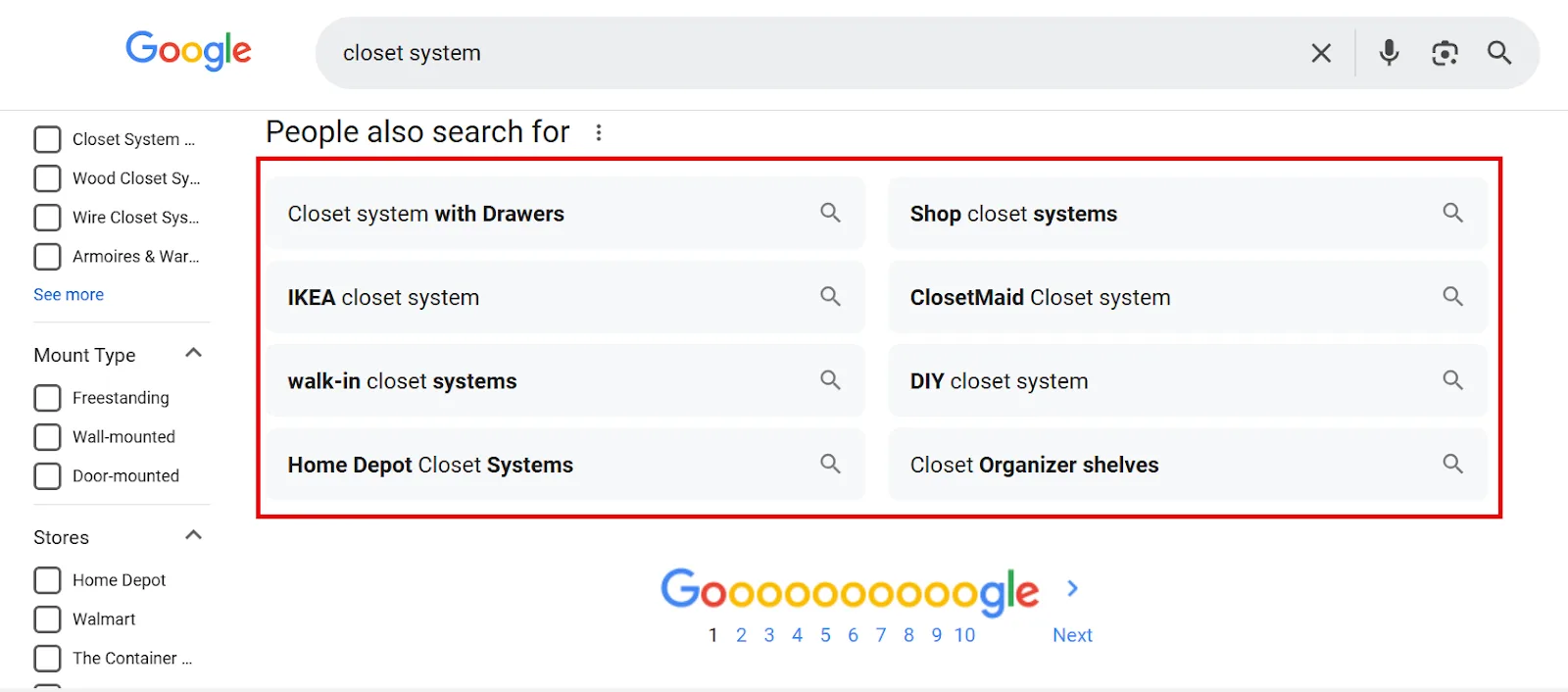
And People Also Search For, at the bottom of the page, shows related queries from similar searches.
Forums like Reddit and Quora are worth checking too, that’s where real customers ask real questions. Search [your niche] site:reddit.com in Google to find relevant threads.
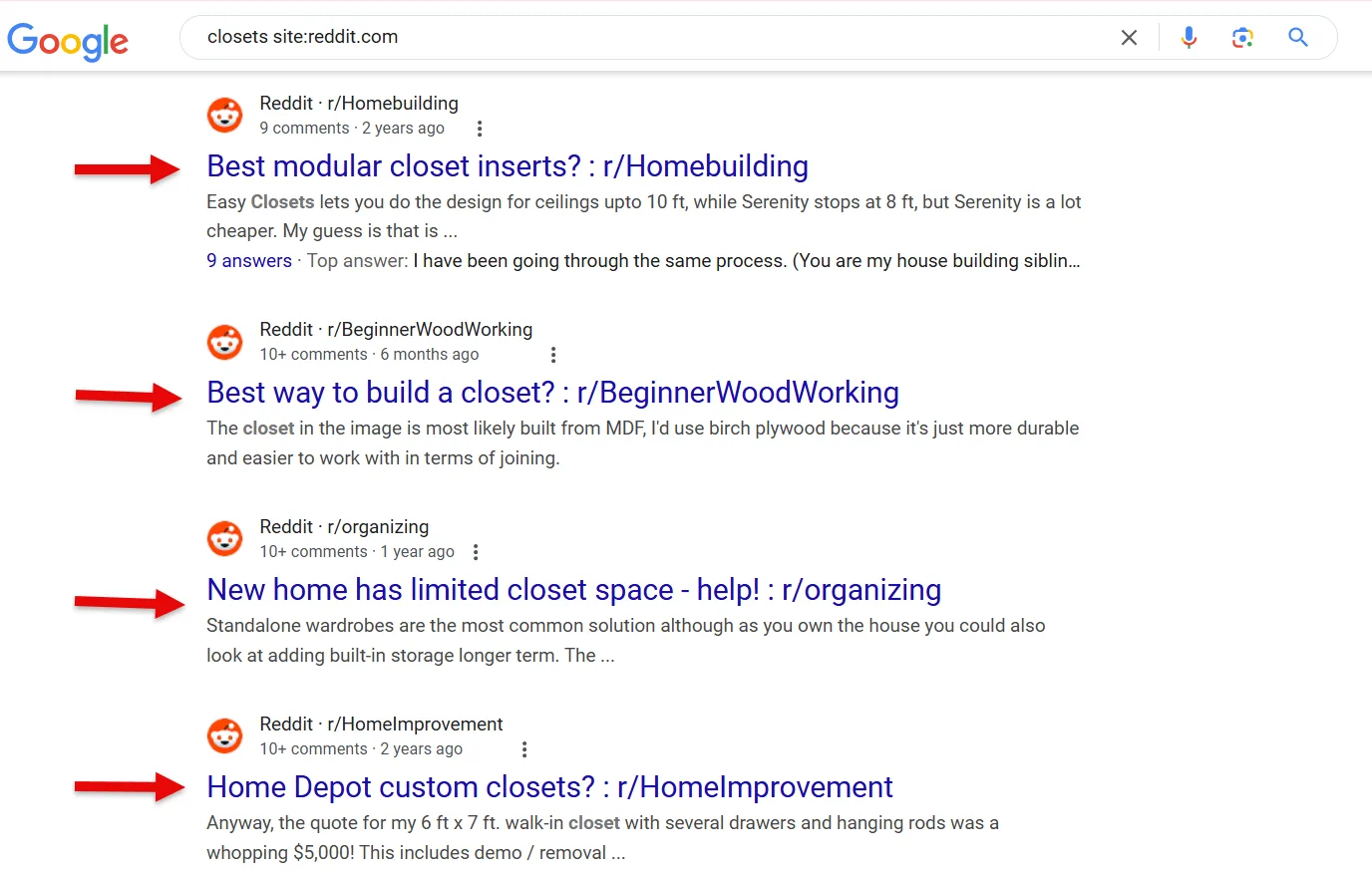
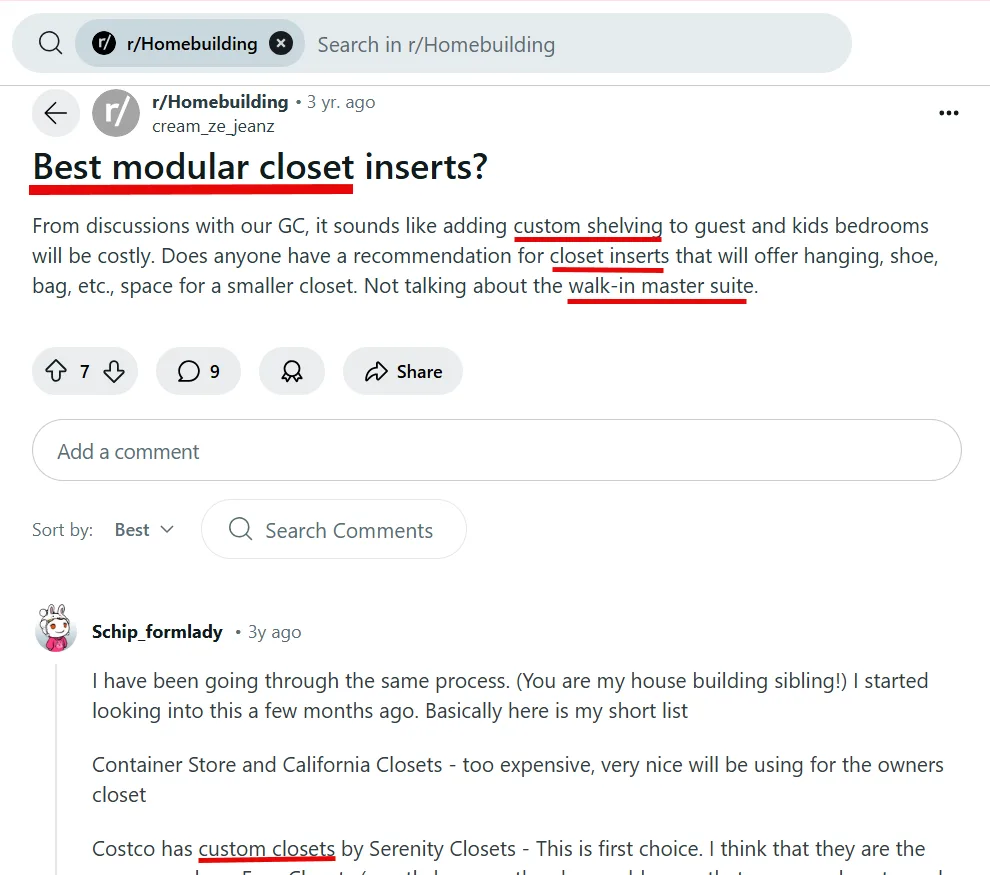
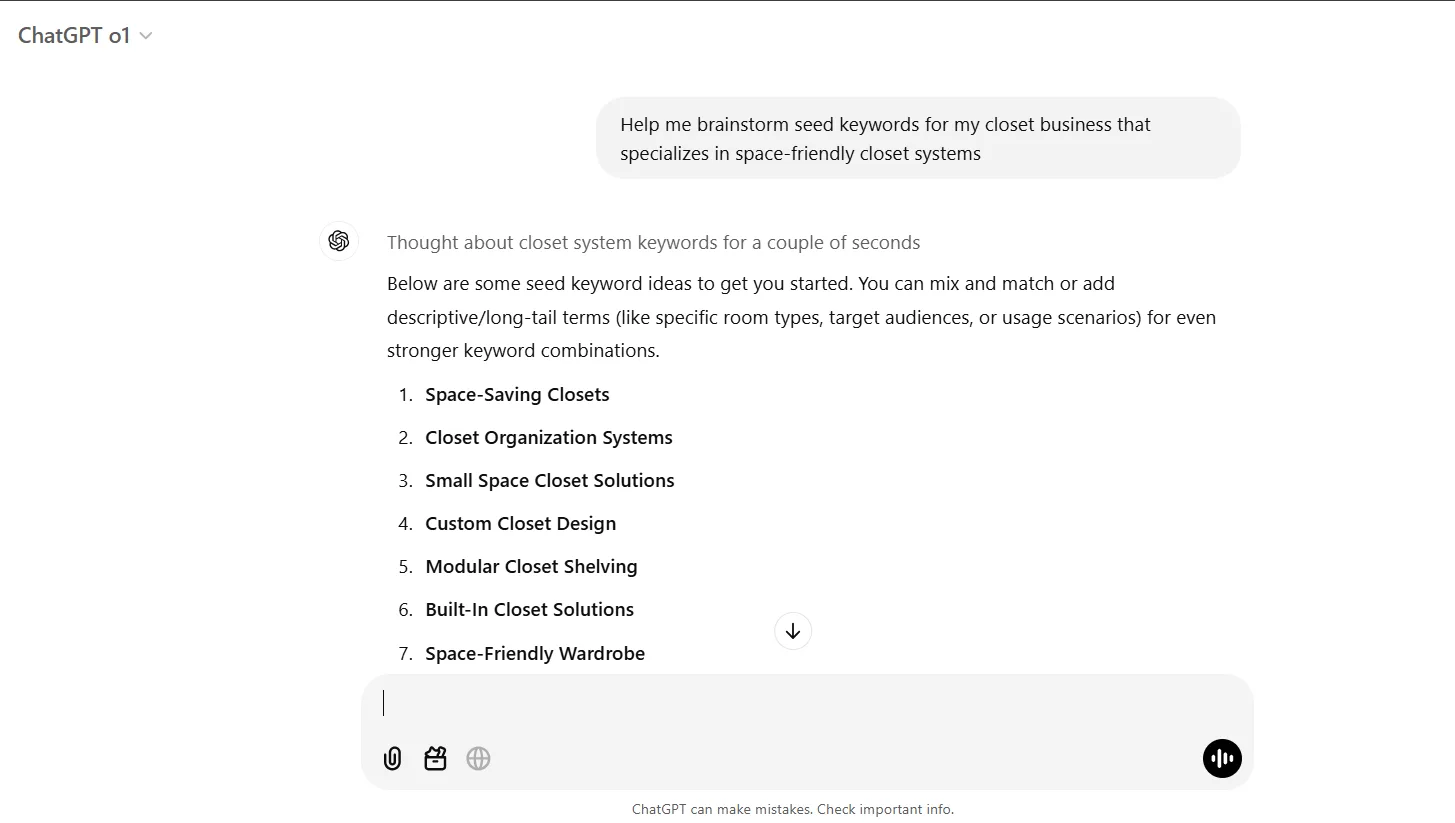
Browse the subreddit itself for more. ChatGPT can help round out the list too, with a prompt like “help me brainstorm seed keywords for my [business type] + [context],” treated as a starting point rather than validated data.
Step 2: Google Keyword Planner
GKP is Google Ads’ own free tool. You’ll need a Google Ads account set up (no active campaign required).
Discover New Keywords
From the Google Ads dashboard: Tools → Planning → Keyword Planner → Discover New Keywords.
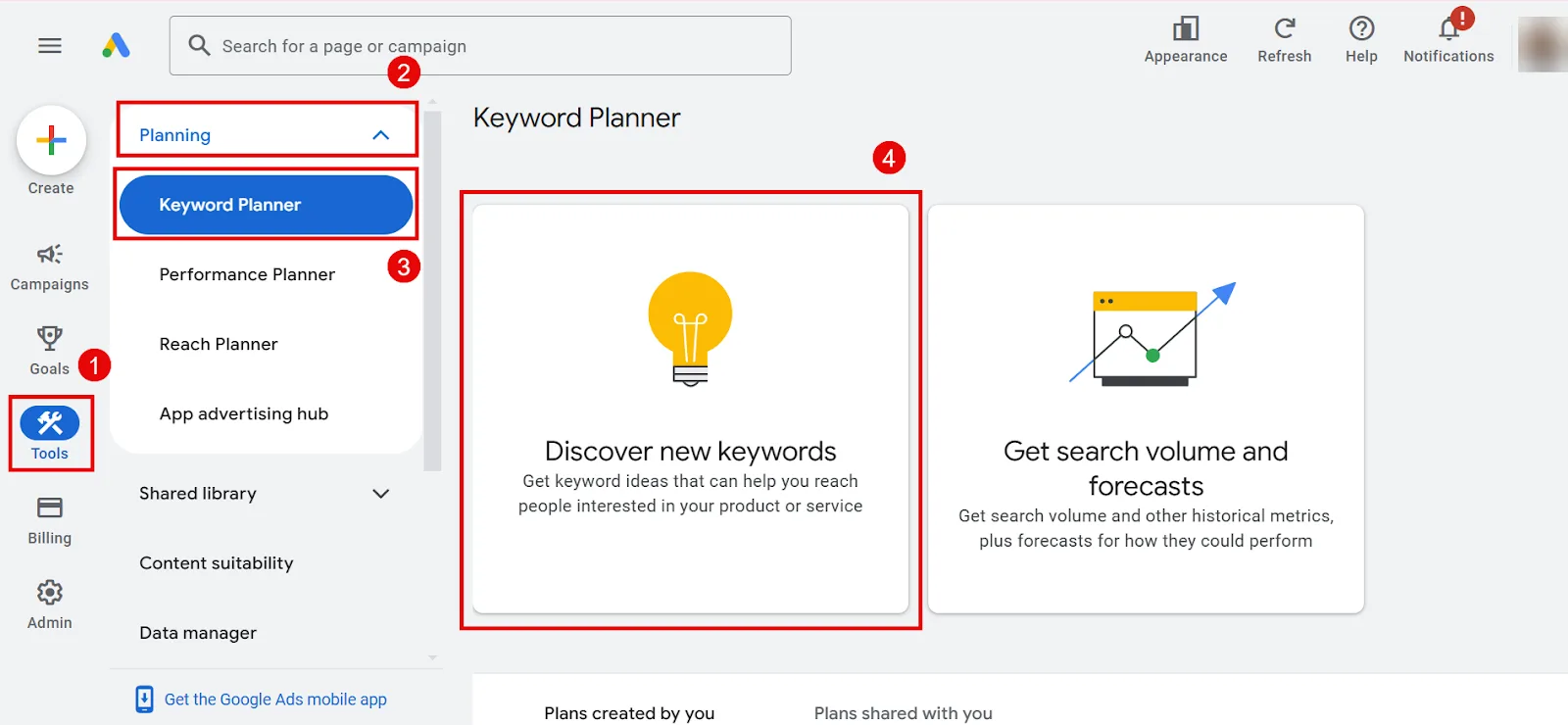
Enter your brainstormed keywords, set a target location (down to a specific city if that fits your business), and optionally enter your domain so Keyword Planner can filter out irrelevant terms. Click Get Results.
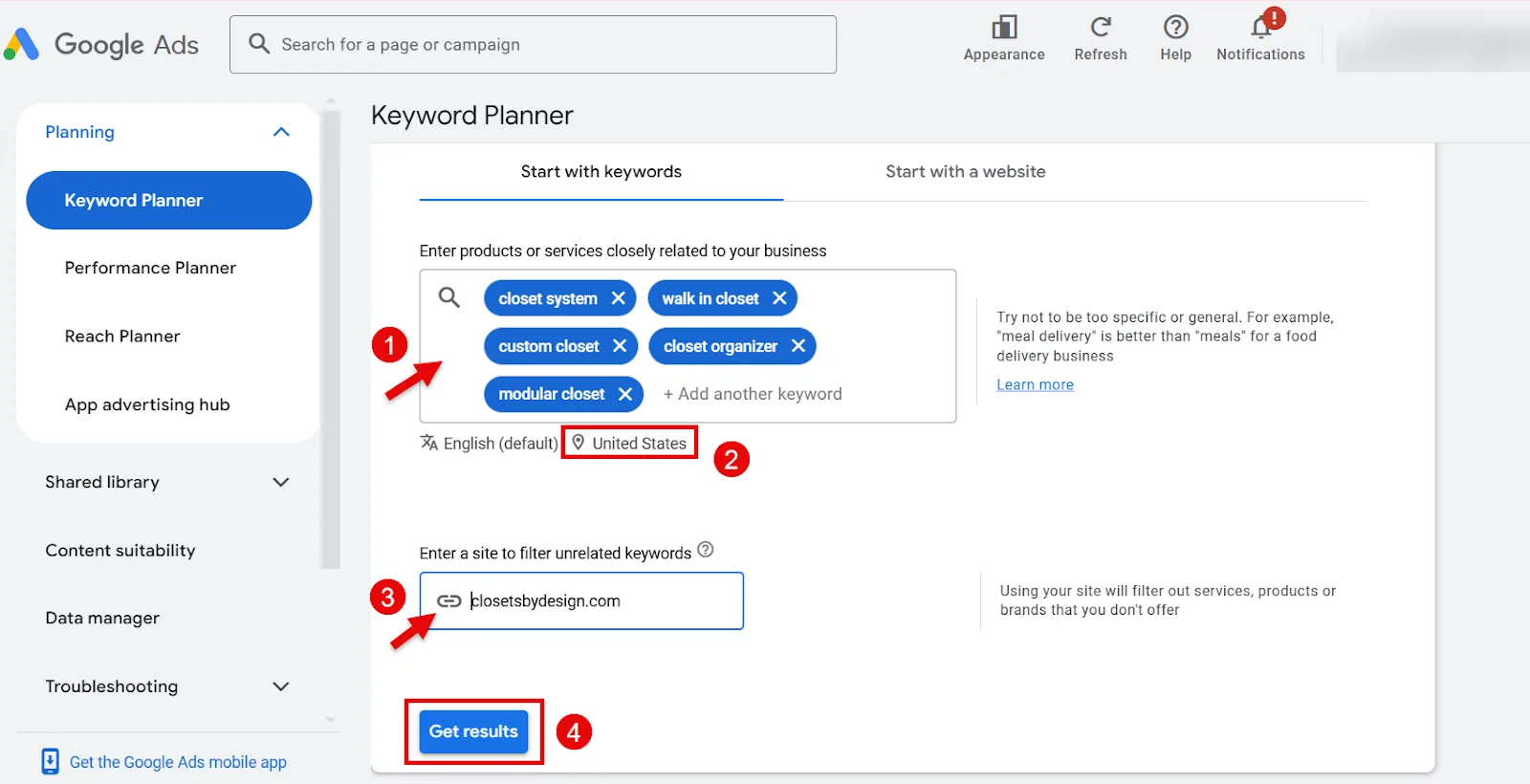
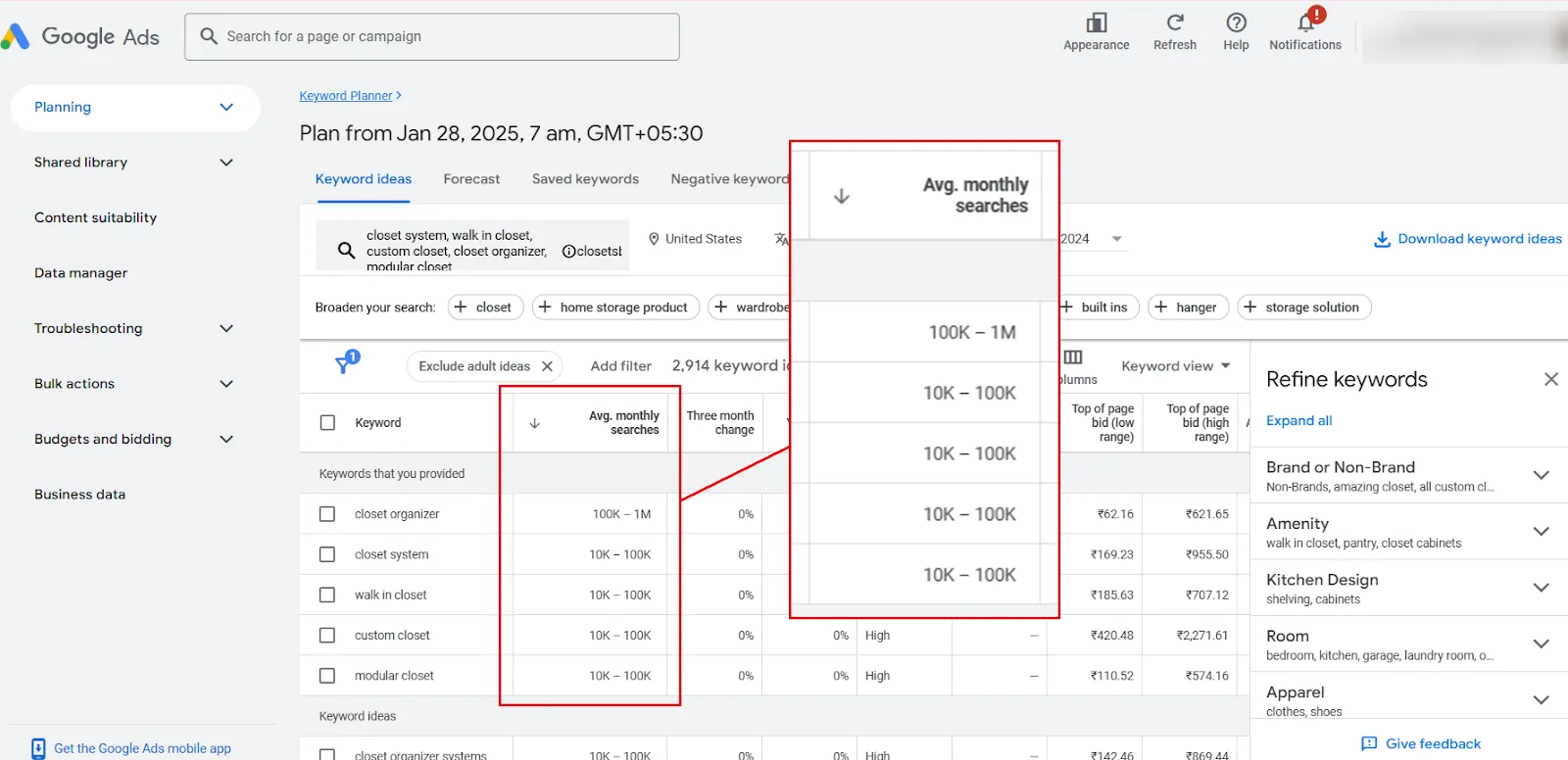
A quick rundown of the columns you’ll see: Avg. monthly searches, the average volume over recent months,
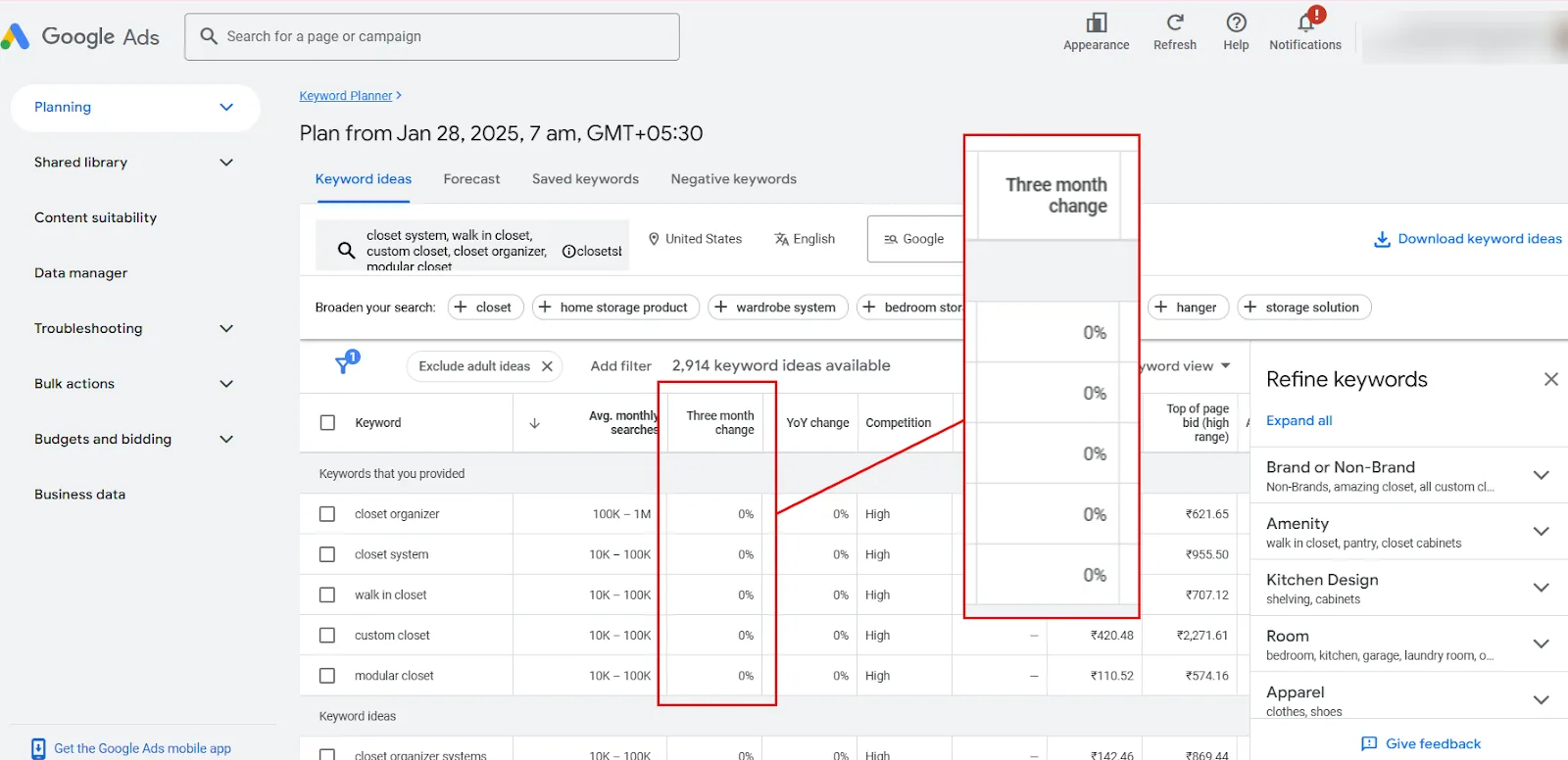
Three-month change, comparing the latest month to two months prior,
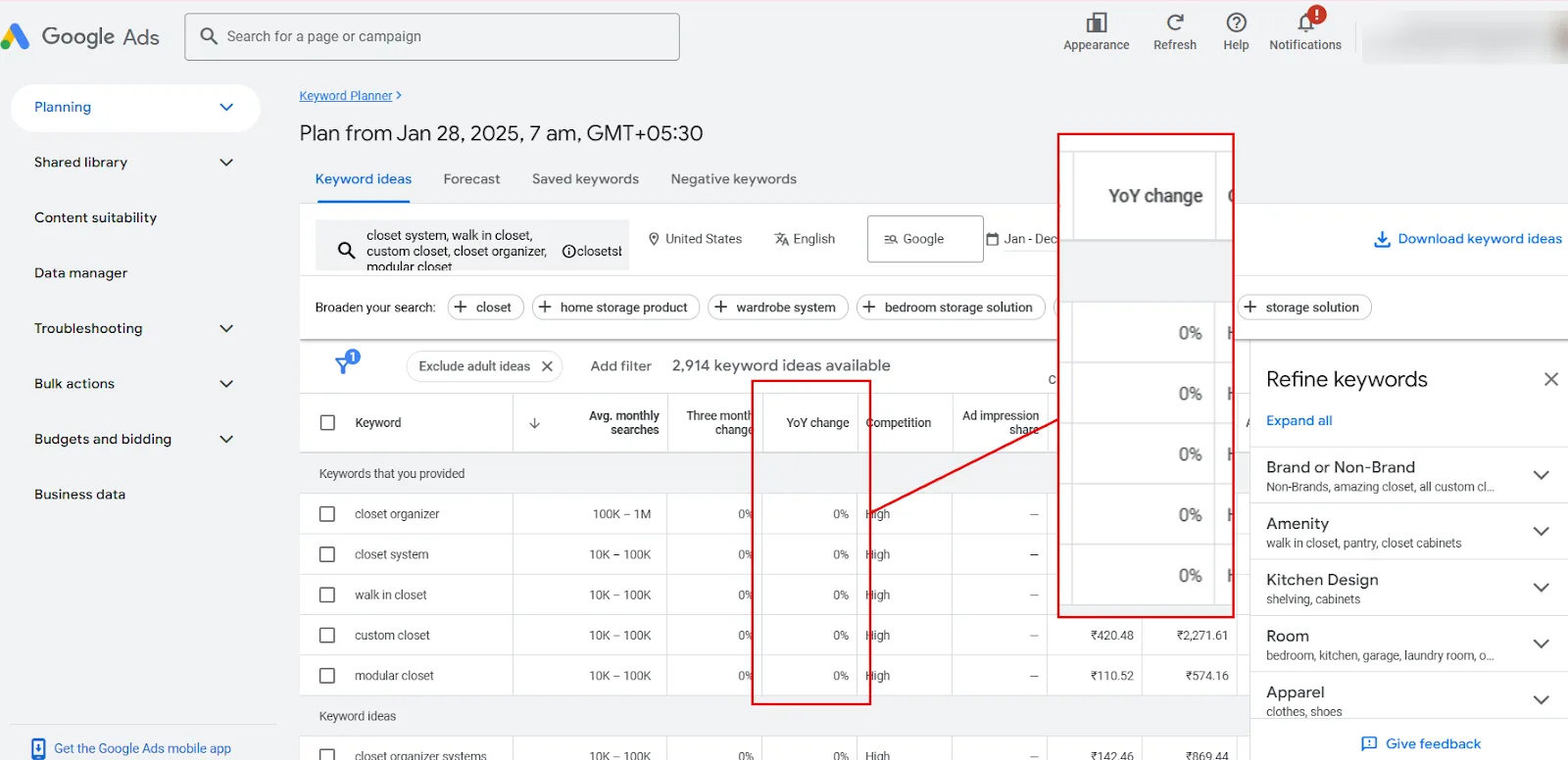
and YoY change, comparing the current month to the same month last year.
Competition shows roughly how many advertisers are bidding on a term.
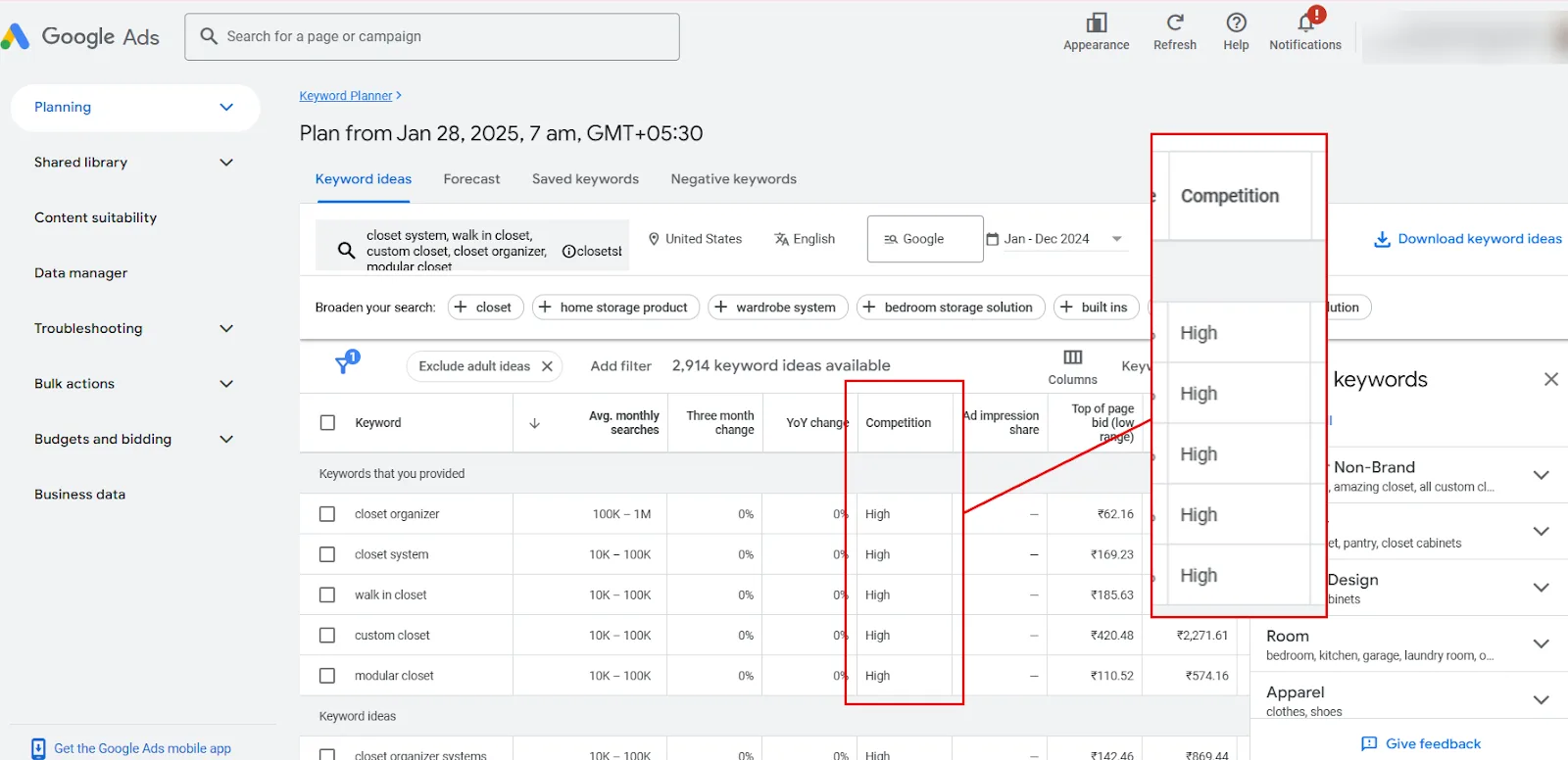
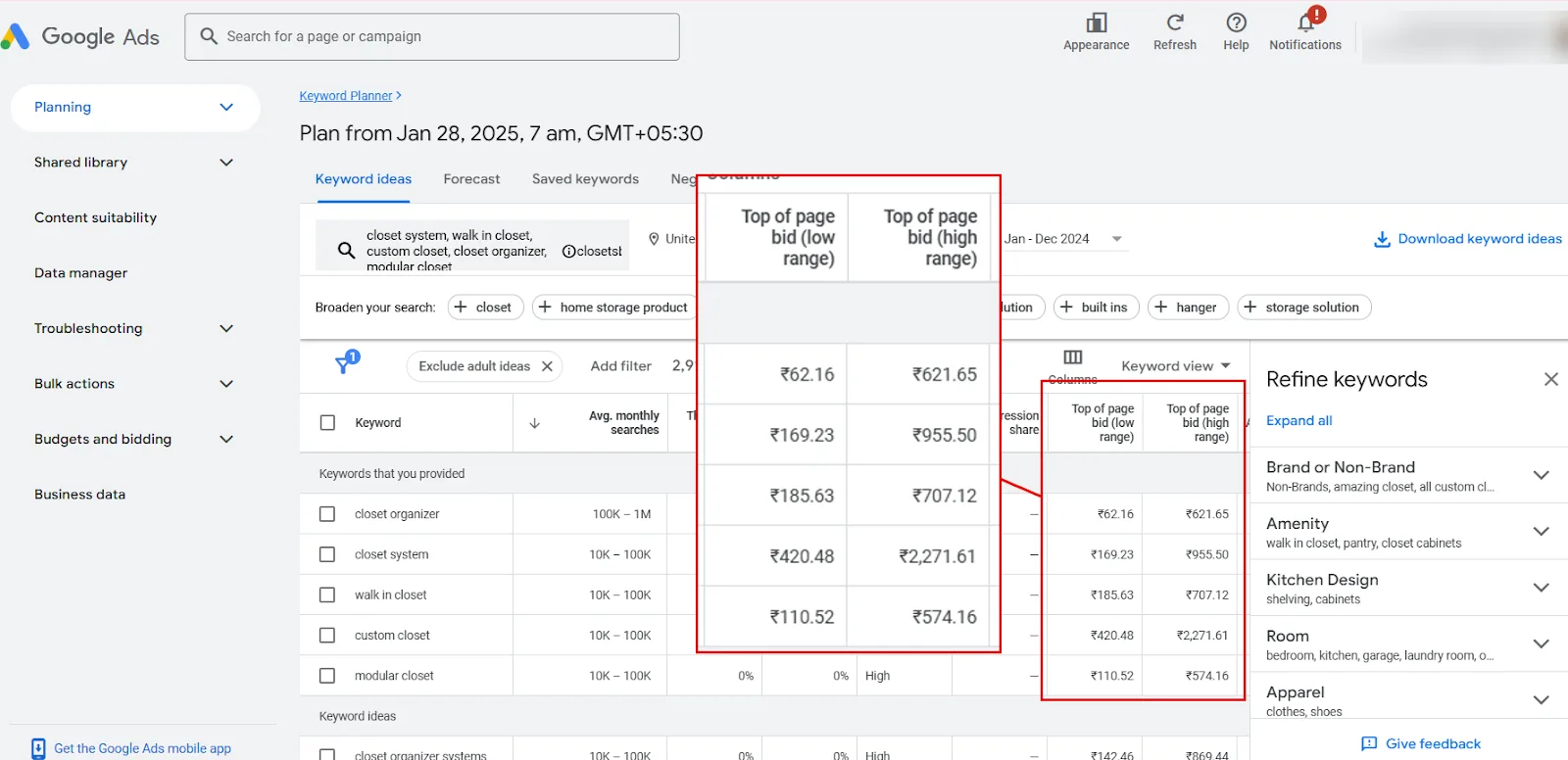
Top of page bid (low/high range) shows what advertisers typically pay to appear at the top.
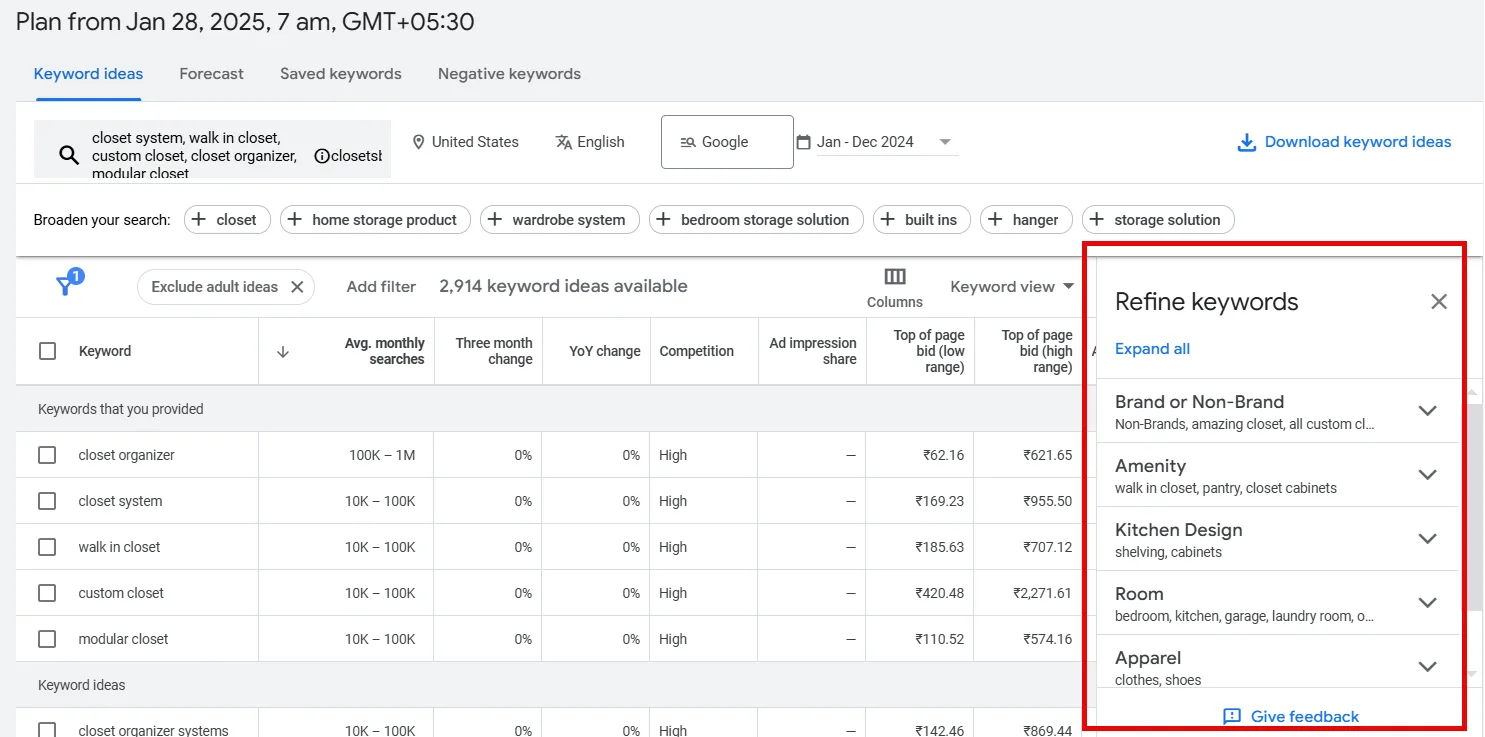
GKP also suggests refinements. Deselect brand keywords if you’d rather not see them, or deselect anything outside what you actually offer.
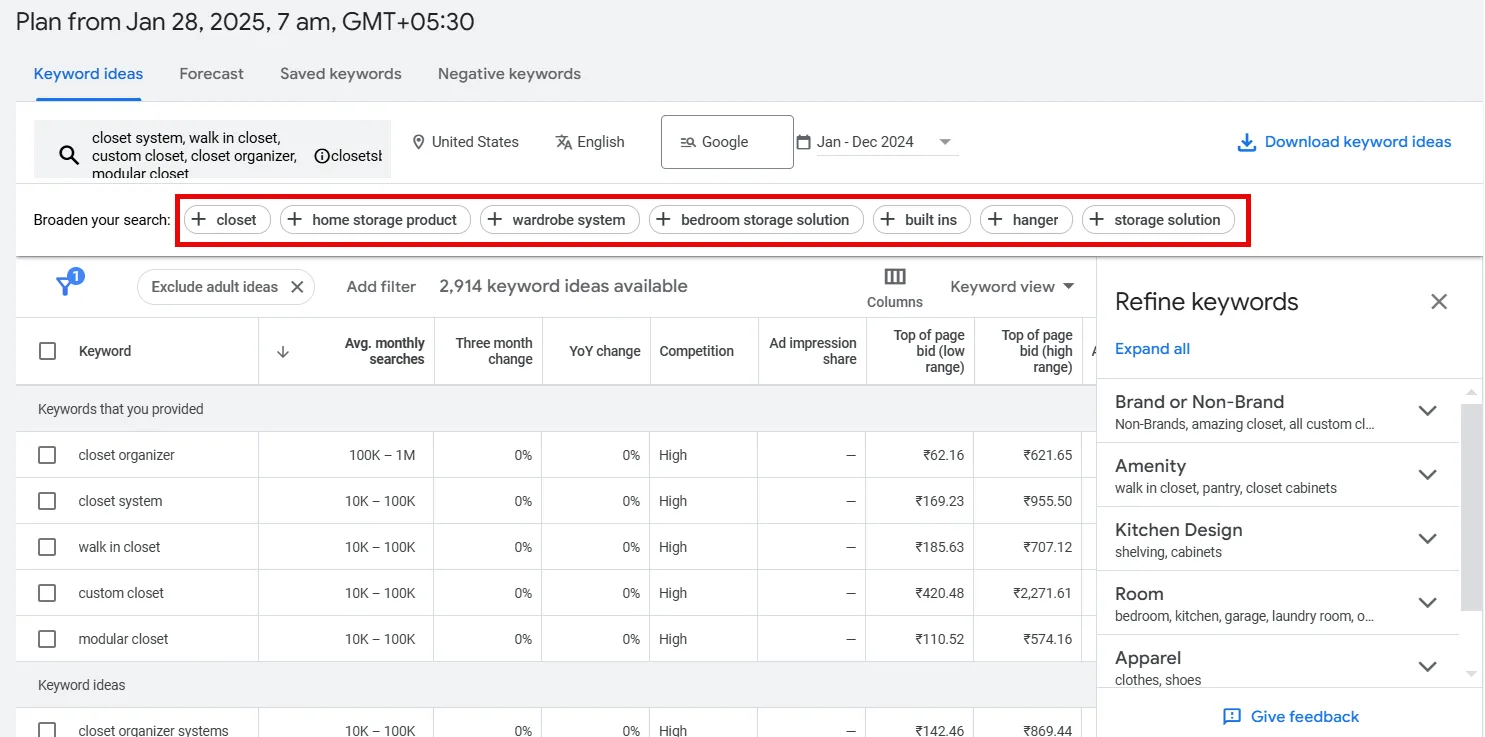
Its broader keyword suggestions are hit-or-miss, but occasionally surface something worth pursuing, click through if any look relevant.
Now select keywords based on: relevance to your core offering, Competition level (aim Low or Medium), and how they fit your budget against the Top of Page Bid range. Favor multi-word phrases (4+ words when possible), Google leans on the meaning of a phrase now, not just individual terms, so more context helps it understand exactly what you’re targeting.
Get Volume and Forecasts for an Existing List
If you already have keywords in hand, go to Keyword Planner → Get Search Volume and Forecasts, paste or upload them, hit Get Started.
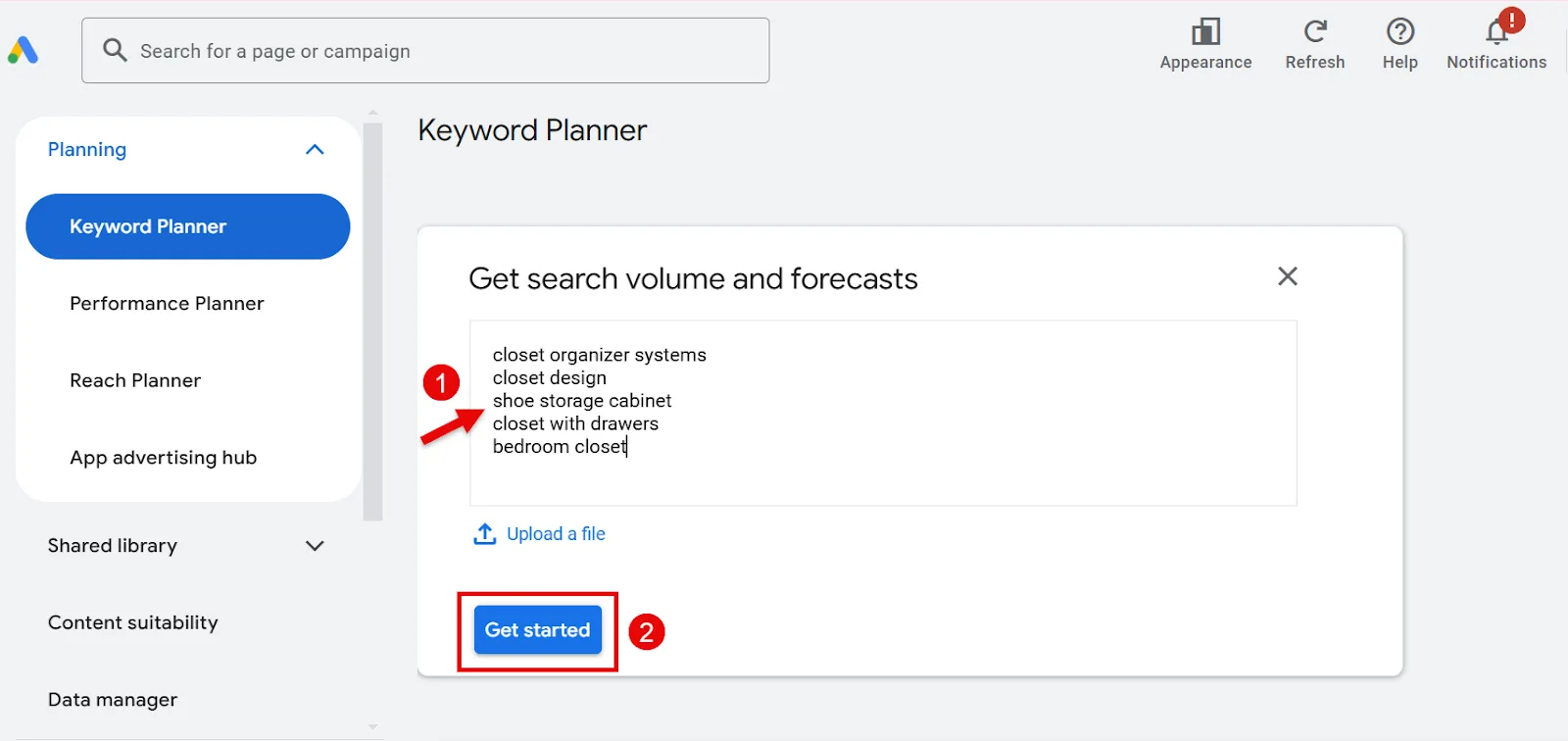
You’ll get expected clicks, impressions, and costs alongside average monthly volume.
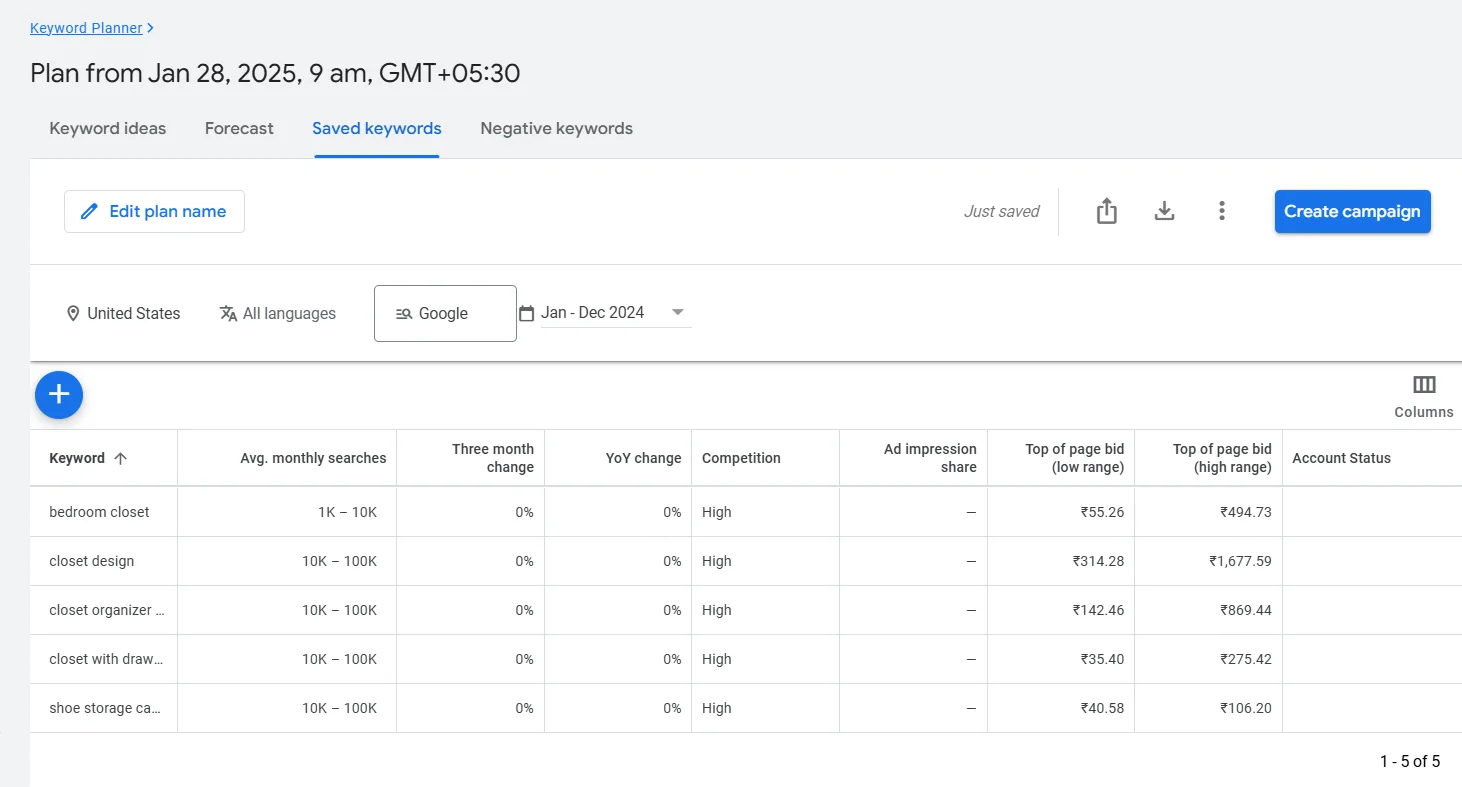
Without an active campaign, GKP shows broad ranges (“1K–10K”) rather than exact numbers, still useful for a rough sense of potential. Download as CSV once you’re done, handy for sorting and grouping later.
Step 3: Expand Beyond GKP
GKP alone tends to surface fairly obvious keywords. Two ways to broaden the net:
Semrush’s Keyword Magic Tool
Enter a seed keyword, pick your target country, search.
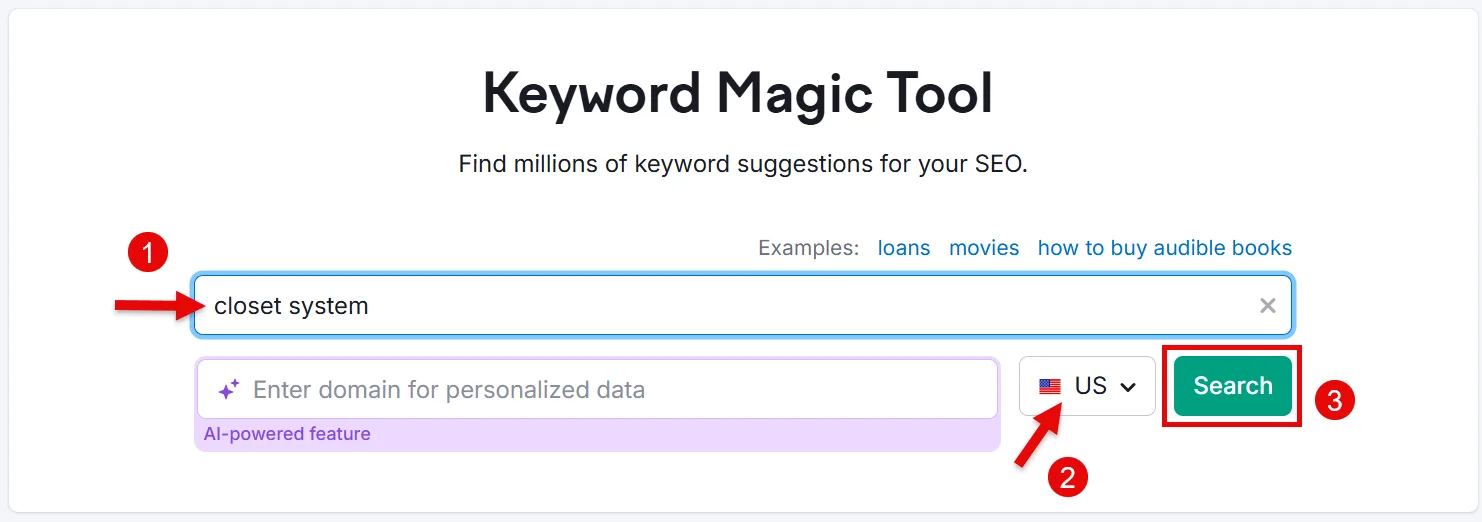
You’ll get thousands of related ideas.
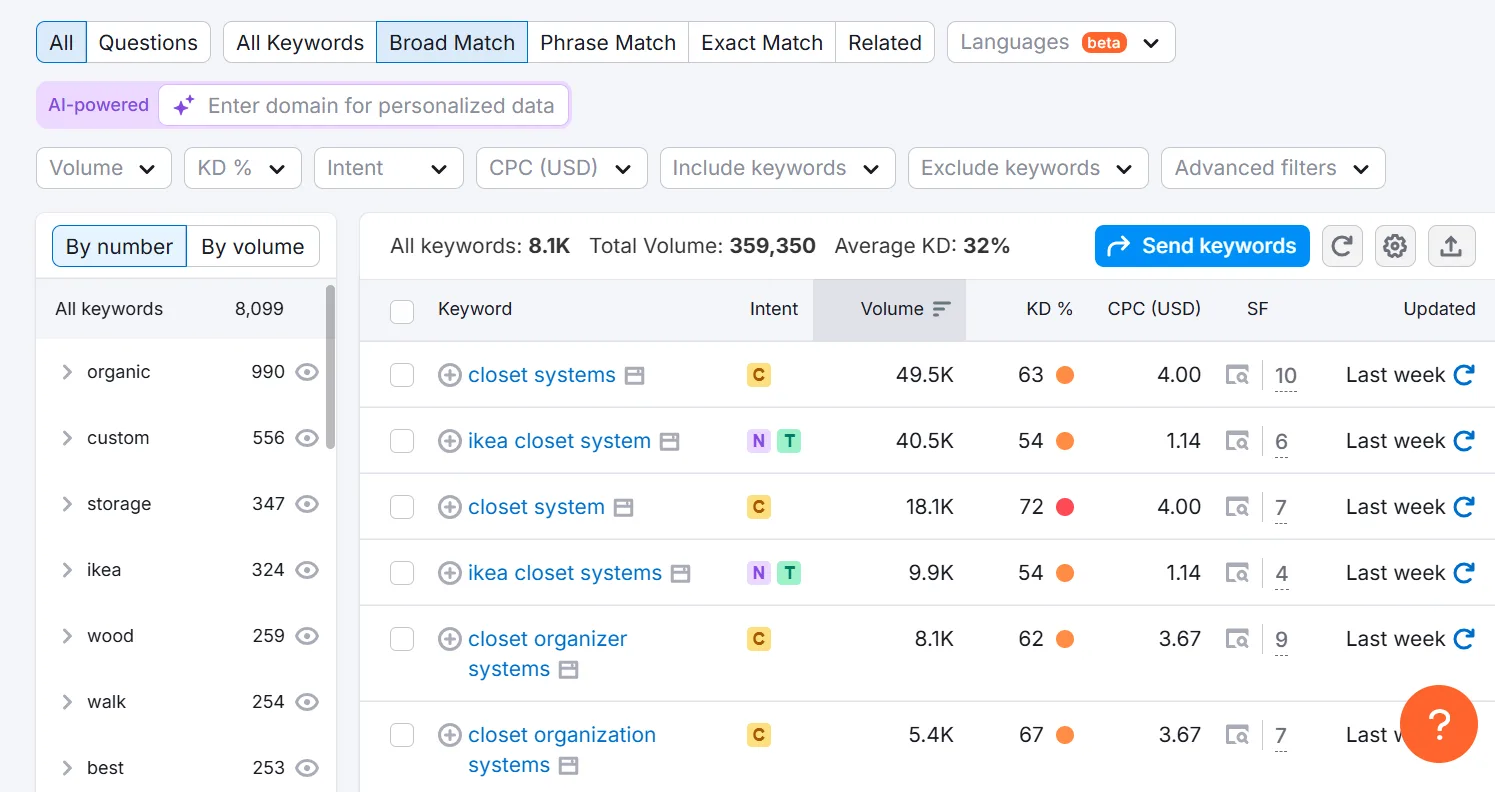
Filter by CPC to match your budget,
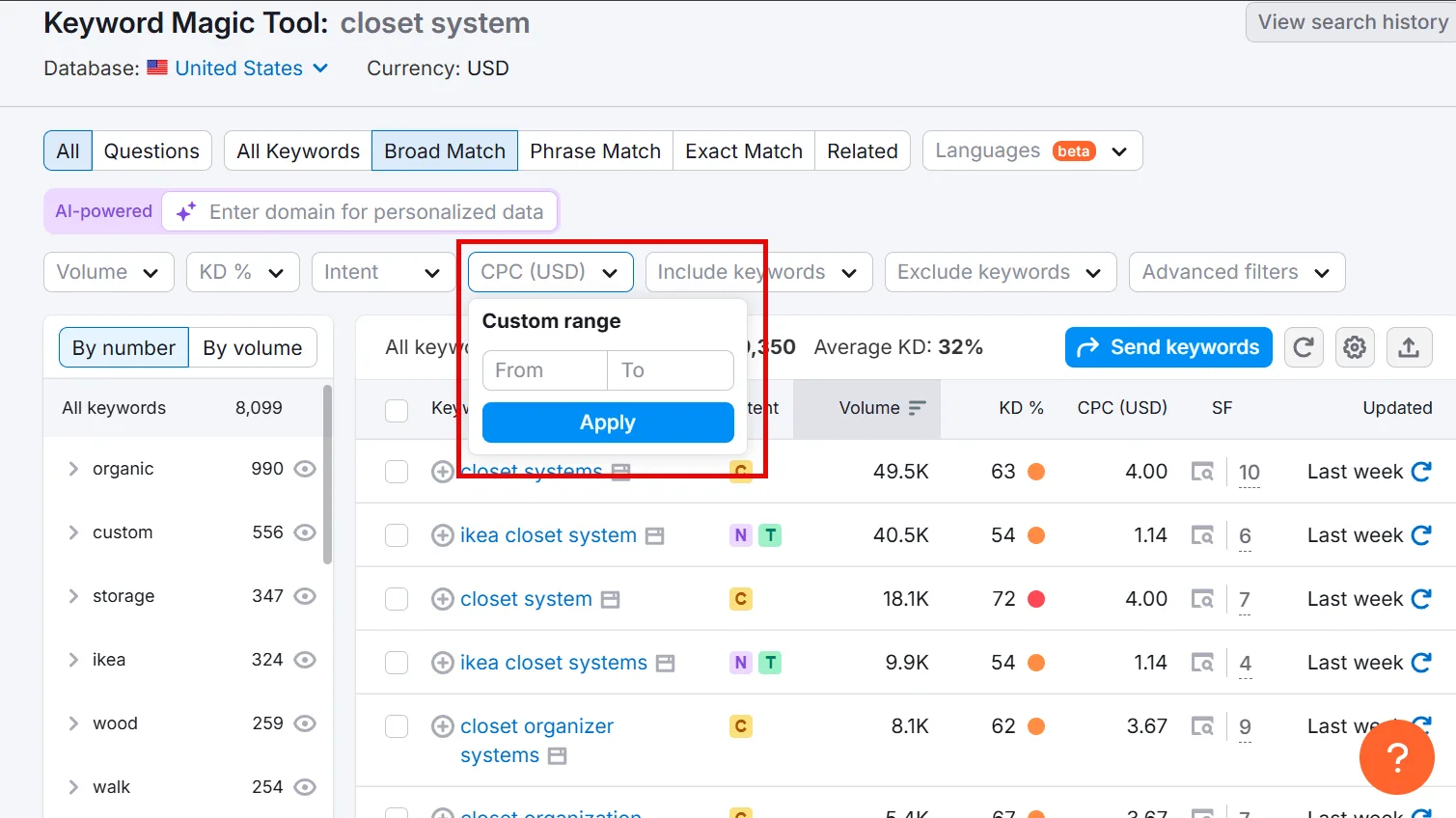
and add the Competitive Density column (gear icon, top right) to see how many advertisers are bidding on each term.
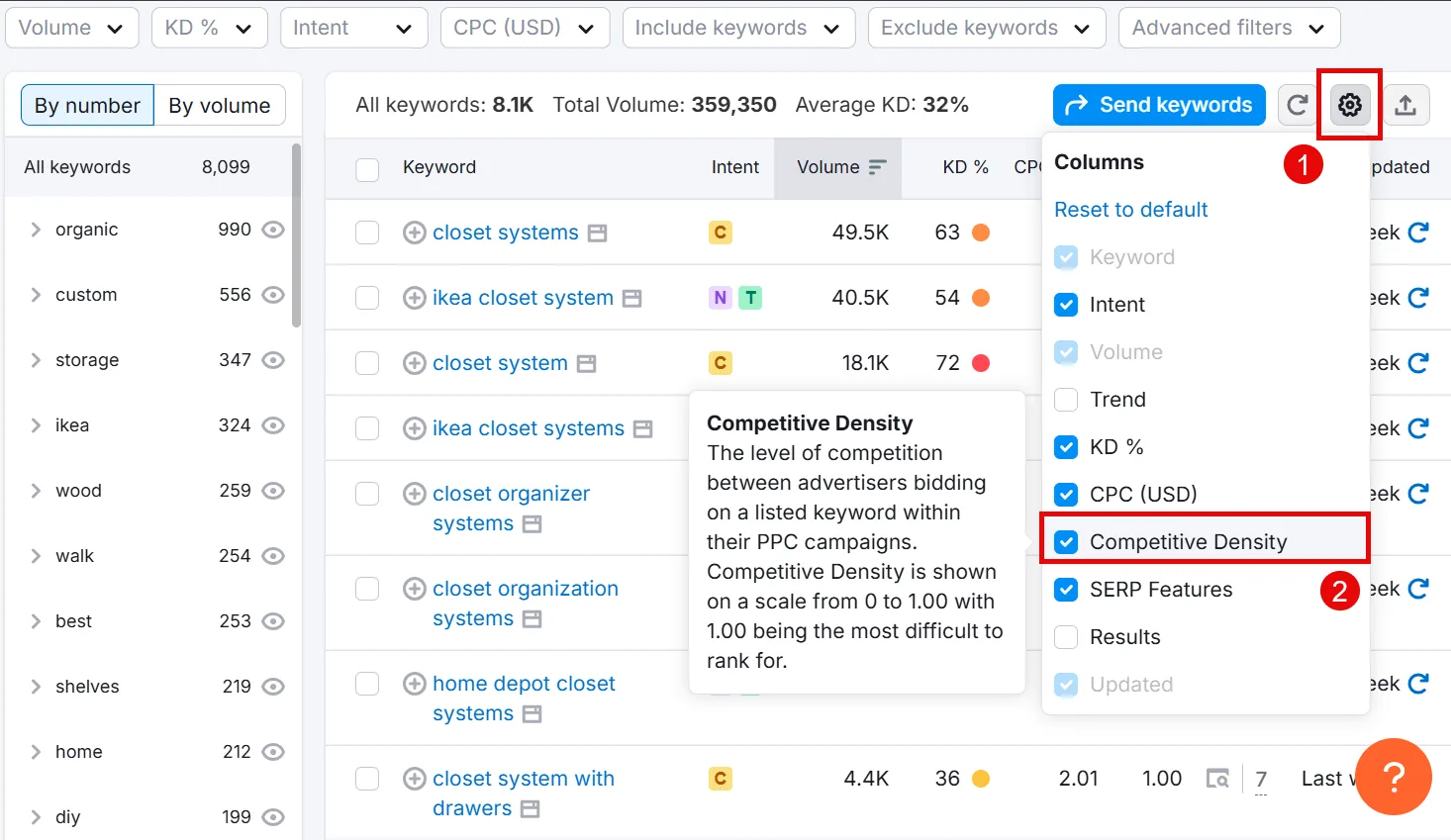
Keep whatever has decent volume, lower difficulty, and genuine relevance to your business.
Semrush’s Advertising Research
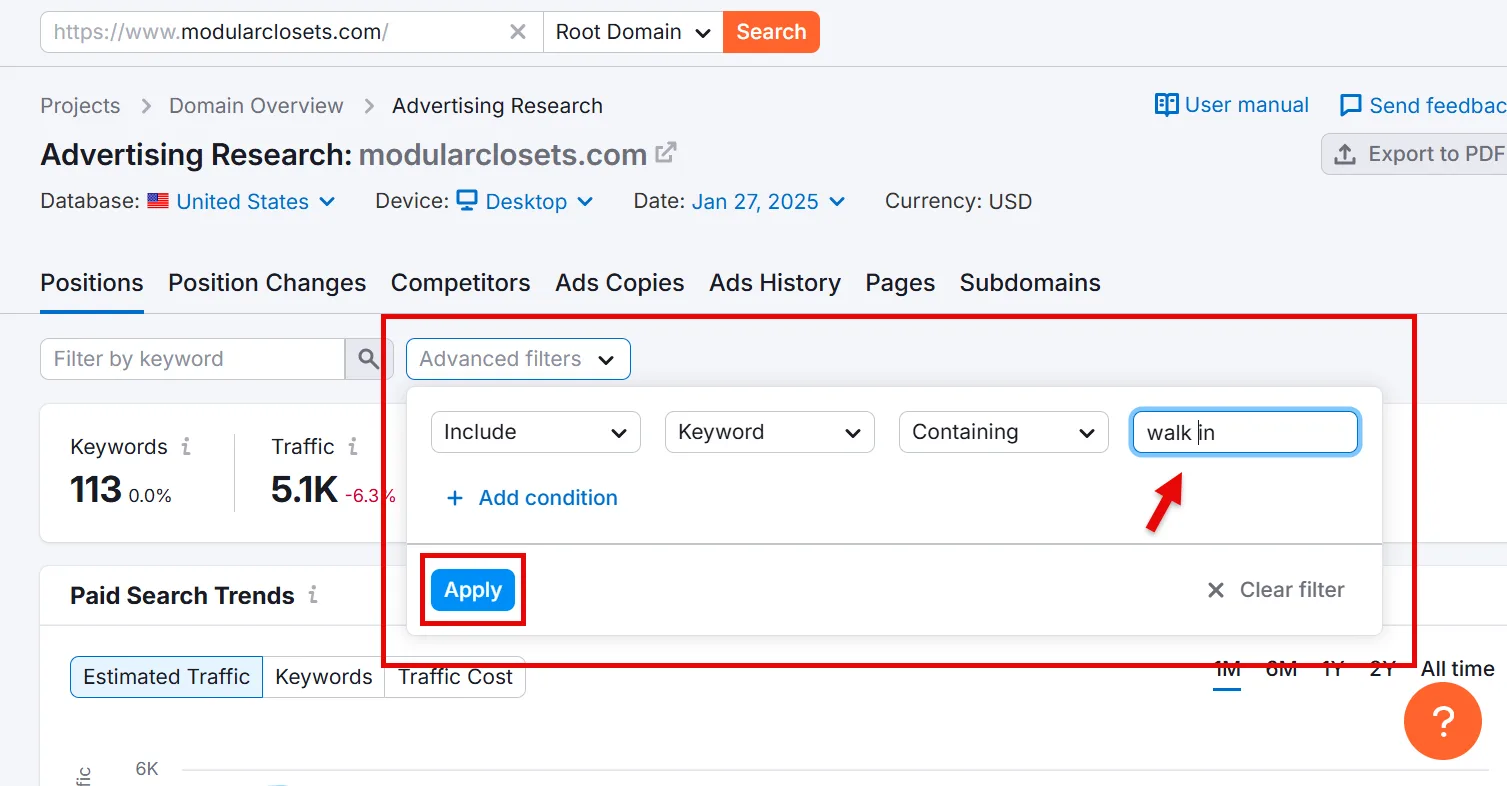
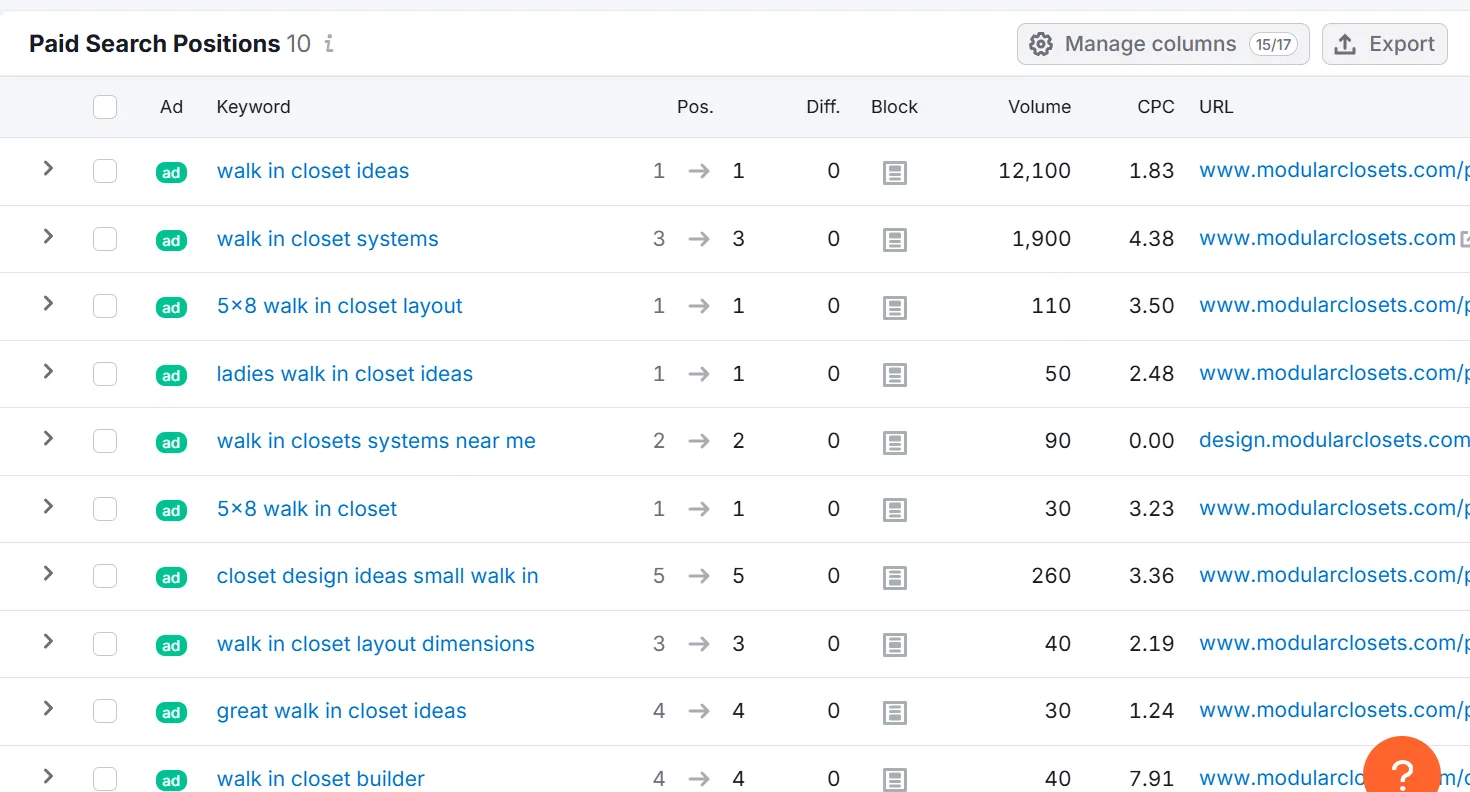
Enter a competitor’s domain to see the keywords they’re actually bidding on.
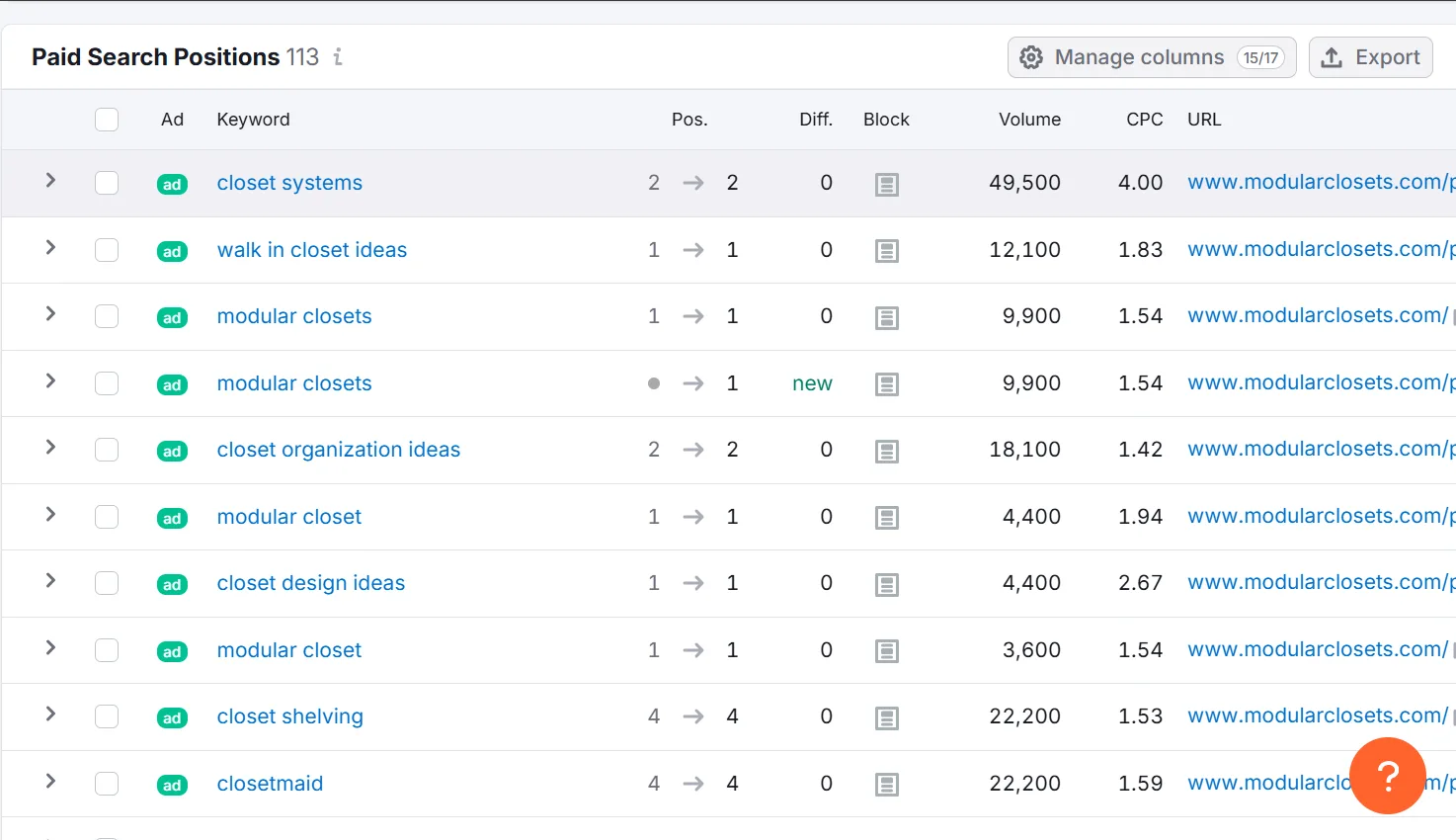
Use Advanced Filters to narrow the list to terms genuinely relevant to your campaign.
Step 4: Evaluate Search Intent
A keyword can look great on paper, low competition, high volume, and still not convert. Intent is what separates the two.
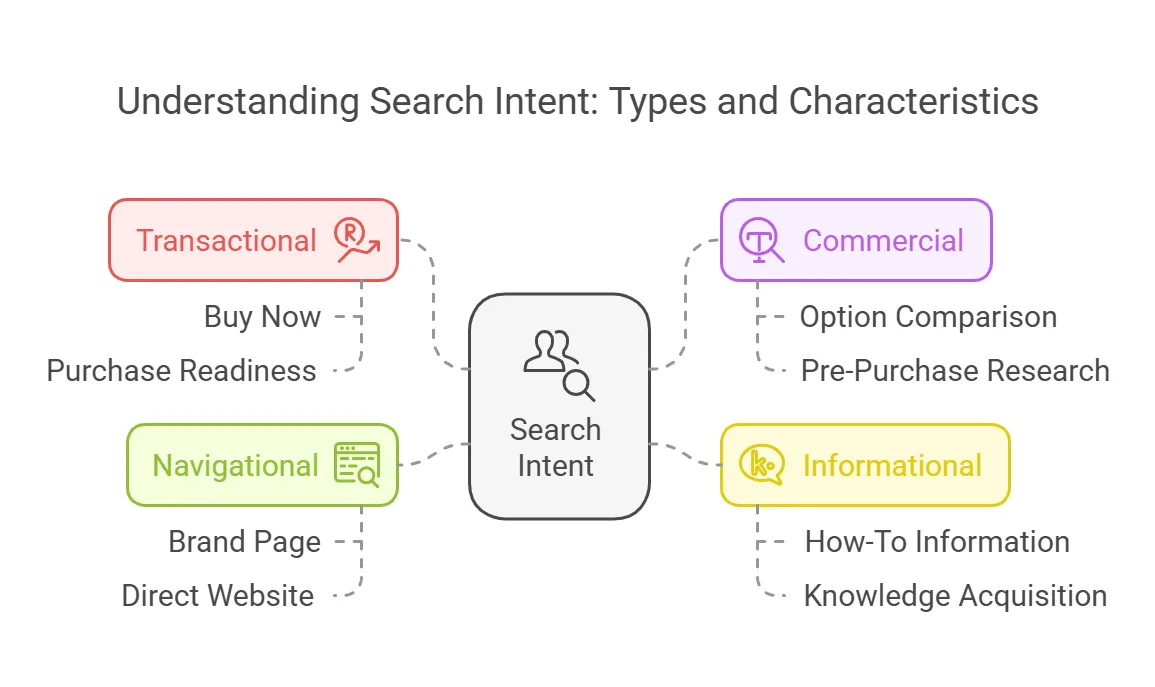
Transactional — “buy now” style, ready to purchase. Commercial — comparing options before deciding. Informational — seeking knowledge, earlier in the funnel. Navigational — looking for a specific site or brand directly.
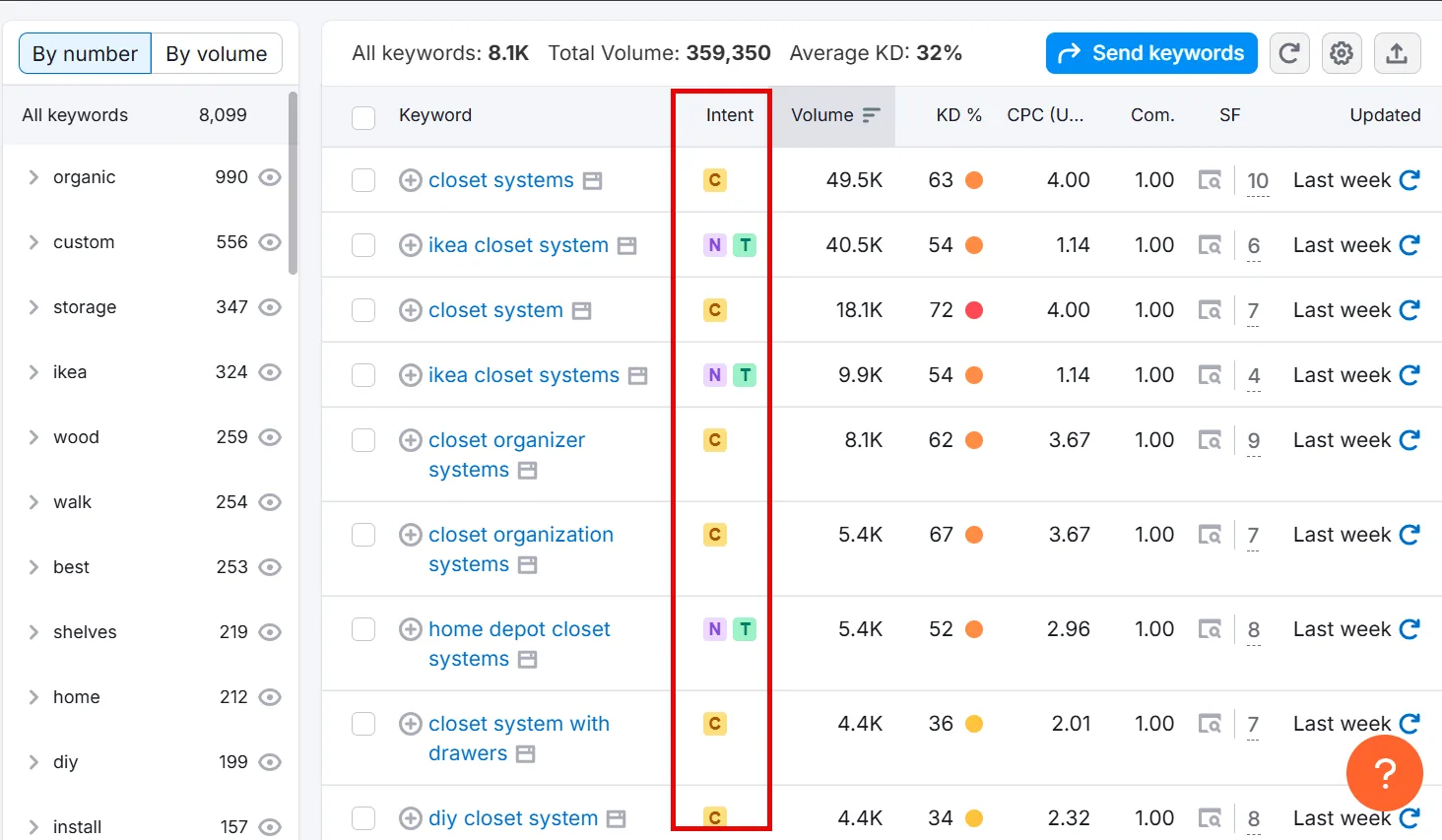
A high Top of Page bid in GKP often signals other advertisers are seeing conversions there; a lower one can mean less competition, or less conversion potential. Semrush makes this easier by showing intent right next to each keyword,
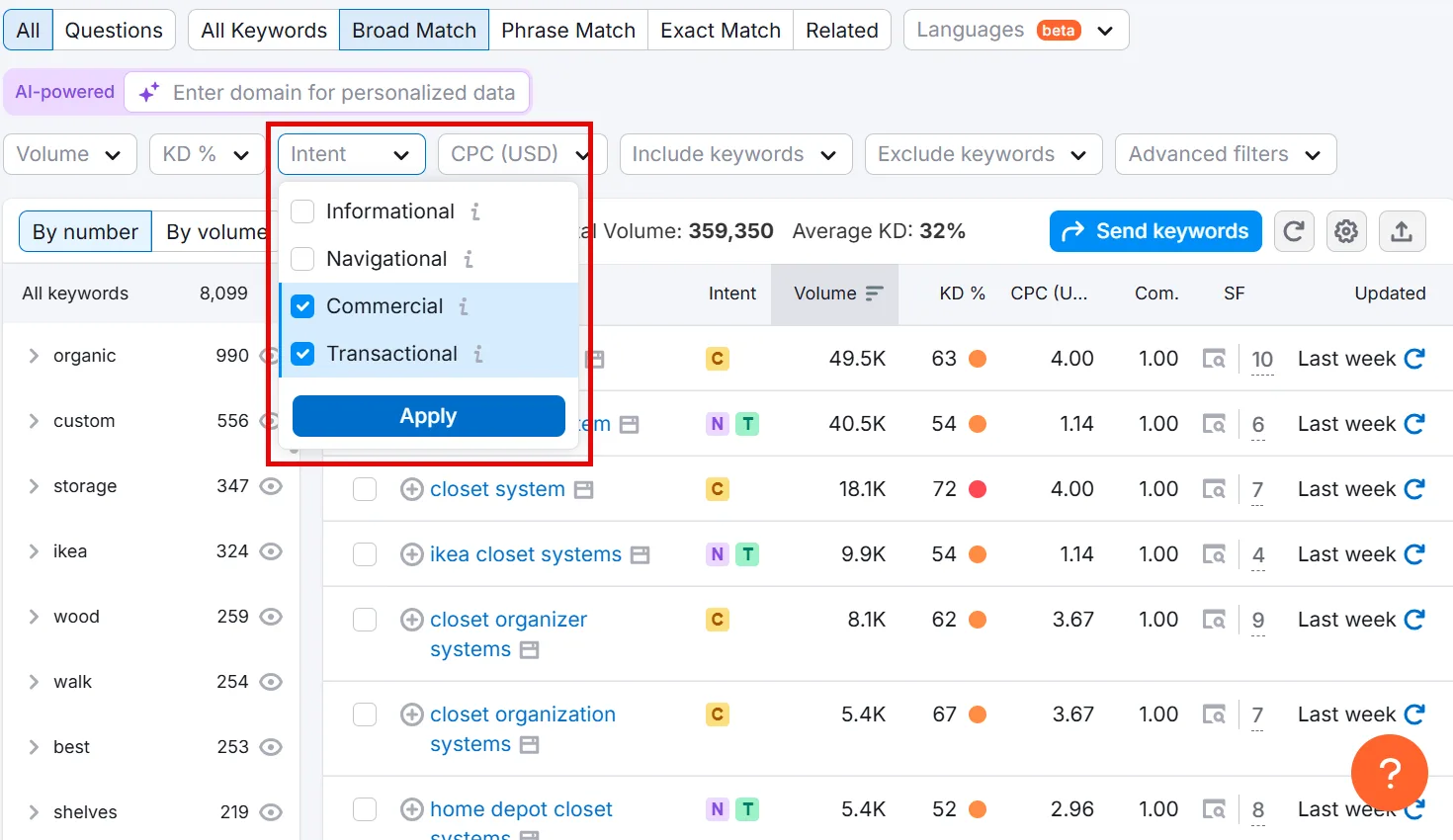
and you can filter results by intent directly too.
Step 5: Build a Negative Keyword List
Negative keywords tell Google Ads not to show your ad for certain search terms, which directly saves money on irrelevant clicks.
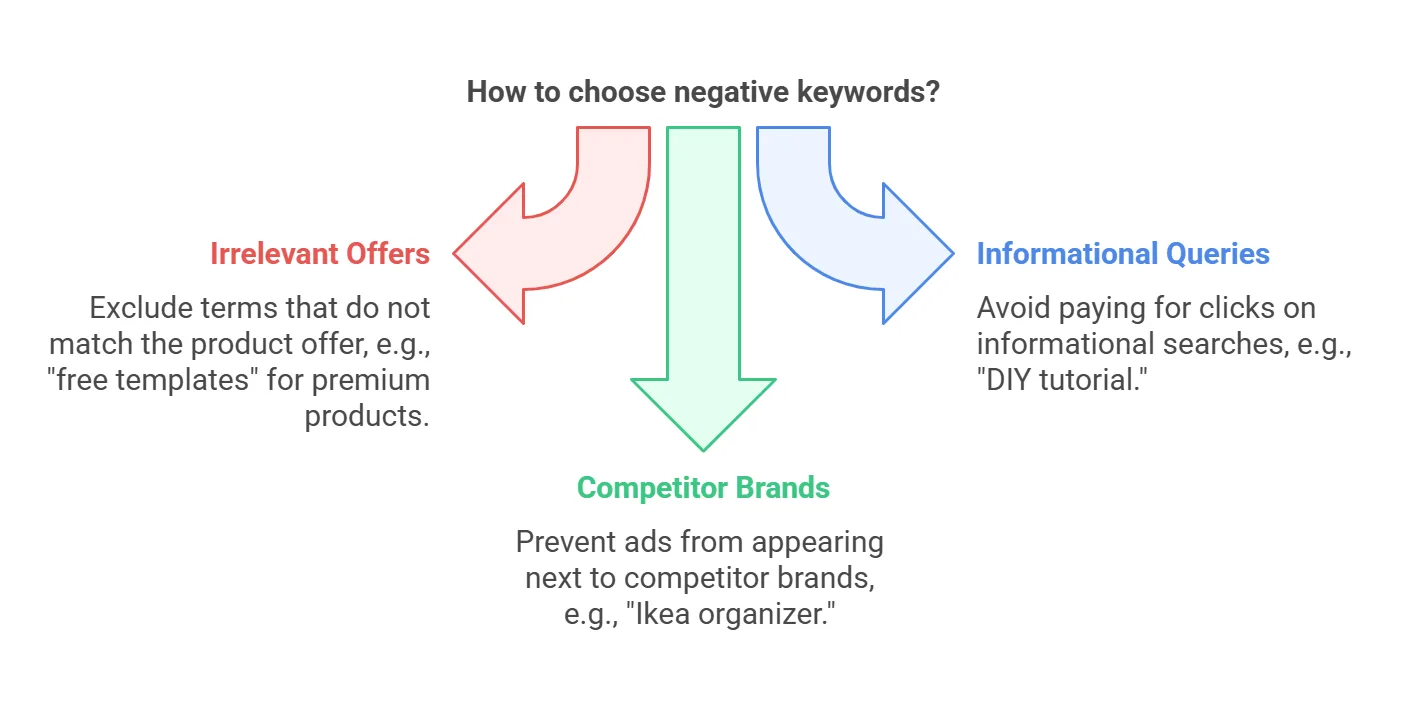
→ Scan your GKP or third-party list for anything that clearly doesn’t match your offer, “free closet design templates” if you only sell premium, for instance.
→ Filter out informational queries you’d rather not pay for, like “DIY closet tutorial.”
→ Watch for synonyms or competitor brand names you don’t want to appear alongside, “Ikea closet organizer” if that’s not a fight worth having.
Step 6: Organize and Group Keywords
Group by Theme
Ad Groups keep related keywords together, each with its own ad copy and landing page. Scattering unrelated keywords into one group makes it impossible to write ad text that fits everyone. For a closet business, that might look like: Ad Group 1 for “walk-in closet” terms, Ad Group 2 for “small closet organizer”/space-saving terms, Ad Group 3 for brand or competitor terms.
Assign Match Types
Google Ads offers three match types for search campaigns:
→ Exact Match — shows only for queries very close to your exact keyword. Tight spend control, limited volume.
→ Phrase Match — shows when a query carries the meaning of your phrase, “affordable custom closet system” would trigger phrase match on “custom closet system.”
→ Broad Match — shows for synonyms and related searches. Widest reach, but needs careful management to avoid irrelevant clicks.
Pro tip: if you’re just starting out or working a smaller budget, lean on phrase and exact match for your best keywords first. Expand into broad match once you’ve got performance data and a solid negative keyword list backing you up.
Step 7: Don’t Skip Competitor and Branded Keywords
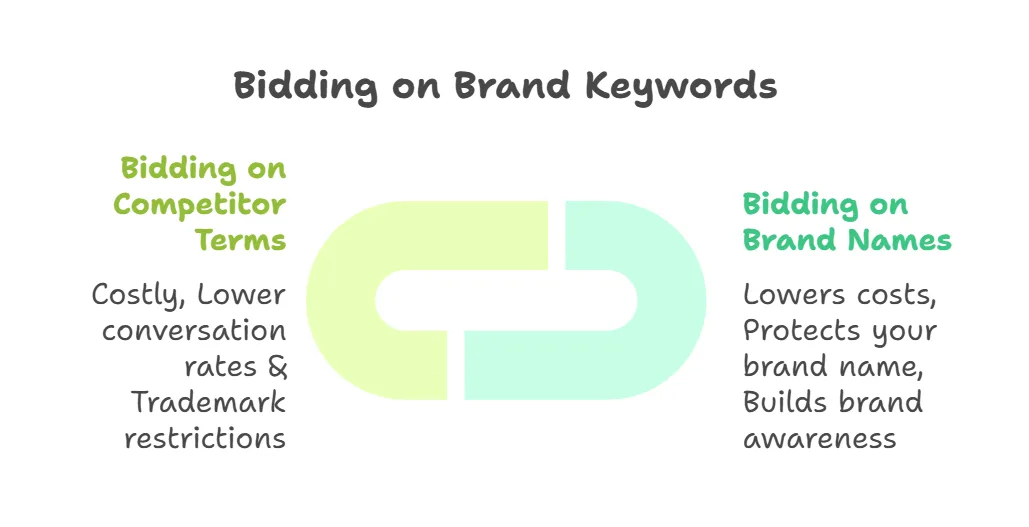
Bidding on your own brand. If you have any brand recognition at all, some people will search for you by name. Bidding on your own brand tends to be cheap (high Quality Score) and protects you from a competitor bidding on your name instead. Just don’t rely on it alone, pair it with campaigns targeting non-branded terms too.
Bidding on competitor brand terms. Possible, but usually more expensive (your landing page is inherently less relevant to that search) and often lower-converting, since searchers may already be loyal to that brand. Double-check trademark rules in your region before doing this.
Common Mistakes to Avoid
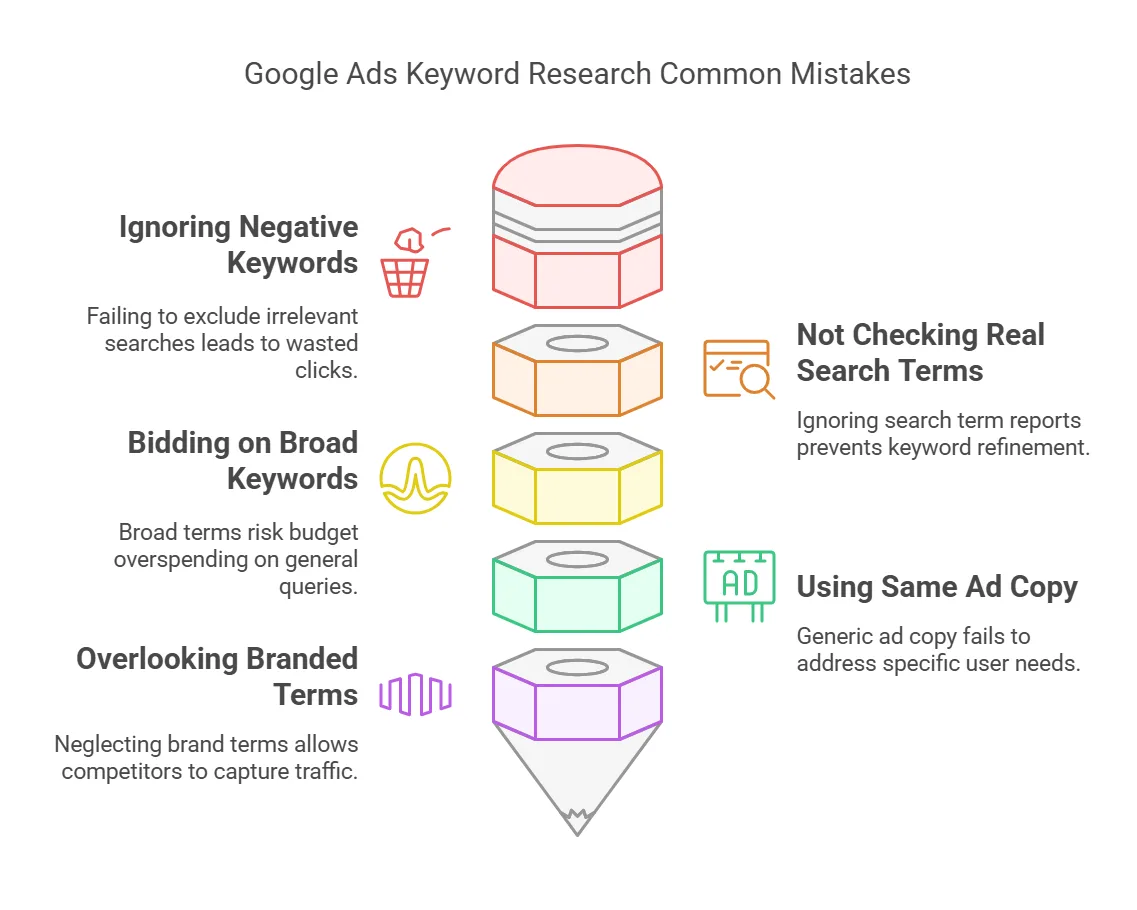
✘ Ignoring negative keywords. The single biggest budget leak. Skip this and you’ll pay for a lot of worthless clicks.
✘ Not checking real search terms. Once ads are live, check the Search Terms Report regularly, it’s how you actually refine and discover new negatives.
✘ Bidding on extremely broad keywords. Terms like “closets” or “clothes storage” burn budget on people who just want free info, not a purchase.
✘ One ad group for everything. Lumping all keywords together means your ad copy can’t speak to any specific need. Split logically instead.
✘ Overlooking branded terms. Even when it seems obvious, bidding on your own brand keeps that traffic from quietly leaking to a competitor.
Convert More by Targeting the Right Keywords
A few more guides worth pairing with this one:
↳ How to Do Keyword Research for SaaS
↳ How to Do Keyword Research for eCommerce
↳ How to Do Keyword Research for B2B
Frequently Asked Questions
Do I need to run ads first to see exact search volume in Keyword Planner?
No, approximate volumes are visible either way, though Google tends to show broad ranges without an active campaign. An actively running campaign often unlocks narrower estimates, but even then exact figures shift over time, so treat the numbers as a guide rather than a precise count.
How many keywords should I add to each ad group?
Somewhere around 10–20 closely related keywords per group tends to work best. That’s tight enough to write ad copy that directly addresses those queries, which helps Quality Score, while overstuffing a group makes both writing and tracking harder.
What if my CPC is really high?
Try more specific, long-tail keywords, they usually face less competition and cost less. Also check your ad relevance and landing page experience, improving Quality Score directly lowers cost. Testing different bids, keywords, and ad copy helps you find cheaper paths to the same audience.
Can I run everything on phrase match alone?
You could, but it caps your reach. Broad match surfaces variations and synonyms you might not have considered, at the cost of some targeting precision. Starting with phrase and exact match gives you more control early on, then expanding into broad once you have performance data is a reasonable path.
Should I bid on competitor brand names?
You can, as long as trademark issues aren’t in play, but expect it to run more expensive since competitor terms often carry real brand loyalty, and conversions can lag as a result. If you test it, watch performance closely to confirm it’s actually profitable rather than just burning budget.
What’s the difference between Google search ads and SEO?
Search ads are paid placements that rely on bidding and relevance for visibility; SEO is optimizing your site to rank organically, for free. Ads can deliver quick traffic at a per-click cost, while SEO builds toward sustainable, long-term visits.
How much does Google keyword search cost?
There’s no fixed price, you set your own budget and bids per click. Competitive keywords demand higher bids, less competitive ones cost less. Final cost depends on your bid, competition, and Quality Score together.
Is adding Google Ads keywords free?
Adding keywords to a campaign costs nothing, you pay per click once your ads are live, based on your bid, competition, and Quality Score. Keyword Planner itself is also free to use for research.
Is there a fee to use Google’s keyword research tool?
No direct fee, anyone with a Google Ads account can use Keyword Planner. It shows broader volume ranges without an active campaign, but researching keywords with the tool itself costs nothing, you only pay once ads are actually running.