


![How I Do Local Keyword Research For Small Businesses [Free Template + Checklist]](https://cdn.questiondb.io/articles/how-to-do-local-keyword-research-for-small-businesses/hero.webp)
Your competitors are showing up in local searches, bringing in customers who could’ve been yours.
Why? Because they’ve cracked local keyword research and you haven’t.
The right local keywords put you in front of customers who are ready to buy in your city, neighborhood, or street. Get this right, and you don’t just rank, you dominate. Here’s exactly how to do it.
Local Keyword Research Checklist
Identify your core services and locations
↳ List all products or services you offer.
↳ Specify the cities, neighborhoods, or areas you want to target.
Brainstorm and research seed keywords
↳ Write down general terms your customers might search for.
↳ Use Google Autocomplete, People Also Ask, and Related Searches for ideas.
↳ Analyze competitors’ websites for commonly used terms.
↳ Use keyword tools (Semrush, Ahrefs, Google Keyword Planner) to find search volume and difficulty.
Add local modifiers
↳ Include city names, neighborhood names, landmarks, and zip codes.
↳ Find implicit keywords (e.g., “car wash near me”).
Analyze and prioritize keywords
↳ Check search intent (informational, commercial, transactional).
↳ Assess search volume and keyword difficulty, choose low-competition, high-relevance terms.
Map keywords to specific pages
↳ Assign each keyword to a relevant page (or plan new pages).
↳ Prevent keyword cannibalization, don’t target the same keyword on multiple pages.
Optimize your Google Business Profile with keywords
↳ Use relevant local keywords in the business description.
↳ Ensure NAP (Name, Address, Phone Number) consistency across platforms.
↳ Add geo-tagged images with keyword-rich filenames.
↳ Update content using target keywords.
Step-By-Step Keyword Research Guide For Small Businesses
1. List What You Offer and Where You Offer It
Start with the “what” of your business, your core services. Write down all your products or services and the specific locations you want to target.
a. Brainstorm your seed keywords. Seed keywords define what your business offers, short, generic phrases most relevant to what you do. “Car wash” is the go-to seed keyword for a car wash service, and you can use it to find more specific phrases like “car detailing near me.”
Start with a list of core terms based on what you know about the business. If you’re doing this for a client, ask them to list every service they offer.
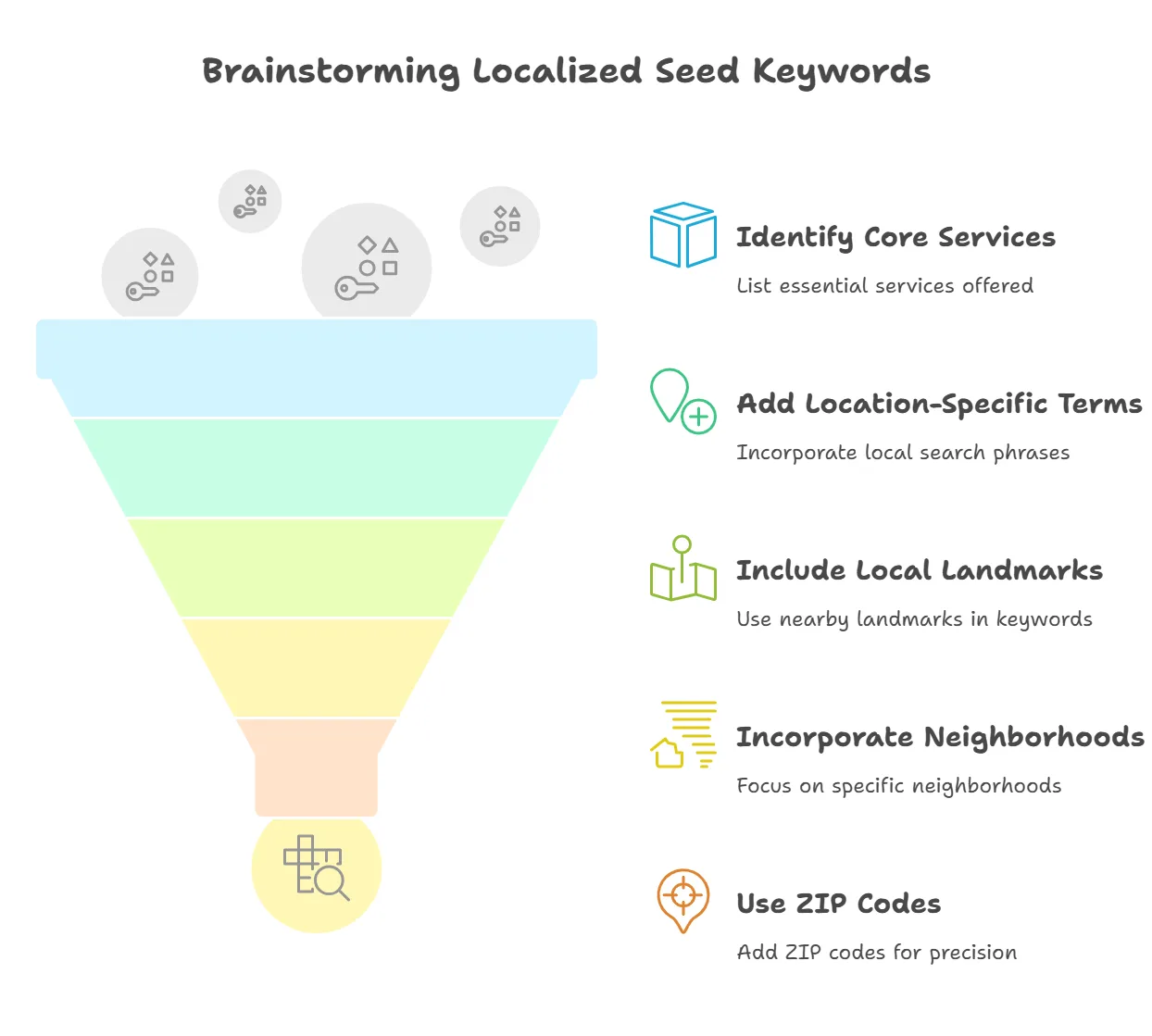
Start with general terms customers might search for, without location:
→ car wash
→ auto detailing
→ car cleaning
→ car waxing
Then add location-specific terms:
→ car wash in California
→ car detailing near Los Angeles
→ car wash in Bay Area
People often add local details too, like:
→ Landmarks: “car wash near Griffith Park”
→ Street names: “car wash on Sunset Boulevard”
→ Neighborhoods: “car detailing in Beverly Hills”
→ ZIP codes: “car wash in 90210”
Note these general and location-specific terms, they’re your starting point.
b. Google your brainstormed ideas. Search the phrases you’ve jotted down and see what comes up. Add anything relevant that isn’t already on your list.
Start typing a core term into Google and note the suggestions.
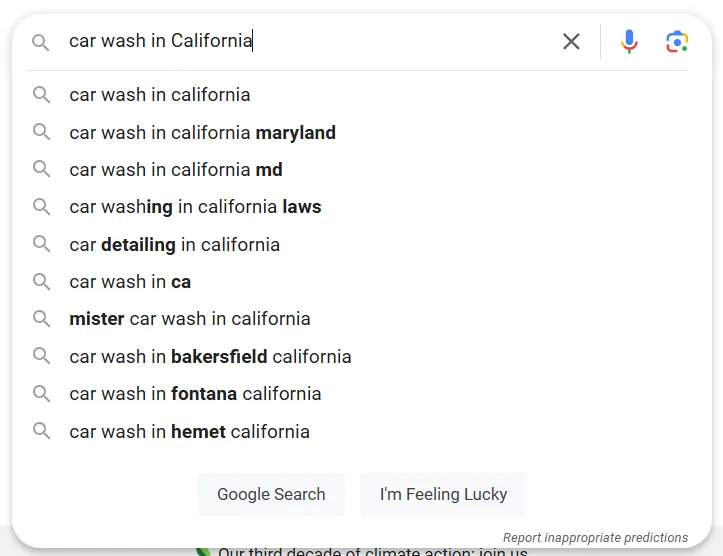
Hit Enter and check the results.
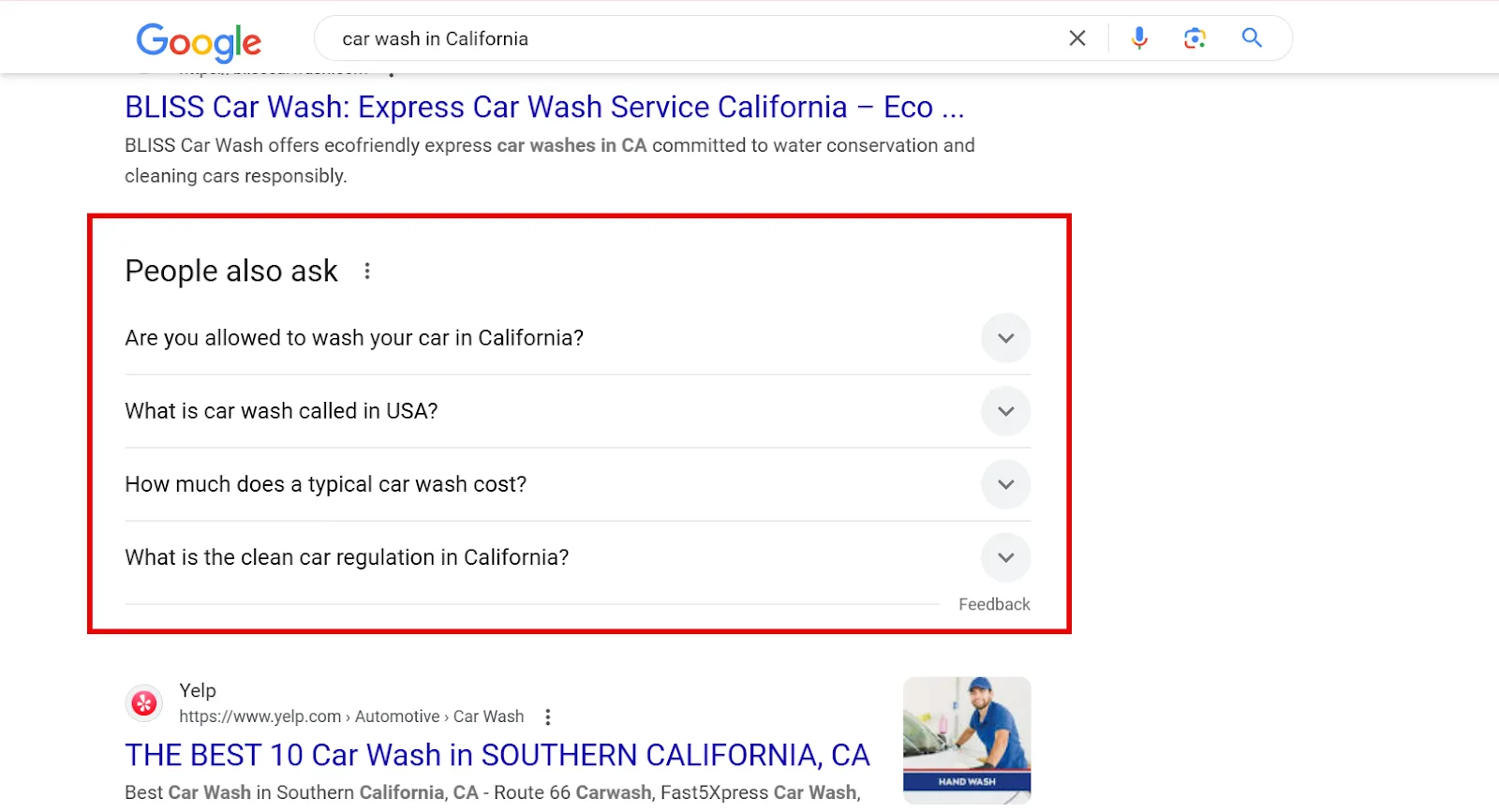
Scroll to People Also Ask for real questions your audience is asking, then scroll to the bottom of the SERP for People Also Search For.
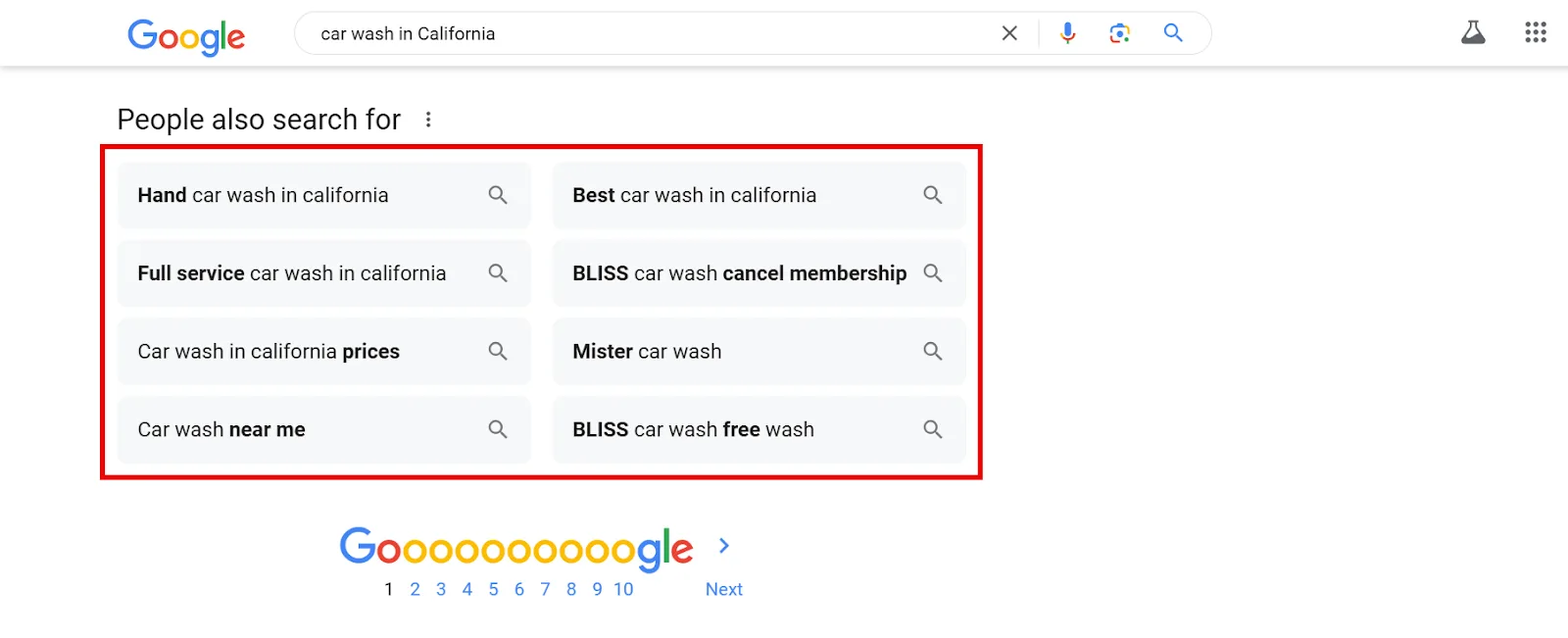
Google surfaces these based on patterns from other users making similar searches, so there’s a good chance your target customers are searching them too. Note them down, then repeat the search with each keyword you’ve found to surface even more specific queries.
If you’re stuck, ChatGPT can help as a brainstorming partner (its suggestions aren’t backed by real search data, so treat them as inspiration only). Try a prompt like: “Suggest seed keywords for a [business type] in [target region].”
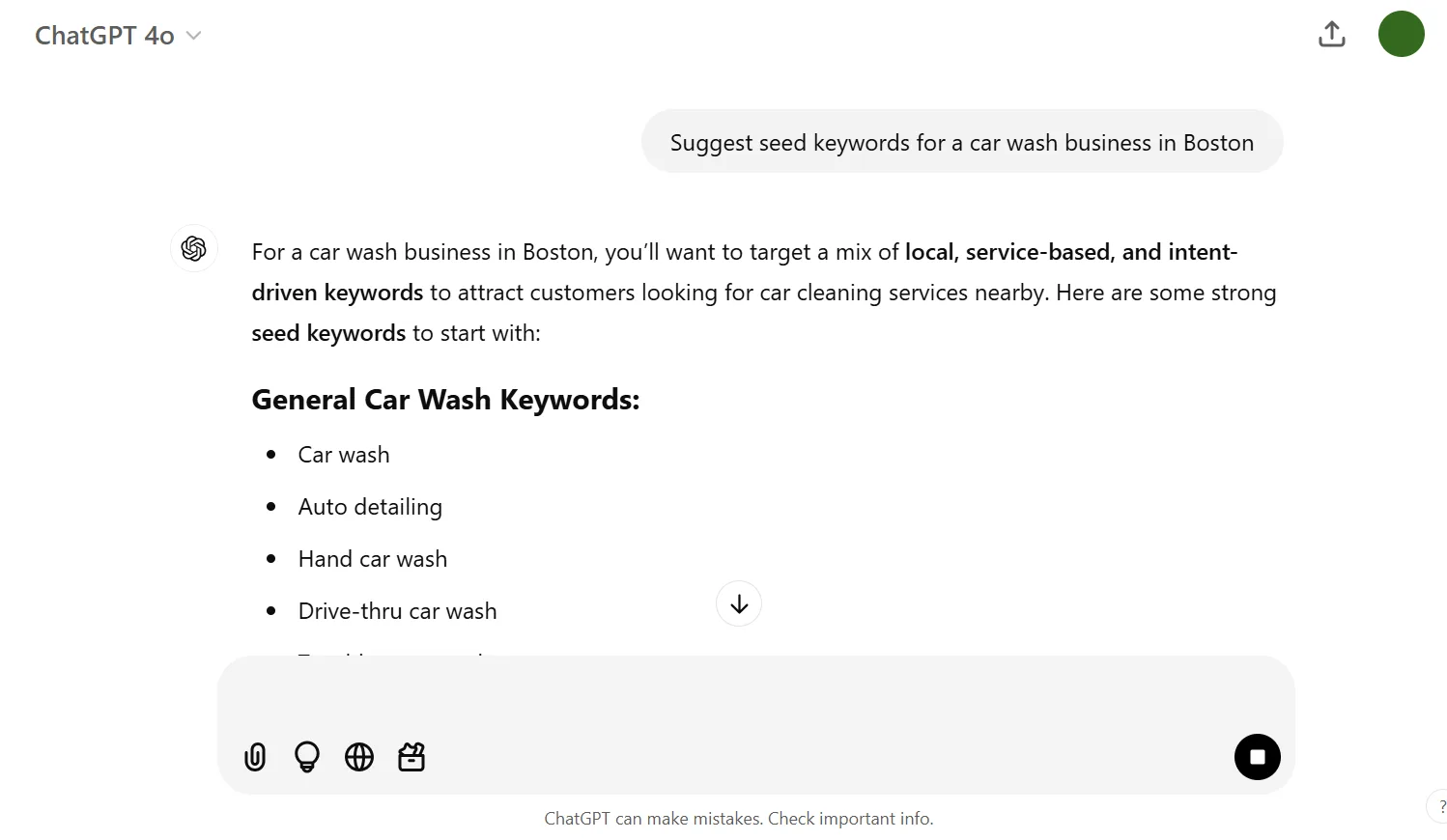
Copy anything that resonates with your offerings and add it to your list.
c. Check your competitors’ websites. Before stealing their keywords, correctly identify your top competitors. When you Googled your terms earlier, which businesses kept showing up in organic results? Those are your organic competitors.
Open their sites and see what keywords they’re targeting. This local car wash competitor, for instance, listed 6 to 10 more services once I clicked into each option:
→ Headlight Restoration
→ Carpet Shampoo
→ Rim Polish
→ Clay Magic
→ Buff & Wax
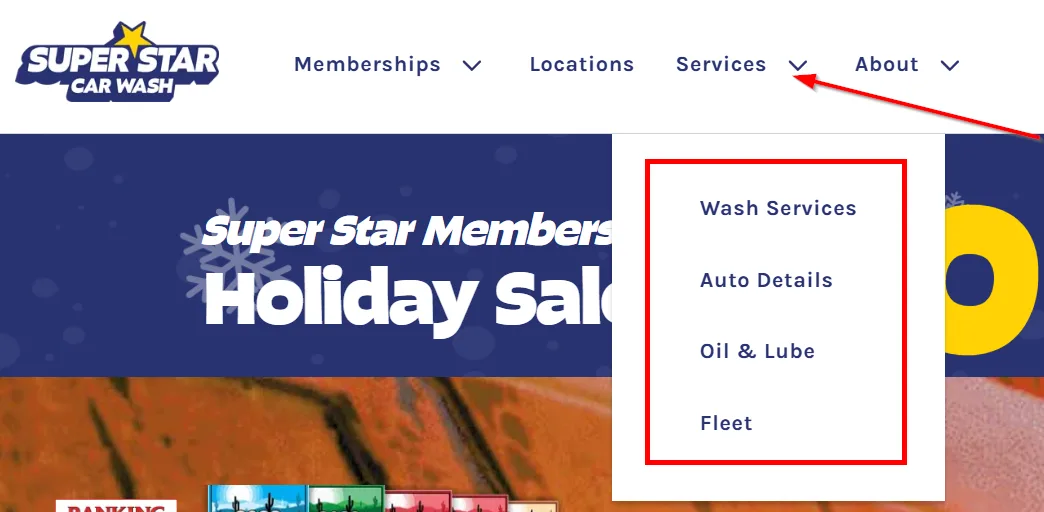
If a competitor offers something you also offer, add it to your list.
d. Use a keyword tool. Tools like Semrush, Ahrefs, Moz, or Google Keyword Planner give you insight into other relevant services. I use Semrush, so that’s what the rest of this guide walks through.
2. Add Local Keyword Modifiers
With your seed keywords in hand, extend them with modifiers, terms that make your core keyword more specific and easier to rank for while attracting customers searching for exactly what you offer.
I use Semrush’s Keyword Magic Tool for this. Enter your first seed keyword and your website’s URL, select your target country, and click Search.
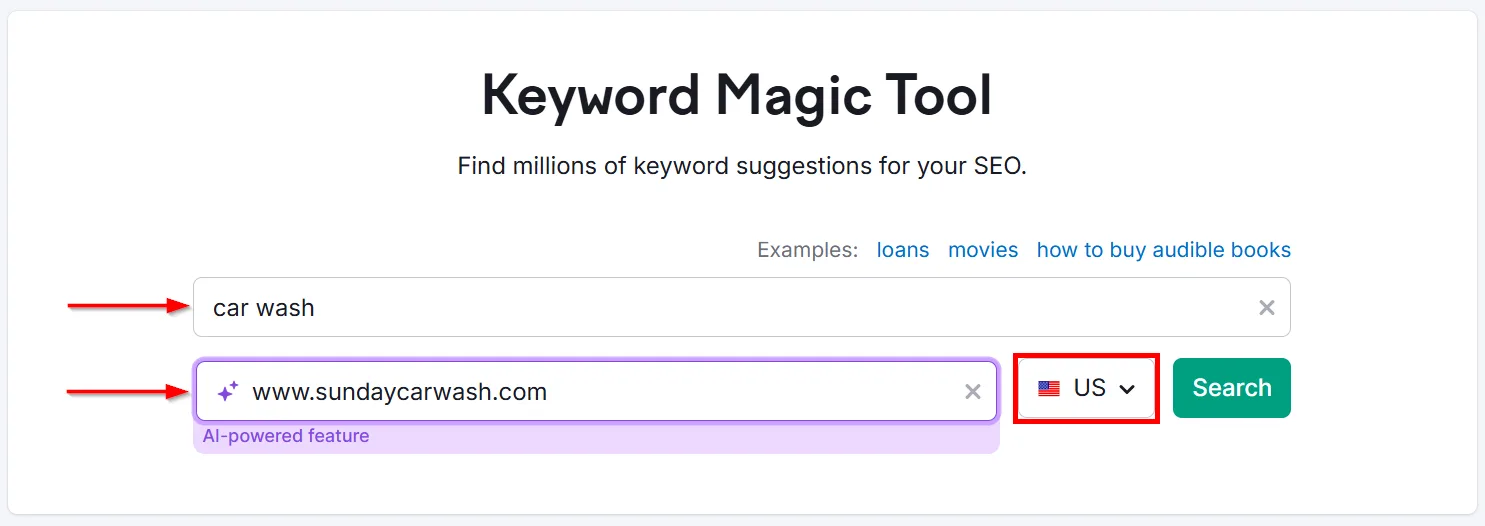
You’ll get a list of related keywords, including your seed keyword or variations of it.
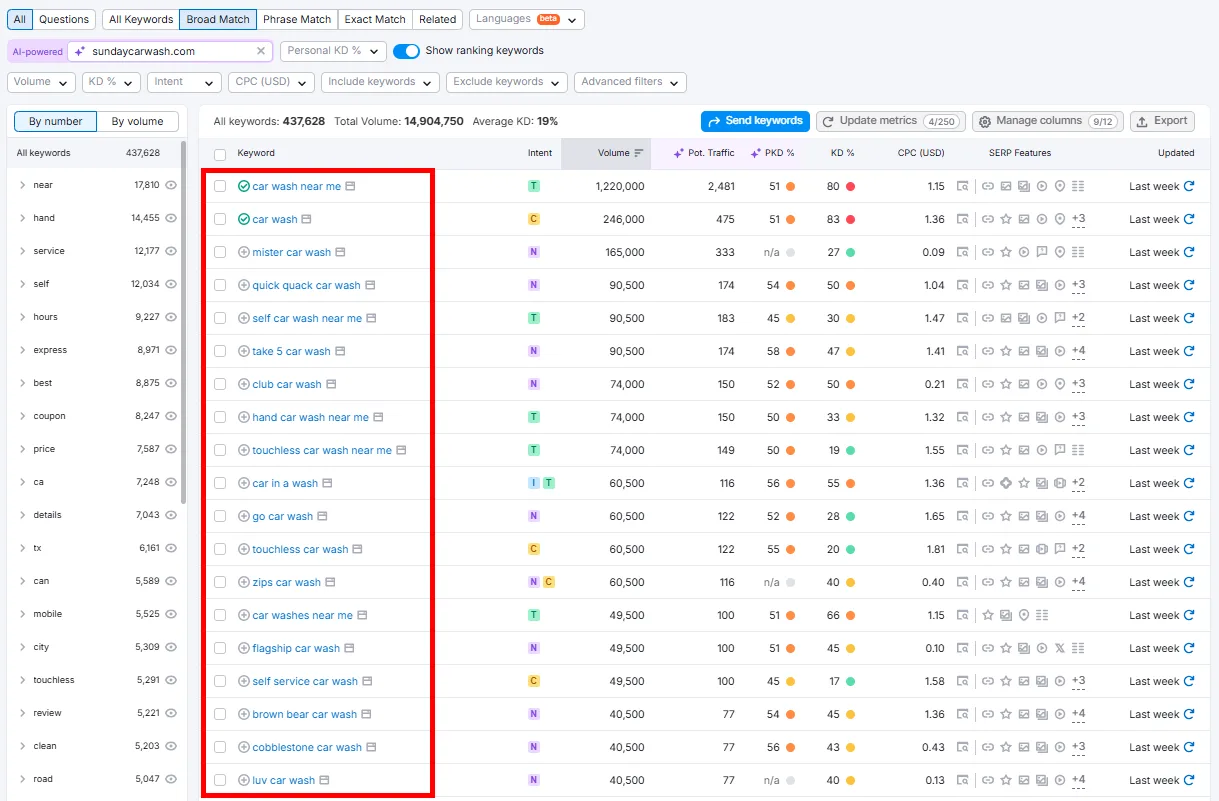
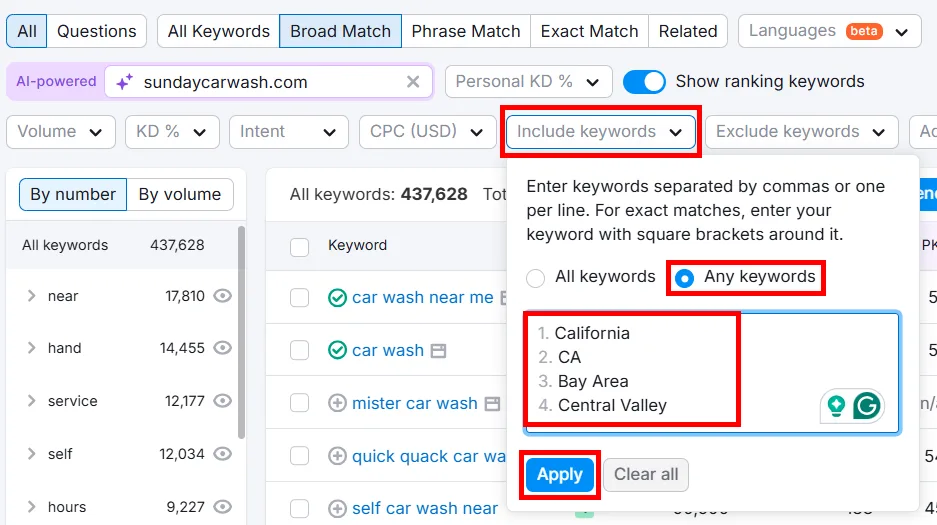
Since we’re after local intent specifically, use filters to narrow things down. For explicitly local keywords like “car wash in california,” click Include keywords, select Any keywords, type in your location modifiers, and click Apply.
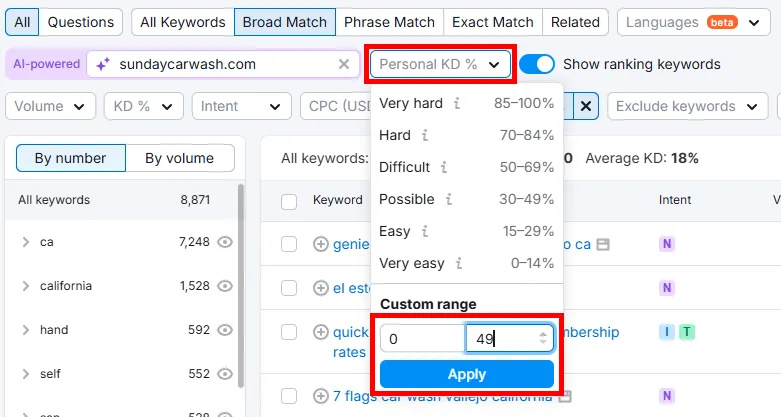
Review the list and pick keywords matching your products or services. If you entered your domain, check the Personal Keyword Difficulty (PKD%) column, this shows how hard it’ll be for your specific site to rank based on its authority and content relevance versus competitors.
Click the Personal KD% filter, set the range to 0 to 49 (keywords you have a better shot at ranking for), and click Apply.
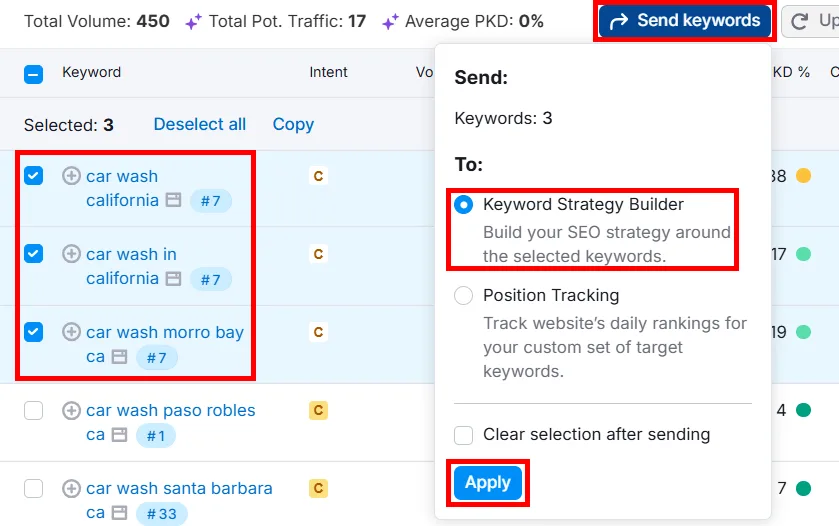
The key is picking keywords with reasonable volume and PKD. Select relevant ones, click the checkboxes, then click Send keywords, select Keyword Strategy Builder, and Apply.
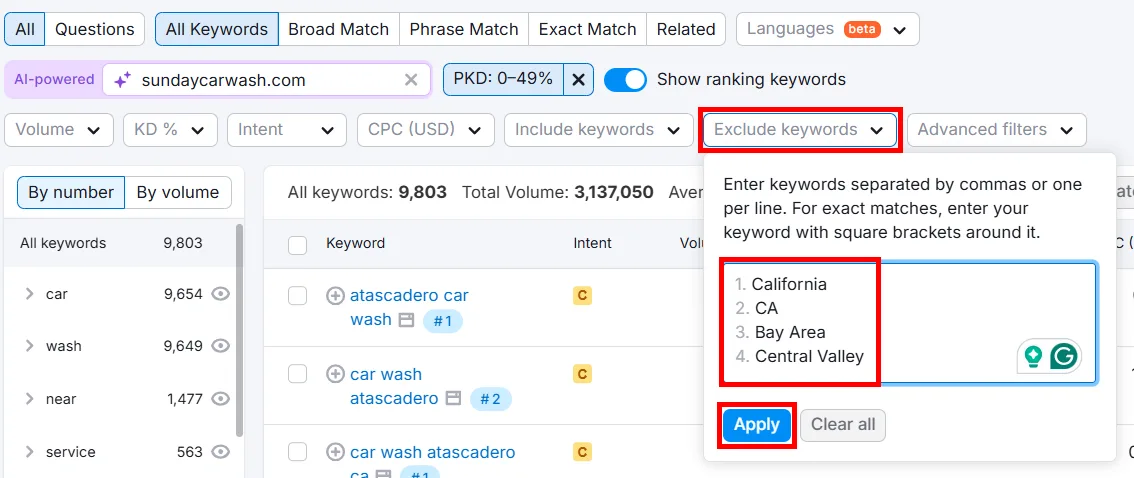
Now let’s find implicit keywords, terms that don’t mention your location explicitly, like “self service car wash” or “car wash near me.” Move your location modifiers from the Include keywords filter into Exclude keywords to hide location-specific terms.
To see only local map pack results, click Advanced filters > SERP Features > Local Pack, then Apply.
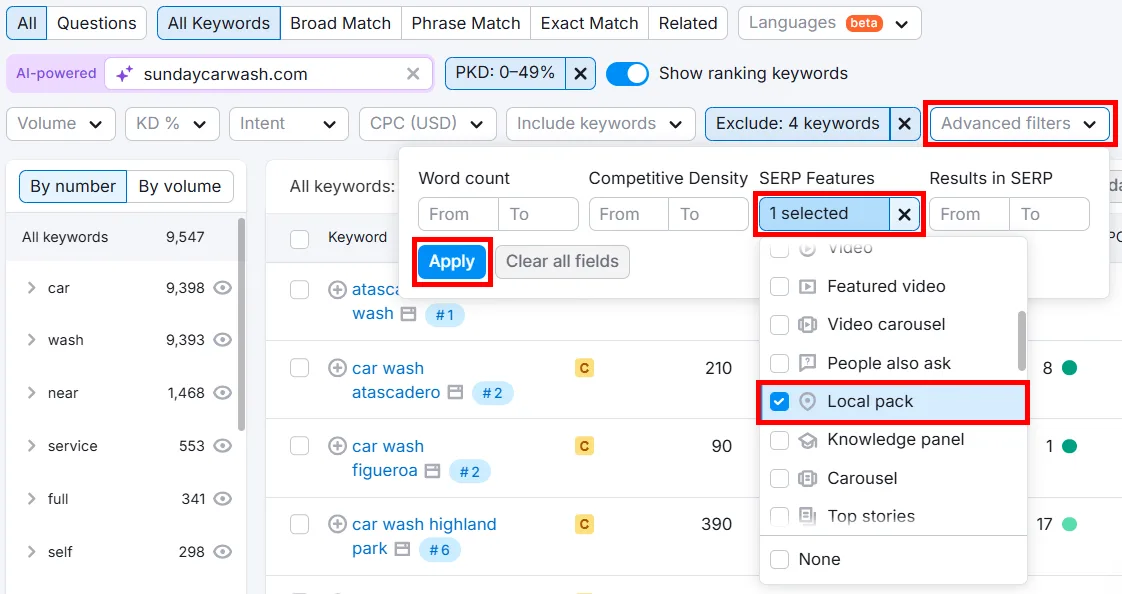
You’ll get a list of highly targeted, relevant keywords. Play with the Volume and KD columns to catch anything you might’ve missed.
3. Analyze Local Metrics
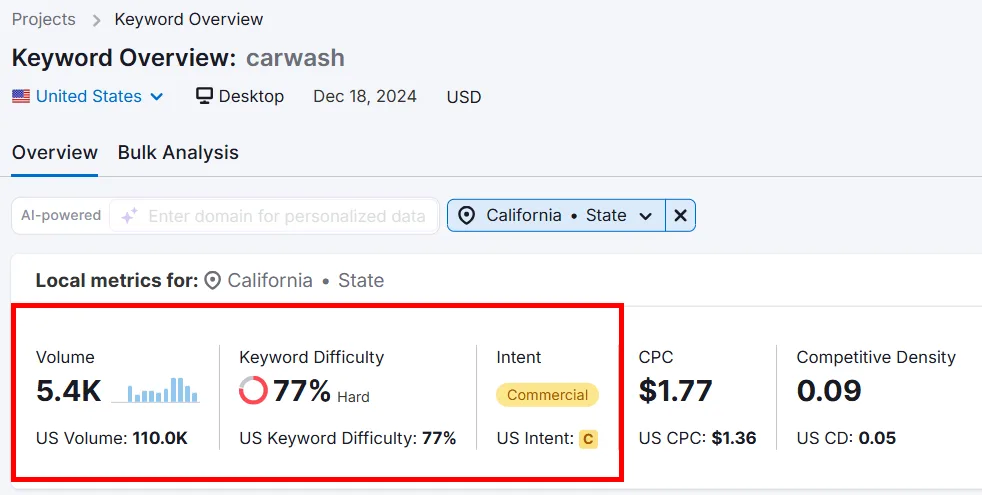
With your saved keywords, review their metrics and prioritize what’s realistic to rank for in your target location. Open Keyword Overview, type a seed keyword, select your location, and click Search.
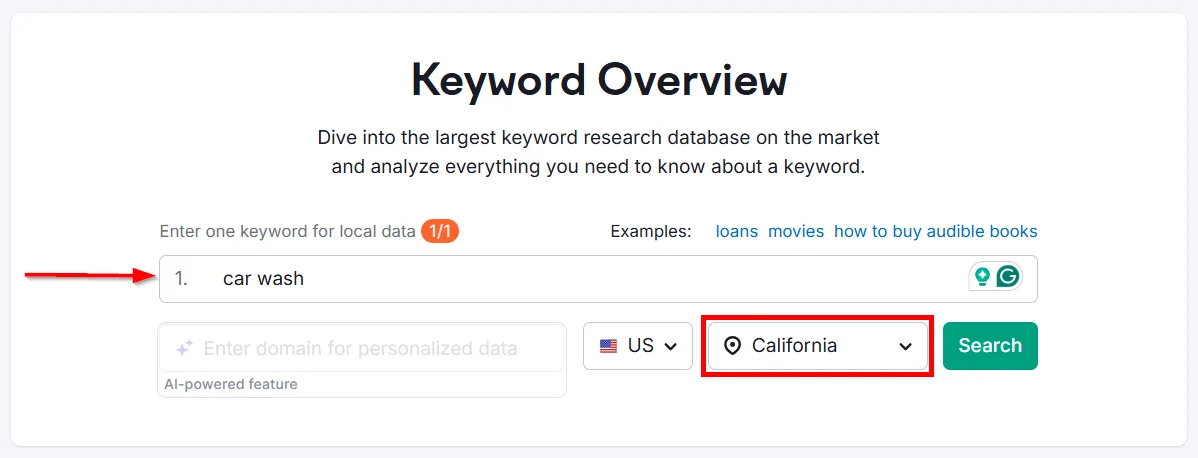
The overview report shows search volume, keyword difficulty, and intent for that location.
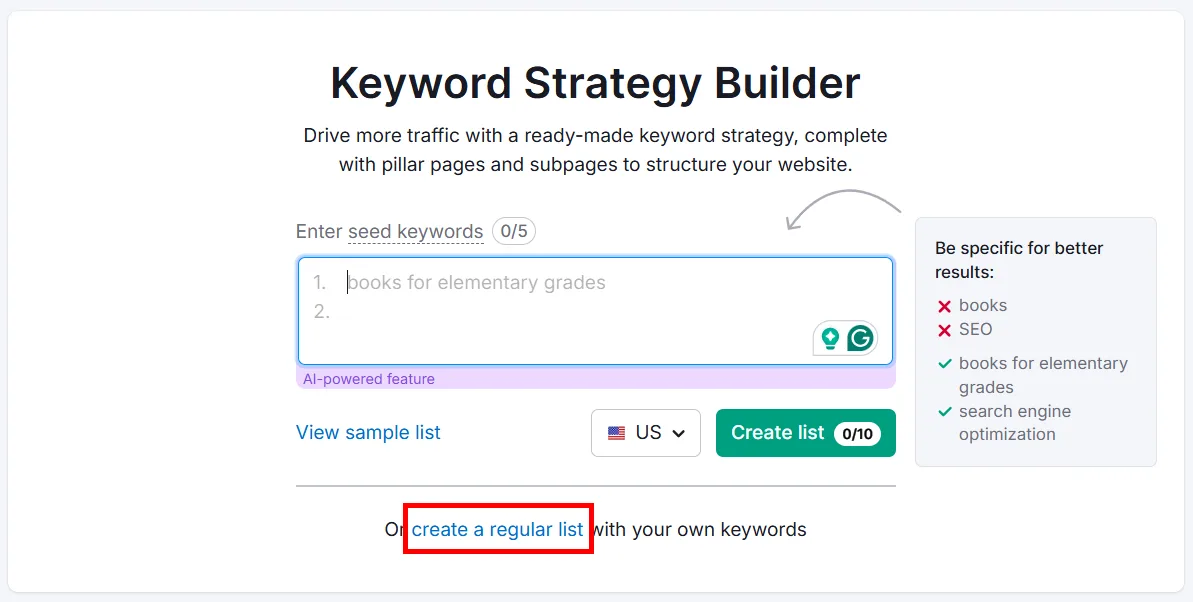
Use Semrush’s Keyword Strategy Builder (formerly Keyword Manager) to prioritize your highest-potential local keywords. Open it, click create a regular list under the search bar.
Name your list something relevant (I went with “Car Wash”) and click Create list.
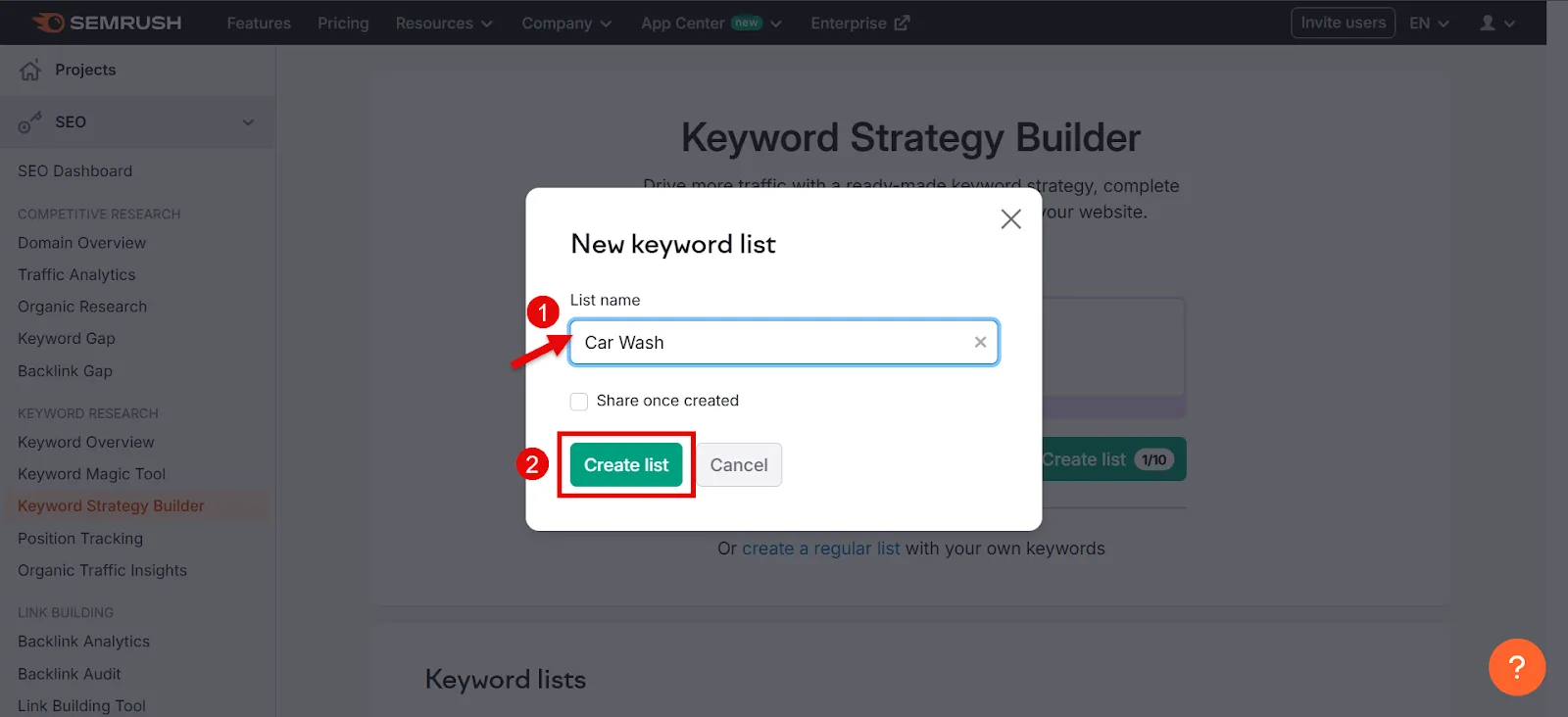
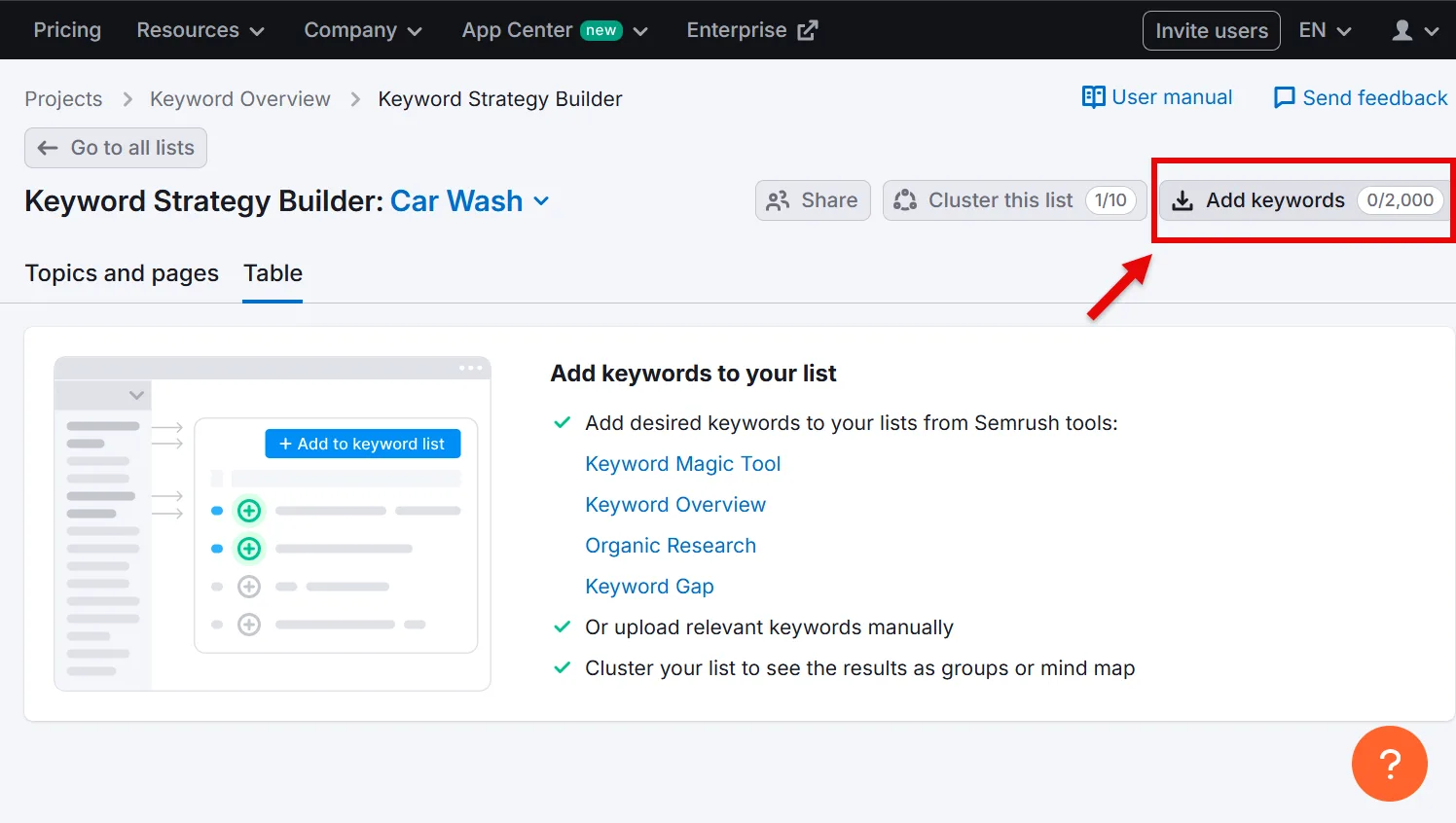
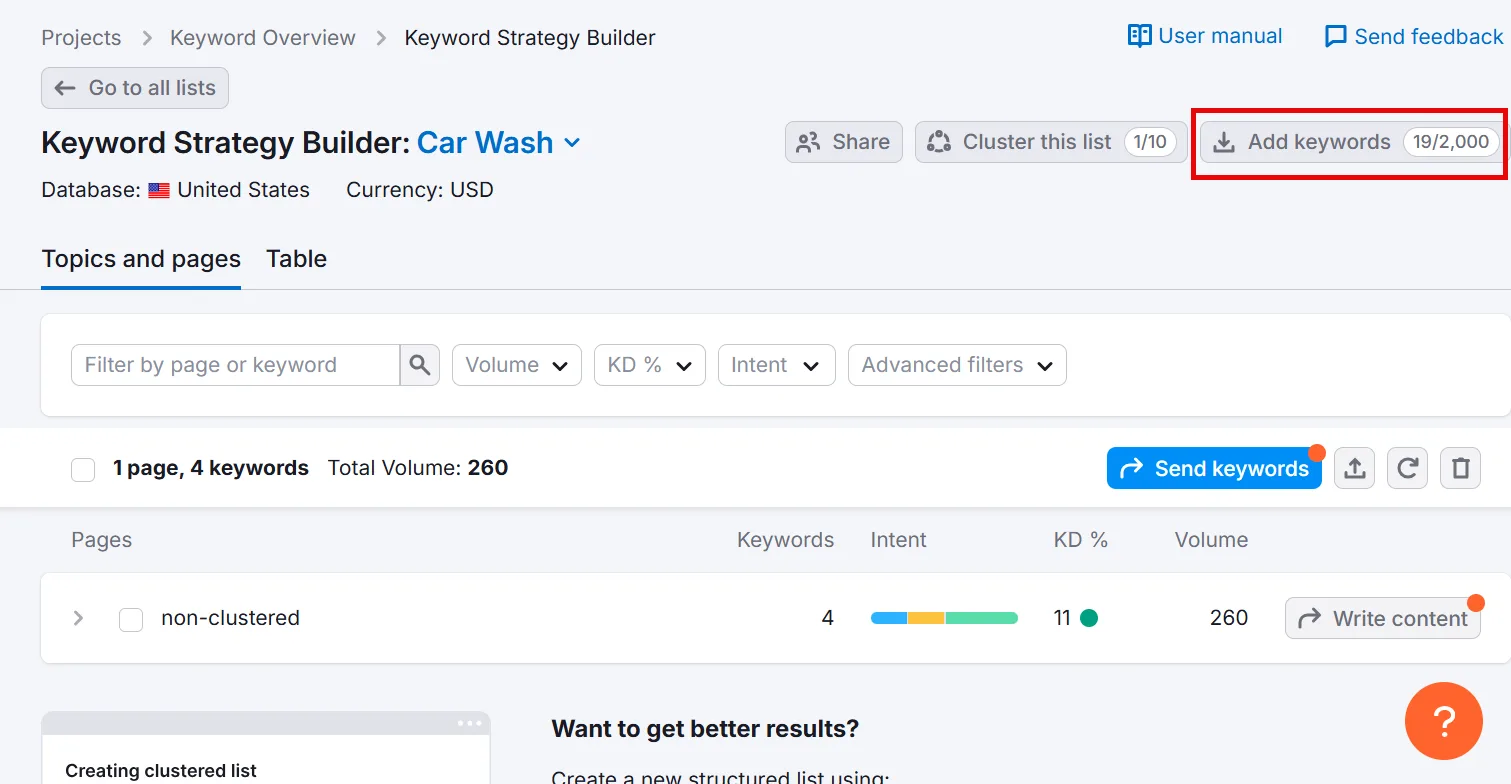
Click Add keywords in the top-right corner.
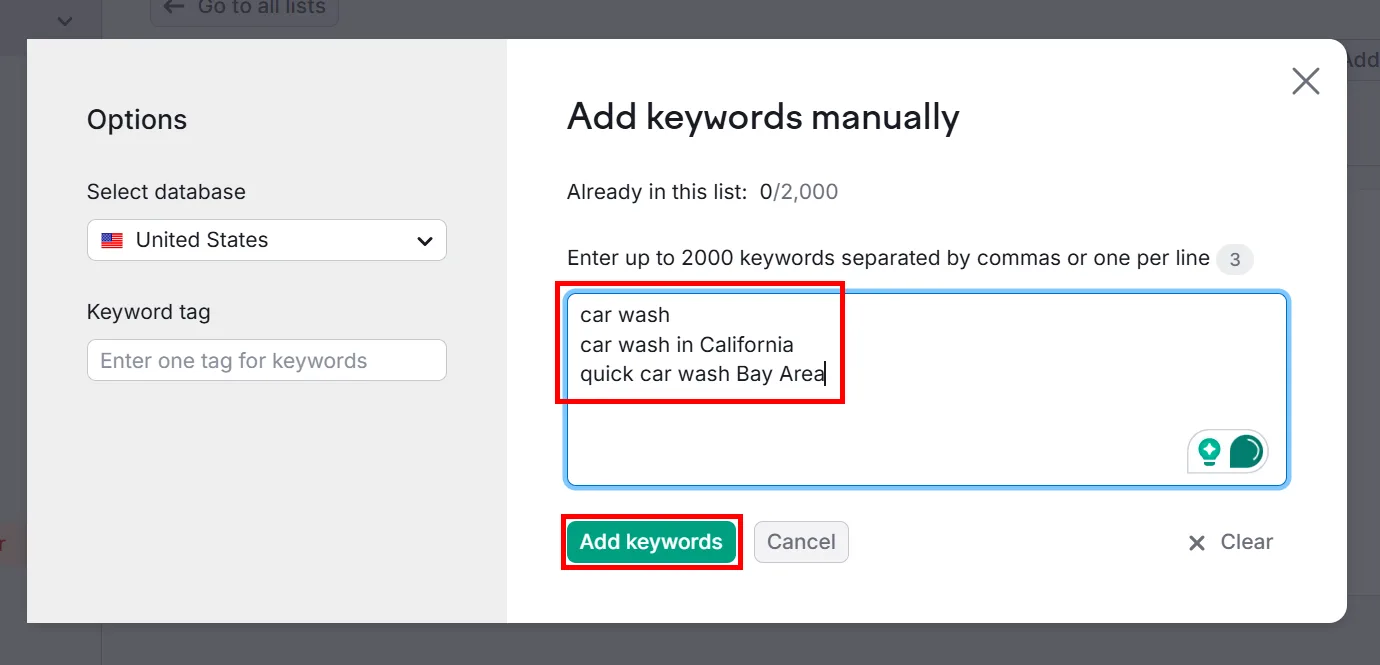
Add all the keywords from your spreadsheet (up to 2000, comma-separated), then click Add keywords.
In the Table tab, you’ll see metrics for all your keywords.
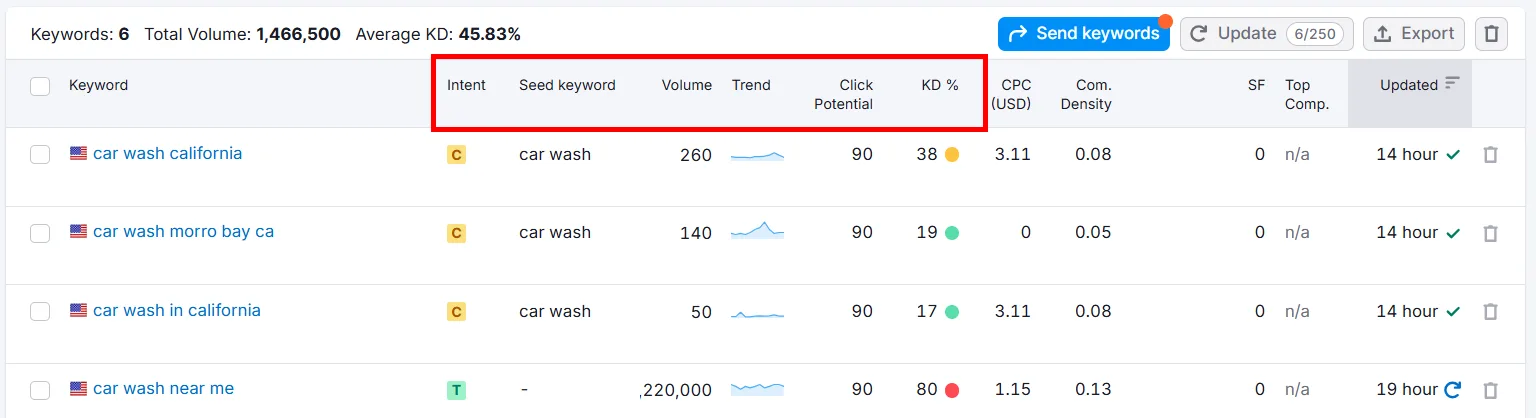
When evaluating keywords, weigh:
↳ Search intent: what the searcher actually wants. Prioritize transactional or commercial intent to drive action.
↳ Search volume: how often people search for it each month.
↳ Trend: how popularity shifts over time.
↳ Click potential: how likely users are to click your page for this term.
↳ Keyword difficulty (KD): a percentage, 1% easiest, 100% hardest.
Choose keywords with healthy volume, low difficulty, and strong click potential, and add transactional or commercial terms like “book car detailing in LA” to drive action. Organize everything in a spreadsheet by relevance, volume, and difficulty.
Using the right keywords in your content, like “full-service car wash Los Angeles” or “self service car wash near me,” makes your page more visible to the right audience and increases your odds of turning clicks into business.
4. Look at Competitors and Keep Improving
Check what your competitors target, you may find gaps or opportunities they’ve overlooked. Keep refining your list over time to stay ahead in local search.
You can also find local keywords by analyzing competitor rankings directly. Run a local search on Google, “car wash in california,” for example, and note the results.
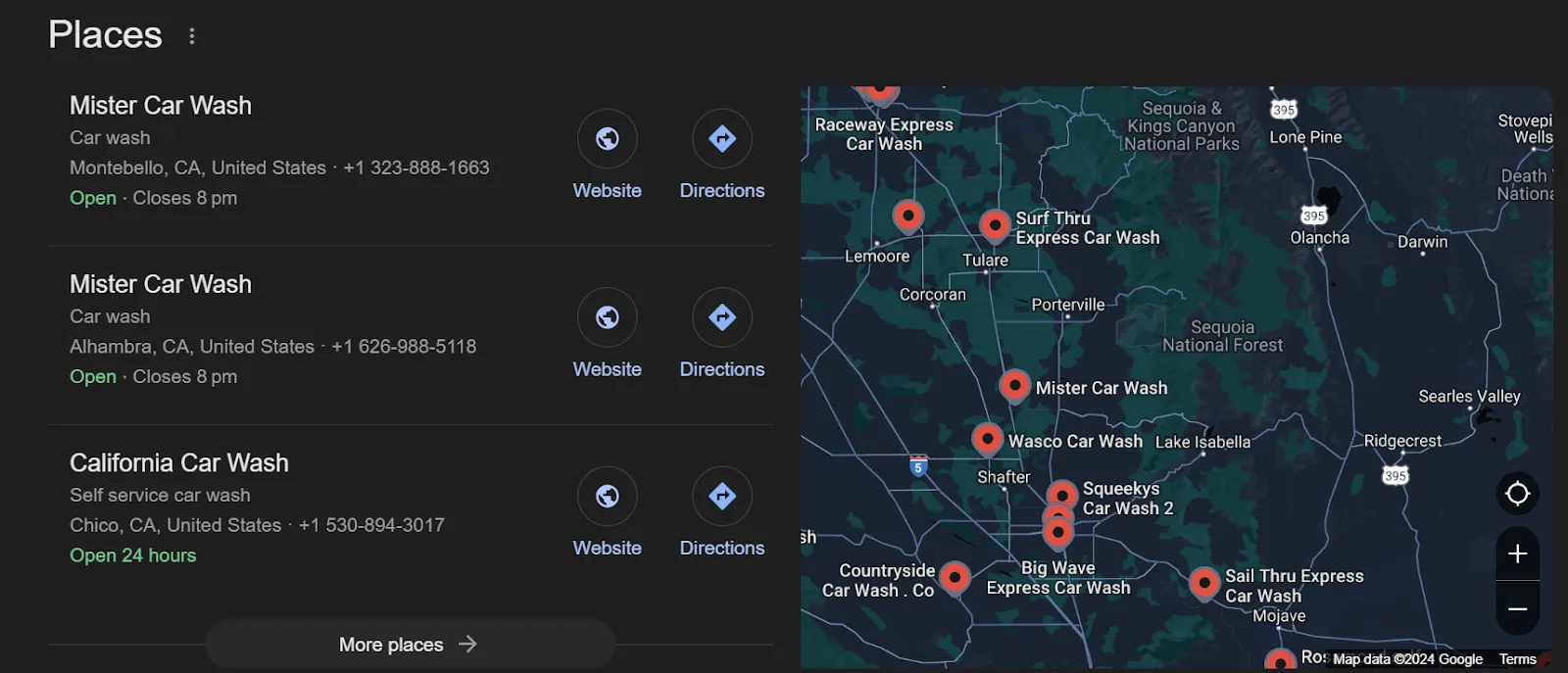
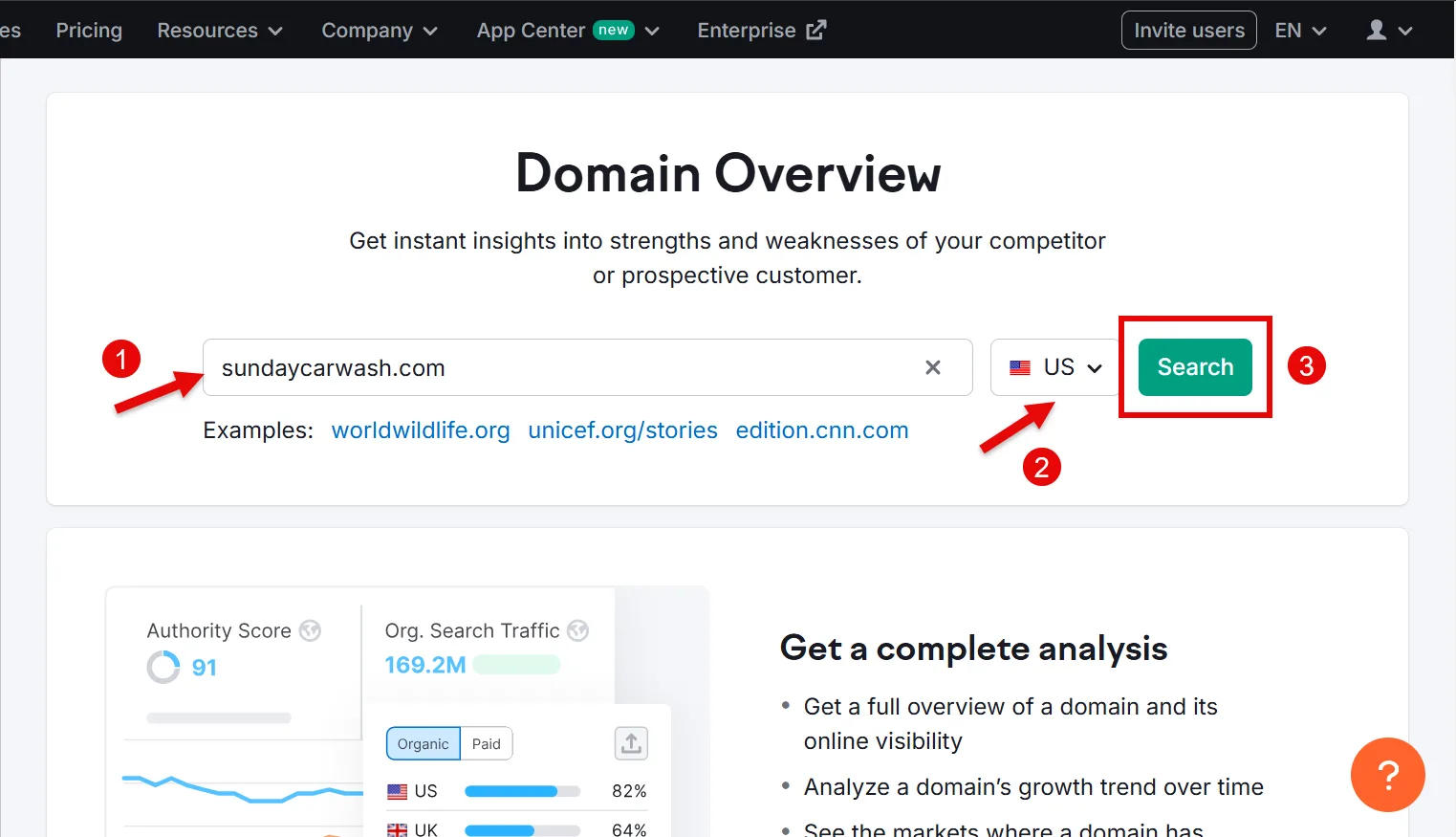
These are your top local competitors. For a deeper dive, use Semrush’s Domain Overview. Enter your domain, select your country, and click Search.
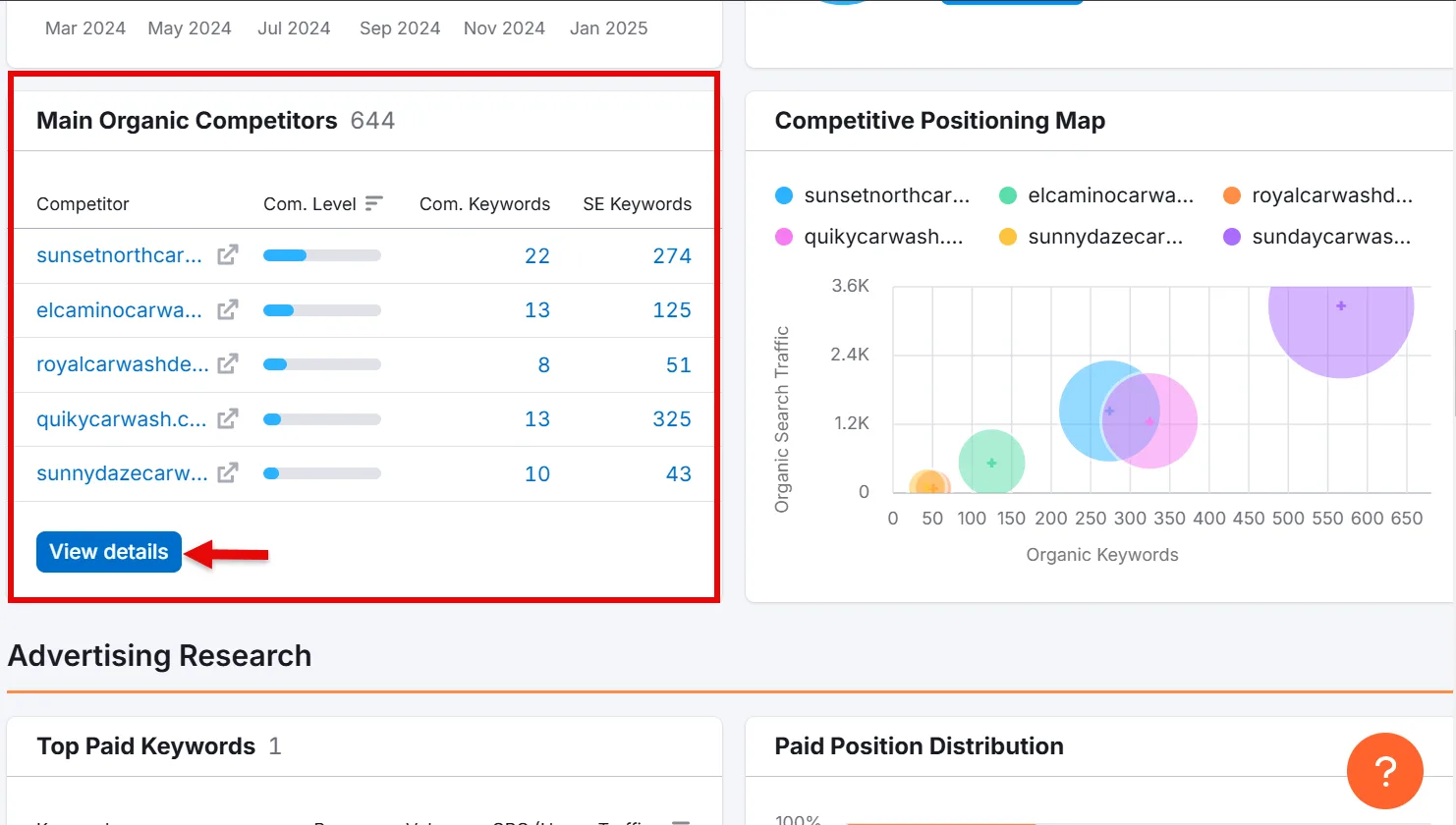
Scroll to Main Organic Competitors, then click View details to learn more about each.
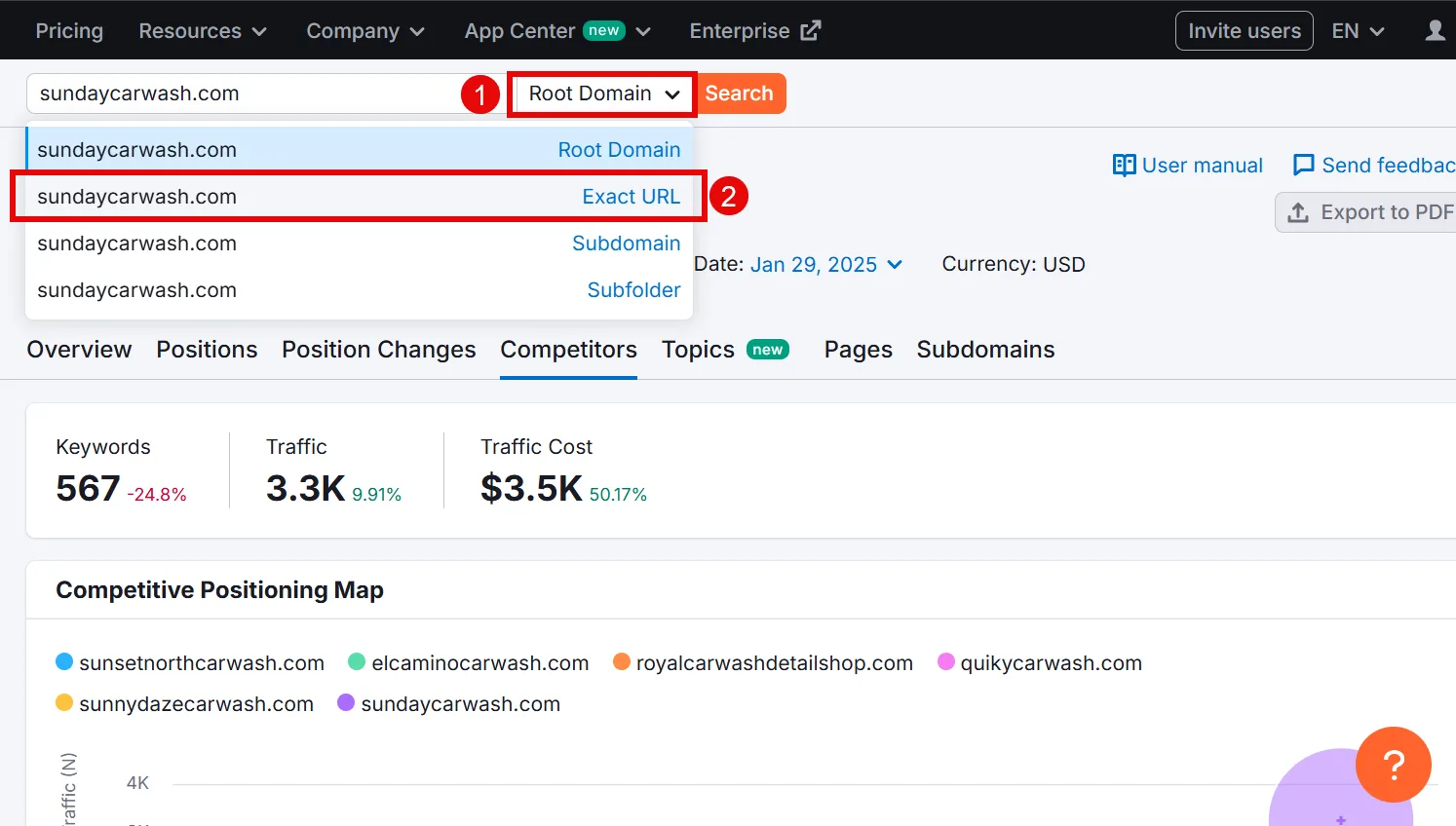
If you have location-specific pages (example.com/locations/city), switch Root Domain to Exact URL and search to find competitors for that specific page.
Once you’ve identified top competitors, use the Keyword Gap tool to find what they rank for that you don’t. Enter your domain and up to 4 competitor domains, select your target country, and click Compare.
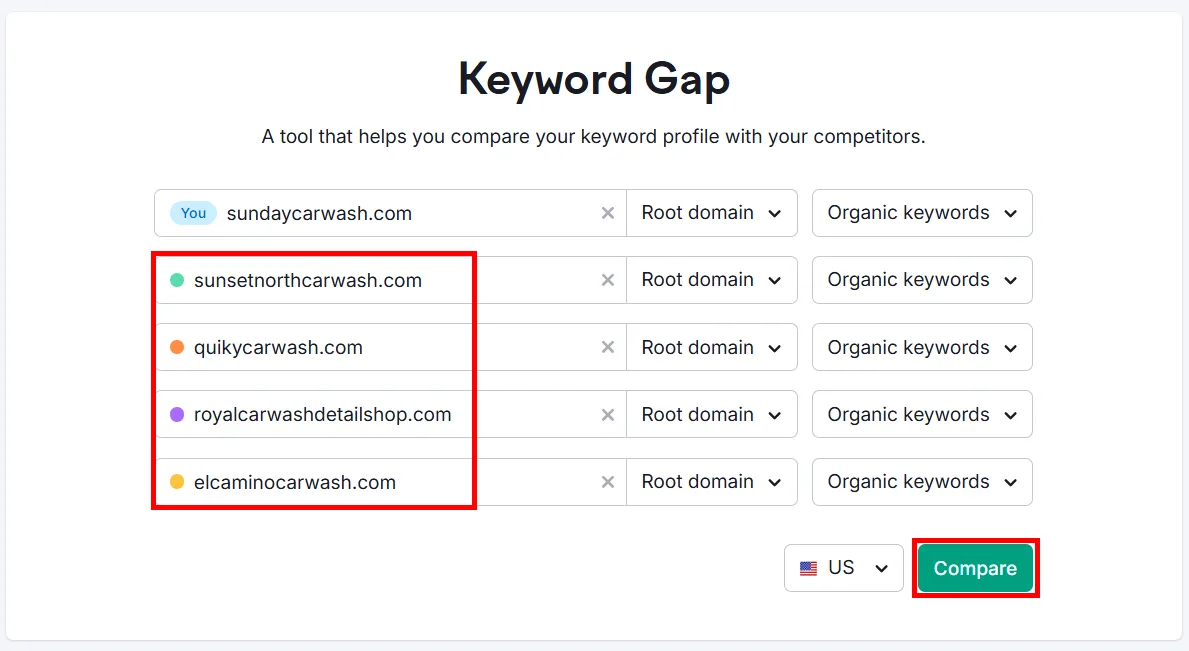
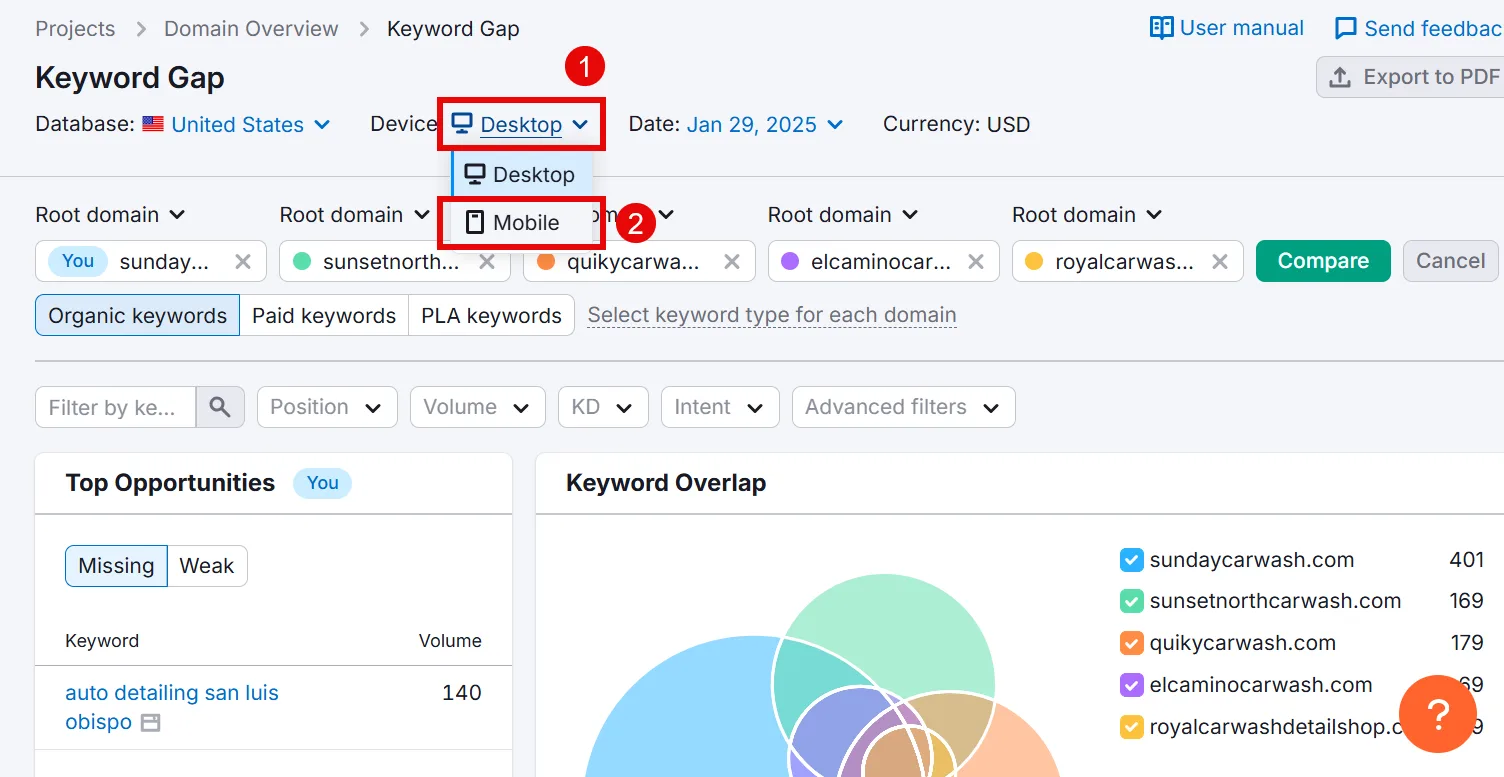
Switch to Mobile results in the Device option, most local queries happen on mobile.
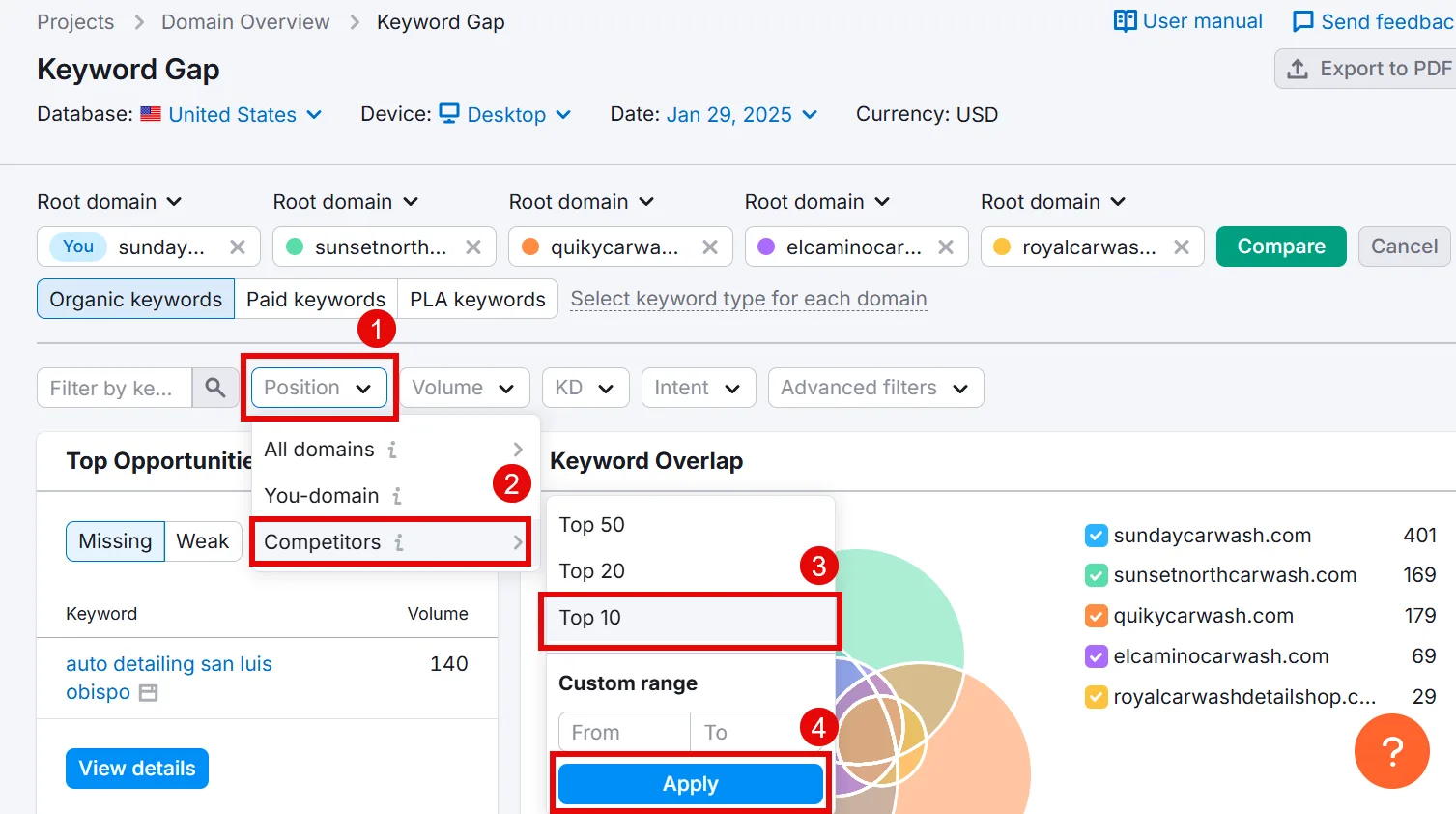
Find the terms competitors rank highest for by selecting Position > Competitors > Top 10 and clicking Apply.
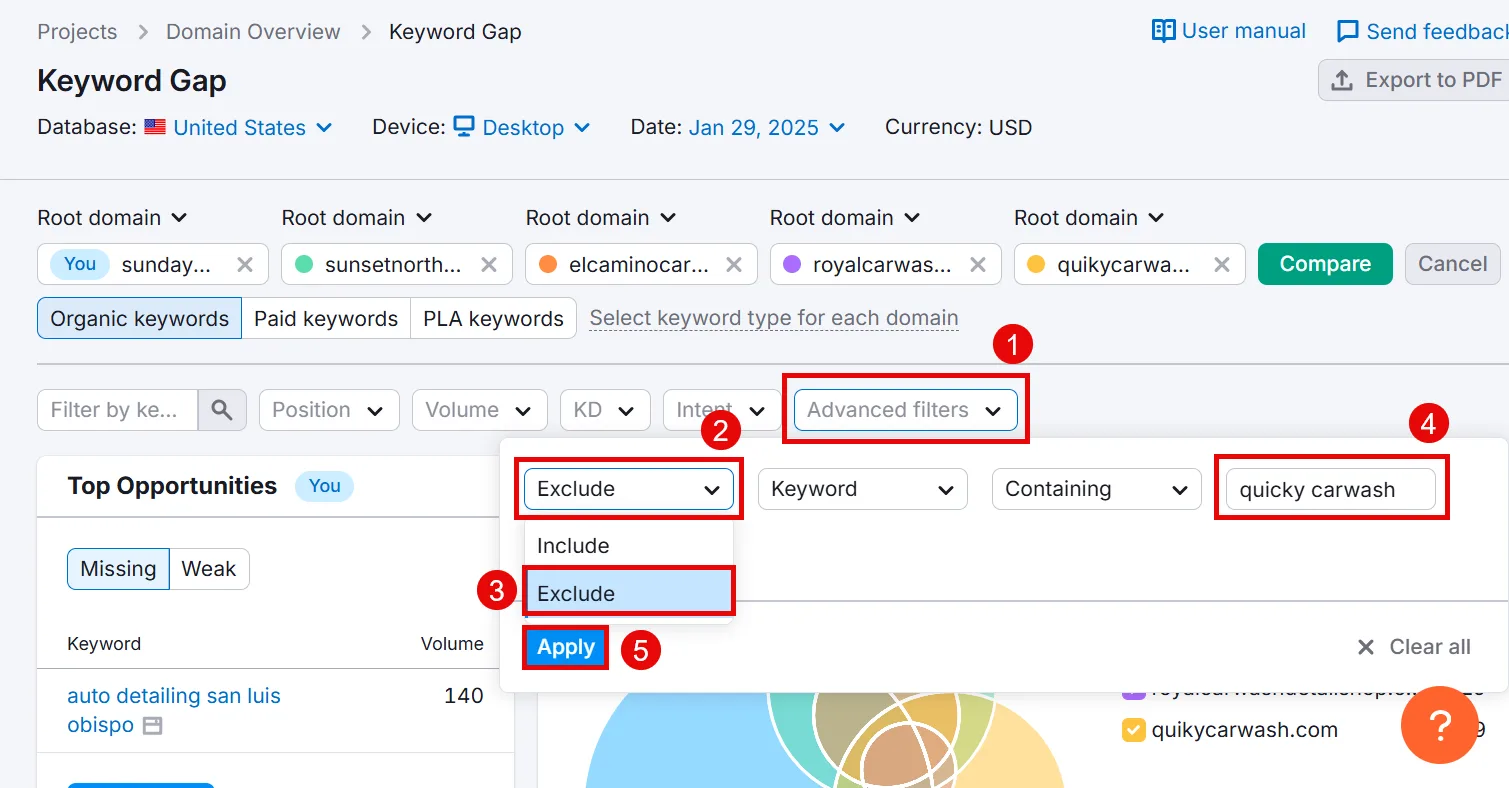
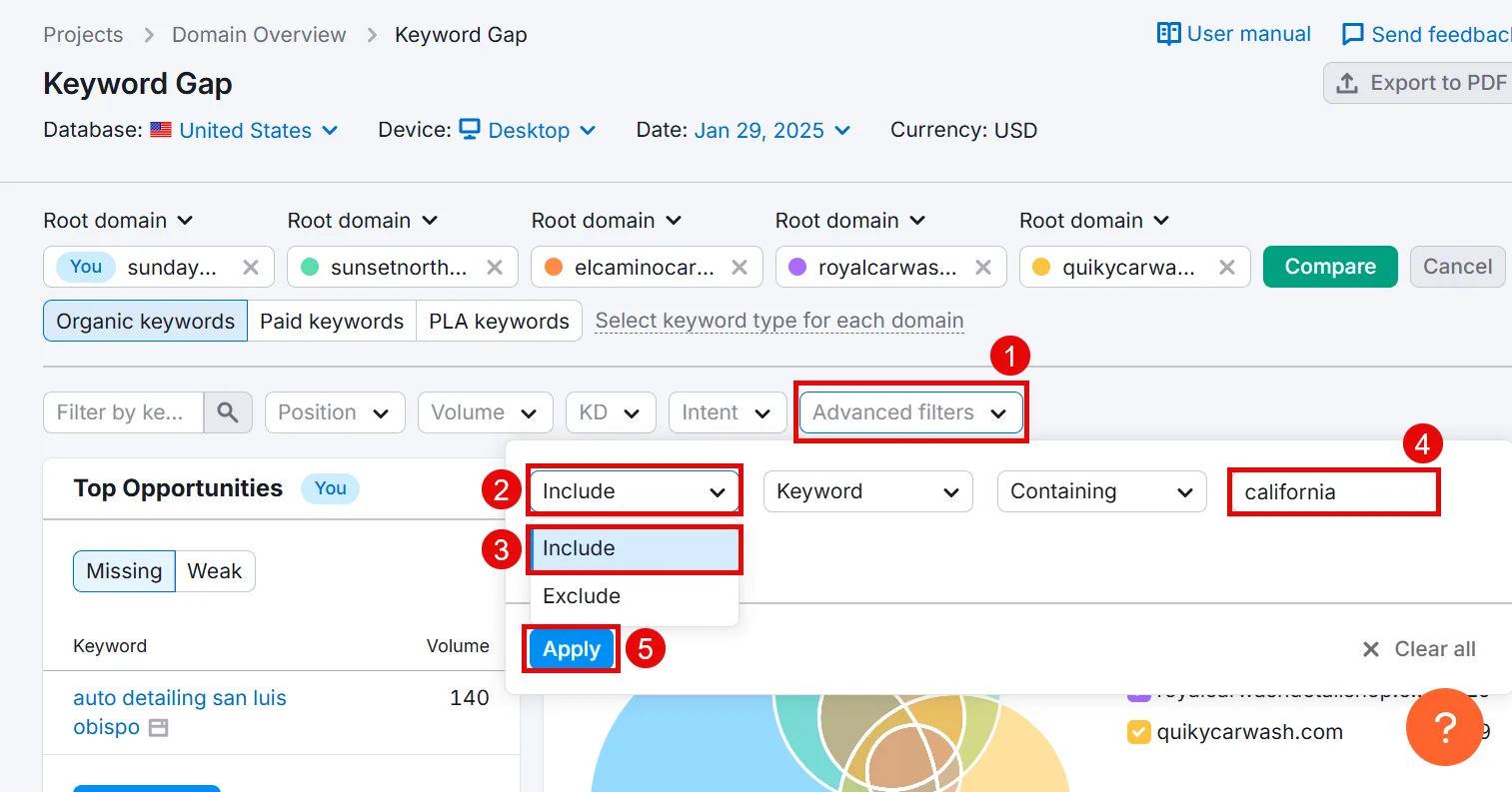
Avoid targeting competitors’ brand names. Exclude them via Advanced filters > Exclude > Keyword > Containing, enter the competitor’s name, and Apply.
Then filter for explicit local intent using your location terms via Advanced filters > Include > Keyword > Containing, entering your location (California, for example), and Apply.
Scroll down and check the Untapped tab for keywords competitors rank for that you don’t.
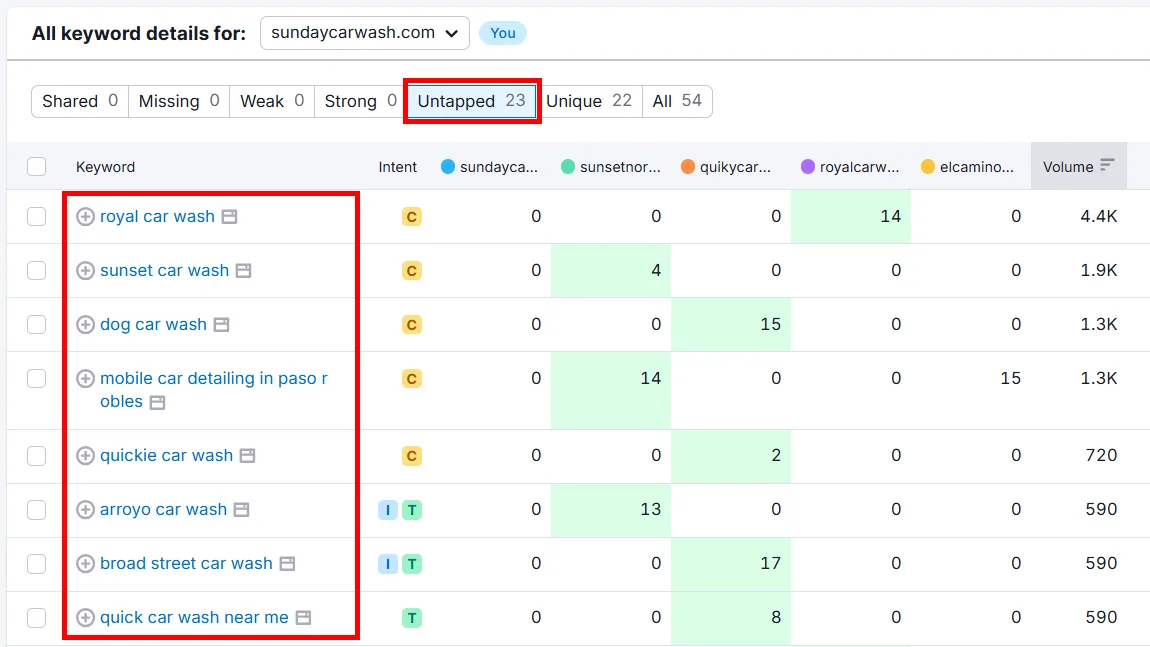
Add anything relevant to your list.
5. Organize and Map Your Keywords
What do you do with all these researched keywords? Start by figuring out which page on your site will target which term. This tells search engines what each page is most relevant for, prevents pages from competing against each other, and organizes your site for better rankings.
I use Semrush’s Keyword Strategy Builder for this, it groups your keywords by relevancy and intent automatically. Open the tool, scroll to Keyword lists, and open your list.
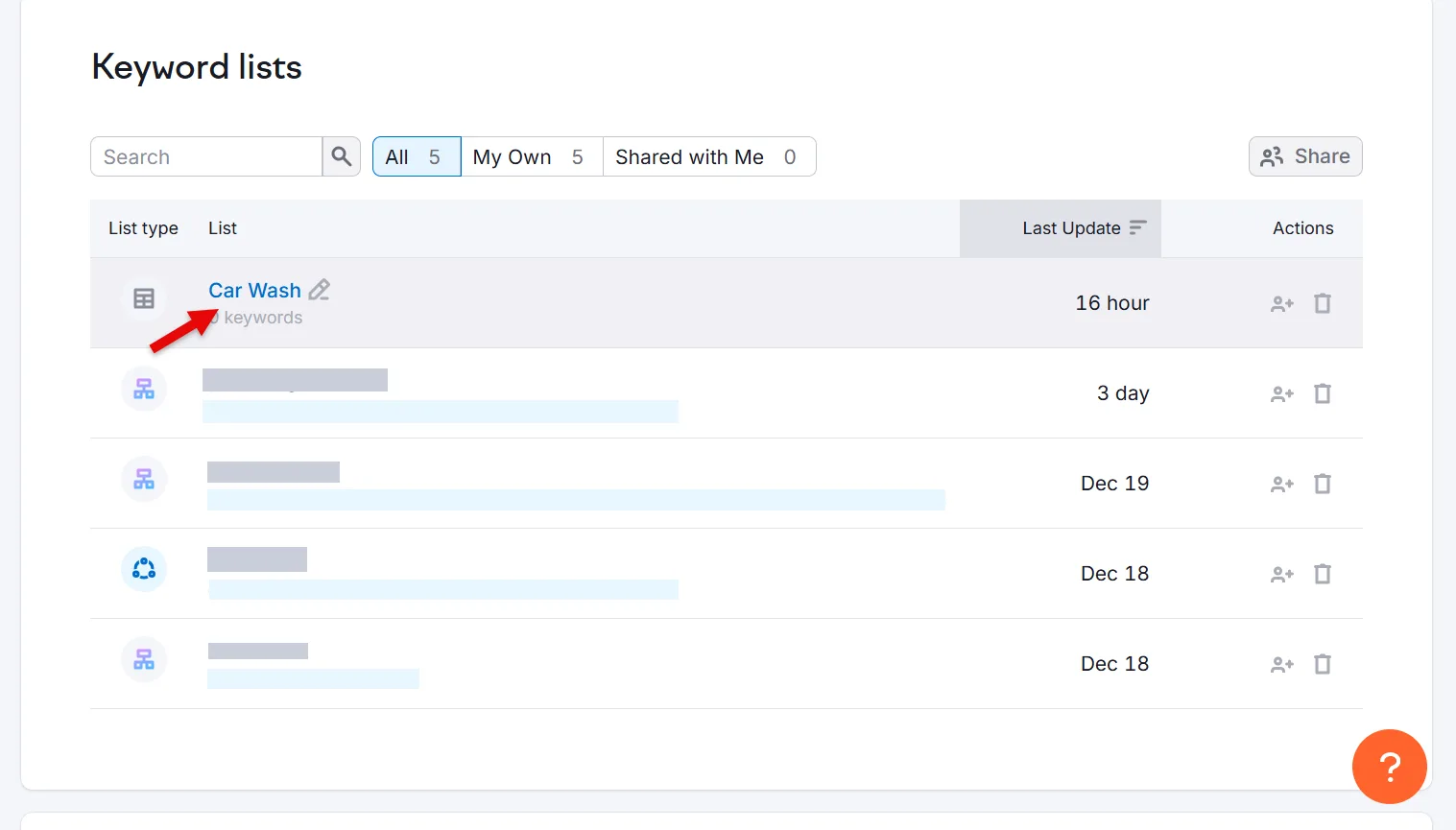
If your keywords are still in a spreadsheet, click create a regular list, then Add keywords, and paste them in.
Open your list, go to Topics and pages, and click Create list.
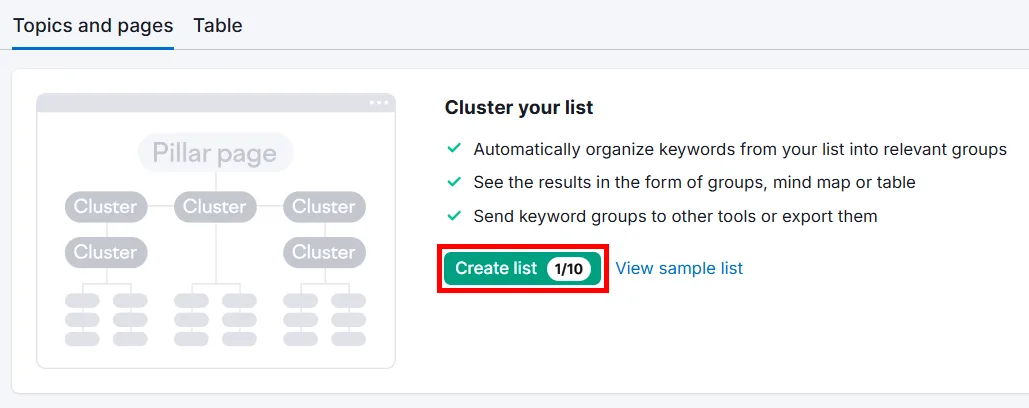
This can take a few minutes depending on list size. Once done, your keywords will be grouped into pages, each focused on a primary keyword.
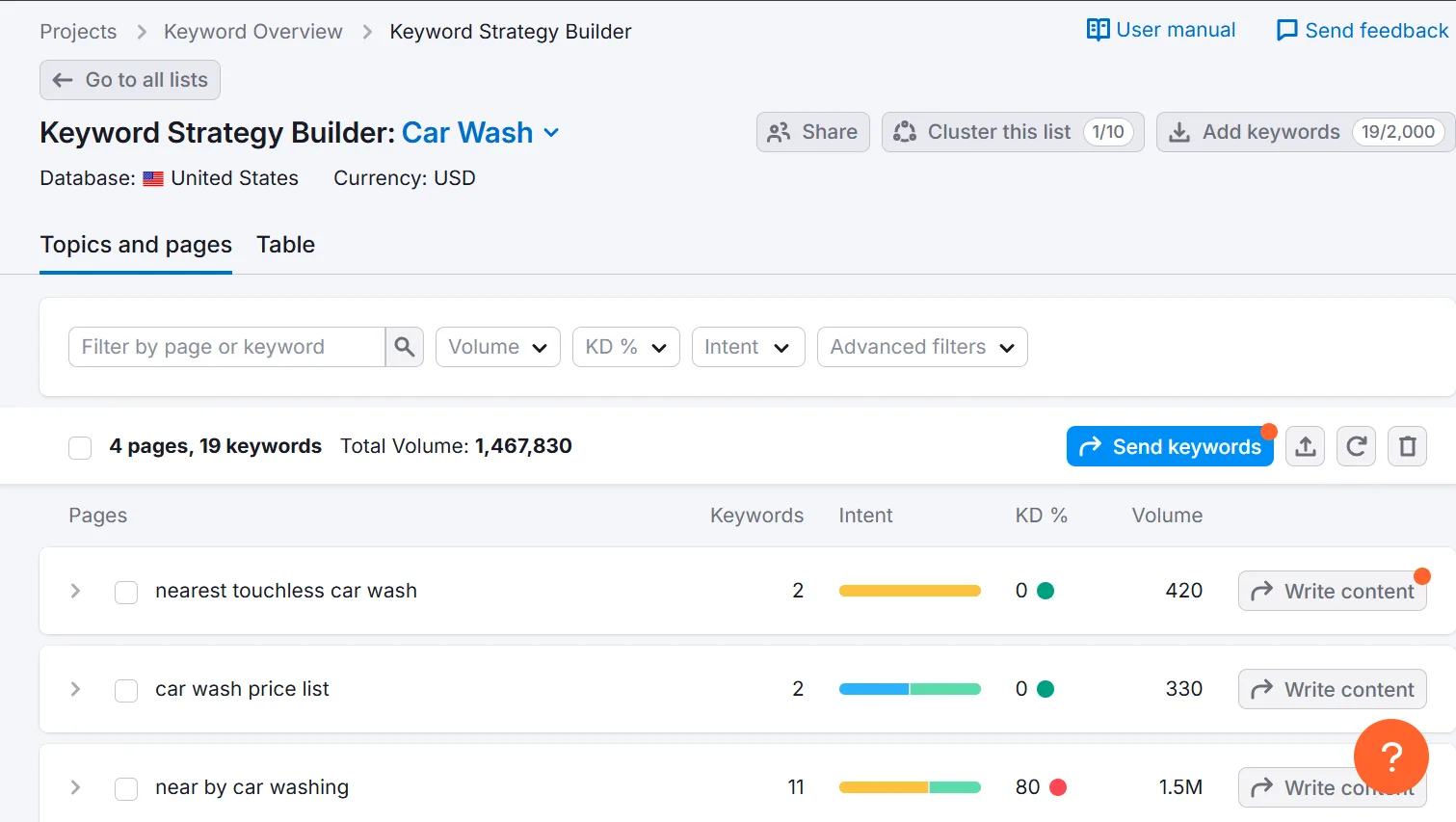
Click the small arrow next to any page for secondary keywords and content references pulled from top-ranking pages.
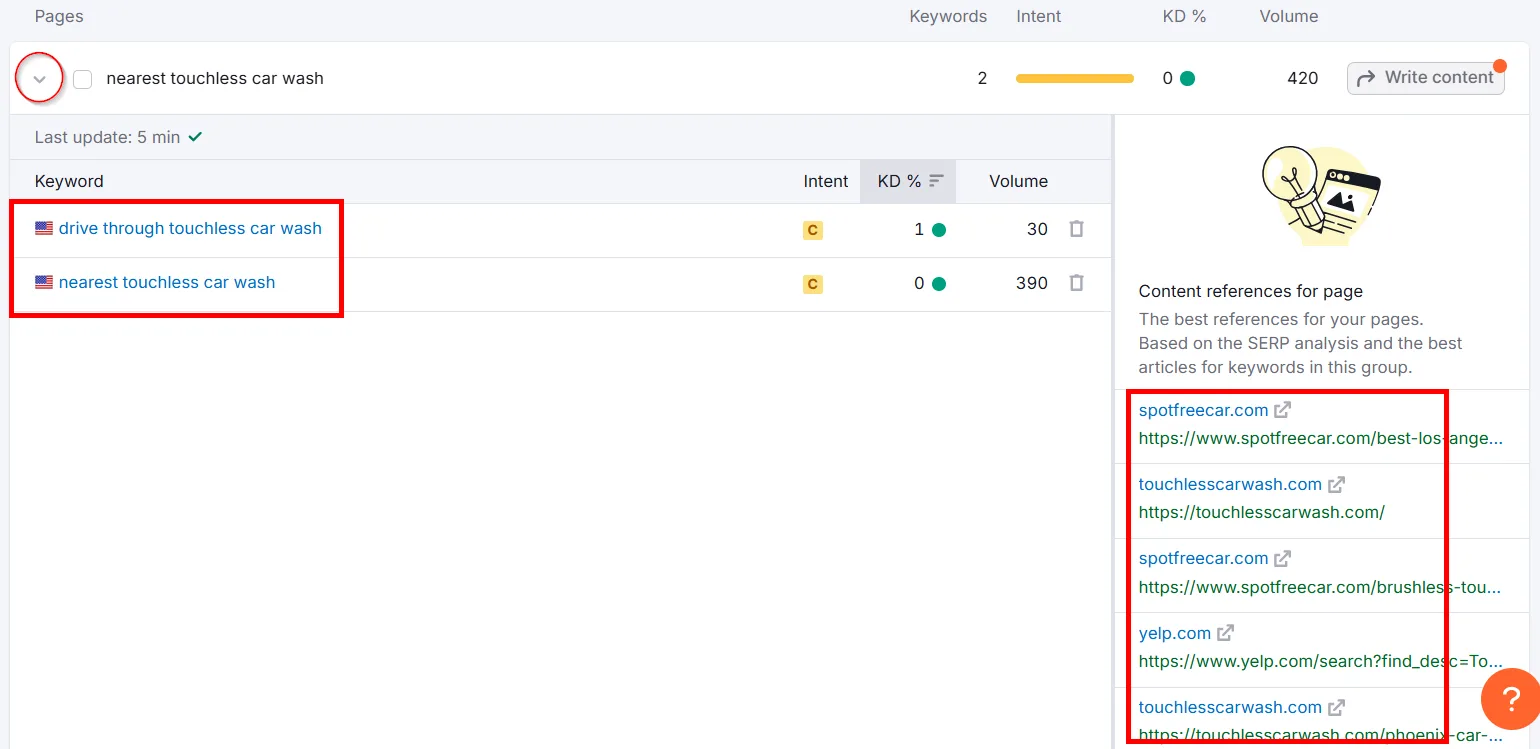
Check the top-ranking results to see what your page actually needs to include.
How do you decide if a keyword needs its own page? Not every similar term needs its own dedicated page. Check current search results: if a top local competitor has a dedicated page for “Car Seat Cleaning,” that’s a strong signal you might need one too. If broader pages rank well for related terms like “Car Interior Cleaning,” you might be able to cover multiple variants on one comprehensive page instead.
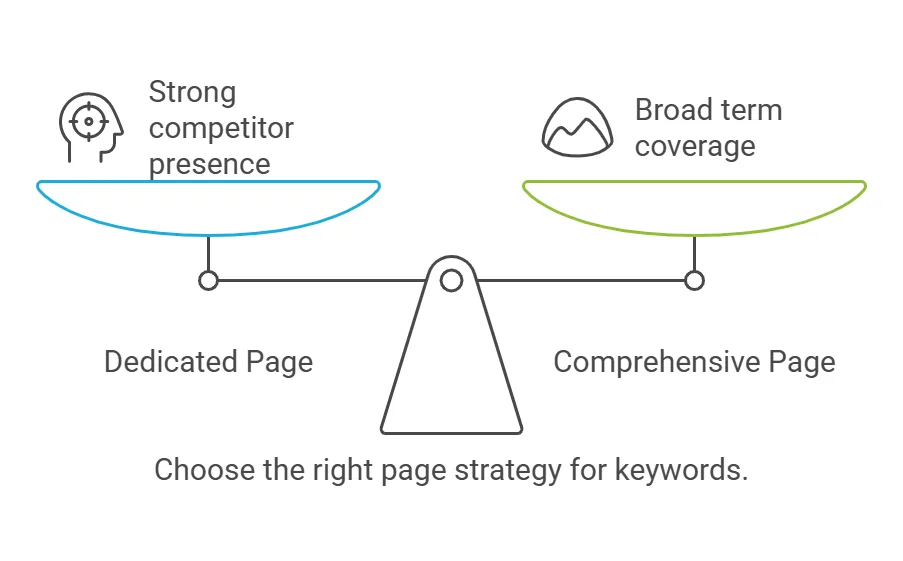
Let the SERPs guide the call, look at what’s ranking, and think about whether your audience would genuinely benefit from a separate page.
Once you know what stands alone and what can be grouped, map keywords to existing pages or plan new ones:
↳ For existing pages: assign the URL and optimize content with your target keyword. Semrush’s On Page SEO Checker gives helpful recommendations to match top-performing content in your area.
↳ For new pages: set a target URL and plan content to match search intent, including answers, detailed information, and the right media (videos, images, FAQs).
Keep a simple spreadsheet mapping keywords to URLs, with columns for target keyword, assigned URL, action (“optimize existing page” or “create new page”), and status/notes. Keyword mapping isn’t exact, monitor rankings and behavior over time, and adjust as needed.
Bonus Tip: Optimize Your Google Business Profile
Your Google Business Profile isn’t just another listing, it’s often the first place customers form an opinion about your business, before they even visit your website.
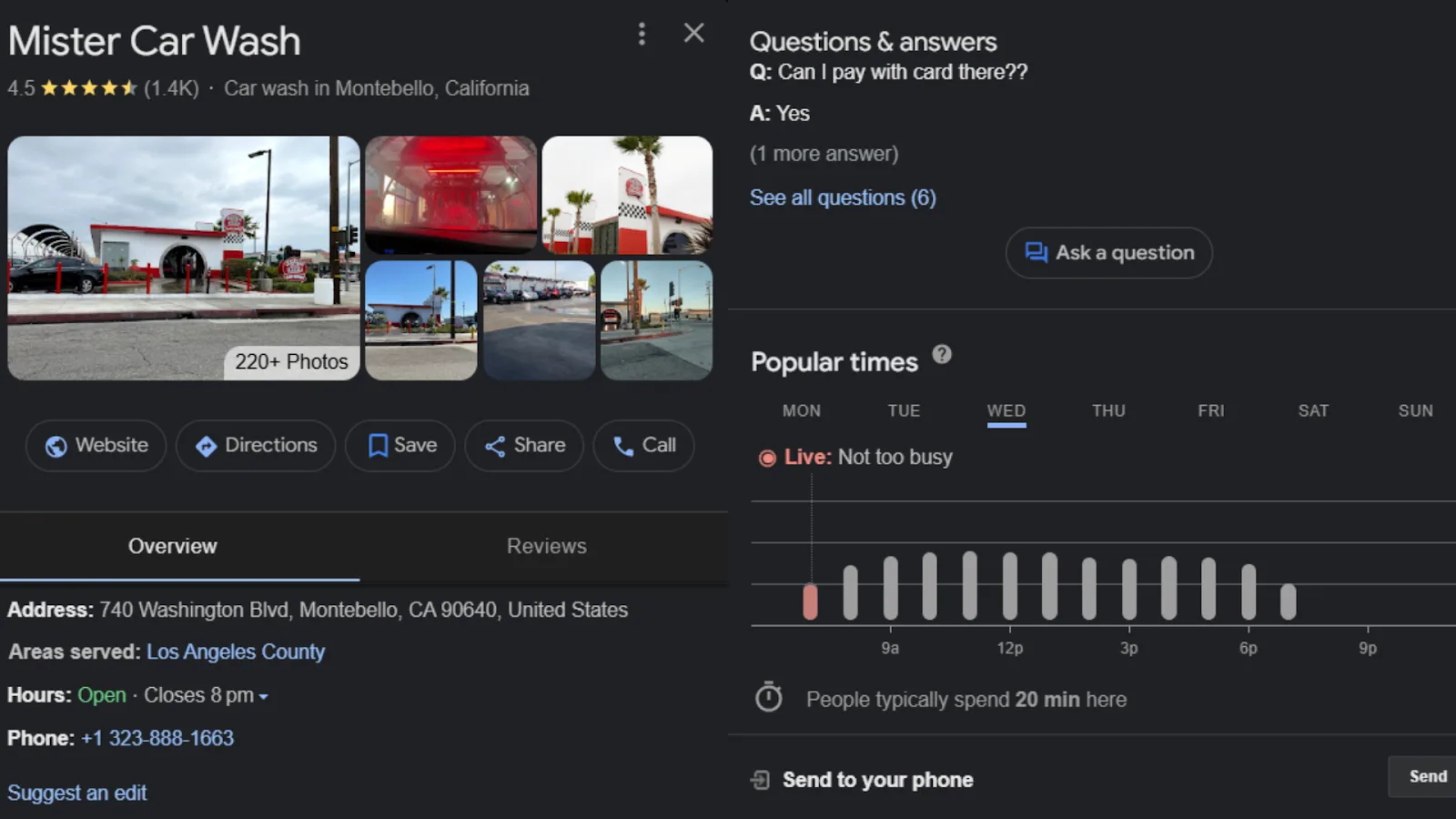
A well-optimized profile can lead to more bookings, calls, and visits, it shortens the decision cycle because customers find what they need right there. Leave it incomplete or outdated, and potential customers might assume you’re closed or too hard to deal with, then choose a competitor instead.
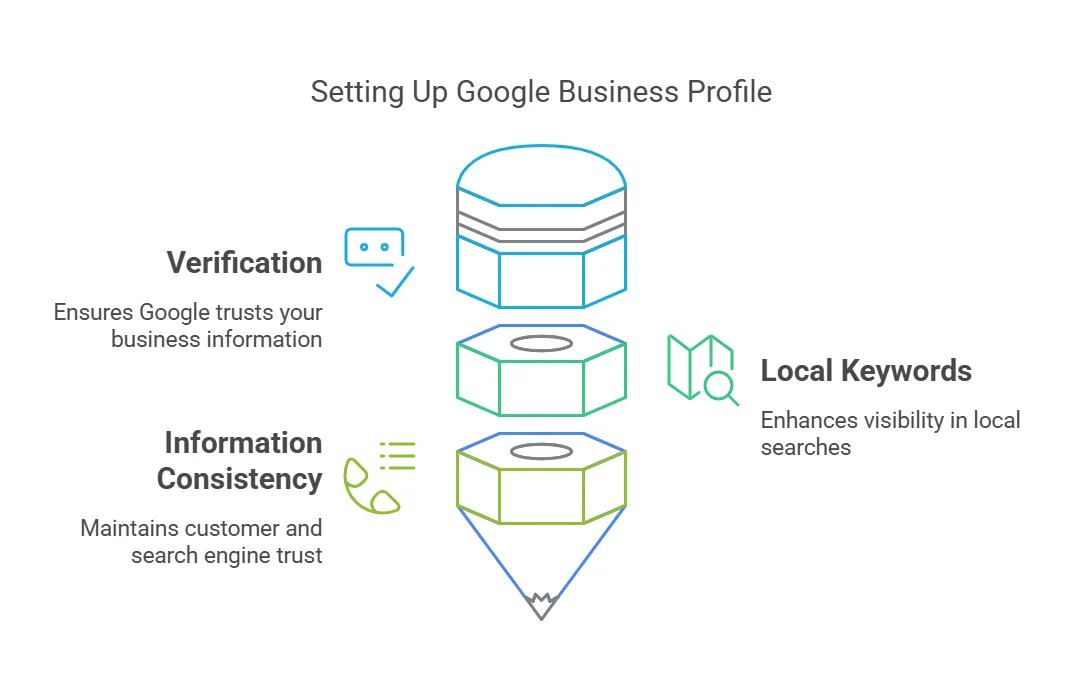
↳ Claim and verify your profile. Without verification, Google may trust your information less and show your business less often in relevant searches.
↳ Add local keywords naturally to your business description. A Bay Area car wash might say “Tire Cleaning in Bay Area” instead of just “we clean tires,” helping Google match your profile to local searches.
↳ Double-check your address, phone number, and website URL, and make sure they match what’s on your site and social media. Inconsistent info confuses both customers and search engines, and can hurt your ranking.
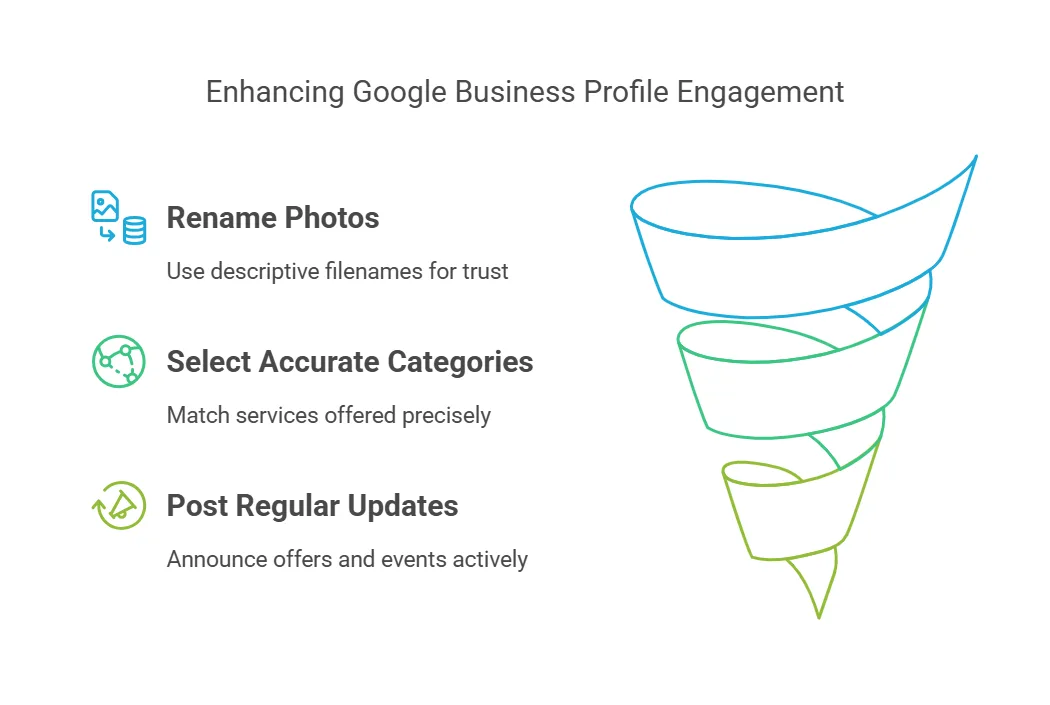
↳ Skip generic filenames like IMG_123, rename images to something like “tire-cleaning-in-bay-area” before uploading. Show off your storefront, products, or team, good images build trust.
↳ Select categories that actually match what you offer. Don’t add irrelevant categories just to chase keywords, it’s against Google’s guidelines.
↳ Use the Updates feature to announce seasonal offers or events, working in local keywords where relevant. Regular updates signal to customers and Google that you’re active.
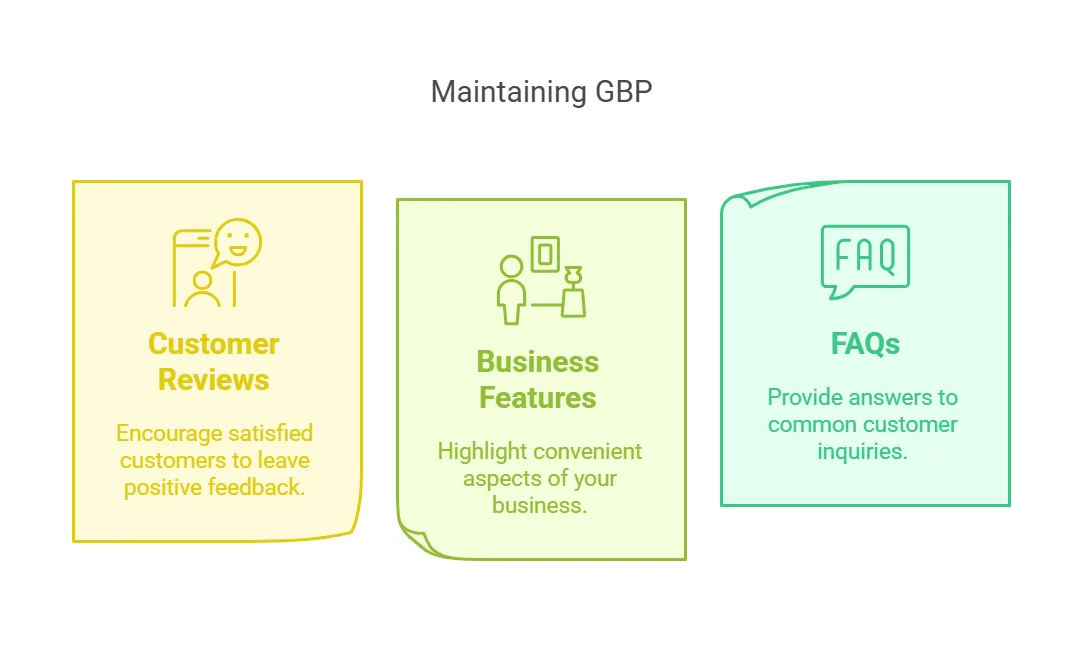
↳ Ask happy customers to leave reviews, and thank them when they do. Respond politely to unhappy ones too. Reviews aren’t just social proof, they often contain keywords that help your visibility.
↳ Highlight convenient features: easy access for all vehicle types, free Wi-Fi, a comfortable waiting area, contactless payment, eco-friendly service.
↳ Answer common questions directly on your profile so customers don’t have to hunt for the info elsewhere.
Get Your Small Business Going With the Right Keywords
Local keyword research for small businesses starts with identifying core services, then using them to find local, low-competition, good-volume keywords that match your target customers’ search intent.
A few more guides to round out your local keyword strategy:
↳ How to Get Local Keyword Search Volumes by City
↳ Free Keyword Research Template With Guide
↳ How to Do International Keyword Research
Frequently Asked Questions
Which SEO tool is best for local keyword research?
Semrush is one of the best, it helps you find local search terms, track rankings, and analyze competitors. Ahrefs, Moz, and Google Keyword Planner are solid alternatives too, all of them show you what people in your area are actually searching for.
How to find local business keywords?
Start by listing what you sell and where. Use Google’s autocomplete, People Also Ask, and related searches for ideas, check competitors’ websites, and run a tool like Semrush or Google Keyword Planner to find high-ranking local keywords.
What is local keyword research?
Finding search terms people use when looking for businesses in a specific area. Instead of “best pizza,” you’d target “best pizza in Chicago.” It helps businesses show up in local searches and attract nearby customers.
How to track local keywords?
Use a tool like Semrush to see where your business ranks for local search terms, enter your keywords, set your location, and track changes over time. Google Search Console is also useful for checking search queries tied to your site.
What is an example of a local keyword?
A service or product plus a location: “best coffee shop in New York,” “affordable plumber in Dallas,” or “car wash near me.” These help businesses attract customers searching nearby.
How do I find B2B keywords?
Think about what business customers, not regular consumers, search for. Use Google, LinkedIn, and tools like Semrush or Ahrefs to find industry-specific terms. Instead of “marketing agency,” a B2B keyword might be “SEO services for law firms.”
What is local SEO with example?
Optimizing so a business shows up in searches for its area. A bakery in Miami, for instance, wants to rank for “fresh bread in Miami.” Optimizing its website and Google Business Profile helps it appear when people search for local bakeries.
What is an example of a local search?
A search for a nearby business: “best dentist in Brooklyn,” “hair salon near me,” or “pizza delivery in Chicago.” These typically surface Google Maps results and local business listings.
Is local SEO free?
Yes, you can do a lot of it for free, optimizing your Google Business Profile, adding location-based keywords to your site, and gathering customer reviews. Advanced tracking or keyword tools may require paid SEO software.
How to do local keyword research for small business free?
Use Google’s free tools like Keyword Planner and Google Trends. Type in a service you offer and check the suggestions, look at People Also Ask and Related Searches, and check what keywords competitors use on their sites.
How to do local SEO for beginners?
Claim and update your Google Business Profile with accurate info, add local keywords to your site, and create location-based content. Gather customer reviews, list your business in online directories, and keep your contact details consistent everywhere.