


Google Keyword Planner is generally the most reliable tool for estimating local keyword search volumes by city.
The catch is that it only gives you a range for average monthly searches, and competition shows up as a vague high, medium, or low.
That’s why I pair it with Semrush and Mangools. Together, these three get you the closest thing to an accurate search volume estimate by city.
Here’s how to find local keyword search volumes by city with all three.
How to Find Local Keyword Search Volumes by City with Google Keyword Planner
You’ll need a Google Ads account to use Keyword Planner. If you already have one, skip to Step 2.
Step 1: Create a Google Ads Account
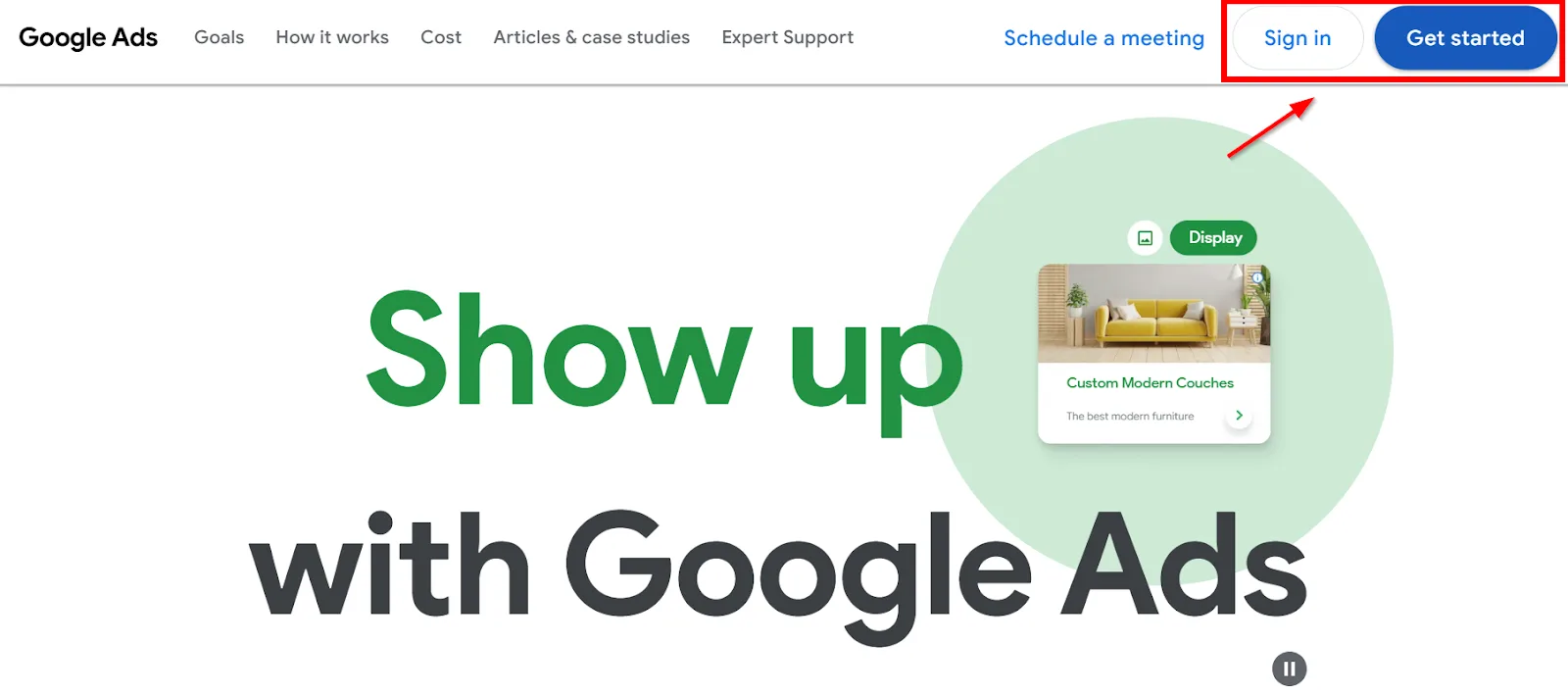
Open ads.google.com and select Get started.
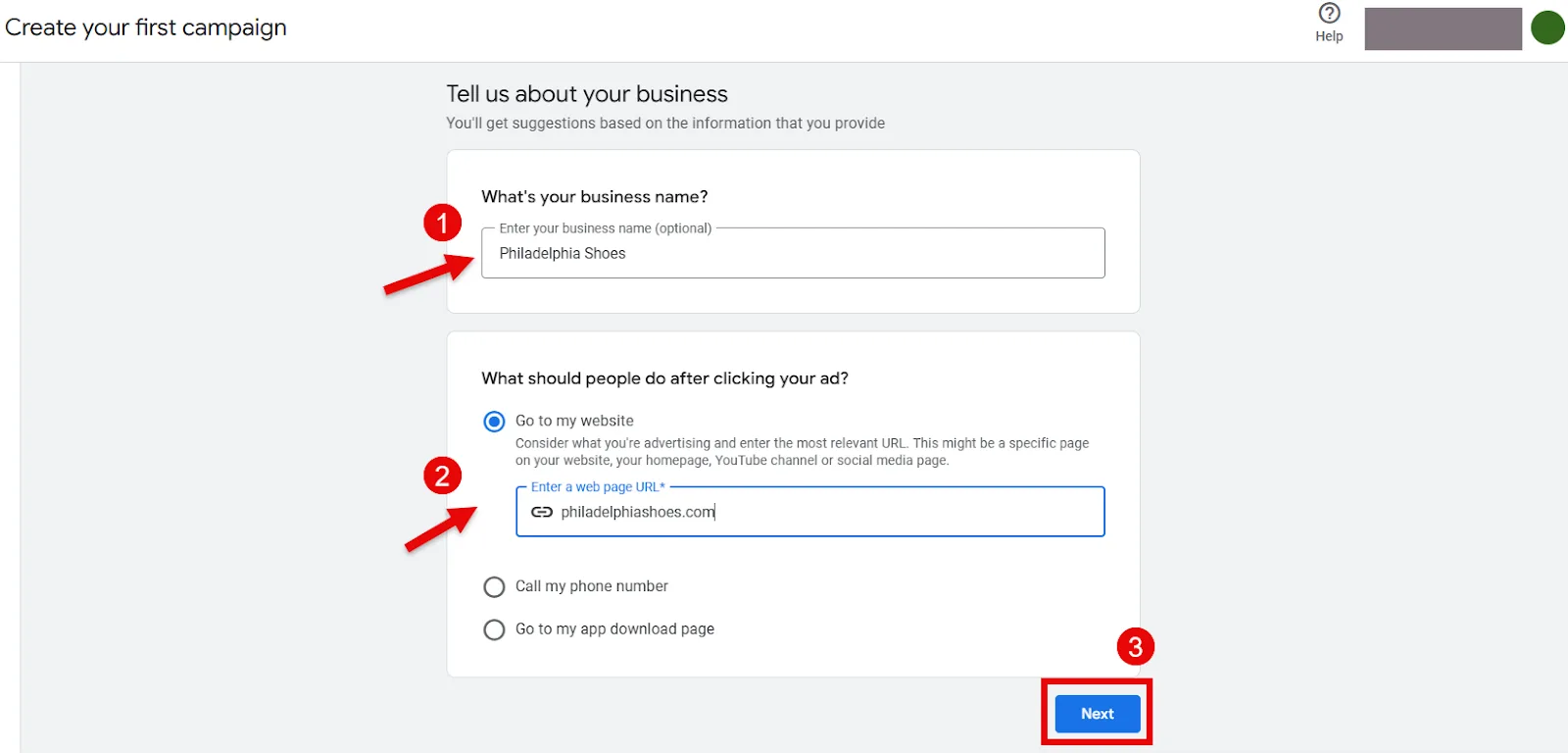
Fill in your business details and click Next.
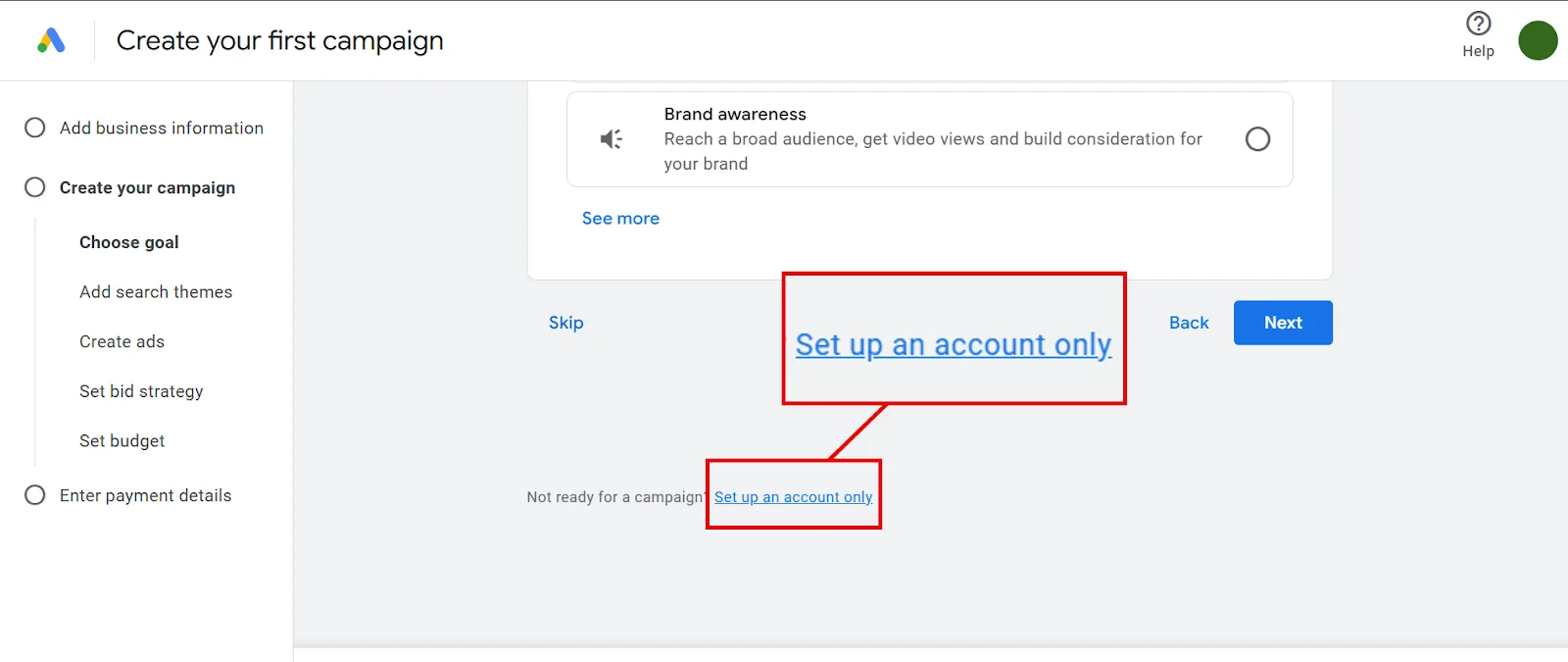
It’ll then ask what you want to achieve with the campaign. Since you’re only here for keyword data, not an actual campaign, ignore all that. Scroll down and click Set up an account only at the bottom.
Enter your billing details and payment method, then click Continue. (You won’t be charged anything unless you actually run an ad.)
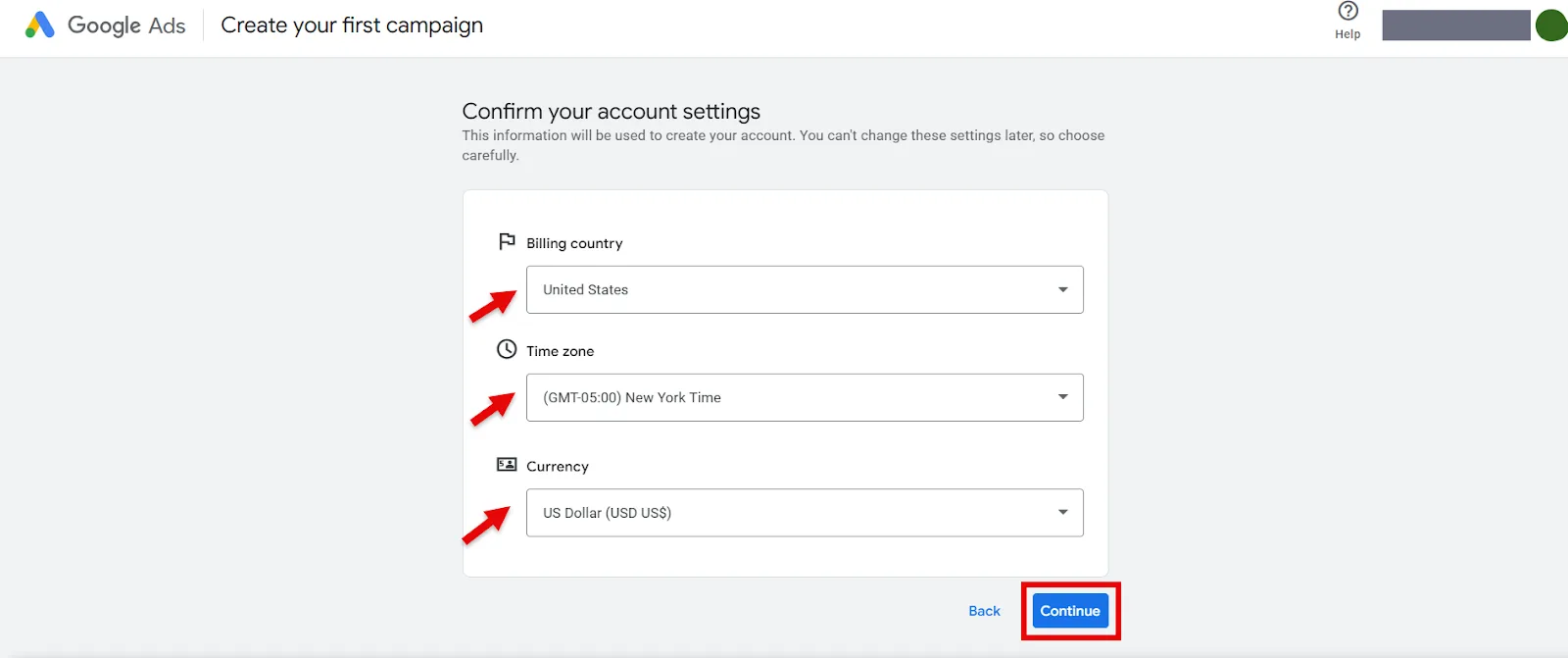
Once you’ve filled everything in, you’ll land on the Google Ads dashboard.
Step 2: Enter Your Keywords in Keyword Planner
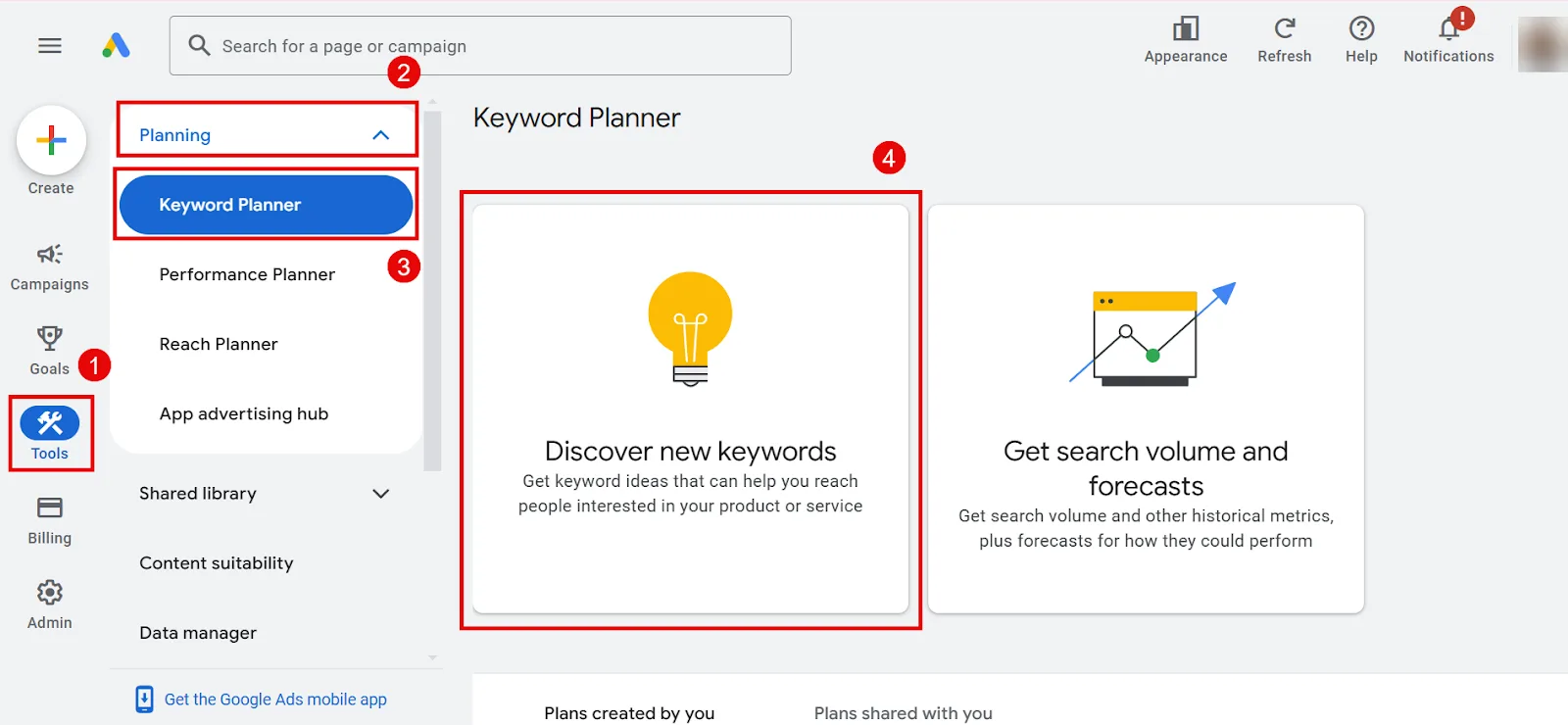
On the left, click Tools > Planning > Keyword Planner.
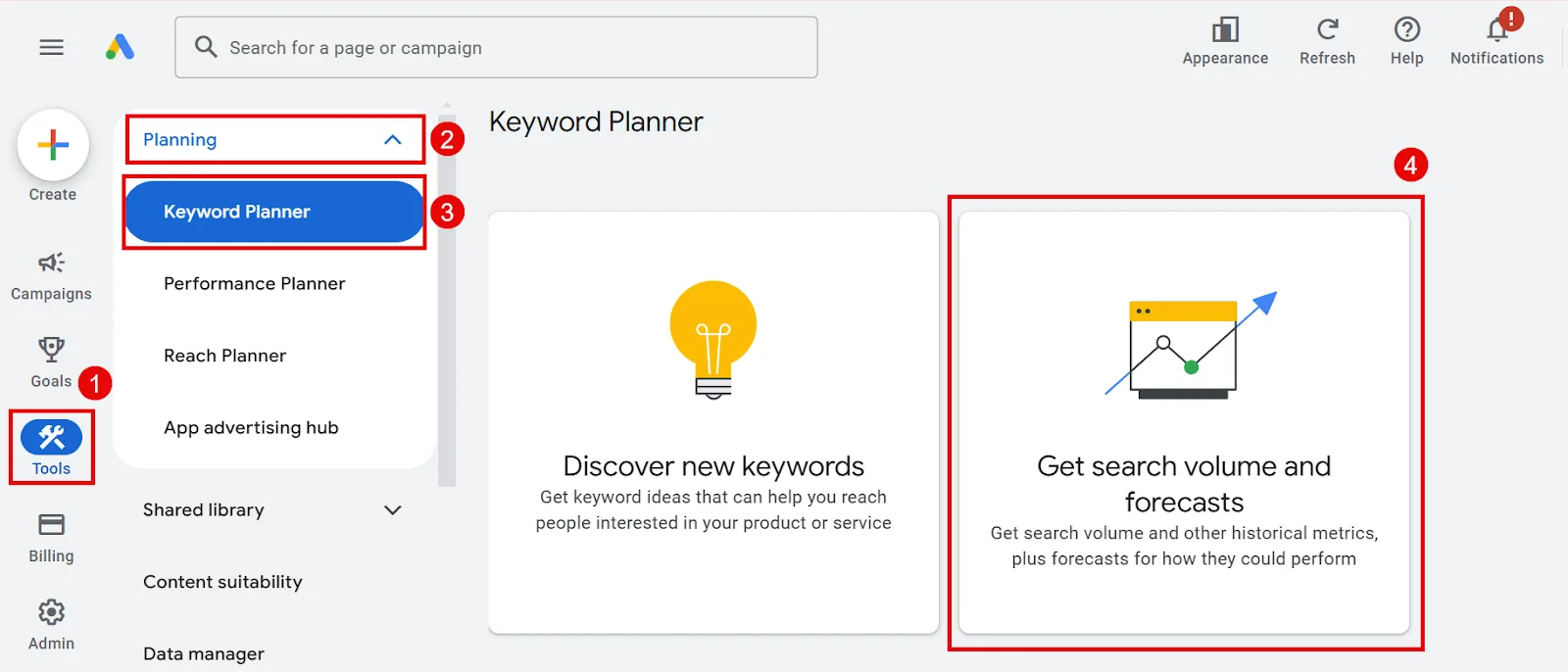
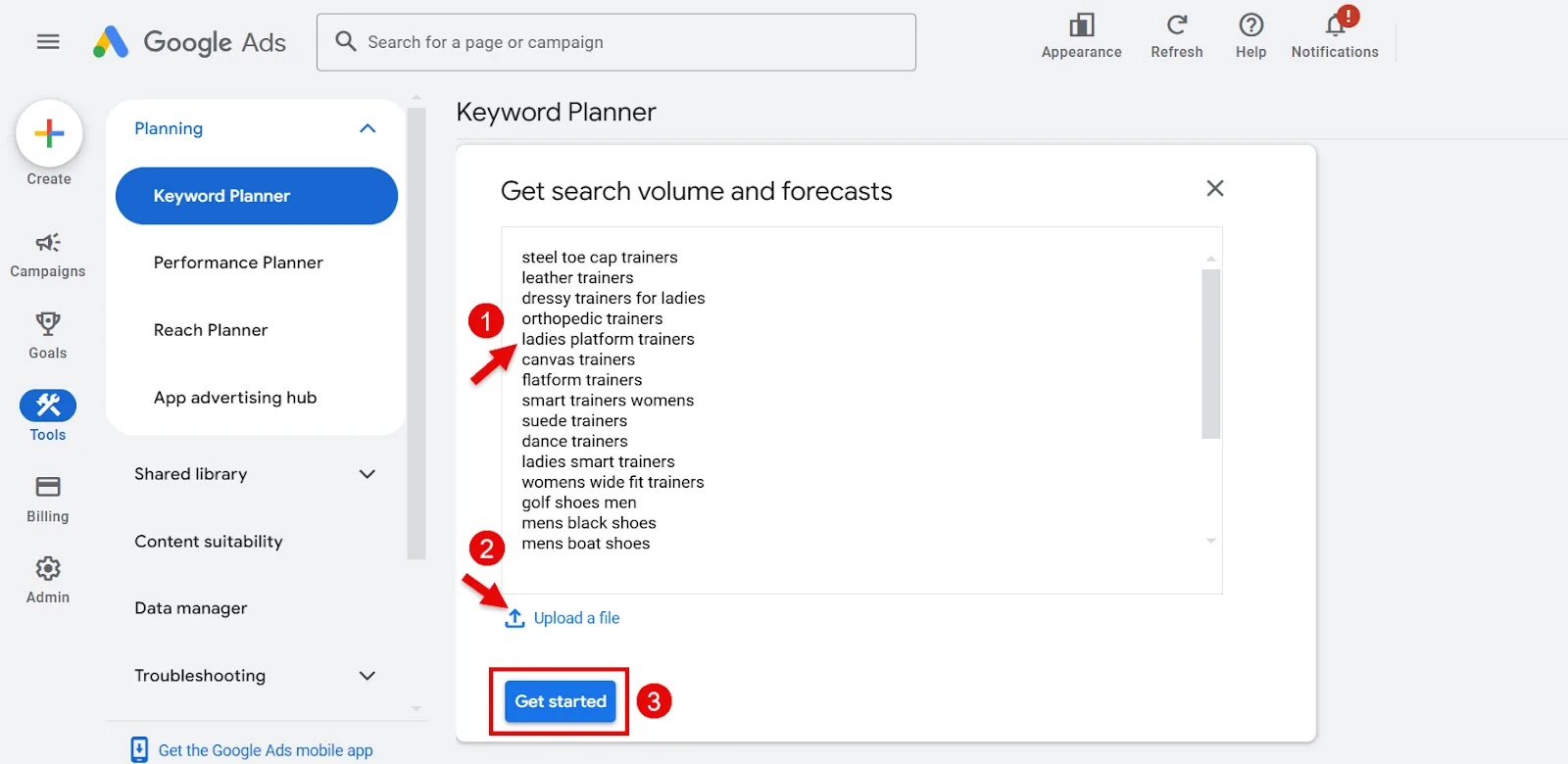
If you already have a keyword list, click Get search volume and forecasts, paste your keywords into the box (or click Upload a file), then hit Get Started.
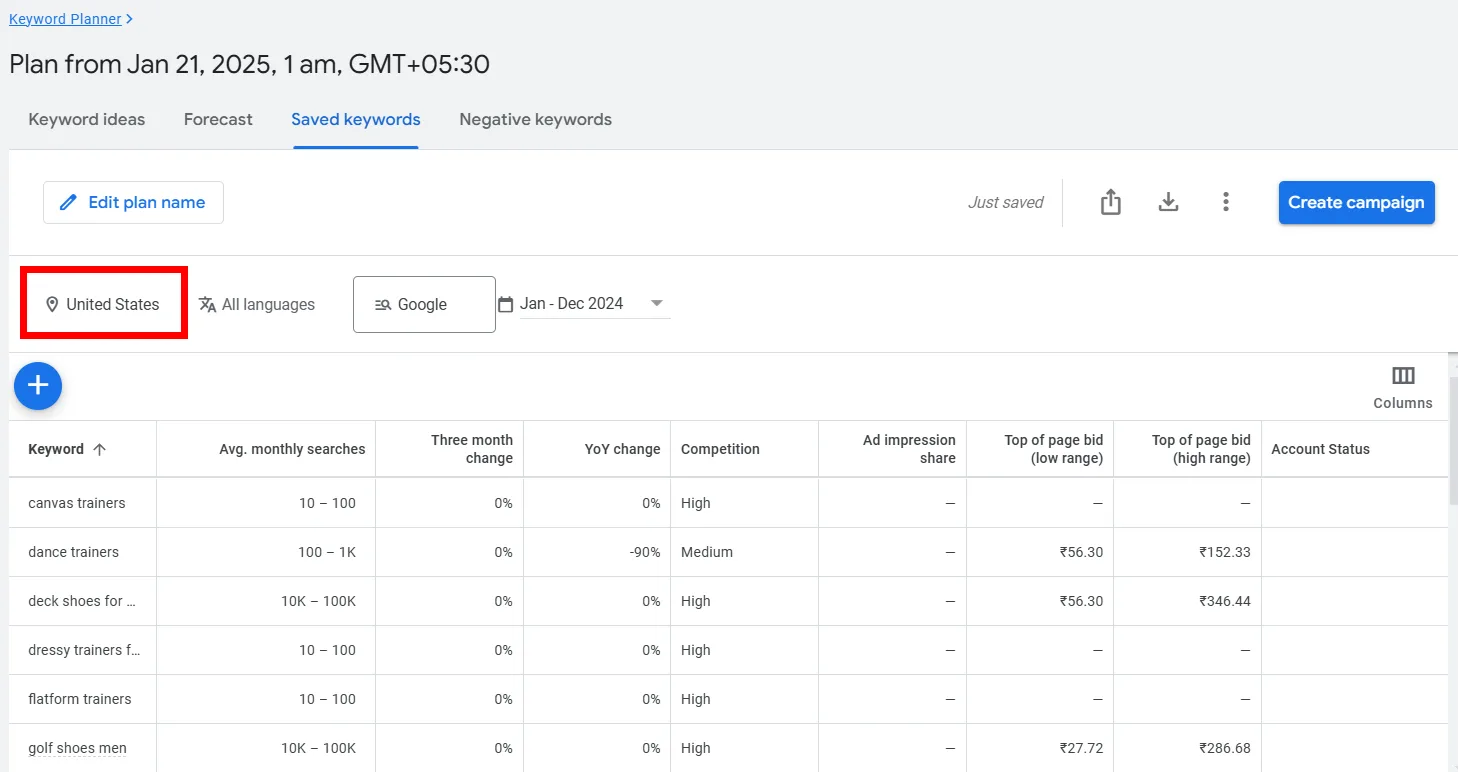
You’ll see search volume for each keyword, plus metrics like competition and YoY (comparing this month’s search volume to the same month last year). By default, results reflect the country you selected when setting up your account.
Step 3: Set Your Desired City
Click the location filter on the left to change it.
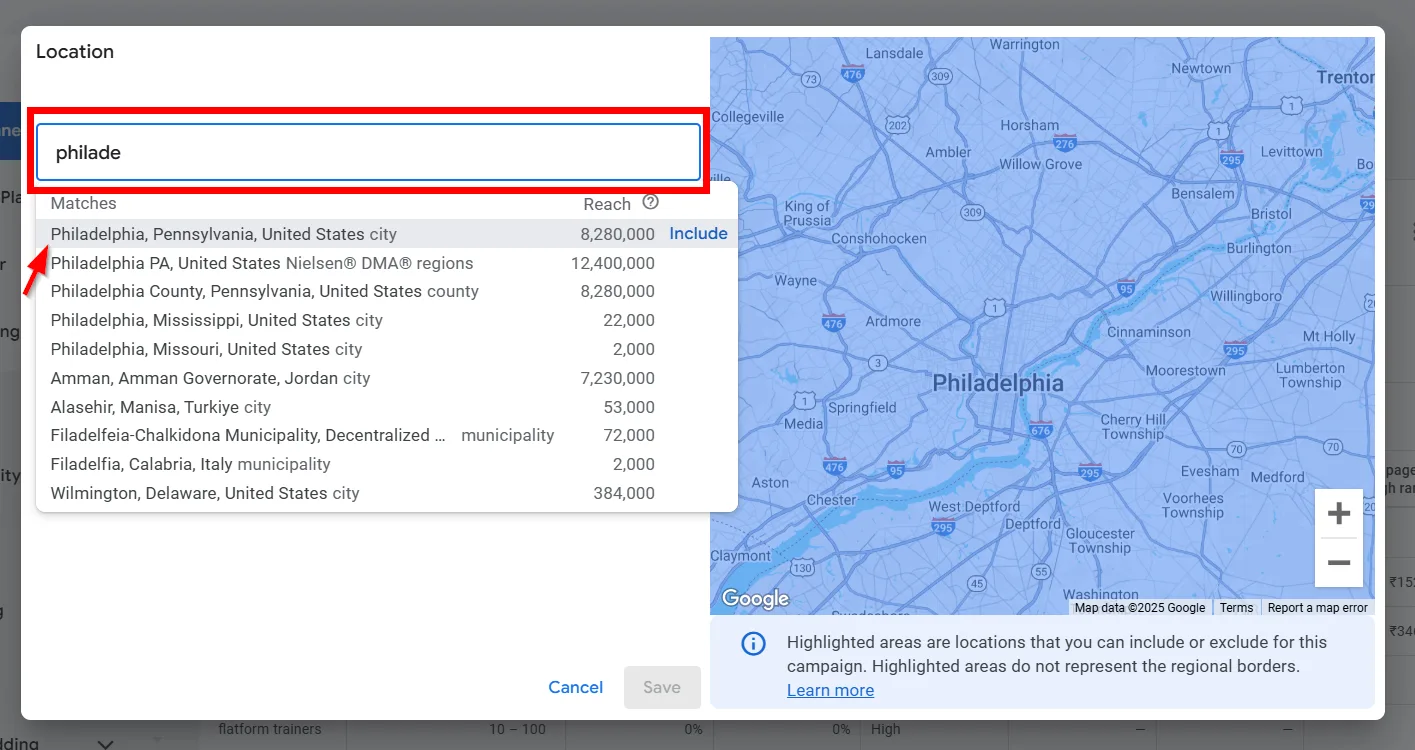
Type your target city and pick it from the dropdown.
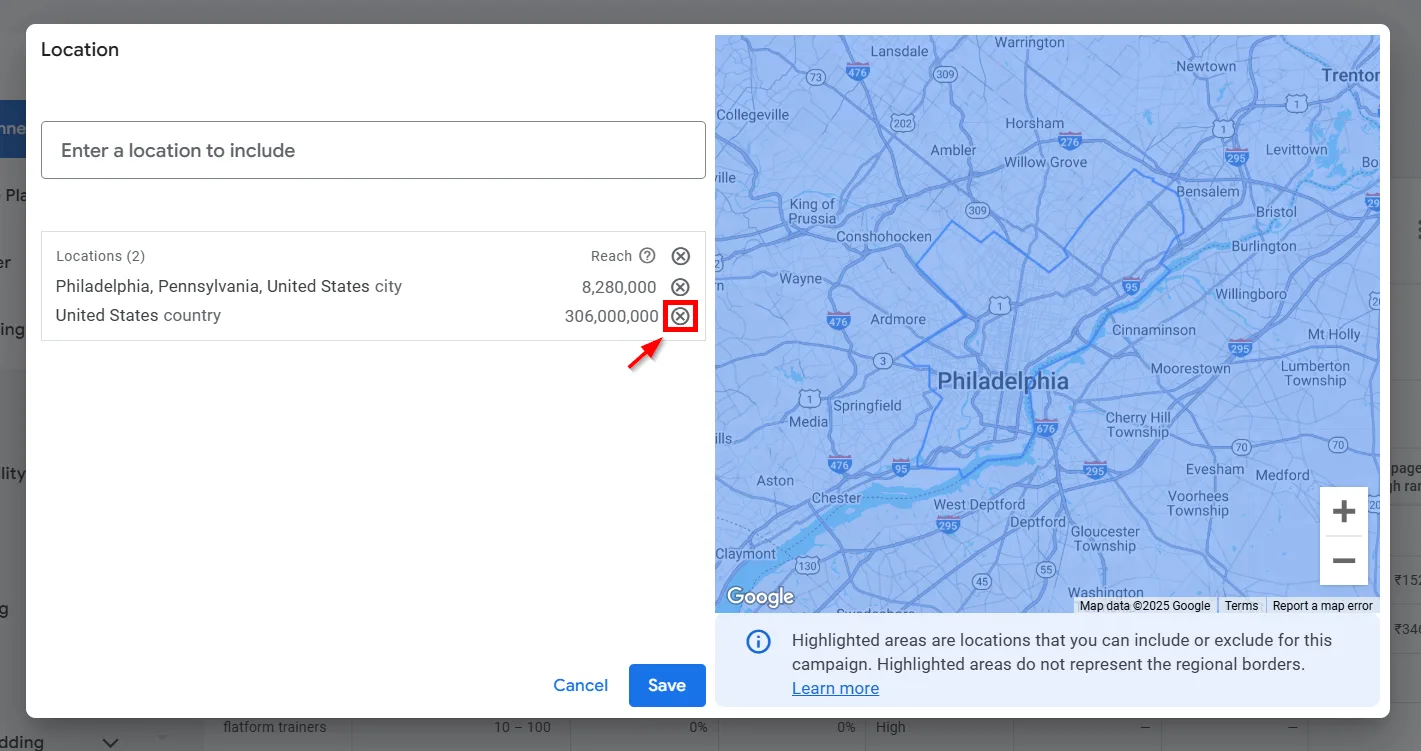
Remove any other locations so you’re only seeing results for your chosen city, just click the small cross next to whatever you don’t want.
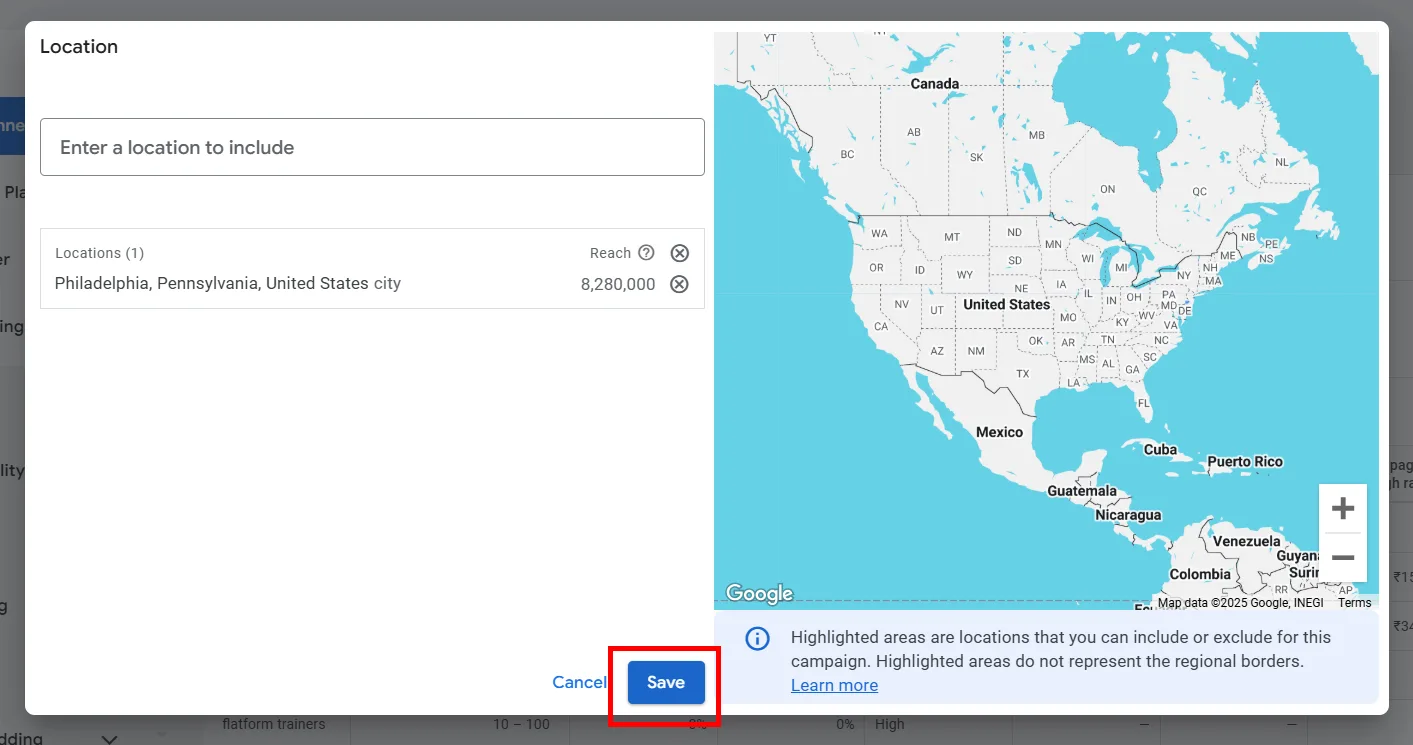
Hit Save.
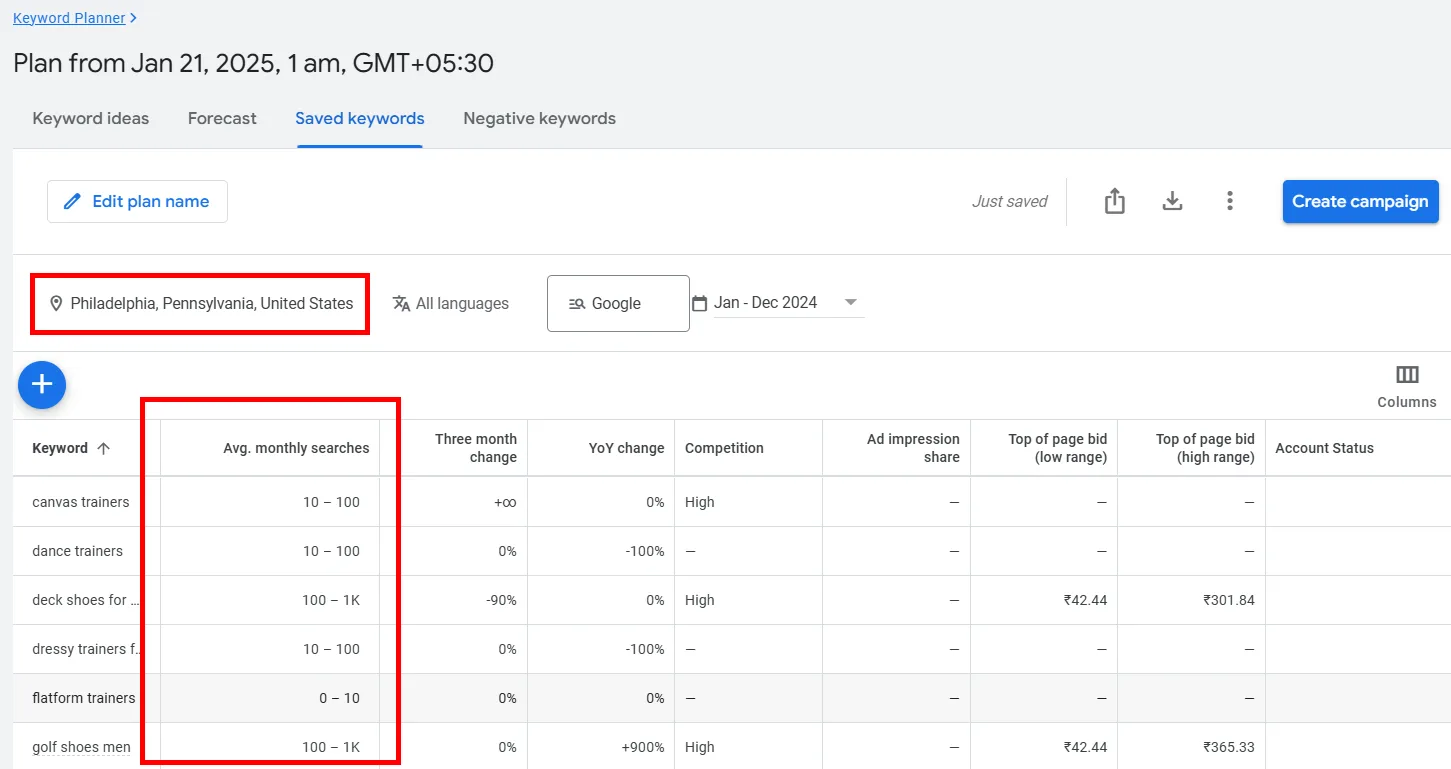
You’ll now see search volumes for your keywords in that specific city. Repeat this to check as many cities as you need.
Step 4: Get Search Volume Beyond Google (Optional)
You can widen your search past plain Google results. Select the option marked Google and switch it to Google and search partners.
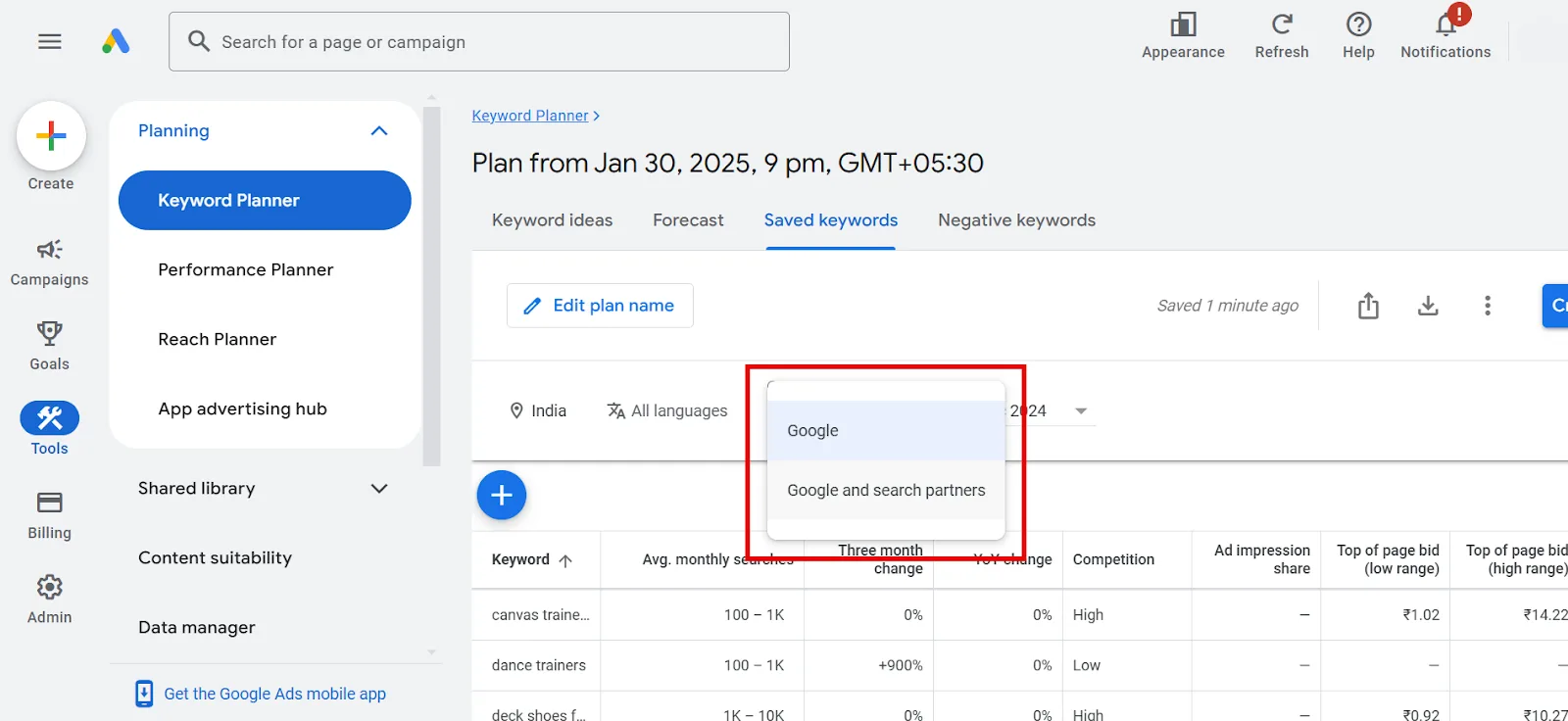
This pulls in platforms like YouTube and other Google-partnered sites that display ads and product listings.
Step 5: Set a Time Range to Spot Trends
Keyword Planner also shows how a keyword performed across different periods, useful for understanding seasonal patterns. Select the date filter at the top of the keywords table (it defaults to the current date).
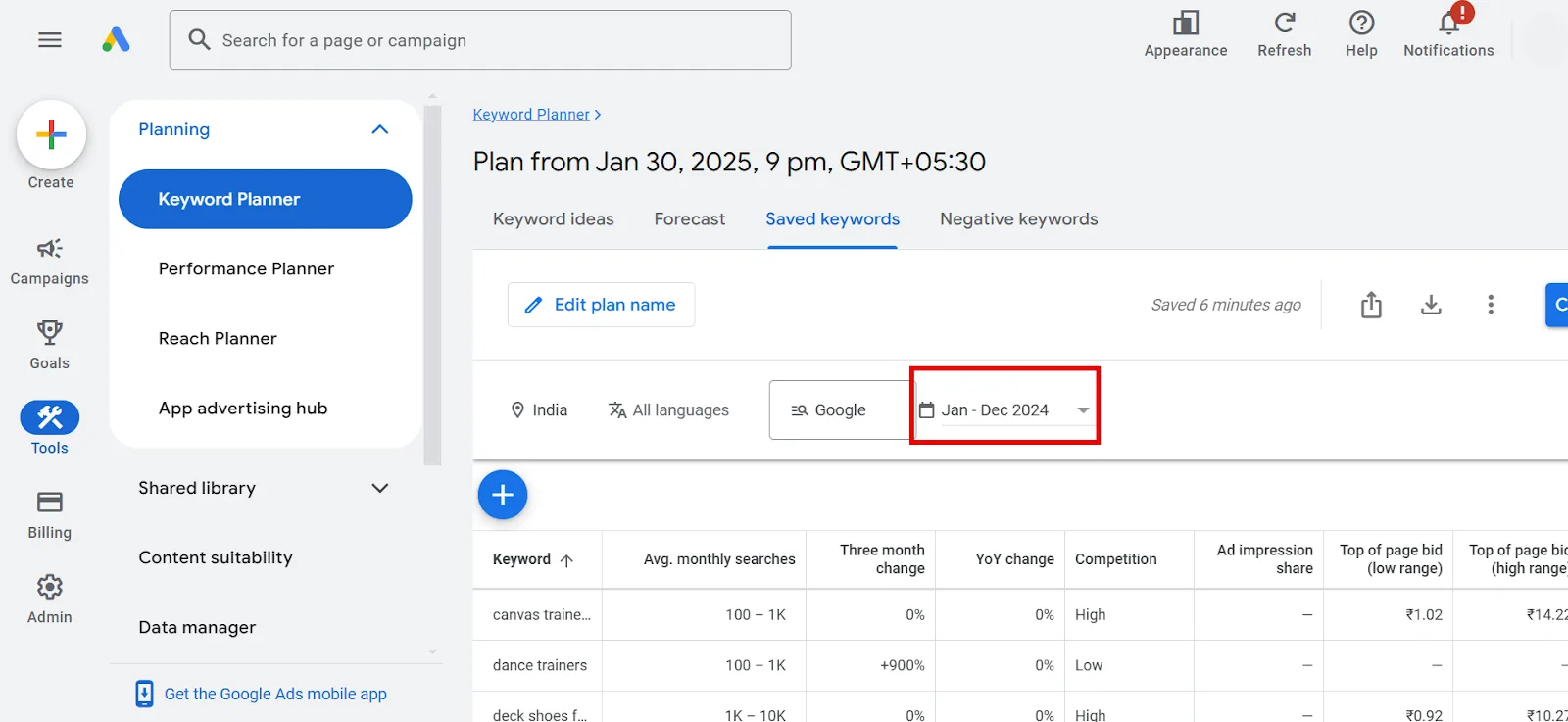
Pick your range and the results filter accordingly.
Step 6: Save or Share the Data
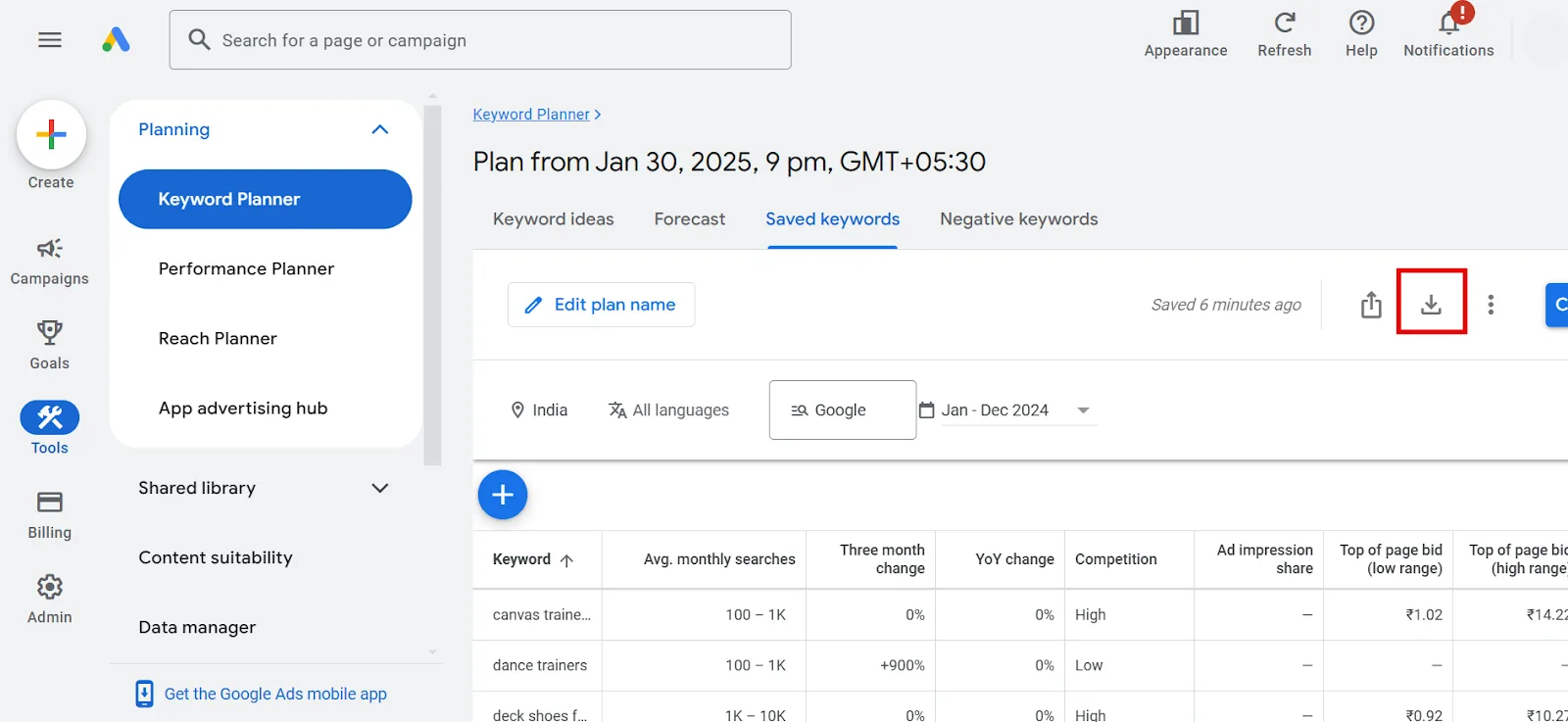
Once you have what you need, click the download icon in the upper right and pick your file format.
Bonus: Find New Keyword Ideas by City
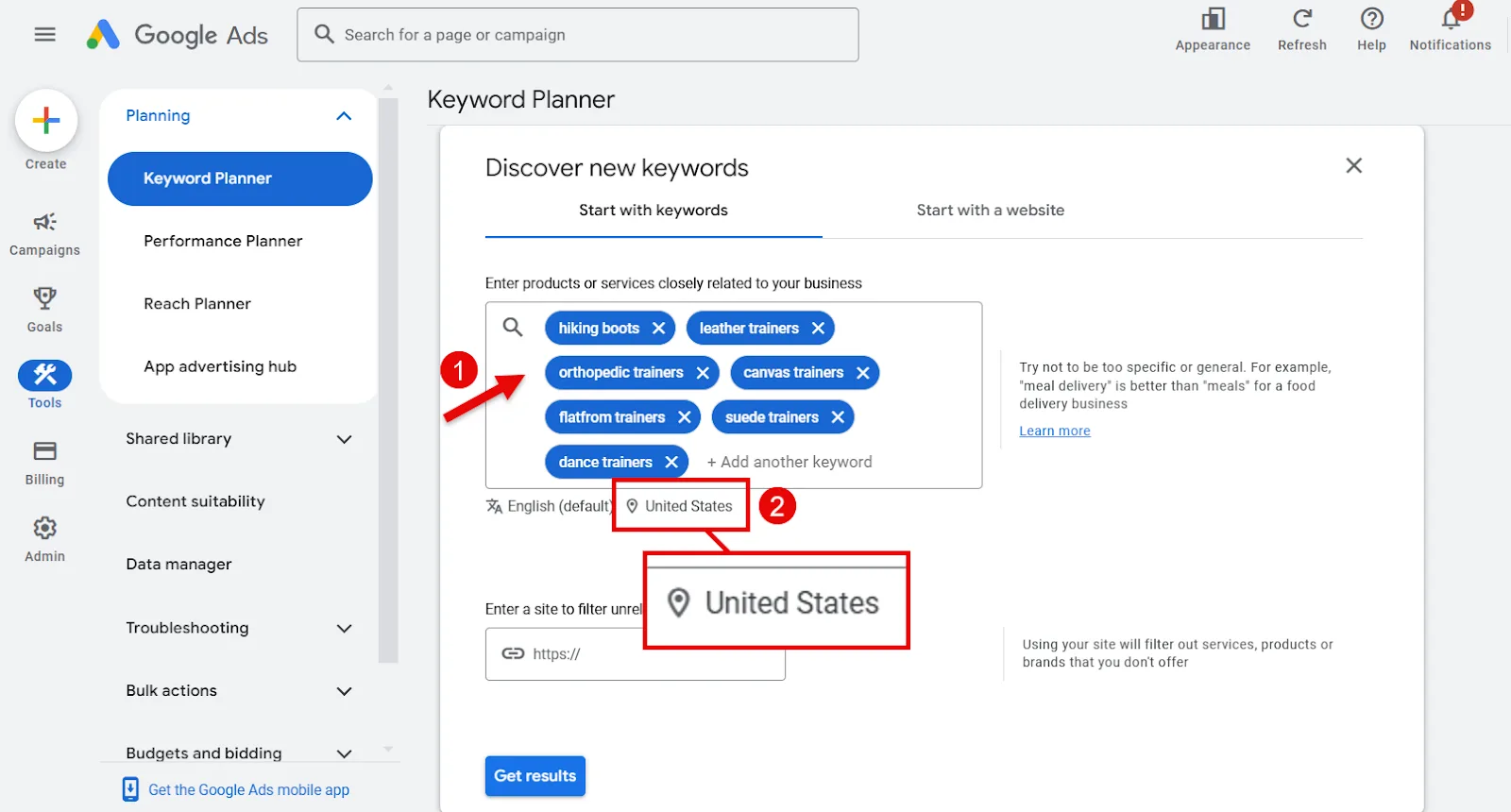
If your list is thin and you want to expand it, go back to the Keyword Planner dashboard and select Discover new keywords.
Enter your seed keywords, then click the location pin icon.
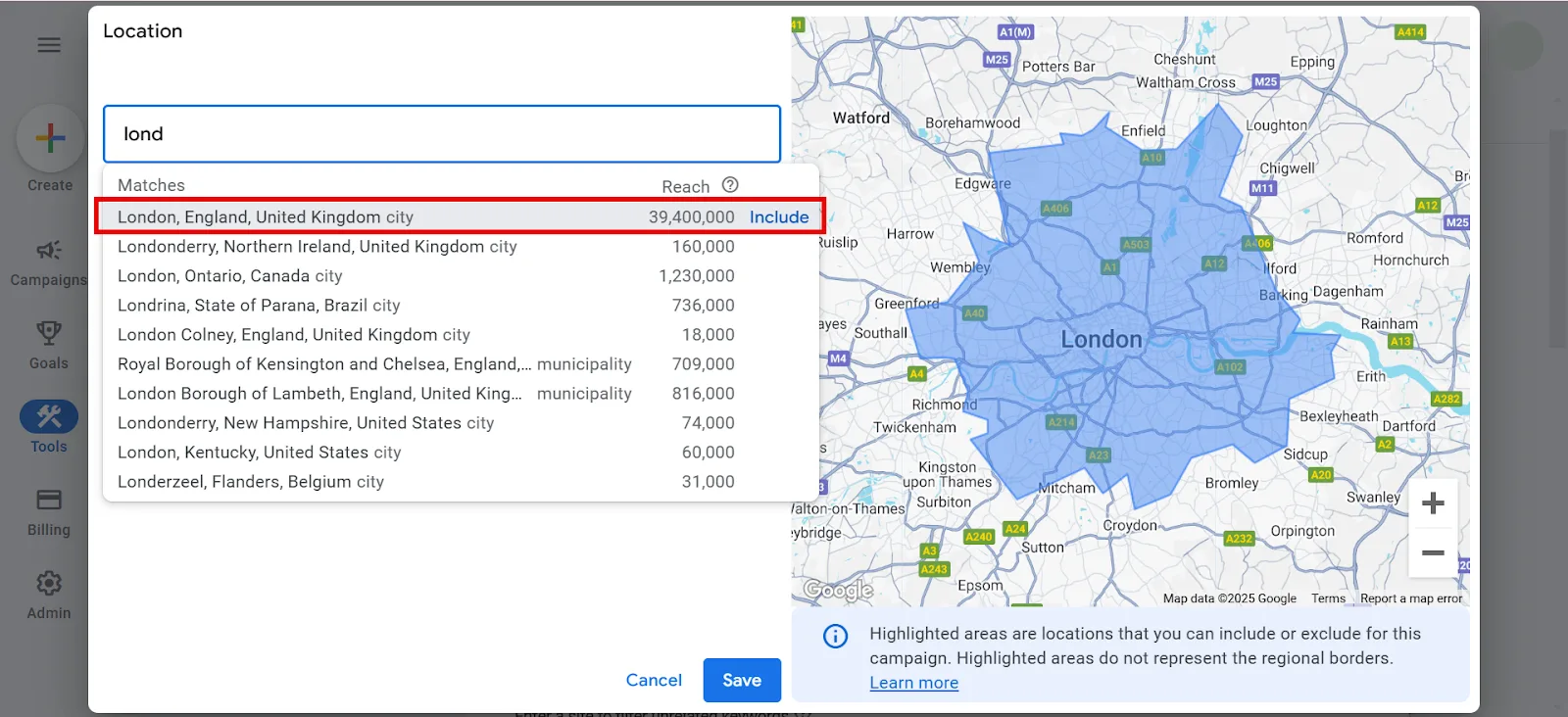
Search your target city and select it.
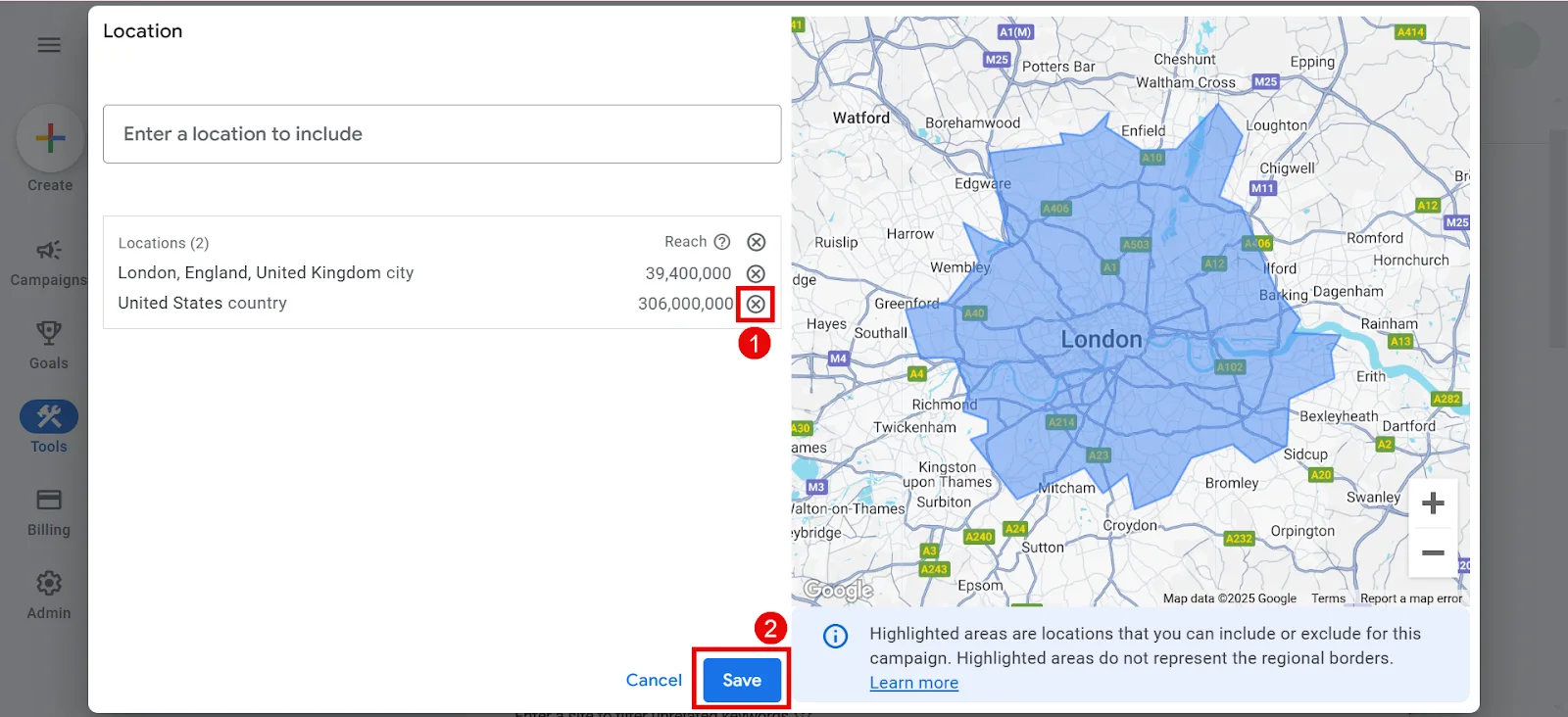
Remove whatever location you don’t need and hit Save.
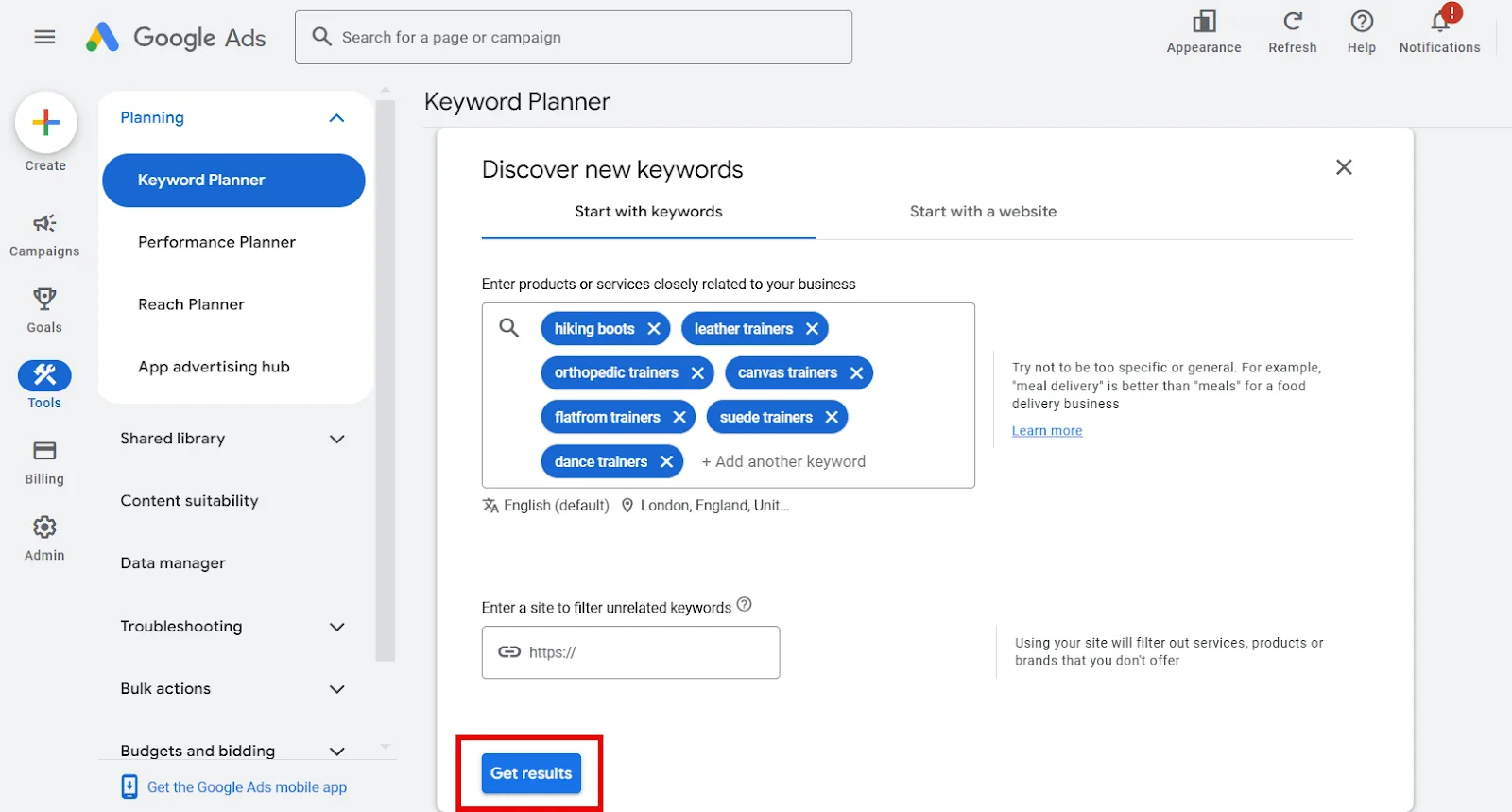
Click Get results.
You’ll see search volumes for your keywords along with other metrics.
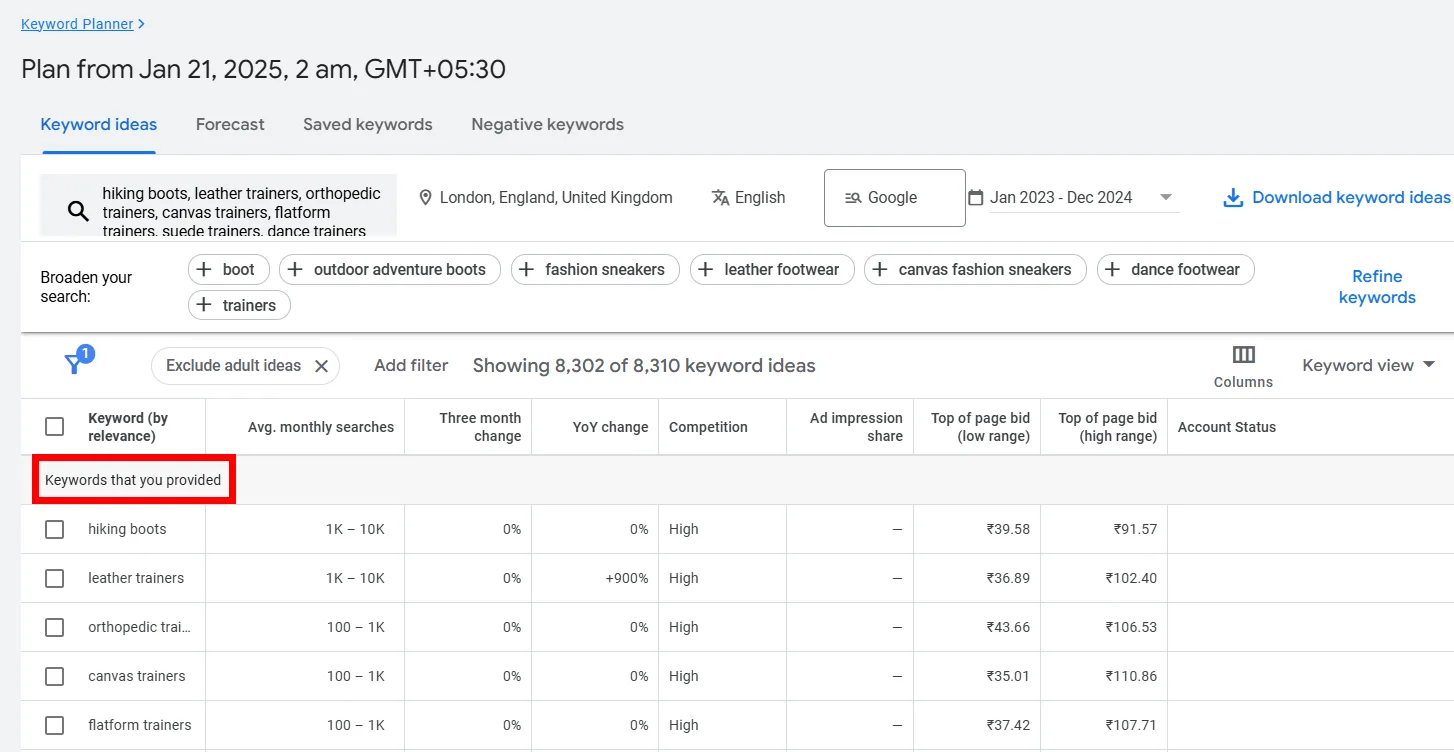
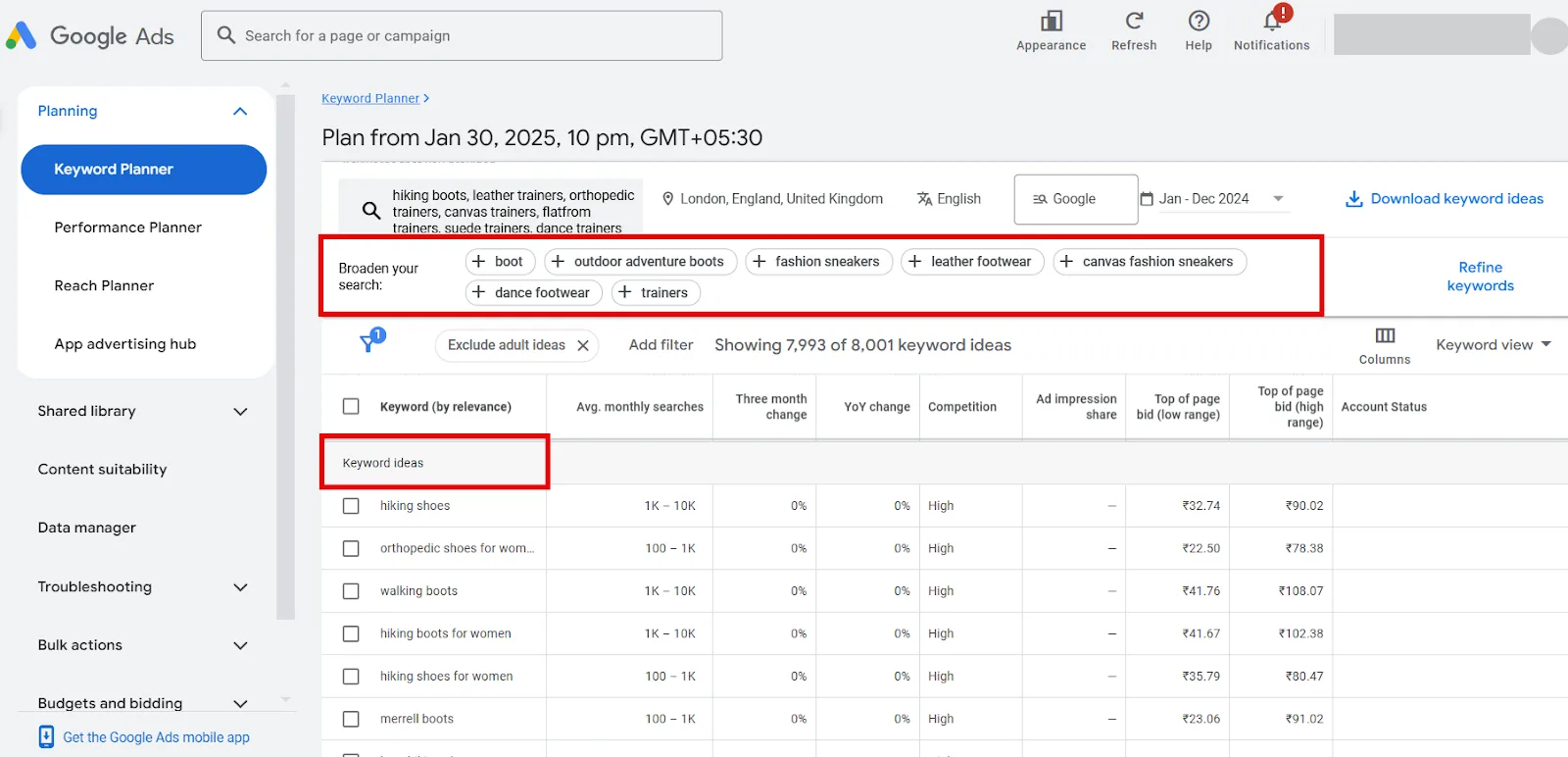
Scroll down for keyword ideas with city-wise search volumes, and broaden your search using suggested keywords above the table if they’re relevant.
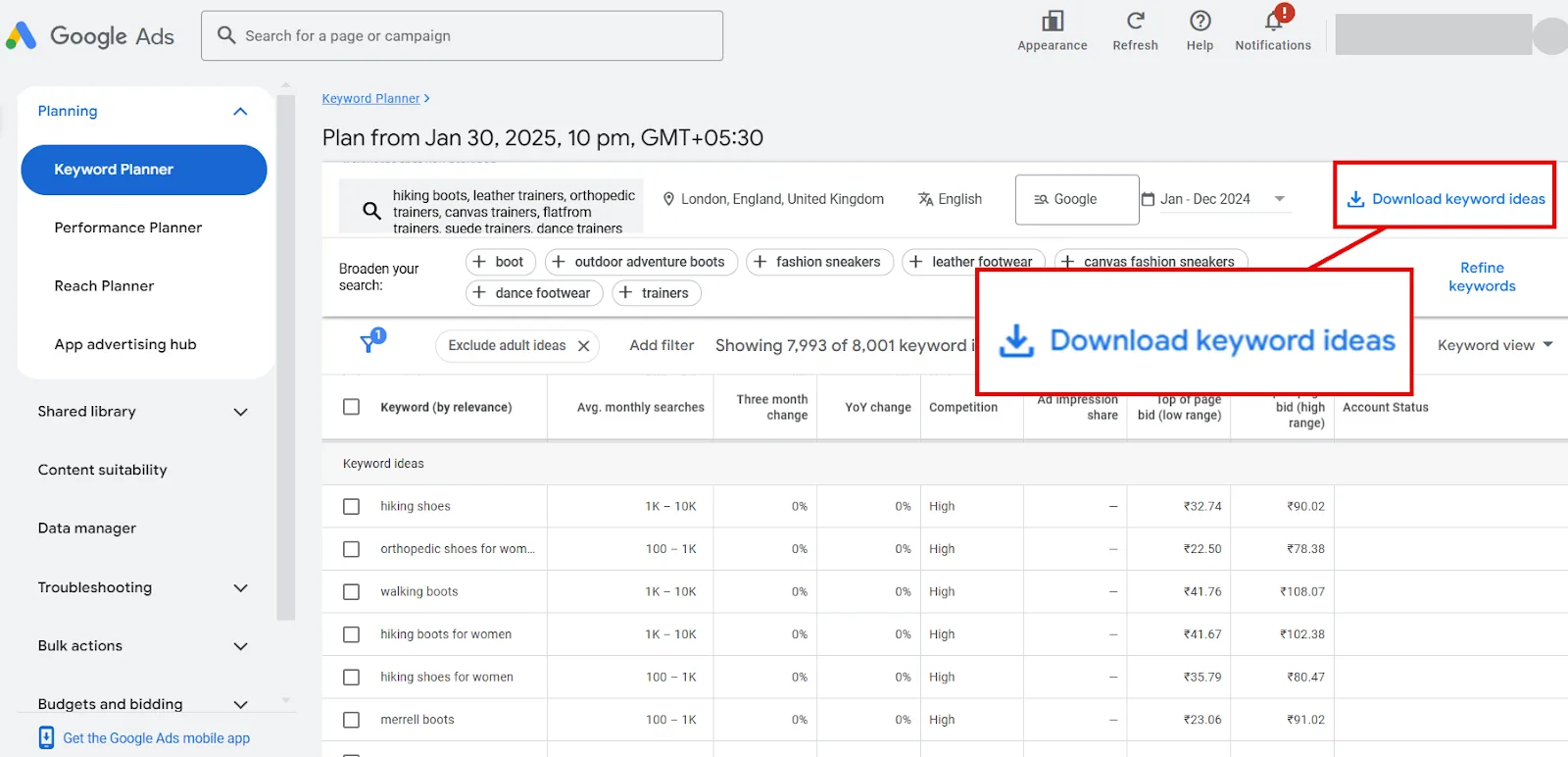
Try different filters to refine further, then download when you’re done.
Keyword Planner gives you search volume by city, but it doesn’t tell you much else that matters for local keyword research. That’s where Semrush comes in.
How to Find Local Keyword Search Volumes by City with Semrush
Semrush pulls from a mix of sources, Google API, third-party providers, search engines, and social platforms, which makes it a solid companion to Keyword Planner rather than a replacement for it. I use both together to land on a fair estimate.
Step 1: Go to Keyword Overview
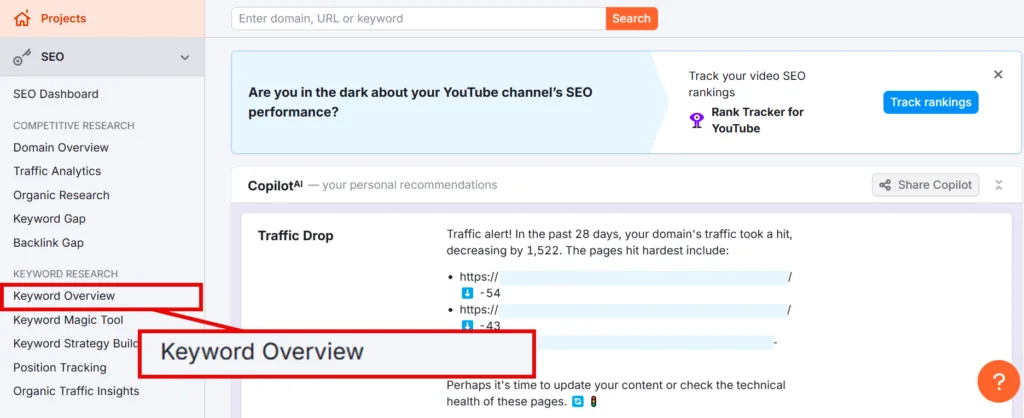
Keyword Overview shows the full potential of a keyword: volume, difficulty, intent, CPC, and more. Normally you can check up to 100 keywords at once, but for city-level search volume, you can only enter one keyword at a time. Click Keyword Overview on the left, under Keyword Research.
Step 2: Enter Your Keyword and Target City
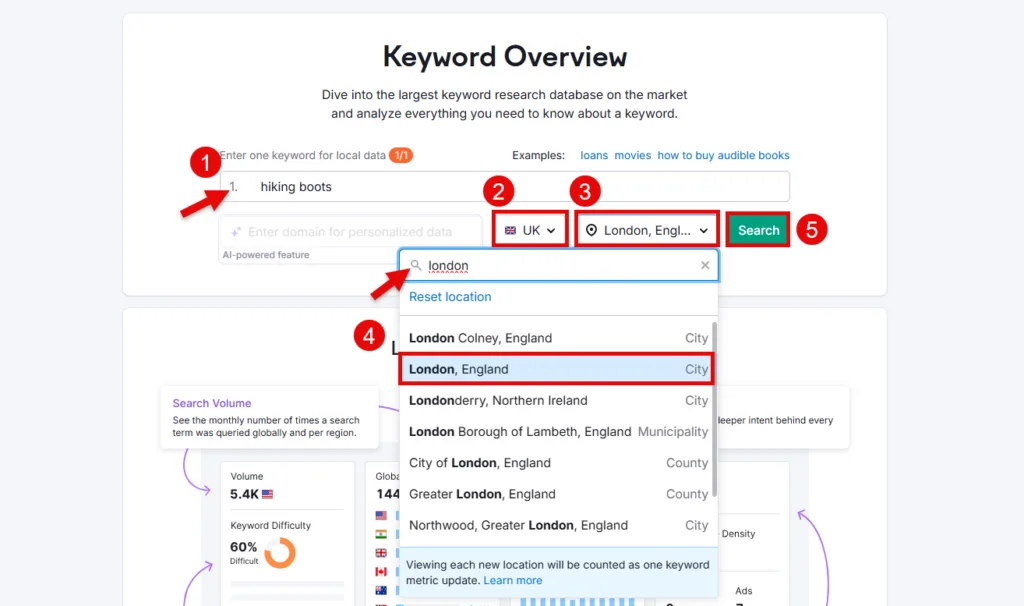
Enter your keyword, select the target country, then type in your target city and pick it from the dropdown. Hit Search.
Step 3: Study the Overview
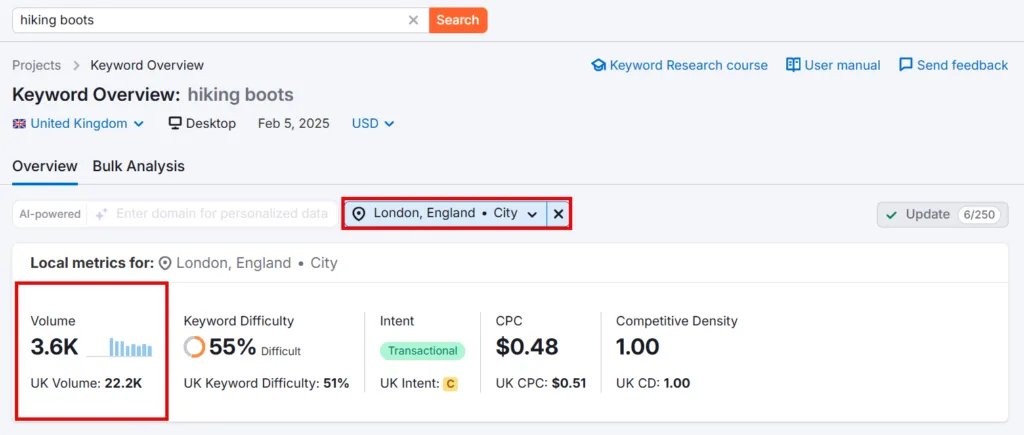
This gives you a local metrics report for your keyword in that city. Compare the Volume figure against what Keyword Planner gave you to sanity-check both.
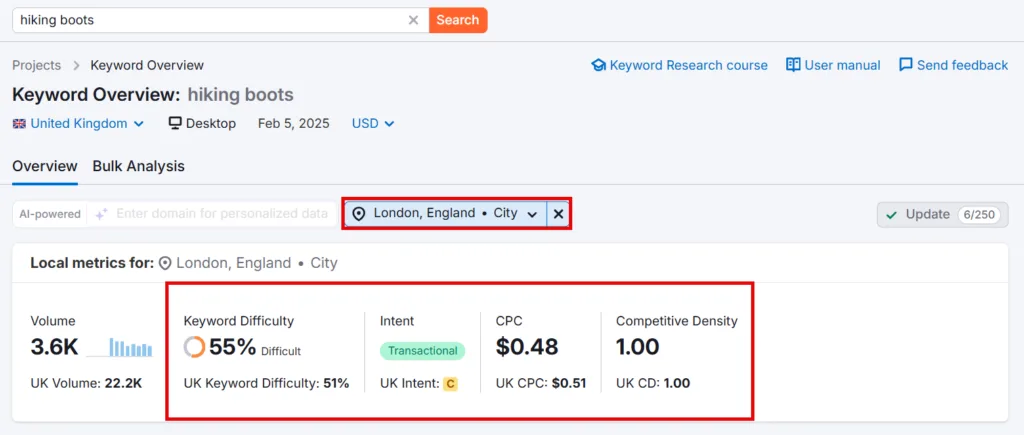
Also check Keyword Difficulty, Intent, CPC, and Competitive Density while you’re there.
Step 4: Change City
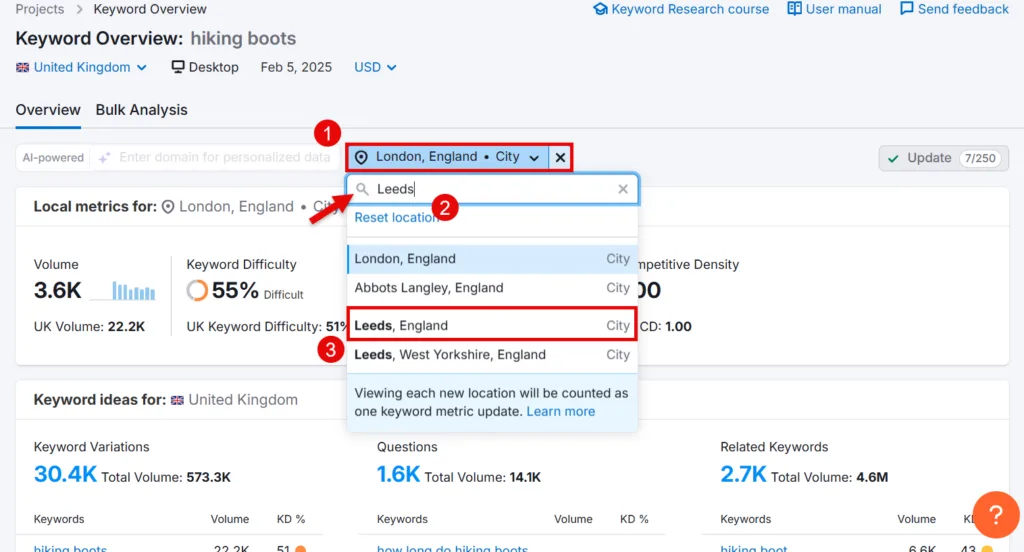
Want to check another city? Click the location option above the local metrics report, type in the new city, and select it from the dropdown.
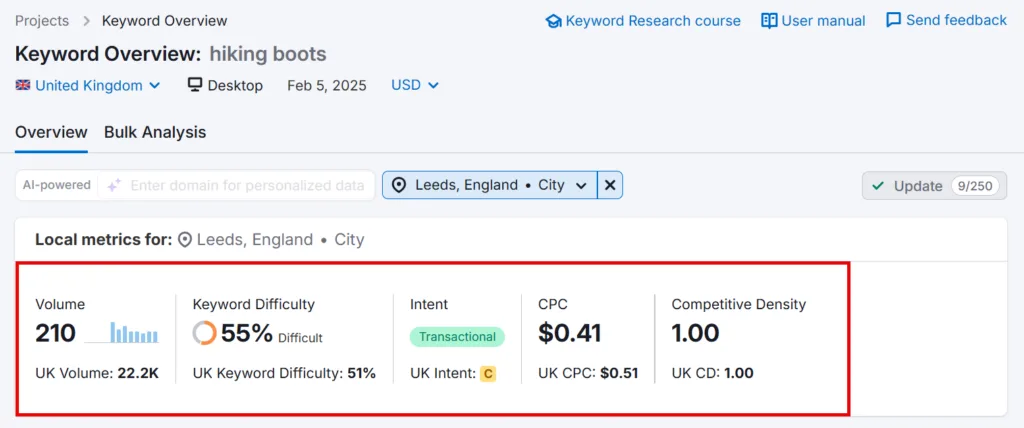
I switched to Leeds and got a fresh set of local metrics. This is how you decide which cities are worth targeting and which aren’t.
Step 5: Find Keyword Ideas
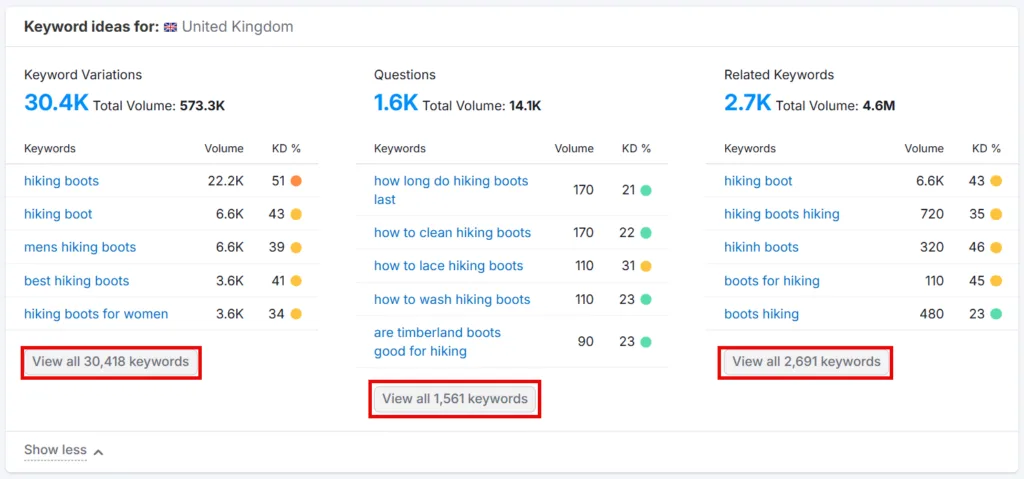
Scroll down for more keyword ideas based on your search term. Click View all to see the full list, though it’ll show country-wise metrics rather than city-level.
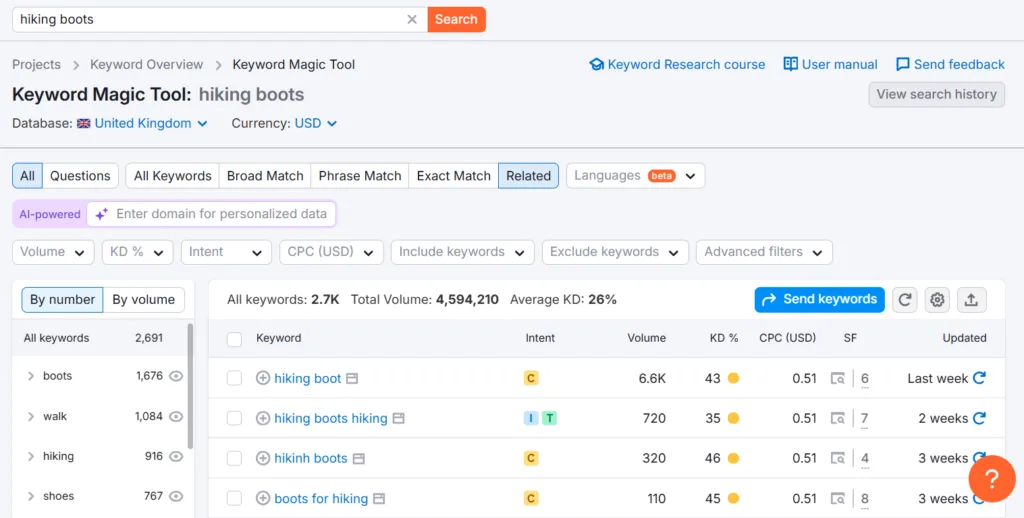
Depending on where I am in the research process, I’ll browse these lists for ideas, then run the relevant ones back through Keyword Overview to get their city-based metrics.
How to Find Local Keyword Search Volumes by City with Mangools
Mangools’ KWFinder is another solid option. It helps you analyze a keyword and find related ideas alongside metrics like search volume and difficulty, and since it pulls data straight from Google Keyword Planner, you can trust it’s grounded in the same source.
Step 1: Enter Your Seed Keyword
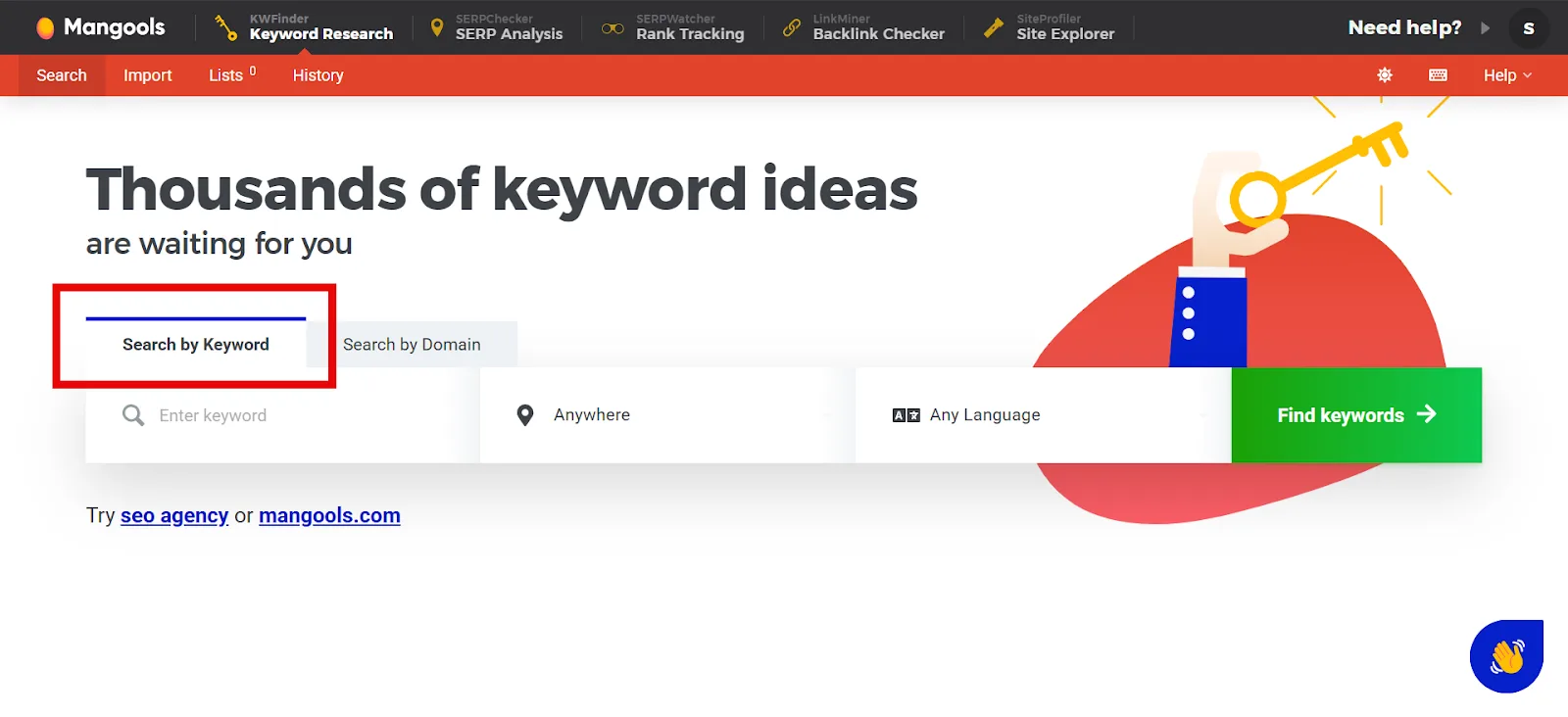
Open Mangools’ Keyword Research tool and select Search by Keyword.
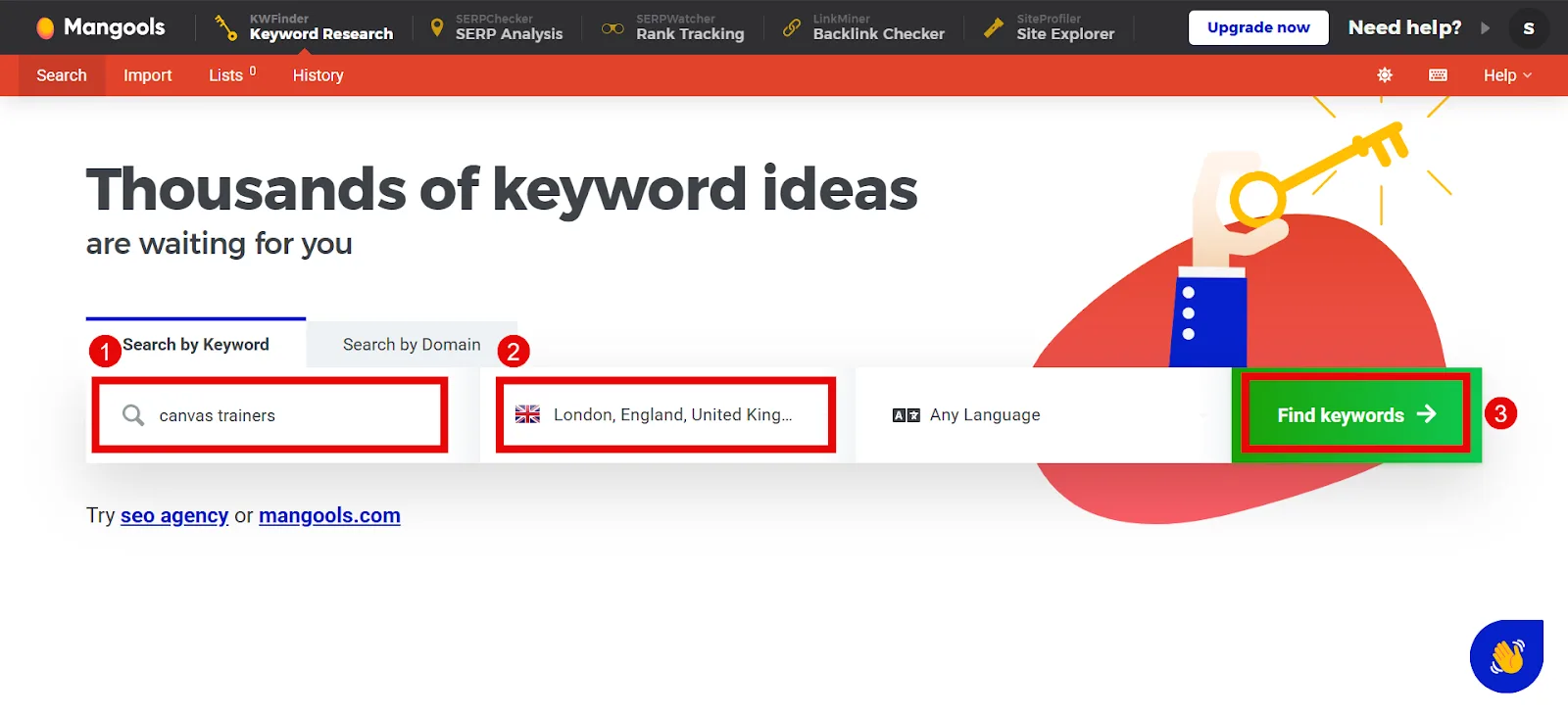
Enter your keyword and target country, then hit Find Keywords. You’ll get search volume plus other useful data, search intent, difficulty score, and more.
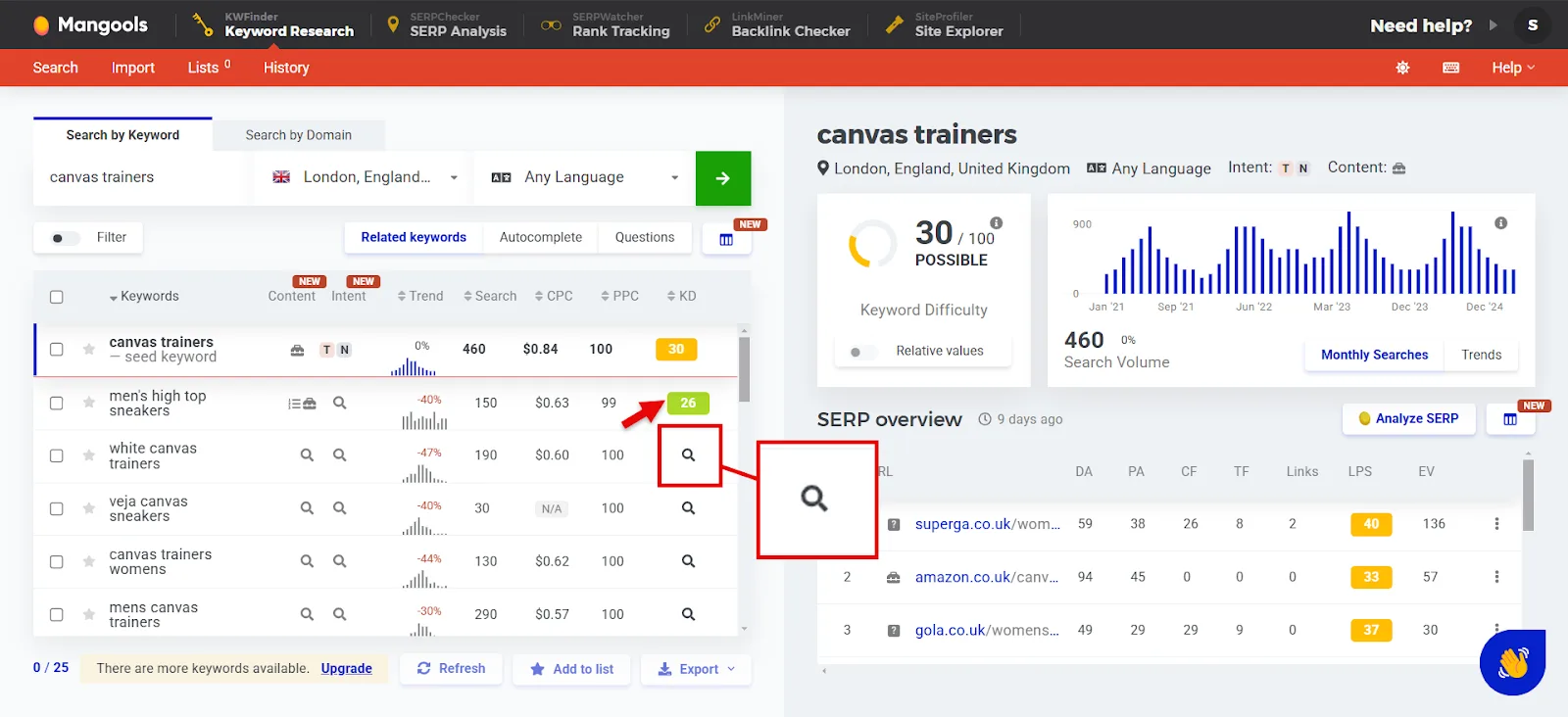
Step 2: Study the Overview
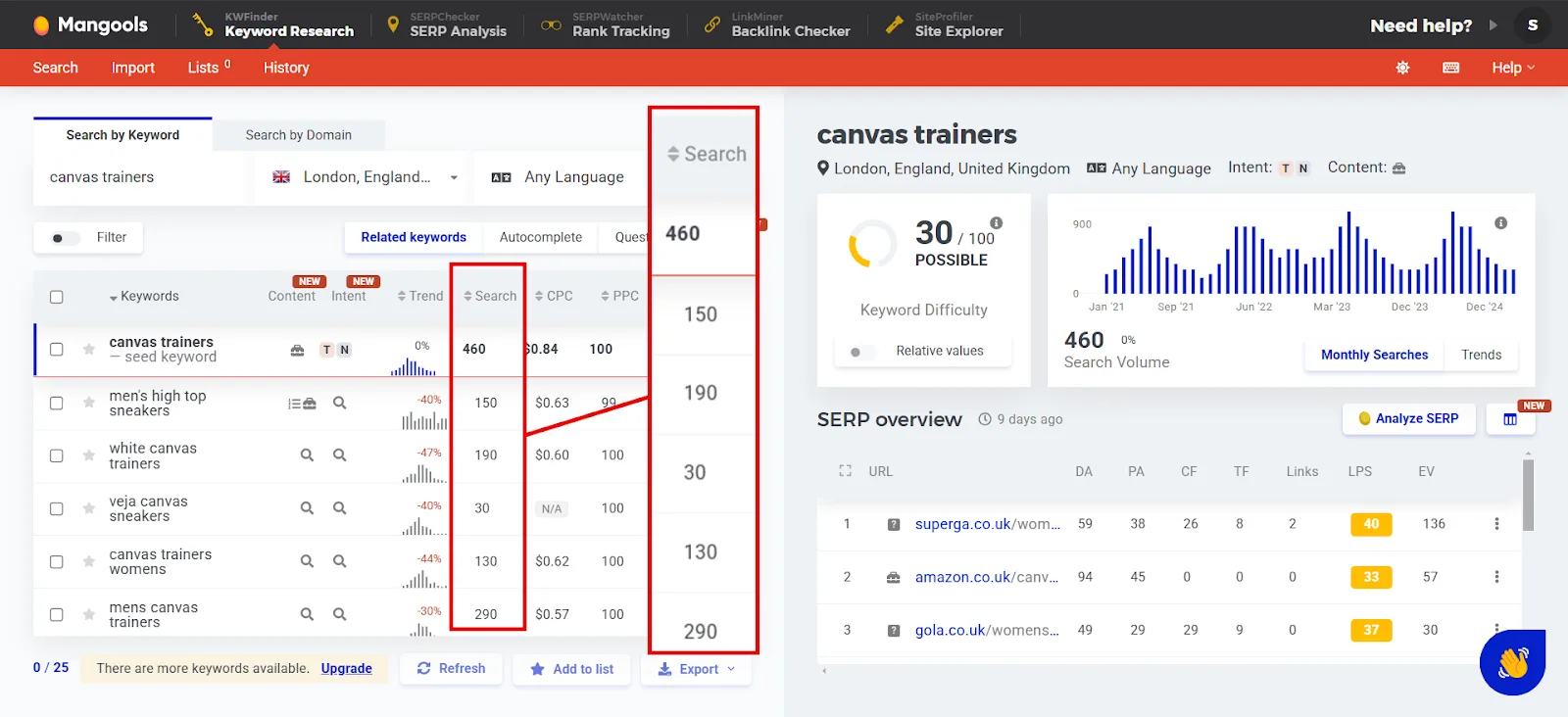
Check the city-wise search volume for your keyword and its related terms below it.
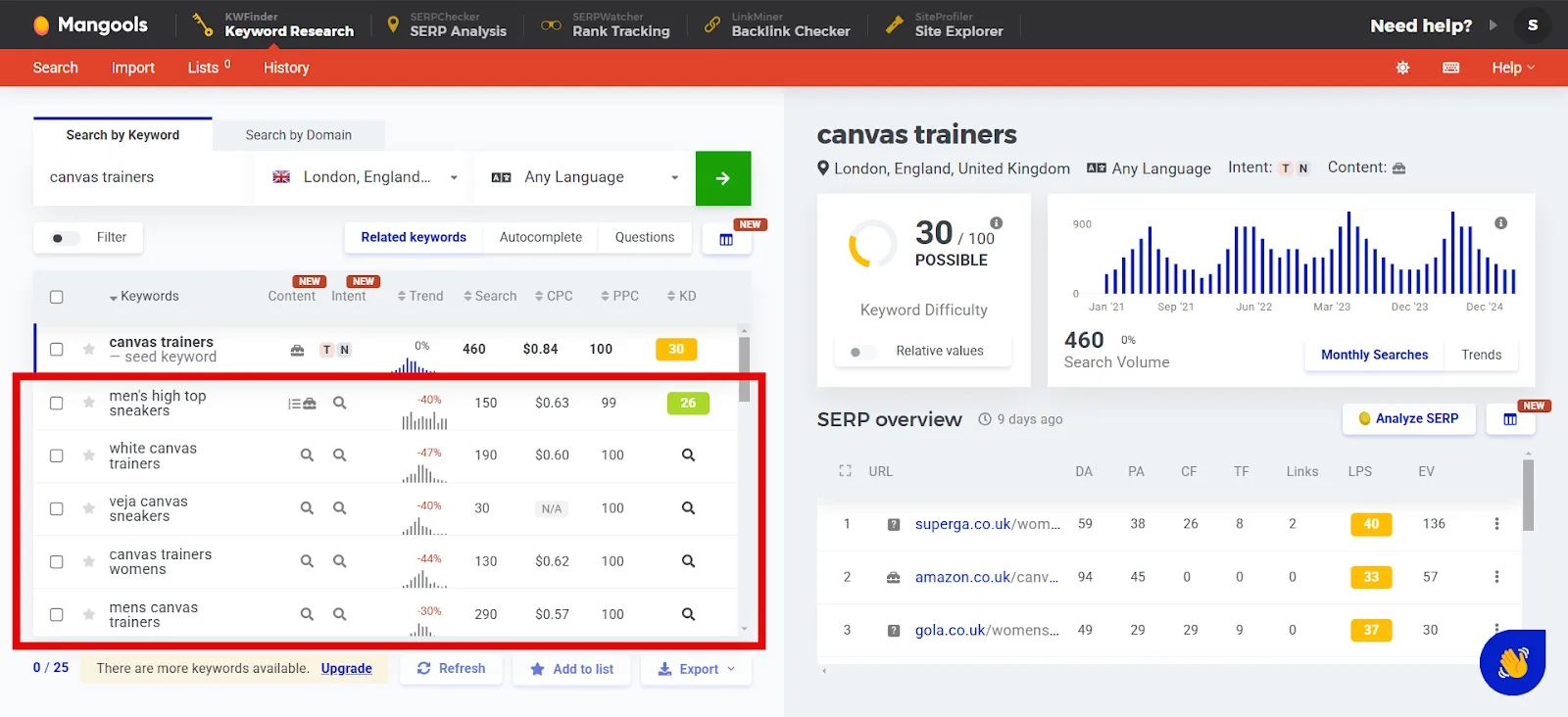
It’ll also surface keyword ideas based on your input. Click the search icon next to any idea to reveal its difficulty score.
Step 3: Filter and Refine
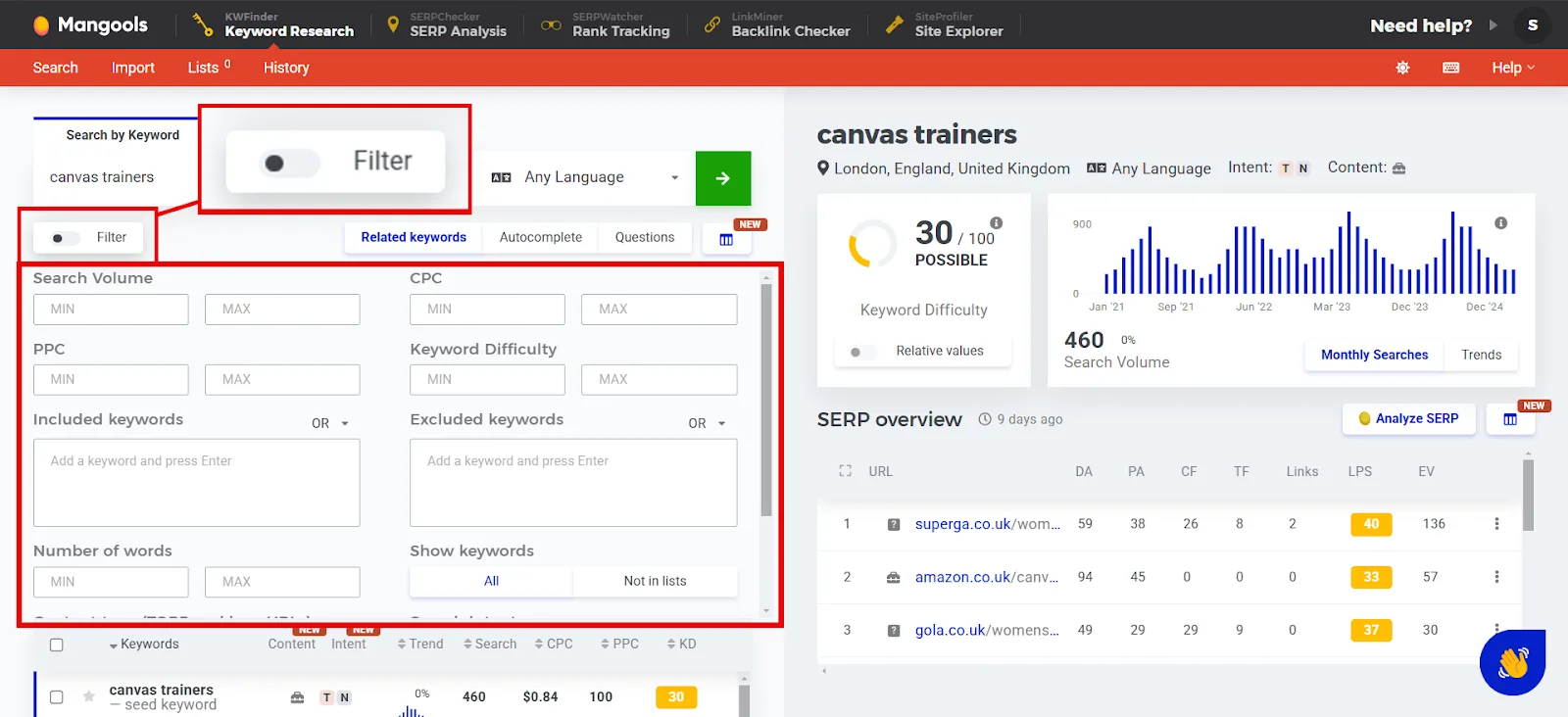
Click Filter in the upper-right corner for a detailed set of filters. Use whatever’s relevant to narrow your search.
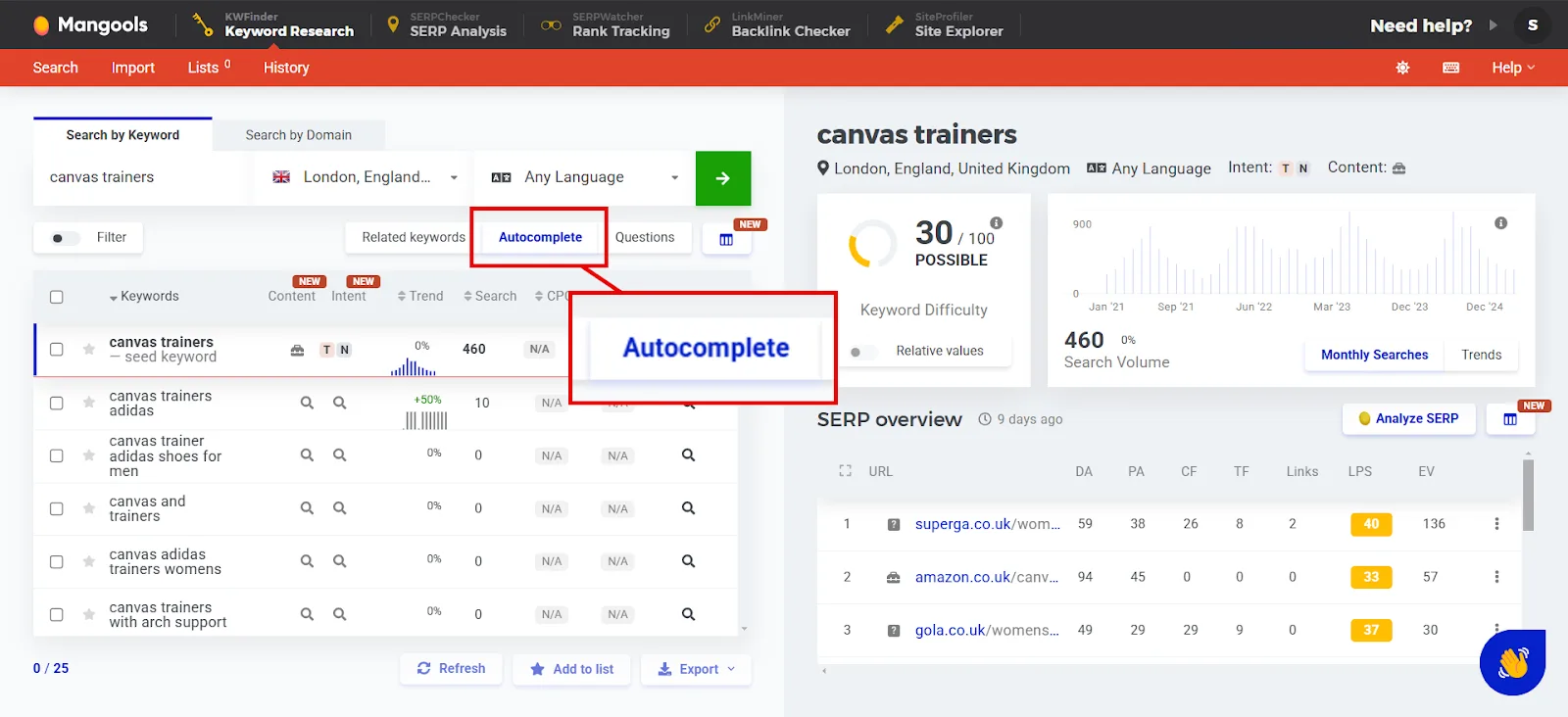
Select the Autocomplete filter to see how Google might complete your seed keyword.
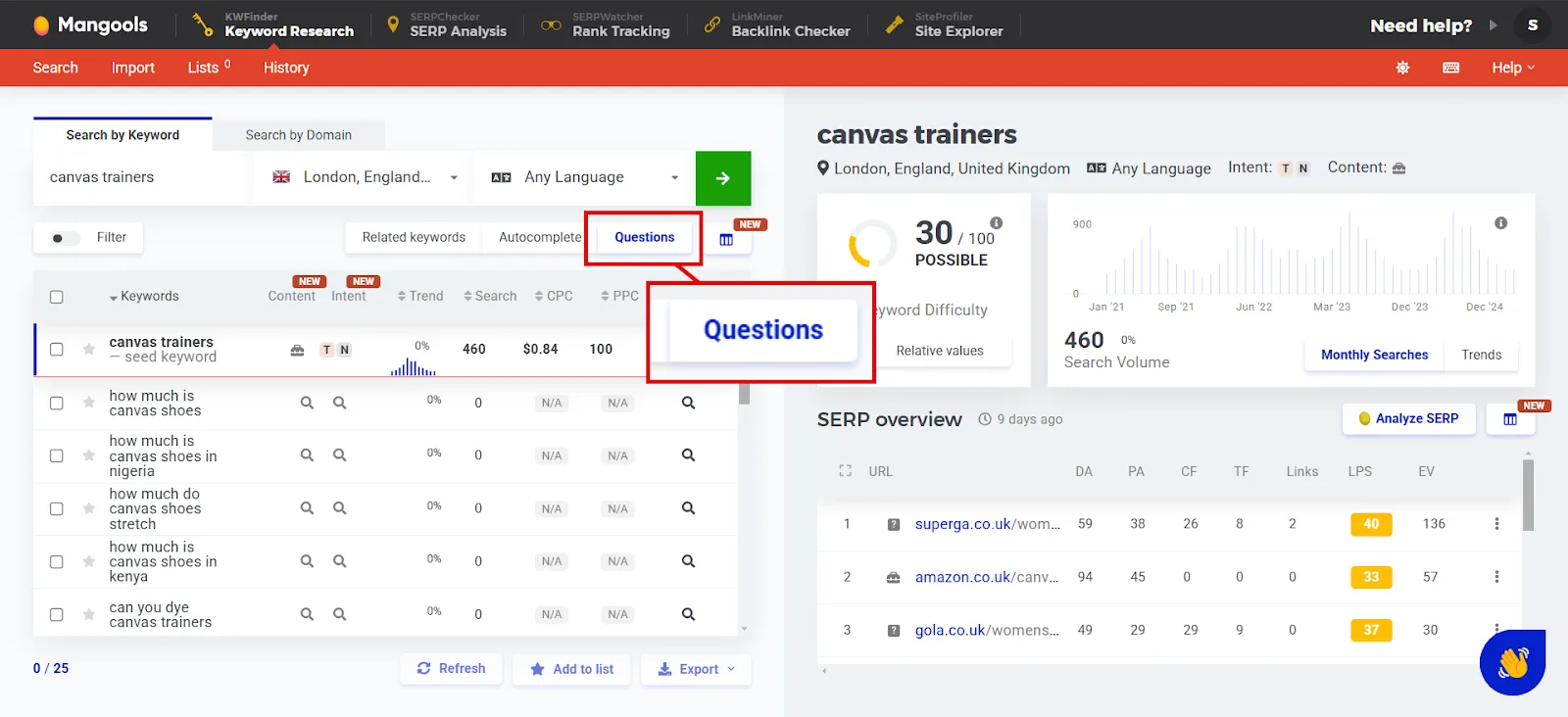
Click Questions to see how the keyword shows up in question form.
Step 4: Download the Data
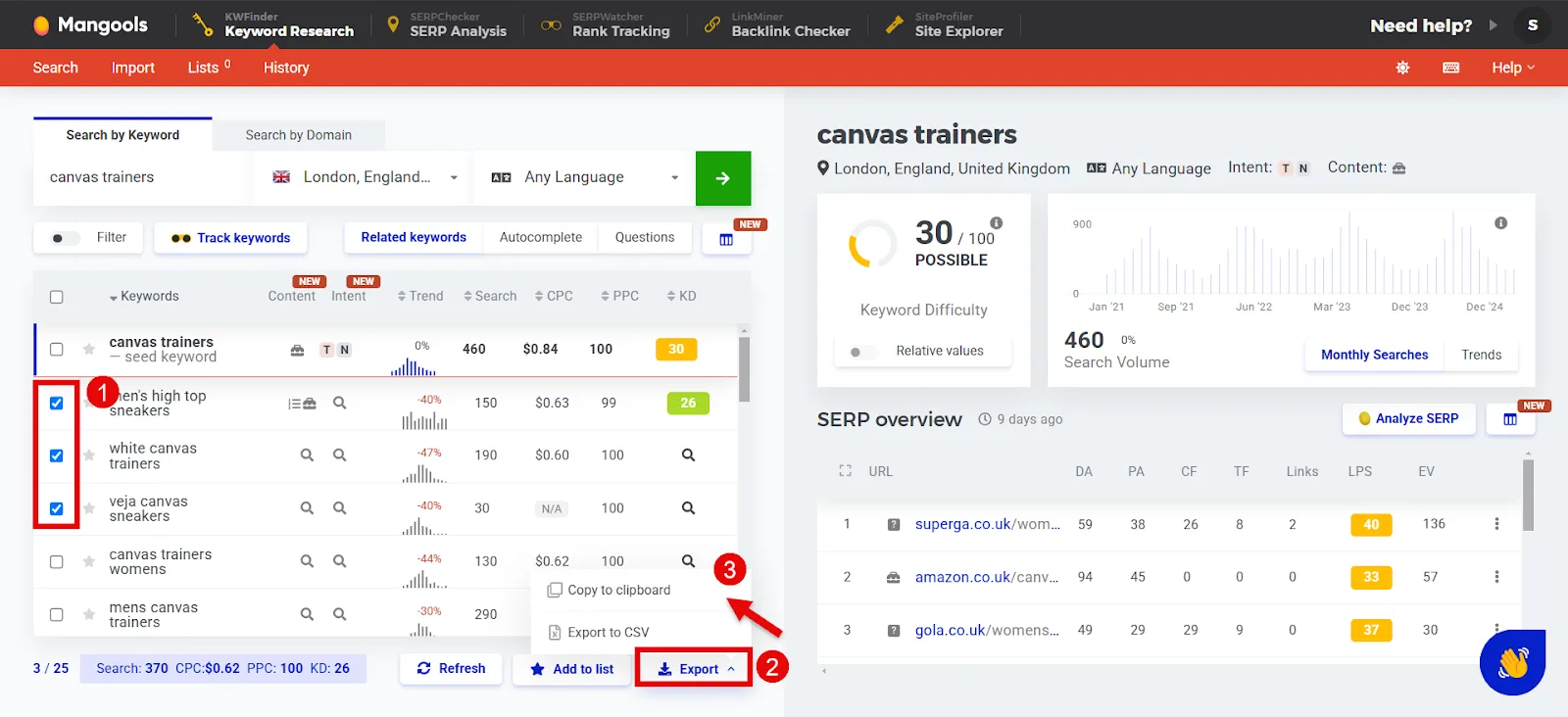
Select the keywords you want (check the boxes next to them), then click Export at the bottom right. You can copy the data or export it as a spreadsheet.
The one downside with Mangools is you can’t add more than one seed keyword at a time. I don’t mind it much though, considering how deep the research goes per keyword. It’s my go-to for detailed, focused local keyword research.
How to Interpret and Use the Data You Find
Once you’ve gathered local search volumes, here’s how to actually put it to work in your local SEO strategy:
↳ Target keywords with the right balance. Go for decent volume paired with low-to-medium competition, these are easier to rank for and still drive solid traffic.
↳ Watch for seasonal trends. Notice when searches for a keyword spike, “summer wedding venues” in May, for instance, and plan content and campaigns around those windows.
↳ Use both general and specific keywords. General terms like “plumber” give you broad data, while specific ones like “plumber in Boston” target local intent directly. Combining both paints a fuller picture of local opportunity.
↳ Break the data down by location. Compare search volume across cities to find where the real potential is.
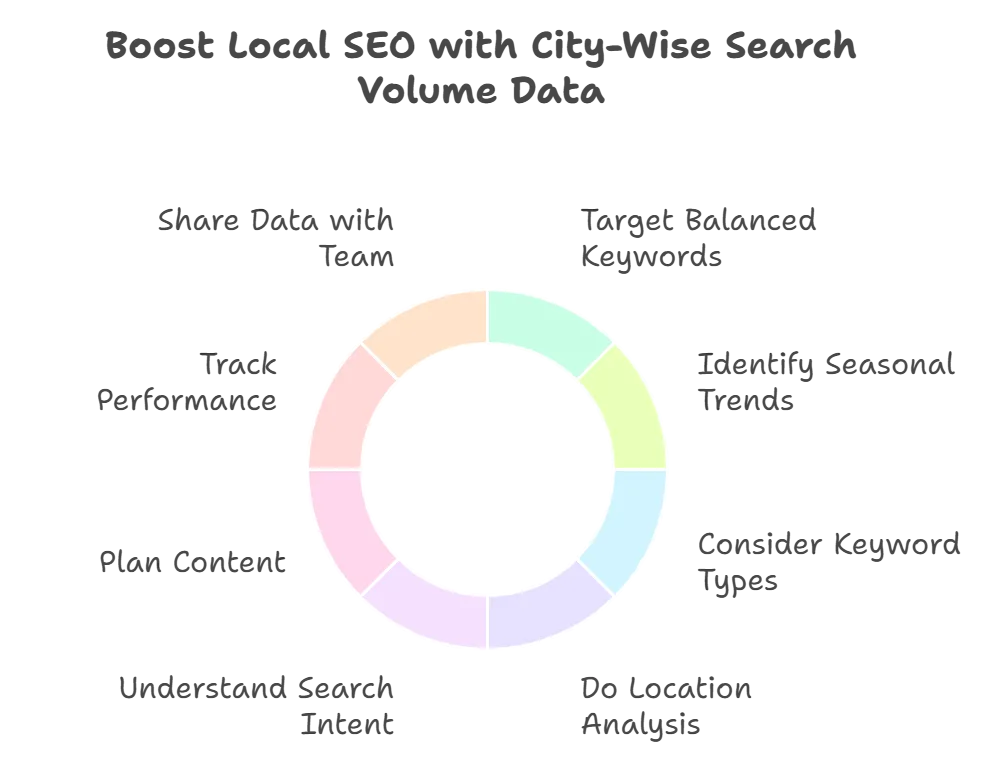
↳ Match keywords to search intent. Use “how-to” or “guide” style terms for blogs and educational content, and lean on purchase-oriented terms like “buy” or “near me” for product or service pages.
↳ Plan content around the data. Use high-volume keywords for cornerstone pages, target long-tail terms like “24-hour plumbers in Boston” for niche posts or landing pages, and work location-based terms in throughout to boost local relevance.
↳ Track and update regularly. Check keyword performance often and adjust your strategy as trends or user behavior shift.
↳ Share the data. Download it and hand it off to your team so content and SEO strategy stay aligned.
Target Cities with City-Wise Search Volume Data
Now you’ve got three solid ways to find keyword volume by city, Google Keyword Planner, Semrush, and Mangools. A few more guides to round out your local keyword strategy:
↳ How to Do International Keyword Research
↳ How to Do Keyword Research for B2B
↳ How to Do Keyword Research for Free
Frequently Asked Questions
Which is the best tool to get local keyword search volumes by city?
Google Keyword Planner is the traditional go-to since its data pulls directly from Google. But I also lean on Semrush, since it pulls from Google API, third-party providers, and other sources, and gives you extra local metrics like KD%, intent, and CPC. Mangools is a solid third option, also pulling from Keyword Planner with a user-friendly interface and added difficulty analysis.
How to do local keyword research for free?
Set up a free Google Ads account and use Keyword Planner. It lets you discover keyword search volumes tailored to specific cities or regions at no cost.
Can I get local keyword search volumes for a small town?
Yes, tools like Google Keyword Planner let you specify the exact location, even smaller towns, so you can gather relevant search volume data for your local SEO strategy.
What’s the best tool for city-level keyword research besides Google Keyword Planner?
Semrush is a strong alternative. It offers keyword difficulty analysis, SERP insights, and location-based filtering, with a user-friendly interface built for detailed local SEO work.
How accurate is the search volume data from these tools?
Treat it as an estimate, not an exact figure. These tools offer valuable directional insight, but you shouldn’t rely solely on the specific numbers they report.
How to find local keyword search volume?
Use a tool like Google Keyword Planner. Enter your target keywords and specify the geographic location to get estimated search volumes for that area.
How to find location-based keywords?
Add geographic modifiers, city names, neighborhoods, and so on, to your keyword research. Google Keyword Planner can generate localized keyword ideas by letting you filter results based on location.
How would you determine which city has the most interest for a search keyword?
Google Trends is useful here. Enter the keyword and check interest by region to see which cities or areas show the highest search volume for that term.
How do I get exact search volume in keyword planner?
You need an active Google Ads campaign running. Without one, Keyword Planner only shows you volume ranges instead of precise figures.
How to rank for local keywords?
Work location-specific keywords into your content, meta descriptions, and title tags. Also make sure your business is listed on local directories with consistent NAP (Name, Address, Phone number) information across all of them.
How is keyword search volume calculated?
Tools typically calculate it by analyzing how many times a keyword is searched within a given timeframe, usually a month, drawing on sources like clickstream data to estimate popularity and trends.