


![Steal This Free Keyword Research Template [With Guide]](https://cdn.questiondb.io/articles/free-keyword-research-template-with-guide/hero.webp)
Let’s face it, keyword research can be overwhelming.
Building a simple spreadsheet to organize, prioritize, and track your keywords takes most of the guesswork out of the process. Here’s exactly how I structure mine and use it, step by step.
What Goes Into a Good Keyword Research Spreadsheet
1. Where to Find Keyword Ideas
From Wikipedia to Reddit to Exploding Topics, there are some unexpected (and genuinely effective) places to find potential keywords for your site, all covered below.
2. How to Evaluate Keywords
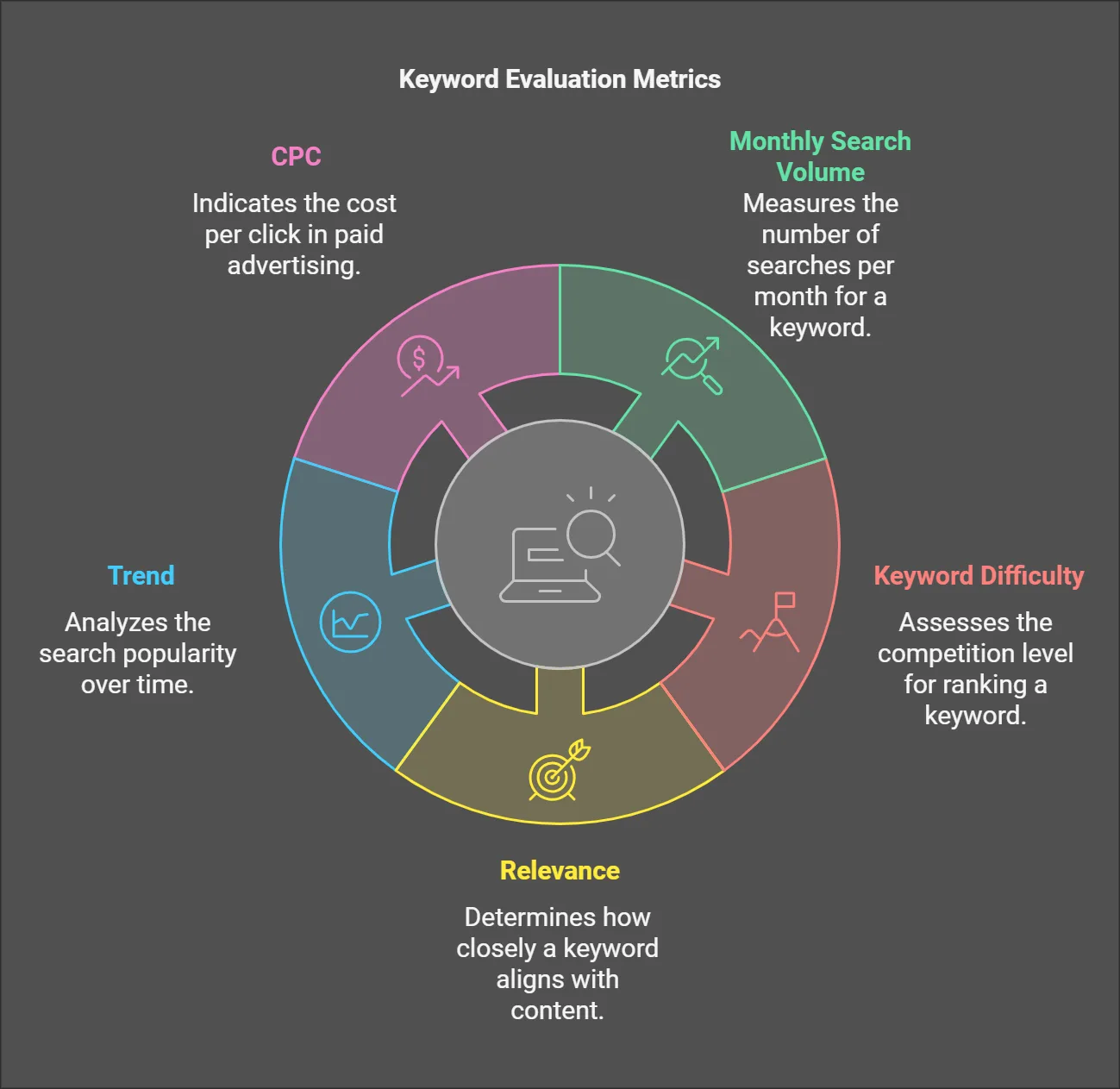
Five key metrics decide whether a keyword is worth your time:
↳ Monthly Search Volume
↳ Keyword Difficulty
↳ Relevance
↳ Trend
↳ CPC
How to Build and Use Your Keyword Research Spreadsheet
1. Set Clear Goals
Before brainstorming keywords, define exactly what you want to achieve.
↳ Are you launching a new product or service?
↳ Are you trying to boost your business’s visibility?
↳ Do you want to generate leads through content marketing?
Clear goals make it far easier to pick the right keywords.

Take a few minutes to:
↳ Define your main objectives.
↳ Align keywords with your site’s traffic goals.
↳ Focus on keywords that attract the right audience.
If you own a pest control company in Phoenix, for instance, your goal might be to rank for “pest control in Phoenix” or “best pest exterminator near me.” You could also lean informational, like “how to get rid of termites” or “DIY pest control tips.” Or, if you’re introducing a state-of-the-art rodent-tracking system, you might target something more unexploited like “smart rodent control devices.”
2. Brainstorm Seed Keywords
Seed keywords (sometimes called “root” or “head” keywords) are short, general terms closely tied to your business or niche. They’re the foundation everything else builds on.
Start broad, then zoom in. Continuing the pest control example, I’d begin with something general like “pest control services.”
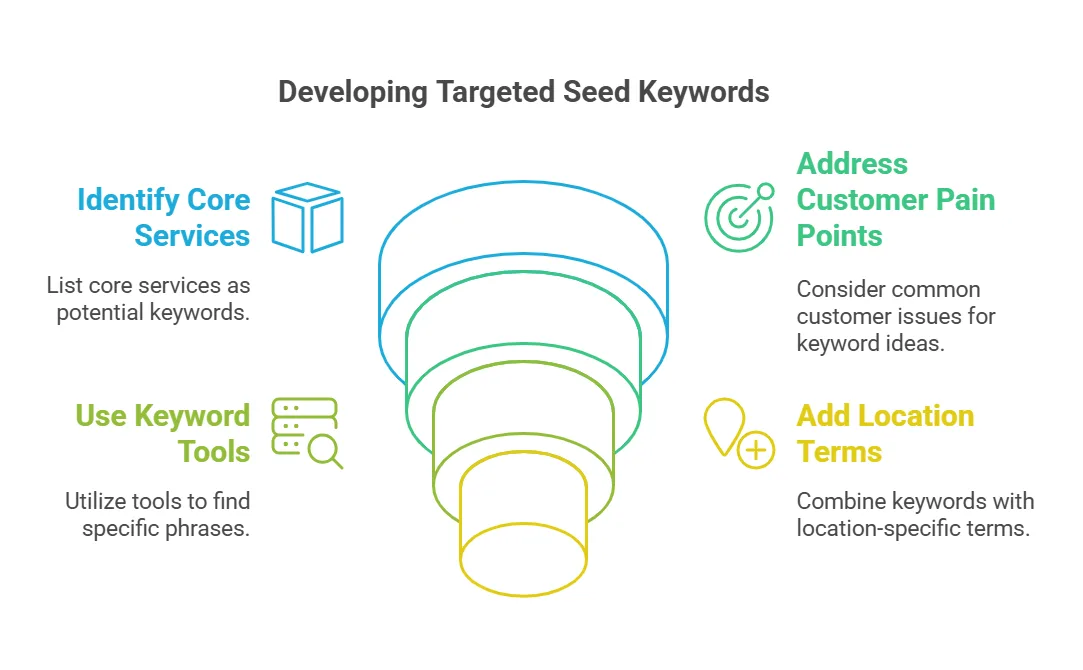
Then list core services:
→ pest control
→ exterminator
→ insect control
→ rodent removal
Then customer pain points:
→ mice in the attic
→ cockroach infestation
→ how to get rid of ants
A tool like Semrush can help expand this into more specific, long-tail phrases, “eco-friendly pest control near me” or “best termite treatment for residential properties.”
If you’re local, combine seed keywords with location terms:
→ exterminator near me
→ pest control in [city name]
→ [city name] rodent removal
At this stage, don’t worry about quality or competitiveness, the goal is simply a thorough list of potential terms.
3. Set Up Your Spreadsheet
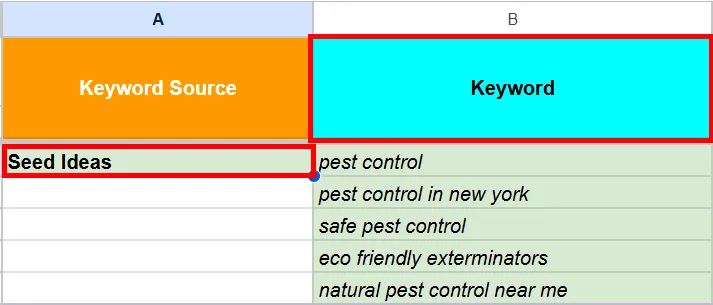
Once you have a rough list, set up a spreadsheet with a Keyword column and start logging your seed ideas under a “Seed Ideas” section.
4. Expand Your List
Here are seven sources I use every time to expand a seed list into something usable:
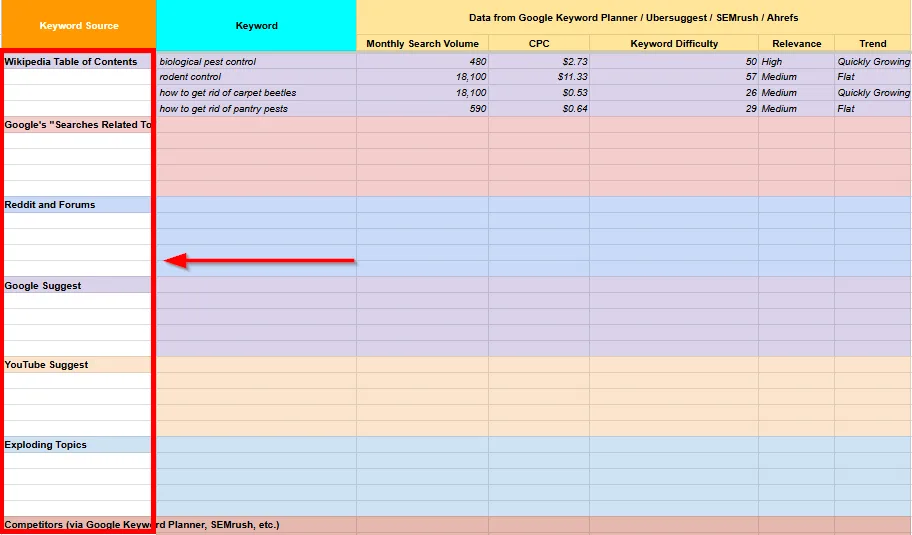
A. Google Suggest. Go to Google, type “pest control,” and don’t hit enter. Note the auto-suggestions.

This gives you a direct line into common phrases real users are typing.
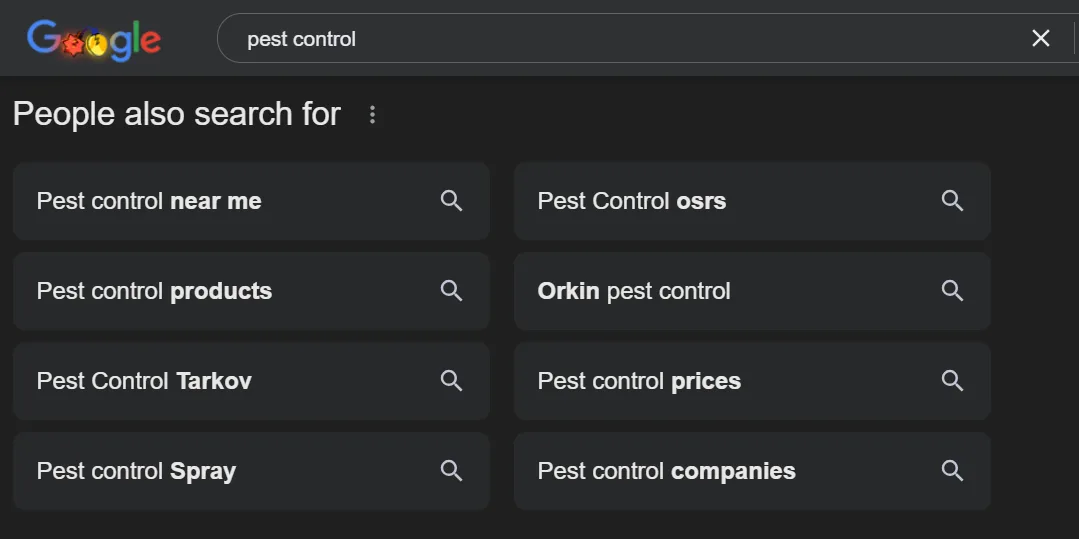
B. People Also Search For and People Also Ask. After a basic search, check People Also Search For at the bottom of the page.
Then check the People Also Ask box under the first few results.
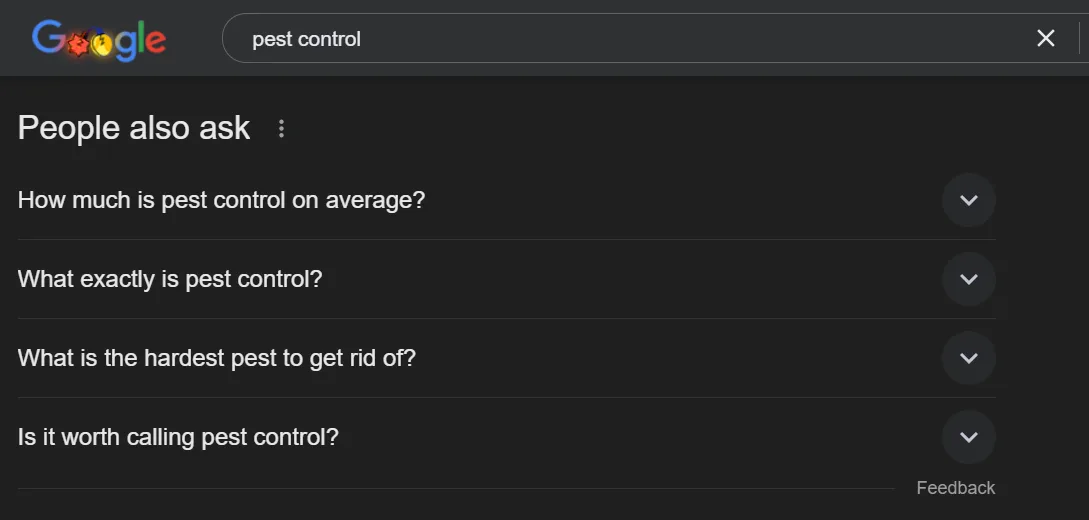
These are real questions people are asking Google, perfect content or FAQ topics.
C. Wikipedia’s table of contents. Search your niche on Wikipedia. The Contents sidebar often points to subtopics or specific categories, for pest control that meant things like Rodent Control, Physical Pest Control, and Integrated Pest Management.
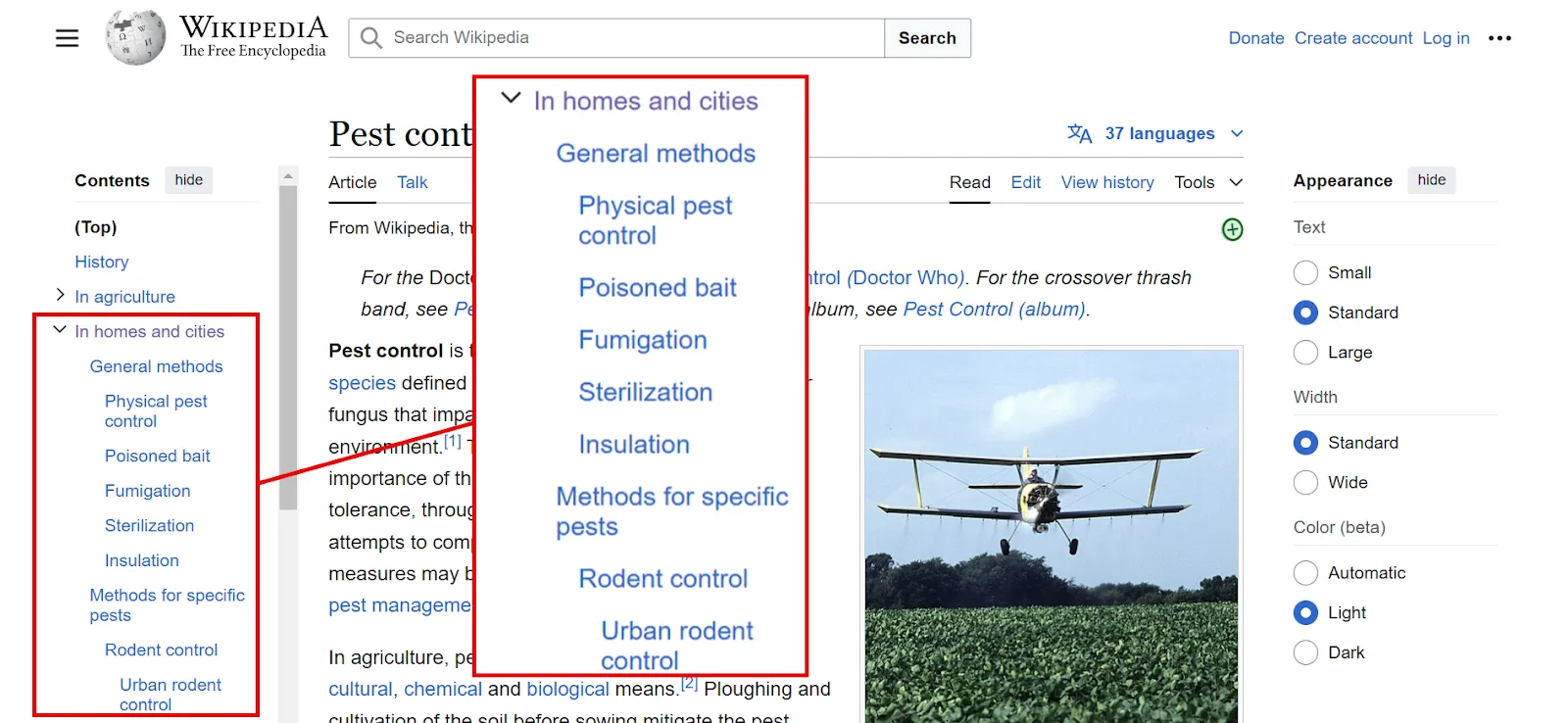
These headings can spark content and keyword ideas you might not have considered.
D. YouTube Suggest. Same idea as Google Suggest, type your keyword into YouTube’s search bar and see what autocompletes.
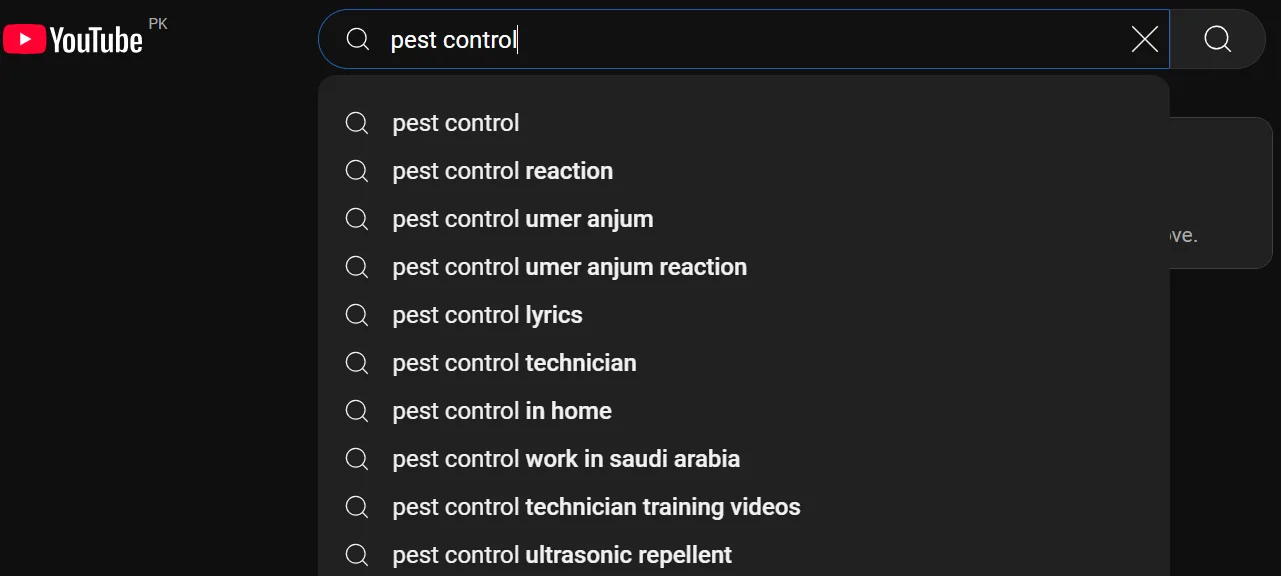
This often reveals “how to do xyz” or “DIY xyz” style queries. Pest control didn’t return much for me here, but it’s worth checking for your niche.
E. Reddit and other forums. Visit community forums where people discuss issues in your niche, subreddits like r/pestcontrol or r/HomeImprovement, for example.
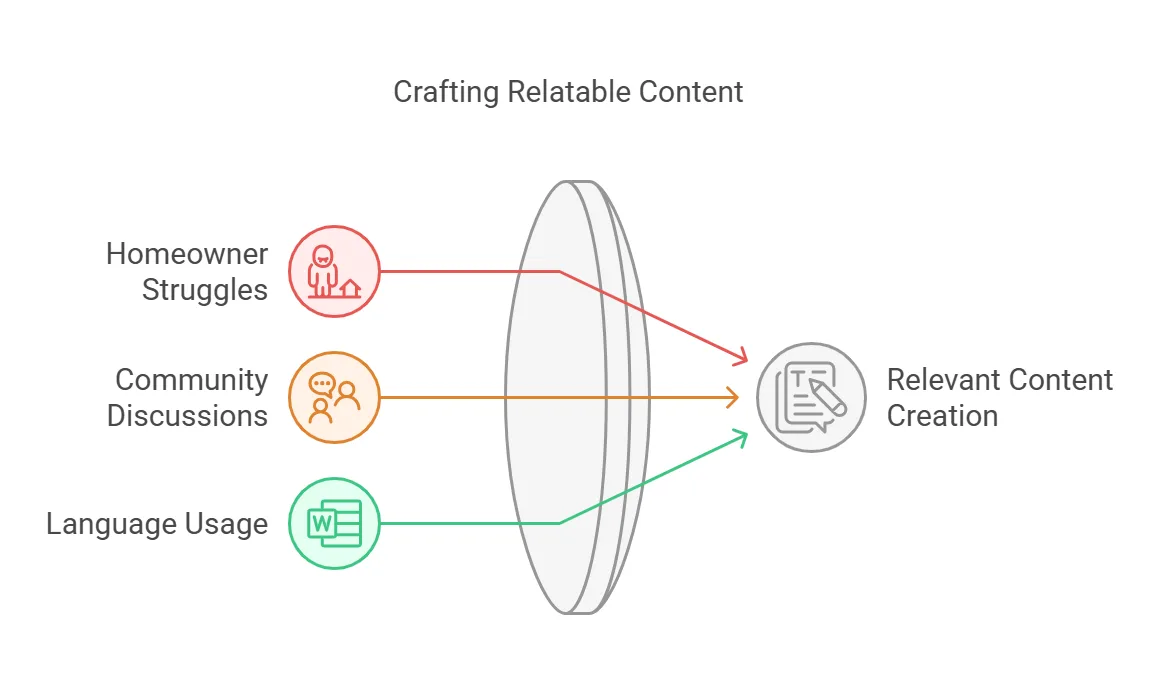
Look for recurring struggles: mice in walls, ant infestation solutions, best traps for outdoor pests. Each thread can spark keyword ideas, content topics, or FAQ entries, and pay attention to the language people actually use so your content sounds like it’s talking to them, not at them.
F. Exploding Topics. A paid tool that highlights rapidly growing search trends.

It’s useful for spotting new or rising keywords, like “natural pest repellents” or “ultrasonic pest control devices”, before they become too competitive. Only worth it if you already have a membership.
G. Competitor websites. Competitor research is seriously underrated. Peeking at what keywords they’re ranking for is often a shortcut to better content ideas.
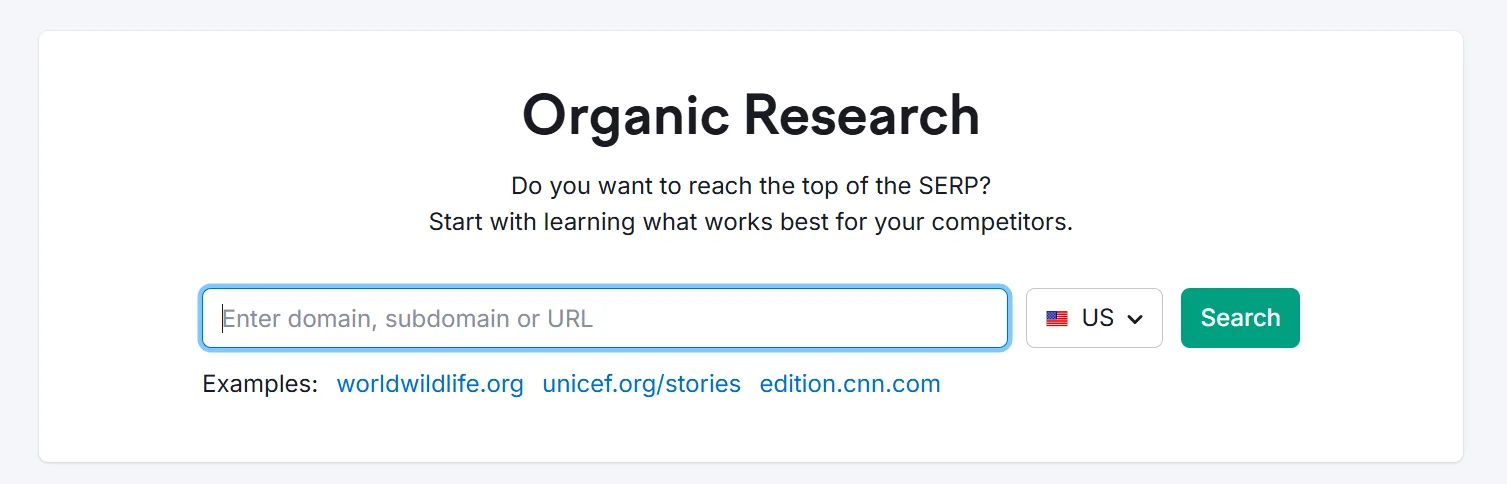
- Identify your main competitors. A local pest control business competes with other local exterminators; an online pest control retailer competes with larger e-commerce sites. Semrush’s Organic Research tool is a fast way to find yours.
- Use an SEO tool for competitor analysis. Semrush’s Keyword Gap tool surfaces keywords your competitors target that you don’t.
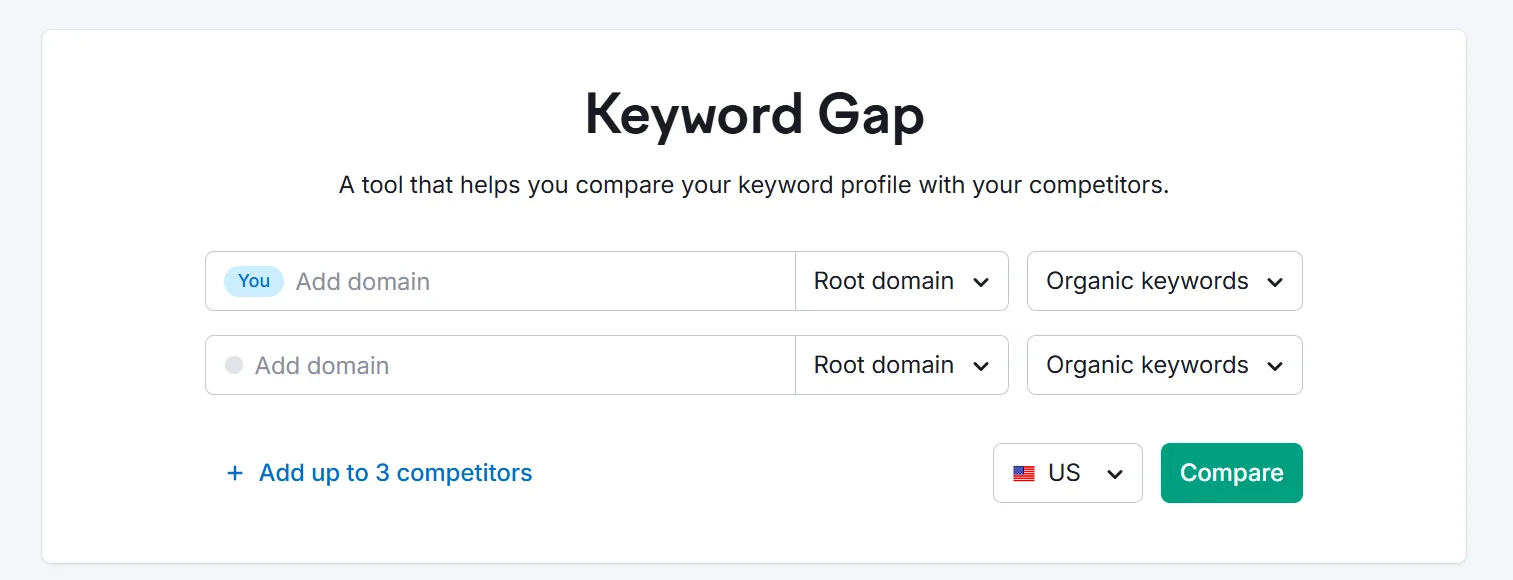
Watch for moderate-to-high volume keywords with relatively low competition.
- Look for gaps and opportunities. If a competitor ranks well for “pest control for organic gardens” but you have nothing on the topic, that’s an opening. If they rank for “rats in attic solution,” that’s your cue for a high-quality article or service page.
Don’t copy competitor keywords blindly though, check the intent behind each term and make sure it lines up with your goals and offerings.
Pull everything you find from these sources into your spreadsheet.
5. Add the Metrics
Some keywords already have volume, competition, and other data attached (from Semrush’s Keyword Magic or Keyword Gap tools, for instance). Others, pulled from SERPs or forums, still need to be validated.
Run these through Semrush’s Keyword Overview tool. Enter what you’ve found and hit Search.
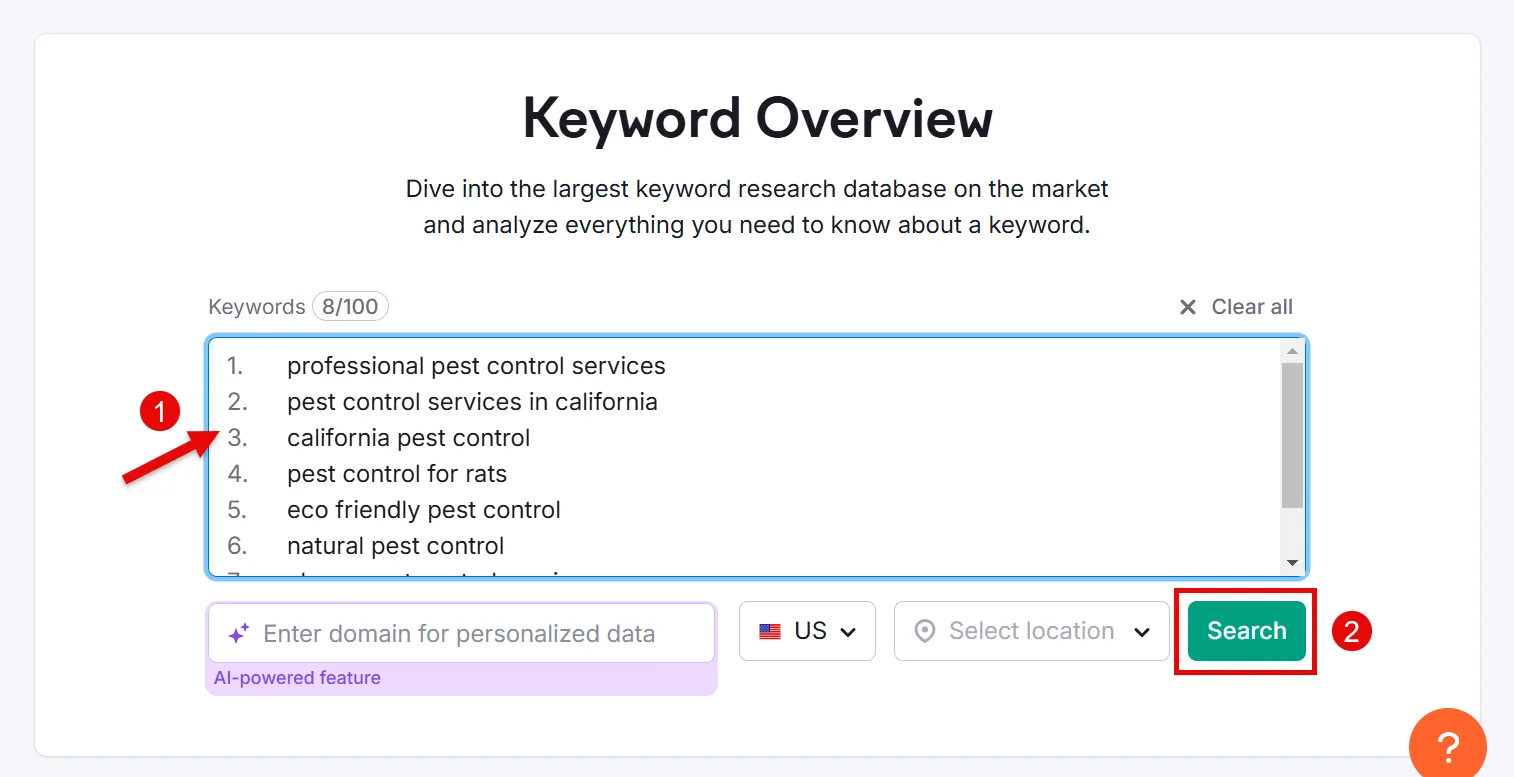
This surfaces all the important metrics for your researched keywords.
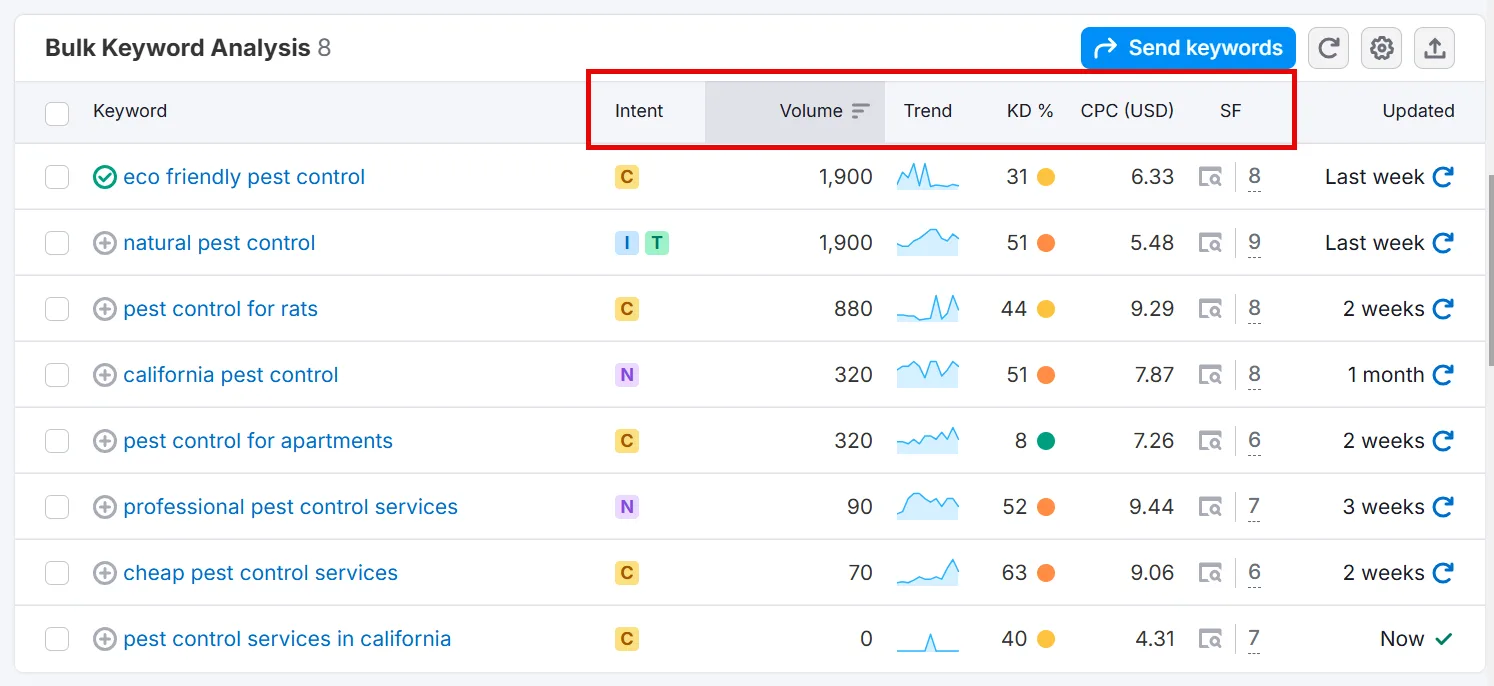
Add each keyword to your spreadsheet along with:
→ Monthly Search Volume
→ Keyword Difficulty
→ Relevance
→ Trend
→ CPC
Here’s an overview of the key metrics I logged for the pest control example:
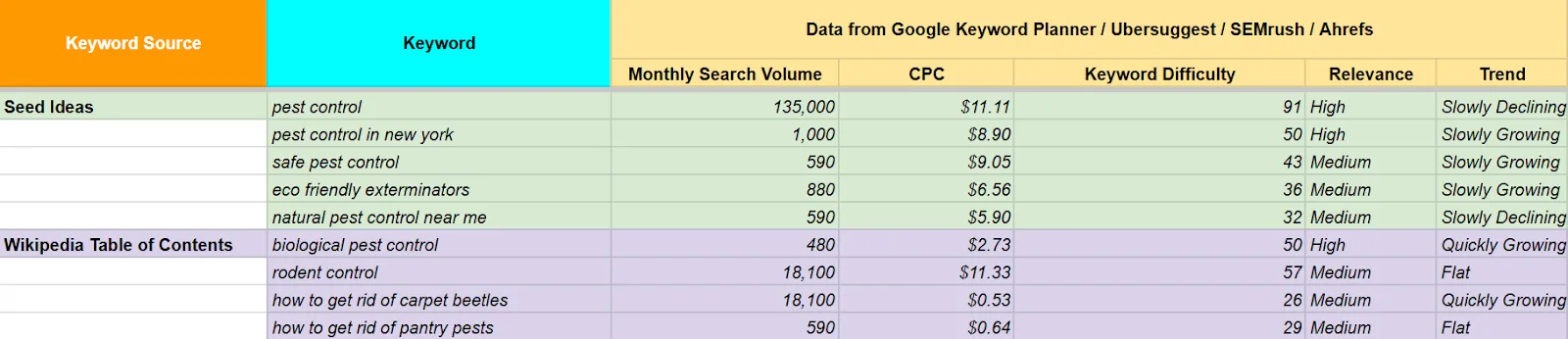
A simple spreadsheet layout works well for this:
| Keyword | Monthly Volume | Keyword Difficulty | Relevance | Trend | CPC | Notes |
|---|---|---|---|---|---|---|
| pest control in Phoenix | ||||||
| how to get rid of termites | ||||||
| eco-friendly pest control near me |
6. Pick Your Target Keywords
With your data in, choose the keywords that best align with your goals and strategy. Start with 20 to 50 target keywords for smaller sites or niche businesses, you can always add more as your site grows.
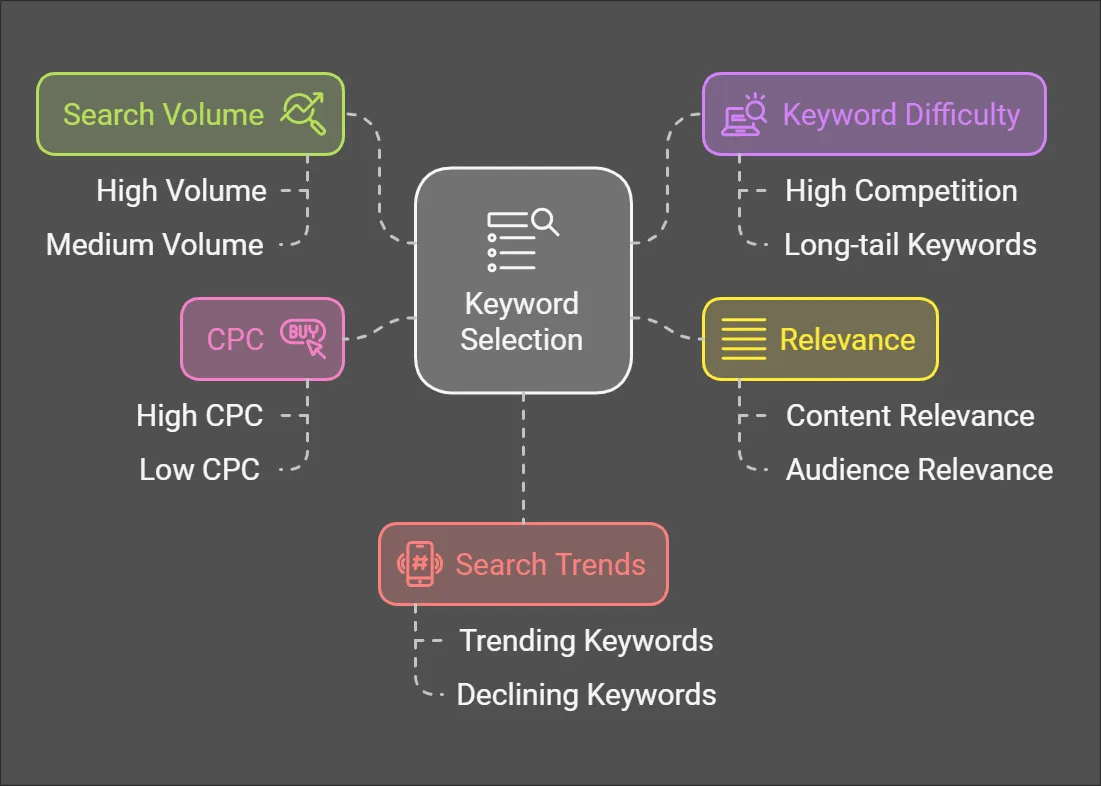
↳ Search Volume. Focus on terms with sufficient monthly searches. “Pest control” gets thousands of monthly searches, making it a prime candidate for a service page.
↳ Keyword Difficulty (KD). If you’re a new or smaller site, extremely high-competition keywords like “pest control” alone will be tough. Look instead for long-tail keywords (3 to 5 words) with manageable competition, like “pest control in new york” or “how to get rid of carpet beetles.”
↳ Relevance. Make sure every keyword actually matches your content, services, and audience. A high-volume term is useless if it doesn’t match user intent or your site’s purpose, “eco friendly exterminators” is a great keyword if you offer green pest control, and a wasted one if you don’t.
↳ CPC. A high CPC often signals strong commercial intent, meaning those keywords could drive more valuable traffic.
↳ Search Trends. Watch for keywords with growing popularity. A medium-volume keyword trending upward can be more valuable long-term than a higher-volume one that’s declining. Google Trends is a solid free tool for spotting these.
Put Your Keyword Research to Work
Once you’ve got your final list, it’s time to implement it into your content strategy.
Looking for more sources and ways to do keyword research? Check out:
↳ How to Use Google Search Console for Keyword Research
↳ How to Use Google Trends for Keyword Research
↳ How I Do Keyword Research for Free
Frequently Asked Questions
Do I need any special tools or software to build a keyword research spreadsheet?
No. A basic spreadsheet works fine in either Microsoft Excel or Google Sheets. I prefer Google Sheets since it makes collaboration easier, teammates and clients can see progress in real time.
How often should I update my keyword research?
At least every few months. Search trends shift over time, so revisiting your data keeps you ahead of the competition. I usually review mine every 3 to 4 months and adjust strategy based on performance.
What if I’m targeting a local audience?
Use tools like Google Keyword Planner with geographic filters. Work in local terms and phrases, analyze local competitor keywords, and monitor region-specific search trends. Add location-specific keywords like “pest control in [City Name]” or “exterminator near me.”
Can I use this approach for different niches or industries?
Yes. Whether you’re doing SEO for a local business, e-commerce, or a blog, the same steps adapt to find relevant keywords for your industry.
Do I need paid SEO tools to complete my keyword research?
Not strictly, but a reliable tool like Semrush is worth the investment. It centralizes useful data and metrics and helps throughout the entire process, from finding keyword ideas to finalizing and organizing them.
How many keywords should I focus on at once?
It depends on your industry, goals, and site size. If you’re just starting out or run a niche business, aim for 20 to 50 keywords, then expand once you’ve built some momentum.
What is the best keyword research tool?
I find Semrush the best overall, it’s beginner-friendly and covers the entire process, from finding valuable keyword ideas to refining and organizing them. It also makes finding search volume, keyword difficulty, and search intent easy, just plug in your list and you’ll have the data in seconds.