
Majestic
Link Building
Backlink analysis specialist behind Trust Flow and Citation Flow
From $49.99/mo



Find and verify professional email addresses, then send the outreach
 Chandan Kumar
Last updated July 30, 2026
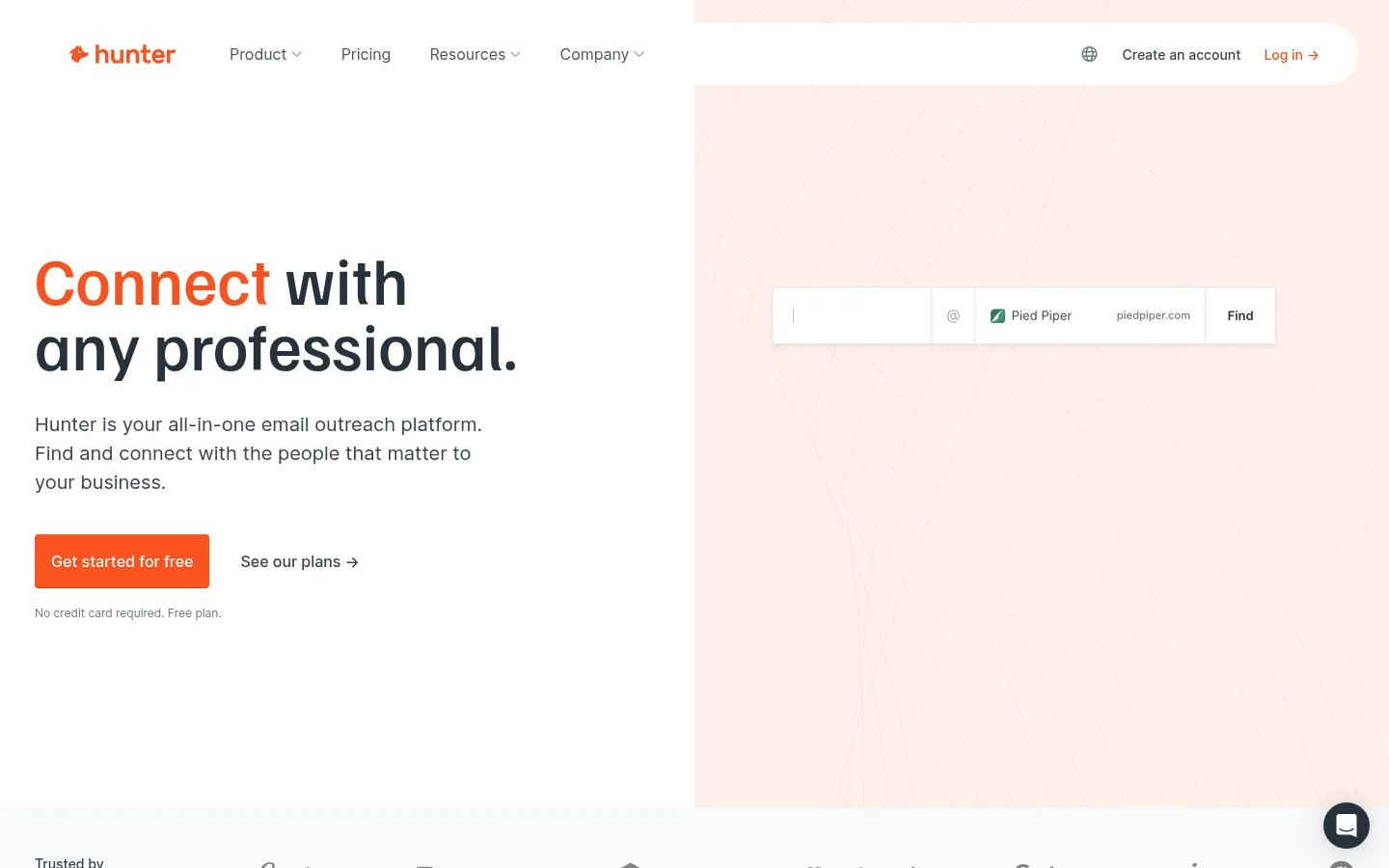
Hunter started as a plain email finder and has grown into a full outreach platform, and it still holds up well specifically for link building.
Domain Search is the one I reach for most. Enter a domain and it surfaces every public email tied to that company within seconds.
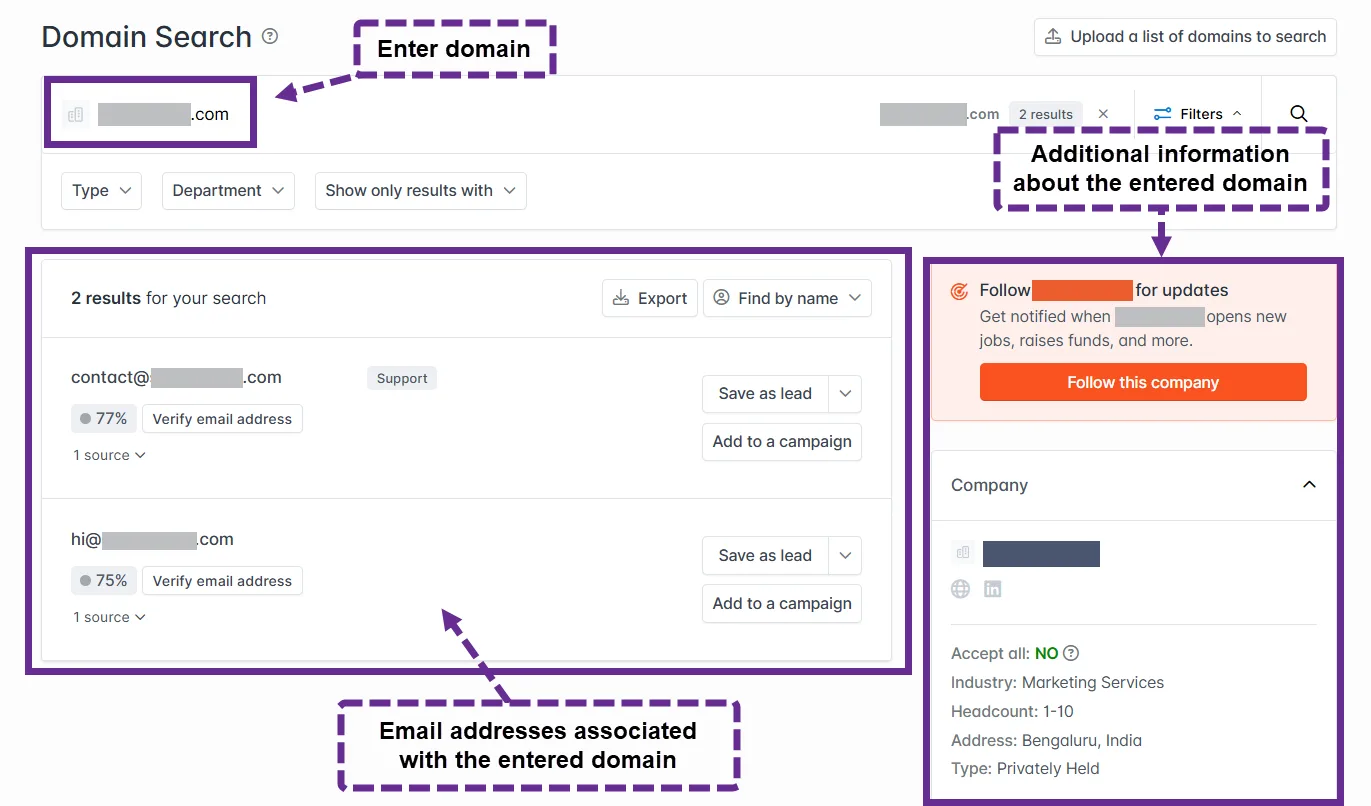
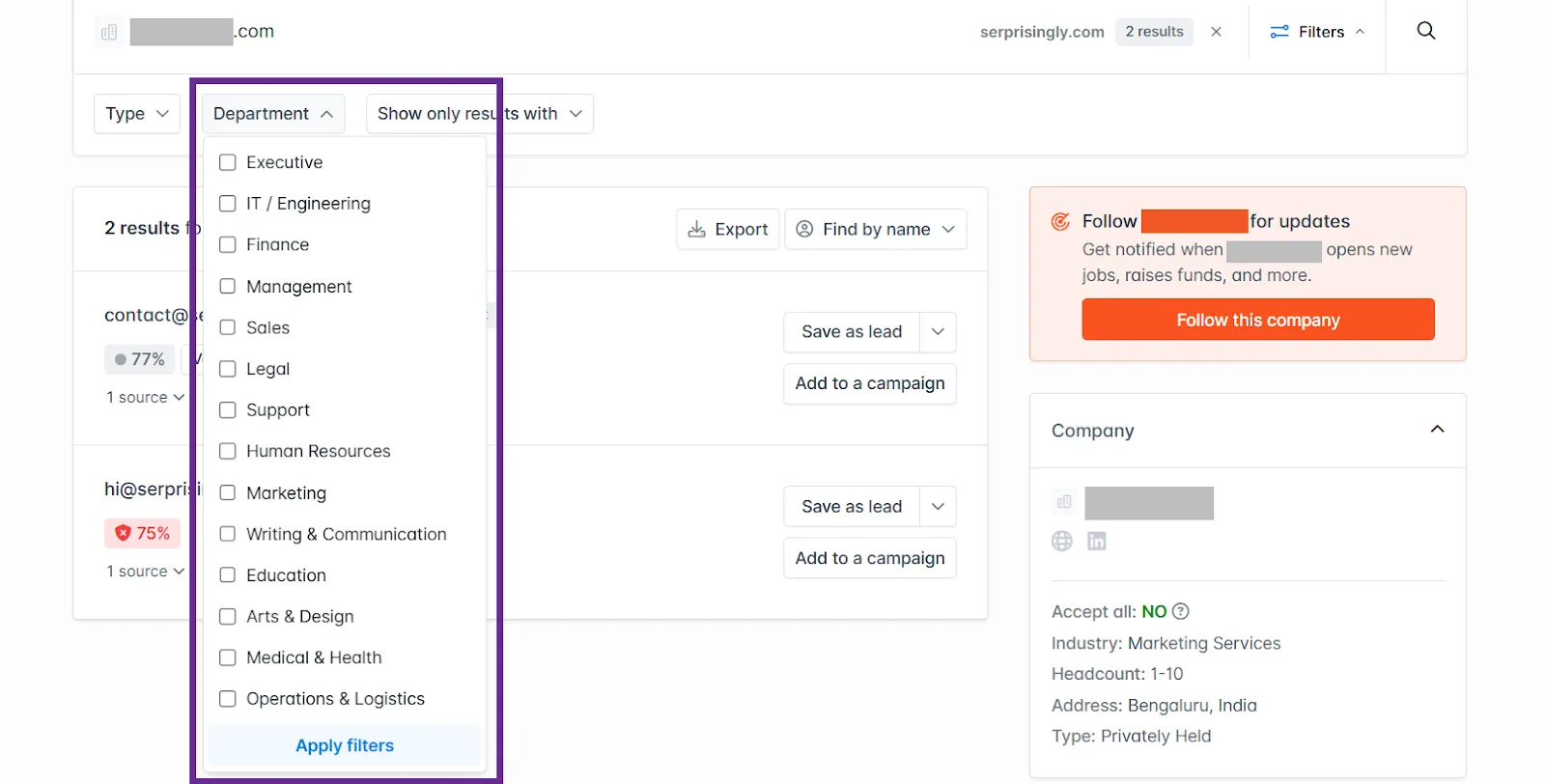
Results are filterable by department, so when I'm chasing a broken-link replacement or pitching a guest post, I can filter straight to "Editorial" or "Marketing" instead of guessing who to email.
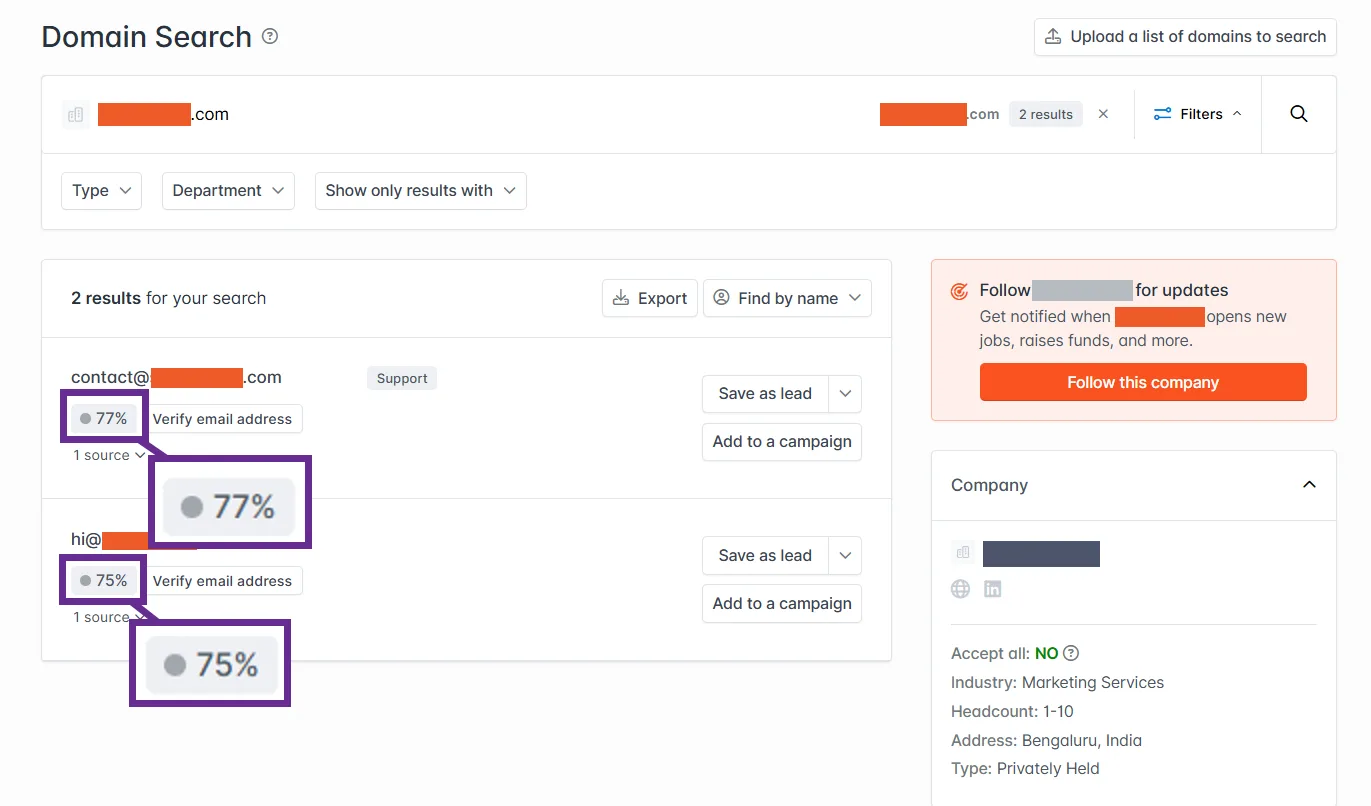
Each result also comes with a confidence score for deliverability, which I use to decide who to contact first.
The dashboard itself is refreshingly simple. Every tool sits in a logical order down the left side, so there's essentially no learning curve even if you're new to outreach.
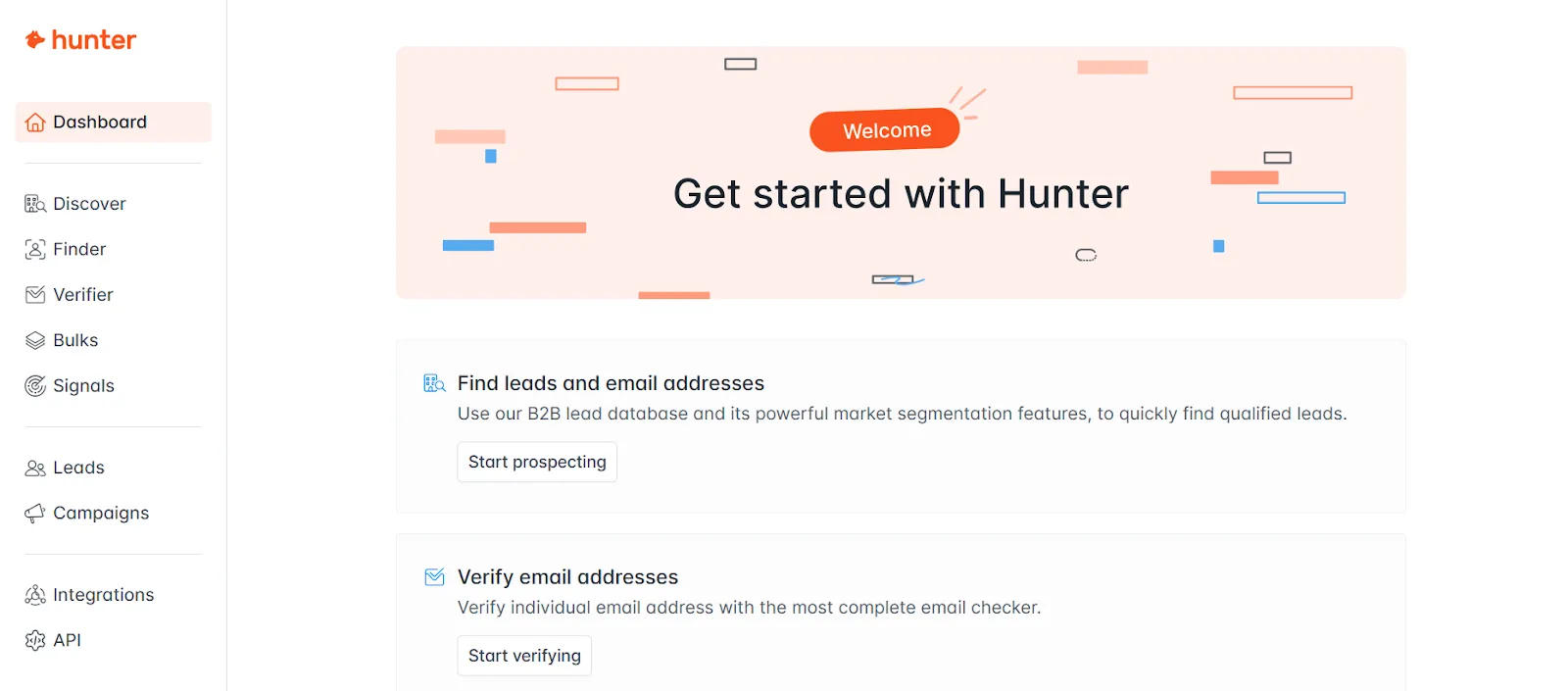
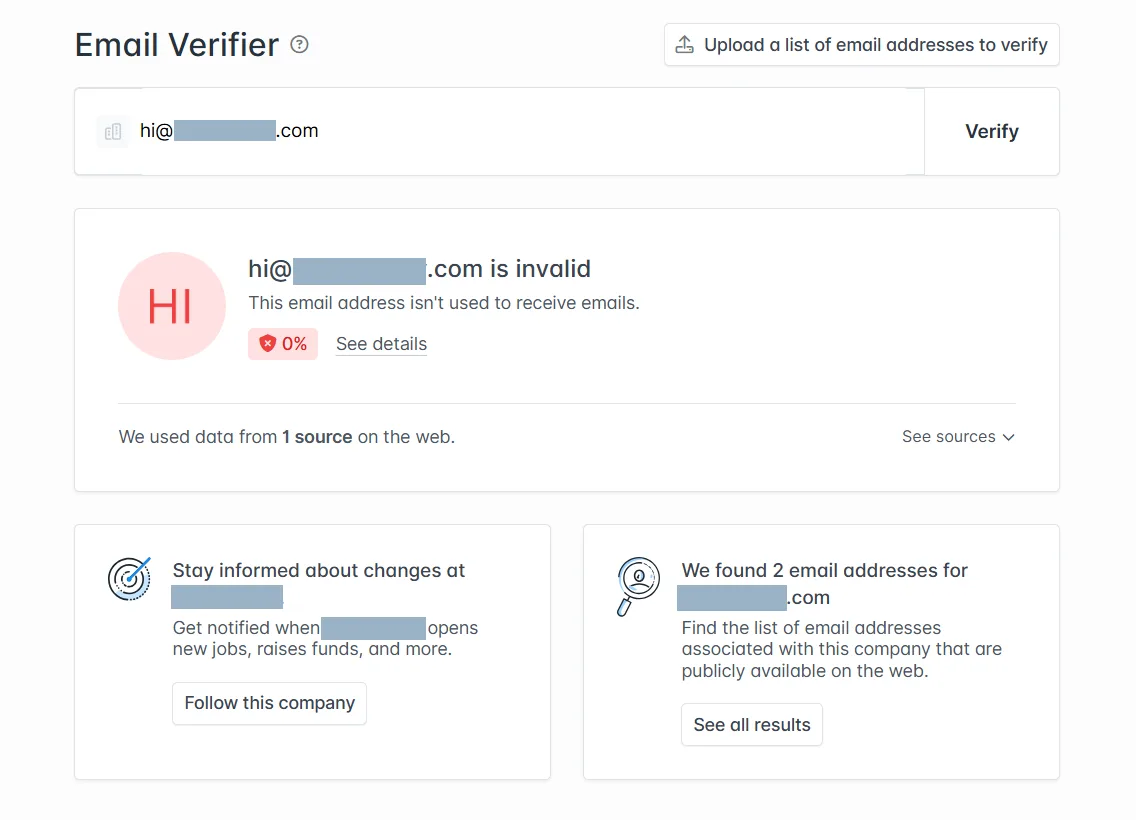
Beyond Domain Search, Email Finder gets one specific person's address from just a name and company, and Email Verifier checks deliverability before you actually send. I lean on the verifier constantly, it's cut my bounce rate significantly and kept my sending domain from getting flagged for hitting too many bad addresses.
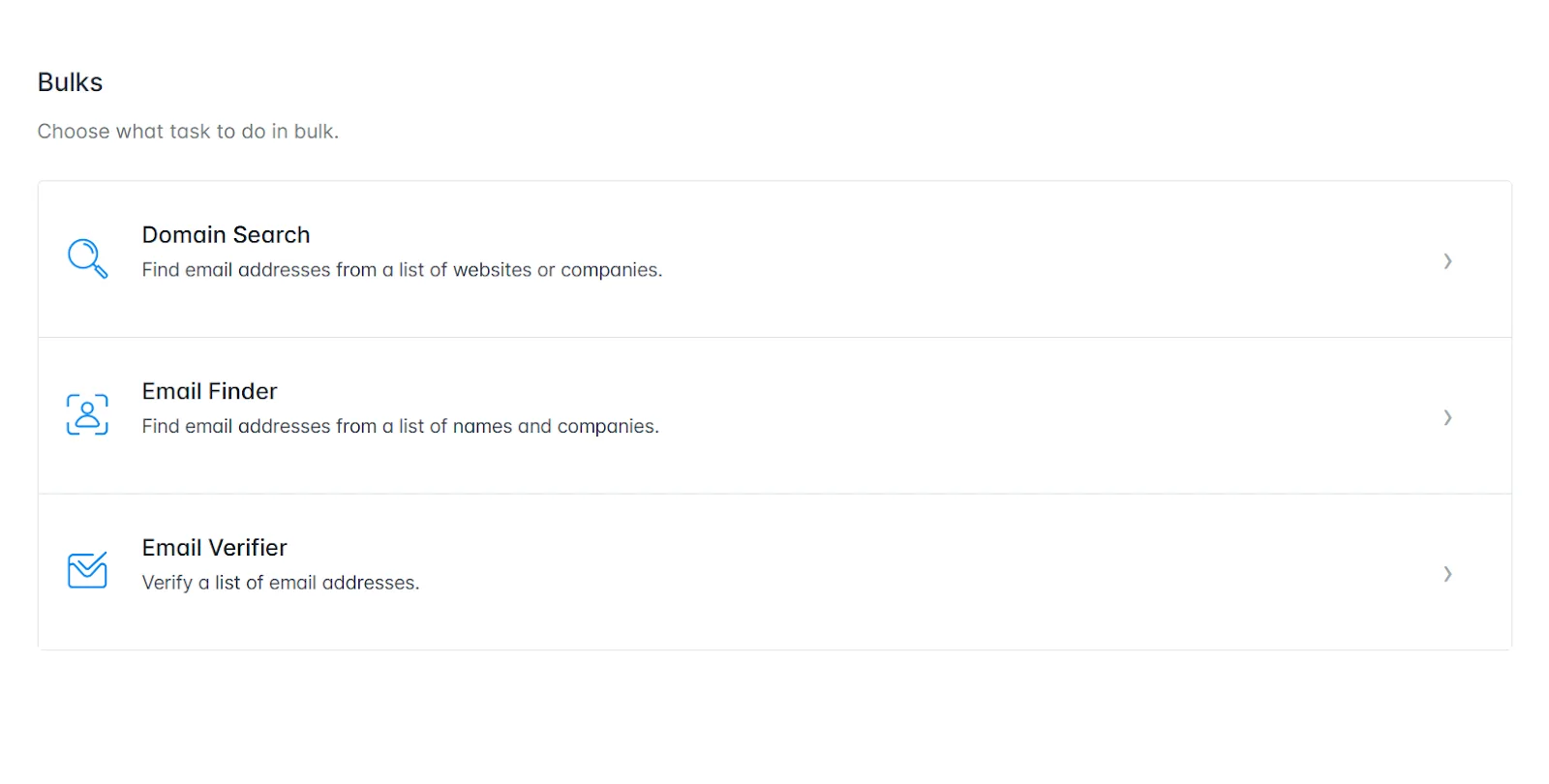
For bigger campaigns, Bulk Search and Bulk Verification let you upload a whole list of contacts and check each one before you send, instead of verifying addresses one at a time.
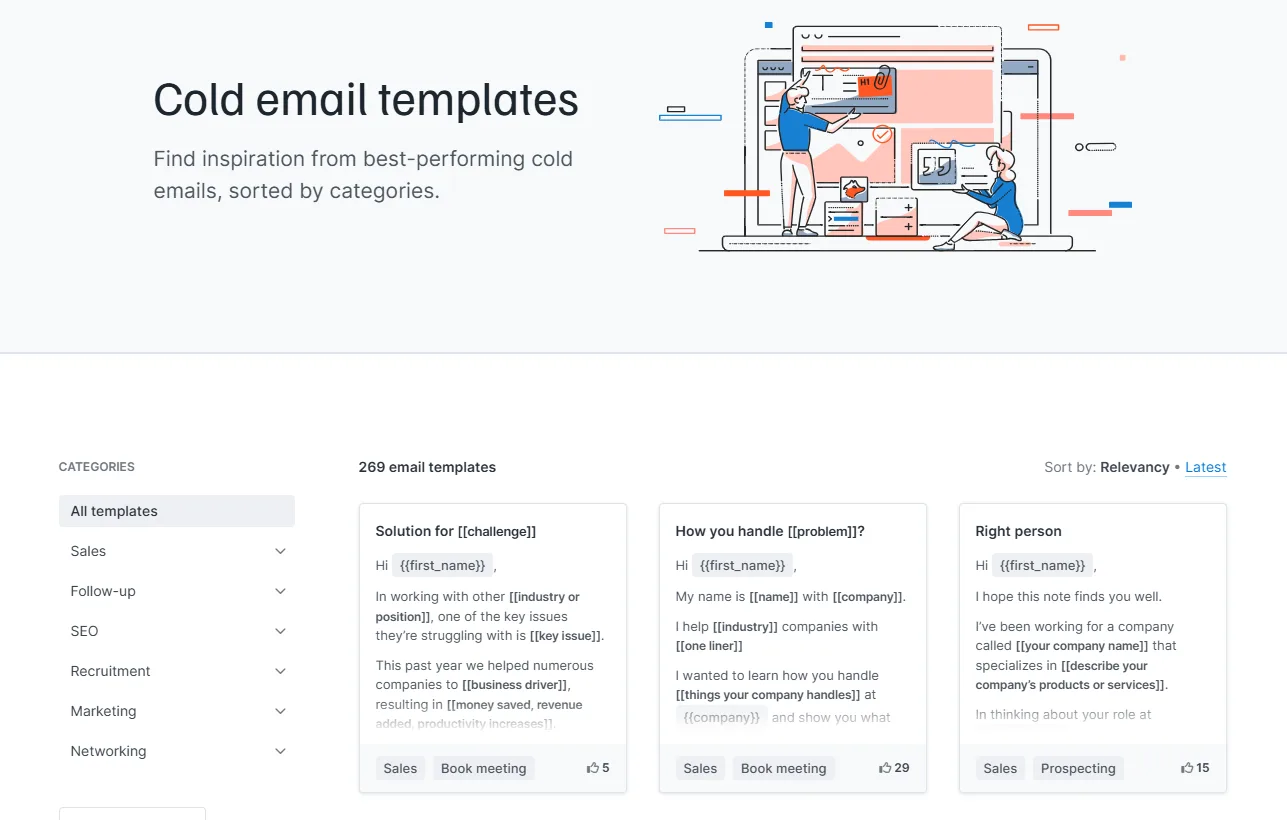
Sequences turns the contacts you find into an actual cold email campaign, sent from your own Gmail, Outlook or Workspace account rather than a shared sending pool. Pre-built templates make it quick to draft outreach, and automated follow-ups mean you don't miss a second touch if someone doesn't respond. It's not as advanced as a dedicated outreach platform like BuzzStream, but it's genuinely enough for small to medium campaigns.
A few extras round it out: a browser extension pulls email data straight off any site you're browsing, useful for on-the-spot research.
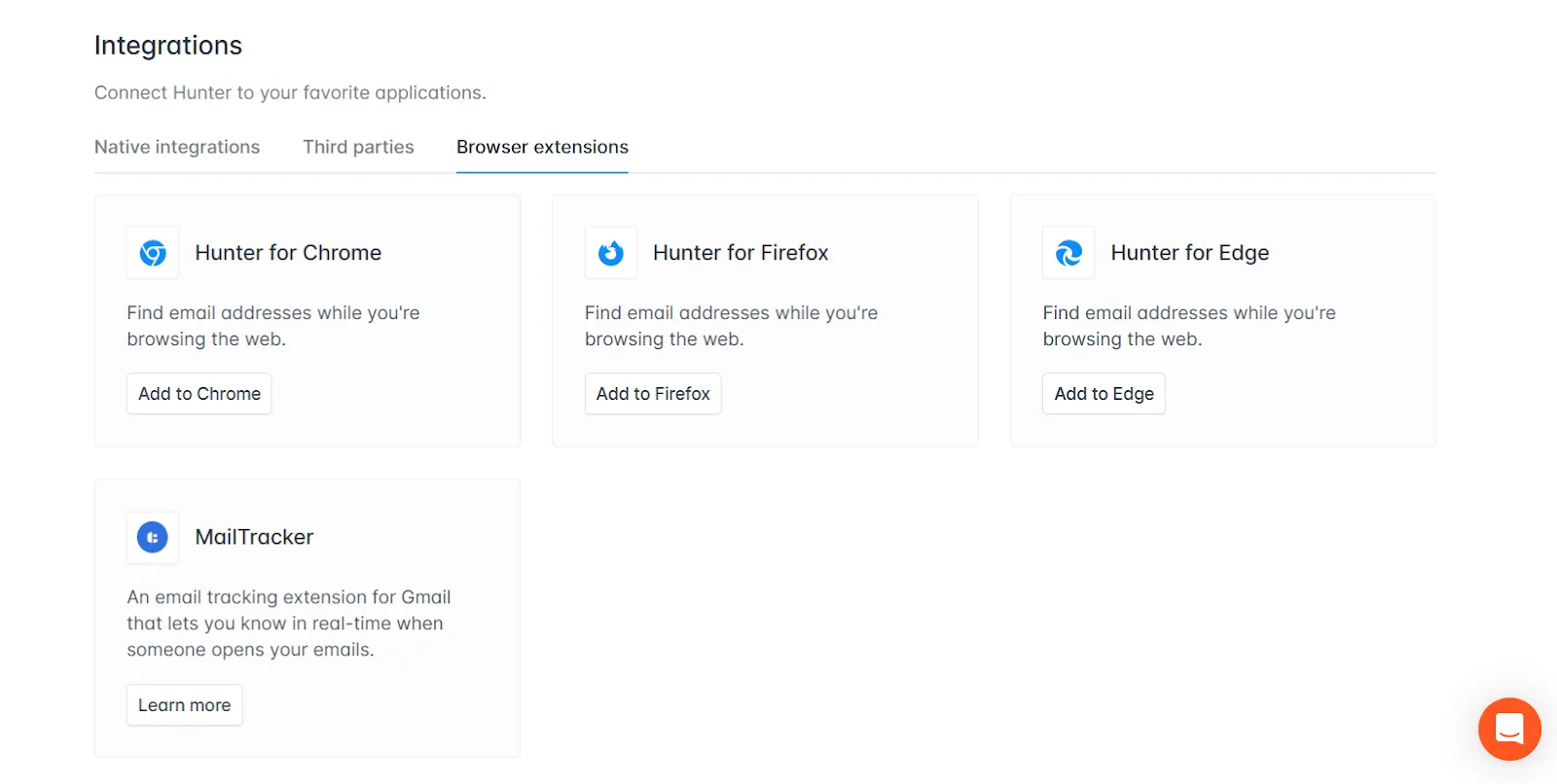
Credits work the same way everywhere, whether you're in the web app, the API, the browser extension or the Google Sheets add-on, so a workflow built around one interface carries over cleanly to another. A CRM integration auto-verifies and adds new leads straight to your contact database, and team collaboration is available even on the paid entry plan, which is rarer than you'd expect at this price point.
Auto-verification runs on every found email by default from the Starter plan up. Discover adds a searchable B2B lead database on top, and Signals surfaces prospects worth reaching out to based on intent data like recent funding or hiring changes.
The free plan is a good starting point, and worth trying before you commit to anything paid.
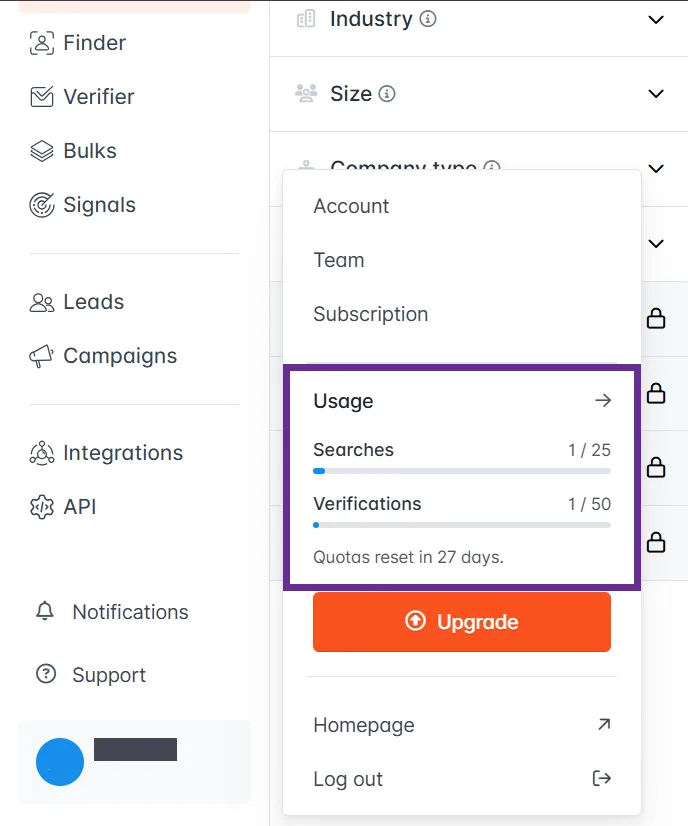
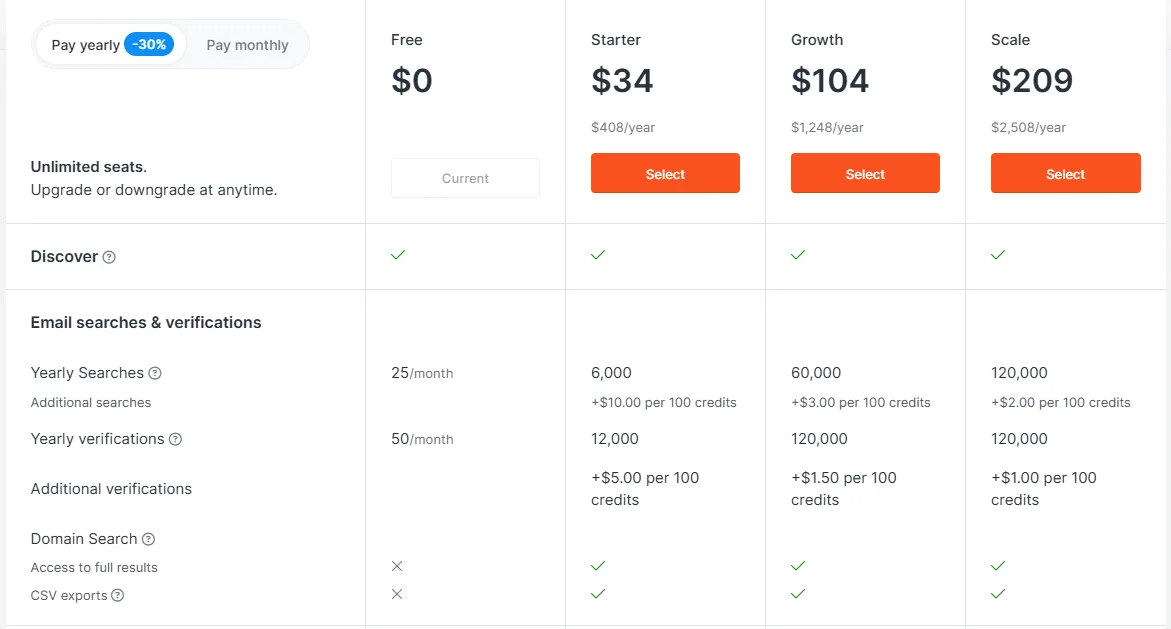
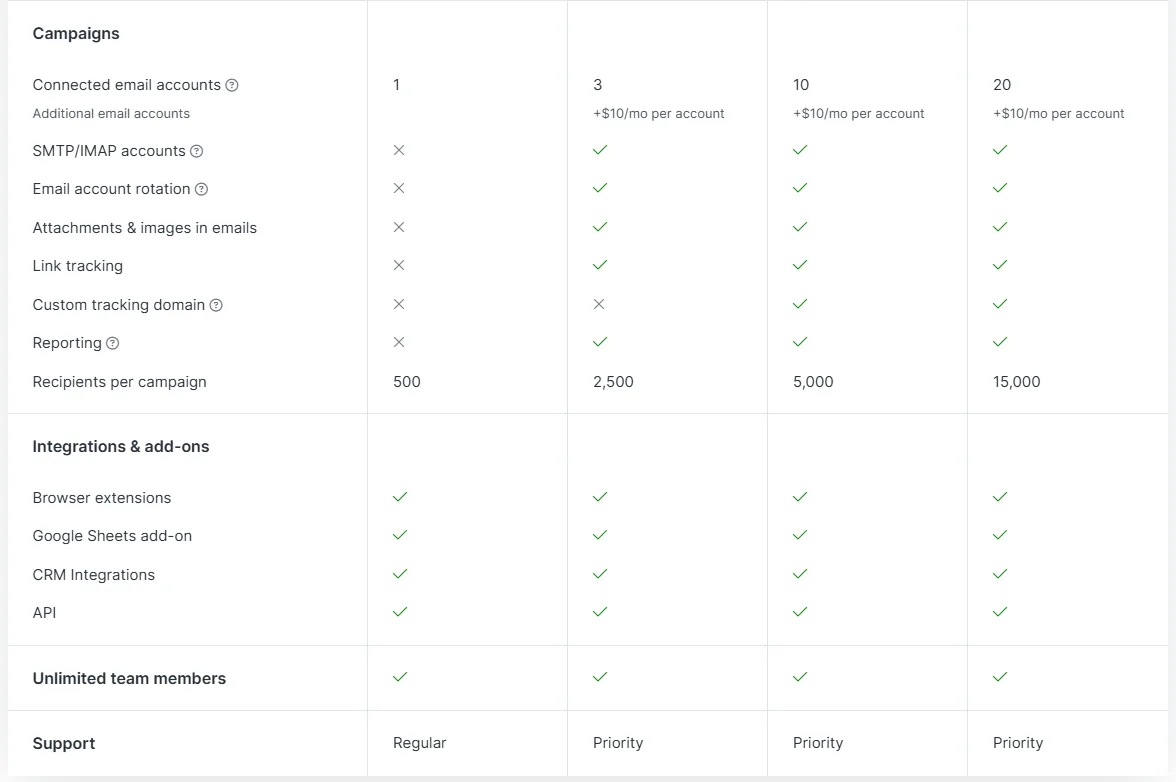
Beyond free, Starter is built for teams starting to scale outreach, Growth is aimed at marketers and agencies running larger link-building campaigns, and Scale is for high-volume outreach with the deepest credit allotment.
One thing worth knowing going in: Hunter counts every 10 emails a search returns as a single credit, so a domain search that turns up 100 addresses burns 10 credits in one go. Large domains can eat through a free or Starter allotment fast if you're not paying attention, and it's the one part of the pricing that actually changes how I plan an outreach session.
A few real limitations too. Hunter only verifies professional emails, not personal ones, and it can't extract anything from social media profiles the way tools like Snov.io or ContactOut can, which matters if you lean on LinkedIn for outreach.
There's no phone data or deep firmographic enrichment either, so larger outbound teams often pair it with a second tool once they outgrow simple prospecting. And there's no built-in deliverability toolkit, no inbox warm-up, no placement-rate testing, which starts to matter more as a cold email program scales.
And catch-all domains are a real accuracy trap: Hunter can return a falsely high confidence score for an address that doesn't actually exist, because it can't always tell a real mailbox apart from a domain that accepts anything sent to it.
Finds every public email address tied to a company domain.
Gets one person's verified email from just a name and company.
Checks deliverability before sending, cutting bounce risk.
Sends and schedules outreach campaigns from your own inbox, not a shared pool.
Searchable lead database filtered by ideal customer profile.
Surfaces prospects worth reaching out to based on intent data like funding or hiring changes.
Credits work identically across the web app, API, browser extension and Sheets add-on: 1 credit per email found, 0.5 per verification. Annual billing cuts roughly 30% off every paid tier.
| Plan | Monthly | Annual /mo | Includes |
|---|---|---|---|
| Free | Free | Free | 50 credits/mo, 1 connected email account, 500 recipients per sequence, basic Discover filters |
| Starter | $49 | $34 | 2,000 credits/mo, 3 connected email accounts, auto-verification, AI writing assistant |
| Growth | $149 | $104 | 10,000 credits/mo, 10 connected email accounts, advanced Discover filters |
| Scale | $299 | $209 | 25,000 credits/mo, 20 connected email accounts, priority support |
Ratings from trusted review communities.
Try these tools as well to complement Hunter.io.
Link Building
Backlink analysis specialist behind Trust Flow and Citation Flow

Link Building
The modern successor to HARO, respond to publisher queries to earn features and links

Keyword Research
Backlink and keyword data at scale, built for serious SEO work

Link Building
Outreach CRM for link building, digital PR and content promotion

Link Building
Content research and journalist database for digital PR and link building

Link Building
Finds listicles that cite competitors, then helps you pitch your way onto them