


When was the last time you checked who’s actually linking to your website?
A backlink audit can feel overwhelming, but it doesn’t have to be. Having a clear structure to work from makes the whole process a lot easier and a lot more effective. Here’s a step-by-step guide, along with the exact spreadsheet columns I use, to help you get the most out of yours.
How to Audit Your Backlink Profile
Set up a spreadsheet and follow along with your own site’s data as you go.
Step 1: Gather All Your Backlink Data
Collect backlink data for your site from multiple sources to be as comprehensive as possible.
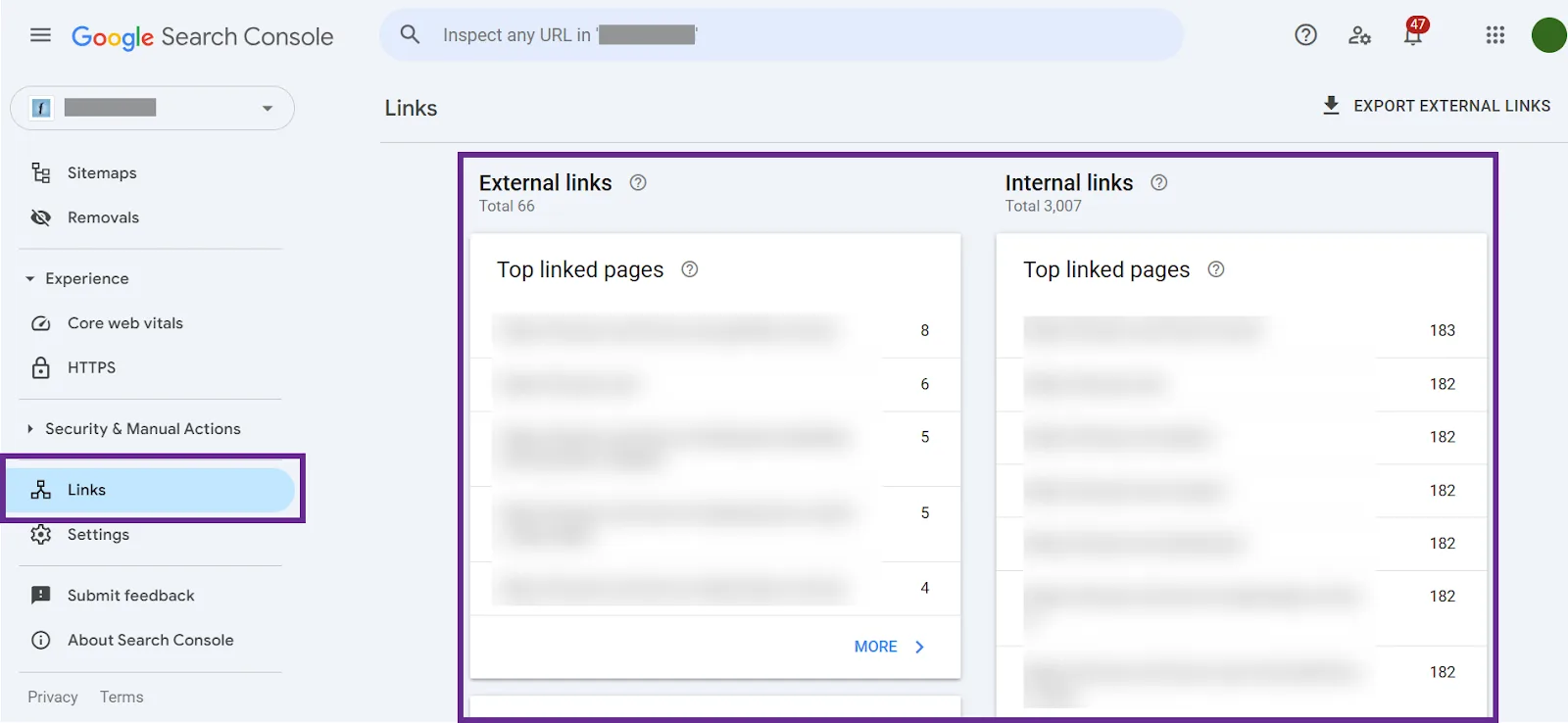
Export backlinks from Google Search Console. Log in to GSC and go to the Links report. Under External Links, you’ll see “Top linked pages” and “Top linking sites.”
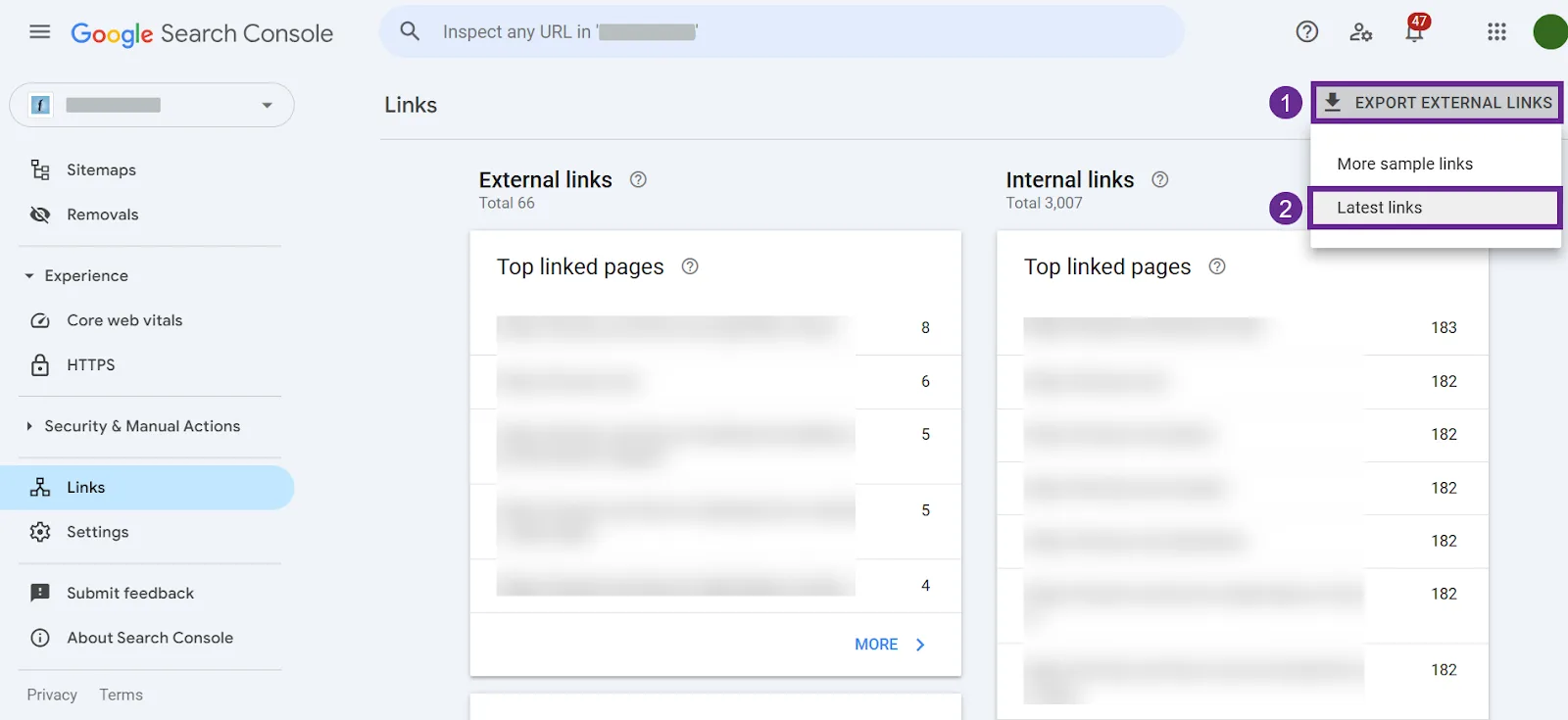
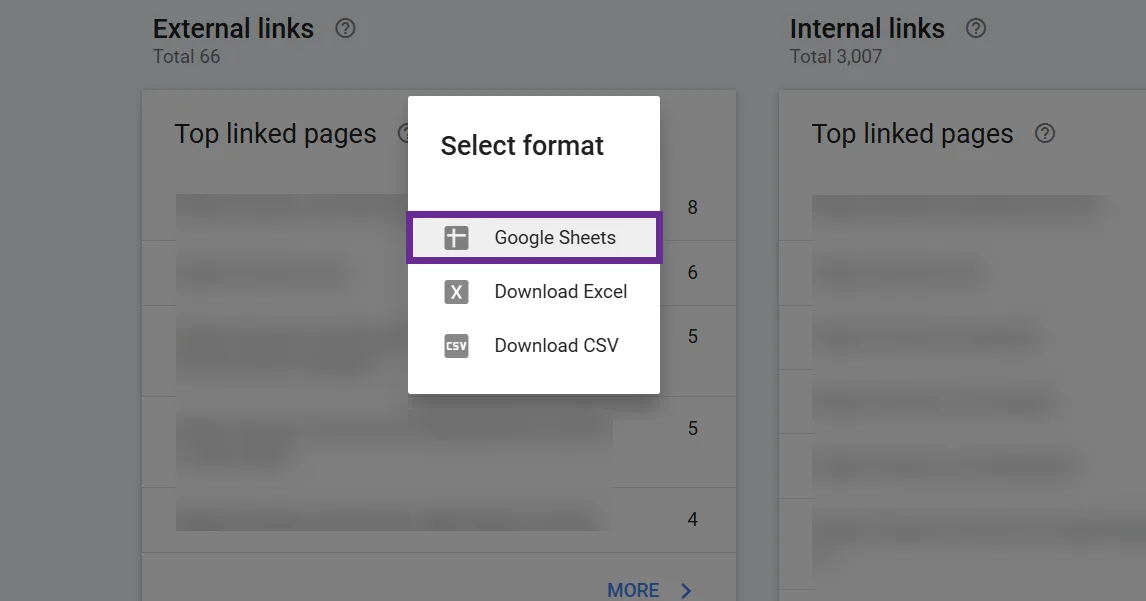
Click Export External Links > Latest links to download the backlink data in CSV or Google Sheets format, up to 100,000 of the most recent backlinks.
I prefer Google Sheets, but pick whichever format fits your workflow.
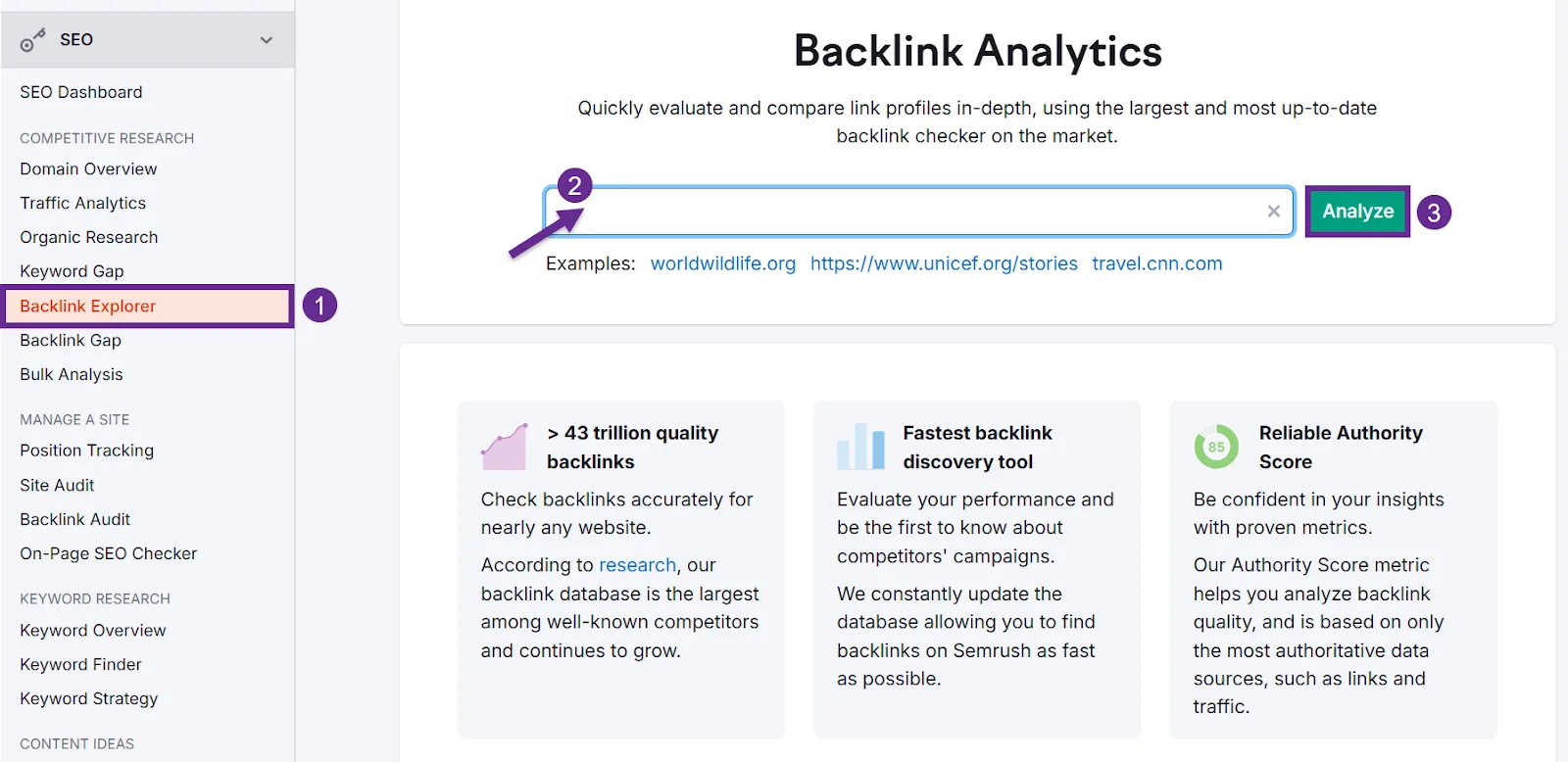
Extract backlink data from Semrush. Go to Backlink Explorer, enter your domain, click Analyze.
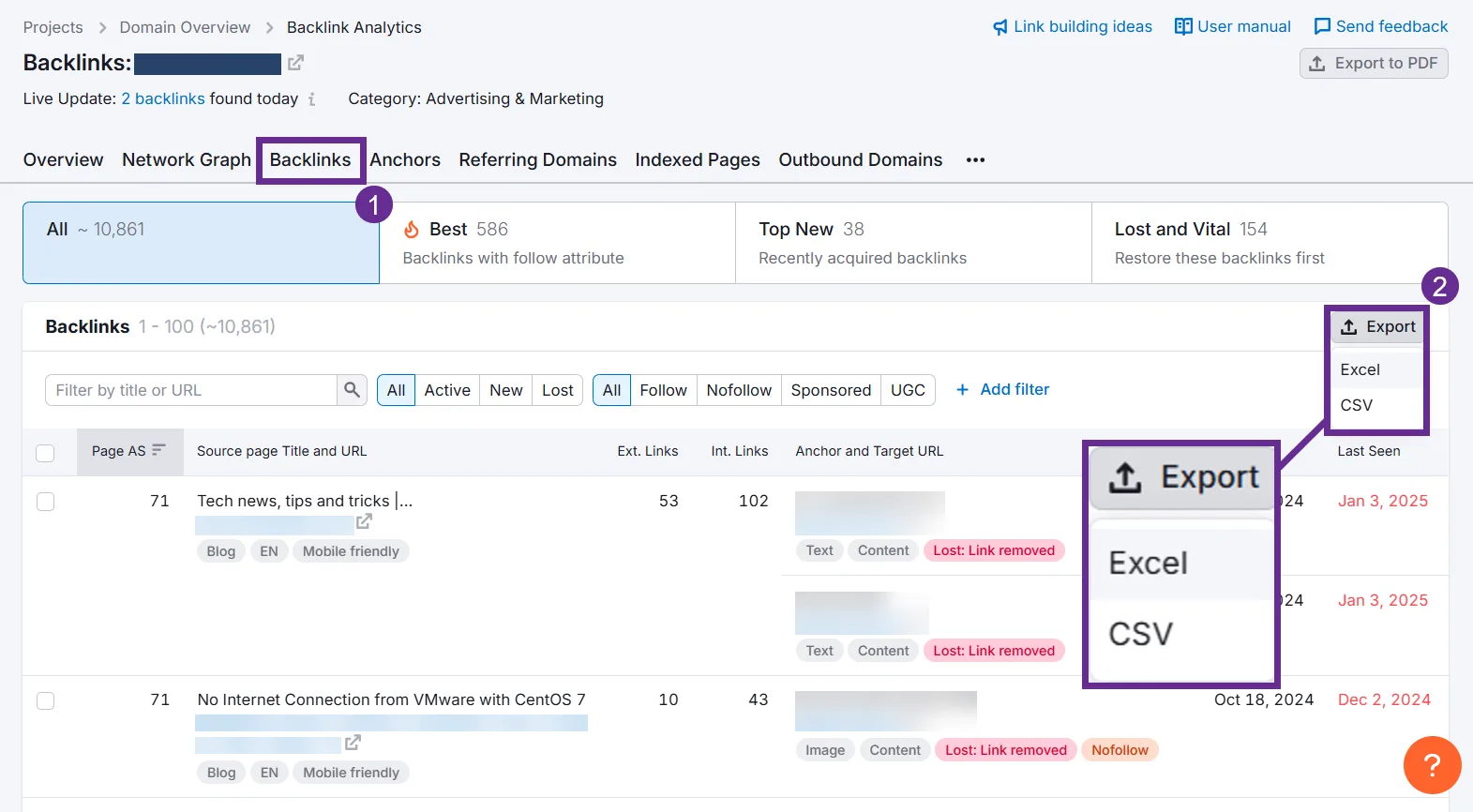
Go to Backlinks, click Export, and select your preferred format.
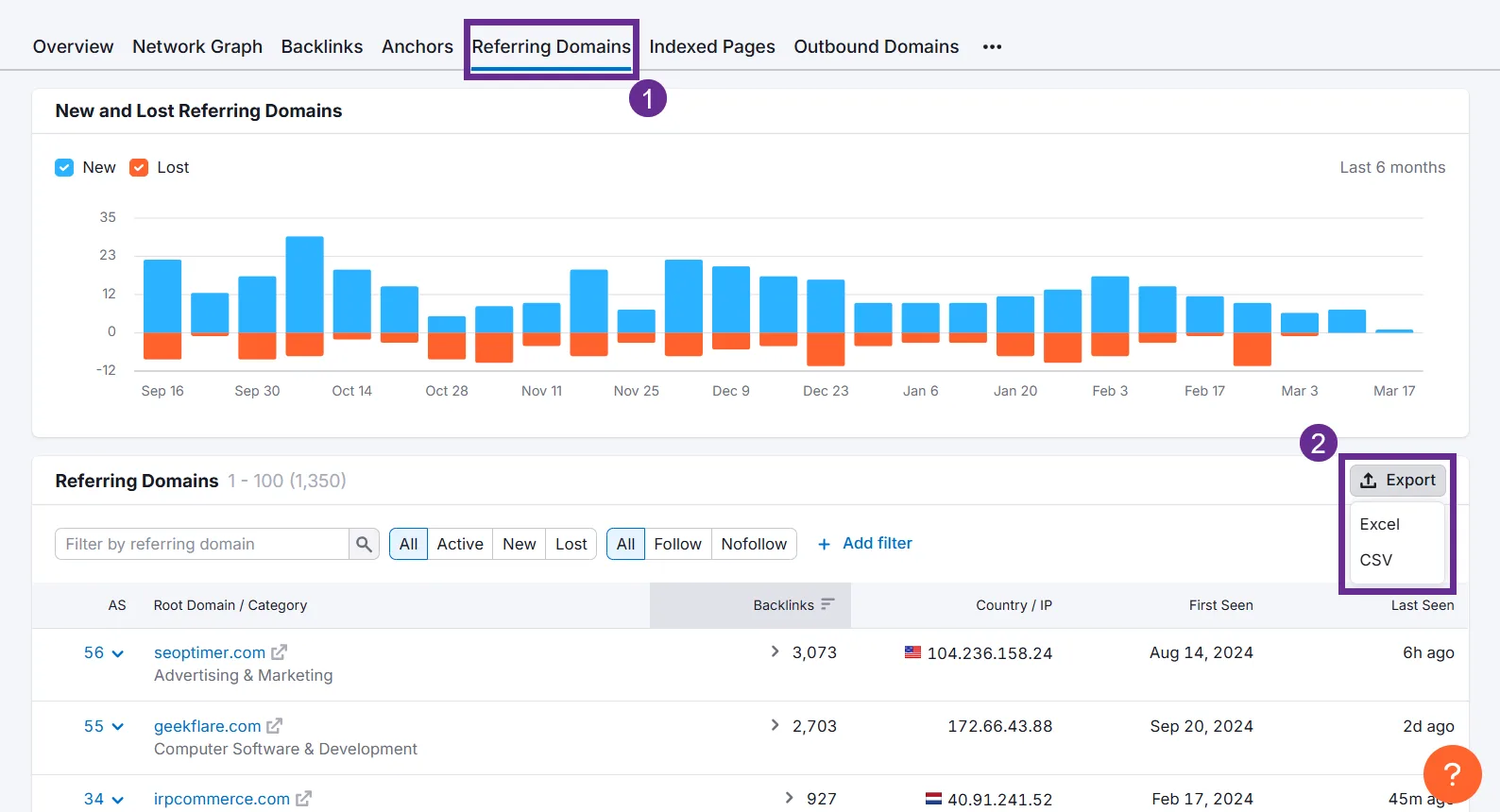
Semrush’s database might surface links GSC hasn’t reported yet, since Google sometimes samples or delays its own data. Also export the Referring Domains list, every unique domain linking to you, with backlink counts and Authority Score attached. You’ll want this for analysis.
Import into your spreadsheet. Take everything you exported and paste it into a “Raw Backlink Data” tab, one backlink URL per row, with linking domain and anchor text if the export included them.
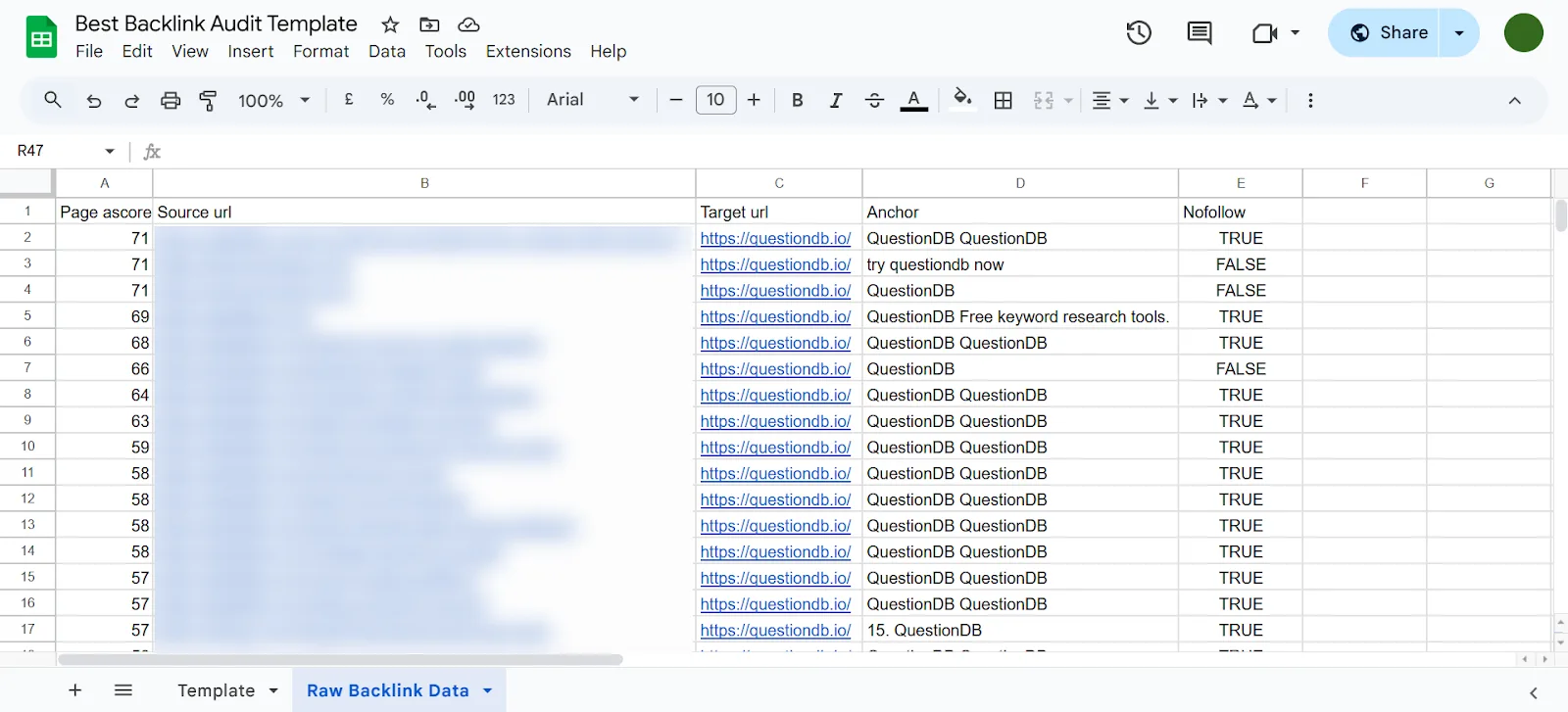
Strip out anything irrelevant, you just want the columns you’ll actually use. If you have multiple exports, stack them all in the same sheet, we’ll deduplicate next.
Remove duplicates. GSC and Semrush exports will overlap. After pasting everything in, use Google Sheets’ Remove Duplicates function so each unique backlink appears just once.
Step 2: Organize and Prepare the Data
Now set up the audit worksheet so you can systematically evaluate link quality in the next step. Add these columns:
1. Linking Domain. The root domain linking to you (example.com). Extract it from the Linking Page URL with a formula or text-to-columns.
2. Target Page. Which page on your site is being linked to. Helps you spot whether certain pages, homepage, a specific post, attract most of the links, or whether irrelevant pages are getting odd ones.
3. Anchor Text. The visible link text. This gives context for spotting natural vs. unnatural patterns.
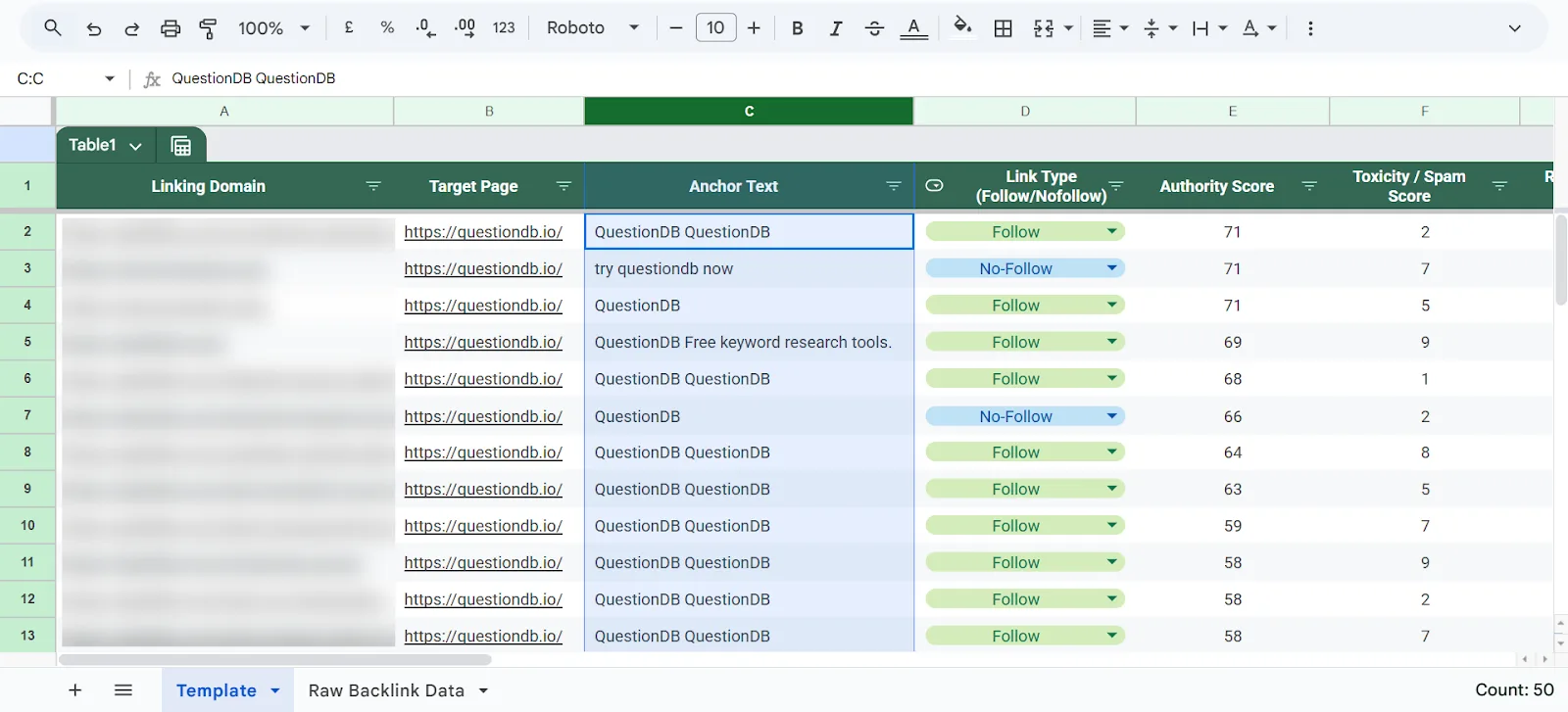
4. Link Type (Follow/Nofollow). A healthy profile has a mix of both. Semrush exports usually include this; if not, spot-check later.
5. Authority Score. A 100-point authority metric for the linking domain (Semrush’s Referring Domains export includes it by default; use Bulk Analysis to look up the rest).
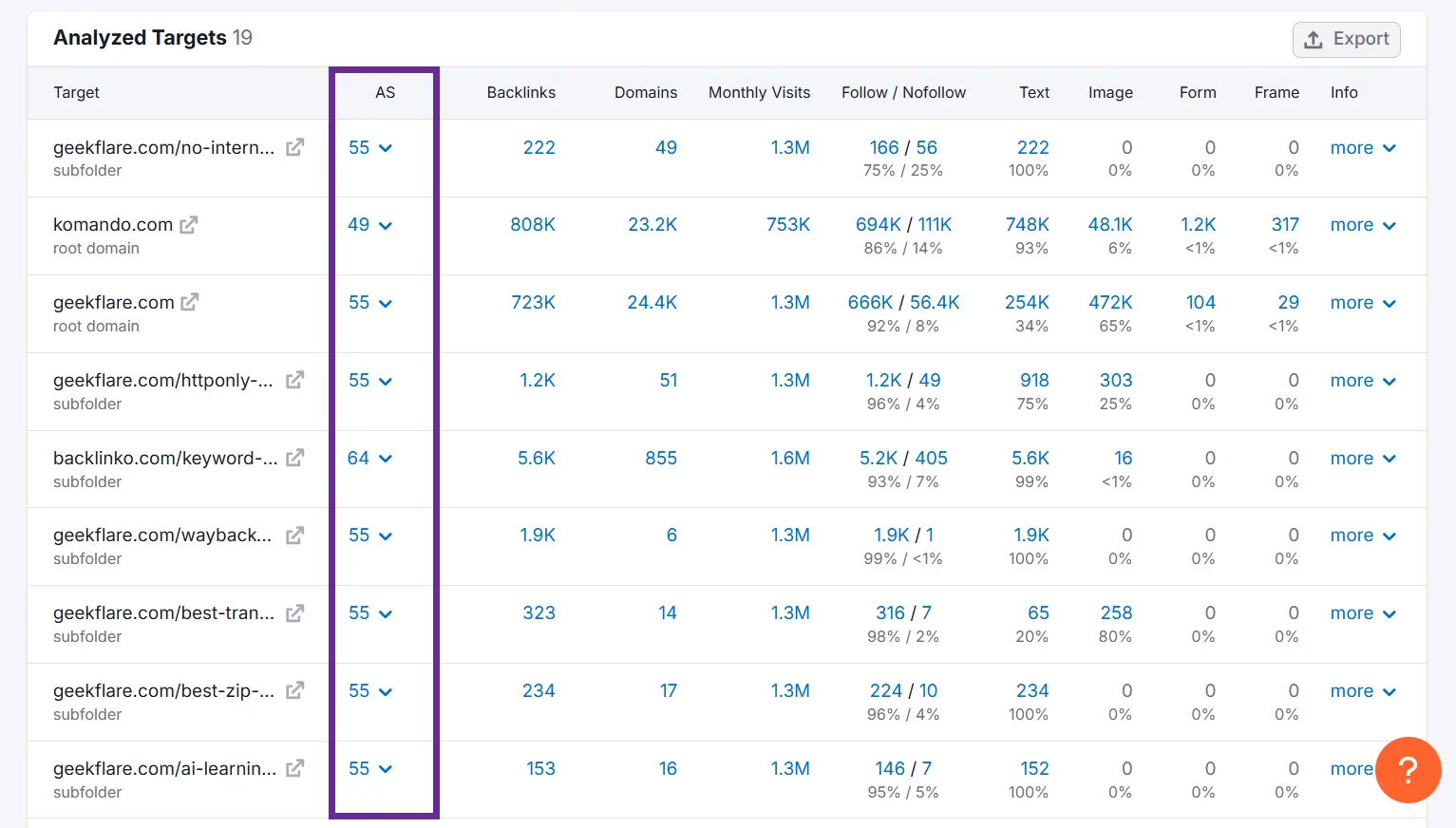
6. Status. Mark whether the backlink is active or broken.
7. Toxicity/Spam Score. Semrush’s Backlink Audit tool gives a Toxicity Score (0 to 100, higher = more toxic) per linking page. No numerical score available? Use your own judgment as extra context.
8. Relevance. Mark each link Relevant or Irrelevant. A fitness site with a backlink from a tech blog would get marked Irrelevant. A cluster of unrelated-industry links is often a spam signal.
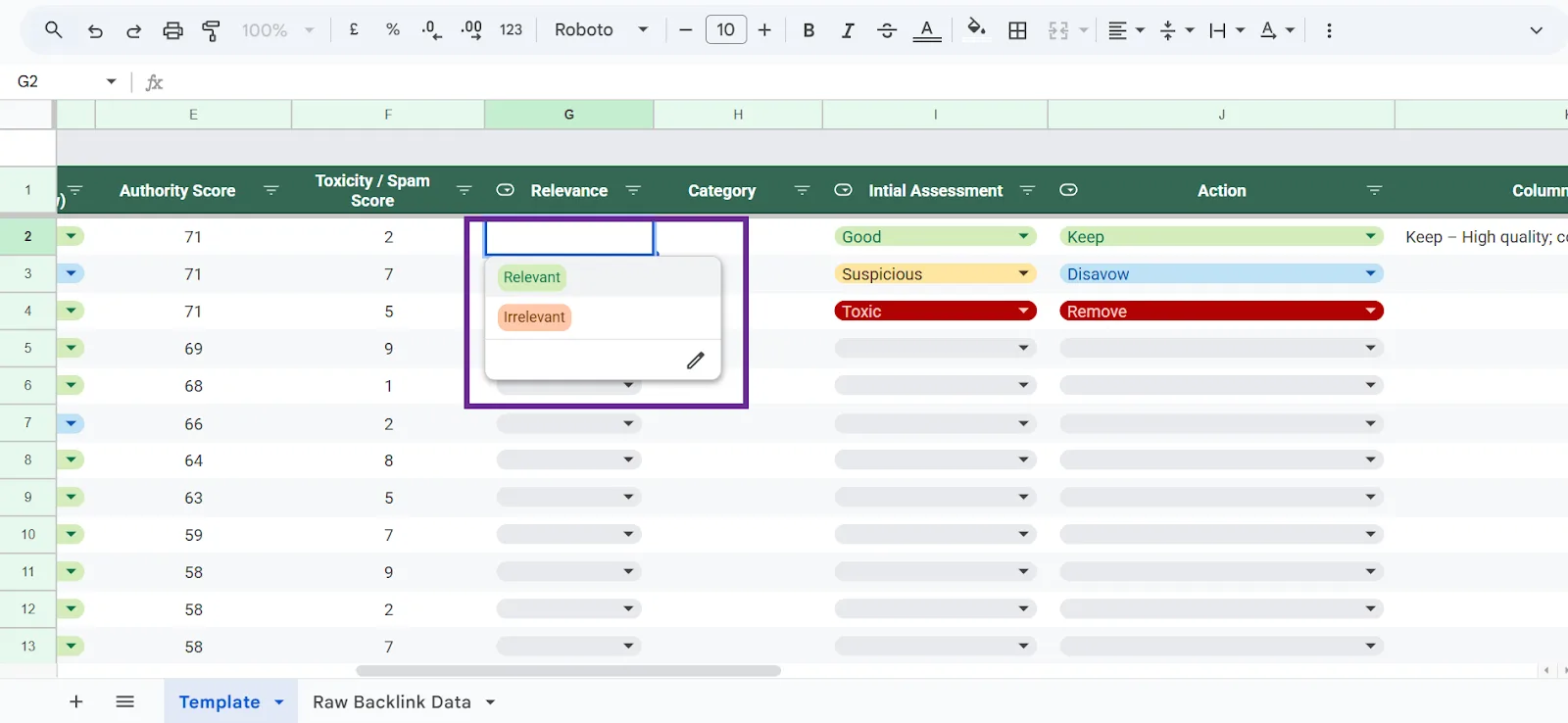
9. Category (optional). Note the category or niche of the linking site, useful for spotting which niches send you the most (and best) backlinks.
10. Initial Assessment. Mark each link Good, Suspicious, or Toxic. Leave it blank at first and fill it in as you review.
11. Action. Filled in at the end: Keep, Remove, Disavow, or Reclaim.
12. Notes. Anything worth remembering when you come back to take action.
Customize the columns to fit your needs, the goal is every key detail about a backlink on one row so you can review systematically.
Filling the metrics columns. Use Semrush (or your tool of choice) to fill in Authority Score and Toxicity Score for each backlink, or at minimum for each linking domain.
If you exported Referring Domains from Semrush, add it as a separate tab and use VLOOKUP(domain) to pull AS or TS into your main sheet. If a metric isn’t available everywhere, prioritize filling it in for domains you suspect might be problematic or that send you a lot of links. Using Semrush’s Backlink Audit tool directly skips most of this manual work, it already shows AS and TS per link.
Step 3: Evaluate Backlink Quality
Now the actual auditing: evaluating each backlink and deciding good vs. bad.
Examine the linking domain’s quality.
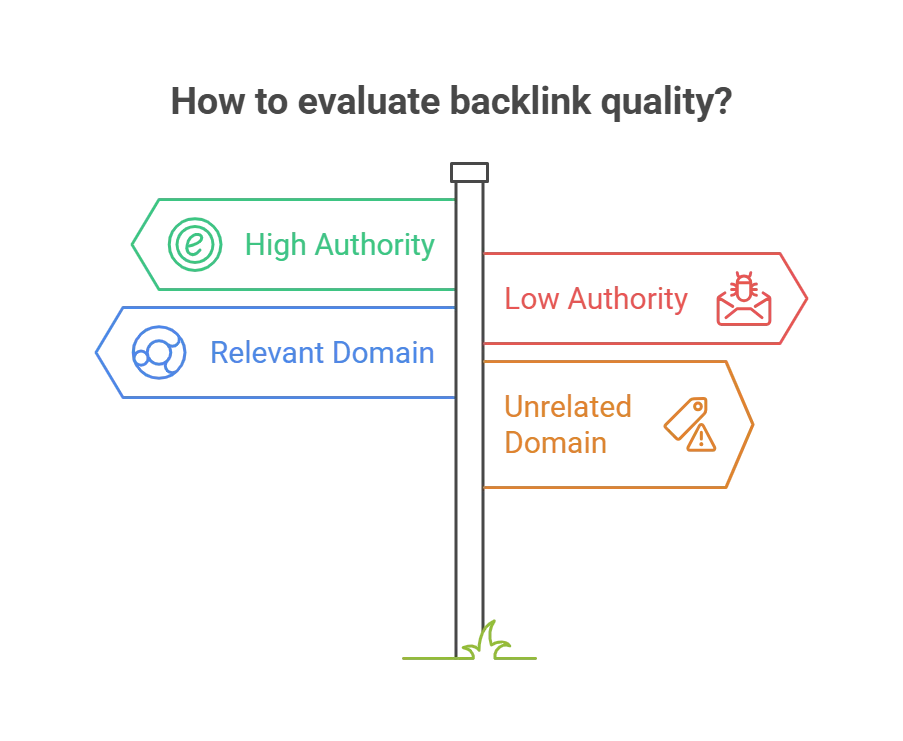
Check the Authority Score, high suggests a trusted, popular site; low suggests spammy or new. Do a qualitative pass too: does the domain look legitimate (NYTimes.com vs. freelinks4u.biz)? Is it relevant to your industry, or completely random? Relevant, authoritative sites are great. Unrelated, low-authority sites are neutral at best, harmful at worst.
Check the linking page itself.
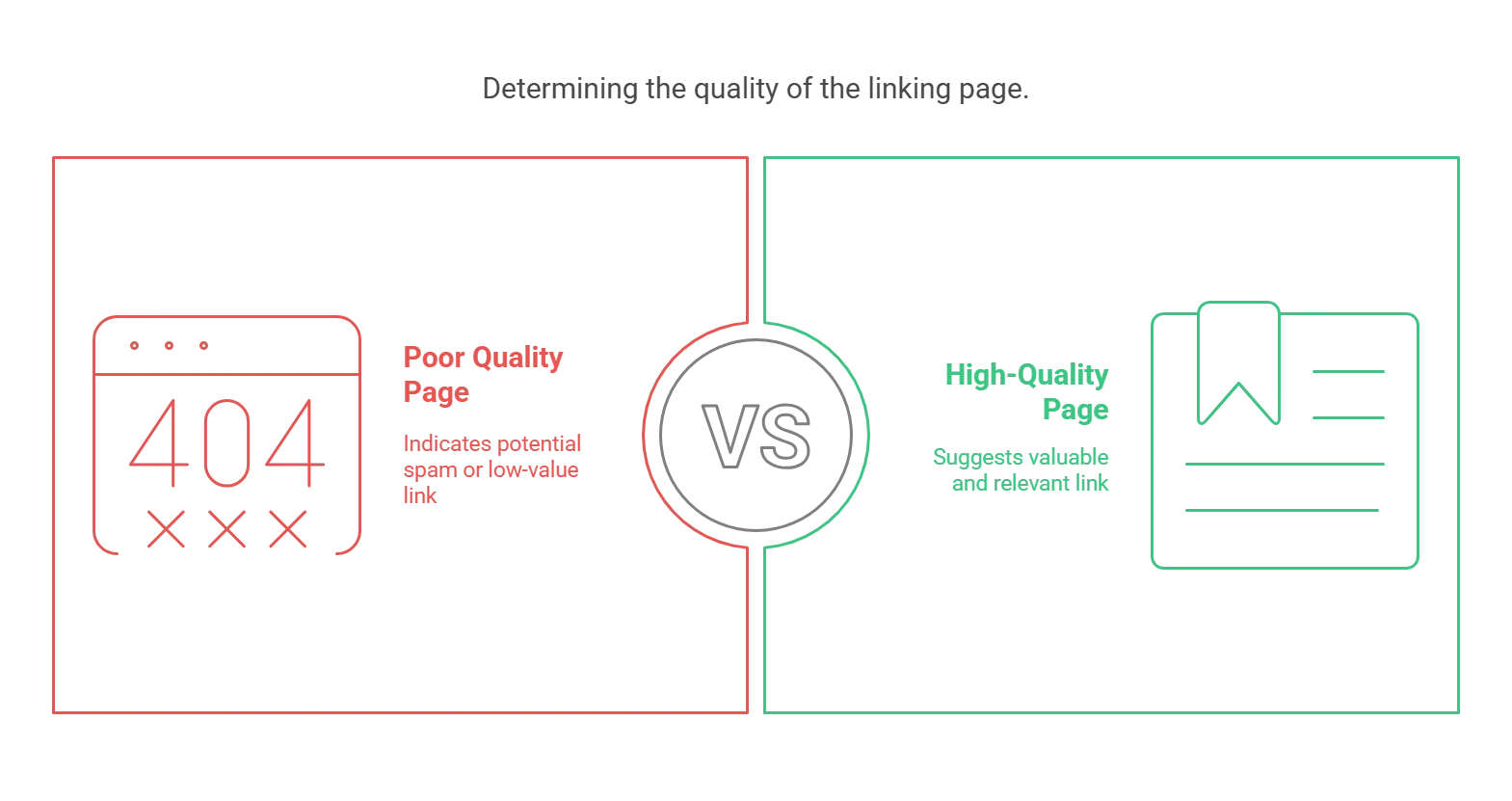
A good domain can still have a bad page, and vice versa. Click through to any link you’re unsure about. Is the content real and coherent? Is your link embedded naturally in a paragraph, or dumped in a list of links? A page that’s basically a link directory with no real content is a bad sign, and gibberish or unrelated text is a clear red flag. A well-written article or legitimate resource page is usually fine.
Analyze the anchor text.
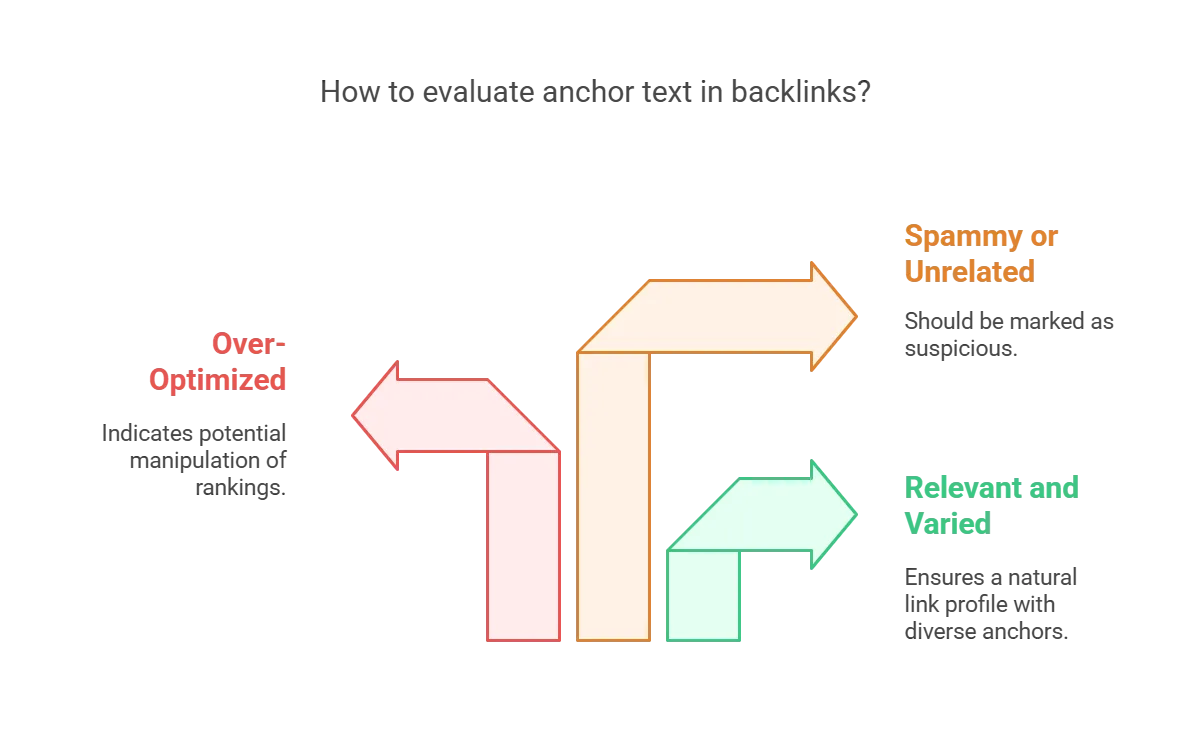
Anchor text should be relevant but not manipulative. Watch for over-optimized anchors, a cluster of links using “best SEO tools free download” as anchor text for an “SEO tools” site suggests someone built those links to manipulate rankings. A natural profile has a mix: brand name, the URL itself, generic terms, and some descriptive keywords. Spammy or unrelated anchors are a mark against the link.
Check follow vs. nofollow.
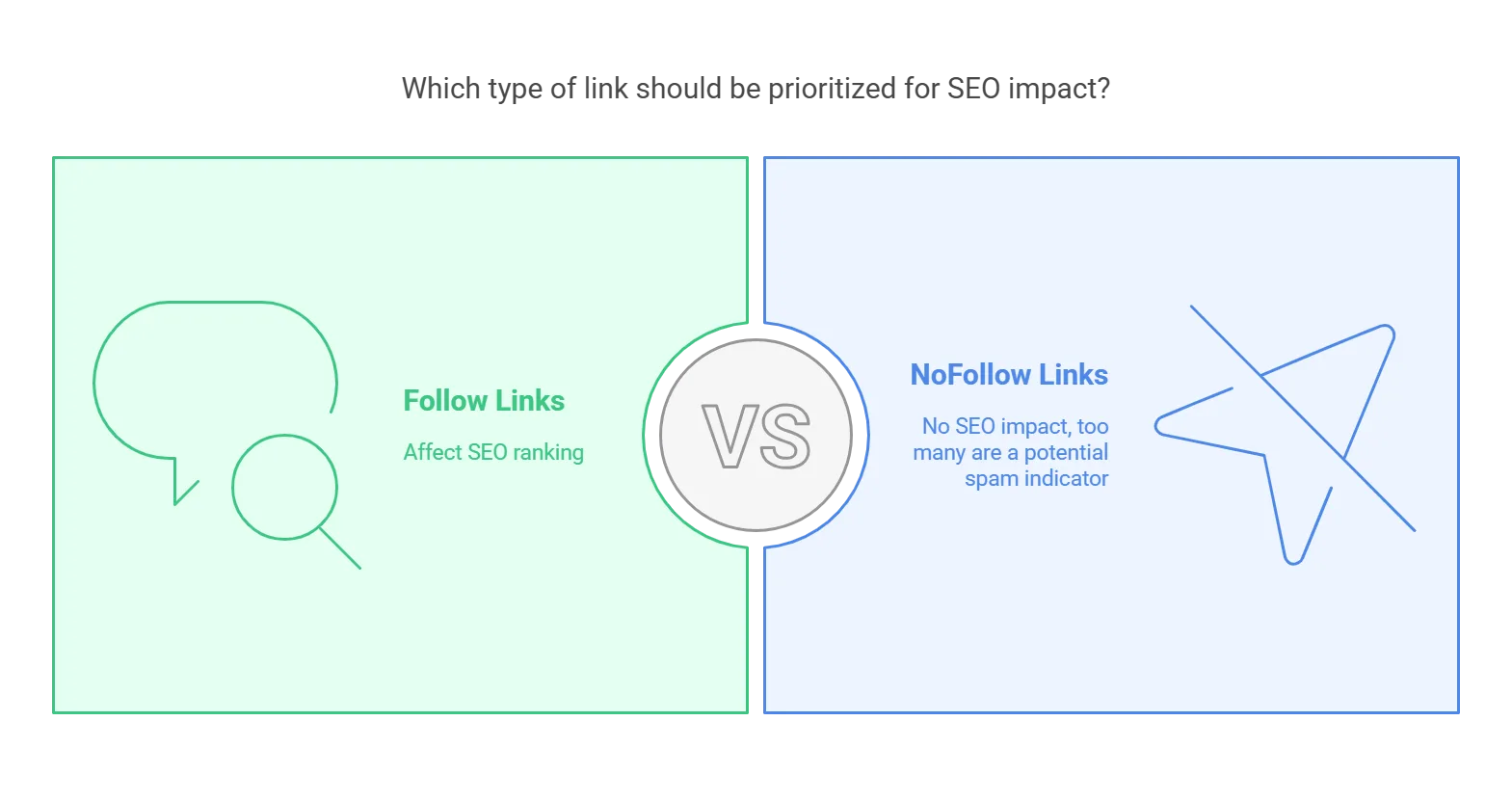
Nofollow links generally don’t pass ranking value, and Google just ignores them in ranking calculations, they’re not harmful, just neutral. Focus your quality concerns on follow links, since those are the ones that could actually affect your SEO. A pile of nofollow links from shady sites can still signal an attempted spam campaign though, even if they don’t count toward rankings. You typically don’t need to disavow nofollow links since they aren’t influencing anything, but keep the context in mind.
Assess Authority Score and Toxicity Score together.
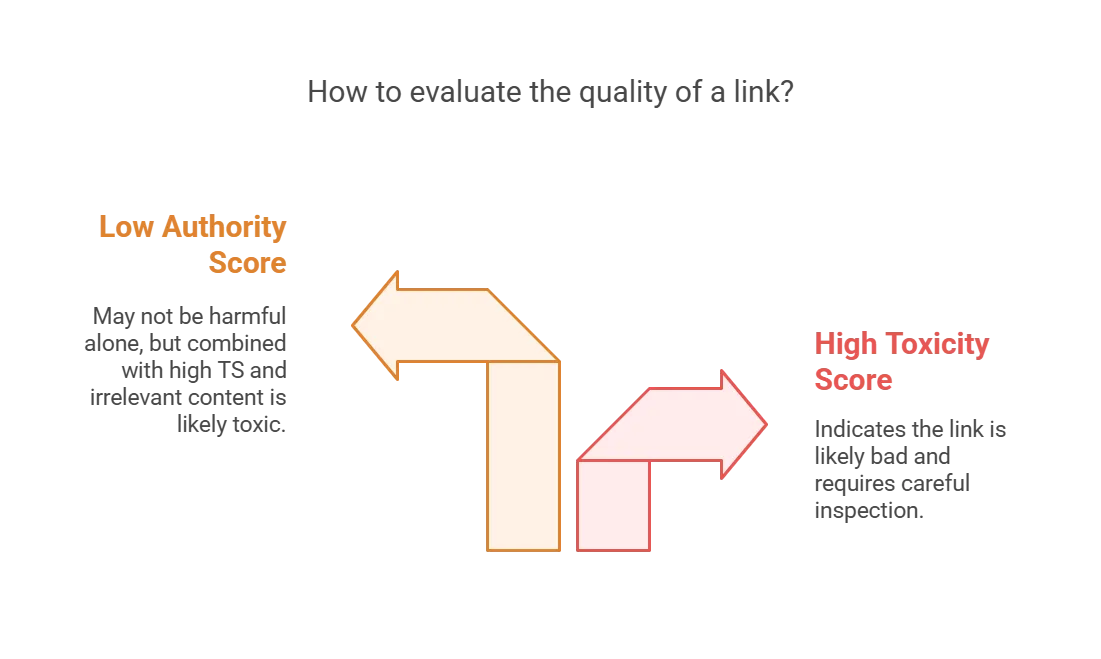
A Toxicity Score of 70+ is a strong indicator something’s wrong, inspect that link closely, it’s often a spam blog, link farm, or irrelevant directory. Low Authority Score alone isn’t a death sentence, a brand-new legitimate site can have low AS. But low AS plus weird anchor text plus foreign-language content unrelated to you is very likely toxic.
Group by domain for patterns.

Rather than reviewing hundreds of links in isolation, check the domain level too. A domain sending 50 backlinks with weird anchors matters more than a single odd link elsewhere. Use a pivot table or Semrush’s Referring Domains tab to spot outliers, if one domain sends 30 links, that’s probably spam worth disavowing at the domain level rather than link by link. Conversely, multiple links from one reputable domain (an industry news site linking to several of your posts) is usually great news.
Flag each link or domain: Good, Suspicious, or Toxic.
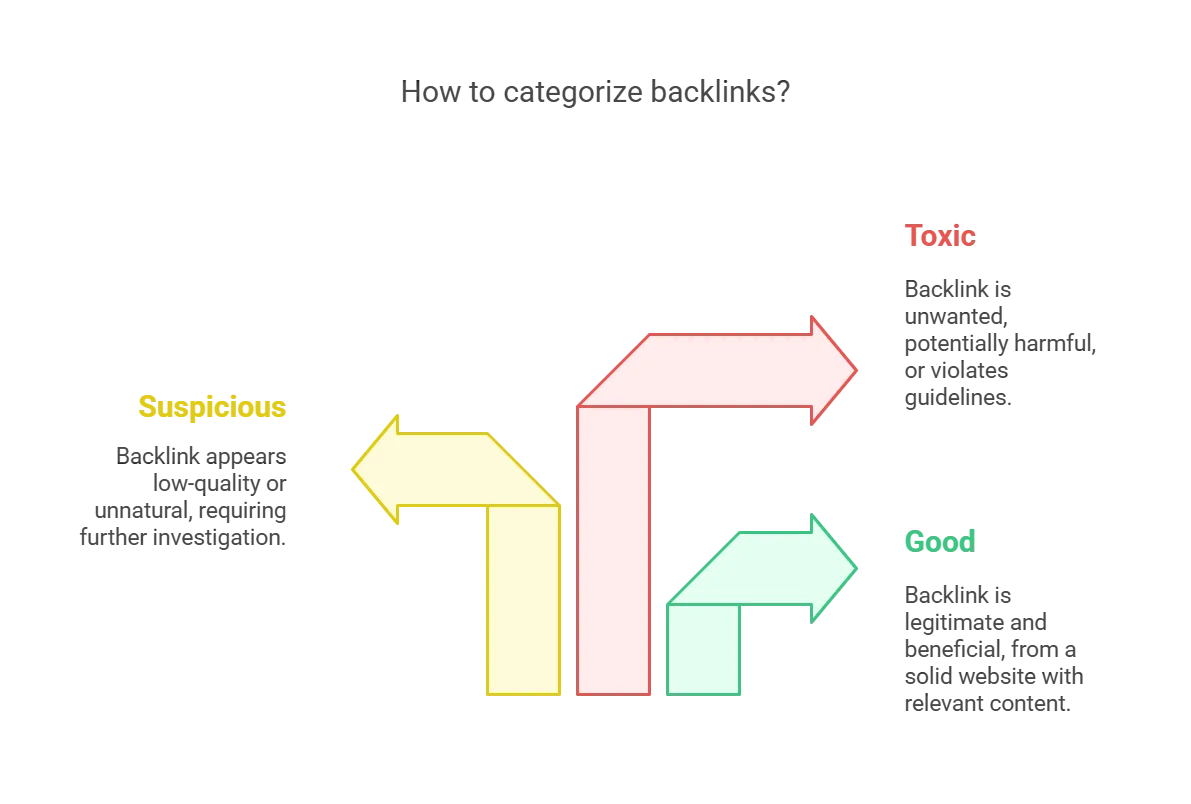
→ Good: clearly legitimate and beneficial, solid site, relevant content, no red flags. Keep these.
→ Suspicious/Potentially Toxic: something gives you pause, low-quality-looking site or unnatural link, but you’re not fully sure. Flag for deeper review, I’ll often note “check if part of PBN” or “looks spammy, likely disavow.”
→ Toxic/Bad: definitely unwanted, obvious spam (porn, casino networks, hacked sites), or links you know were paid for or part of a scheme. Plan to remove or disavow these.
If a link feels sketchy, trust that instinct. Early in my career I left dubious links in place, hoping for the best, and later got hit with a manual penalty for “unnatural links.” Now I’d rather err on the side of caution.
Document your reasoning in Notes.
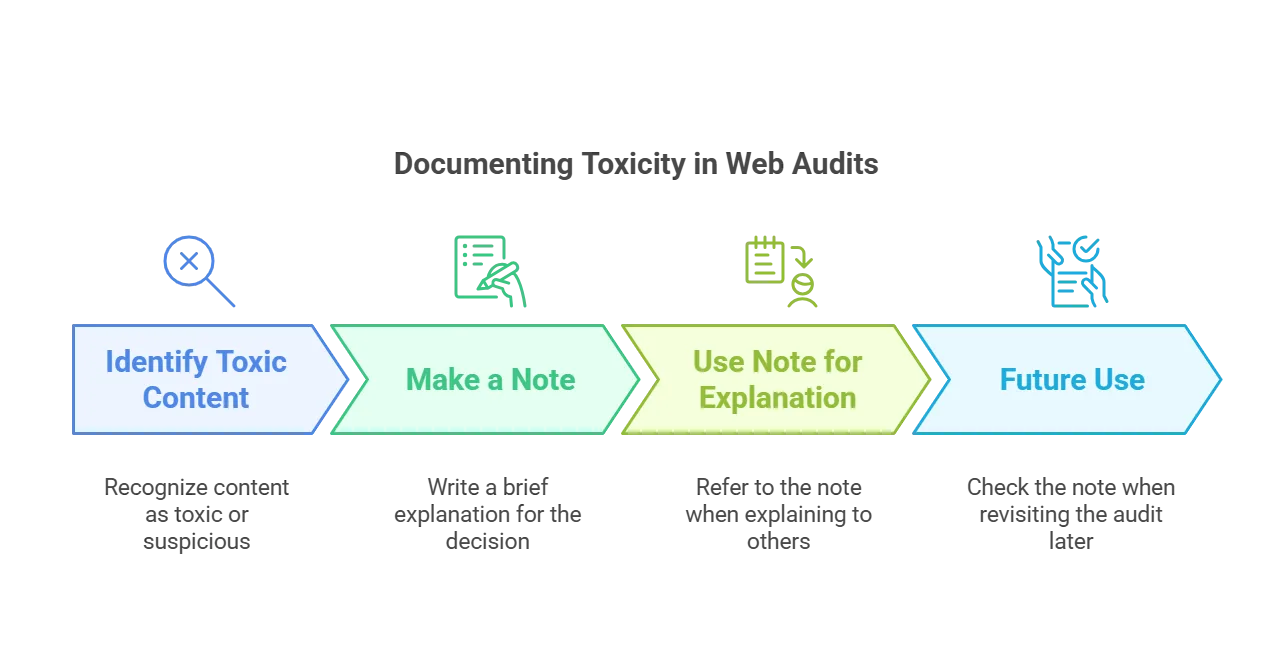
A quick note like “link farm page, 100+ outgoing links” or “unrelated Russian site, likely spam” helps when explaining a disavow to a client or teammate, or just for your own memory later.
Step 4: Identify and Prioritize Toxic Backlinks for Removal or Disavow
By now your sheet has links marked Toxic or Suspicious. Before acting, refine the list.
Review the flagged links. Filter to just Toxic/Suspicious and double-check each one.
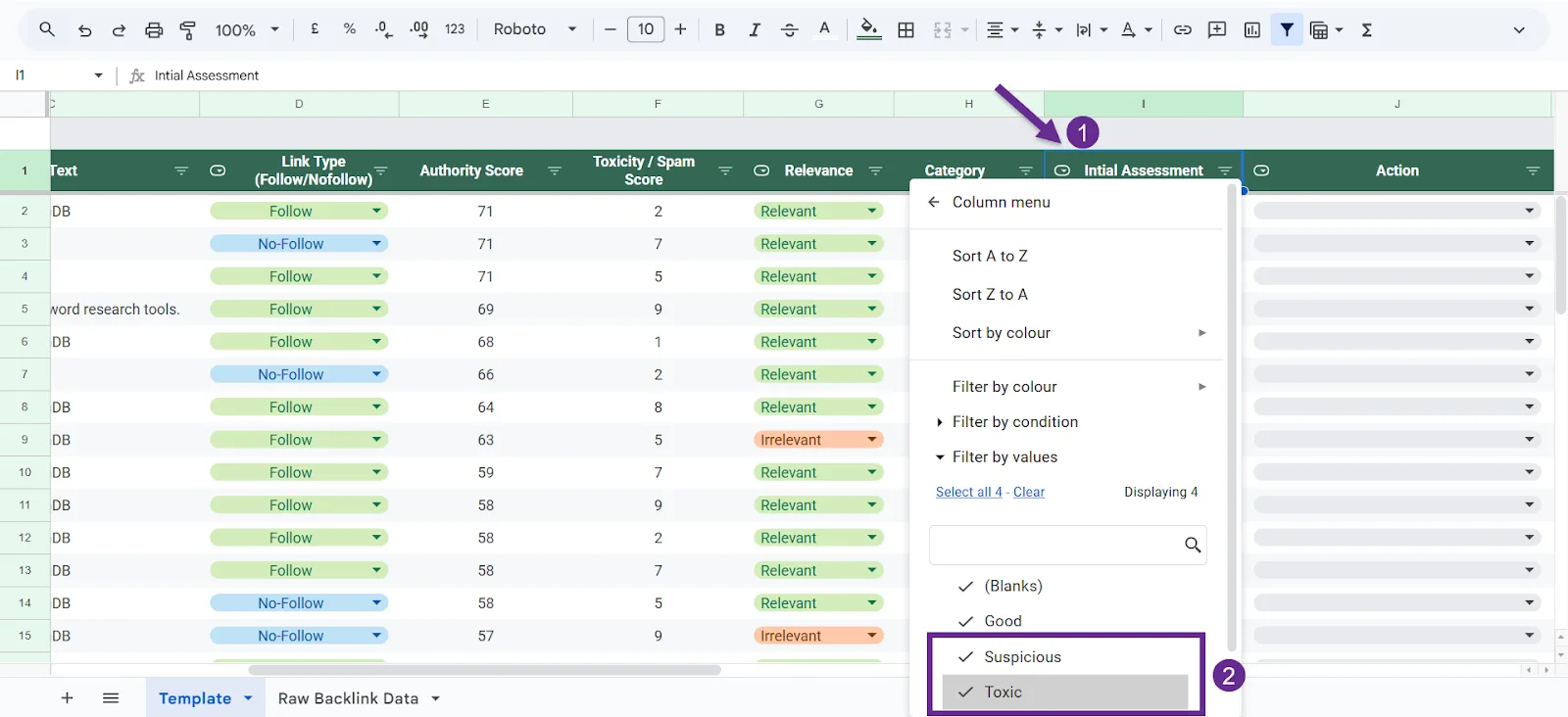
A second look sometimes changes your call, upgrade or downgrade severity as needed.
Mark the action. Update the Action column: Remove for links you’ll get removed directly, Disavow for the disavow file. Still unsure about some? Mark Monitor, but push toward a decision where you can. If a link adds no value, disavowing costs you nothing, it just asks Google to ignore a link you weren’t counting on anyway.
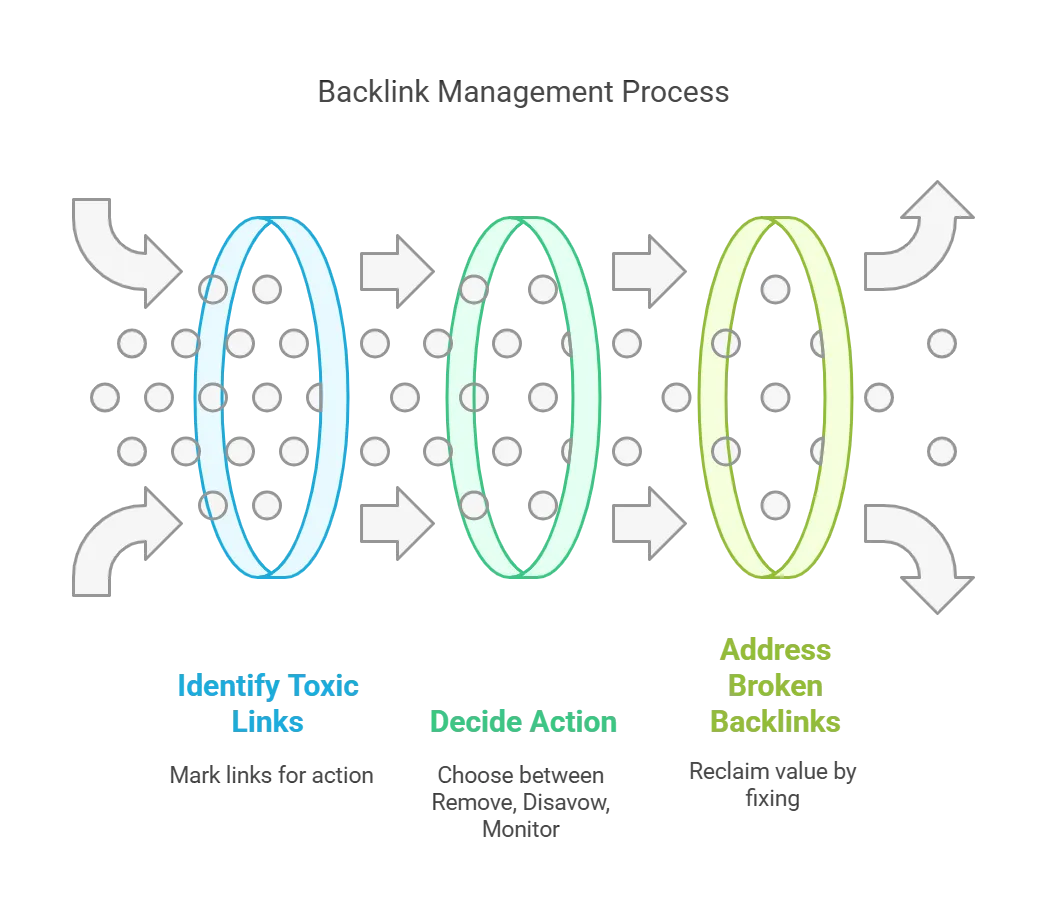
Don’t forget broken backlinks. While reviewing toxic links, also check for backlinks pointing to broken pages on your own site. Check GSC’s top linked pages for 404s, or Semrush’s Backlink Audit for “Broken backlinks.” Mark these Reclaim (Broken), then fix them by restoring the page or setting up a 301 redirect to something relevant. This isn’t a disavow action, but it’s how you recover link equity you’re otherwise wasting.
Step 5: Take Action – Remove, Disavow, or Reclaim
Three real actions here (plus Monitor, if you’re still deciding).
Create and upload a disavow file. Sort by “Disavow,” copy those links into a new file. Use the domain:example.com format to disavow an entire domain at once, covering existing and future links from it.
Use the Disavow Tool. Go to Google’s Disavow Links Tool, select your property.
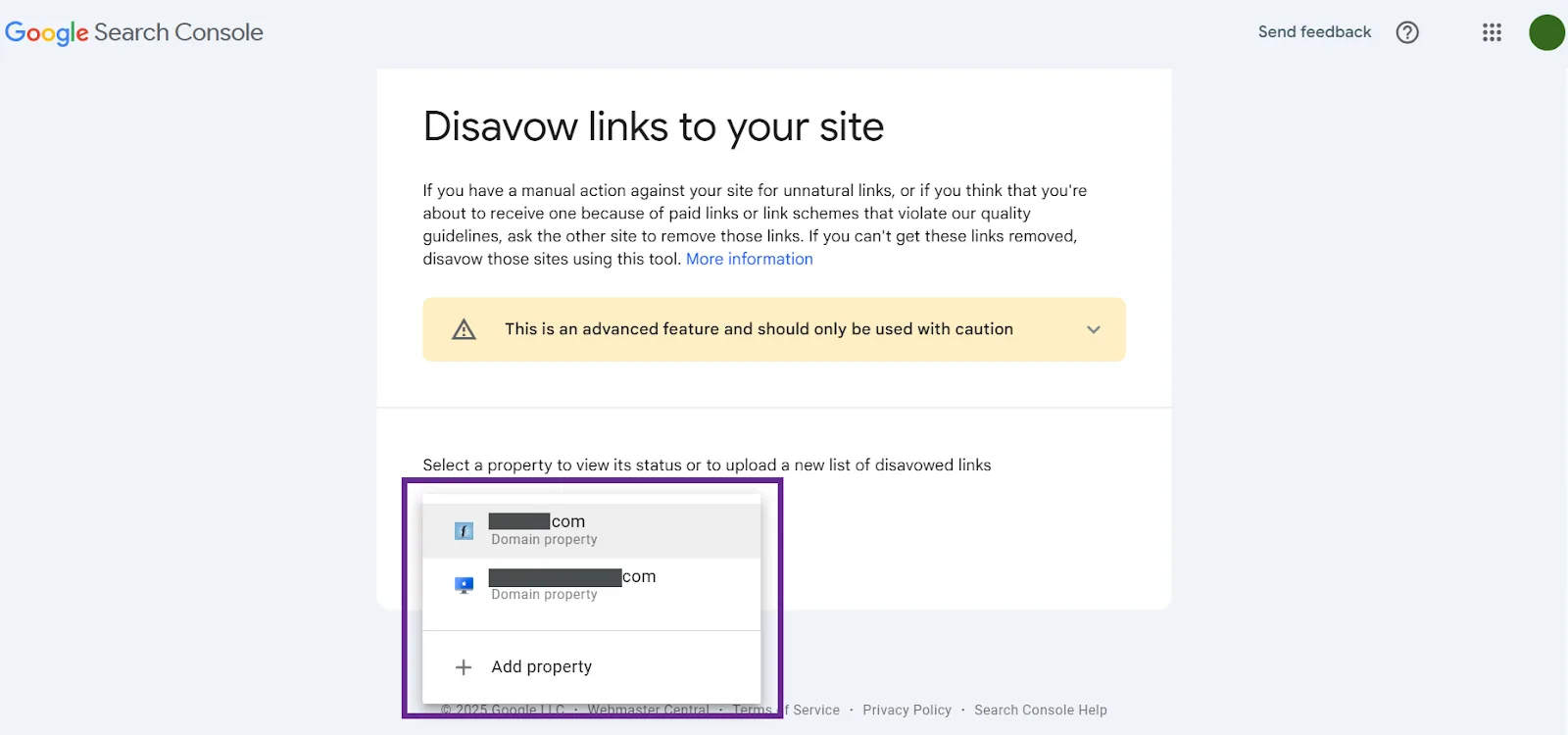
Upload your list as a .txt file. Google processes it, and going forward, those links are effectively ignored. Expect a few weeks for Google to recrawl and fully discount them, changes aren’t instant.
Confirm and document. Note the disavow date in your spreadsheet and keep a copy of the file’s contents there too, useful if you need to update it later or explain the history to someone else.
Be extremely careful with disavowing. Only disavow links you’re genuinely confident are bad. Disavow a good backlink by mistake, and you’re throwing away real SEO value. Treat it as a last resort for links you can’t get removed directly.
Be Vigilant to Keep a Healthy Backlink Profile
Backlink auditing isn’t a one-time task, tidy your profile periodically to keep it free of toxic links. It’s tedious, but a structured spreadsheet like this makes it far more manageable.
A few more ways to keep your backlink profile healthy:
↳ How I Check Backlink Quality to Maintain a Healthy Link Profile
↳ Guest Posting Vs Niche Edits: What Works Better For Link Building
↳ 7 Ways to Get Backlinks from Gov Sites
Frequently Asked Questions
What is a Backlink Audit?
A systematic review of every external link pointing to your website, checking who links to you and whether those links help or hurt your site. It surfaces spammy or low-quality links, clarifies your link sources, and uncovers opportunities for improvement.
Why are Backlink Audits important?
They help you avoid SEO penalties by catching low-quality or spammy links before they cause a ranking drop, improve overall link quality, boost organic traffic through better “link juice,” and surface which pages attract the most links so you can build on that success.
What is the best tool for a backlink audit?
Semrush is a top choice, with a dedicated Backlink Audit tool that scores toxicity, offers removal options, and helps generate a disavow file. Ahrefs offers a large backlink database with detailed metrics. Google Search Console is free but lacks advanced filtering. Free and simple: GSC. Detailed and competitive: Semrush or Ahrefs.
What is an SEO audit?
A comprehensive analysis of a site’s health and performance in search engines, covering technical SEO (speed, crawlability, indexing), on-page SEO (content, keyword usage), backlinks (quality and toxicity), and user experience (mobile-friendliness, Core Web Vitals), aimed at surfacing improvements for rankings.
What are the three types of backlinks?
Natural (editorial) backlinks earned without direct effort, the most valuable since they’re organic and trusted. Manual (outreach-based) backlinks acquired through guest posting, digital PR, or direct requests. Self-created (user-generated) backlinks from forums, directories, or comments, low-value and often nofollow, and best kept non-spammy.
Which is the free SEO audit tool?
Google Search Console for backlink data and indexing issues, PageSpeed Insights and Lighthouse for site speed and performance. Ahrefs’ free tool and SEOptimer offer quick scans too. For a free backlink audit specifically, Google Search Console is the best starting point.
Why should I connect Google Analytics to a backlink audit?
It shows which backlinks actually drive traffic and conversions, not just which look impressive on paper. You can track which links send visitors, how engaged those visitors are, and which pages benefit most, helping you prioritize valuable backlinks and flag low-quality ones.
How long should an SEO audit take?
Small sites (under 50 pages): 3-5 hours basic, 1-2 days deep. Medium sites (50-500 pages): 2-5 days. Large sites (1,000+ pages, enterprise or e-commerce): 1-2 weeks for a full review. A quick check takes hours; a thorough technical, content, and backlink audit takes days to weeks.
Is a review cheaper than an audit?
Yes. A review is a high-level overview, basic recommendations and a quick scan, typically $50-$500. A full audit covers technical SEO, on-page SEO, backlinks, content, and competition in depth, usually $500-$5,000+. Quick insight: review. Fixing real ranking problems: audit.
How do I get an SEO audit report?
Run a free or paid audit on Semrush, Ahrefs, or Screaming Frog, pair it with Google Search Console and Lighthouse. Hire an SEO consultant or agency for a professional report ($500-$5,000). Or DIY with free tools and organize your findings in a spreadsheet, solid for a basic health check.