


VidIQ and TubeBuddy are the two most popular YouTube optimization tools out there. Both are genuinely good… but one is probably a better fit for your channel than the other.
Here’s what I’ve learned using both, to help you figure out which one fits your channel.
VidIQ & TubeBuddy Overview
VidIQ
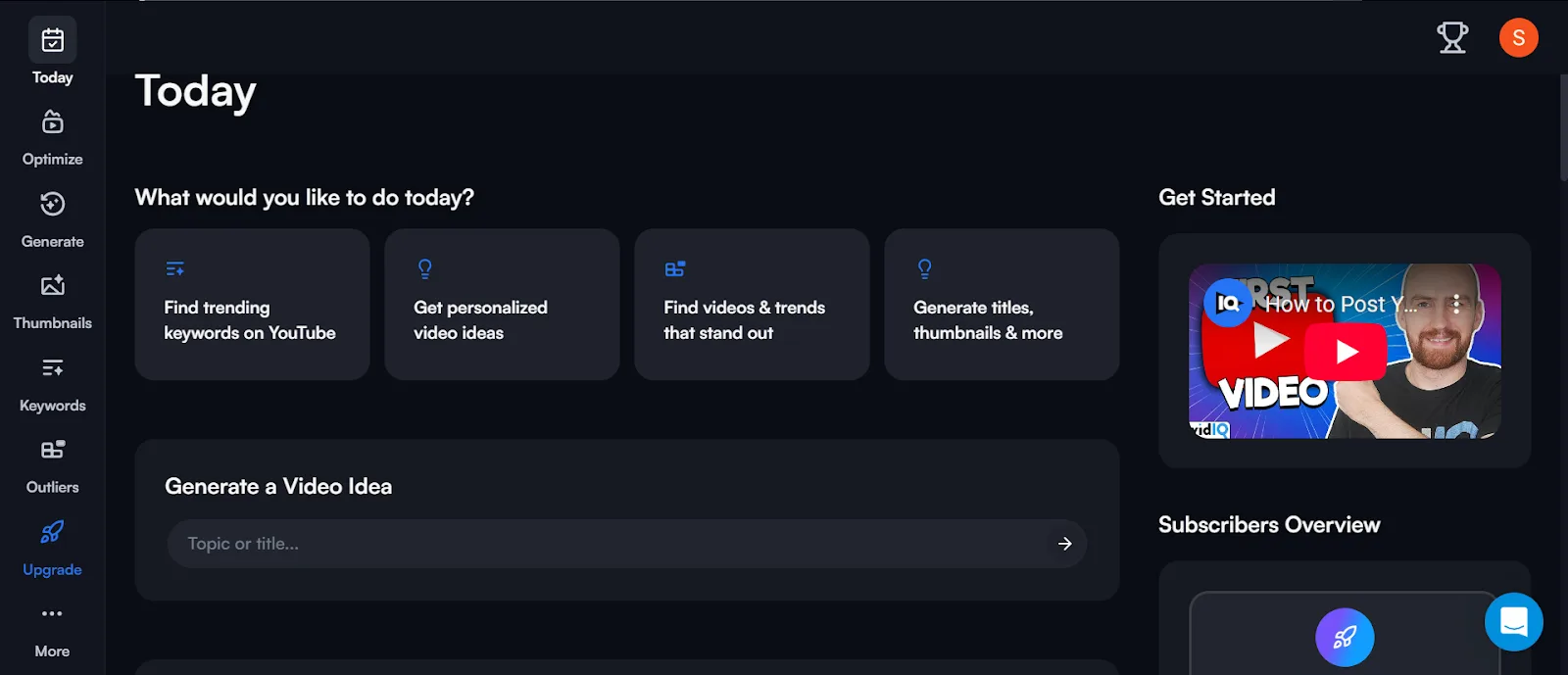
VidIQ gives you detailed keyword data, competitor insights, and a host of SEO metrics to optimize videos and help creators grow their channel.
Key features:
→ Keyword research with metrics like search volume, competition, and overall score.
→ Competitor analysis that digs into trending topics and channel performance.
→ Video SEO recommendations and channel audits.
TubeBuddy
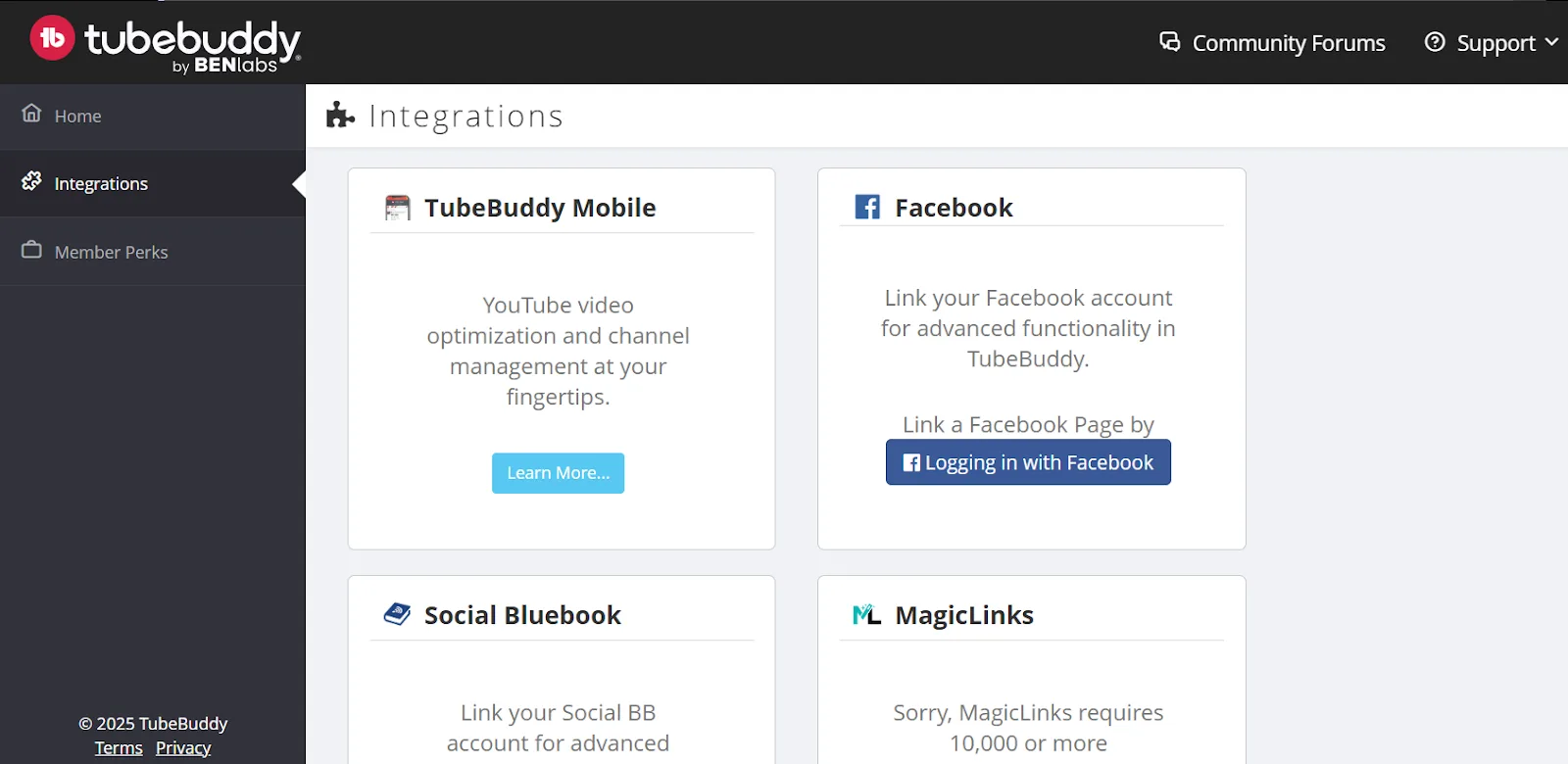
TubeBuddy is an all-in-one browser extension that integrates directly with your YouTube dashboard. It has a user-friendly design and offers extra optimization features on top.
Key features:
→ Bulk editing and SEO Studio tools that simplify video optimization.
→ Keyword research with weighted and unweighted scores.
→ A/B testing for thumbnails and titles.
VidIQ Vs TubeBuddy: Quick Comparison
| Aspect | VidIQ | TubeBuddy |
|---|---|---|
| Keyword Research | Detailed metrics (search volume, competition, comprehensive keyword scores); advanced competitor insights | Dual scoring system (weighted & unweighted); related tag suggestions |
| Competitor Analysis | In-depth competitor tracking with detailed data on top videos and keyword performance | Basic competitor insights for a quick overview |
| Video Optimization | SEO scores and metadata suggestions for titles and descriptions | A/B testing and SEO Studio for thumbnails, titles, and descriptions |
| Ease of Use | Data-rich interface; may overwhelm beginners | Integrates directly into YouTube Studio; easy even for beginners |
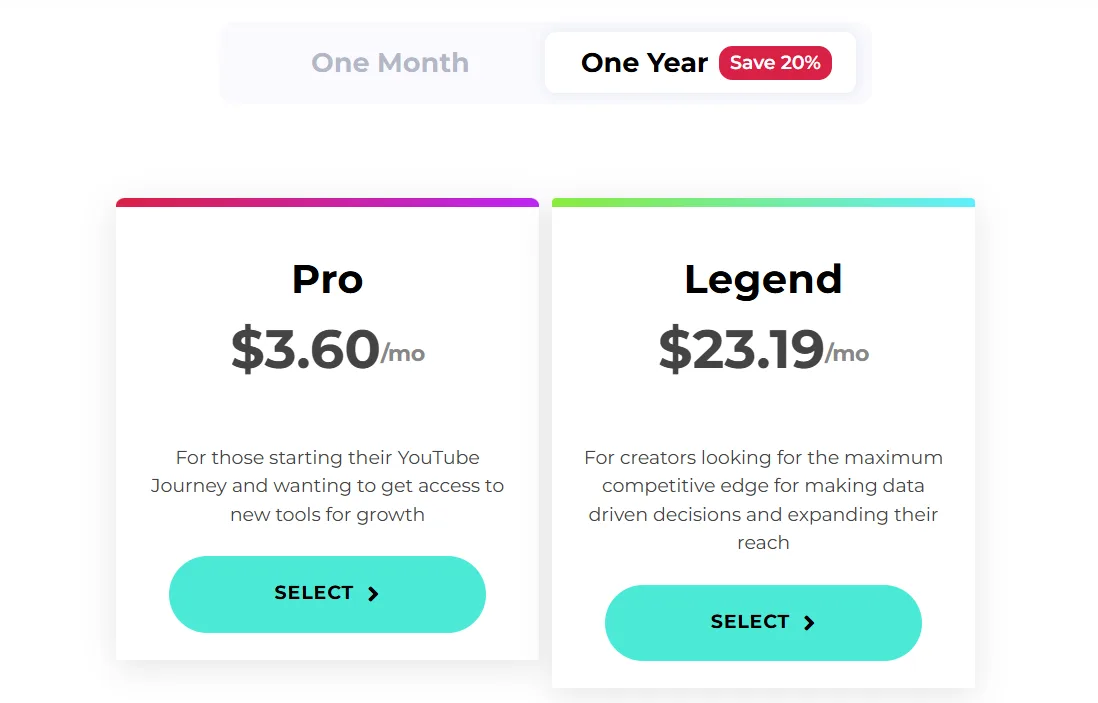
| Pricing & Value | Basic functions free; premium data insights from $24.50 | More generous free plan; paid plans start at $3.60 |
| Additional Features | Channel audits and detailed competitor tracking | Bulk editing, scheduling, integrated email outreach, mobile app |
Detailed Comparison of VidIQ & TubeBuddy
Keyword Research Capabilities
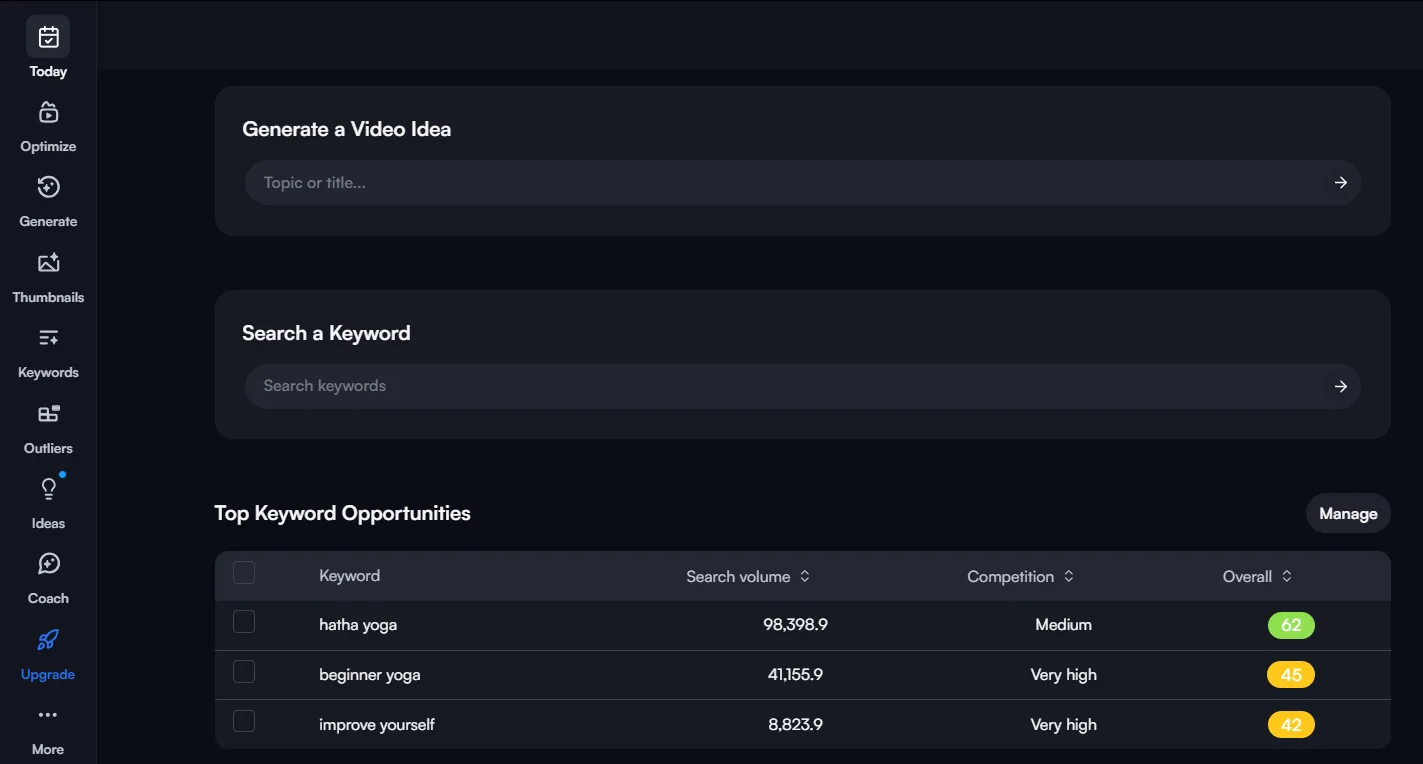
VidIQ is my go-to for YouTube keyword research and planning. When you research a keyword, it gives you detailed metrics like search volume, competition, and an overall keyword score, which makes it easy to decide what’s actually worth targeting. It also makes finding keyword ideas easy in the first place.
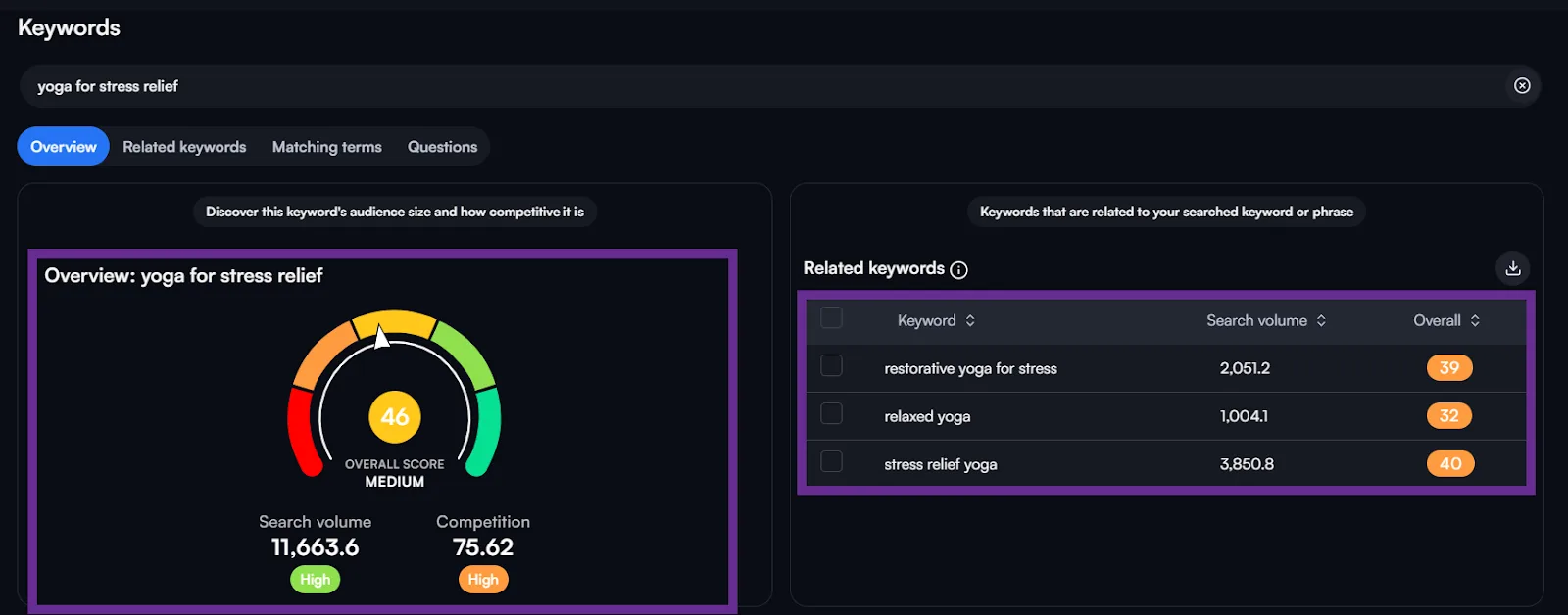
It surfaces keyword ideas across Related keywords, Matching terms, and Questions.
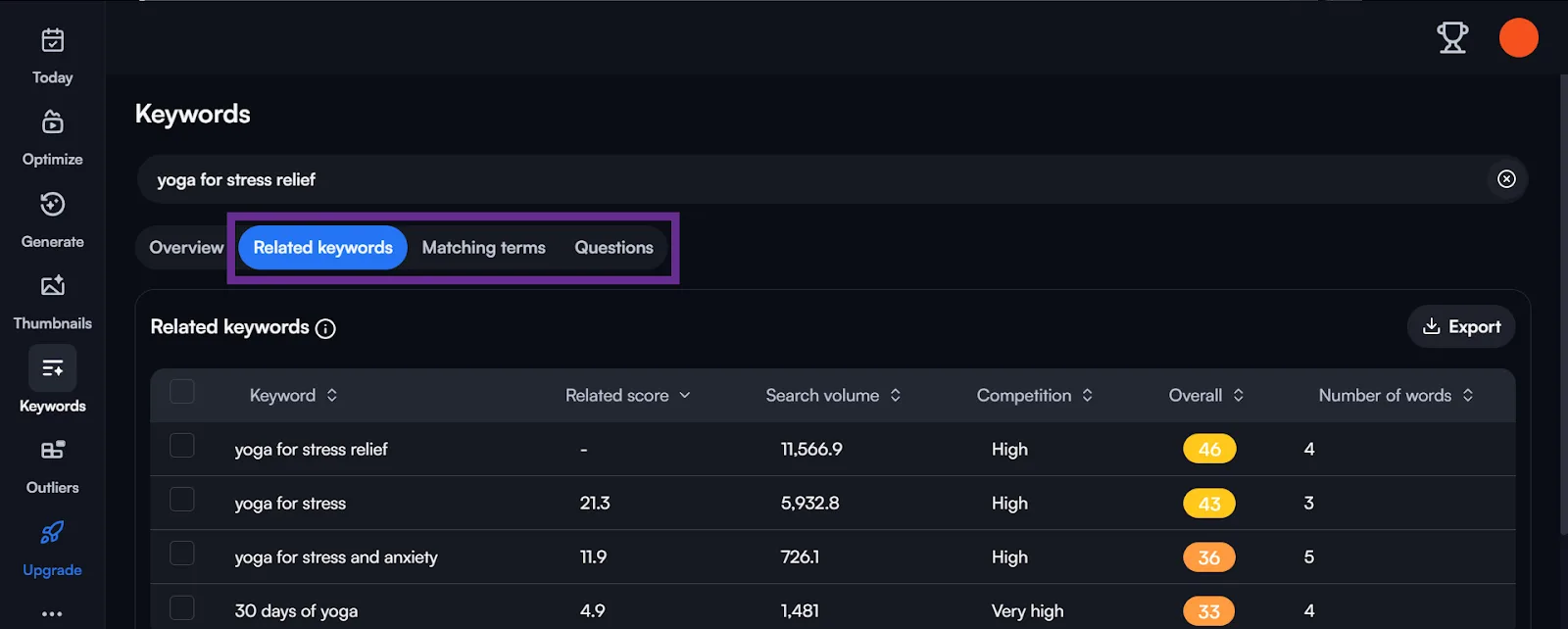
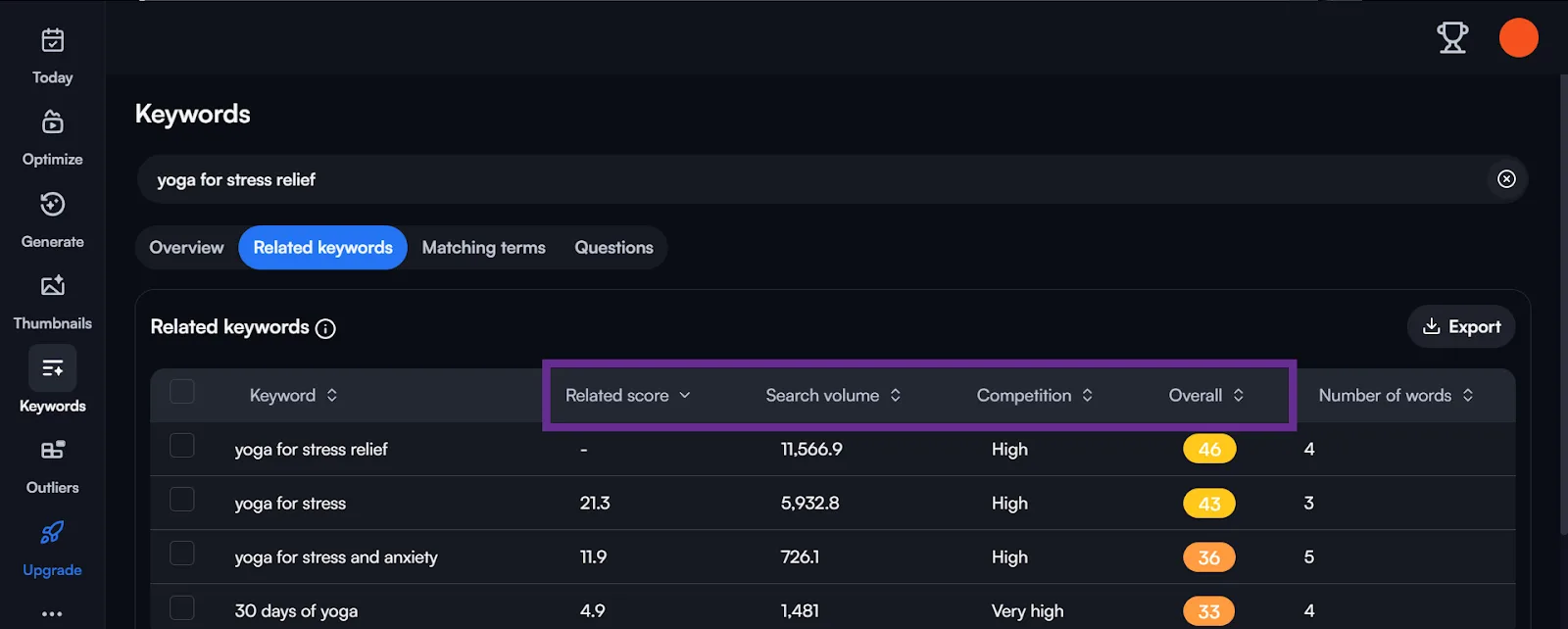
Every suggestion comes with search volume, competition score, and overall score, plus a Related score that tells you how relevant a keyword is to the one you searched.
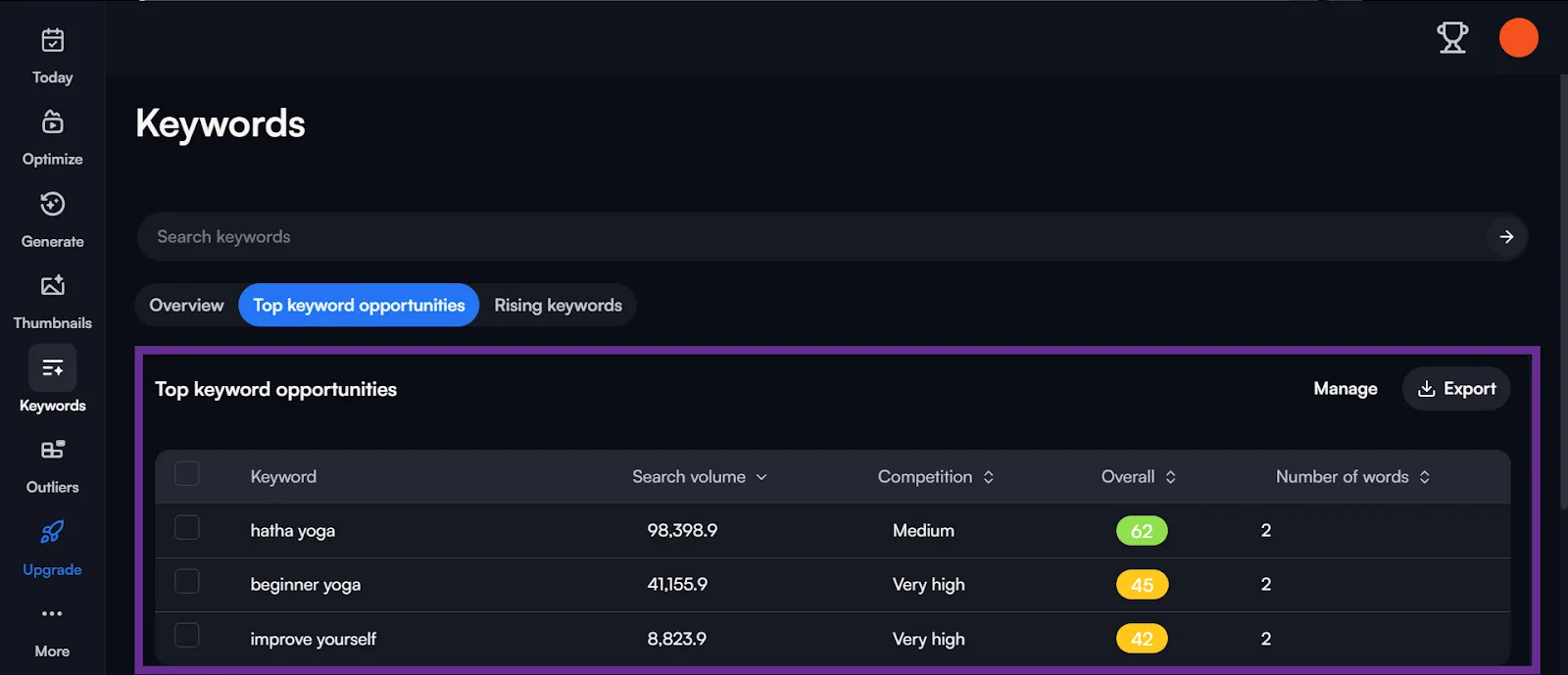
It also surfaces the top keyword opportunities in your niche, so you don’t miss out on important topics.
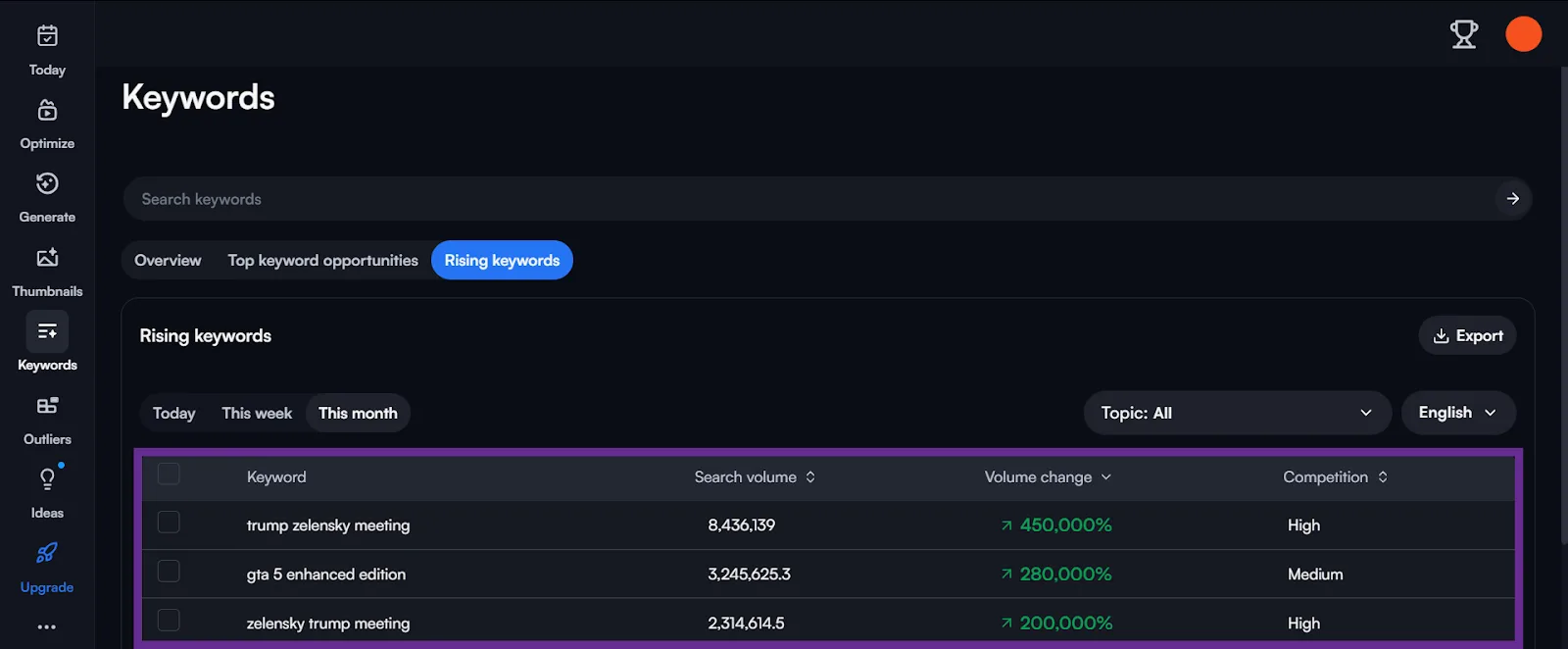
I also use VidIQ to find trending keywords in my niche, so I can jump on a relevant trend while it’s still hot. It helps you stay ahead of competitors instead of catching up to them.
TubeBuddy, on the other hand, offers a dual-scoring system: a weighted score based on your own channel’s performance, and an unweighted score that gives a general view.
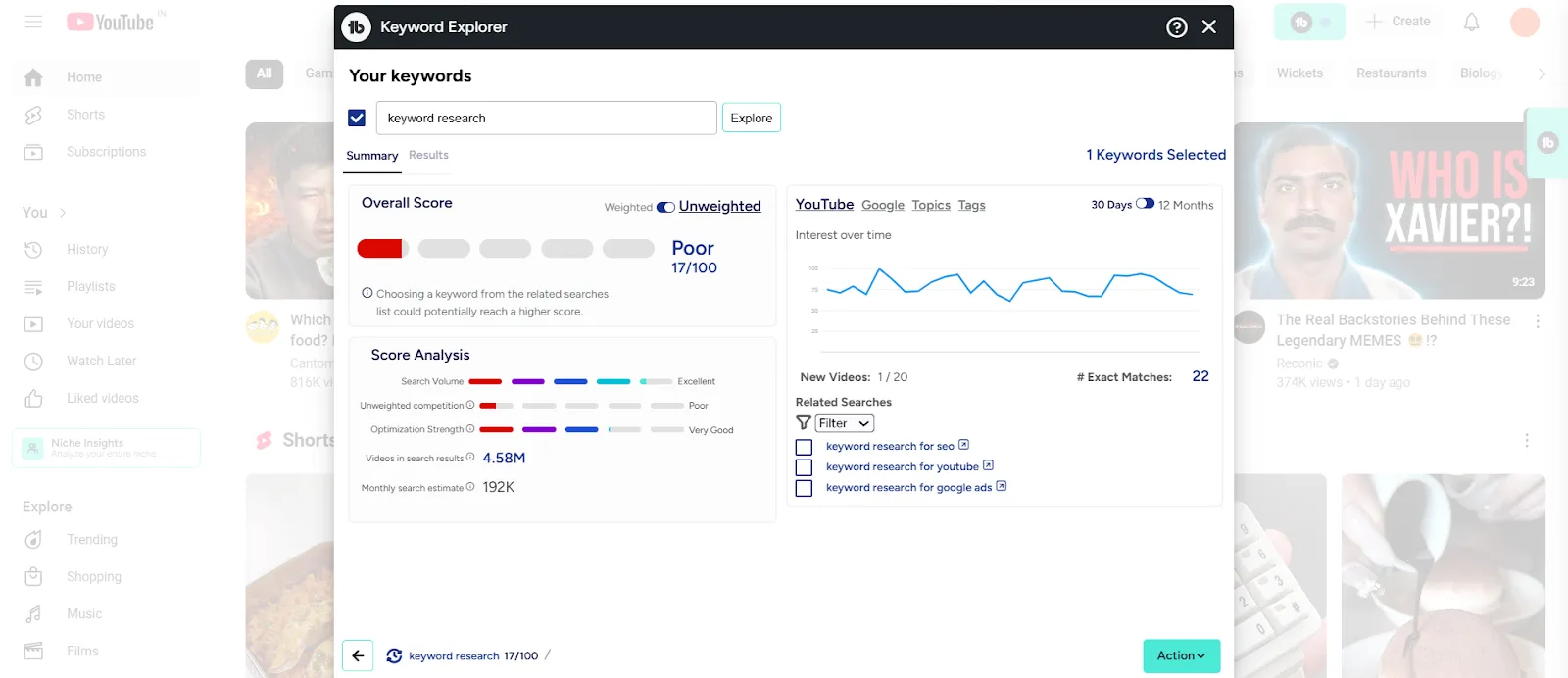
That combination makes it pretty clear how strong a keyword actually is for your specific channel. It doesn’t hand you as much raw data as VidIQ, but its Score Analysis breakdown covers the metrics that matter.
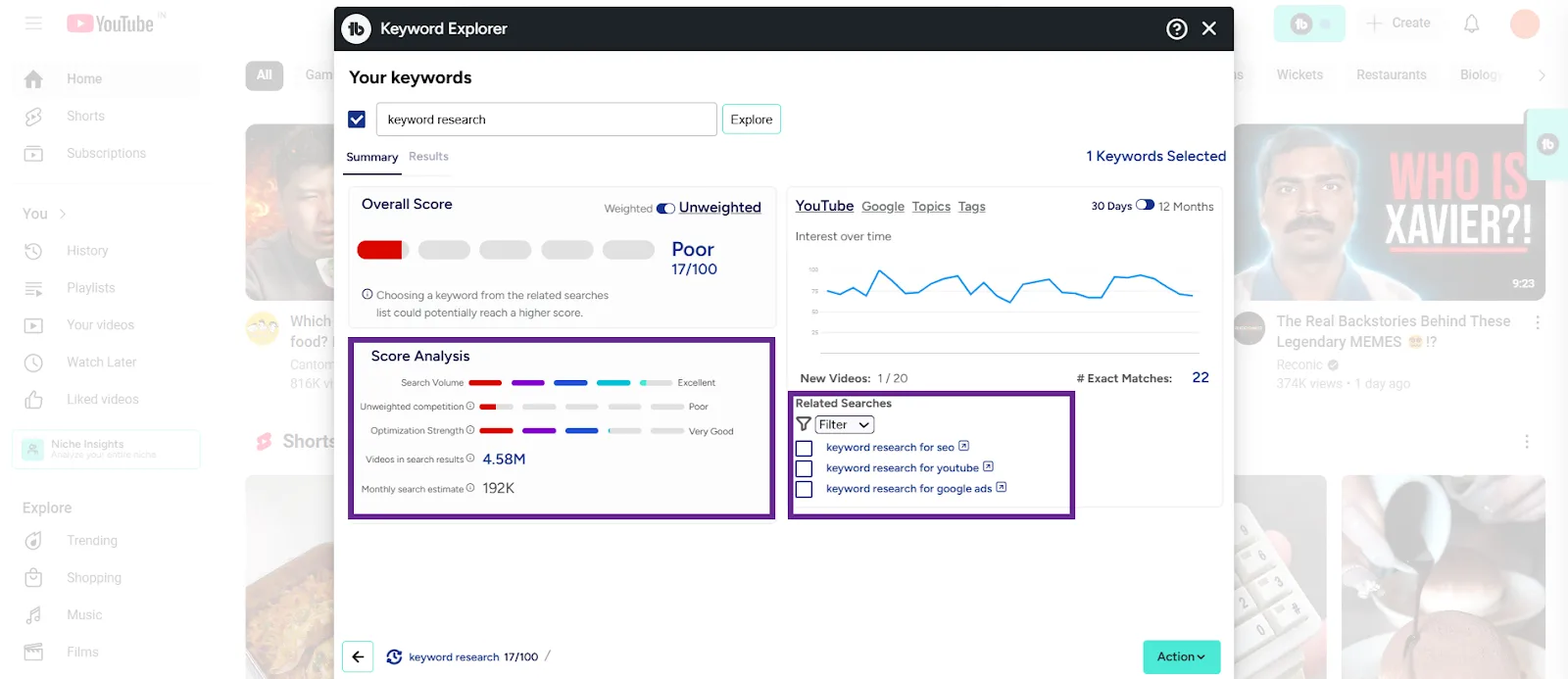
TubeBuddy also suggests related tags and offers a keyword description tool, extra context that makes the data easier to act on when you’re planning content.
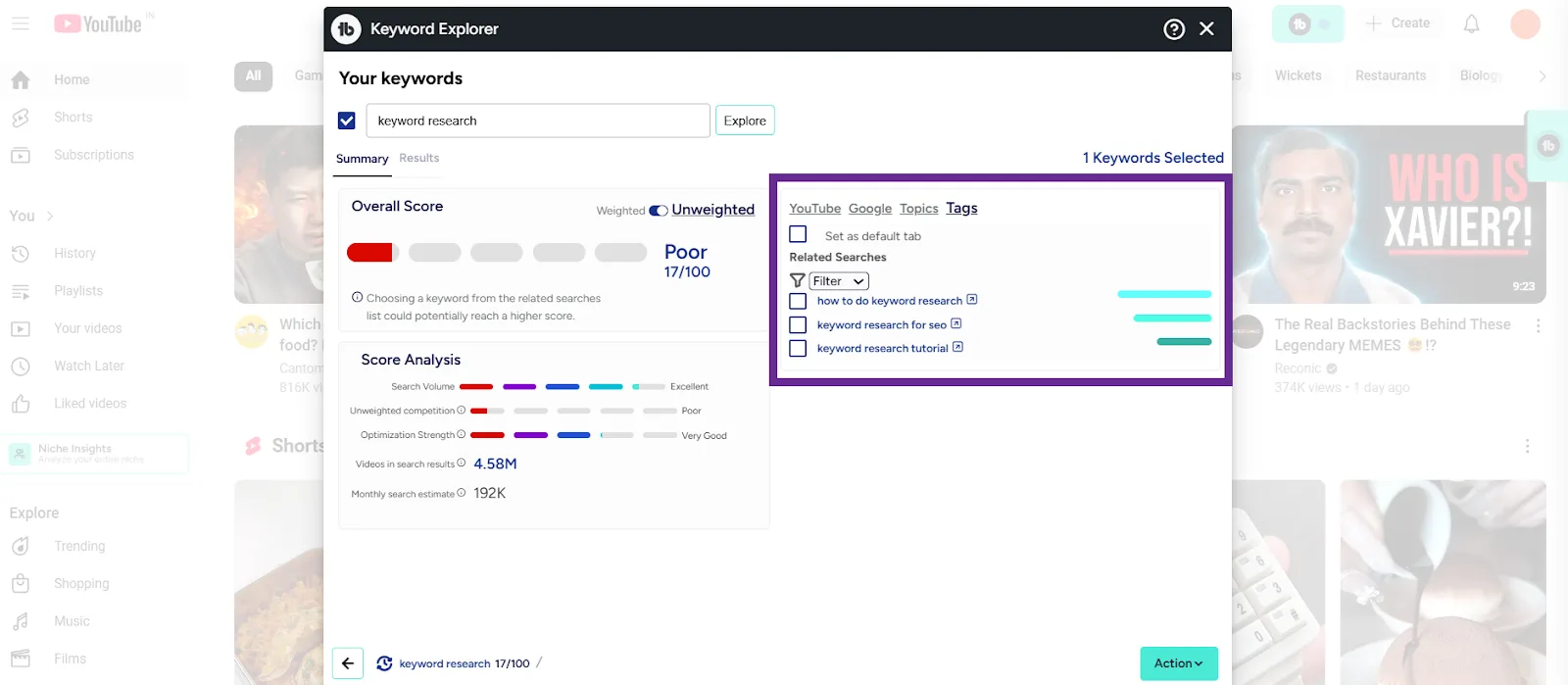
What I like most is the interface: it lives directly inside YouTube Studio, so there’s no tab-switching while you’re researching keywords.
Competitor Analysis
I lean on VidIQ’s competitor analysis to read the market. It shows a competitor’s top videos, keyword performance, and trends over time, which is exactly what you need to spot gaps and opportunities in your own strategy.
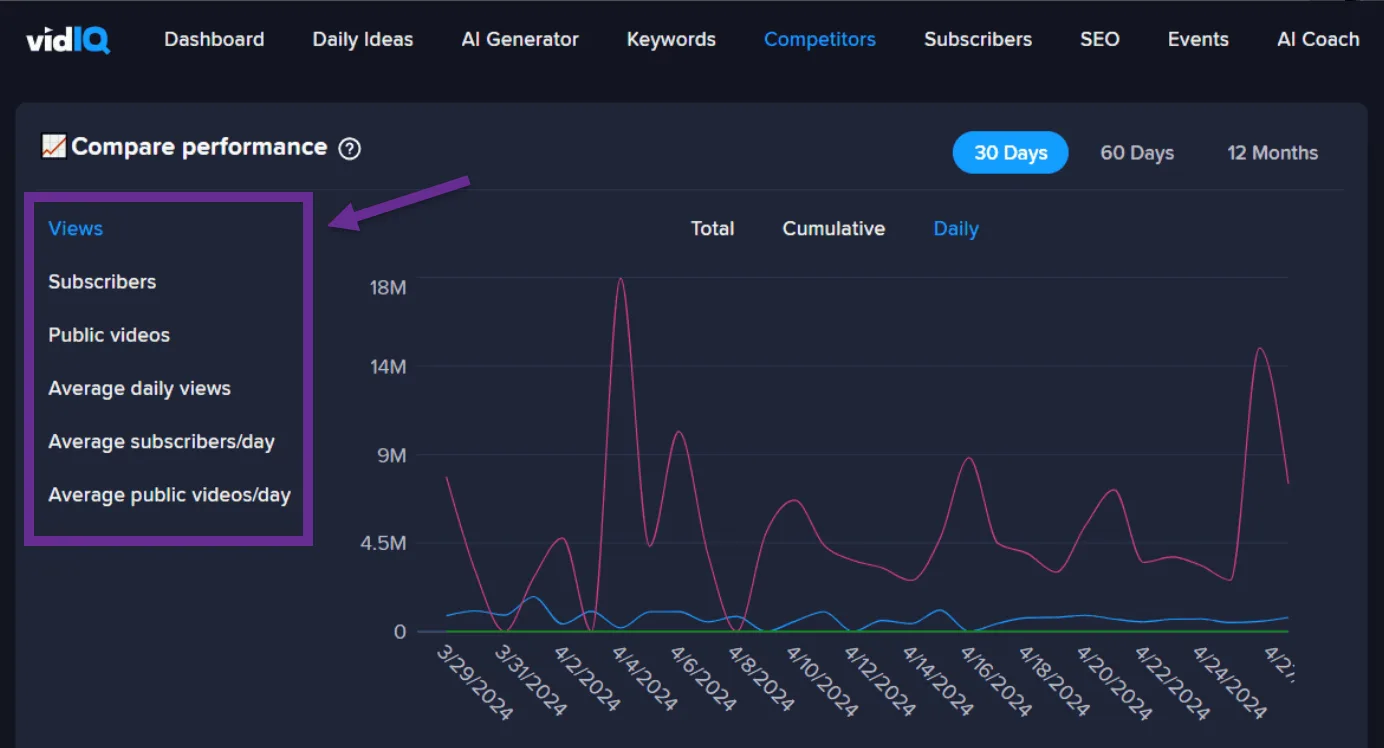
TubeBuddy also offers competitor insights, mostly visual comparisons of performance. The data isn’t as deep as VidIQ’s, but it’s enough to see where you stand and track your own progress over time.
Video Optimization and SEO Features
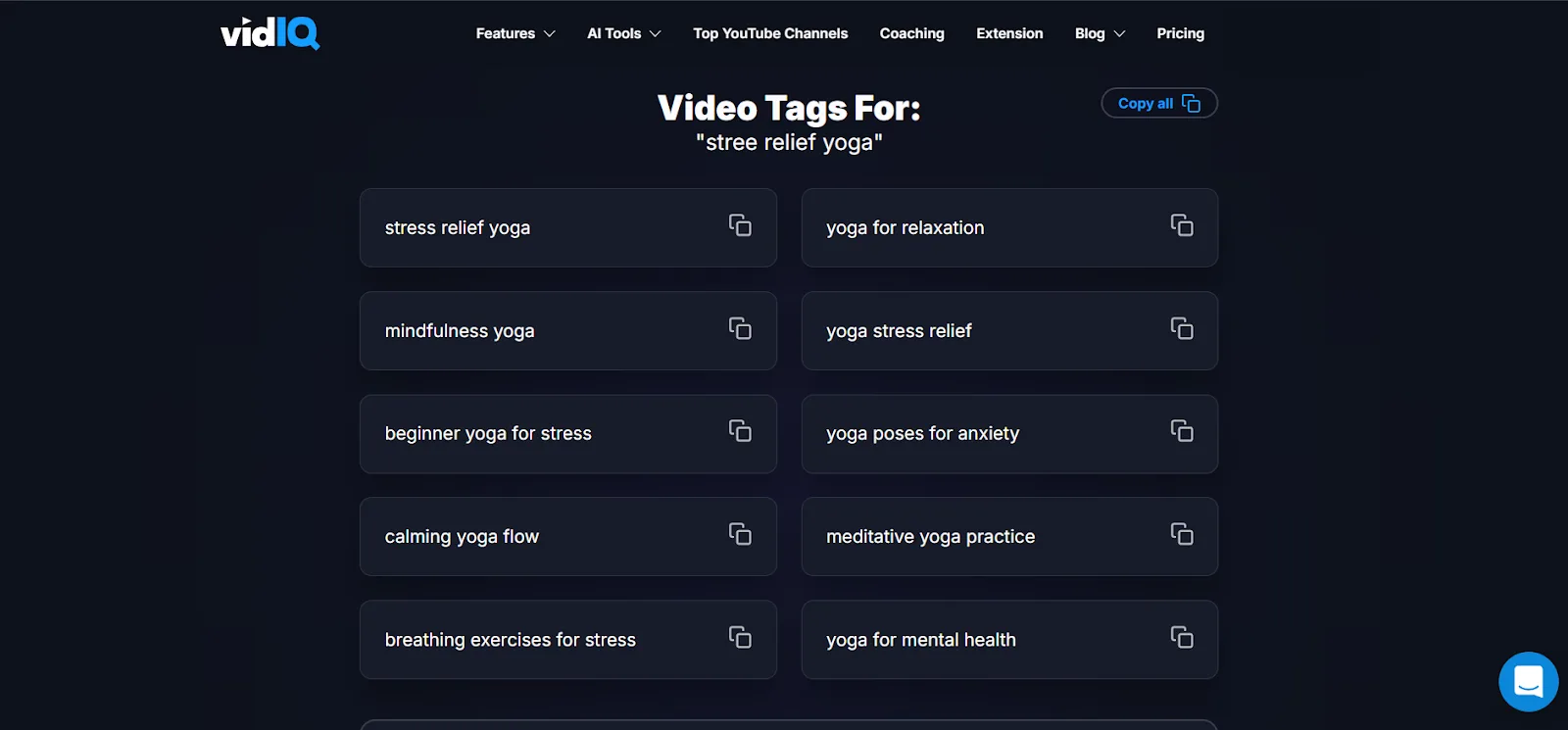
VidIQ gives you clear scores for titles and descriptions, plus solid tag recommendations based on your target keywords. It’s genuinely useful for tightening up your metadata.
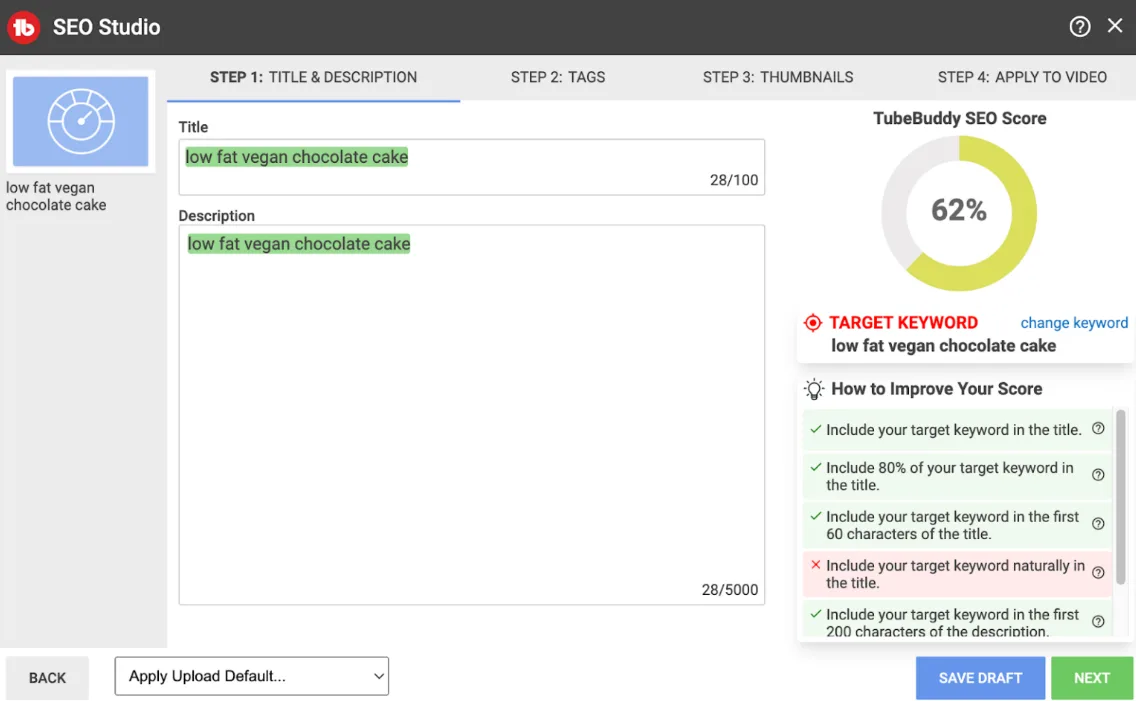
TubeBuddy’s A/B testing lets you experiment with different thumbnails, titles, and descriptions, and its SEO Studio walks you through optimizing your content step by step.
Ease of Use and Interface
VidIQ has a sleek, data-rich interface that displays detailed analytics clearly. If you’re just starting out, though, that depth of information can feel like a lot at first.
TubeBuddy, on the other hand, folds itself into YouTube Studio so everything lives in one place. That alone saves time and keeps your attention on the content strategy instead of jumping between tabs. If you’re fairly new to YouTube, you’ll probably find TubeBuddy easier to pick up.
Browser Extensions
Both tools ship a browser extension for managing your channel right there in the browser.
VidIQ’s extension is clean and fast, with basic metrics and analysis of the YouTube SERP and individual videos.
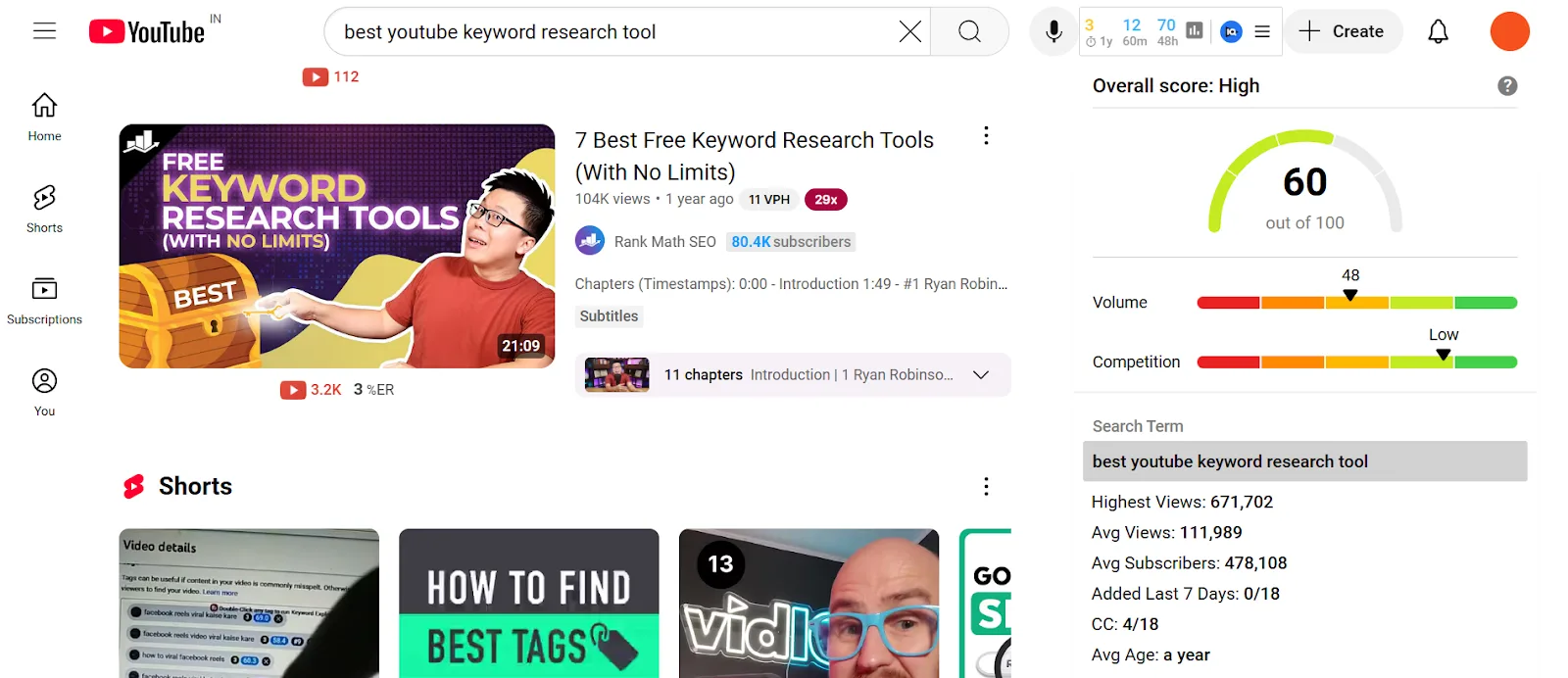
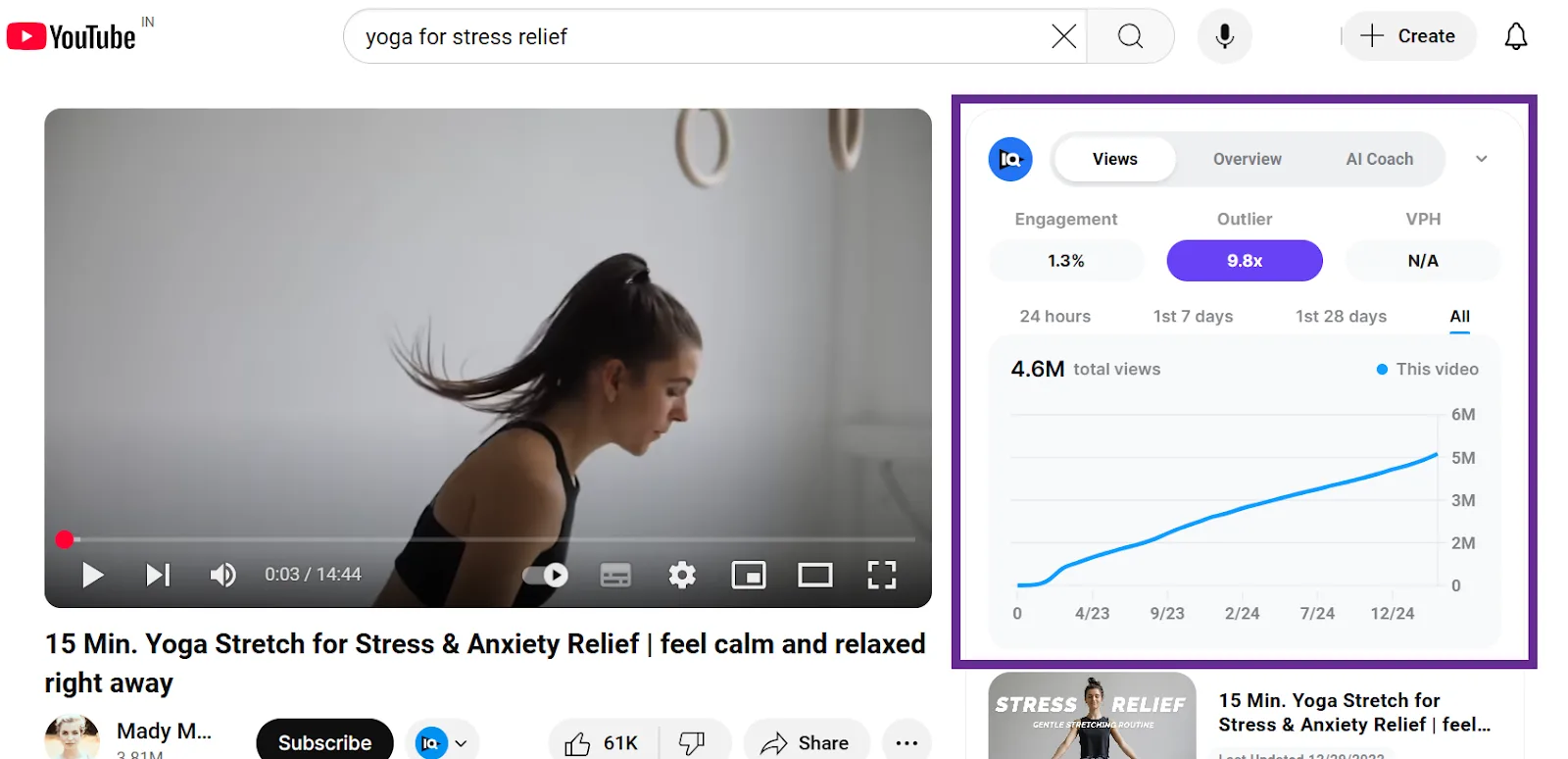
While a video’s playing, VidIQ surfaces useful performance data too (views, engagement, and so on), which I use a lot to size up competitors’ videos.
TubeBuddy’s integration with YouTube Studio is extremely practical for day-to-day use since the data you need shows up exactly where you need it. Its extension is also noticeably more detailed, which makes sense; unlike VidIQ, TubeBuddy mostly functions through the extension itself.
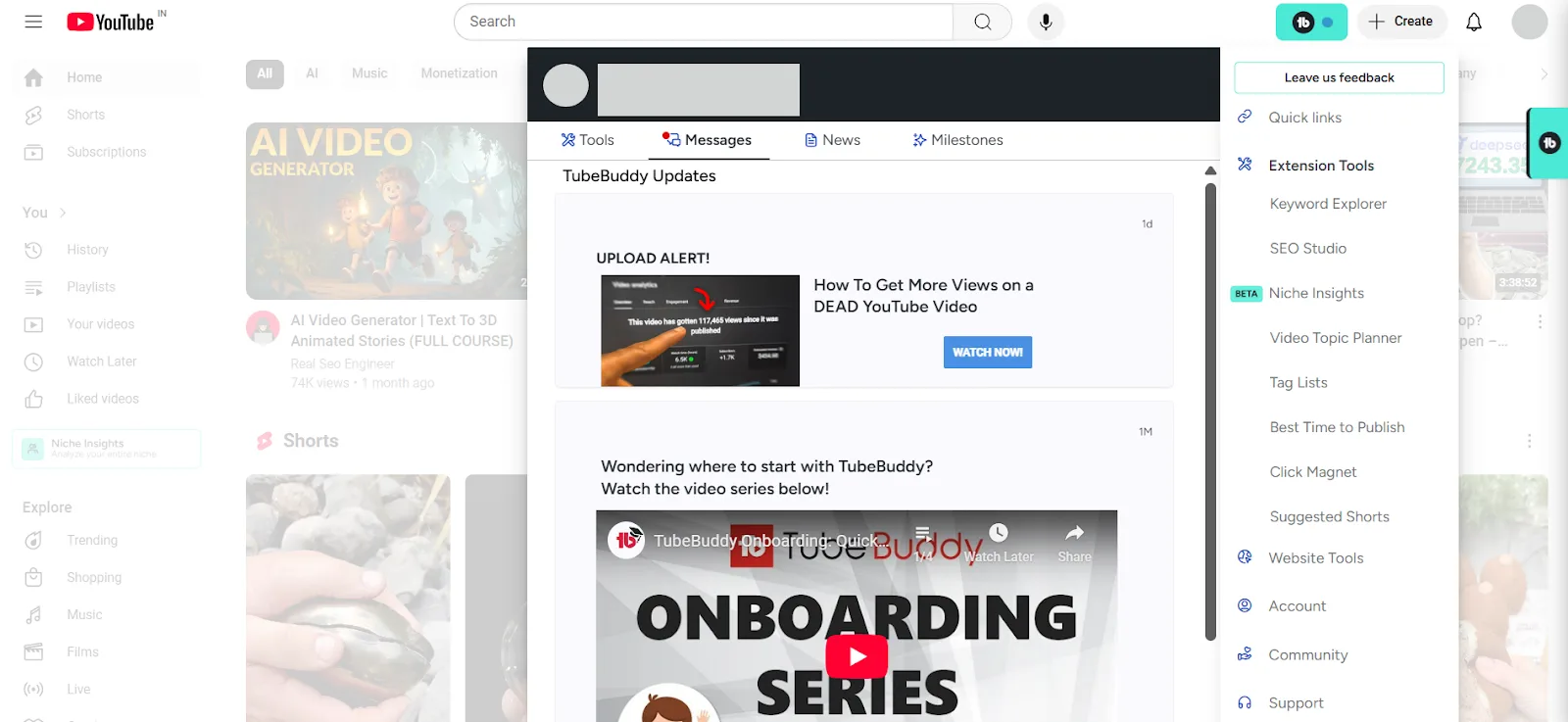
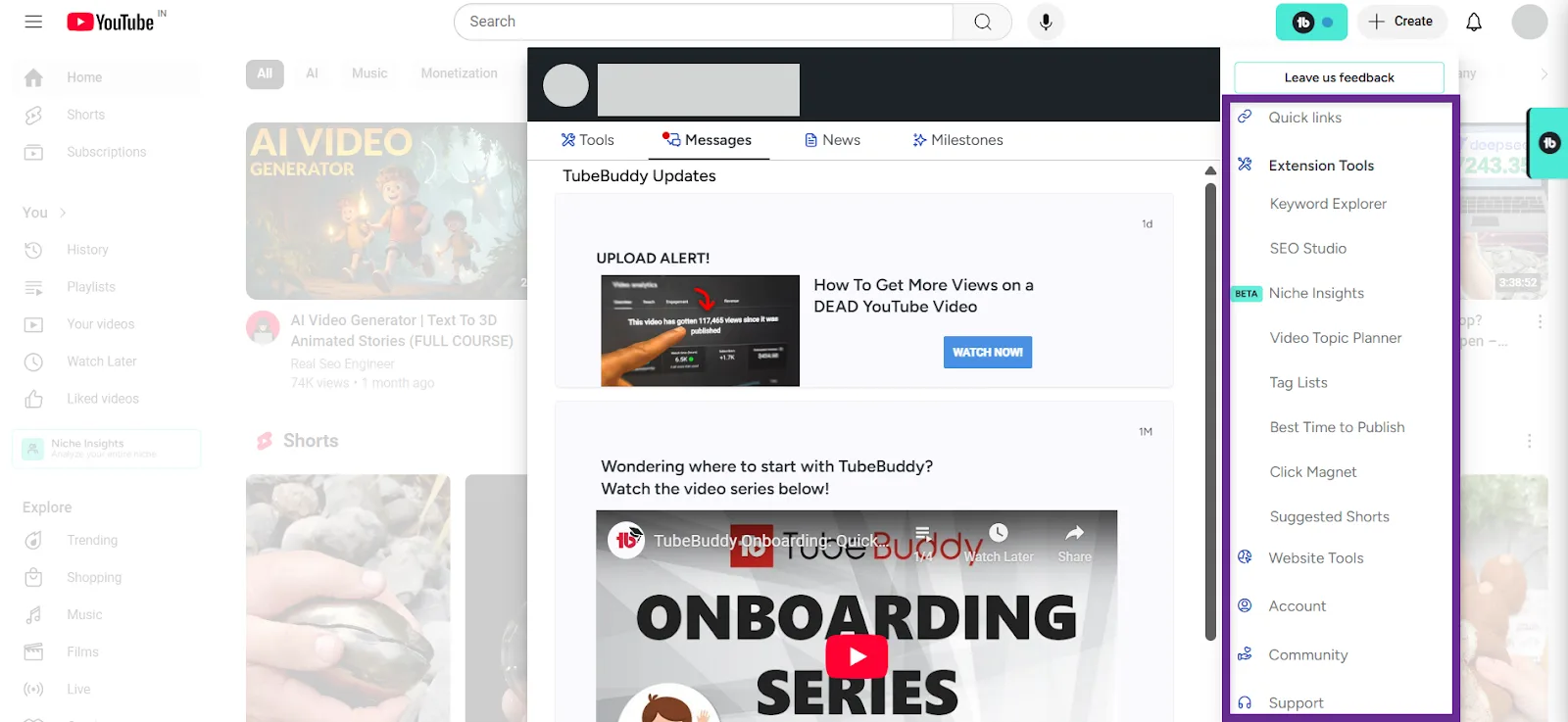
It bundles a lot of YouTube optimization tools right there: Keyword Explorer, Topic Planner, Tag Lists, and more.
Additional Features & Strengths
VidIQ lets you audit your channel and track competitors, giving you a clear read on your overall performance to help refine your long-term strategy.
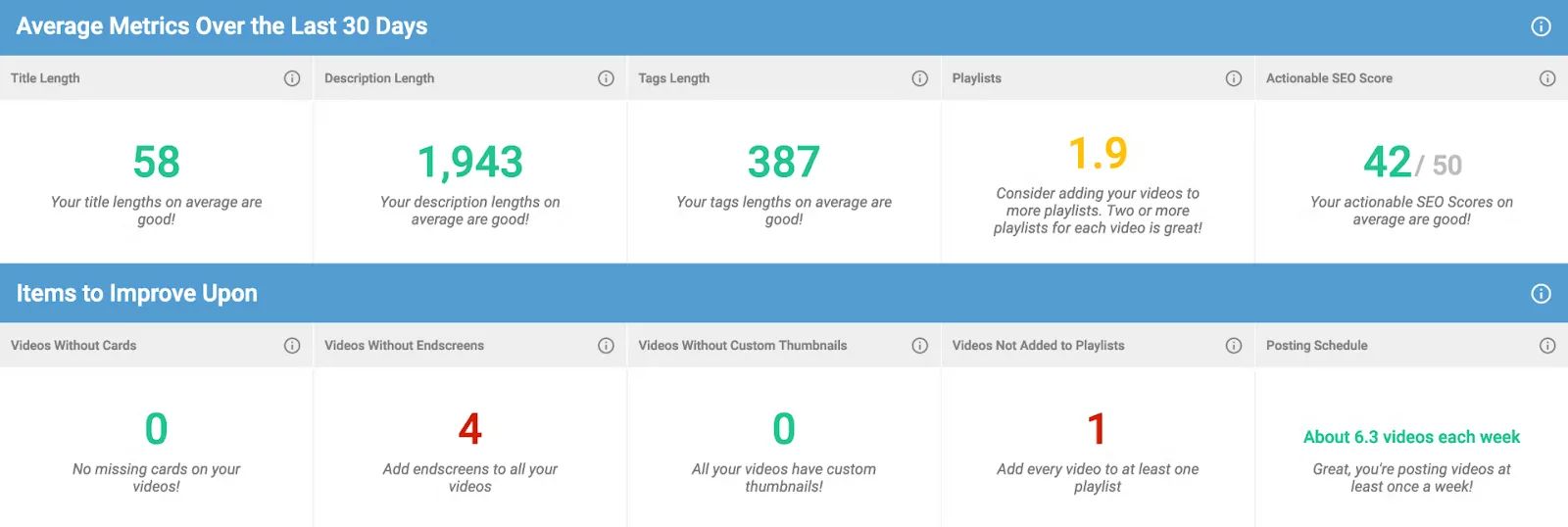
TubeBuddy leans into productivity instead, with bulk editing and scheduling features that cut down on repetitive work.
Pricing and Free vs. Paid Features
VidIQ’s free plan covers the basics. The deeper analytics and advanced features cost more, but they’re worth it if you’re a serious creator. There’s also a 7-day free trial if you want to test the paid tier before committing.

TubeBuddy’s free version is more generous, and its paid plans start lower too, with access to extras like A/B testing and bulk editing. It’s a solid pick if you’re on a budget but still want a full optimization toolkit.
Pros and Cons Summary
| Tool | Pros | Cons |
|---|---|---|
| VidIQ | Detailed search volume and competition metrics; advanced competitor insights; accurate SEO scores for titles and descriptions; data-rich, easy-to-read interface | Can overwhelm beginners with how much data it shows; advanced features cost more |
| TubeBuddy | Dual scoring system (weighted and unweighted); integrated, user-friendly interface inside YouTube Studio; A/B testing and SEO Studio; budget-friendly with a generous free plan | Less detailed keyword data than VidIQ; competitor insights can feel basic for advanced users |
What’s Best Is What Works for You
Having used both, I can’t honestly say one is better than the other across the board. If I had to sum it up: go with VidIQ if you’re an experienced creator who wants detailed, data-driven insights. Go with TubeBuddy if you’re a beginner who wants something that guides you at every step.
A few more guides if you’re still shaping your keyword research toolkit:
↳ Semrush vs. Ahrefs, if you’re deciding between the two for keyword research and overall SEO
Frequently Asked Questions
What are the disadvantages of TubeBuddy?
TubeBuddy’s dual scoring system is handy, but its keyword metrics are less detailed than VidIQ’s, and its competitor insights stay fairly basic. It simplifies your workflow well, but it may not deliver the depth of analytics a highly competitive channel needs.
Does TubeBuddy increase subscribers?
Not directly. It gives you tools to improve video metadata, thumbnails, and descriptions, and better-optimized videos tend to perform better and get more visibility, which can lead to subscriber growth over time. The content itself still has to be good enough to convert those views.
Can VidIQ delete my YouTube channel?
No. VidIQ reads analytics and keyword data through YouTube’s API without touching your channel settings. It only displays data and recommendations; your content and settings stay untouched.
Can I use both VidIQ and TubeBuddy?
Yes, they run fine side by side. VidIQ covers detailed keyword data and competitor insights, TubeBuddy covers optimization and productivity, and using both gets you the strengths of each.
Is there something better than VidIQ?
VidIQ remains one of the strongest options for detailed keyword analytics and competitor tracking. Other tools bring their own extras, but few match its combination of data depth and accuracy for YouTube SEO specifically.
How much does VidIQ cost vs. TubeBuddy?
Both offer free plans with paid tiers on top. VidIQ’s paid plans generally run from around $7.50 to $19 a month, while TubeBuddy’s start as low as $2.25 a month. Either way, there’s a plan for most channel sizes and budgets.
Is VidIQ worth it for YouTube?
If you want detailed keyword research and real competitor insight, yes. The premium features cost more, but the data is reliable enough to genuinely move your SEO strategy forward.
Do YouTubers use VidIQ?
Plenty do. It’s a common pick across channel sizes for its accurate analytics and actionable competitor insights, and creators tend to stick with it once it’s part of their workflow.
Can I trust TubeBuddy?
Yes. It’s been reliably integrated into YouTube Studio for years, with a user-friendly interface and optimization tools that hold up. Its track record and reviews back up the reputation.