



If you think keyword research is only for blogs, think again. Viewers use specific terms, keywords, to find videos on YouTube too. It’s just not as straightforward as it sounds.
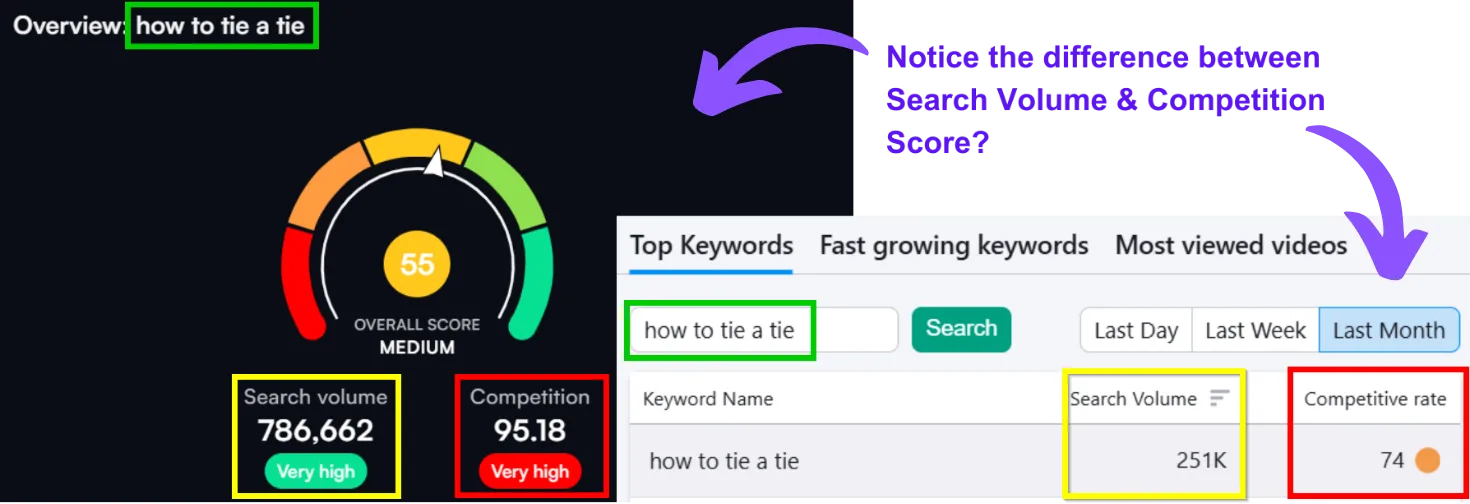
Most YouTube SEO tools aren’t especially accurate. Their search volume and difficulty scores are predicted values, and predictions can be wrong. For the exact same keyword, “how to tie a tie,” VidIQ and TubeBuddy suggest very different numbers.
Google’s SEO tools, by contrast, have had years to mature, and they’re considerably more reliable. Plenty of “how to” searches on Google surface YouTube results directly, so Google deserves a real place in your YouTube SEO strategy too.
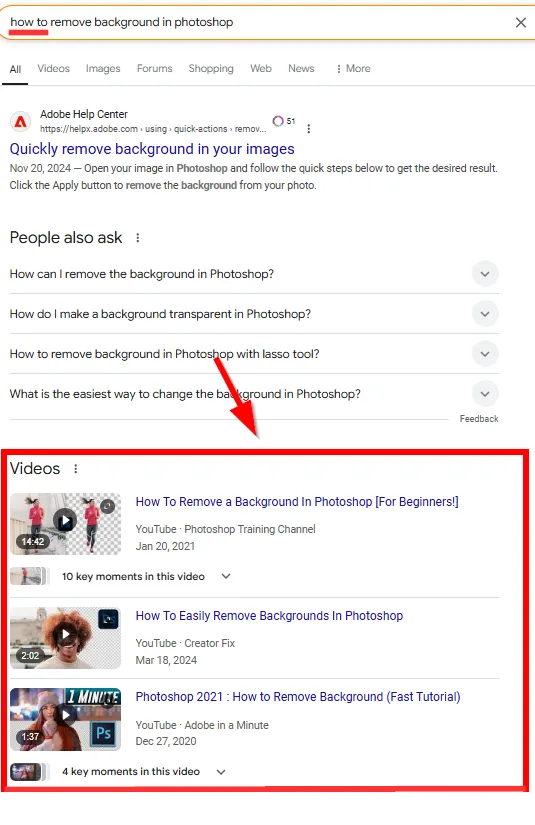
Get keyword research right and you can pull in traffic from both YouTube search and Google SERPs. Here’s how to do both.
Part A: Keyword Research on YouTube
Brainstorm Keyword Ideas
Start with what your video is actually about. Write down a few phrases that capture the core idea. For a beginner yoga video about stress relief, that might look like:
➜ Beginner yoga poses for relaxation
➜ Stress-relieving yoga sequences
➜ Simple yoga stretches for stress
➜ Relaxation yoga for beginners
➜ Yoga for unwinding after work
➜ Calming yoga practices
➜ Yoga for mental health
➜ Easy yoga for anxiety
➜ Yoga for stress relief
Drop these into a doc to start.
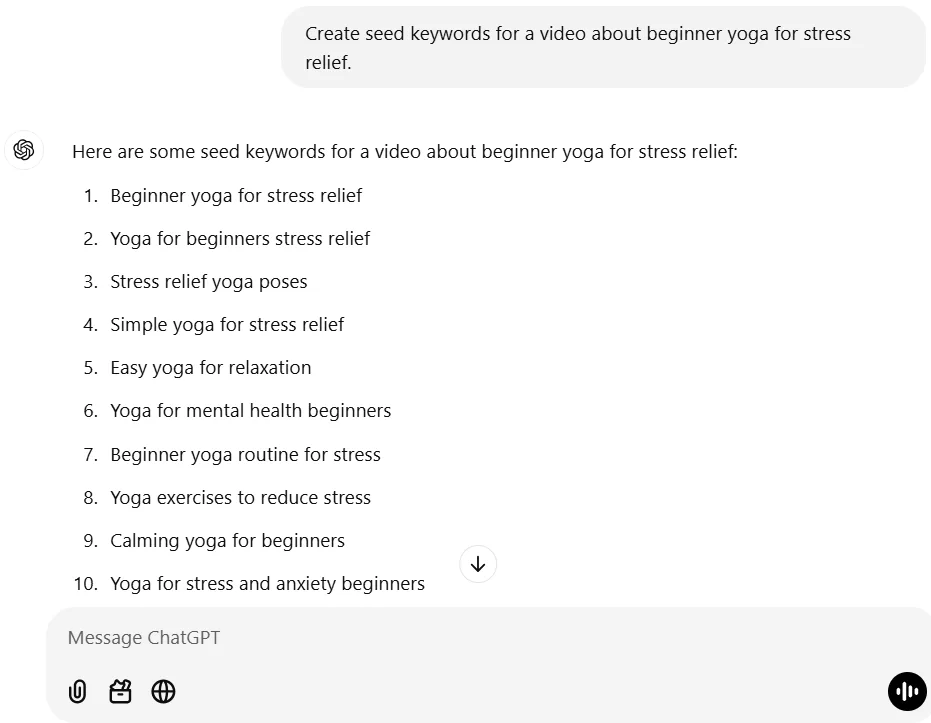
Step 1: ChatGPT for inspiration (free). A prompt like “create seed keywords for a video about [your topic]” won’t always be spot-on, but it’s a reasonable starting point, treat it as inspiration only.
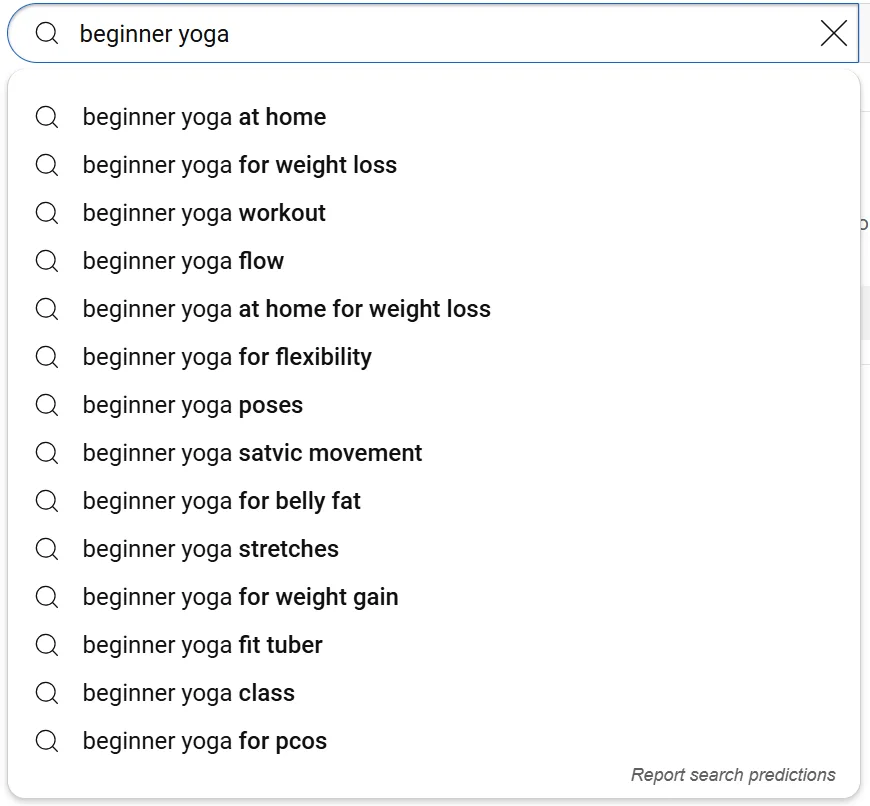
Step 2: YouTube Search Autocomplete (free). Type a broad term into YouTube’s search bar and note what it suggests, these are genuinely reliable since they reflect real searches, and they’re a great way to spot hot topics too.
Step 3: See what your own viewers search for (free). If you already have a channel, open YouTube Studio, go to Analytics → Research → Your viewers’ searches.
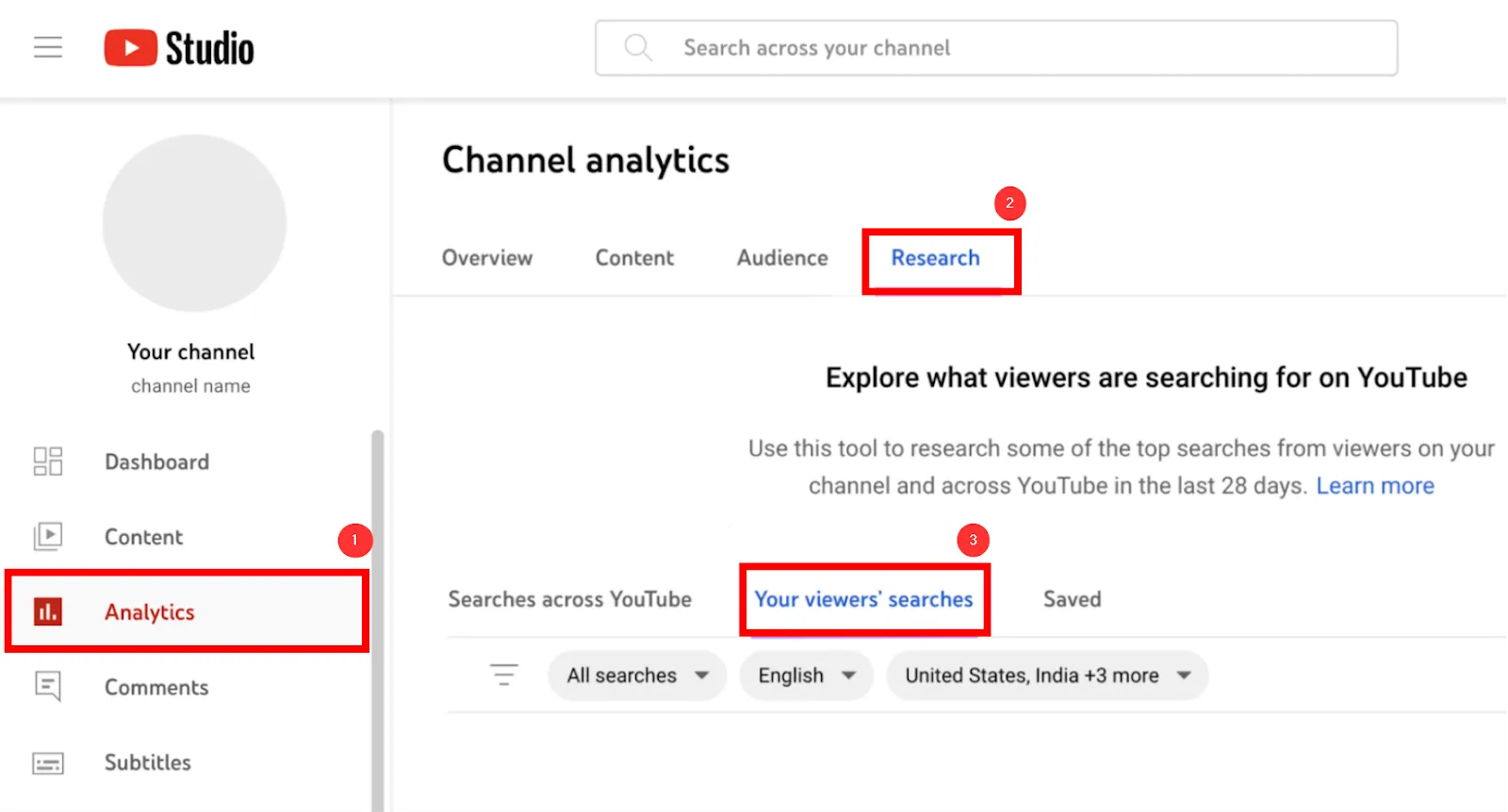
Type a term related to your channel and hit enter to see what your viewers have actually searched over the past month.
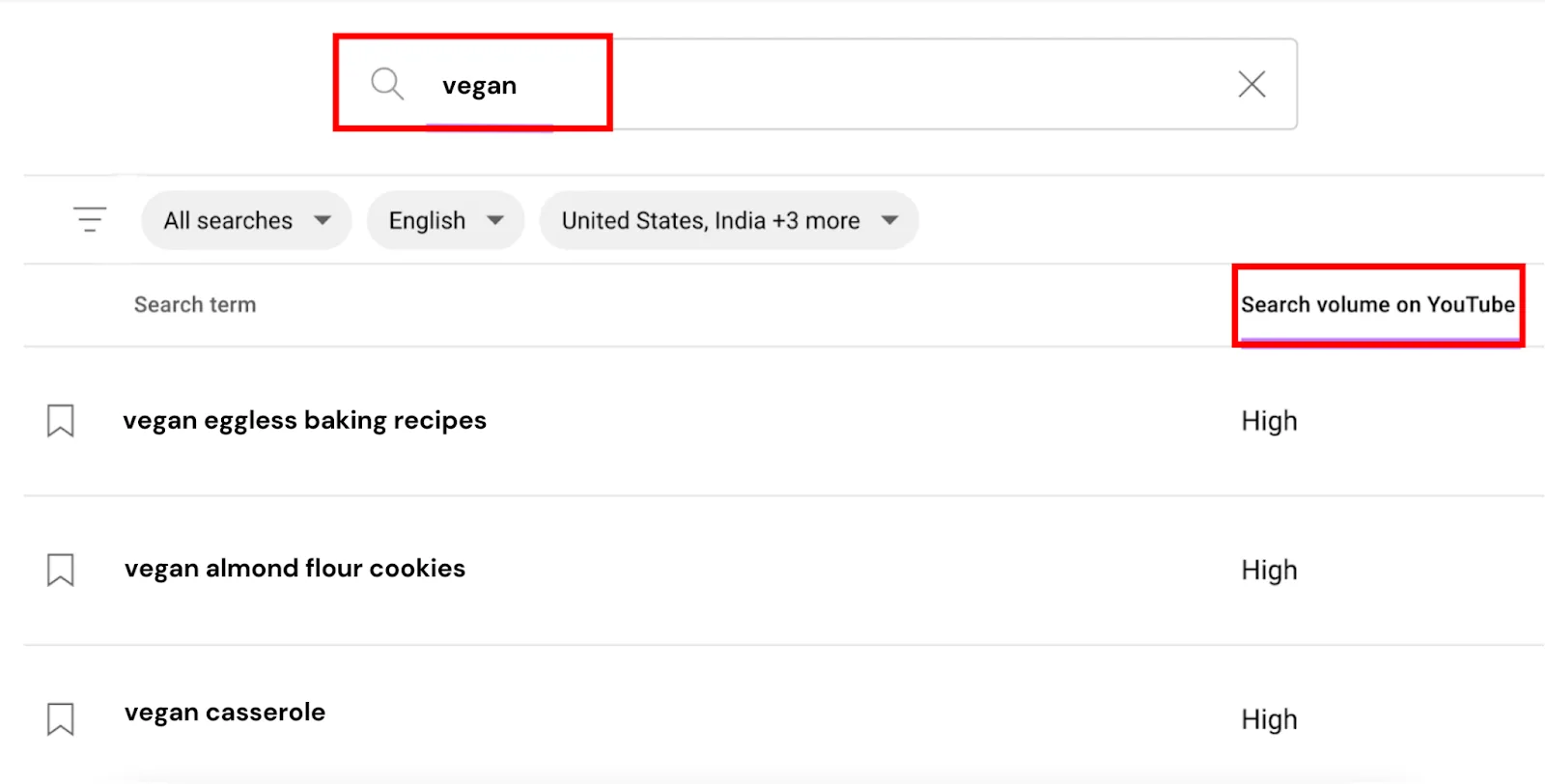
Watch for anything tagged “Content Gap,” meaning searchers couldn’t find a good video for it. That’s a real opportunity: cover it and you’re positioned to pick up views and subscribers others missed. The “Searches across YouTube” section broadens this out further, and you can bookmark anything relevant to revisit later.
Step 4: vidIQ’s AI Keyword Generator (freemium). This is arguably the strongest tool for the job, analyzing YouTube search data to suggest keywords based on volume, relevance, and competition. Enter a broad term and hit Generate.
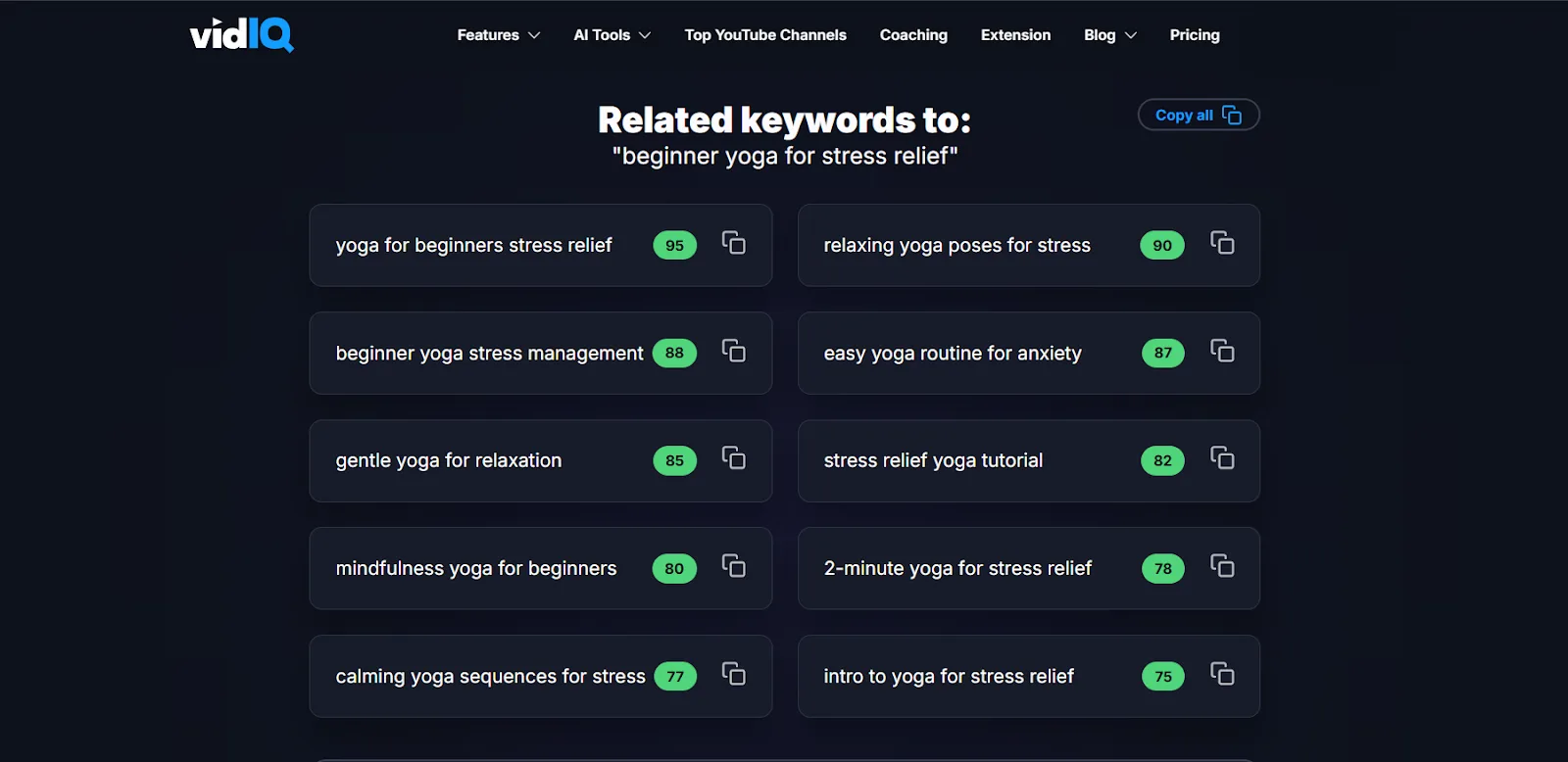
The green Relevance Score bubbles tell you how valuable each suggestion actually is, higher is better, no more guesswork.
Research Your Competitors
The fastest way to find validated ideas: see what’s already working for others. Search your topic and open the top-performing videos.
Check titles and descriptions. A stress-relief yoga video with 4.2M+ views is a goldmine of proven keywords within seconds of opening it.
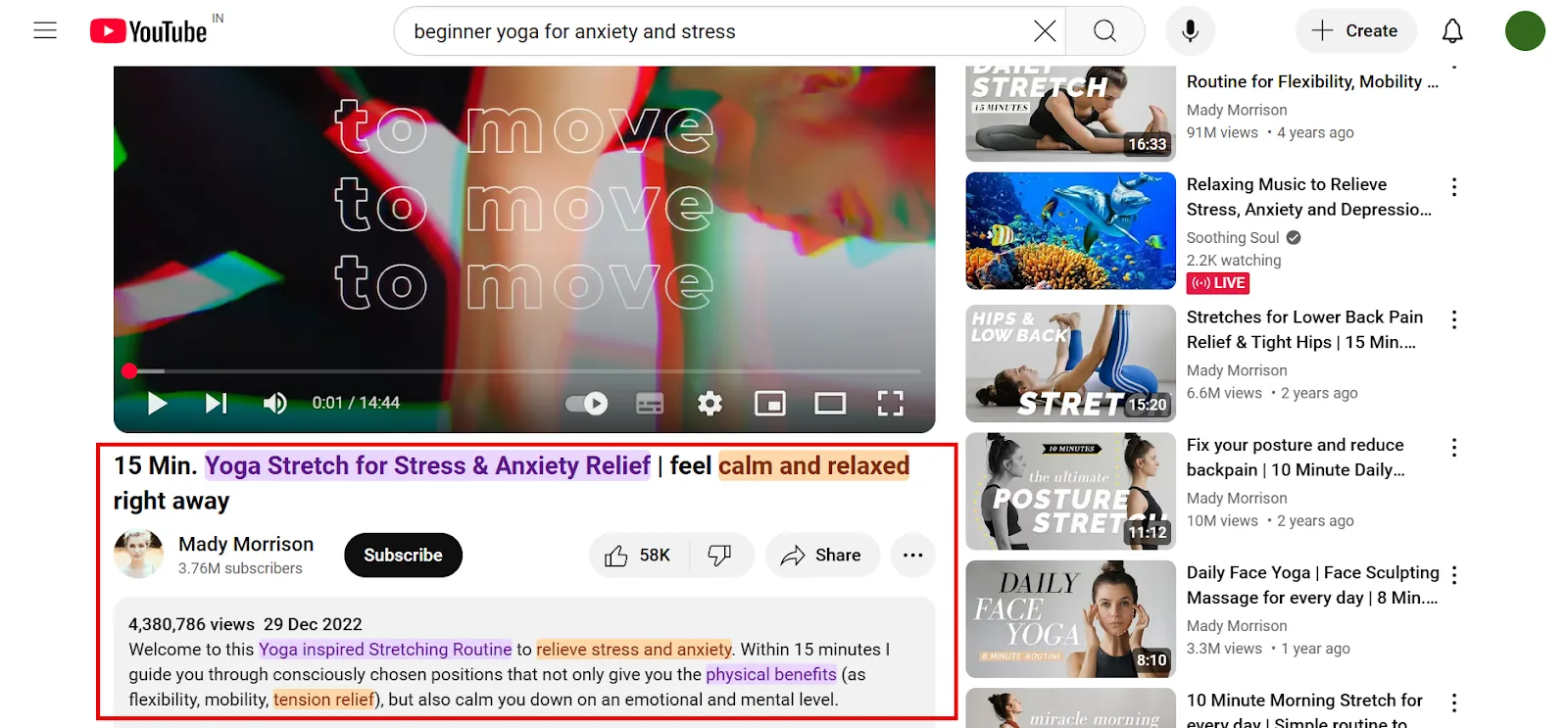
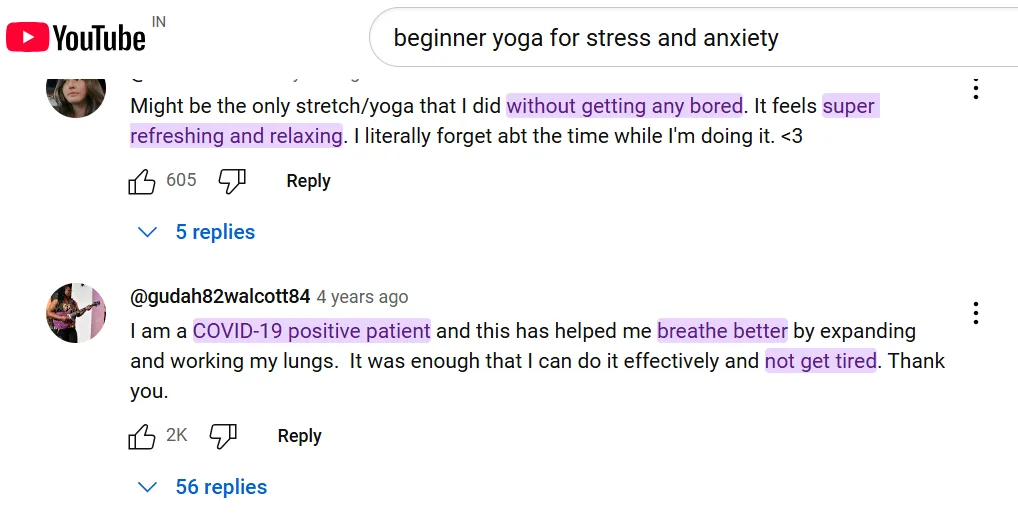
Check the comments. They’re not always polished phrases, but they surface real language and topic ideas: “relaxing yoga,” “yoga for tired people,” “yoga to breathe better,” things you might not have thought to target directly.
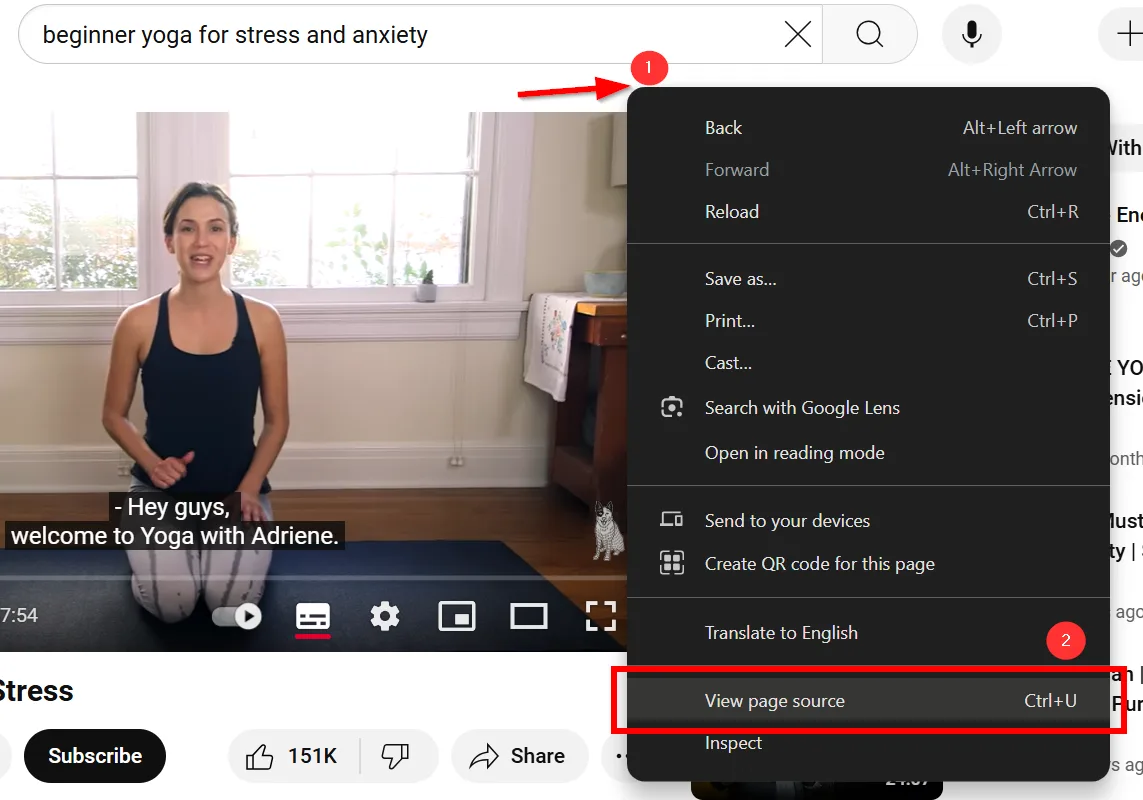
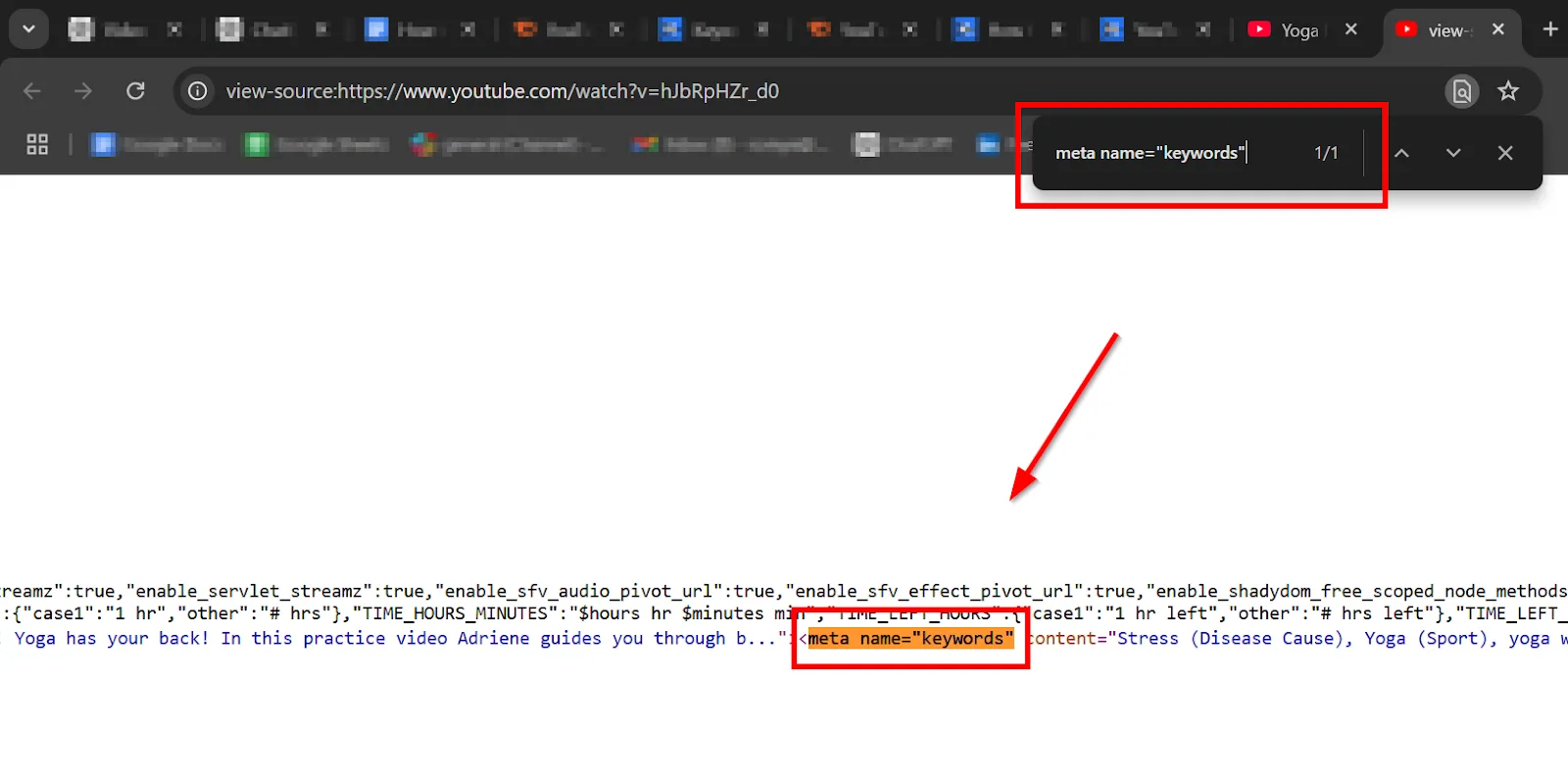
Check competitor tags. How much tags actually affect visibility is debatable, but they’re still a solid keyword source. Open a competitor’s video, right-click near (not on) the search bar, select View Page Source, then search (Ctrl/Cmd+F) for meta name="keywords". The tags sit right next to that match.
Validate Keywords With vidIQ’s Keywords Tool
Once you’ve got a broad keyword list from the AI Keyword Generator, use vidIQ’s Keywords Tool (requires vidIQ Pro) to see how popular and competitive each one actually is. Open the dashboard, click Keywords, enter your seed keyword, hit Enter.
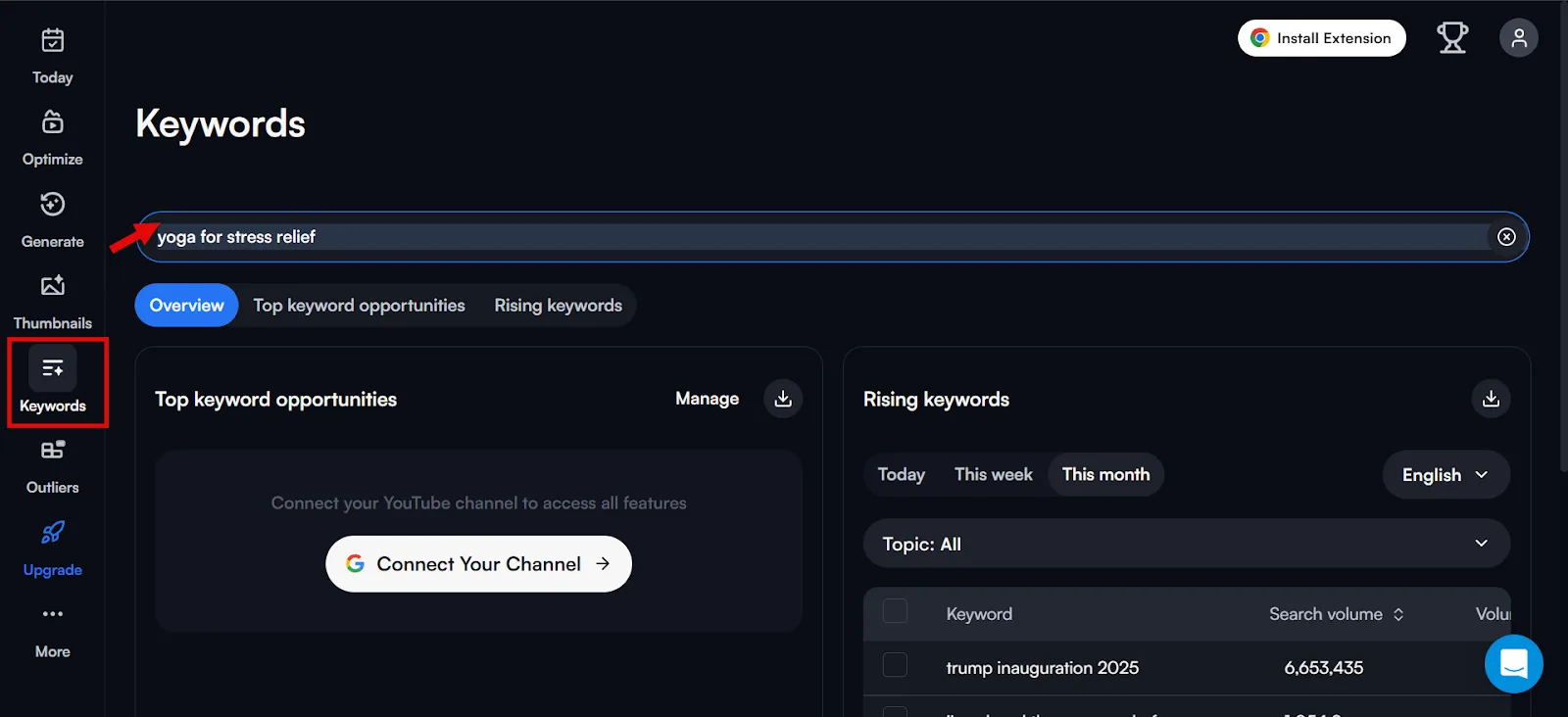
You’ll see Search Volume (how often it’s searched on YouTube) against Competition (how hard it is to rank for). Skip anything with high competition or low volume, it’s not worth the effort.
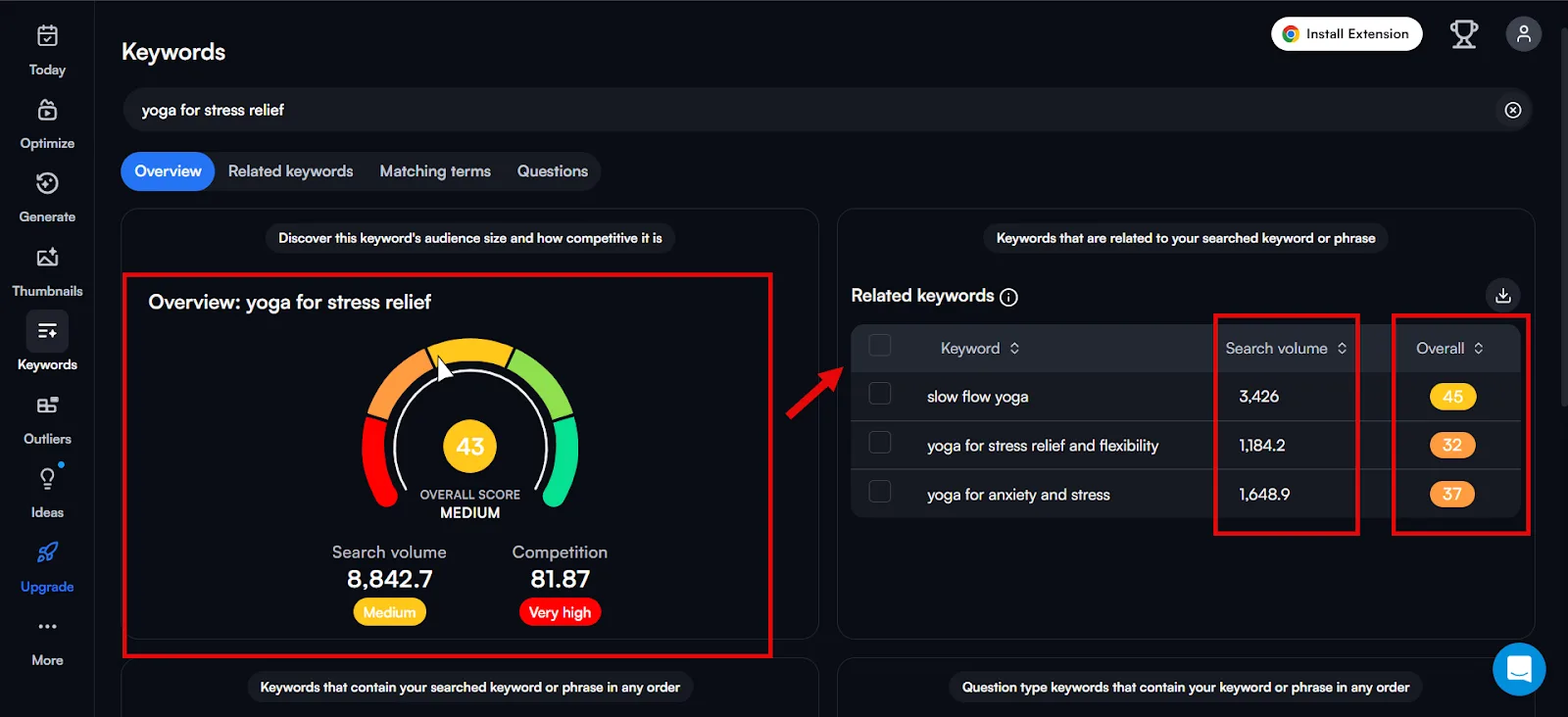
Related keywords and overall scores show up alongside, and Matching Terms surfaces close variations.
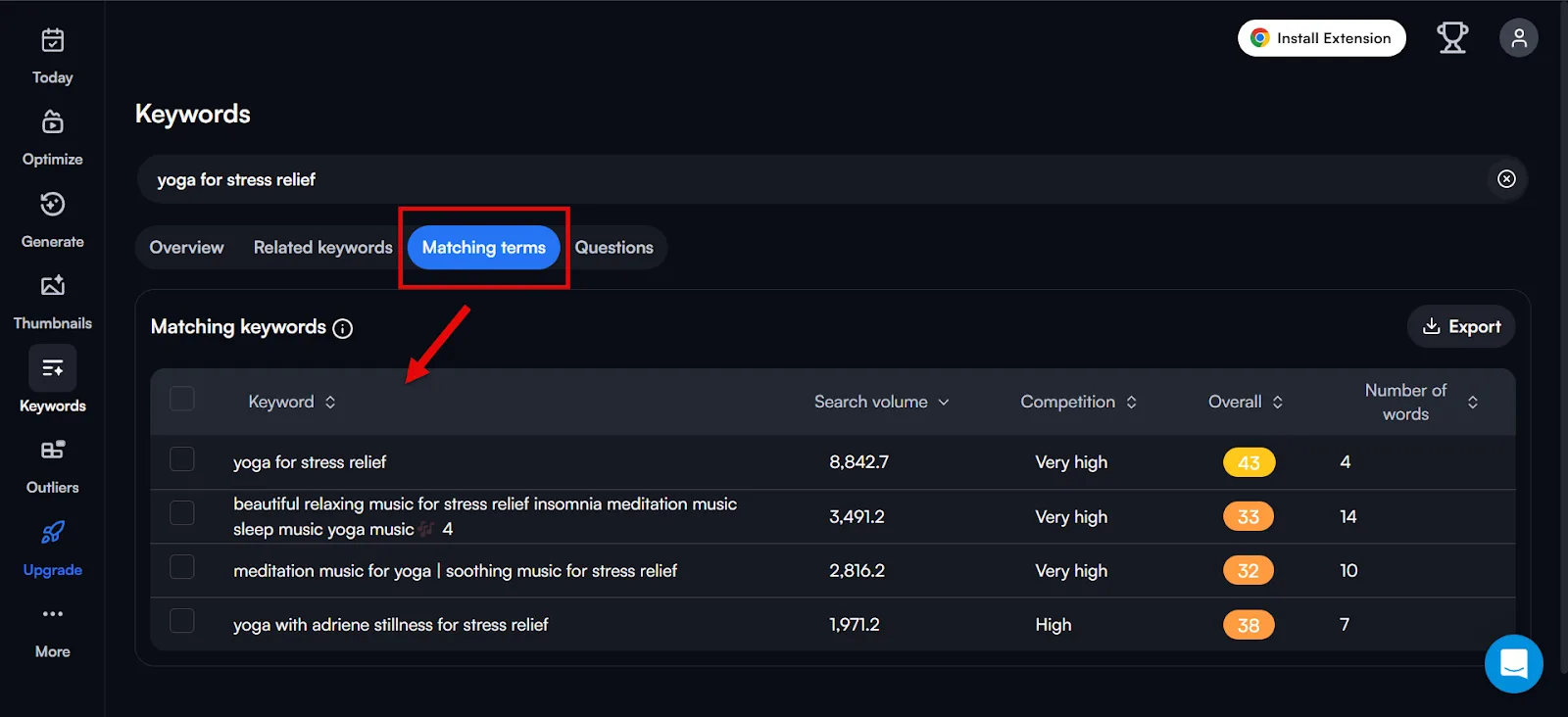
Run your whole list through this and drop anything with a poor score. What’s left is a genuinely valuable set of keywords with real potential to reach your target viewers. Save them to a spreadsheet with their Search Volume and Competition scores attached.
Pro tip: lean into long-tail keywords. A broad term like “iPad Pro” is brutally competitive with murky intent, while “iPad Pro 11 review” has less competition, decent volume, and a viewer intent that’s crystal clear.
Part B: YouTube Keyword Research on Google
Since so many Google queries trigger YouTube results, and Google’s Video filter almost always surfaces YouTube videos, Google deserves a spot in your YouTube keyword process too. Semrush Sensor data puts video results in roughly 40% of desktop SERPs, skip that and you’re leaving a lot of potential views on the table. You can even rank on Google for a term you haven’t cracked on YouTube itself.
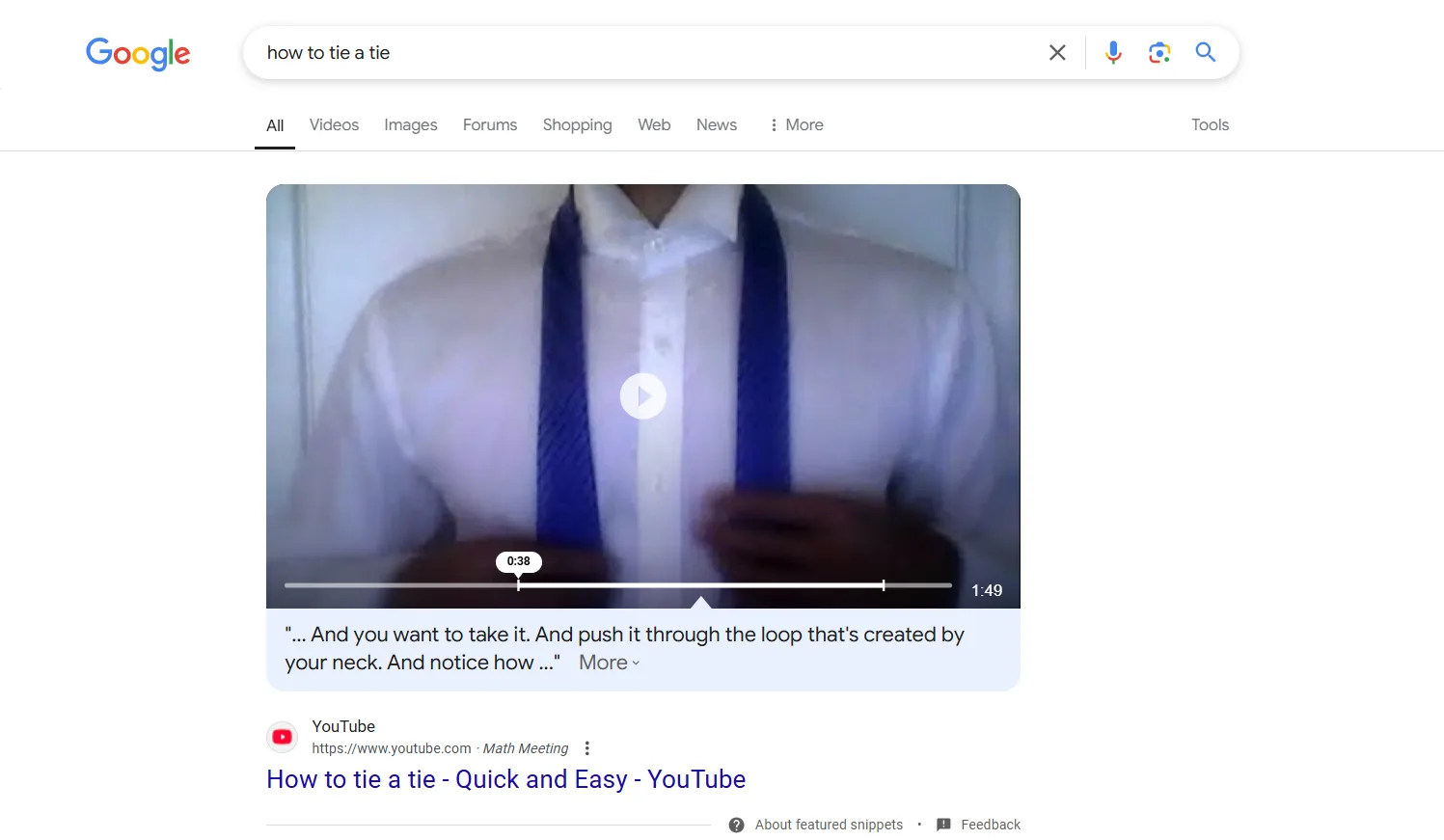
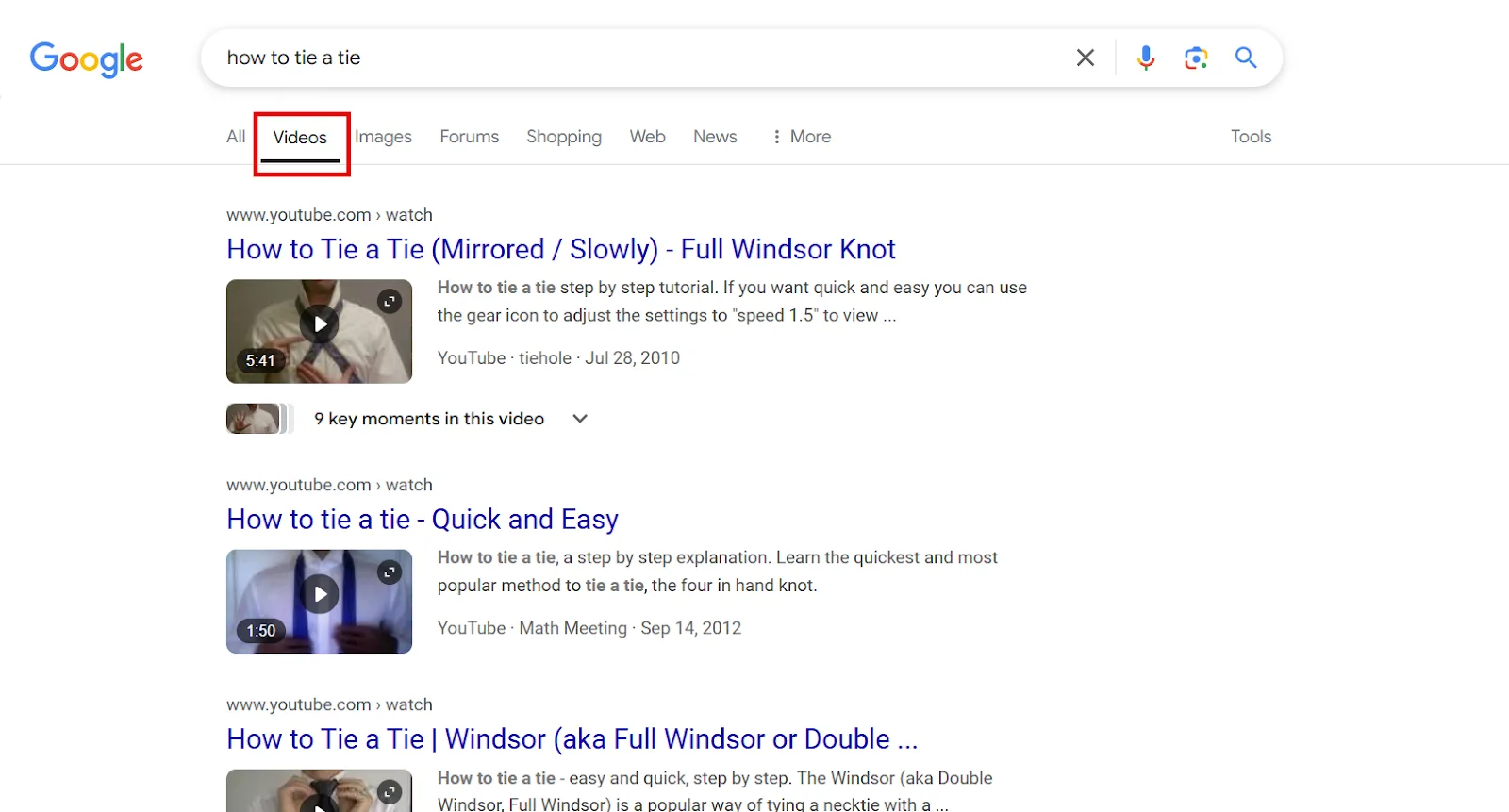
Step 1: Check Google SERP video features (free). Search a relevant query and look for video results, plus check the Video filter directly.
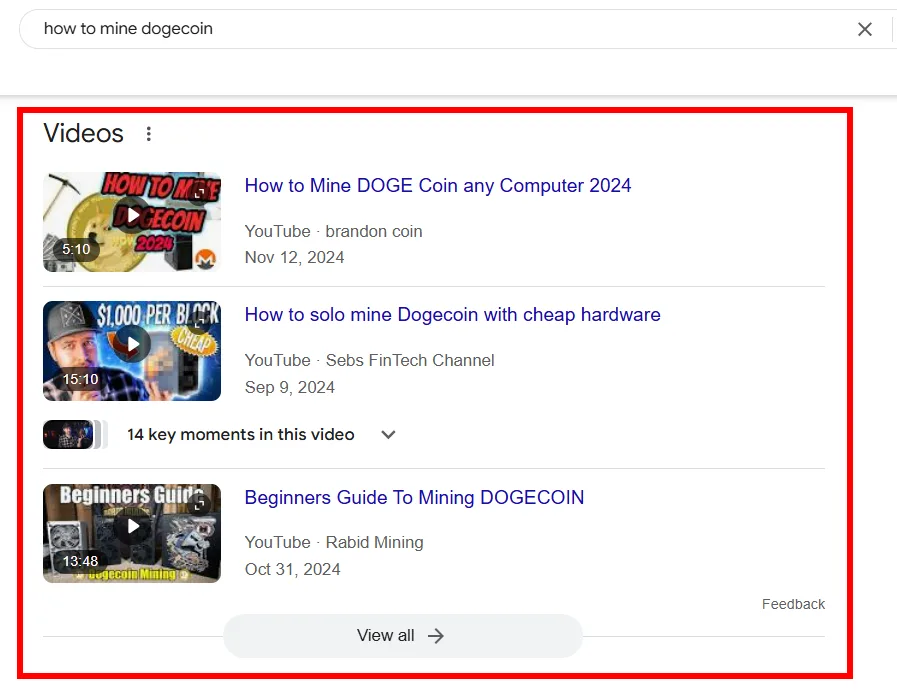
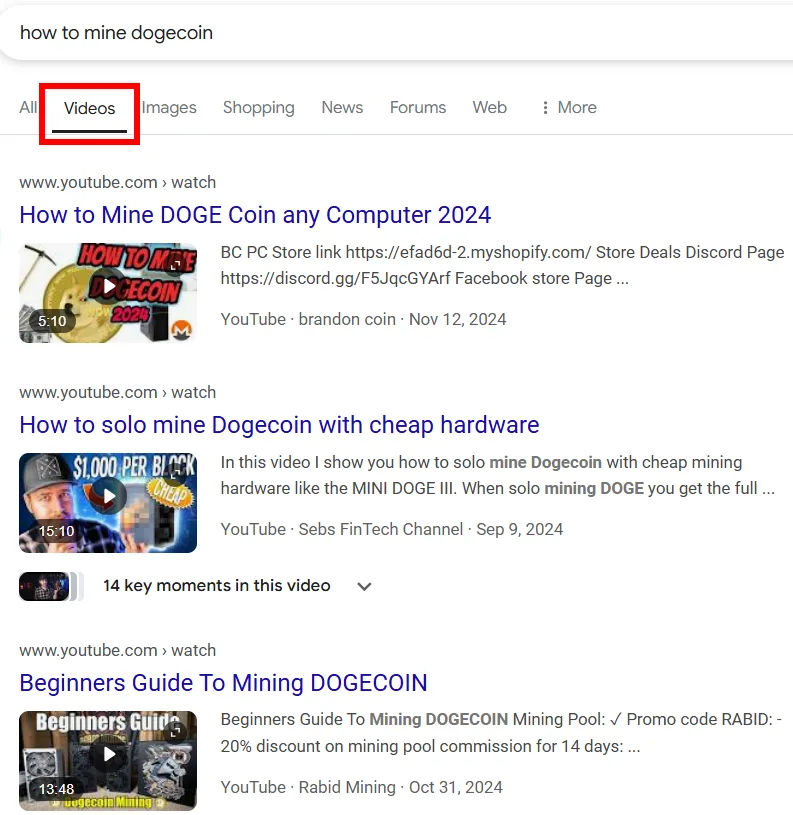
You’ll sometimes spot videos in the “What people are saying” section too.

Analyze whatever shows up the same way, titles, descriptions, tags, comments, and check People Also Ask / People Also Search For on the SERP for more ideas.
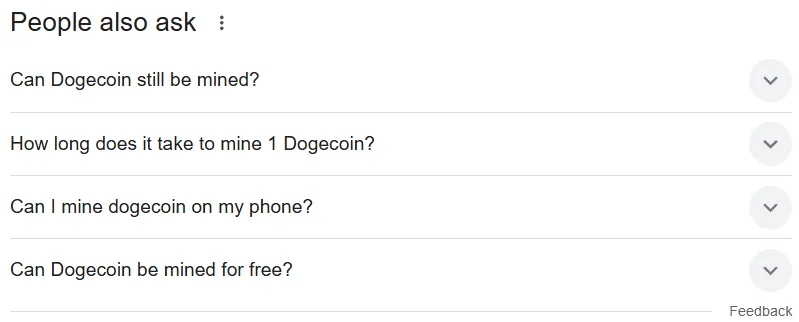
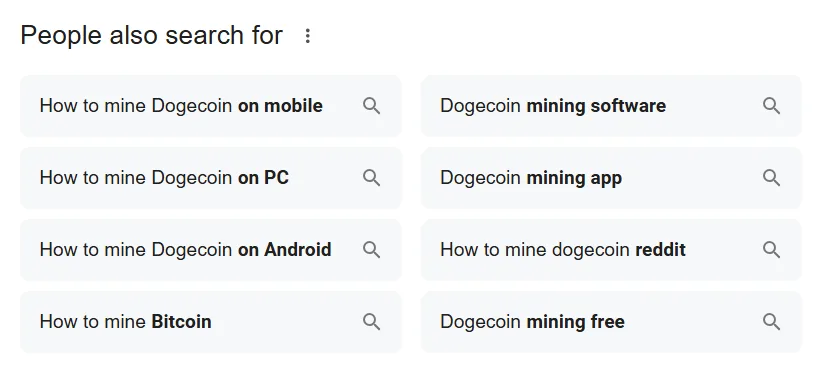
Step 2: Google Trends (free). Search a relevant term,
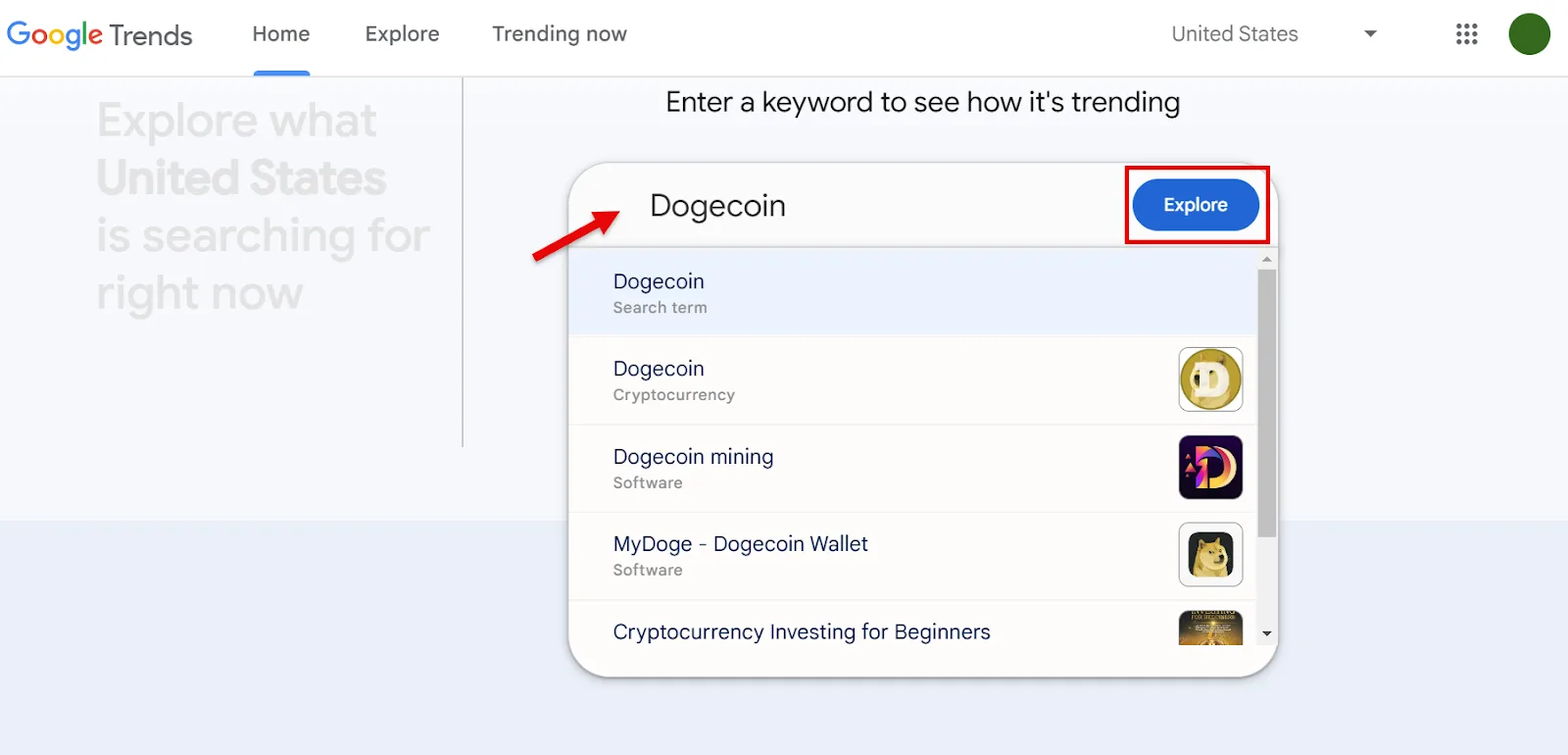
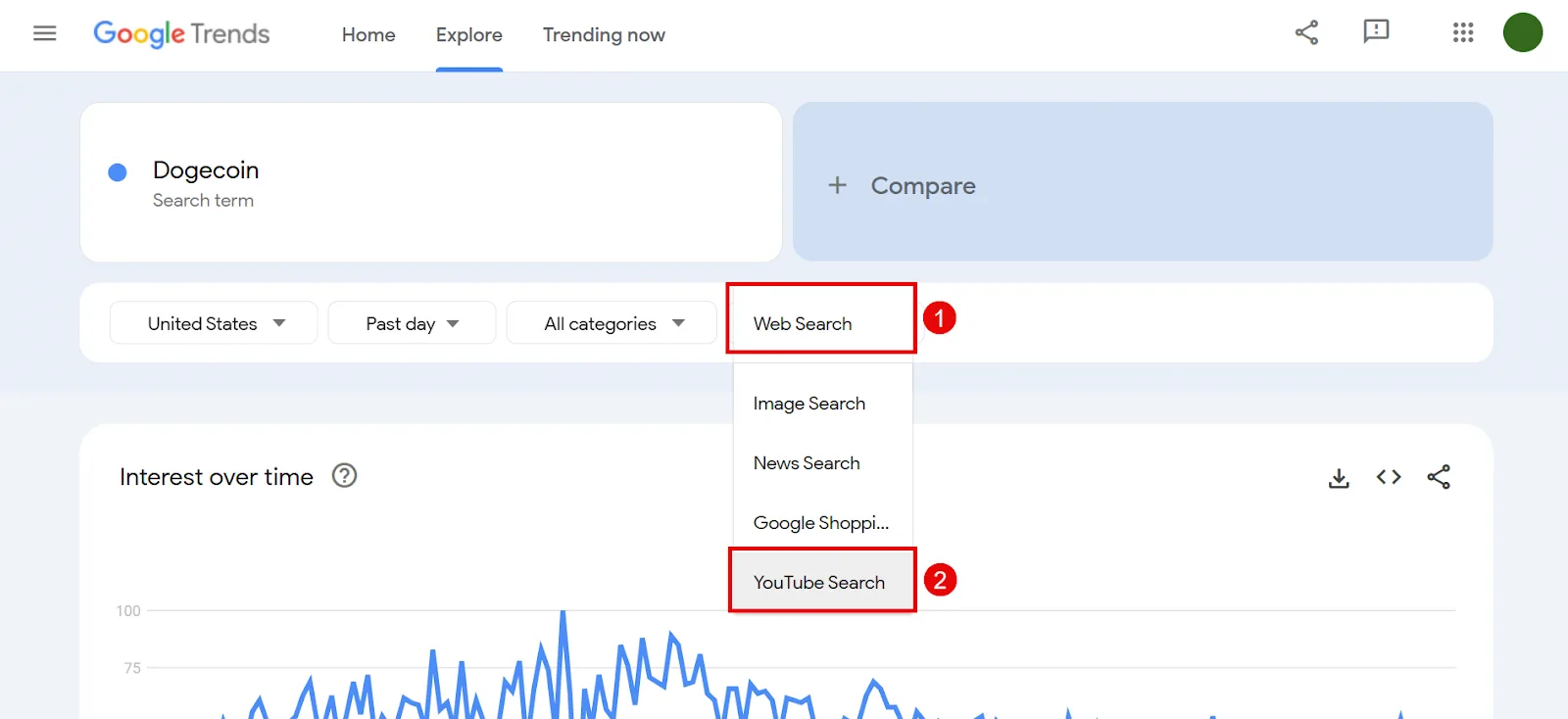
then switch the filter to YouTube Search to see recent popularity specifically on YouTube.
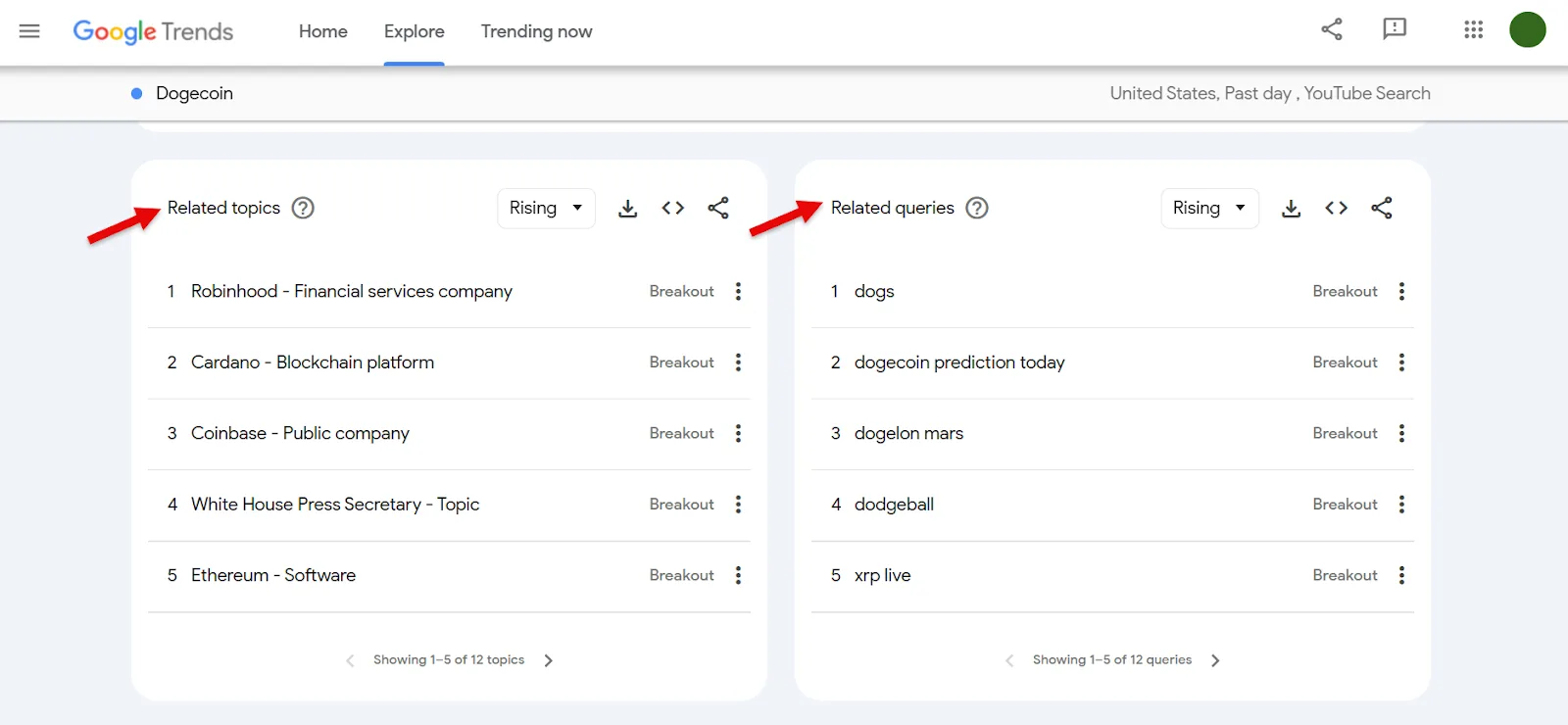
Related Topics and Related Queries further down round out the picture of what your audience is actually searching.
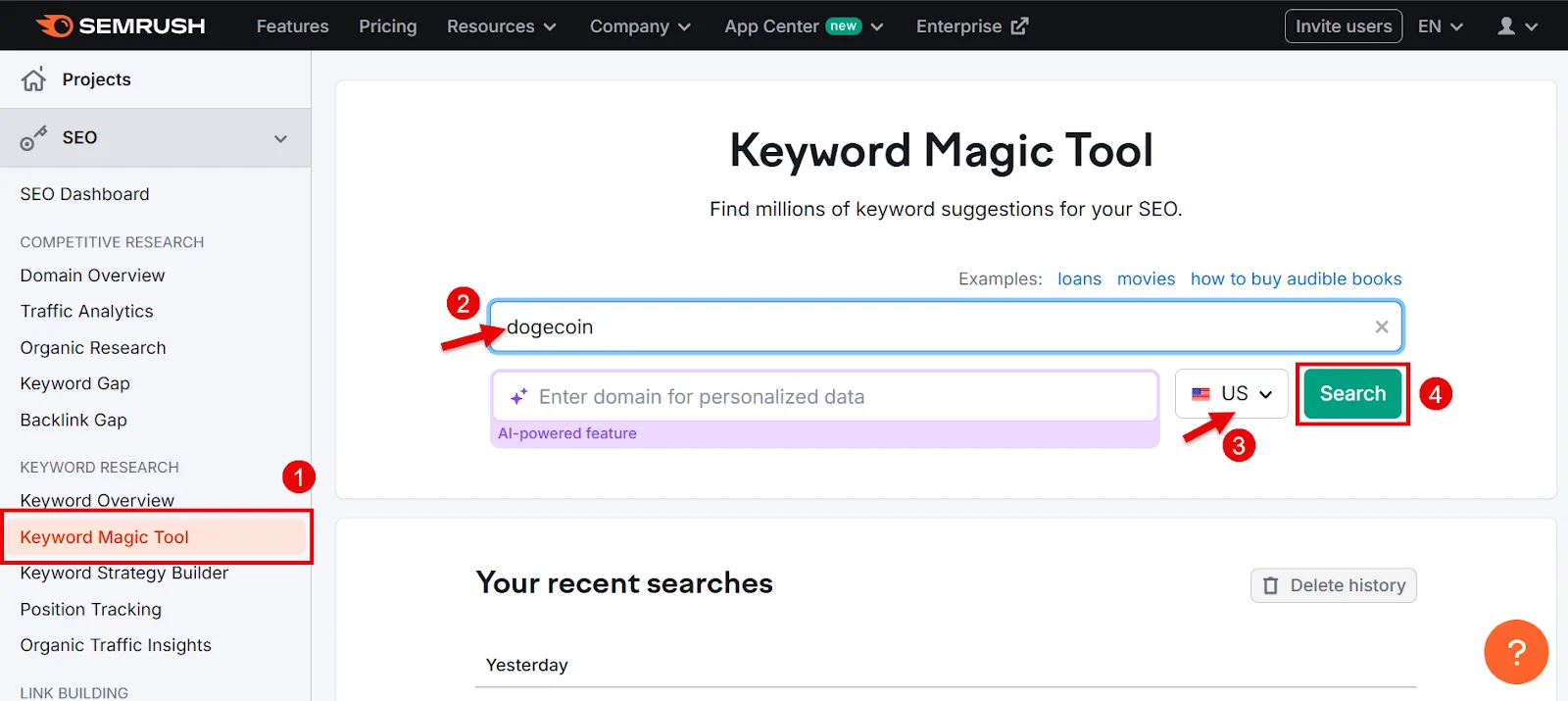
Step 3: Semrush’s Keyword Magic Tool (paid). For the most accurate Google-side data, open Keyword Magic Tool, enter a seed keyword, pick your location, search.
To surface video-relevant terms specifically, open Advanced Filters → SERP Features and select Video, Featured Video, and Video Carousel, then Apply.
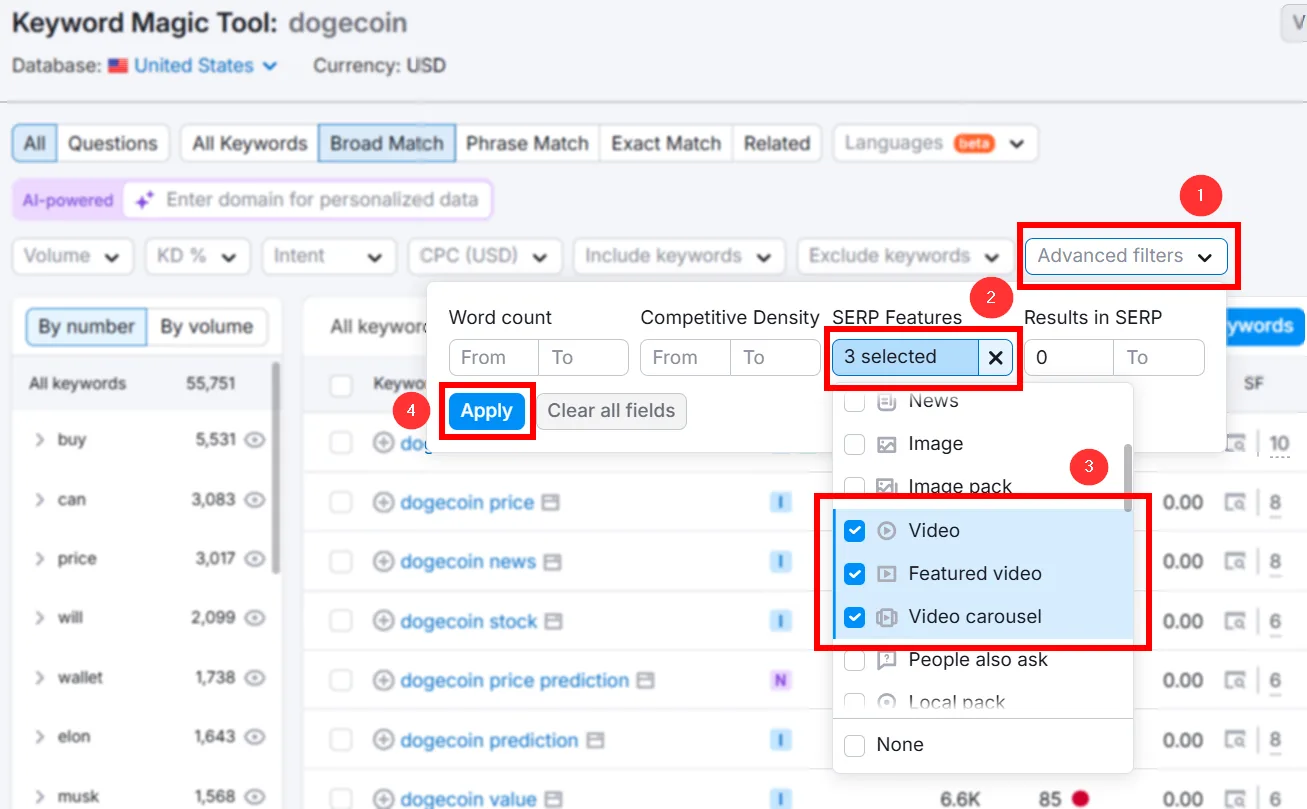
That narrows the list to keywords that actually trigger video SERP features.
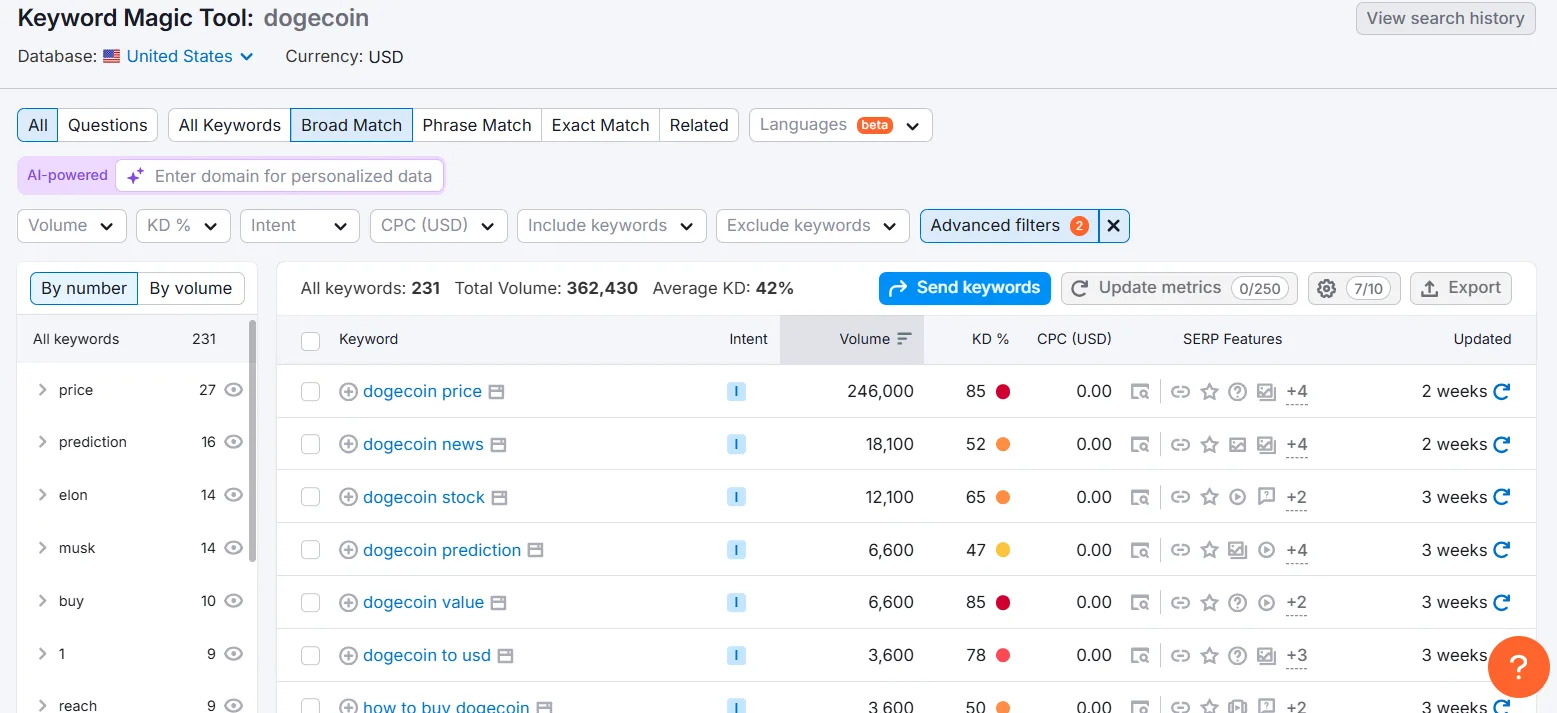
Refine further with Volume, KD%, and Keyword Category filters, favoring high volume and low KD%. Select what fits and export to XLSX.
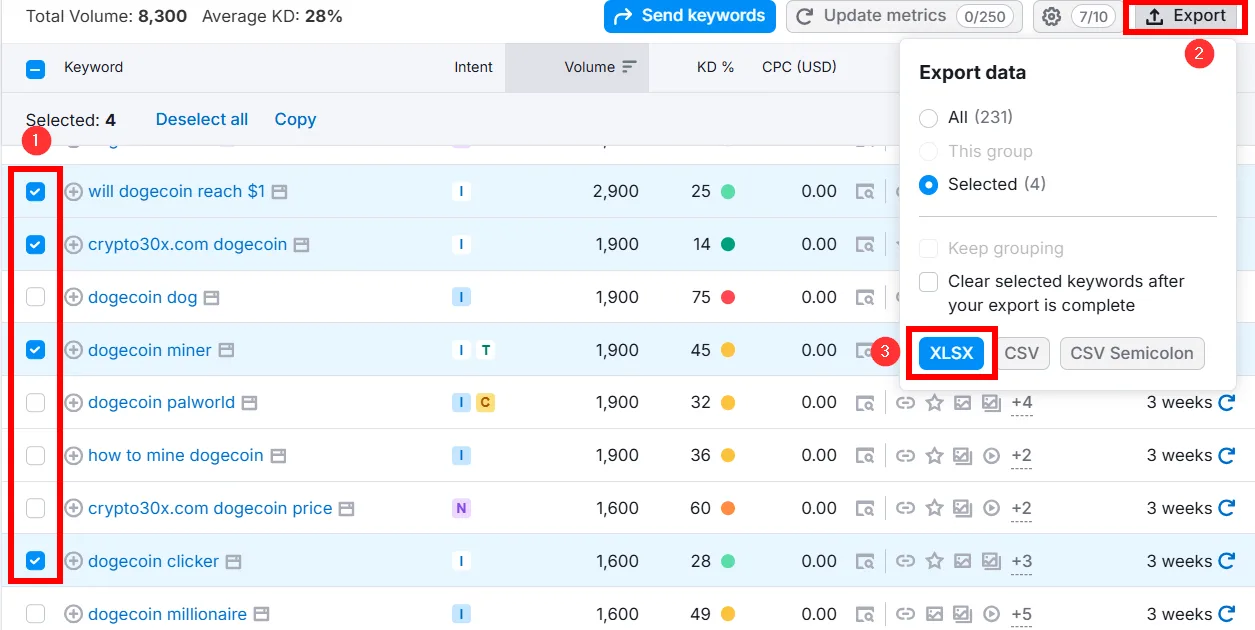
Organize your master YouTube keyword sheet with columns for Keyword, Volume, Competition/KD%, and Notes.
How to Apply Your YouTube Keyword Research
With a solid keyword list in hand, here’s where to actually put it to work.
Optimize Your Video Elements
Titles. The first thing potential viewers see, on YouTube and on Google.
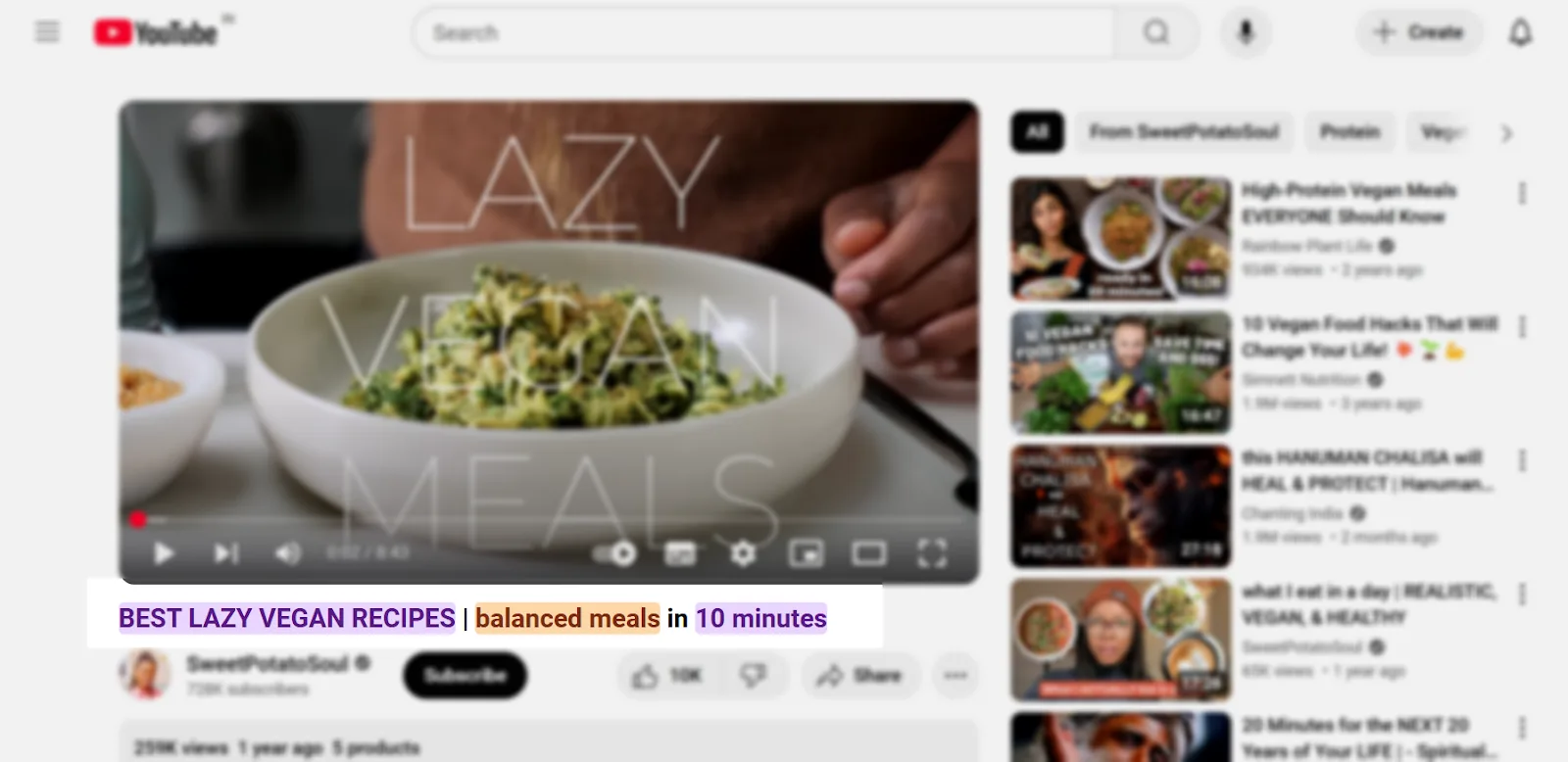
➜ Place your main keyword near the start.
➜ Keep it under 60 characters for full visibility.
➜ Words like “best,” “top,” or “guide,” plus numbers (“5 Tips”), tend to earn more clicks.
Descriptions. A keyword-rich description helps both YouTube and Google understand what your video actually covers.
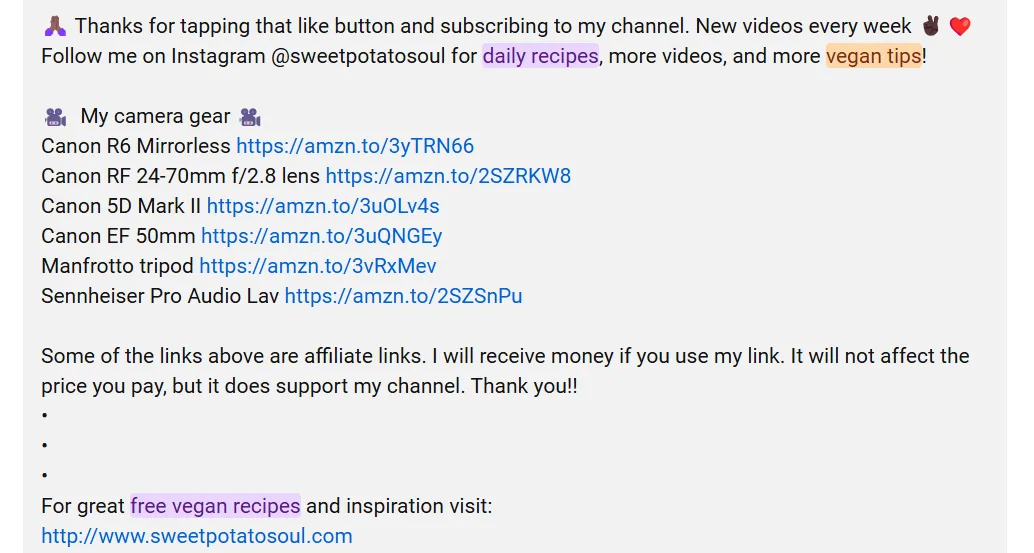
➜ Use your primary keyword in the first sentence.
➜ Repeat it naturally 2–3 times throughout.
➜ Write at least 200 words for real context.
➜ Include related keywords and a clear call to action.
Hashtags:
➜ Add a few at the end of your description to help visibility.
➜ Use your primary keyword as one hashtag.
➜ Add 2–3 more aligned with the video’s topic.
Tags:
➜ Their real impact is debatable, but they still help YouTube categorize the video.
➜ Include your primary keyword, close variations, and synonyms.
➜ Add format-specific tags like “how-to” or “review.”
Chapters.
➜ Keyword-rich chapter titles improve the viewing experience and can make videos more discoverable.
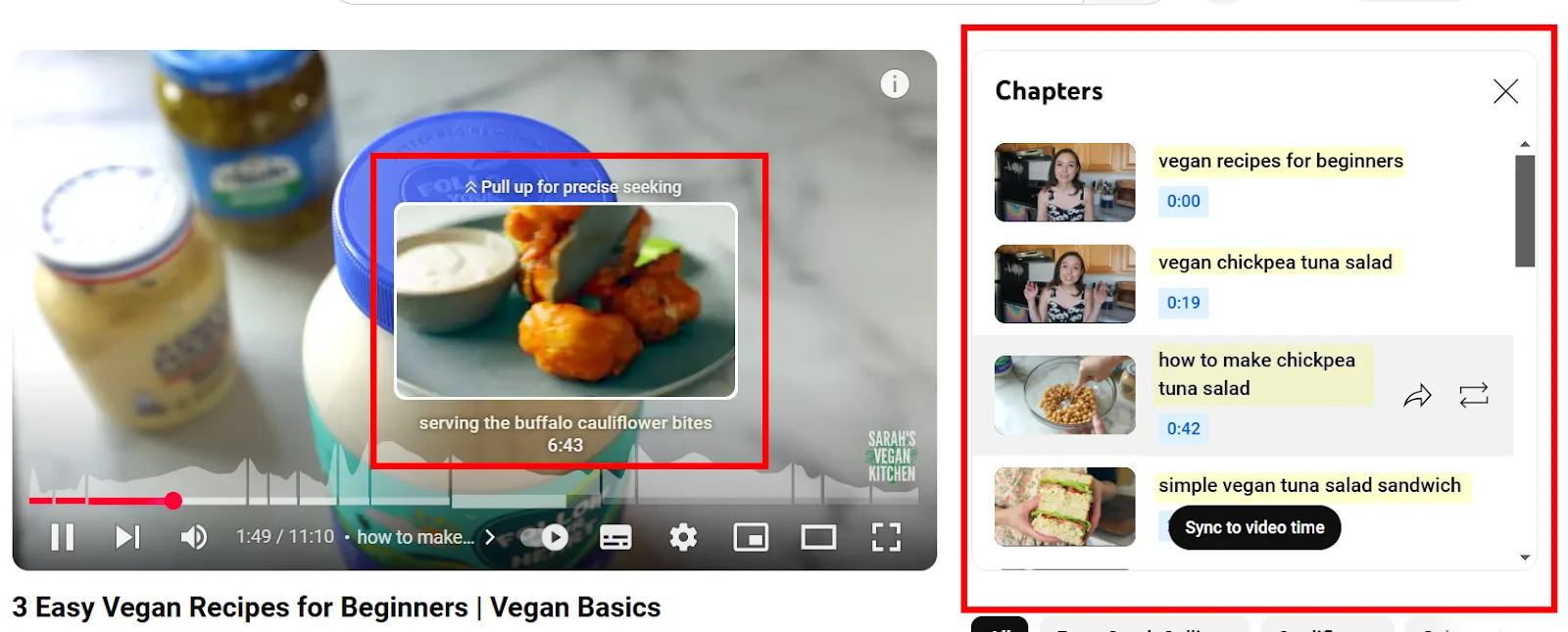
➜ Work keywords into chapter titles themselves.
➜ Add at least three chapters, spaced 1–2 minutes apart.
Don’t Forget the Channel Itself
Keyword research isn’t just for individual videos, it shapes your channel’s overall presence too.
Channel keywords signal to YouTube what your channel is fundamentally about.
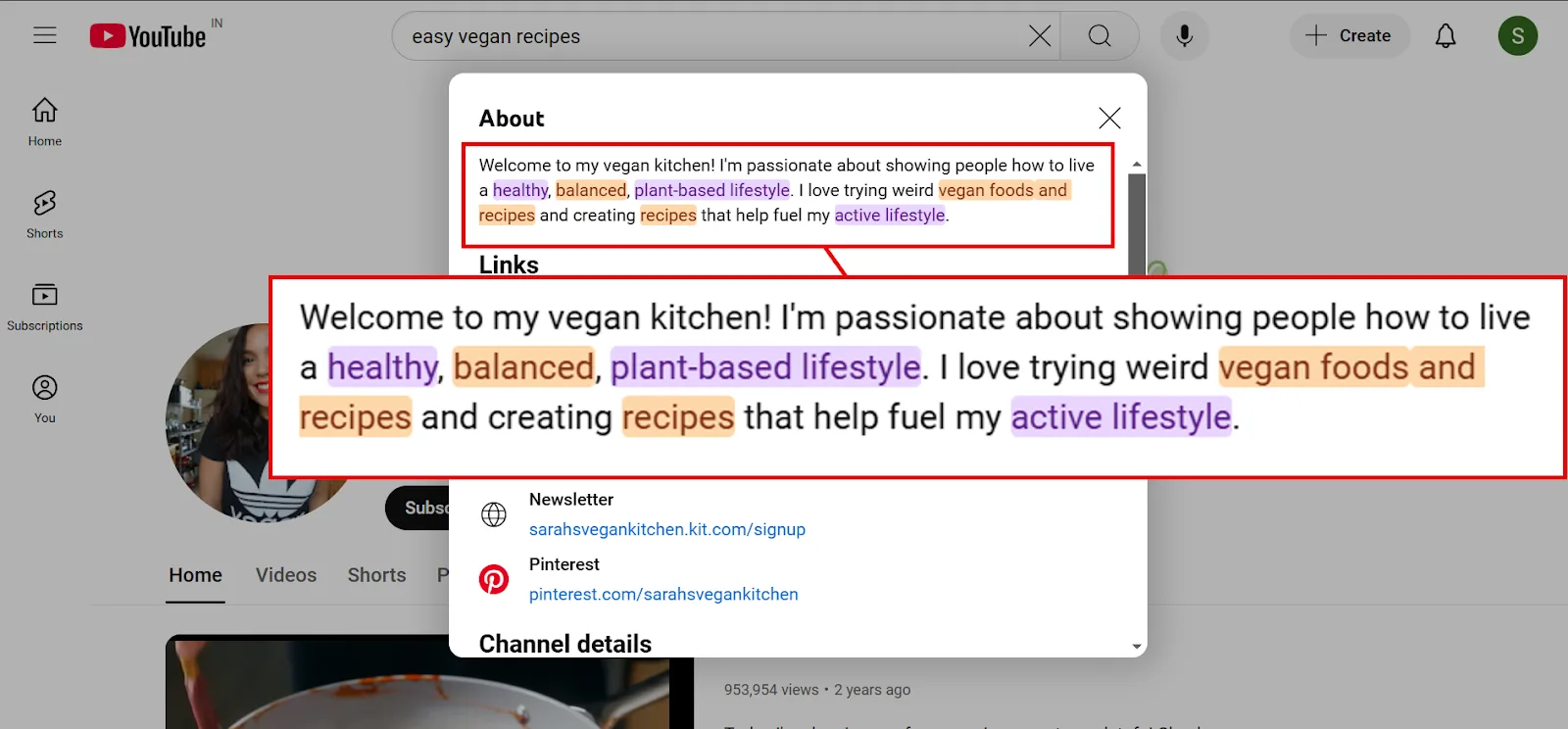
➜ Pick 5–10 keywords that reflect your channel’s core focus.
➜ Skip generic terms, “beginner yoga tutorials” beats “yoga” every time.
Playlist keywords matter too, since playlists themselves can rank in search and drive traffic across multiple videos at once.
➜ Work your main keywords into playlist titles and descriptions.
➜ Summarize the playlist’s value while keeping the language specific.
Boost Your YouTube Presence With Keyword Research
Tools like vidIQ make YouTube-side keyword research far more systematic. But don’t skip Google, tools like Semrush’s Keyword Magic Tool can surface the exact keywords that pull your videos into Google’s video SERP features too.
Frequently Asked Questions
What is the best YouTube keyword research tool?
vidIQ is the strongest dedicated option, with solid analytics and keyword suggestions built specifically for YouTube SEO. Free tools like Google Trends and YouTube’s own autocomplete are also genuinely useful for spotting trends and search patterns.
How do I research topics for a YouTube channel?
Start with your niche: study competitors, trending topics, and what your audience actually cares about. Combine vidIQ for YouTube-side keyword analysis with Semrush’s Keyword Magic Tool for Google video visibility, then layer in audience feedback to refine the strategy.
Is it legal to download YouTube videos for research?
Not without permission, it violates YouTube’s terms of service. Downloading for offline viewing is fine with YouTube Premium, or when a video explicitly offers a download option. When in doubt, get the uploader’s consent first.
Do YouTube tags need hashtags?
No, they serve different purposes. Tags are SEO metadata; hashtags display above the title for categorization. Both are worth using, just not interchangeably.
How do you get discovered on YouTube?
Use the right keywords in titles, descriptions, and tags, create genuinely engaging videos with strong thumbnails, and stay consistent. Actively engaging with viewers and promoting videos elsewhere helps visibility compound over time.
What’s the best content for YouTube beginners?
Content that matches your actual interests and solves a real problem for your audience, tutorials, how-to guides, unboxings, or niche vlogs all work well starting out. Consistency, audience interaction, and steadily improving production quality matter more than any single format choice.